Categories
Developer Tools Knowledge Base Self-Hosted AI RAG AI Tools Document Processing PDF Data PreparationStars
Forks
Watchers
Developer links
Chunky
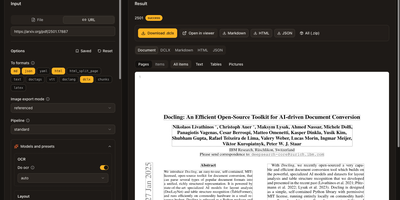
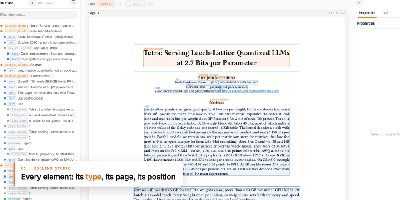
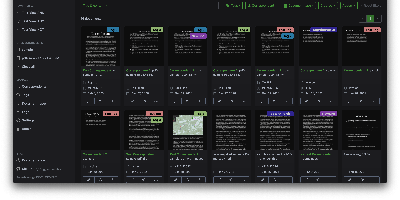
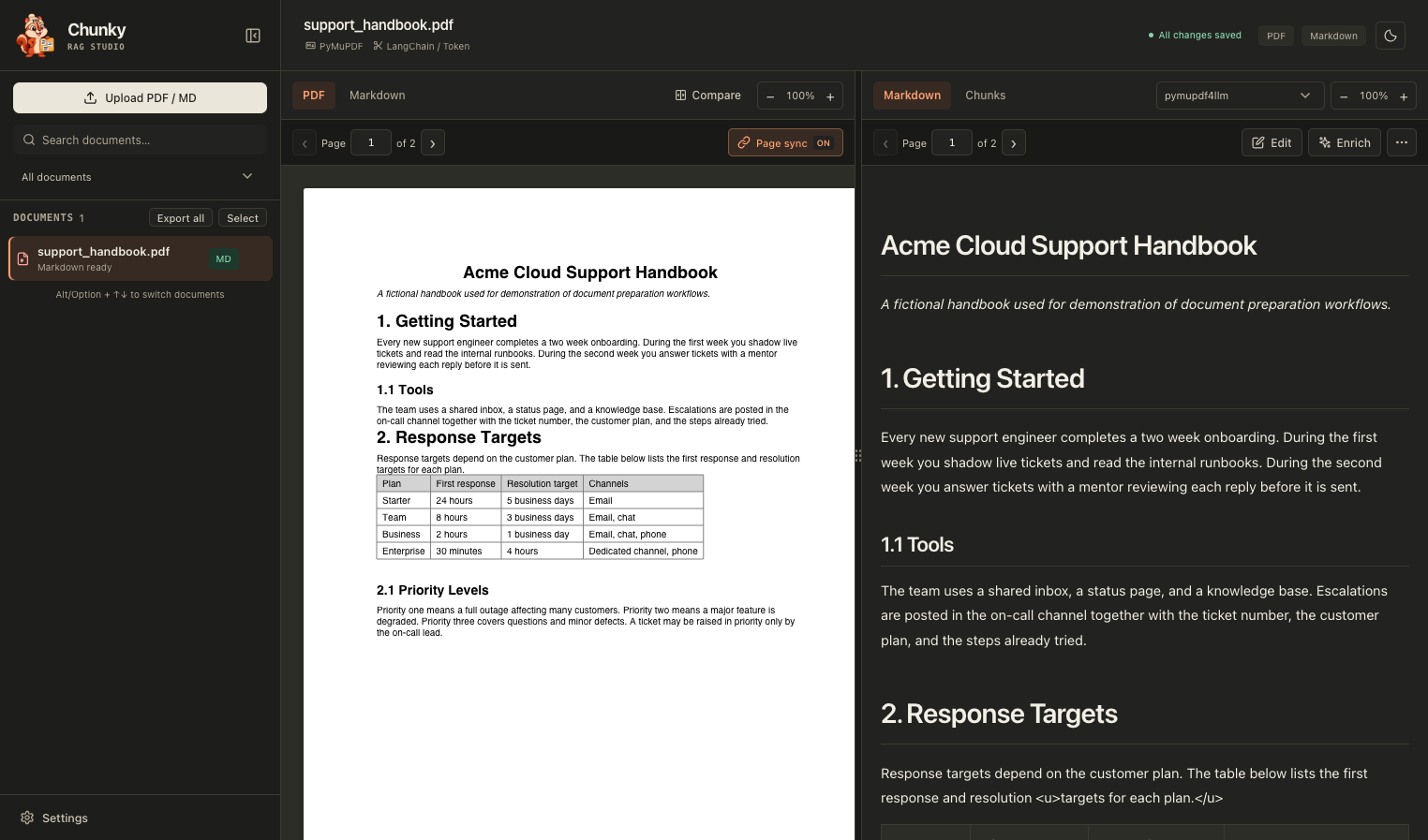
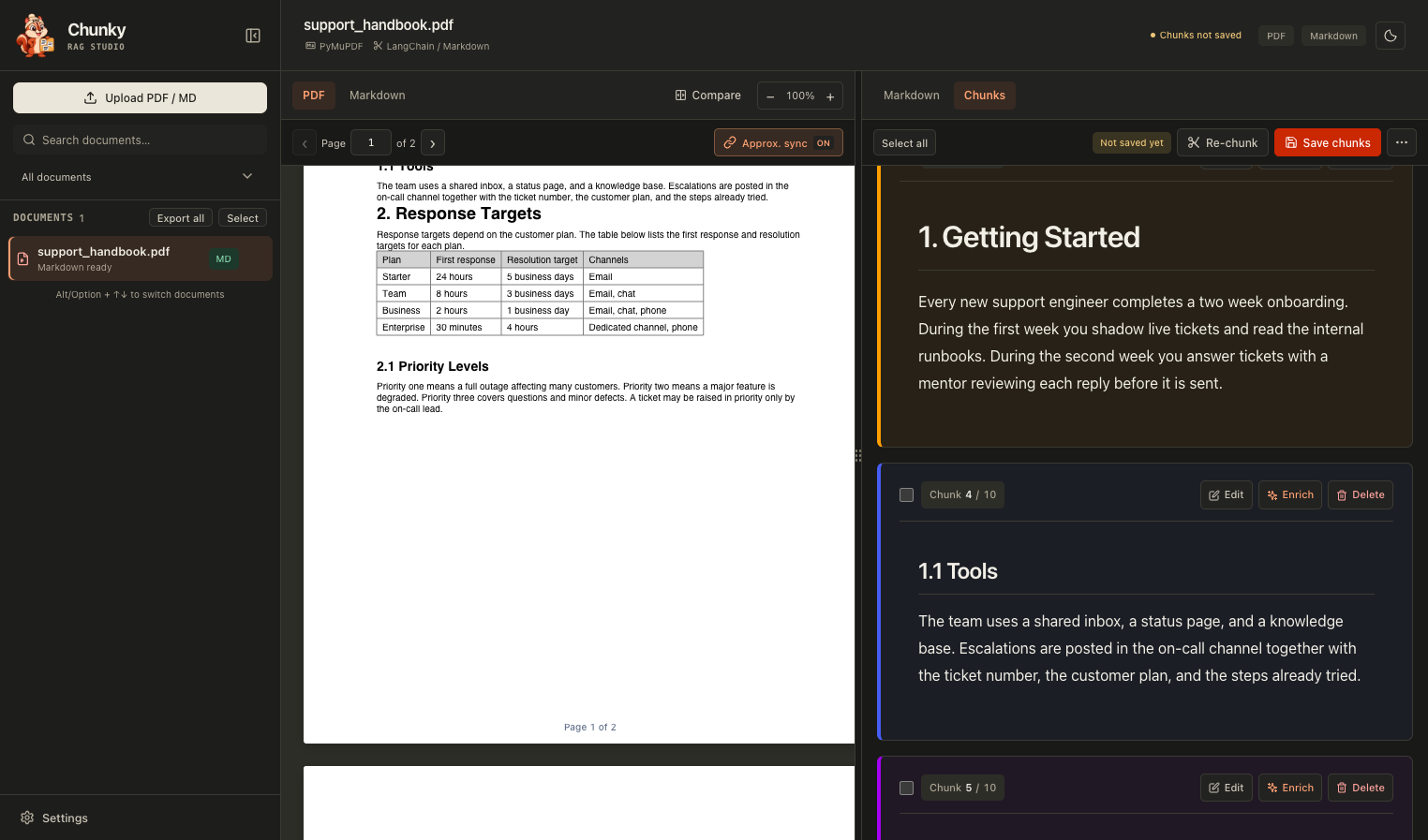
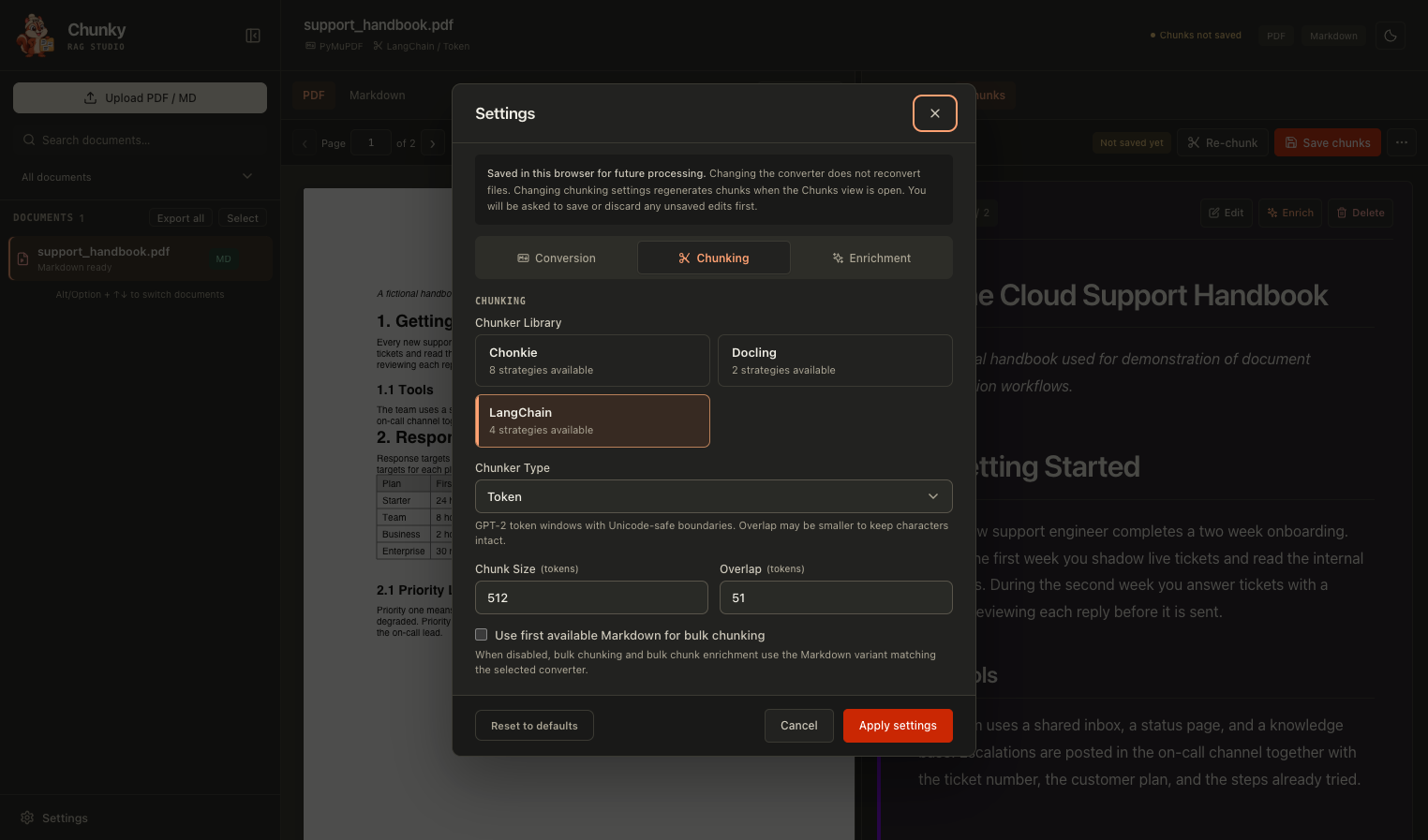
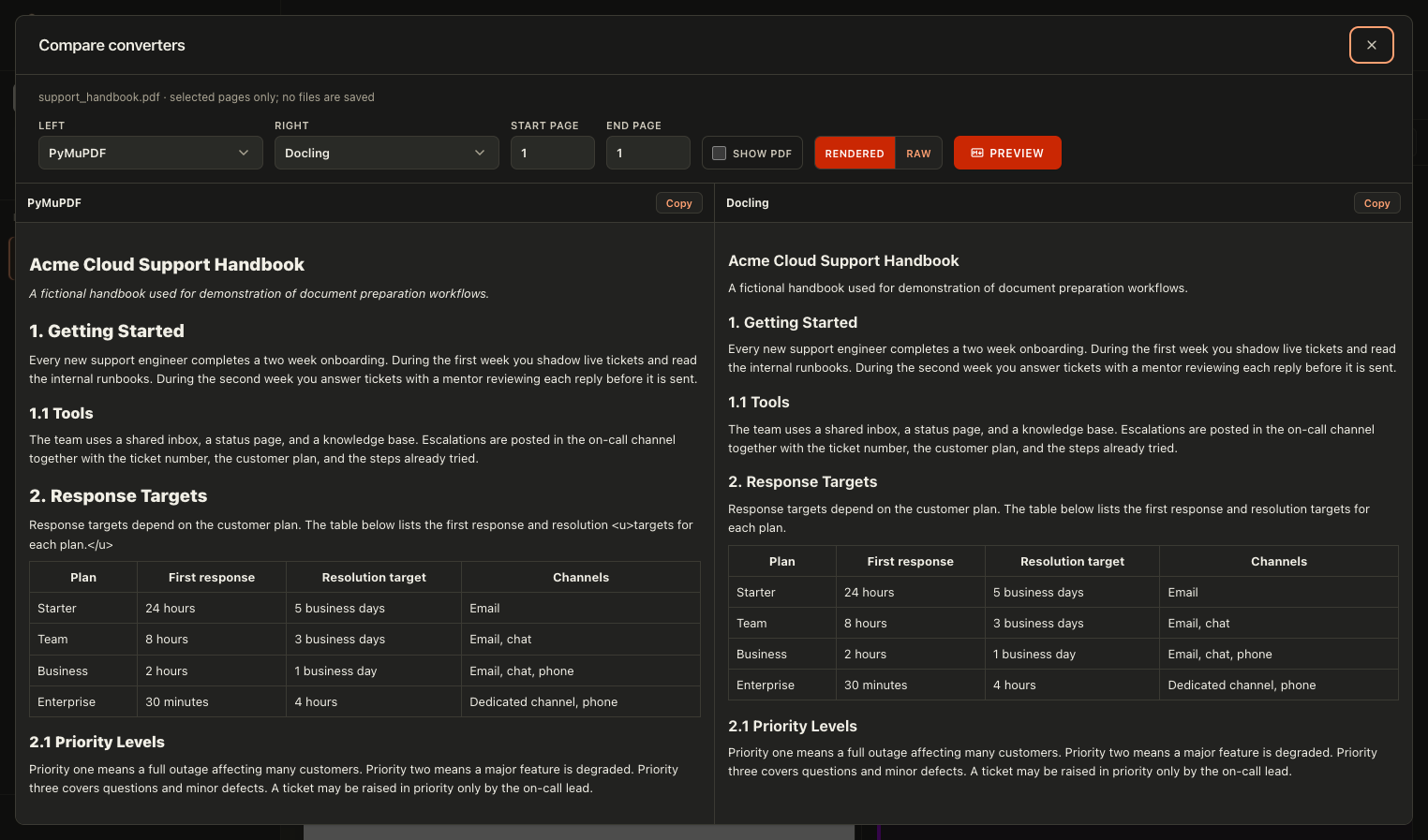
See exactly what your documents look like before a retrieval pipeline swallows them. Chunky puts the original PDF next to the converted Markdown with page-aware scrolling, so broken tables, scrambled columns, and stray artifacts are visible at a glance. Pick a converter, edit the Markdown by hand, then split it into color-coded chunks you can edit, delete, or enrich one at a time. Compare two converters on the same pages in a side-by-side dialog to find which one handles your layouts best. Try token, recursive, sentence, semantic, table, code, and heading-based splitters with adjustable size and overlap, and save the chunk sets that work. Optional model-powered enrichment adds titles, one-sentence context, summaries, keywords, and retrieval questions to each chunk. Process many documents in one batch and export everything as a ZIP. Judge chunk quality by eye, not by guesswork, before any of it reaches an embedding model. Running on a dedicated VPS on RepoCloud with guaranteed CPU, RAM, and SSD, full root SSH access, and a browser serial console. MIT licensed.
Benefits
- Spot Conversion Problems Early
- Side-by-side PDF and Markdown views with page sync reveal broken tables and scrambled layouts before they poison retrieval quality in your search index.
- Compare Converters On Real Files
- Run any two of six engines on selected pages and read the results next to each other to choose the best fit for your documents.
- Tune Chunking With Evidence
- Switch splitters and size settings, watch color-coded chunks regenerate instantly, and save the versions that keep headings, tables, and sentences intact for your embedding model.
- Keep Documents Under Your Control
- The workspace runs on your own server, stores files in your own folder, and only calls a model endpoint when you configure one for enrichment.
Features
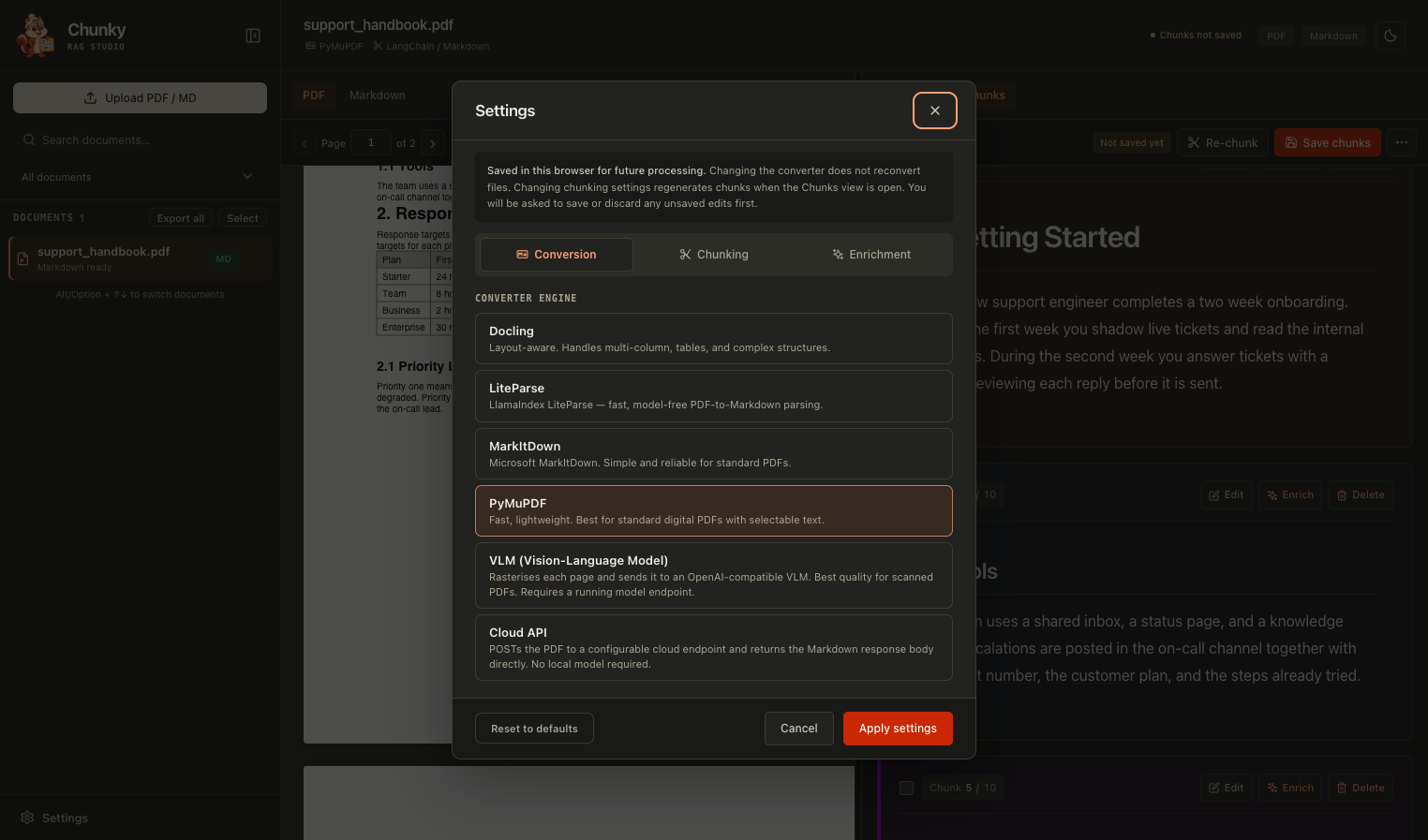
- Six Conversion Engines
- Choose Docling, LiteParse, MarkItDown, PyMuPDF, a vision-language model, or a custom cloud endpoint, and reconvert any document whenever you like.
- Three Chunking Libraries
- Pick from LangChain, Chonkie, or Docling splitters, including semantic, sentence, table, code, and heading-based strategies, each with its own size and overlap controls.
- Editable Markdown And Chunks
- Correct conversion mistakes in the Markdown editor, then edit, delete, or select individual chunks and save chunk versions for later reloading.
- Model-Powered Enrichment
- Clean Markdown with an LLM preview, then generate titles, context, summaries, keywords, and likely questions for selected chunks or entire saved sets.
- Batch Processing And Export
- Convert, enrich, and chunk many documents from the sidebar, then export selected files or the whole workspace as a ZIP archive.
- Search And Filter Library
- Find documents by name and filter the sidebar by status, including needs conversion, Markdown ready, and processing.