Reiverr
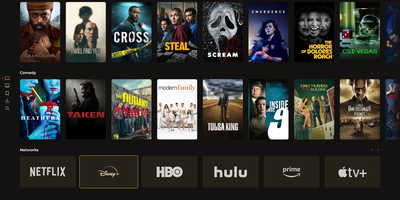
Finding something to watch, requesting it, downloading it, and pressing play all happen on one remote-friendly screen. Browse trending titles, genre rows, and streaming network shelves backed by TMDB, then open a series to pick the episodes to request. Download-ahead rules fetch the next few episodes as you watch, keep the last watched ones, and remove watched files after a chosen period, so the disk does not fill with finished shows. A built-in torrent client does the downloading through an indexer, and each user gets a storage quota that appears next to every request. The library page tracks unwatched and watched series and movies with filters for media type, files on disk, and sort order, plus an A to Z jump bar. A Downloads page lists what is fetching and what each request holds, and the Server page scans library folders, flags managed or external files, and shows logs. Existing media folders are discovered from disk and stay compatible with Jellyfin layouts. Direct playback supports audio track selection and sidecar subtitles. Apps for Samsung Tizen and Android TV talk to the same backend. Running on a dedicated VPS on RepoCloud with guaranteed CPU, RAM, and SSD, full root SSH access, and a browser serial console. AGPL-3.0 licensed.
Homeio
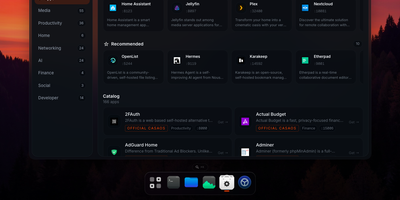
Homeio turns a Linux box into a desktop you open in a browser tab, with draggable windows, a dock, a lock screen, and a command palette sitting on top of your Docker apps, files, and disks. The App Store installs Docker Compose stacks from the CasaOS catalog or your own store sources, and each app's ports, volumes, environment variables, and compose file stay editable before and after install. Containers you started elsewhere still appear with live CPU and memory stats, streaming logs with keyword filters, and one-click restarts. The file manager uploads with progress, previews images, audio, video, and PDFs, edits text in a built-in code editor, mounts USB drives and SMB shares, and shares folders over Samba. A real login shell lives in the Terminal window, with exec access into any container, so routine fixes never need a separate SSH client. Cron-style scheduled tasks restart apps, pull images, or run backups on a timer, and scheduled archives of the database, files, and compose stacks restore from the same interface. Tailscale puts the whole desktop on your private network, while Cloudflare Tunnel can publish a single app on a public hostname with its DNS record created for you. Live metrics stream to widgets and the status bar, and notifications flag crashed containers, filling disks, and failed tasks. Running on a dedicated VPS on RepoCloud with guaranteed CPU, RAM, and SSD, full root SSH access, and a browser serial console. AGPL-3.0 licensed.
EveryOS
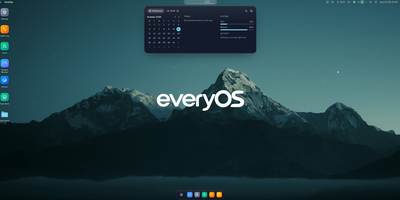
EveryOS gives the Linux server you already own a desktop it never had: open a browser and your machine greets you with windows you can move, snap, and stack, a dock, virtual desktops, widgets, and a launcher, all remembering exactly how you left them. Your files live in a private home with the usual folders, previews, a text editor, and a trash you can restore from, and plugging in a USB disk makes it appear on the desktop ready to mount. An app store installs self-hosted applications from catalogs and follows each deployment, later offering updates that keep your settings, rollbacks when one goes wrong, and backups of app data. The same workspace watches the machine itself: CPU, memory, disk, and network at a glance, systemd services and logs, available package updates, and a Docker view for containers and Compose projects. A real terminal opens in the browser under your own Linux account, Home Assistant arrives as a panel and desktop widgets with its tokens kept on the server, and an AI assistants app can find or install a local model server such as Ollama and chat with it privately. Running on a dedicated VPS on RepoCloud with guaranteed CPU, RAM, and SSD, full root SSH access, and a browser serial console. MIT licensed.
Bazarr
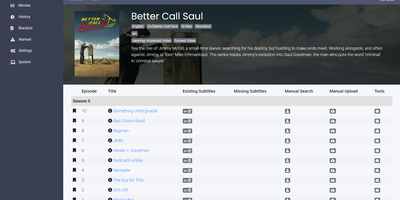
Subtitles are the one chore Sonarr and Radarr leave behind - Bazarr finishes the *arr media stack by automating them. It connects to both via their APIs and mirrors their libraries - it doesn't scan disk itself, it manages exactly what your *arr apps index. For every monitored episode and movie it checks existing internal and external subtitles against your language profiles, then hunts missing ones across dozens of providers - OpenSubtitles.com, Podnapisi, Addic7ed, Subscene, and many regional sources - covering 184 subtitle languages including forced/foreign-dialogue tracks. Matching is smarter than filename guessing: releases are compared by release group and source, some providers support exact file-hash matching, and every downloaded subtitle gets a percentage score. Set a minimum score per Sonarr/Radarr connection and Bazarr rejects weak matches; enable upgrades and it replaces previously downloaded subtitles when better ones surface. Out-of-sync files get fixed too - automatic subtitle synchronization realigns timing after download, triggered only below a configurable score threshold so good subs aren't touched. Per-show and per-movie language configuration, download history, manual on-demand search, and adaptive searching that throttles provider API calls round it out, all behind a clean Sonarr-style web UI written in Python. If your library serves multilingual viewers, this removes the last manual step.

ArozOS
ArozOS turns a small server or single-board computer into a private cloud desktop you open in any browser, with windows, a start menu, and a taskbar instead of a pile of separate admin panels. You sign in at your server address and land on a desktop with a file manager for uploading, downloading, dragging, sharing, and tracking copy progress, plus built-in apps for music, photos, video, notes, recording, timers, a web editor, and a code studio, and you can add more from an index of third-party web applications. Behind the desktop, storage pools combine local disks and remote WebDAV, SMB, and SFTP mounts into one virtual file system with per-group permissions, isolated or shared folders, disk quotas, SMART status, and space analysis, and built-in WebDAV, SFTP, FTP, and legacy directory servers expose those files to other devices on your network. Accounts can sign in through OAuth or LDAP, IP allow and block lists and exponential login delays guard the front door, and system settings cover networking, port forwarding, performance monitoring, appearance, and updates. The system runs on as little as 512 MB of memory, installs from a script or precompiled binary, serves a mobile interface and installable progressive web app for phones and touch screens, and accepts Go and Python modules through a sub-service reverse proxy for teams extending it. Running on a dedicated VPS on RepoCloud with guaranteed CPU, RAM, and SSD, full root SSH access, and a browser serial console. GPL-3.0 licensed.
MikroDash
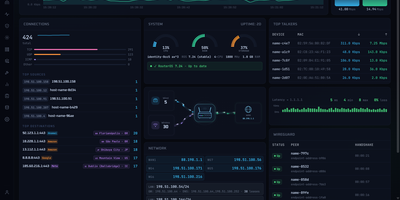
Watching a MikroTik RouterOS v7 router in real time is what MikroDash is for: live traffic, connections, Wi-Fi clients, DHCP leases, and WireGuard peers reach the browser the moment anything changes. Cards drag into any layout, and the arrangement follows your account to every browser. Managing a fleet happens on the Devices page, which shows routers as cards, a list, or a world map with 24-hour connectivity, last backup, open alerts, and pending updates. Rolling out a change starts in Config Management: choose one of 20 ready-made templates or capture your own, then deploy to one router or the fleet with a restore point, a canary router, and an automatic revert if a change cuts MikroDash off. Scheduled backups are kept only when something changed, with a diff and a guarded restore. New sites join through a generated script that calls home over a built-in WireGuard tunnel, even from behind NAT. Alerts reach SMTP, Telegram, ntfy, Discord, Slack, Gotify, Pushover, and Apprise. Troubleshooting stays in the browser with ping, traceroute, torch, bandwidth tests, a packet sniffer, and a RouterOS terminal. Read-only API access covers every page and alert, while roles, OpenID Connect sign-in, and an audit trail of every write govern shared use. Off by default, an optional assistant answers from live router data and asks before changing anything. Running on a dedicated VPS on RepoCloud with guaranteed CPU, RAM, and SSD, full root SSH access, and a browser serial console. MIT licensed.
Denpa
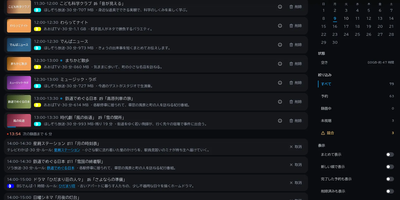
Denpa is a home TV recording server that turns a Linux machine and a TV tuner into a private recorder for Japanese terrestrial and satellite broadcasts, with reservations and browser playback. There are no configuration files: plug in a supported tuner and card reader, press scan, and the tuner type, channels, and program guide set themselves up. Reserve from the guide, or save a search as a rule and matching broadcasts record automatically; a repeated episode is ignored after its first airing is captured. Recordings encode to AV1 or H.264 MKV files (H.265 when a GPU is present) with captions exactly as broadcast, and detected commercials become chapters that playback skips entirely. Playback resumes where you stopped, runs at up to double speed, and clips save on the server with captions intact; programs also download to devices for offline viewing. Live viewing runs about a second behind the broadcast: pausing starts chase playback, alternate audio stays selectable, and BML data broadcasting works in the browser. The companion denpa-tv app reaches Android TV and Fire TV through QR pairing, and an API exposes channels, recordings, and audio-only feeds to Home Assistant and scripts. EPGStation and EDCB users can import rules, reservations, and recordings, and the interface stays closed until you open it to trusted networks or protect it with OIDC login. Running on a dedicated VPS on RepoCloud with guaranteed CPU, RAM, and SSD, full root SSH access, and a browser serial console. AGPL-3.0 licensed.
Shortlist
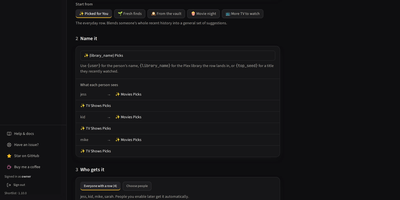
Everyone on your Plex server gets their own private recommendation rows with Shortlist, built from what each person actually watched and visible to nobody else. For each viewer it reads their Plex watch history, picks unwatched titles from your library, and explains every pick with the reason it earned its place. Rows land on Plex Home labelled, hidden from every other account by share filters, and only then promoted, so a row is never visible to the wrong person, not even briefly. Six row kinds, from Picked for You to seasonal picks and personal requests, start from eleven templates instead of a blank form. A seasonal row follows the calendar through Halloween, Christmas, and twenty more ready-made occasions, then hides itself between seasons. Rebuilds run nightly, weekly, or monthly on your cadence, and the dashboard shows what was delivered against what people started and actually finished, per user and per row. Missing a strong pick, Shortlist asks Radarr, Sonarr, or Overseerr for it: the boldest few auto-send nightly, the rest wait for one click in the Requests inbox. No AI key is required; add one and Describe a row turns slow-burn heist films into a themed row filled nightly for each person. Running on a dedicated VPS on RepoCloud with guaranteed CPU, RAM, and SSD, full root SSH access, and a browser serial console. MIT licensed.
Nestarr
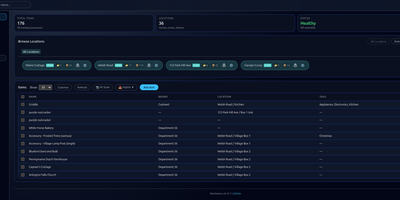
Every box, shelf, and spare part in your home gets a searchable record in Nestarr, complete with photos, receipts, manuals, custom fields, and the exact location path that leads back to it. Properties break down into rooms, shelves, and containers, so the record for a spare charger can read house, garage, top shelf, blue bin instead of a hopeful guess. Scan a UPC barcode and product details fill in automatically; point the AI photo identification at an unfamiliar gadget and it proposes a name and record to start from. Manufacturer and extended warranties sit on each item with expiry alerts timed so coverage gets claimed before it lapses, and recurring maintenance schedules track care for appliances and equipment beside the inventory itself. Print a QR label for an item or a location through NIIMBOT or CUPS printers, stick it on the box, and a later scan lands on the exact record. Multiple properties cover second homes and rentals, scheduled backups copy the database and uploads to Google Drive, and the household shares access through admin, editor, and viewer roles with Google or OIDC single sign-on for bigger setups. Running on a dedicated VPS on RepoCloud with guaranteed CPU, RAM, and SSD, full root SSH access, and a browser serial console. MIT licensed.
ioBroker
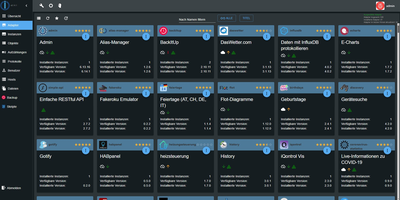
Every device in a smart home speaks a different language, and ioBroker is the open-source home automation platform that translates Zigbee lamps, cloud-tied heating, and Modbus solar inverters into one system under your control. Adapters do the translating: more than 800 of them connect devices, protocols, and online services, from Philips Hue, Shelly, and HomeMatic hardware to MQTT, KNX, Telegram, and weather feeds. Everything an adapter learns lands in one shared structure of objects and live states, so a motion sensor from one brand can switch lights from another without either vendor knowing the other exists. Automations start simple: the rules editor clicks triggers, conditions, and actions together from lists, and the same logic grows into Blockly diagrams or full JavaScript and TypeScript scripts when a routine outgrows the form. Dashboards are yours to design in the vis-2 editor, where switches, sliders, gauges, and floor-plan views are dragged onto pages and bound to any data point in the tree. The whole installation is managed from the browser admin interface: install adapters, configure instances, browse the object tree, watch live states, read logs, and manage users without editing a single configuration file. Voice control joins through Alexa, Google Home, and Matter bridges, remote access works over VPN or the optional ioBroker.pro link, and because automations execute locally, the house keeps behaving when the internet drops. Running on a dedicated VPS on RepoCloud with guaranteed CPU, RAM, and SSD, full root SSH access, and a browser serial console. MIT licensed.
LAN Sheriff
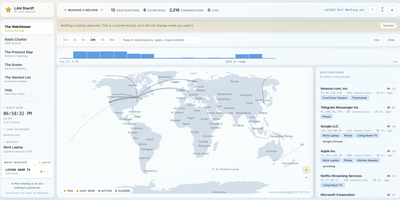
Self-hosted and account-free, LAN Sheriff watches where your devices send their traffic, plots each destination on a live world map, and flags anything that looks suspicious. Click a destination on the Watchtower for its country and city, owning organization, reverse DNS, protocol, port, byte counts, duration, and responsible app or device; filter by device, app, country, organization, or protocol, or scrub back through history. Radio Chatter streams the DNS lookups it can see, surfaces first-seen domains, and labels tracker, ad, telemetry, and malware domains without ever blocking them. The Precinct Map diagrams observed traffic, while the Roster inventories every device by IP, MAC, manufacturer, hostname, inferred type, and services, and alerts you when an unrecognized one joins. The Wanted List applies eight rules, including beaconing, machine-generated domains, port scans, plaintext credentials, and volume anomalies, and explains each finding in a plain sentence rather than a mystery score. Deputy Mode needs no privileges and names the application behind each connection, while Patrol Mode adds packet capture for DNS lookups and traffic volumes. Pair installations with a code to widen your view, export any view as CSV or JSON, and send alerts to webhook, ntfy, Discord, or Slack. Running on a dedicated VPS on RepoCloud with guaranteed CPU, RAM, and SSD, full root SSH access, and a browser serial console. AGPL-3.0 licensed.
HomeHub
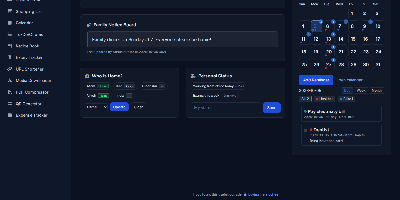
HomeHub gives a household one private page for the everyday coordination that usually scatters across chat threads, fridge notes, and five separate apps. Pin shared notes where everyone sees them, drop files into the shared cloud for the house, and keep one shopping list the whole family edits, with suggestions drawn from what you bought before. Chores become a shared checklist, the calendar holds the dates that matter, and a who's-home view answers the question every family group chat asks in the evening. The expense tracker follows family spending and handles recurring bills like the milk, the newspaper, and subscriptions, while the recipe book and expiry tracker keep the kitchen honest. Small utilities round it out: download media straight to the server, shorten URLs, compress PDFs, generate QR codes, and check the weather without leaving the hub. Every feature toggles on or off in one config file, themes recolor the interface, and there is no account system at all, because the hub trusts your home network instead of a password database. It runs happily on a Raspberry Pi, installs as a PWA on phones, and keeps uploads, media, and data in mounted folders you can back up with any file tool. Running on a dedicated VPS on RepoCloud with guaranteed CPU, RAM, and SSD, full root SSH access, and a browser serial console. MIT licensed.
NetsGo
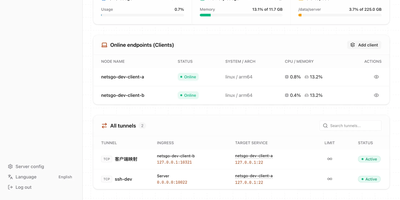
Created to eliminate the configuration fragmentation plaguing multi-device Homelab setups and small-team infrastructures, NetsGo merges what typically requires three separate tools — a tunnel daemon, a management panel, and a monitoring stack — into a single Go binary that starts with one command and listens on one port. The server exposes HTTP, TCP, and UDP tunnels, a built-in Web console for node management, a REST API for automation, and real-time traffic statistics with per-client bandwidth limiting, all sharing default port 9527 so firewalls and reverse proxies need only a single rule. Version 0.1.11 introduced Client-to-Client P2P tunnels via WebRTC DataChannel with three selectable transport strategies — Server relay, Prefer P2P with automatic fallback, and P2P only — reducing latency for direct connections while maintaining the centralized control plane. The management console displays every connected client's online status, authentication tokens, tunnel configuration, active transport mode, P2P candidate gathering progress, and cumulative byte-level traffic counters updated every second. Unlike frp or rathole which delegate management to external plugins or configuration files, NetsGo provides built-in client key generation, tunnel target migration between nodes, SOCKS5 proxying, IP-whitelist console access, and one-command server upgrades. Running on a dedicated VPS on RepoCloud with guaranteed CPU, RAM, and SSD, full root SSH access, and a browser serial console. Apache 2.0 licensed.
NeXroll
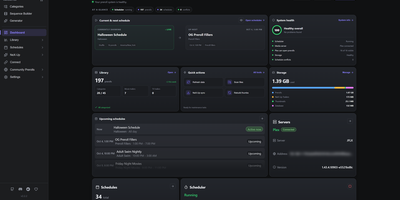
Give movie night a proper cinema preshow: NeXroll plays intros, trailers, and custom welcome screens before the feature on Plex, Jellyfin, and Emby. Build sequences in a list or a visual Flow view, with branches that pick a fallback when no trailer is available and rules for time of day, age rating, genre, or audio format. Schedules rotate the lineup automatically, with holiday themes, special event dates, priorities, and filler between them, all visible in month, week, and day calendars. Import your own videos, preview them, tag them, and sort them into categories, then pull in more from a community collection filtered by creator or platform. NeX-Up fetches upcoming movie and TV trailers through Radarr and Sonarr, and Library Trailers replays trailers for films you already own. Generator Studio makes welcome videos, announcements, QR code screens, and Coming Soon clips from your own text, logo, backdrop, and soundtrack, with a live preview. Connect several media servers to one install, switch among eight themes, back up and restore settings, and automate with the External API. Running on a dedicated VPS on RepoCloud with guaranteed CPU, RAM, and SSD, full root SSH access, and a browser serial console. MIT licensed.
Nimbus
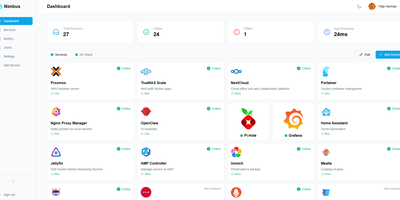
Nimbus is a self-hosted homelab dashboard that turns your scattered pile of services into a polished, organized command center with real-time health monitoring for every endpoint you care about. The dashboard displays live status cards for each registered service, tracking response times down to the millisecond and graphing uptime history so you can spot degradation before it becomes an outage. Health checks run on configurable intervals with smart self-signed certificate handling, meaning your internal services with self-issued TLS do not trigger false alarms. Multi-user support comes standard: local accounts authenticate via JWT, while OAuth2 integration with Google, GitHub, and Discord lets team members sign in with existing credentials. Role-based access control and a built-in admin panel give you granular authority over who sees what. Each user personalizes their view with custom backgrounds, light or dark mode, accent color themes, and drag-and-drop service tile arrangement. Services group into named categories and cards resize to fit your preferred layout, with both grid and list view modes available. Prometheus metrics export feeds your existing Grafana stack, and webhook notifications alert you instantly when a service goes offline. Custom service icons upload directly or auto-fetch from the Dashboard Icons collection. Zero-config Docker deployment gets you running in under 30 seconds with a single docker-compose command. Running on a dedicated VPS on RepoCloud with guaranteed CPU, RAM, and SSD, full root SSH access, and a browser serial console. AGPL-3.0 licensed.
Houndarr
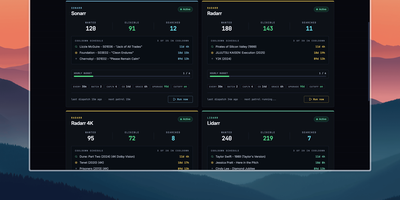
Radarr, Sonarr, and their sibling apps watch RSS feeds for new releases but never go back for what your library is still missing, and Houndarr fills that gap by asking them to search in small, polite batches. It reads the wanted lists of every connected Radarr, Sonarr, Lidarr, Readarr, and Whisparr instance and sends a few search commands per cycle, so a big backlog drains over days instead of arriving as one Search All Missing burst. Each instance has its own batch size, sleep interval, hourly cap, per-item cooldown, and post-release grace period, plus an optional download-queue limit, allowed search windows such as 09:00-23:00, and tag filters that include or exclude items. Three independent passes run per instance: missing items, cutoff-unmet items below your quality profile, and upgrades for files that already meet cutoff, with the last two off until you enable them. Sonarr, Lidarr, and Readarr can search by season, artist, or author, and search order is random or oldest-first. The dashboard shows library health, recent hunts, hourly budgets, and a cooldown schedule per instance, with Run Now buttons for on-demand cycles. The Logs page records every search and skip with its reason in a filterable audit trail that copies as TSV. A key-gated widget endpoint feeds Homepage dashboards, and built-in login or reverse-proxy authentication protects the interface. Running on a dedicated VPS on RepoCloud with guaranteed CPU, RAM, and SSD, full root SSH access, and a browser serial console. AGPL-3.0 licensed.
Lab Dash
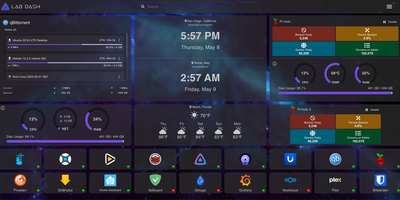
Every homelab deserves a control center that looks as good as the services it manages. Lab Dash gives you a customizable, drag-and-drop dashboard where every tile earns its spot. Add shortcut widgets linking to your Plex, Grafana, Nextcloud, or any service with automatic health check indicators showing green or red status at a glance. The system monitoring widget displays real-time CPU usage, memory consumption, network throughput, disk utilization, and temperature readings by mounting the host /sys directory as a read-only volume. Integrate Pi-hole stats, qBittorrent download progress, and media server widgets for Jellyfin, Plex, or Emby directly on your grid. Multiple pages let you organize services by category, and the search bar finds any tile instantly. Customize the background image from a local upload or URL, set a custom title and tab name, and choose your preferred search provider including self-hosted options like SearXNG. All sensitive configuration data is encrypted locally with AES-256-CBC, and only administrator accounts can modify the layout. Install Lab Dash as a Progressive Web App on desktop, phone, or tablet for a native app experience with offline capability. Configurations export as backup files for easy migration between instances. On RepoCloud, deploy Lab Dash on a dedicated VPS with root SSH access and Docker socket connectivity under the GPL-3.0 license.
nextDash
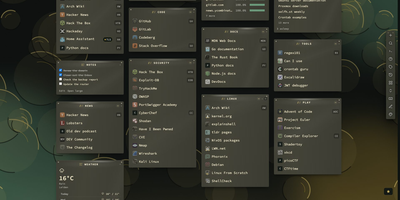
A bookmark bar that also knows if your homelab is on fire is the pitch behind nextDash. Links live on pages and categories with tags, notes, an inbox for unsorted finds, and one search panel for bookmarks, commands, and containers. Mark any link as Monitor and the server checks it every few minutes, keeping 30 days of uptime, certificate and domain expiry dates, and drift warnings, with alerts to ntfy, Slack, Discord, Telegram, Gotify, Apprise, or a phone push. A Containers view lists every Docker container with logs, start, stop, and update with automatic rollback, each matched to its bookmark. Dashboard widgets cover weather, feeds, CPU, memory, disks, Unraid, Jellyfin, Plex, Sonarr, Radarr, qBittorrent, and Home Assistant. A theme studio offers 390 themes and 267 backdrops in six languages, and an optional assistant answers in plain words when you switch it on. Imports arrive from every browser, Pocket, Raindrop, and linkding, and automatic backups with a 30-day trash protect the collection. The weekly digest sums up broken links, expiring certificates, and pending container updates. Running on a dedicated VPS on RepoCloud with guaranteed CPU, RAM, and SSD, full root SSH access, and a browser serial console. MIT licensed.