Grimoire
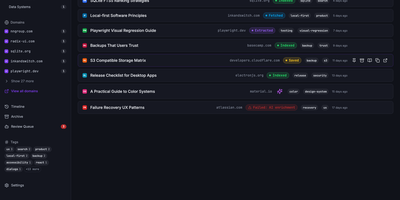
Grimoire captures, extracts, and indexes the content behind your bookmarks so you can search what pages actually say, not just their titles and URLs. The ingestion pipeline accepts links from the web UI, REST API, MCP server, browser bookmarklet, or bulk import, then fetches each page and extracts readable content using specialized parsers for GitHub repos, GitHub issues, StackOverflow threads, YouTube transcripts, PDFs, and standard web articles. Everything stores locally in SQLite with file-based content archives. Search operates in three modes: FTS5 keyword matching for exact terms, semantic embedding search for meaning-based retrieval using vector similarity, or a hybrid ranking mode combining both. Optional AI providers including OpenAI, Ollama, Anthropic, DeepSeek, and any OpenAI-compatible endpoint generate automatic tags, summaries, and embeddings without being required for core functionality. The interface built with React 18, Vite, TypeScript, Tailwind CSS, and Radix UI supports categories, nested tags, notes, archive and trash states, read-later flags, and multi-user isolated spaces. A single Bun-powered Hono process serves both the compiled frontend and the REST API on port 3210, requiring only one Docker container and a SQLite volume. Backup and restore export bookmarks, content, settings, and metadata as portable ZIP archives. Nearly 3,000 GitHub stars reflect growing adoption among developers and researchers. Running on a VPS on RepoCloud with guaranteed CPU, RAM, and SSD, full root SSH access, and a browser serial console. MIT licensed.
drawDB
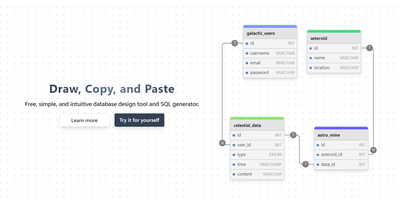
Schema design with no account and a few clicks: drawDB is the browser-based entity-relationship diagram editor and SQL generator - an AGPL-3.0 React project with over 37,000 GitHub stars. Draw tables with columns, data types, defaults, and constraints; connect fields to create foreign-key relationships; group tables into labeled subject areas; and annotate with notes. When the design is ready, one export produces CREATE TABLE DDL - with constraints, indexes, and foreign keys - targeted at MySQL, PostgreSQL, SQLite, MariaDB, SQL Server, or Oracle. Diagrams can be database-specific, unlocking every native type plus dialect features like PostgreSQL enums and composite custom types, or generic for portability across all supported flavors. The reverse direction works too: paste existing DDL into the import dialog and drawDB renders your live schema as a navigable diagram - the fastest way to document an inherited database. Versioning and migration-script generation track schema evolution, full editor ergonomics (undo/redo, copy/paste, duplicate, themes) keep iteration fast, and diagrams export as PNG, SVG, or shareable JSON. Everything runs client-side against browser storage - no backend database connection needed - so the self-hosted Docker deployment is a featherweight static app that keeps proprietary schema designs entirely on your infrastructure.
Frappe
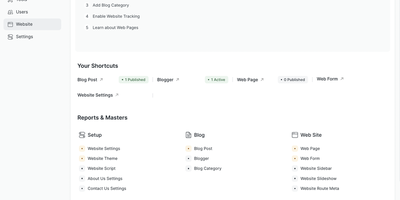
Define a DocType in Frappe and the framework automatically generates database tables, Python ORM classes, REST API endpoints, form views, list views, and role-based permission rules from that single schema definition. The meta-driven architecture stores schemas as database records, letting administrators add fields, reorder layouts, and modify validation rules through the browser-based Form Builder without redeployment. Server-side Python controllers handle business logic through hook-based lifecycle events while client-side JavaScript manages interactive form behavior, with WebSocket connections providing real-time updates across sessions. The built-in workflow engine defines document state machines with role-gated transitions, email notifications, and conditional action visibility. Pre-configured Desk views include list, form, report, tree, kanban, calendar, and dashboard layouts with drag-and-drop workspace customization. The report builder generates grid reports with configurable columns, filters, grouping, and chart visualizations from DocType data or custom SQL and Python scripts. Background job processing uses Redis queues for email delivery, data imports, and periodic tasks. Virtual DocTypes connect external databases to the framework's UI without data migration. Docker deployment via frappe_docker provides production-ready Compose configurations with MariaDB, Redis, Nginx, and worker containers. The foundation powering ERPNext, HRMS, CRM, and Helpdesk in production. Over 10,500 GitHub stars. MIT licensed.
Kubero
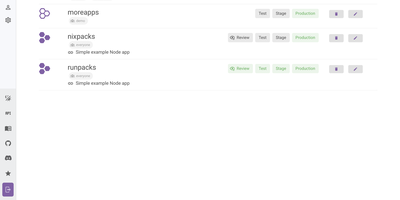
With over 4,300 GitHub stars and a v3 release adding built-in user management, team views, and multi-language support, Kubero has established itself as the most feature-complete open-source Heroku alternative running natively on Kubernetes. The platform operates as a Kubernetes operator with two containers — kubero-ui and the operator — storing all state in etcd without an external database. Developers push code via Git integration with GitHub, GitLab, Bitea, or Gitea, and Kubero automatically builds using Buildpacks, Nixpacks, Runpacks, or Dockerfiles, then deploys to the configured domain with SSL via cert-manager. CI/CD pipelines support up to four staging environments — review, test, staging, and production — with per-stage environment variable isolation and ephemeral review apps that spin up on pull request open and tear down on close. The template catalog includes over 170 pre-configured applications like WordPress, Grafana, and PostgreSQL deployable in one click, while managed add-ons provide highly available PostgreSQL, Redis, MySQL, Kafka, CouchDB, Elasticsearch, and MongoDB alongside your applications. Security features include Trivy vulnerability scanning, GitHub and OAuth2 single sign-on, basic auth, and a role-based permission system with API tokens. The NestJS backend with Vue.js and Vuetify frontend provides application metrics, real-time logs, a built-in web console for container access, scheduled cronjob management, and deployment notifications via Discord, Slack, or webhooks. Running on a dedicated VPS on RepoCloud with guaranteed CPU, RAM, and SSD, full root SSH access, and a browser serial console. GPL-3.0 licensed.
AMUX
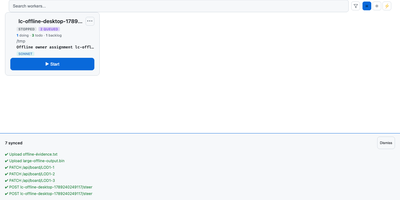
To coordinate swarms of autonomous coding agents across complex software projects, AMUX provides a concurrency-safe kanban workspace with real-time thought stream inspection and live steering controls. Engineers assign development tasks through an interactive board where autonomous worker processes claim cards using compare-and-swap mutexes to eliminate race conditions between parallel sessions. Operators monitor active reasoning streams, inspect streaming terminal outputs, and inject guidance commands mid-turn without interrupting background execution. A cryptographic origin router relays messages between agents, enabling workers to delegate sub-tasks, request automated peer code reviews, and share environment state safely. Built-in schedulers trigger recurring automated maintenance routines, dependency updates, and bug triage sweeps on cron-like timers or autonomous loop cadences. Teams can switch language models dynamically on active sessions to tackle complex architecture challenges with high-capability reasoning engines while conserving resources on routine tasks. An integrated self-healing supervisor watches over agent runtimes, automatically compacting context windows, restarting crashed terminal sessions, and resuming pending instructions seamlessly. Running on a dedicated VPS on RepoCloud with guaranteed CPU, RAM, and SSD, full root SSH access, and a browser serial console. MIT licensed.
Screego
With over 10,000 GitHub stars and a reputation forged in the frustration of laggy corporate screen sharing, Screego delivers what Microsoft Teams and Zoom screen share consistently fail to provide: instant, high-resolution screen streaming that lets remote colleagues actually read your code. Built on WebRTC peer-to-peer connections, Screego transmits screen data directly between browsers without routing through centralized servers, achieving sub-second latency and native-resolution quality that makes pair programming and code reviews genuinely productive. The server component, written in Go with a TypeScript frontend, deploys as a single binary or Docker container with minimal configuration — set your external URL, generate a secret key, and you're live. An integrated TURN server handles NAT traversal automatically, eliminating the need for separate STUN/TURN infrastructure, with configurable UDP port ranges and support for external TURN servers when scaling beyond a single instance. Authentication supports three modes — requiring login for all actions, only for TURN connections, or none — with user management via simple credential files. Rooms are created instantly and support multiple simultaneous viewers, with system and tab audio sharing available for demonstrations that need sound. The architecture supports reverse proxy deployment behind Nginx, Caddy, or Apache with automatic TLS termination, and recent releases added riscv64 architecture support alongside existing amd64 and arm64 builds. Running on a dedicated VPS on RepoCloud with guaranteed CPU, RAM, and SSD, full root SSH access, and a browser serial console. GPL-3.0 licensed.
Browser Use WebUI
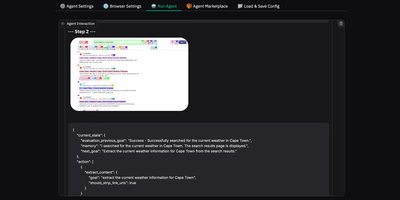
Browser Use Web UI lets you describe a web task in plain English and watch as an AI agent autonomously navigates pages, clicks buttons, fills forms, and extracts information without writing any automation code. Backed by over 16,000 GitHub stars, the Gradio-based interface supports 14+ LLM providers through a unified abstraction layer: OpenAI GPT, Anthropic Claude, Google Gemini, Azure OpenAI, DeepSeek, and local Ollama models are all configurable via dropdown menus without touching code or environment files. The BrowserUseAgent handles interactive single-task automation with step-by-step LLM decision-making and vision-based page understanding, while the DeepResearchAgent orchestrates multi-step research workflows using Langgraph state machines that spawn parallel browser instances with asyncio concurrency control. Custom browser support connects your existing Chrome profile to preserve logins, cookies, and sessions across agent runs, eliminating re-authentication overhead. Persistent browser sessions maintain complete interaction history between tasks for debugging and demonstration. The Docker deployment bundles Chrome, Playwright, and a VNC server in a single container, exposing the Gradio interface on port 7788 and a noVNC viewer on port 6080 for real-time observation of agent behavior. MCP integration via MultiServerMCPClient enables external tool access. Screen recording captures agent workflows as video for review and documentation. Running on a dedicated VPS on RepoCloud with guaranteed CPU, RAM, and SSD, full root SSH access, and a browser serial console. MIT licensed.
Hoppscotch
Backed by nearly 80,000 GitHub stars and recognized as one of the most popular developer tools in the open-source ecosystem, Hoppscotch delivers a complete API development platform that runs instantly in any browser with zero installation. The platform supports six protocols out of the box including REST with full HTTP method coverage, GraphQL with schema introspection and multi-column documentation, WebSocket for full-duplex communication, Socket.IO, MQTT for IoT messaging, and Server-Sent Events for real-time streaming. Request collections organize your API calls into logical groups with support for sub-folders, environment variables with scope inheritance, pre-request scripts and post-request test scripts written in JavaScript, and automatic code snippet generation in over twenty languages and frameworks. Teams can collaborate in real-time with shared workspaces, role-based access controls, and cloud synchronization across devices. Migration from Postman, Insomnia, or OpenAPI specifications happens with a single click import. The self-hosted edition deploys via Docker Compose with PostgreSQL for data persistence, supporting SSO authentication through SAML and OAuth providers, SMTP configuration with OAuth2, and admin dashboard for user management. The platform also ships as a native desktop application for macOS, Windows, and Linux with offline support, plus a CLI tool for running collections in CI/CD pipelines. A built-in proxy mode bypasses CORS restrictions during development, and an interceptor enables request debugging and response modification. Running on a dedicated VPS on RepoCloud with guaranteed CPU, RAM, and SSD, full root SSH access, and a browser serial console. MIT licensed.
Dify
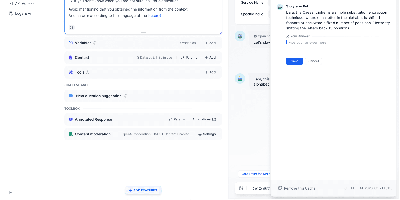
Dify turns the notoriously complex process of building production-grade AI applications into a visual drag-and-drop experience that teams can actually ship and maintain. With over 87,000 GitHub stars and backing from prominent investors, the platform has become the go-to open-source LLMOps solution for organizations that refuse to be locked into proprietary AI stacks. The visual workflow canvas lets developers wire together LLM calls, conditional logic, iteration loops, tool invocations, and human-in-the-loop checkpoints without writing boilerplate integration code. Its RAG pipeline engine handles the full document lifecycle from ingestion of PDFs, Word documents, and HTML through configurable chunking strategies, embedding with models from OpenAI or open-source alternatives, vector storage in Weaviate, Qdrant, Pinecone, or pgvector, and hybrid semantic-plus-keyword retrieval with citation tracking. Dify integrates with hundreds of model providers including OpenAI GPT-4o, Anthropic Claude, Google Gemini, Mistral, Llama, and any OpenAI-compatible endpoint like Ollama for fully local inference. The agent framework supports both ReAct and function-calling strategies with 50-plus built-in tools spanning Google Search, DALL-E, Stable Diffusion, WolframAlpha, and custom API definitions. Published apps can be deployed as hosted web interfaces, embedded chat widgets, REST API endpoints, or MCP-compatible tools. Enterprise features include role-based access control, SSO integration, and audit logging. A built-in marketplace enables teams to share and reuse model providers, tools, and workflow templates across projects. Running on a dedicated VPS on RepoCloud with guaranteed CPU, RAM, and SSD, full root SSH access, and a browser serial console. Apache 2.0 licensed with an open-source community edition.
Knowhere
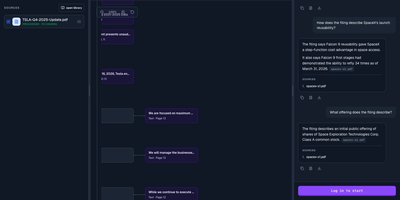
With 2,600+ GitHub stars since its May 2026 open-source launch, Knowhere solves the last-mile problem of document intelligence for AI systems — transforming complex unstructured PDFs, reports, and multi-page documents into structured JSON chunks that LLMs can consume without hallucination. The platform processes documents through an AI-native parsing pipeline that handles 20+ page documents with deep hierarchies, intricate tables, and multimodal content including images with OCR, achieving 95% precision in information extraction while reducing token costs by 50% compared to raw document ingestion. The knowledge tree architecture maintains historical context across multiple documents, enabling cross-document graph navigation for agentic retrieval that goes beyond simple chunk-based RAG. Built on Python 3.11+ with MinerU as the default PDF parser, the backend API runs alongside async workers that process document ingestion, graph construction, and embedding generation. The self-hosted Docker Compose stack packages the API server, processing workers, and Next.js dashboard for managing API keys, webhooks, and document-processing jobs, backed by PostgreSQL and Redis. Both Python and Node.js SDKs provide programmatic access for integration into existing AI pipelines and agent frameworks. LLM providers include DeepSeek and Alibaba Cloud DashScope with configurable key rotation for rate-limit management. Deploy on a dedicated VPS on RepoCloud with guaranteed CPU, RAM, and SSD, full root SSH access, and a browser serial console. Apache 2.0 licensed.
Elasticvue
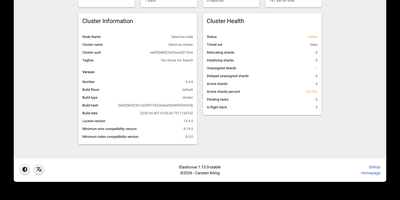
Elasticvue is a graphical interface for Elasticsearch where you can inspect cluster health, browse indices, search and edit documents, and send REST queries. Start on the Home tab, which summarizes status, nodes, shards, indices, document counts, and disk usage. Nodes shows load, CPU, RAM, heap, and disk for each member, and Shards lays out every primary and replica in a grid with a switch for shard allocation. Indices handles creation, aliases, templates, and bulk actions. Search runs query string searches across an index pattern, opens any hit in a JSON editor for updates or deletion, and downloads results as JSON. Rest sends any request from tabbed editors with history, saved queries, and examples, while Snapshots manages repositories and backups. Version 1.16 adds user and role management for Elasticsearch clusters. Secured clusters connect with basic authentication, API keys, or AWS IAM credentials, and the Docker image preloads cluster definitions from an environment variable or a mounted JSON file. Elasticvue supports every Elasticsearch version, even end-of-life releases, and speaks English, Chinese, French, Russian, Japanese, and Italian. Running on a dedicated VPS on RepoCloud with guaranteed CPU, RAM, and SSD, full root SSH access, and a browser serial console. MIT licensed.

pgweb
Inspect a PostgreSQL database right now, without installing pgAdmin or exposing Postgres to the internet - pgweb answers that recurring need. It's a Go application from Dan Sosedoff, a decade in development, shipped as a single statically-linked binary with zero dependencies - the Docker image is essentially just the executable - that puts a clean browser UI in front of any PostgreSQL 9.1+ server. Connect via URL string or host/port credentials, and browse tables, views, and sequences from the sidebar; selecting a table shows its rows immediately alongside tabs for structure, indexes, and constraints. The Query tab executes arbitrary SQL with query history, and the Explain Query button renders the query plan - estimated cost, row counts, execution strategy - which makes pgweb a quick performance-triage tool, not just a browser. Results and entire tables export to CSV, JSON, or XML in a click. Connectivity is more flexible than its size suggests: native SSH tunneling (password or key) reaches databases behind firewalls, server bookmarks make switching instances instant, and an optional multi-session mode handles several databases concurrently. For a RepoCloud stack full of Postgres-backed apps, one pgweb instance is the universal inspection hatch. MIT-licensed, actively maintained.
Dockge
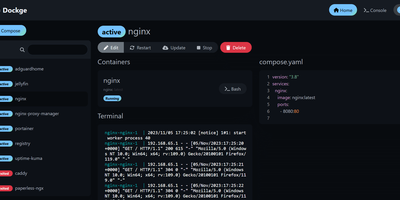
Created by the developer behind Uptime Kuma and carrying over 23,000 GitHub stars, Dockge brings the same clean, reactive design philosophy to Docker Compose stack management with a web interface that makes Portainer's compose handling feel like editing YAML in a terminal over SSH. The interactive editor provides syntax highlighting, inline validation, and a live preview of your compose.yaml files while keeping every stack stored as a standard file on disk in /opt/stacks by default, meaning you can seamlessly switch between the web UI and the docker compose CLI without lock-in or proprietary database formats. Real-time WebSocket updates stream pull progress, container start/stop transitions, and build output directly to the browser with no polling delays. The built-in web terminal opens a shell session inside any running container for quick debugging, while the docker-run-to-compose converter transforms single-container run commands into proper compose.yaml definitions with one click. Multi-agent support introduced in version 1.4.0 connects multiple Docker hosts to a single Dockge dashboard, enabling centralized management of stacks distributed across different servers. Image update detection shows which stacks have newer versions available, and one-click updates pull the latest images and recreate containers without manual intervention. The stack is a single Docker container running on Node.js with Socket.IO for reactivity and stores no external database. Running on a dedicated VPS on RepoCloud with guaranteed CPU, RAM, and SSD, full root SSH access, and a browser serial console. MIT licensed.
Open Connector
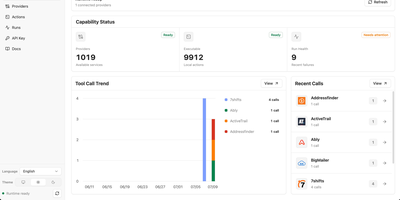
With over 5,000 GitHub stars since its June 2026 launch, OOMOL OpenConnector bridges the gap between AI agents and the real world by handling the authentication nightmare that stops LLMs from calling external APIs safely. The runtime connects to more than 1,000 SaaS providers — GitHub, Gmail, Notion, Slack, Microsoft, HubSpot, Google Workspace, and hundreds more — through 10,000+ prebuilt typed Actions that agents can discover and execute without ever touching raw credentials. OAuth2 flows, API key rotation, custom credentials, and no-auth providers are all managed centrally with AES-encrypted storage, scoped runtime tokens, and configurable action allowlists and blocklists that enforce least-privilege access. Agents interact through five access surfaces: the Model Context Protocol endpoint at /mcp for Claude and other MCP-capable hosts, a full REST API at /v1 for programmatic control, an auto-generated OpenAPI specification for code generation, a TypeScript SDK for application integration, and the oo CLI for local agent relay. The built-in Web Console provides browser-based administration for configuring OAuth apps, managing connections, inspecting action schemas, and reviewing execution logs with redacted inputs. Deploy via Docker Compose with SQLite for single-server setups, run from source on Node.js 22+, or push to Cloudflare Workers with D1 and R2 for edge deployment. Running on a dedicated VPS on RepoCloud with guaranteed CPU, RAM, and SSD, full root SSH access, and a browser serial console. Apache 2.0 licensed.
Arkon
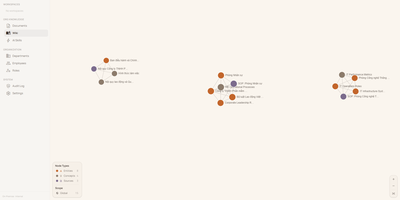
With 1,200+ GitHub stars since its April 2026 launch, Arkon provides an enterprise-grade knowledge management layer that turns scattered organizational documentation into AI-accessible structured context. The platform runs as a centralized MCP server, compiling your SOPs, policies, technical docs, and institutional knowledge into a versioned wiki with draft-approval workflows, then serving that wiki to Claude Desktop, Claude.ai, Cursor, and any MCP-compatible client through a single permission-scoped endpoint. OAuth 2.1 with PKCE authentication eliminates manual token management — employees authenticate through a browser login while the system discovers endpoints automatically via RFC 8414. The RBAC v2 system supports custom roles with granular permissions, department-scoped AI Skills, workspace isolation, and comprehensive audit logging so every query and access event is traceable. RAG retrieval powered by pgvector embeddings enables AI clients to search across all organizational documents with source attribution, while the AI Skills system lets teams define reusable instruction sets scoped to specific departments or roles. The architecture runs seven Docker containers coordinated by Compose: PostgreSQL with pgvector for embeddings and metadata, Redis for caching, MinIO for document storage, a FastAPI backend, two ARQ async workers for embedding generation and document processing, and a Next.js frontend portal accessible on port 3119. API keys are encrypted at rest with Fernet, and no telemetry leaves the deployment. Running on a dedicated VPS on RepoCloud with guaranteed CPU, RAM, and SSD, full root SSH access, and a browser serial console. PolyForm Internal Use licensed.

Open-Meteo
High-resolution weather forecasts became a free commodity because of Open-Meteo - and this deployment puts the whole open-source engine on your own infrastructure. The public open-meteo.com service aggregates national weather models (NOAA GFS, DWD ICON, ECMWF, Meteo-France, and others) into one consistent JSON interface; self-hosting gives you that same API without rate limits, third-party dependency, or usage metering. The architecture is two cooperating services: the API server exposes forecast endpoints fully compatible with Open-Meteo query parameters - latitude, longitude, hourly and daily variables like temperature, precipitation, wind, and radiation - while a background sync worker downloads fresh weather model data on a configurable interval into a shared persistent volume at /app/data, so forecasts stay current and survive restarts without re-downloading. You control which weather models to mirror, which variables to store, how much historical depth to keep, and how often to refresh - meaning a lean deployment can sync only the model and region you actually query. Responses are plain HTTP/JSON, so integration with dashboards, Home Assistant-style automations, agricultural monitoring, IoT fleets, or any application takes minutes. For anyone making thousands of forecast calls a day, replacing a metered weather API with your own instance turns a recurring bill into a flat infrastructure cost.
Super Productivity
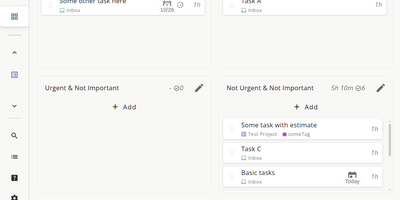
Super Productivity eliminates the context switching between issue trackers, calendars, and timer apps that fragments developer focus, pulling tasks from Jira, GitHub, GitLab, Gitea, OpenProject, Linear, ClickUp, Trello, and Azure DevOps into one local-first interface. With 21,000+ stars and availability across web, desktop, Android, and iOS, it syncs issue status, subtasks, and time logs bidirectionally so sprint planning and worklog submission happen without leaving the app. CalDAV integration pulls calendar events into your task timeline for visual timeboxing. Built-in Pomodoro and Flowmodoro timers enforce focused intervals with configurable break schedules. Data stays under your control in browser IndexedDB by default, with optional AES-encrypted sync via WebDAV, Nextcloud, Dropbox, or the SuperSync server ensuring no task data touches infrastructure you do not own. The extensible plugin system supports JavaScript-based custom panels, automations, and MCP plugins for AI workflows. A REST API on port 3876 enables external script integration for desktop automation. Time tracking generates exportable timesheets compatible with corporate reporting systems. The Docker container serves the Angular PWA through Nginx on port 80, consuming roughly 50 MB of RAM. Running on a dedicated VPS on RepoCloud with guaranteed CPU, RAM, and SSD, full root SSH access, and a browser serial console. MIT licensed.
Verdaccio
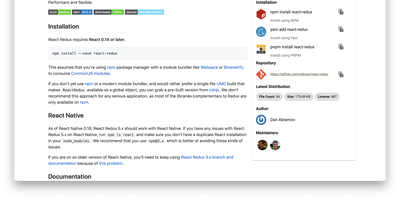
Private npm packages without shipping code to the public registry or paying for npm Enterprise: Verdaccio is the standard lightweight, zero-config private registry and caching proxy. It runs as a single Node.js process with its own tiny embedded database; no external database is required to start. Point npm, yarn, or pnpm at it and everything behaves as expected: install, publish, unpublish, dist-tags, and deprecation all work against the standard npm endpoints. The uplink system is where it earns its keep: packages not found locally are fetched from configured upstreams (npmjs.org, yarn, JFrog, Nexus, or another Verdaccio), cached as tarballs, and served locally thereafter - cutting CI latency and surviving registry outages. Multiple uplinks chain for failover, and per-package glob patterns in config.yaml route scopes to specific upstreams while controlling access, publish, and unpublish rights per group. You can even override a public package by publishing a patched version under the same name locally. A plugin architecture swaps in auth backends (htpasswd default, LDAP and others available), storage drivers (S3, Google Cloud Storage), middleware routes, and metadata filters. With official Docker images and a Kubernetes Helm chart, it slots into any pipeline in minutes.