ArchiveBox
Backed by 27,700+ GitHub stars and actively developed with the v0.9.x architectural overhaul introducing an event-driven plugin ecosystem, ArchiveBox delivers the open-source self-hosted web archiving platform that preserves websites, bookmarks, social posts, media, source code, and research material in durable formats before link rot, platform shutdowns, and censorship erase them permanently. Feed it URLs one at a time or schedule automated imports from browser history, RSS feeds, Pocket, Pinboard, Instapaper, Wallabag, Shaarli, JSON, CSV, HTML bookmark exports, and browser extension captures. Each snapshot stores redundant copies as original HTML, rendered single-file HTML via SingleFile, full-page PDF, screenshot PNG, WARC archive, article text via Readability, favicons, HTTP headers, media files via yt-dlp, git repository clones, and structured metadata in SQLite. The Docker Compose deployment bundles Chrome, wget, curl, yt-dlp, SingleFile, and Readability parsers with automatic dependency management and isolation. Interact through the self-hosted web UI with search, tagging, and admin controls, the comprehensive CLI for batch operations, the REST API for programmatic access, or the Python API for custom integrations. The new abx-plugins system enables community extractors with per-plugin configuration, while the append-only-log architecture provides resumable crawls and audit trails. S3, B2, and Google Cloud storage backends sync archives to remote storage via rclone. Running on a dedicated VPS on RepoCloud with guaranteed CPU, RAM, and SSD, full root SSH access, and a browser serial console. MIT licensed.
Databasus
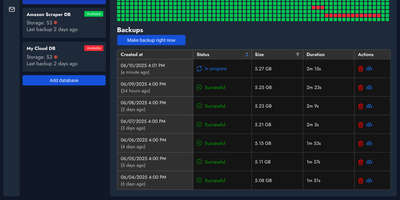
With over 7,500 GitHub stars and 1 million Docker pulls — making it the most popular open-source database backup tool on GitHub ahead of pgBackRest and WAL-G — Databasus delivers production-grade backup management through a designer-polished web interface that replaces complex configuration files and CLI-only workflows. The platform supports PostgreSQL 14-18, MySQL 5.7-8, MariaDB 10-12, and MongoDB 4.2-8 with logical backups via pg_dump and mysqldump, while PostgreSQL 17+ enables physical backups using the native pg_basebackup engine with block-level incremental support via pg_basebackup --incremental and continuous WAL streaming via pg_receivewal for Point-in-Time Recovery to any second between backups. Storage destinations include local disk, AWS S3, CloudFlare R2, Google Drive, Azure Blob Storage, SFTP, NAS, and rclone-backed targets, while built-in AES-256-GCM encryption secures both backup files and stored credentials. Restore verification runs automated recovery into throwaway Docker containers, validating backups by comparing schema counts, table structure, and row counts against the source database — proving recoverability rather than merely checking checksums. The notification system integrates with Slack, Discord, Telegram, email, and webhooks for real-time backup status alerts. Deployment options span a single Docker container, Docker Compose with Caddy for automatic HTTPS, Helm charts for Kubernetes clusters, or a one-line install script. SSH tunnel support reaches databases in closed networks through bastion hosts without public exposure. Running on a dedicated VPS on RepoCloud with guaranteed CPU, RAM, and SSD, full root SSH access, and a browser serial console. Apache 2.0 licensed.
Kopia
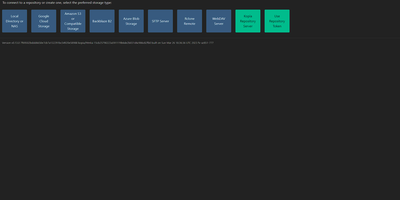
Engineers who have outgrown Duplicati or rsync scripts tend to appreciate Kopia's design: encrypted, compressed, content-deduplicated snapshots in Go, stored in a repository on any storage you control - S3, Google Cloud Storage, Azure Blob, Backblaze B2, SFTP, WebDAV, or a plain filesystem. Encryption is mandatory and end-to-end: every block is encrypted client-side with AES-256-GCM or ChaCha20-Poly1305 using keys derived from your repository password, and even file names never leave the machine in plaintext. Blocks are packed into 20-40 MB blobs with random names, so the storage provider learns nothing about content or structure. Deduplication is automatic and content-based - identical data across files, snapshots, and even multiple machines backing up to the same repository is stored once. Policies govern everything per-directory: compression choice, retention (hourly through annual), scheduling, and ignore rules. Incremental snapshots are point-in-time records you can mount and browse like a filesystem. This deployment runs the Kopia repository server with its web UI, centralizing backups from multiple client machines over an authenticated API - each client connects with the server URL and certificate fingerprint, and users only see their own snapshots. Error correction, high-latency-tolerant caching, and both CLI and GUI round it out.
Duplicati
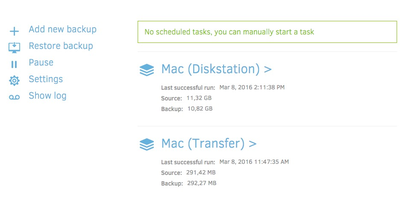
Encrypted, incremental, compressed backups on storage you already have - Amazon S3, Backblaze B2, Google Drive, Azure, OneDrive, Dropbox, MEGA, Storj, WebDAV, SFTP, FTP, SMB, or a plain local disk - is what the MIT-licensed Duplicati has quietly done for years. Its security model is Trust No One: every block is encrypted with AES-256 (or a local GPG instance) before leaving the machine, and the passphrase never travels, so the storage provider holds only ciphertext. The block-based storage engine gives the best of both backup worlds: after one initial full backup, only changed data blocks upload - modify a tiny part of a huge file and only that part transfers - yet every backup version restores like a full backup in a single operation, with no incremental chains to replay. Deduplication and compression keep remote storage growth slow even across years of versions. A web interface manages everything: the built-in scheduler keeps backups current automatically, flexible filters select folders, file types, or custom patterns, retention policies prune old versions, and an integrated updater flags new releases. On compatible object-lock backends, immutable (WORM) storage protects backup data from ransomware that reaches the credentials. Runs on Windows, macOS, and Linux, free even for commercial use.
Immich
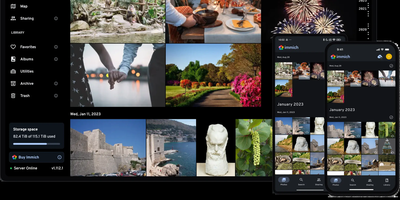
With over 110,000 GitHub stars and one of the fastest-growing open-source communities in the self-hosted space, Immich delivers a Google Photos-grade experience entirely on your own hardware. The platform handles automatic background backup from Android and iOS devices, deduplication, and support for RAW formats, LivePhotos, and MotionPhotos. Its machine learning pipeline runs facial recognition and clustering locally on your server, enabling you to group photos by person without sending a single image to the cloud. CLIP-based semantic search lets you find images by describing their content in natural language, while metadata-driven search covers EXIF data, dates, and locations. The web interface built with SvelteKit provides a responsive timeline view, albums, shared albums with configurable permissions, public sharing links with optional passwords and expiry dates, partner sharing for family libraries, and a global map plotting photos by GPS coordinates. Administrative features include multi-user support with per-user storage quotas, OAuth integration, API key management, and a user-defined storage structure for organizing files on disk. The architecture uses PostgreSQL for metadata, Redis with BullMQ for background job queues handling thumbnail generation, video transcoding, and smart search indexing, and exposes over 400 REST API endpoints documented via OpenAPI with auto-generated SDKs for web, mobile, and CLI clients. Running on a dedicated VPS on RepoCloud with guaranteed CPU, RAM, and SSD, full root SSH access, and a browser serial console. AGPL-3.0 licensed.
Databasement
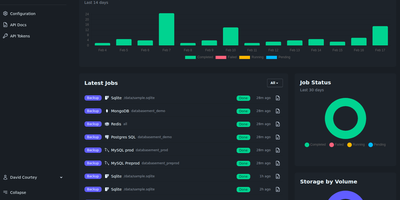
Databasement puts scheduled backup and restore for nine database engines behind one polished web interface, deployed as a single Docker container on port 2226. The Laravel and Livewire backend uses native CLI tools for MySQL 5.6 through 9.x, PostgreSQL 12 through 18, MariaDB 10.x through 12.x, Microsoft SQL Server 2017 through Azure SQL, MongoDB 4.2 through 8.0, SQLite 3.x, Firebird 3.x through 5.x, Redis 2.8+, and Valkey 7.2+ with full restore support including cross-server recovery. SSH tunnel connectivity reaches databases behind firewalls via bastion servers with password or private key authentication, and remote agents handle isolated networks by connecting outbound over HTTPS without inbound ports. Scheduling supports arbitrary cron expressions with GFS grandfather-father-son retention alongside simple time-based cleanup. Storage spans local disk, S3-compatible services including AWS and MinIO, Azure Blob, Samba/SMB shares, and SFTP/FTP servers. Scheduled restores automate production-to-staging synchronization on recurring intervals. Failure notifications alert via Email, Slack, Discord, Telegram, Pushover, Gotify, and webhooks with detailed job logs. The REST API and built-in MCP server enable CI/CD pipeline integration and AI assistant access from Claude, Cursor, and VS Code Copilot. 1,700+ stars since November 2025. Running on a dedicated VPS on RepoCloud with guaranteed CPU, RAM, and SSD, full root SSH access, and a browser serial console. MIT licensed.
Portabase
Portabase takes a zero-trust approach to database backups: lightweight Rust/Tokio agents deploy next to each database, encrypt dumps with AES-GCM before data ever leaves the host, and poll the Next.js control plane outbound every five seconds requiring zero inbound firewall rules. This architecture contains blast radius if the dashboard is compromised while supporting ten engines with stable backup and restore: PostgreSQL 12 through 18, MySQL 5.7 through 9, MariaDB 10 and 11, MongoDB 4 through 8, SQLite 3.x, Redis 2.8+, Valkey 7.2+, Firebird 3.0 through 5.0, Microsoft SQL Server 2017 through 2022 including Azure SQL, and Docker volumes on Engine 20.10+. Encrypted backups store on configurable backends including local filesystems, any S3-compatible provider (AWS, MinIO, RustFS), Google Cloud Storage, and Azure Blob Storage. Cron-based scheduling with Grandfather-Father-Son retention policies automates backup lifecycle management, while on-demand restore targets any compatible server for cross-environment recovery. The CLI installs agents with a single command and auto-updates when new versions ship. A RESTful API with MCP server integration enables automation from CI/CD pipelines and AI agent workflows. Developed by a non-profit under Apache-2.0. 1,270+ stars and 174 releases since October 2024. Running on a dedicated VPS on RepoCloud with guaranteed CPU, RAM, and SSD, full root SSH access, and a browser serial console.
GoCron
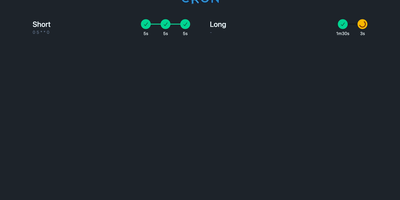
Configuring recurring cron jobs via version-controlled YAML manifests becomes seamless with GoCron, giving systems engineers and DevOps administrators a responsive web console to orchestrate scheduled commands with hot-reloading and sandboxed execution. Administrators can declare schedules using standard five-field cron syntax, establish global default configurations, and inherit execution timeouts, retry policies, and environment variable expansions across individual tasks. The interactive web interface provides immediate visibility into upcoming runs, past execution durations, status badges, and expandable terminal output logs stored in local SQLite databases. Operators can trigger ad-hoc job runs on demand, cancel stalled processes, and utilize a built-in sandboxed terminal utility governed by strict command whitelists. Automated health check webhooks dispatch HTTP notifications to external monitoring services upon job initiation, successful completion, or unexpected execution failure. The container environment bundles common server utilities including Restic, BorgBackup, and Rclone, streamlining automated offsite database backups and cloud storage synchronization routines without additional dependencies. Dynamic configuration reloading automatically detects filesystem modifications to YAML manifests without restarting the daemon, ensuring zero-downtime schedule updates. Running on a dedicated VPS on RepoCloud with guaranteed CPU, RAM, and SSD, full root SSH access, and a browser serial console. MIT licensed.