Commento++
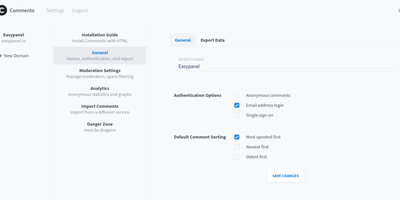
When Commento's original maintainer went quiet, Commento++ bundled the community's bug fixes and stalled merge requests into a batteries-included release of the beloved Go-based Disqus alternative - and kept building. The core promise is unchanged: an embeddable comments box that is orders of magnitude lighter and faster than Disqus, with no ads, tracking, or data sales - two lines of HTML and a PostgreSQL database. On top of Markdown comments, voting, Disqus import, OAuth login (Google, GitHub, Twitter) plus SSO, sticky comments, thread locking, and email notifications, the fork's additions are substantial: WebSocket-powered live comment updates with permalinks and highlight animations for new arrivals, guest commenting with a name, a cross-domain moderation dashboard for approving and deleting comments in one place, MathJax rendering support, wildcard domain matching, a reInit hook that makes single-page-application integration clean, and Perspective API spam scoring alongside the existing Akismet integration. Optional page-view logging graphs traffic on the dashboard, native SSL termination works without a proxy, and script-tag data attributes control fonts, CSS overrides, deleted-comment visibility, and polling-versus-WebSocket behavior.
Substreamer
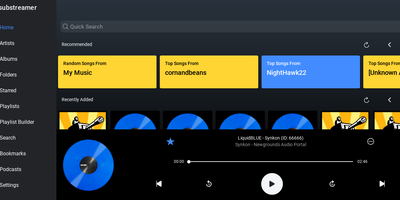
A free, polished web client for Subsonic-compatible music servers: Substreamer is the browser-based frontend you point at your existing streaming backend to play your own library from anywhere. It speaks the Subsonic API (v1.13 and higher), which makes it compatible with the whole ecosystem that has grown around that protocol: the original Subsonic server, its forks Airsonic and Madsonic, and modern implementations like Navidrome and Ampache. That decoupling is the point - your music files, transcoding, and library indexing live on whichever server you prefer, while Substreamer provides the listening experience: browse by artist, album, and genre, build and manage playlists, search your collection, and stream on demand. This RepoCloud deployment runs the containerized web edition, so the same interface is available from any browser without installing a native app, and it pairs with the Substreamer mobile apps that made the client popular. For anyone assembling a self-hosted Spotify replacement - typically Navidrome for the backend plus a good client - Substreamer fills the client half with a clean, familiar player UI. Because it is a stateless client, the container is lightweight and low-maintenance: connect it to your server's URL and credentials, and your entire collection is streaming in minutes, with no subscription and no catalog that can disappear.
Githome
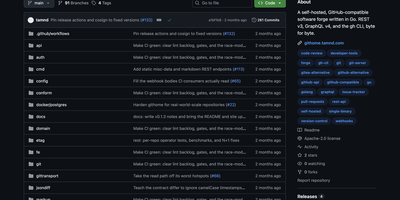
Point the gh CLI at your private Githome server and it works identically to github.com, because every REST v3 and GraphQL v4 endpoint returns byte-for-byte compatible JSON shapes, headers, Link pagination, and ETag caching. A single compiled Go binary serves the REST API under /api/v3, GraphQL under /api/graphql, git smart-HTTP transport, and a server-rendered web UI implementing the GitHub Primer design system with full functionality when JavaScript is disabled. The web interface provides repository browsing with Markdown rendering and syntax highlighting, issue tracking, pull requests with unified diffs and inline code review threads, full-text search, user profiles, and a notifications inbox. Authentication supports personal access tokens with prefix-based identification, OAuth device and web flows, and scoped permissions on every response header with only token hashes stored. The pull request system implements the complete lifecycle including async mergeable state computation, squash, merge, and rebase strategies, commit statuses, check runs, and statusCheckRollup fields. Webhooks deliver events with X-Hub-Signature-256 verification, SSRF protection, and at-least-once retry semantics. Storage supports SQLite for single-node deployments or PostgreSQL for production configurations. Performance optimizations include batch loaders replacing N+1 queries, keyset pagination, FTS-backed search, and GraphQL dataloaders. Docker deployment pulls the official multi-arch container image from GitHub Container Registry. Running on a dedicated VPS on RepoCloud with guaranteed CPU, RAM, and SSD, full root SSH access, and a browser serial console. Apache-2.0 licensed.
Gray Duck Mail
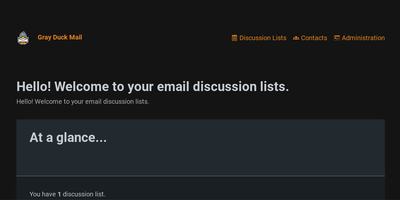
Email discussion lists - the venerable listserv pattern where one address relays to a whole group - without the notorious setup pain of Mailman or Sympa: that is Gray Duck Mail. Its architectural trick is requiring no mail server of your own: the C#/ASP.NET Core app monitors a POP3 inbox at any external email host supporting POP3/SMTP and aliasing, relays each incoming message to all list members via SMTP, and archives it for browsing in the web interface. Replies route back to the entire group automatically. The tedious parts of list management are handled by convention: dedicated aliases process join requests, subscription confirmations, and unsubscribes, while a bounce alias in the return-path catches delivery failures so dead addresses get handled instead of silently rotting. The web administration interface creates and removes lists, manages contacts, browses message archives, and imports or exports the local database for backup. GPLv3-licensed, Docker-distributed, and fully code-documented, it targets exactly the groups email still serves best - neighborhoods, schools, congregations, workplaces, and families - where one message keeping everyone in the loop beats yet another app nobody wants to install.

Ambry
Ambry is a personal audiobook streaming server that keeps a collection you own on hardware you control, ready to stream to any browser or phone. Upload your audiobook files once, and the library becomes streamable to any device through a browser or the native mobile application. The server reads durations, tags, and chapter markers straight from the audio files, so a long novel arrives with its structure intact instead of as one anonymous ten-hour blob, and the original files are served untouched. First boot walks you through creating the initial administrator account, after which the instance restarts ready for listening. Households can open registration to family members or close it entirely, keeping the library an invitation-only shelf. Forgotten passwords and registration messages go out through the configured mail provider, so account recovery works without manual intervention. The collection itself lives in PostgreSQL with uploads on a persistent volume, and the whole service runs from a container image on a configurable port. Put a commute listen on your phone, a history title on a kitchen tablet, and a shared family library behind one address, all served from hardware you control. Running on a dedicated VPS on RepoCloud with guaranteed CPU, RAM, and SSD, full root SSH access, and a browser serial console. MIT licensed.
Chiyogami
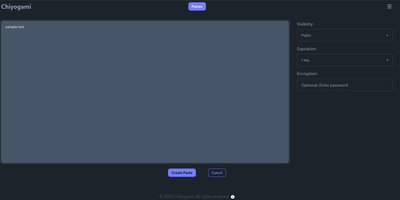
Chiyogami is a pastebin you host yourself for sharing code, logs, notes, and text snippets through short links that expire on your terms. Paste into the web editor and the content comes back formatted, with syntax highlighting for code and rendered Markdown for prose, so a stack trace or a runbook reads the way it was written. Anything sensitive can be encrypted in the browser before it leaves your machine, and the server never stores the password, which makes an encrypted paste safe to pass through chat or email. Every paste carries a configurable lifetime, from minutes to never, and visibility choices keep a snippet public, unlisted, or private behind an unguessable address. Registered users manage their own pastes from an account, and anonymous quick pastes stay available for one-off sharing. The public paste list supports search, so a team instance doubles as a small shared snippet library. Developers can skip the browser entirely: one curl command creates a paste from a file or a JSON body, and the API returns a short title that fetches the content later. Sharing extends to QR codes for moving text onto a phone, and built-in rate limiting throttles spam and abuse before it fills the database. Running on a dedicated VPS on RepoCloud with guaranteed CPU, RAM, and SSD, full root SSH access, and a browser serial console. BSD-3-Clause licensed.
LocalCA
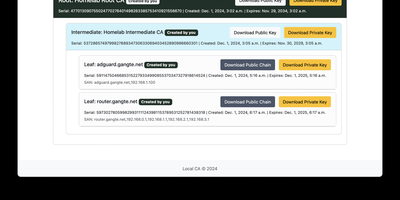
Your internal services deserve padlocks that browsers actually trust, and LocalCA is a small certificate authority you run yourself to issue them. From the web interface you create a self-signed root, install it once on your browsers and client devices, and then mint intermediate and leaf certificates underneath it for each service you host. Proxmox, Pi-hole, Jellyfin, Grafana, and the rest of a homelab stop showing insecure warnings and start presenting certificates your devices accept. The root can carry your own name, so the trust store shows your branding rather than a generic authority. Issued certificates also serve mutual TLS setups, where clients present certificates of their own before a service lets them in. Deployment stays deliberately small: a Docker Compose file brings the application up, ARM images cover Raspberry Pi class hardware, and a configurable time zone keeps expiry timestamps readable for your region. A reverse proxy path prefix is supported for placing the interface behind Traefik or Nginx at an address like /localca. Treat the instance as internal infrastructure, because issued private keys live in its database: keep it on a private network, change the default administrator password immediately, and restrict access to the host. Running on a dedicated VPS on RepoCloud with guaranteed CPU, RAM, and SSD, full root SSH access, and a browser serial console. AGPL-3.0 licensed.
LiftCut
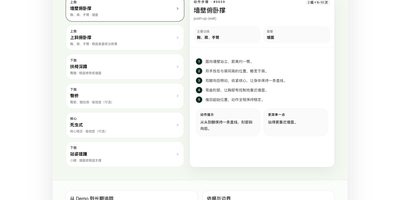
Training, meals, and body changes usually live in three different apps, and LiftCut puts them in one bilingual tracker where an AI agent helps keep the log instead of just drawing charts. Tell it what you ate, what you lifted, or what the scale said in plain language, in Chinese or English, and it prepares the entry from the exact numbers you gave, never inventing nutrients or weights, and saves nothing until you confirm it. Workout plans are editable rather than rigid programs, text import brings existing routines in, logging tracks completion and exercise performance, and personal records and PDF exports mark how far you have come. Food logs roll into nutrition summaries, and dated body measurements draw trend charts beside your training, so cause and effect sit on the same screen. AI training and nutrition proposals read your saved goals, restrictions, measurements, and recent actual loads first, then pass through extraction, strict validation, and an editable preview, and a proposal is rejected if the records it relied on changed in the meantime. Begin in the public no-sign-in demo or local-first guest mode, then create an account and migrate your history when ready, with offline queues holding entries until a connection returns. Providers span DeepSeek, any OpenAI-compatible endpoint, or a local vLLM server, so the intelligence can stay on hardware you control. Running on a dedicated VPS on RepoCloud with guaranteed CPU, RAM, and SSD, full root SSH access, and a browser serial console. MIT licensed.
Labby
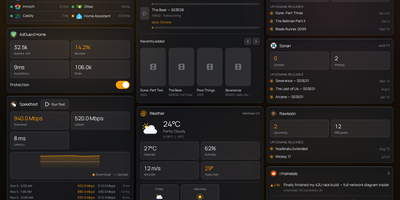
Labby gathers a whole homelab onto one live dashboard you host yourself, covering services, containers, downloads, and media servers. Widgets watch your service monitor, Docker containers, qBittorrent or Transmission queues, SABnzbd, AdGuard Home, Jellyfin, Emby, Plex, Beszel, Radarr, Sonarr, plus weather, calendar, speedtest, bookmarks, Reddit, and Hacker News, and the server pushes every change to your browser over server-sent events so nothing waits on a refresh timer. The dashboard is not a read-only poster: start and stop containers, pause and resume torrents, and toggle AdGuard protection straight from its widgets. Everything configures from the in-app Manage Services page, where service URLs, API keys, poll intervals, and multiple instances of the same integration (two Radarr servers, say) live in a small SQLite database instead of scattered environment files. Named color schemes restyle the board and save with the config, and icon sources span dashboard-icons, selfh.st, Lucide, or your own URLs. Login is off by default for trusted home networks, with a clear warning to keep it behind a LAN, VPN, or forward-auth proxy, and optional OIDC sign-in through Authentik, Authelia, Keycloak, or Pocket ID when you want a real front door. One container, one volume, and your lab finally explains itself at a glance. Running on a dedicated VPS on RepoCloud with guaranteed CPU, RAM, and SSD, full root SSH access, and a browser serial console. MIT licensed.
FileCat
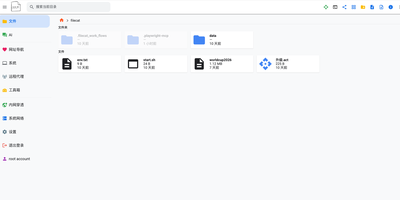
One browser tab can run your whole server, and FileCat is the tab: a self-hosted web file manager that also serves as a lightweight server operations console. Browse, upload, download, and edit files with inline previews for images, video, and Markdown, then keep writing in a Typora-style WYSIWYG Markdown editor or sketch on the built-in Excalidraw whiteboard. Remote storage stops being remote: SFTP, S3, WebDAV, SMB shares, and Baidu Netdisk mount as ordinary local folders under the same operations, and your own directories publish back out over SMB, WebDAV, and SFTP for Windows Explorer and other clients. A web SSH terminal and in-browser RDP sessions reach servers and Windows desktops without separate tools, and the system dashboard watches CPU, memory, disk, and network in real time. Oversized log files open instantly, deep search digs through names and file contents with regex and filters, and custom command pipelines cover CI/CD routines across machines linked by the built-in network tunneling. An optional AI agent, connected to your own model API and reachable through chat platform bots, assists with operations and file tasks, and multi-user permissions with shareable download links decide who touches what. Running on a dedicated VPS on RepoCloud with guaranteed CPU, RAM, and SSD, full root SSH access, and a browser serial console. Apache-2.0 licensed.
PlikShare
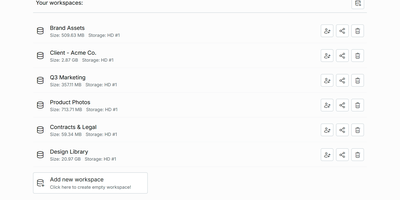
Sending a client a big file should not mean renting seats on someone else's cloud, and PlikShare turns your own server into a file sharing platform with unlimited users, unlimited workspaces, and no per-seat pricing. Its central idea is the box: a controlled gateway between your folders and the outside world, where you invite collaborators, mint anonymous links, and decide who may upload, download, preview, or drop files into an upload-only inbox. Quick share links carry custom slugs, expiry dates, passwords, and download caps, and every box can embed into another website as a live widget whose permissions update the moment you change them. Storage is your choice per workspace, from the server's own disk to S3, Cloudflare R2, Backblaze B2, Azure Blob, Google Cloud Storage, or any S3-compatible server, and each storage picks one of three encryption modes, including full encryption where names and contents are sealed with keys derived from each user's password. Bulk uploads arrive as a single zip that rebuilds its folder structure on landing, bulk downloads assemble from an explorer tree, and previews cover video, audio, PDFs, Markdown with diagrams, and even the inside of zip archives. Single sign-on through multiple OIDC providers, granular admin roles, an optional MCP server for scoped AI agents, and OCR or chat integrations round out a platform that stays lean on a small server. Running on a dedicated VPS on RepoCloud with guaranteed CPU, RAM, and SSD, full root SSH access, and a browser serial console. AGPL-3.0 licensed.

Sake
Your e-reader knows exactly where you stopped reading, and Sake makes your whole library know it too, with a self-hosted web library that syncs KOReader progress, notes, and highlights across every device you own. Browse your collection in a clean web app with covers, metadata, shelves, ratings, and reading state, and organize it with rule-based shelves that file new books automatically according to conditions you define. Pair a KOReader device once and progress uploads in the background when the reader sleeps, new books download on request, and highlights land in a searchable annotations hub where you can edit notes inline and export them as Markdown or JSON. An existing on-device library can be exported back into the web app complete with its sidecar data, so years of reading history move with you. Search providers including Open Library, Project Gutenberg, and Anna's Archive (through Libgen mirrors) put new books one query away from your shelves, and metadata lookups enrich them from Google Books, Open Library, or Hardcover. OPDS and WebDAV endpoints serve any compatible reader app with optional separate Basic-auth passwords, the built-in plugin updater keeps the KOReader plugin current without manual file copying, and reading statistics chart your habits across the library. The installable progressive web app keeps the library one tap away on phones and tablets. Running on a dedicated VPS on RepoCloud with guaranteed CPU, RAM, and SSD, full root SSH access, and a browser serial console. AGPL-3.0 licensed.
LetterSpace
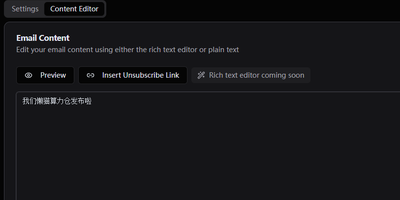
Keep your newsletter audience on infrastructure you own with LetterSpace, a self-hosted platform for subscriber lists, campaigns, and email analytics. Organize subscribers into lists inside your organization, enrich each address with metadata pairs, and use those values as placeholders inside the mail you send. Campaigns begin as drafts where subject, content, template, target lists, and tracking choices stay editable until you deliberately start the send. A test copy goes to your own inbox first, and a future schedule time holds the campaign until the moment arrives. Reusable HTML templates wrap every campaign in your house style, with the content injected at send time and an unsubscribe link in the footer. Once mail flows, the dashboard follows subscriber growth across six months, recent campaign delivery rates, and open and click performance compared between the last thirty days and the period before. Delivery itself runs through your SMTP settings with per-organization rate limits, retries, and concurrency controls, and provider webhooks can report bounces and confirmations back into message statuses. Signup forms and external tools connect through a REST API guarded by keys, with double opt-in available for new subscribers. Running on a dedicated VPS on RepoCloud with guaranteed CPU, RAM, and SSD, full root SSH access, and a browser serial console. MIT licensed.
NextOrders
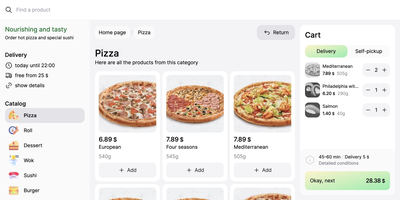
Marketplace apps take a large slice of every order, and NextOrders Food gives a restaurant its own ordering website instead. Customers land on a storefront carrying your brand, browse the menu, and check out under your domain, so the customer relationship stays with the kitchen. A city selector opens the right location storefront, which suits chains and ghost kitchens running several neighborhoods from one deployment. Menus speak to more guests with eleven or more bundled languages, from English and German to Georgian and Simplified Chinese. The cart stays visible on desktop during browsing, removing the hunt for the checkout button that loses hungry customers. Product pages can carry video, and the ordering flow highlights items frequently bought together, nudging a drink or side into the basket. Delivery and pickup are both supported at fulfillment, letting one menu serve couriers and counter collection. Pages render on the server as separate indexable pages, so search engines can find a city menu rather than a script shell. Behind the counter, the storefront talks to your backend through a typed food schema: your service supplies menus, prices, and order handling, and an example business logic service in the repository shows the contract working. Running on a dedicated VPS on RepoCloud with guaranteed CPU, RAM, and SSD, full root SSH access, and a browser serial console. MIT licensed.
GlitchTip
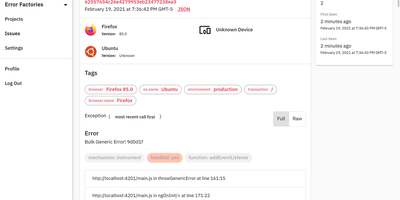
GlitchTip speaks Sentry's protocol without Sentry's operational weight - open-source error tracking that your existing SDKs already understand. The pitch is pragmatic: instrument your application with the official Sentry SDKs you already know - any language they cover - and point the DSN at your own GlitchTip instance instead. Errors, exceptions, log messages, and Content Security Policy violations flow into one place for triage, grouped into issues with stack traces, with alerts delivered by email or webhook the moment things break. Where self-hosted Sentry has ballooned into a docker-compose stack of twenty-plus containers, GlitchTip is a deliberately lean Django and PostgreSQL application a small team can actually run. Beyond errors, it bundles three more monitoring concerns: performance monitoring takes a works-out-of-the-box approach - no dashboard building, just your slowest web requests, database queries, and transactions surfaced automatically; uptime monitoring pings your sites and alerts on failures, or runs in reverse as a dead-man's-switch heartbeat for cron jobs that must check in on schedule; and log search puts application logs alongside errors for faster debugging. Unlimited projects and team members, MIT-licensed, built by Burke Software - your event volume is limited only by your own hardware.