Backstage
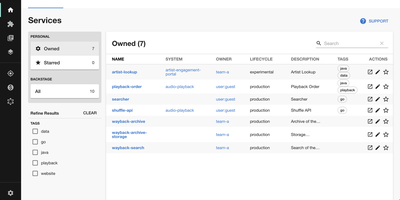
Adopted by over 3,400 companies and backed by 34,000 GitHub stars, Backstage is the open-source developer portal framework created by Spotify and now hosted by the Cloud Native Computing Foundation. The centralized Software Catalog registers every service, library, data pipeline, website, and ML model in your organization using YAML metadata files stored alongside code in GitHub, GitHub Enterprise, or GitLab, tracking ownership, lifecycle status, and dependency relationships across your entire ecosystem. Software Templates provide self-service infrastructure provisioning where developers fill out a form and Backstage automatically scaffolds new repositories, CI/CD pipelines, and cloud resources following your organization's standardized best practices. TechDocs renders Markdown documentation directly alongside the services it describes using a docs-like-code approach powered by MkDocs, with the TechDocs Addon Framework for extending the reading experience. The Search Platform indexes content across the catalog, TechDocs, Confluence, and Stack Overflow through configurable search backends. Kubernetes monitoring built specifically for service owners rather than cluster admins displays pod health, logs, and deployment status across any cloud provider or managed Kubernetes service. The plugin ecosystem includes over 230 open-source integrations covering CI/CD systems like GitHub Actions and GitLab Pipelines, monitoring platforms like Datadog and Grafana, cloud providers including AWS and Azure, plus specialized plugins for security scanning, cost management, API documentation, PagerDuty incident management, and Lighthouse website auditing. Running on a dedicated VPS on RepoCloud with guaranteed CPU, RAM, and SSD, full root SSH access, and a browser serial console. Apache-2.0 licensed.
TriliumNext
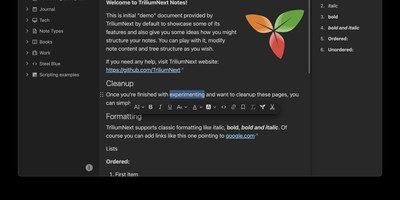
TriliumNext organizes notes in an infinitely deep tree where any single note can be cloned into multiple branches without duplication, building personal knowledge bases that mirror how ideas actually connect rather than forcing a single rigid folder hierarchy. Carrying forward the original Trilium project under active community stewardship with nearly 37,000 GitHub stars, the application is built on TypeScript with a CKEditor 5 WYSIWYG editor supporting rich text, tables, images, KaTeX math expressions, Mermaid diagrams, Excalidraw canvases, mind maps, spreadsheets with XLSX and CSV import/export, and code blocks with full syntax highlighting. A built-in JavaScript scripting engine runs on both frontend and backend, enabling custom widgets, automated workflows, scheduled tasks, and direct interaction with external REST services through a typed Script API. Full-text and fuzzy search with attribute-based queries locates any note instantly across databases tested at over 100,000 notes without performance degradation. The v0.104 release introduced importers for OneNote, Notion, Google Keep, Anytype, and Obsidian alongside 16 dedicated security fixes. Per-note AES encryption, OpenID Connect authentication, and TOTP two-factor protection safeguard sensitive content. The sync server keeps desktop clients, the progressive web app, and mobile devices in lockstep with zero third-party cloud dependency. Web Clipper captures content directly from browsers. Running on a dedicated VPS on RepoCloud with guaranteed CPU, RAM, and SSD, full root SSH access, and a browser serial console. AGPL-3.0 licensed.
Trilium Notes
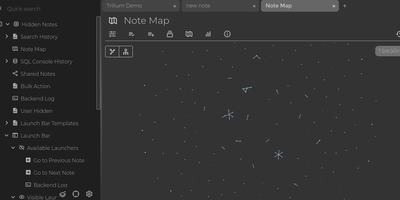
For people whose notes number in the tens of thousands, Trilium Notes is the hierarchical note-taking application built specifically for large personal knowledge bases - actively maintained as TriliumNext. Notes arrange into arbitrarily deep trees where every note is both content and container, and cloning lets a single note live in multiple places at once - bash notes belong under both Linux and Scripting, and Trilium refuses to make you choose. A WYSIWYG editor handles rich text, tables, math, and syntax-highlighted code blocks with Markdown-style shortcuts, while dedicated note types cover Excalidraw sketches, mind maps, geo maps with GPX tracks, relation maps that visualize connections between notes, and tables with typed columns. The attribute system is the power layer: labels attach queryable metadata (#year=1999, #author), relations create named links between notes, and both inherit down the tree - feeding full-text search, saved queries, and scripting. Scripting is Trilium's deepest differentiator: JavaScript code notes run on events like note changes or hourly schedules, build custom widgets, and add server-side logic, turning the knowledge base into a programmable platform. Protected notes encrypt sensitive content, note hoisting focuses on subtrees, and the self-hosted server syncs desktop clients across devices.
RAGFlow
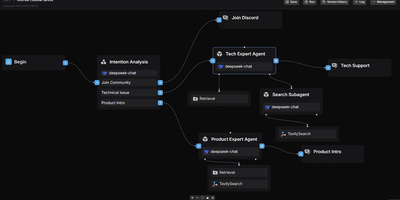
RAGFlow has established itself as one of the most widely adopted open-source RAG engines available, powering production AI systems that demand traceable, hallucination-free answers from complex enterprise data. The platform processes PDF, DOCX, Excel, and PPT files through vision-based deep document understanding with layout analysis and OCR, extracting structured knowledge from tables, charts, and images that simpler parsers miss entirely. RAGFlow's hybrid retrieval pipeline combines vector search with BM25 keyword matching and multi-stage reranking across configurable document stores including Elasticsearch, InfiniFlow's Infinity engine, OpenSearch, and OceanBase. Developers connect any combination of LLM providers — OpenAI, DeepSeek, Anthropic Claude, Google Gemini, and locally-hosted models via Ollama — through a unified configuration layer. The visual agent workflow system enables multi-step reasoning chains with persistent memory, tool calling, and pre-built templates for common enterprise scenarios. RAGFlow synchronizes data from Confluence, S3, Notion, and Google Drive, and delivers answers through chat integrations with Feishu, Discord, Telegram, and Line. The Python SDK and RESTful API on port 9380 provide programmatic access to knowledge base management, document parsing, and conversational retrieval. The full stack deploys via Docker Compose with MySQL for metadata, Redis for task orchestration, and MinIO for object storage. Running on a dedicated VPS on RepoCloud with guaranteed CPU, RAM, and SSD, full root SSH access, and a browser serial console. Apache 2.0 licensed.

Will Be Done
Seven columns, one per day, hold your whole week of tasks in Will Be Done, and rebalancing a crowded Wednesday means dragging a card to Friday. Unfinished tasks keep their day and get a quiet yellow marker instead of piling into tomorrow as red overdue badges. The Today view narrows the screen to one day, and Stash holds the few tasks you want close at hand without picking a date. Projects get kanban boards with columns you define, such as Week, Month, Ideas, and Someday, and separate spaces keep work and personal planning apart. Tasks carry descriptions and checklists, and recurring tasks repeat daily, weekly, monthly, or yearly with custom intervals and end dates. Every device holds a full local database, so planning, completing, and rescheduling happen with no network at all, and changes sync across tabs and devices once the server is reachable. Vim keys such as h, j, k, and l move through everything, and a global quick-add shortcut in the Linux, macOS, and Windows desktop apps captures a task without leaving the window you are in. Todoist and TickTick imports bring existing projects along, and a token-protected HTTP API with OpenAPI docs lets scripts, cron jobs, and bots drop tasks straight into your stash. Running on a dedicated VPS on RepoCloud with guaranteed CPU, RAM, and SSD, full root SSH access, and a browser serial console. AGPL-3.0 licensed.
PostgreSQL
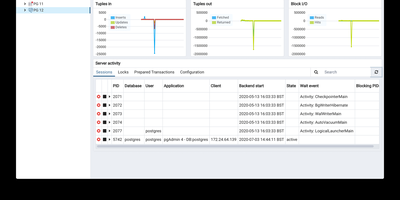
Consistently ranked the most loved and most wanted database in developer surveys, PostgreSQL powers mission-critical workloads at Apple, Instagram, Spotify, and the U.S. Federal Aviation Administration with an architecture refined over nearly four decades since its origins at UC Berkeley. Its native JSONB type stores JSON in an indexed binary format with GIN and GiST index support, enabling document-store capabilities that eliminate the need for a separate NoSQL database in many architectures. The extension ecosystem exceeds 1,000 add-ons: PostGIS provides ISO-compliant geospatial queries, pgvector enables AI embedding similarity search, TimescaleDB adds time-series hypertable compression, and Citus distributes tables across nodes for horizontal scaling. PostgreSQL supports declarative partitioning by range, list, or hash, parallel query execution across multiple CPU cores, and four transaction isolation levels including full Serializable. Streaming replication provides physical standby servers with synchronous or asynchronous modes, while logical replication enables selective table-level change data capture through the Write-Ahead Log. Stored procedures run in PL/pgSQL, PL/Python, PL/Perl, and PL/V8 JavaScript, and advanced indexing includes B-tree, GIN, GiST, SP-GiST, BRIN, and hash types. Full-text search is built in with tsvector and tsquery, and row-level security policies enforce fine-grained access control. Running on a dedicated VPS on RepoCloud with guaranteed CPU, RAM, and SSD, full root SSH access, and a browser serial console. PostgreSQL License (MIT-like permissive) licensed.
PatchMon
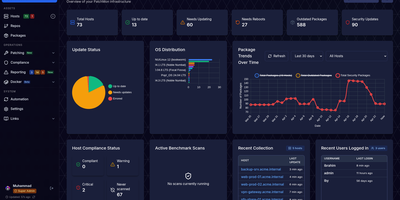
Unpatched Linux servers expose production environments to critical vulnerabilities, and PatchMon eliminates that blind spot by centralizing package telemetry, security advisory tracking, and automated update orchestration across your entire fleet. Administrators can inspect pending updates across APT, DNF, YUM, APK, Pacman, Zypper, FreeBSD pkg, Windows Update, and winget from one unified queue without opening inbound firewall ports on monitored hosts. Before touching production workloads, operators run dry-run validations to preview exact package transactions, enforce multi-user approval workflows, and schedule rollouts during fixed maintenance windows. During execution, live agent output streams directly to the browser over WebSocket so engineers can watch progress in real time or halt a problematic upgrade mid-flight. Beyond package updates, the platform runs OpenSCAP CIS benchmark and Docker Bench security assessments, inventories running containers and outdated base images, and routes host-down or threshold alerts to Slack, Discord, Microsoft Teams, ntfy, or email. Built-in browser SSH and Apache Guacamole RDP terminals let teams troubleshoot machines directly through the outbound agent tunnel with role-based access control and OIDC single sign-on. Running on a dedicated VPS on RepoCloud with guaranteed CPU, RAM, and SSD, full root SSH access, and a browser serial console. AGPL-3.0 licensed.
Briefer
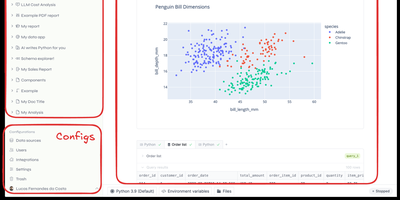
Backed by Y Combinator with 4,300 GitHub stars and growing rapidly since its September 2024 launch, Briefer delivers the first truly unified notebook-and-dashboard platform that eliminates the fragmented workflow of juggling Jupyter for analysis, Tableau for visualization, and Notion for documentation — combining all three in a single Notion-like workspace where SQL query results automatically become Python DataFrames accessible in subsequent code blocks. The built-in AI analyst understands your database schema and notebook context to generate SQL queries, write Python transformations, create visualizations, and fix errors on demand using configurable OpenAI or private LLM backends. Connect directly to PostgreSQL, MySQL, BigQuery, Redshift, Snowflake, and Amazon Athena as data sources, or upload CSV files for immediate analysis. Native point-and-click visualizations produce charts, tables, and dashboards without writing code, while interactive data apps use inputs, dropdowns, and date pickers to create parameterized reports for non-technical stakeholders. Scheduled execution runs notebooks and dashboards periodically with results delivered via Slack integration or public shareable links. Write-back queries modify production data directly from notebooks for ad-hoc pipeline testing. The architecture runs as three Docker containers — web frontend, API server, and optional AI service — backed by PostgreSQL and a Jupyter server for Python execution, deployable via single Docker command, Docker Compose, or Helm charts for Kubernetes. Running on a dedicated VPS on RepoCloud with guaranteed CPU, RAM, and SSD, full root SSH access, and a browser serial console. AGPLv3 licensed.
Chatpad
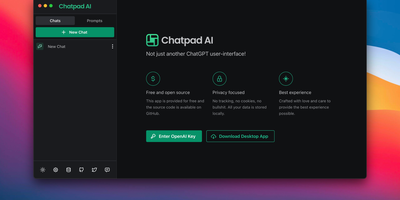
Why should your chat history live on someone else's servers? Chatpad AI - a React/TypeScript front end for the OpenAI API, built on the Mantine component library - is designed around that question. Enter your own OpenAI API key and start chatting with GPT models; every conversation, prompt, and setting is stored locally in your browser via DexieJS over IndexedDB, with no tracking, no cookies, and no backend database at all. That architecture is the point - the Docker image is just Nginx serving static files, making it one of the lightest AI deployments in the catalog, and pay-per-token API pricing typically undercuts a ChatGPT Plus subscription for moderate use. The interface earns its "premium quality" tagline with the details: a persona selector that switches communication styles per conversation, a saved-prompts library for messages you reuse constantly, organized chat history, and full data export/import so conversations move between browsers or into backups as files you control. A JSON config file customizes defaults - models, API endpoints, UI options - without rebuilding the image. AGPL-licensed, with desktop builds available upstream. For teams that want ChatGPT's utility with a self-hosted, zero-telemetry footprint, Chatpad is the minimal, sane answer.
Dockhand
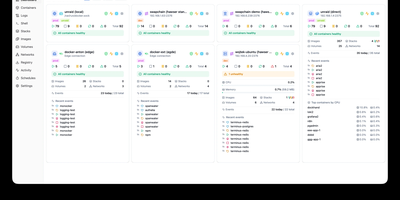
Dockhand is a Docker management platforms, offering a modern alternative to Portainer with free OIDC SSO and vulnerability scanning that competitors gate behind paid tiers. Real-time container management provides start, stop, restart, and remove operations with live resource monitoring across CPU, memory, and network usage on a dashboard with real-time metrics. The visual Docker Compose editor enables stack creation and modification with syntax highlighting, while Git integration deploys stacks directly from repositories with webhooks and auto-sync for GitOps workflows. Vulnerability scanning powered by Grype and Trivy analyzes container images against CVE databases, with configurable auto-update scheduling that can trigger updates based on vulnerability severity criteria. The Hawser Go agent enables management of remote Docker hosts in Standard mode for LAN environments or Edge mode using outbound WebSocket connections for hosts behind NAT, firewalls, or dynamic IPs without exposing inbound ports. Interactive terminal sessions provide shell access into running containers, while the file browser enables uploading, downloading, and editing files directly within containers. Image management includes registry browsing, pull operations, and layer inspection alongside network and volume administration. The security-focused architecture builds its own OS layer from scratch using Wolfi packages via apko with every package explicitly declared. Running on a dedicated VPS on RepoCloud with guaranteed CPU, RAM, and SSD, full root SSH access, and a browser serial console. BSL 1.1 licensed, converting to Apache 2.0 in 2029.

DSpace
With DSpace, a library or research office can give every thesis, journal article, and dataset its own permanent web address, a searchable metadata record, and files visitors download from the archive. Content sits in a tree of communities and collections, and each collection decides who may deposit and how many review steps follow; reviewers accept a submission or reject it with a note that sends it back to the author. Embargoes hold files back until a set date, access policies limit other files to chosen groups, and sign-in works through LDAP, Shibboleth, SAML, OpenID Connect, or ORCID. Search covers metadata and the extracted full text of uploaded files, facets narrow the results, and browse pages sort by title, issue date, author, or subject. Editors can correct a published item through the submission form. Administrators inspect an audit trail and rewrite homepage news from an admin form. Entity types for people, organizations, projects, journals, and datasets link each publication to the work behind it, and DOIs can be registered through Crossref. Optional settings let authors keep an email address private on their researcher profile and download their own restricted files. Usage reports count visits, downloads, and top countries per item. REST, OAI-PMH, SWORD, and Google Scholar metadata connect the archive to harvesters, deposit tools, and search engines. Running on a dedicated VPS on RepoCloud with guaranteed CPU, RAM, and SSD, full root SSH access, and a browser serial console. BSD-3-Clause licensed.
Nexus Repository
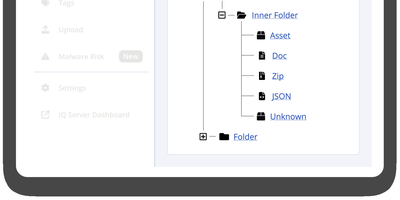
Trusted by millions of developers and integrated into CI/CD pipelines at organizations worldwide, Sonatype Nexus Repository is the industry-standard binary artifact repository manager that stores, organizes, and distributes software components across every major package ecosystem. Community Edition supports over 20 formats including Maven for Java builds, npm for JavaScript packages, Docker for container images, PyPI for Python libraries, NuGet for .NET assemblies, Helm for Kubernetes charts, Go modules, RubyGems, Cargo for Rust crates, Conda for data science environments, APT for Debian packages, Yum for RPM distributions, and Hugging Face for AI/ML models. Three repository types serve different needs: hosted repositories store internally-produced artifacts, proxy repositories cache remote registries like Maven Central, npmjs.org, and Docker Hub reducing bandwidth and improving build reliability, and group repositories aggregate multiple hosted and proxy repositories behind a single URL endpoint. The web UI provides component browsing and search, repository configuration, blob store management with configurable cleanup policies, and direct artifact upload via drag-and-drop. Role-based access control enforces fine-grained permissions per repository with configurable security realms, while the comprehensive REST API enables automated repository provisioning, component management, and integration with Jenkins, GitHub Actions, GitLab CI, and Azure DevOps. External PostgreSQL database support enables Kubernetes deployments with improved backup, restore, and horizontal scaling capabilities. Running on a dedicated VPS on RepoCloud with guaranteed CPU, RAM, and SSD, full root SSH access, and a browser serial console. Eclipse Public License 1.0 licensed.
pgAdmin
pgAdmin 4 is the reference administration GUI for PostgreSQL, bundled by virtually every Linux distribution and supporting versions 14 through 18 including EDB Advanced Server — browse schemas in a hierarchical tree, write and optimize queries with AI assistance, design entity-relationship diagrams visually, monitor live sessions, and run backup/restore operations entirely from the browser. Built on Python Flask with a ReactJS frontend, version 9.17 delivers a comprehensive web-based platform accessible from any device. The Query Tool provides syntax highlighting, auto-completion, query history, an EXPLAIN plan visualizer with graphical node representation, AI-powered SQL generation from natural language prompts, and AI Insights for execution plan analysis that identifies performance bottlenecks. The Graph Visualiser renders query results as line charts, bar charts, stacked charts, and pie charts directly in the interface. The ERD Tool auto-generates entity-relationship diagrams from existing schemas for visual database design. The Schema Browser presents databases, schemas, tables, views, functions, sequences, roles, and extensions in a navigable hierarchy. Server monitoring dashboards display real-time active sessions, locks, transaction throughput, and vacuum status. GUI-driven backup and restore wraps pg_dump and pg_restore with format and compression options. Authentication supports internal, LDAP, Kerberos, OAuth2/OIDC, and webserver modes. The Helm chart includes an HTTPRoute template for Kubernetes Gateway API deployments. Bundled pg_dump, pg_restore, and psql utilities version 18.4. Deploy via Docker with the official dpage/pgadmin4 image. Running on a dedicated VPS on RepoCloud with guaranteed CPU, RAM, and SSD, full root SSH access, and a browser serial console. PostgreSQL License.
Wagtail
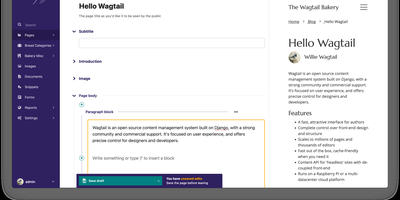
Backed by over 20,000 GitHub stars, 800 contributors, and organizations like Google, NASA, and the NHS, Wagtail is the Django-powered content management system that gives editors creative freedom through StreamField while keeping developers in full control of data structure and front-end rendering. StreamField lets editors compose pages from a custom library of content blocks — rich text, images, embedded videos, tables, code snippets, and developer-defined custom types — without compromising the underlying data model or breaking responsive layouts. The built-in JSON API supports headless deployments with versioned endpoints for pages, images, and documents, enabling decoupled front-ends in Next.js, Nuxt.js, or any framework that consumes REST. Editorial workflows provide configurable approval chains where content moves through draft, review, and publish states with commenting, task assignment, and email notifications built into the admin interface. Integrated search connects to Elasticsearch for full-text indexing with faceted filtering, or falls back to PostgreSQL and SQLite backends with fuzzy matching support added in v7.4. Multi-site management serves multiple domains from a single Wagtail installation with independent page trees, while the internationalization framework handles content translation with locale-aware URL routing. Image management includes focal point detection, responsive renditions, and automatic format conversion. The platform supports Django 5.2 and 6.0 with Python 3.10 through 3.14 and PostgreSQL, MySQL, MariaDB, or SQLite databases. Running on a dedicated VPS on RepoCloud with guaranteed CPU, RAM, and SSD, full root SSH access, and a browser serial console. BSD-3-Clause licensed.
Pulse
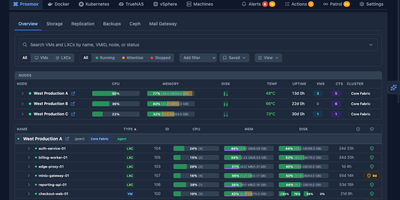
Pulse monitors your entire heterogeneous infrastructure from one screen: Proxmox VE, Proxmox Backup Server, Proxmox Mail Gateway, Docker, Podman, Docker Swarm, Kubernetes, TrueNAS SCALE/CORE, VMware vSphere, and standalone Linux/Windows/macOS machines. The Go binary embeds a SolidJS/TypeScript frontend, delivering WebSocket-driven dashboards with sub-second metric updates on port 7655. A unified agent auto-detects Docker, Podman, Kubernetes, and Proxmox on each host without manual configuration and self-updates silently, while Proxmox nodes need only API credentials with zero agent installation. Smart alerts use adaptive hysteresis-based thresholds to prevent notification floods, pushing to Discord, Slack, Telegram, Teams, email, ntfy.sh, Gotify, and generic webhooks with per-resource overrides. The standout feature is Pulse Patrol: scheduled AI health checks running every ten minutes to seven days using OpenAI, Anthropic, Gemini, or local Ollama models. Patrol catches silent backup failures, capacity creep, restart loops, unhealthy containers, and clock drift that dashboards miss when nobody is watching. Platform-specific views render Proxmox nodes, Ceph clusters, Docker Compose projects, Kubernetes workloads, TrueNAS pools, and vSphere VMs in familiar layouts. OIDC, SSO, and SAML authentication with credential encryption at rest secures access. 6,500+ stars and 441 releases since February 2025. Running on a dedicated VPS on RepoCloud with guaranteed CPU, RAM, and SSD, full root SSH access, and a browser serial console. MIT licensed.
Storyden
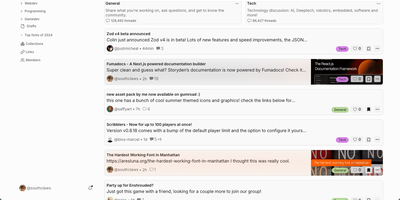
Think of Storyden as running your own small Reddit, except the knowledge your community produces does not scroll away and die in the feed. Discussion happens in threaded forums organized by categories and tags, where posts collect replies, likes, emoji reactions, and saves into personal collections. Beside the chatter sits the Library, a tree of rich pages your members build together into wikis, directories, catalogs, and guides that stay findable. Library pages carry typed properties, attached files, and table views, so a car club can track vehicles as data instead of arguing over a spreadsheet. Threads can reference Library pages and pages can link back to threads, letting a great answer graduate into permanent knowledge. Optional AI assistance helps organize titles, tags, and summaries, while the recommendation engine surfaces posts each member is likely to care about. The first account registered becomes admin, roles and permissions govern who can post or moderate, and community settings live in the admin panel rather than config files. One container starts everything with an embedded database and local file storage, and OpenAPI documentation is served from the same address. Running on a dedicated VPS on RepoCloud with guaranteed CPU, RAM, and SSD, full root SSH access, and a browser serial console. MPL-2.0 licensed.

Rakazo
Rakazo lets you hire AI bots the way you would onboard teammates: each gets a job, persistent memory, its own sandboxed computer, and a schedule, and it reports back in chat while you check in from any device. Start from templates such as Sales Outbound, Inbox Manager, Talent Scout, Expense Manager, Coding Agent, or Chief of Staff, then tune the instructions, tools, and limits until the bot works the way your team works. Every bot can run on a different model, so research uses one provider while coding uses another, and a local model served by Ollama or LM Studio keeps sensitive work off third-party servers. Bots work on real computers with a browser, terminal, file system, and graphical desktop you can watch or take over, choosing shared team computers or isolated private ones. When a task outgrows one bot, it delegates pieces to peer bots or short-lived subagents and folds their results back into its own thread. Voice mode lets you dictate messages and hear spoken replies, while routines run on schedules so follow-ups, reports, and inbox sweeps happen while you are away. You decide which actions need your approval before a bot takes them, and integrations via Composio, Pipedream Connect, MCP servers, and OpenAPI documents connect bots to tools you already use. Running on a dedicated VPS on RepoCloud with guaranteed CPU, RAM, and SSD, full root SSH access, and a browser serial console. Apache-2.0 licensed.
AnythingMCP
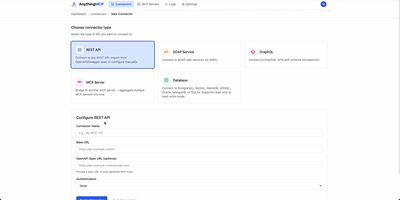
Connecting autonomous AI assistants to internal enterprise databases and legacy systems is streamlined by AnythingMCP, a visual Model Context Protocol gateway with automated knowledge graph generation and granular access controls. Engineers can import OpenAPI specifications, Postman collections, SOAP WSDL files, or raw database credentials to generate standardized Model Context Protocol tools in minutes without writing custom code. The built-in knowledge graph automatically maps entity relationships across disparate databases and software platforms, teaching agents how to correlate customer records in CRM tools with live order histories in enterprise resource planning software. System administrators can enforce fine-grained access policies by restricting tool execution permissions to specific roles and scoping database operations to read-only queries with strict row limits. An interactive web console provides real-time tool inspection, payload testing, request tracing, and comprehensive audit logs that capture every upstream invocation with full parameter visibility. Enterprise teams can integrate identity providers through OAuth2, SAML single sign-on, and SCIM automated user provisioning while protecting sensitive credentials using AES-256-GCM encryption at rest. Running on a dedicated VPS on RepoCloud with guaranteed CPU, RAM, and SSD, full root SSH access, and a browser serial console. GNU AGPLv3 licensed.