
BookLogr
For avid readers who want to catalog their home bookshelves and track annual reading progress without handing personal habits to commercial social networks, BookLogr delivers a self-hosted personal library and reading tracker that replaces Goodreads and The StoryGraph. Searching by title, ISBN-10, or ISBN-13 pulls book covers, author names, page counts, and descriptions directly from OpenLibrary, while manual entry and user-defined custom fields let you record text, numbers, dates, selections, or boolean attributes for rare and indie editions. Configurable library tabs organize titles across Reading, To Be Read, Already Read, Did Not Finish, and All views with instant author filtering. As you read, you can update your current page number or completion percentage, log start and finish dates across multiple re-reads, and rate completed books on a granular 0.5 to 5.0 star scale. Readers can capture page-linked notes and favorite quotes, keeping reflections private or publishing them to a dedicated Notes and Quotes feed on a shareable public profile. Automated Mastodon integration posts reading milestones to the fediverse, while OpenID Connect single sign-on and single-user mode adapt the workspace for households or solo collectors. Built-in Goodreads CSV import and one-click exports to CSV, JSON, and HTML guarantee complete data portability. Running on a dedicated VPS on RepoCloud with guaranteed CPU, RAM, and SSD, full root SSH access, and a browser serial console. Apache-2.0 licensed.
Cortex Hub
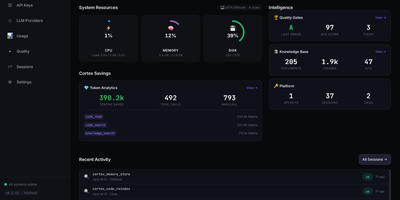
Cortex Hub gives every AI coding agent your team runs a shared brain, so what one agent learns in a repository is still there when the next agent, or the next person, opens it. Starting a session recalls the team knowledge and your own memory for that project, shows who else is editing, and picks up any task waiting for you. Agents search code by meaning and structure rather than text strings, tracing symbols, callers, and the blast radius of a change before touching it. Findings, file risks, and hard-won lessons are stored against the files they belong to, so they resurface exactly where they matter. Ending a session runs build, type, and lint checks, reports the result, and leaves a summary the next session starts from. A conductor can hand tasks to worker agents on other machines and track them centrally, while the dashboard shows sessions, keys, usage, and token savings across the team. Embeddings run locally by default, so your code memory never leaves the building just to be searchable. Running on a dedicated VPS on RepoCloud with guaranteed CPU, RAM, and SSD, full root SSH access, and a browser serial console. MIT licensed.
mkcertWeb
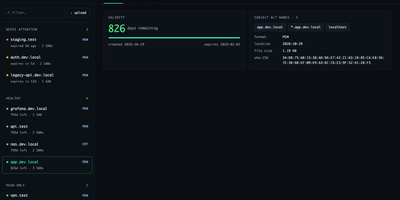
Your internal services deserve certificates your browsers actually trust, without a spreadsheet tracking when each one expires. mkcertWeb wraps the mkcert tool in a web interface where you generate certificates for any mix of hostnames, wildcards, and IP addresses, then download them as PEM, CRT, or PKCS#12 bundles for servers and client authentication. The certificate list groups everything by state, needs attention, healthy, read-only, or archived, showing days remaining, subject alternative names, and SHA-256 fingerprints at a glance. You can upload existing certificate and key files for viewing, attach a free-text note to each certificate, and archive or restore entries without ever overwriting a certificate of the same name. The root CA page offers downloads and install instructions for macOS, Linux, and Windows, and can generate a fresh CA for a new deployment. Devices enroll through the built-in SCEP server using one-time challenge passwords and templates, with an optional enterprise CA signing manual enrollments. A scheduled monitor checks expiry daily and sends alerts through SMTP email, ntfy, or an HTTP webhook, with test buttons for every channel. Settings save from the browser with secret masking, sign-in supports passwords or OpenID Connect single sign-on, and light and dark themes work down to phone width. Running on a dedicated VPS on RepoCloud with guaranteed CPU, RAM, and SSD, full root SSH access, and a browser serial console. GPL-3.0 licensed.
HomeGenie
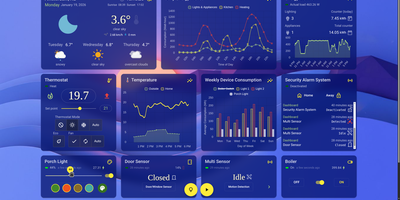
HomeGenie runs your whole smart home locally, controlling lights, sensors, cameras, and automations from hardware in your own house, so everything keeps obeying you even with the internet cable pulled. The dashboard is your control room: watch energy consumption, security zones, and environmental conditions in real time, then customize layouts, themes, and charts until the view matches your household. Automations suit every skill level, from a visual editor where scenarios assemble without code, to full programs in C#, JavaScript, or Python against a documented API. The built-in AI assistant, Lailama, runs locally: speak or type natural-language commands and it reasons about your home's context, orchestrates multiple devices, and shows the exact code it executed, so nothing happens by opaque magic. Voice works locally too, with Whisper recognizing speech and Piper answering through the browser. Cameras gain brains through VisionCore, which detects people, vehicles, and objects in real time, records buffered event clips, and feeds what it sees into your automations. A data browser turns months of sensor history into interactive charts with filters like moving averages, so "why did heating spike Tuesday" gets an answer. Virtual modules let you prototype sensors before buying hardware, and the interface speaks more than 90 languages. Running on a dedicated VPS on RepoCloud with guaranteed CPU, RAM, and SSD, full root SSH access, and a browser serial console. AGPL-3.0 licensed.
Nginx-Love
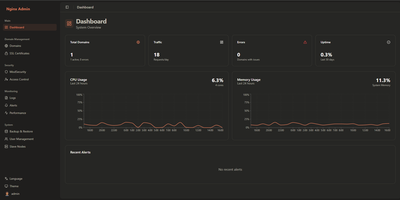
Hand-editing nginx configuration files to run a firewall is nobody's idea of a good afternoon, and Nginx-Love turns that chore into a dashboard. You manage domains, load balancing upstreams, and HTTPS backends through forms instead of config syntax, and the platform writes and reloads the underlying configuration for you. A ModSecurity firewall with the OWASP Core Rule Set inspects traffic to your sites, and you tune its rules from the interface rather than a text editor. Certificates arrive two ways: automated through Let's Encrypt, or uploaded manually when you bring your own. A Bot Manager fingerprints visitors with JA4 signals so you can welcome good crawlers, challenge suspicious automation, and block hostile bots by policy. Access lists filter by IP address, geography, and user agent, and multi-user roles let administrators, moderators, and viewers each see the controls appropriate to their job. Monitoring watches performance and attack patterns, sending alerts by email or Telegram when something needs attention. Configuration exports back up your setup, restores bring it back, and multi-node sync keeps a cluster of servers enforcing the same policy. Running on a dedicated VPS on RepoCloud with guaranteed CPU, RAM, and SSD, full root SSH access, and a browser serial console. Apache-2.0 licensed.
DumbBudget
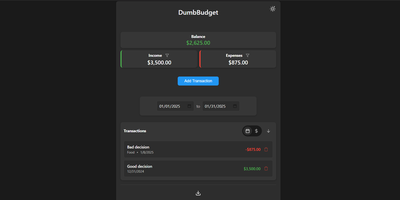
"Stupid simple software" is the entire philosophy at DumbWare.io, and DumbBudget delivers it: no over-engineering, no complexity, no accounts, no bank connections - just a clean, modern ledger for money in and money out. Log income and expenses, assign categories, and watch real-time balance calculations update as you type. Finding transactions is quick: filter by type, narrow by date range, sort by date or amount. When tax season or spreadsheet analysis calls, everything exports to CSV. Access control matches the philosophy - a single PIN (set via one environment variable) gates the app, backed by real security engineering: rate limiting on PIN attempts, temporary lockout after failures, secure session handling, and no sensitive data in browser storage. Multi-currency support covers the ISO codes, and a SITE_TITLE variable names each instance - deliberately useful, because running separate instances per account or family member is the intended pattern for multi-user needs. The responsive UI ships light and dark themes and installs as a PWA on phones, where expense logging actually happens. Configuration is five environment variables; data persists in one folder. If Actual Budget and Firefly III feel like accounting software, this is the notepad that gets used. GPL-licensed.
Netmon
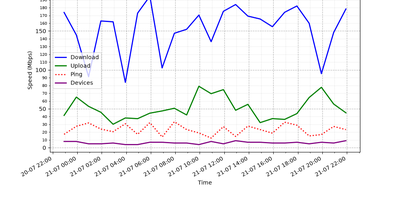
Every half hour, Netmon speed-tests your internet connection, counts the devices on your local network, and reports to your Telegram or Discord with charts and a sarcastic AI-written verdict. Each cycle measures download, upload, ping, ISP, and test server with a single-connection test that mimics one real download, then scans the subnet to tally phones, laptops, and mystery gadgets. Results land in a local SQLite database, building the trend history behind every report. Every four hours you get the full picture: a 24-hour speed graph plus an AI analysis that notices the evening drop, counts the new devices, and names the likely bandwidth hog in plain language. Between reports, short status alerts keep you posted with a simple all-good or line-is-dying. The AI commentary can run on a cloud model or a local one through Ollama or LM Studio, graphs and alerts convert cleanly between Telegram formatting and Discord embeds, and the whole bot runs unattended as a background service. Running on a dedicated VPS on RepoCloud with guaranteed CPU, RAM, and SSD, full root SSH access, and a browser serial console. MIT licensed.
Atheos
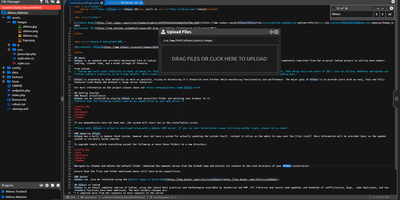
Open a browser anywhere and your development environment is already there: Atheos is a full code editor that runs on your server instead of your laptop, complete with projects, plugins, and multi-user accounts. The three-panel layout keeps the file and project manager on the left, a split-able editing area in the center, and system and plugin controls tucked on the right. Syntax highlighting covers more than 40 languages with over 20 color themes, smart auto-complete speeds up the typing, and error checking flags problems as you work. Multiple users get their own accounts, and real-time collaborative editing puts several cursors in the same file without merge chaos later. Advanced search tools sweep across project files, LocalStorage redundancy protects unsaved work against a dropped connection, and quick-download backups package a project in one click. A plugin library and marketplace extend the editor, from terminal access to Git tooling, and internationalization translates the interface for the rest of the team. There is no database to run: Apache and PHP on your server are the entire stack. Running on a dedicated VPS on RepoCloud with guaranteed CPU, RAM, and SSD, full root SSH access, and a browser serial console. MIT licensed.
FeedMe
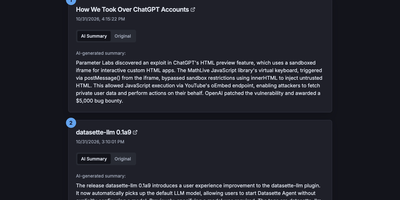
Most RSS readers hand you a pile of headlines and make you do the reading; FeedMe reads first and hands you the pile already digested. It aggregates every feed you configure into one clean, ranked stream, and for each article an LLM writes a short summary you can scan in seconds, with the full original text one tab away when a story earns a deeper look. Sources organize into categories like Tech News, Finance News, Personal Blogs, Company Blogs, Open Source, Research, and Podcasts, and a global search finds stories across all of them. The reader never sleeps on stale content: a built-in cron refreshes feeds and regenerates summaries on your schedule (every three hours by default in Docker), so the page you open in the morning already covers the night. Summaries answer to you, not a vendor: point FeedMe at any OpenAI-compatible endpoint and tune the prompt, input truncation, temperature, and token budget, with output in the languages you choose. There are no accounts, no forced logins, and no app to install; the responsive page works on phone and desktop in light or dark themes. Because the whole application is a static site, it stays fast and cheap to run, and the same build can live on GitHub Pages or Vercel if you ever want a public edition next to your private one. Running on a dedicated VPS on RepoCloud with guaranteed CPU, RAM, and SSD, full root SSH access, and a browser serial console. MIT licensed.
LinShare
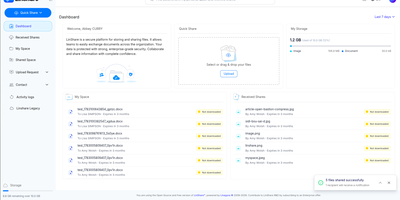
LinShare gives organizations a file sharing service they run themselves, where every upload, share, and download is accounted for instead of scattering across inboxes nobody can audit, retract, or find six months later. Your personal space keeps files organized and versioned, ready to share by link or email with the people who should have them and no one else. Teams work in shared spaces with roles, nested folders, and shared drives, so a project keeps one canonical copy instead of eleven emailed variants. Need files from someone outside? Send an upload request and they drop documents into a secure, expiring drop box without ever getting an account. Regular external collaborators become guests with restricted, time-limited accounts, and contact lists make recurring groups of recipients reusable in one click. Administrators see the whole picture in activity logs that trace every download, share, and change, while antivirus scanning checks files as they move through the system. Previews spare everyone the download-just-to-check dance, and directory integration with LDAP and OpenID Connect single sign-on means accounts follow your existing identity rules. Everything an administrator can click, automation can call through the REST API, and an MCP server even lets AI assistants manage files, shares, and guests on your behalf. Running on a dedicated VPS on RepoCloud with guaranteed CPU, RAM, and SSD, full root SSH access, and a browser serial console. AGPL-3.0 licensed.
LangGraph GUI
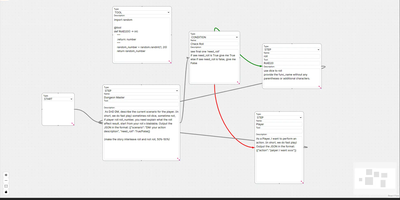
Building LangGraph agents in code means imagining the graph; LangGraph GUI turns that graph into something you draw, wire, and run from the browser instead. You place a start node, add step nodes, and drag edges between ports to define the flow, with cycles created by simply connecting nodes back toward each other. Condition nodes split execution into green true paths and red false paths, info nodes append context to stage output, and subgraph nodes run a whole named graph inside another one. Tool steps call real Python functions that you define in tool nodes with the familiar decorator style, so file saving, lookups, and custom logic sit inside the visual flow. Graphs save to JSON on your computer, load back for editing, and upload to the server as workflow files ready to execute. You configure which LLM to use and its API key in the panel, run against local models through Ollama or hosted APIs, then download every file the run produced in the workspace. Files upload to the server workspace as working environment, and a cache clean clears it between runs. Example graphs for role-playing loops, lottery branch switches, and tool-using flows show patterns you can copy and refine with your own prompts. Running on a dedicated VPS on RepoCloud with guaranteed CPU, RAM, and SSD, full root SSH access, and a browser serial console. MIT licensed.
Reconner
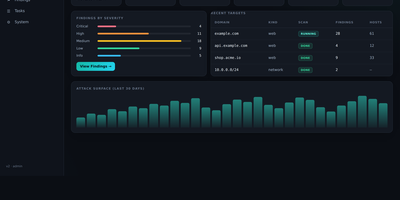
Hunting for the hole is only half the job, because a scanner alert nobody believes wastes more time than the bug itself. Add a domain, CIDR, or bug-bounty scope and Reconner builds the map first: passive and active subdomain enumeration, live HTTP probing and fingerprinting, JavaScript analysis that digs endpoints, secrets, and API keys out of bundles, plus parameter and hidden-param discovery. Then it attacks what it mapped with a context-aware engine covering reflected, stored, and DOM XSS, SQL, NoSQL, SSRF, IDOR, LFI, SSTI, XXE, injection, and open redirects, and every candidate has to survive differential, out-of-band, or control-based proof, re-verified before it is ever reported. Blind issues are not dropped either: OAST callbacks catch out-of-band SSRF, RCE, SQLi, and SSTI that never respond inline. Networks get the same treatment, with port scanning, service detection, network-CVE checks, and IP-camera auditing. Findings land in a live dashboard streamed over WebSocket, with an attack-path view, coverage ledger, monitoring diffs, and HTML, Markdown, and PDF reports, while Telegram can alert you and even start, stop, or resume scans remotely. Run it only against assets you own or are authorized to test; behind a VPN and TLS it becomes your private proving ground. Running on a dedicated VPS on RepoCloud with guaranteed CPU, RAM, and SSD, full root SSH access, and a browser serial console. MIT licensed.
OwnPilot
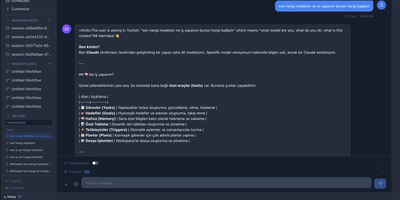
Bridging local hardware and cloud intelligence, OwnPilot orchestrates autonomous multi-channel agent swarms and visual workflow pipelines while keeping sensitive personal records strictly on private infrastructure. Users can trigger autonomous task runs that browse websites using headless browser automation, extract data tables, and summarize research directly into encrypted markdown notebooks. The built-in workflow canvas allows individuals to construct branching automation sequences combining large language models, conditional logic gates, iterative data loops, and human-in-the-loop approvals. Users delegate calendar scheduling, task tracking, expense budgeting, and contact lookups through conversational chats conducted over web portals, Telegram bots, or WhatsApp numbers. Operators can dispatch coding agents to inspect local repositories, execute shell commands in sandboxed environments, and stream live terminal logs as automated patches develop. The platform also enables home automation enthusiasts to monitor MQTT telemetric feeds from microcontrollers, queue device commands, and receive instant alert notifications when sensor thresholds trigger. Advanced security layers inspect all incoming prompts for personal data patterns, enforce strict permission boundaries across file directories, and generate tamper-evident audit logs for every autonomous tool call. Running on a dedicated VPS on RepoCloud with guaranteed CPU, RAM, and SSD, full root SSH access, and a browser serial console. MIT licensed.
mmar
Expose a service running on your laptop to the public internet in one command, through a tunnel server that you control. mmar pairs a small client with a self-hosted server: run the client against a local port and it registers a tunnel, receives a generated subdomain, and prints the public URL that now forwards to your machine. Every request that arrives shows up in live client logs, so a webhook test or a shared preview carries a visible trail of hits as they happen. Multiple local ports can be exposed on different subdomains at the same time, which suits a frontend, an API and a callback receiver running side by side during development. On the server side, two listeners do the work, one for HTTP traffic and one for the TCP tunnel connections, and a protected stats page returns JSON listing connected clients, their subdomains and creation times. Wildcard DNS plus a Caddy layer4 proxy with automatic wildcard certificates turns a personal domain into tunnel territory, and credential hashes guard the stats endpoint. The hosted mmar.dev service offers a free starting point on a generated subdomain, and the same single binary moves the whole arrangement onto your own infrastructure when control matters more. Running on a dedicated VPS on RepoCloud with guaranteed CPU, RAM, and SSD, full root SSH access, and a browser serial console. AGPL-3.0 licensed.
MakersVault
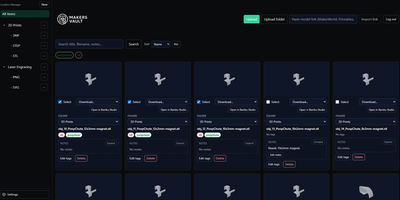
MakersVault gives your scattered 3D print files and creative artwork one searchable home, so you stop loading models into a slicer just to remember what they are. You create folders and subfolders for projects, then drag and drop single files, batches, or whole folders straight into the library from your browser. Every model tile carries a rendered preview, and double-clicking opens an interactive 3D view you can rotate and inspect before downloading anything. Tags attach to any file, batch tagging covers many selected models at once, and tag tabs plus sorting by name, size, type, or folder keep large collections browsable. Notes on individual files record print settings, filament choices, or assembly reminders right beside the model they describe. Imports pull models directly from MakerWorld, Thingiverse, and Printables links, and zip archives prompt you to keep only the files you actually want. Supporting documents ride along with each model and travel inside its ZIP downloads, and prepared print data surfaces printer, material, nozzle, and time estimates on the card. The Open in Slicer button hands a model to your configured slicer through the desktop bridge, and themes from light and dark to neon accents restyle the whole workspace. Running on a dedicated VPS on RepoCloud with guaranteed CPU, RAM, and SSD, full root SSH access, and a browser serial console. MIT licensed.
Steward
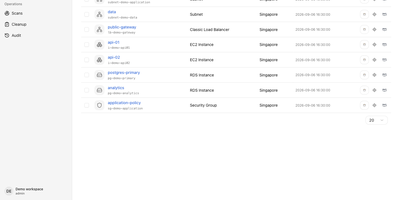
Every cloud account grows the same way: a test instance nobody shut down, a storage bucket from a migration two years ago, a database whose owner left the company. Steward walks all four of your clouds, AWS, Alibaba Cloud, Google Cloud and Microsoft Azure, and writes down what is actually running in one inventory you can search instead of four consoles you half remember. The point is not the list, it is what the list connects to: open any resource and see its relationships, which services depend on it, what shares its network, what breaks if it disappears. Cleanup stops being a leap of faith, because every candidate deletion is reviewed against that dependency map first, showing the impact before execution and following the result of each action afterwards. Scheduled scans keep the picture honest without you remembering to look, reporting exactly which resources each scan added, removed or modified, and pinging Slack, Feishu, DingTalk or WeCom when a scan fails. Connect accounts, including through OIDC, run the first sweep, and the orphaned, idle and forgotten start standing out from the infrastructure you actually need. It runs as a single executable with the web console and database built in, under systemd on your server, behind your HTTPS proxy with token sign-in. Running on a dedicated VPS on RepoCloud with guaranteed CPU, RAM, and SSD, full root SSH access, and a browser serial console. Apache-2.0 licensed.
Codever
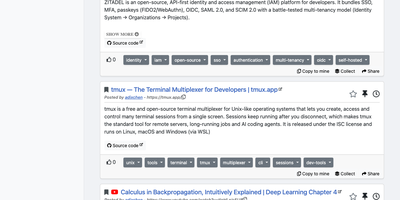
Every developer has a graveyard of browser tabs, chat messages, and stray text files holding links and code worth keeping; Codever replaces the graveyard with a bookmarks, notes, and snippets manager designed for developer workflows. Save a page in two clicks from Chrome or Firefox, drop selected text in as a snippet or note, or use the bookmarklet in any other browser, with title, description, and tags prefilled for you. From IntelliJ IDEA and Visual Studio Code you can push code straight into your library and pull it back without switching to the browser. Bookmarks carry descriptions and tags, and Pinned and Read Later lists sit beside your history so rediscovery takes seconds. Notes are written in Markdown and render with math, tables, and inline code, while snippets keep reusable code one search away with its context attached. Full text search spans bookmarks, notes, and snippets at once, with Brave, Google, Stack Overflow, and Bing one click away when the library comes up empty. Entries can be public, copied into your own collection, or gathered into curated sets for a team or topic. Accounts sign in through Keycloak with GitHub, Google, GitLab, or Stack Overflow, so a self-hosted instance fits the identity setup your team already uses. Running on a dedicated VPS on RepoCloud with guaranteed CPU, RAM, and SSD, full root SSH access, and a browser serial console. MIT licensed.

Ziit
Ziit tracks where your coding hours actually go and shows the answer in a dashboard you host yourself. Install the extension in VS Code, any of its forks, or a JetBrains IDE, and every editing session streams to your instance with its project, language, editor, file, branch, and operating system attached. The dashboard filters by time range and breaks your work down by project and language, so a week of effort becomes a readable chart instead of a vague memory. You sign in with GitHub or email and password, import existing history from WakaTime or a WakAPI instance, and keep building on years of data instead of starting over. README badges embed live coding time for a project into any repository page, turning your profile into a quiet proof of work. A public stats page summarizes the whole instance, and a public leaderboard ranks who logged the most coding hours, which makes self-hosted instances double as community scoreboards. Because the server, the database, and the extensions are all yours, no third-party service sees which files you opened or how long a private project took. Teams can run one instance for everyone and compare effort across projects with the same filters. Running on a dedicated VPS on RepoCloud with guaranteed CPU, RAM, and SSD, full root SSH access, and a browser serial console. AGPL-3.0 licensed.