Thingport
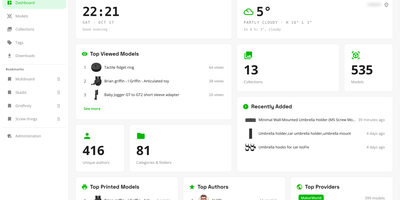
Authors delete listings, and the 3D models go with them, so Thingport stores its own copy of every printable file you import, in a self-hosted library you control. Ten sites feed the library, including MakerWorld, Printables, Thingiverse, and MyMiniFactory: paste a link or use the browser extension, and a model arrives with its files, photos, description, tags, author, and source link. Synced collections add newly bookmarked models as often as every hour. Files you already own come in as STL, 3MF, STEP, OBJ, or LightBurn uploads, ZIPs, folder trees, or drops into a watched consume folder. Each model gets an interactive 3D viewer with a thumbnail for every plate of a multi-plate 3MF. On first open, a check flags surface holes, non-manifold edges, flipped faces, and loose fragments before you slice. Sort with nested categories, collections, and tags, mark favourites, and find anything with full-text search. Optional AI sorts imports into your categories and tidies descriptions, using a local Ollama model or a cloud API. Open any file in Bambu Studio, OrcaSlicer, PrusaSlicer, Cura, or Creality Print, or download a model, tag, or collection as one ZIP. Every user gets a separate library, with invite-only registration, email verification, and single sign-on. A dashboard shows library statistics, profiles show a year-long activity heatmap, and MCP lets an AI assistant work with the collection. Running on a dedicated VPS on RepoCloud with guaranteed CPU, RAM, and SSD, full root SSH access, and a browser serial console. AGPL-3.0 licensed.
Tessera
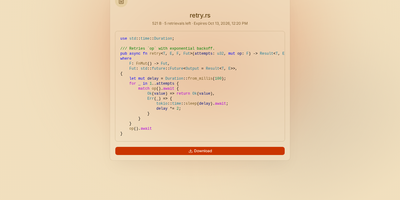
Most file sharing leaves copies lying around forever; Tessera shares things with a built-in goodbye. Drop in a file, a whole folder, a code snippet, or a link and you get back a short code and a URL that anyone can open until it expires or hits the download count you set, at which point it is deleted. Expiry is checked on every request and each retrieval is counted atomically, so a one-time share cannot be raced by two people at once. Passwords can be required before anything is shown, code arrives syntax-highlighted, and images, SVGs, and diagrams preview in the page, with link cards when you paste the URL into chat. Uploads resume after interruptions and stream through the server without ballooning memory at any size. Behind the scenes you choose where bytes live: local disk, S3-compatible storage, Azure Blob, Google Cloud Storage, or WebDAV, several at once, added or retired from the admin panel without a restart. Accounts are optional for a home server, sign-in through OpenID Connect suits a team, and roles with per-account quotas decide who may upload, view everyone's shares, or change settings. Optional malware scanning, anonymous-upload caps, and rate-limited code lookups keep a public instance honest. A CLI and API tokens drive the same endpoints as the web app, so scripts can share and clean up exactly like people. Running on a dedicated VPS on RepoCloud with guaranteed CPU, RAM, and SSD, full root SSH access, and a browser serial console. AGPL-3.0 licensed.
NexusDesk
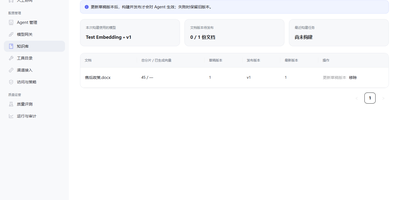
NexusDesk is a self-hosted agent platform whose first complete application turns customer support conversations into retrieved answers, tool calls, and confirmed tickets on your own infrastructure. An agent takes a request, retrieves context from your knowledge base, decides what to do, calls business tools, asks a human to confirm consequential actions, executes, records everything, and feeds evaluation, all as one visible loop rather than a black-box chat. The Harness around that loop is the engineering control layer: it governs permissions and execution boundaries, manages agent memory, routes human handoffs, and keeps an audit trail, so autonomy stays inside lines you drew. You configure, publish, and roll back agents, manage documents, chunks, indexes, and published knowledge versions, and connect Chat, Embedding, Rerank, OCR, and speech models through versioned profiles. Business APIs plug in as tools with their own credentials, parameters, and permissions, and support staff can take over a conversation, draft a ticket from it, and confirm follow-up work without leaving the flow. Channels and application APIs with server-sent events expose the same capabilities to your other systems, while execution records, model and tool call logs, and evaluation results show what the agent actually did. One PostgreSQL handles storage, job queues, and cross-process messaging, and one Compose file starts the stack. Running on a dedicated VPS on RepoCloud with guaranteed CPU, RAM, and SSD, full root SSH access, and a browser serial console. Apache-2.0 licensed.

OpenMail
Your entire mail system can live in one self-hosted suite with OpenMail, from SMTP, IMAP, and POP3 delivery to three-pane webmail and the admin console that runs it. Standard clients such as Thunderbird, Apple Mail, and phone apps connect over SMTP ports 25, 587, and 465, IMAP ports 143 and 993, and POP3 ports 110 and 995, while people use the three-pane webmail with folder tree, conversation list, and reading pane at port 3000. You read, write, reply, forward, batch-organize, drag messages between folders, filter stars, search sender, subject, and body text, and follow conversations threaded automatically by their References headers. The rich-text composer autocompletes recipients, accepts dragged attachments and pasted screenshots, saves drafts every 12 seconds, sends on a schedule, and inserts reusable templates imported from HTML or generated with AI. Any OpenAI-compatible endpoint can draft replies, translate mail into twelve languages, and summarize messages, with provider keys encrypted on your server. Administrators get real-time mail statistics with 14-day send and receive trends, user quotas and bans, multi-domain aliases and catch-all addresses, outgoing queue visibility, and audit logs. Adding a domain generates DKIM keys and copy-ready SPF, DKIM, and DMARC DNS records with one-click checks, while rule-based spam scoring, TOTP two-factor authentication, and role-based permissions protect accounts in ten interface languages including right-to-left Arabic and Urdu. Running on a dedicated VPS on RepoCloud with guaranteed CPU, RAM, and SSD, full root SSH access, and a browser serial console. MIT licensed.
HitKeep
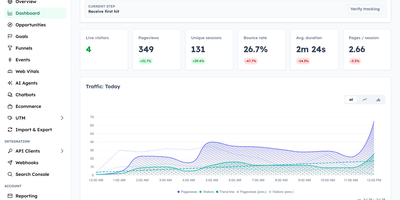
HitKeep is a sovereign web analytics platform that consolidates cookieless visitor telemetry, conversion funnels, e-commerce revenue reports, and AI engine visibility into a privacy-respecting dashboard that replaces Google Analytics and complex tracking clouds. Marketing teams can monitor inbound visitor journeys without installing intrusive consent banners or violating regional GDPR regulations. Custom conversion funnels and goal milestones track user registrations, checkout transactions, newsletter subscriptions, and software downloads with exact revenue attribution. Integrated Google Search Console synchronization brings organic search queries, keyword impression rankings, and click-through metrics directly alongside real-time pageview logs. A dedicated artificial intelligence visibility dashboard monitors crawling bots, retrieval citations, and direct referral visits originating from ChatGPT, Claude, Perplexity, and other generative search agents. Growth analysts can pose natural language questions to an embedded AI reporting assistant, generating instant cohort breakdowns and engagement trends without assembling complex manual filters. Site operators can configure custom tracking domains, whitelist reverse proxy networks, filter out referrer spam, and schedule automated database backups across persistent storage volumes. Complete data sovereignty controls allow teams to export raw event telemetry into open Parquet and CSV archives or stream metrics into external business intelligence warehouses via webhooks. Running on a dedicated VPS on RepoCloud with guaranteed CPU, RAM, and SSD, full root SSH access, and a browser serial console. MIT licensed.
PayMe
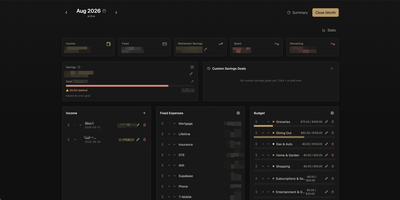
PayMe is a privacy-first personal finance dashboard that runs entirely on your own hardware with zero third-party service dependencies. The Rust backend compiled to a single binary serves a React 19 frontend built with Vite, TypeScript, and Tailwind CSS 4, storing all financial data in a local SQLite database that auto-migrates on startup. Monthly dashboards track income entries, fixed expenses like mortgage and utilities, and budget categories with real-time progress bars showing spending against configurable limits. The savings module includes goal tracking with percentage-based progress indicators, custom savings goals for targeted objectives, retirement savings projections with breakdown analysis, and projected savings calculations. Variance analysis compares actual spending against budgets across categories. Drag-and-drop reordering powered by dnd-kit lets you arrange income sources, expenses, and budget items to match your workflow. The interactive charts rendered by Recharts visualize spending trends, income patterns, and savings trajectories. Month-by-month navigation tracks financial history over time, while the Summary and Stats views aggregate data across periods. JWT-based authentication secures access, and the full OpenAPI Swagger documentation at the /swagger-ui endpoint exposes every API route for automation and integration. Docker Compose deployment creates a minimal image with the compiled Rust binary and static frontend assets, running on port 3001 behind nginx, Caddy, or Traefik reverse proxy with HTTPS. On RepoCloud, deploy PayMe on a dedicated VPS with persistent SQLite storage, root SSH access, and complete privacy over your household financial data, all under the MIT license.
Linux Update Dashboard
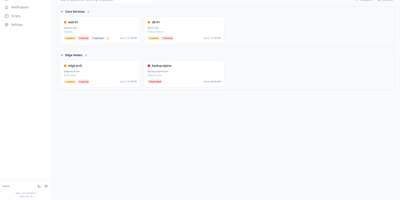
Linux Update Dashboard is a self-hosted web app that lets you check and apply package updates across a whole fleet of Linux servers from one browser dashboard, over SSH, with no agent installed on any managed machine. It discovers each server's package managers, operating system, installed packages, reboot state, and distribution lifecycle, then lets you refresh, upgrade selected packages, run full upgrades, autoremove leftovers, cancel running work, or reboot remotely while watching real-time command output stream into the page. Groups with health badges and explicit priorities organize fleets for clear overviews and ordered Upgrade All batches that run as waves across eligible systems. An encrypted SSH credential vault stores reusable passwords, private keys, and OpenSSH certificates with AES-256-GCM, and you can view or edit repository source files through sudoedit with diff review and activity history. Cron-based schedules automate refreshes, updates, autoremove, reboots, and notifications for chosen systems, while alerts go out by email, Gotify, MQTT, ntfy.sh, Telegram, or webhooks, with Home Assistant MQTT discovery entities for every server. Sign-in supports passwords with optional TOTP, passkeys and WebAuthn, OpenID Connect SSO, and API tokens, and the interface speaks ten languages with dark and light themes and custom branding. Because this tool can run commands on your servers, keep it on trusted networks behind TLS, a reverse proxy, or a VPN. Running on a dedicated VPS on RepoCloud with guaranteed CPU, RAM, and SSD, full root SSH access, and a browser serial console. AGPL-3.0 licensed.
Gofer
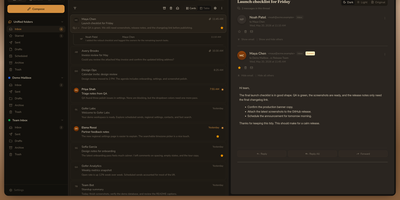
Five mailboxes, five tabs, five passwords: Gofer folds Gmail, Outlook, iCloud, and plain IMAP accounts into one browser tab where every inbox reads as a single, searchable whole. Threads, labels, and drag and drop keep triage fast, and search still finds the receipt from three years ago. Signatures and custom senders shape outgoing mail, scheduled sends wait for Monday morning, and a thread in another language translates in place. The calendar keeps pace with your mail: Google, Outlook, and CalDAV events sync both ways, invitations land in the inbox, and an RSVP or a Meet or Teams link attaches without leaving the message. Contacts follow the same rule through Google, Outlook, and CardDAV sync, so the address book you fix once is right everywhere. One install can serve a household or a small office, with separate users, encrypted credentials, blocked remote images, and passkey or authenticator sign-in for anyone who wants it. Classic, Minimal, and retro Express themes, flexible layouts, and push notifications make the daily inbox feel personal rather than administered. Leaving stays easy too: mailboxes export as mbox, mail moves between accounts, and a whole setup imports into another Gofer. Running on a dedicated VPS on RepoCloud with guaranteed CPU, RAM, and SSD, full root SSH access, and a browser serial console. MIT licensed.
NotifKit
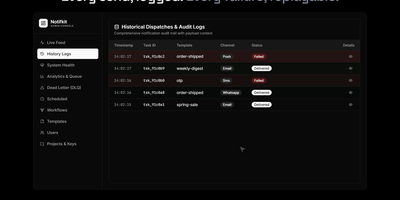
One notify() call is all your product needs to reach users on push, email, SMS, chat, and webhooks, with NotifKit deciding how and when each message travels. List the channels in the order you prefer and NotifKit tries each in turn, so a failed push quietly becomes an SMS or an email instead of a lost message. Per-user preferences, consent, and quiet hours in each user's own timezone hold non-urgent sends until morning, while critical messages such as one-time passwords travel their own lane immediately. Templates, multi-step workflows that wait days or block on events, scheduling, throttling, and deduplication all run behind that single call, defined in TypeScript and kept in your repository. Delivery logs record every attempt, and the admin dashboard shows a live activity feed, queue depth per priority lane, workflow runs step by step, and a replayable dead-letter queue. Several products can share one deployment as separate projects with their own API keys, rate limits, and data, and any service can call the REST API without the TypeScript SDK. Ask an AI assistant why a password reset never arrived by connecting the built-in MCP server to Claude Code, Cursor, or another MCP client. Running on a dedicated VPS on RepoCloud with guaranteed CPU, RAM, and SSD, full root SSH access, and a browser serial console. MIT licensed.
Moneat
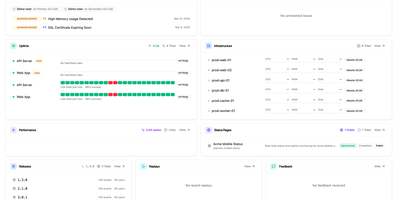
Moneat is the open-source observability platform that unifies error tracking, session replay, performance monitoring, logging, uptime checks, synthetics, product analytics, and AI observability into a single self-hosted application — replacing Sentry, Datadog, and Statuspage with one deployment. The Sentry SDK compatibility layer accepts data from @sentry/browser, @sentry/node, @sentry/react, @sentry/nextjs, sentry-sdk for Python, sentry-kotlin, sentry-java, sentry-android, sentry-cocoa, sentry-go, sentry-ruby, and Sentry.NET by updating one DSN endpoint. Datadog Agent compatibility redirects existing fleets by setting dd_url, and native OpenTelemetry OTLP ingestion accepts logs, traces, and metrics from any exporter or Collector. Error monitoring groups exceptions with smart deduplication, session replay records DOM-based user interactions linked to errors, distributed tracing visualizes transaction and span breakdowns with live service maps, and continuous profiling renders flamegraphs in pprof, JFR, and Sentry formats. Uptime monitoring runs HTTP, TCP, and ping checks with public status pages, while synthetics executes API tests, multi-step workflows, SSL checks, and DNS probes. Custom dashboards support drag-and-drop widgets with Grafana import, product analytics provides funnels and retention cohorts, release tracking surfaces crash-free rates with source map upload, and AI observability traces LLM calls end to end. Built on Kotlin and Java with ClickHouse for analytical storage, PostgreSQL for relational data, and Redis for caching, deployment uses Docker Compose with an interactive installer automating secrets and service orchestration. Running on a dedicated VPS on RepoCloud with guaranteed CPU, RAM, and SSD, full root SSH access, and a browser serial console. AGPL-3.0 licensed.
Edi Life OS
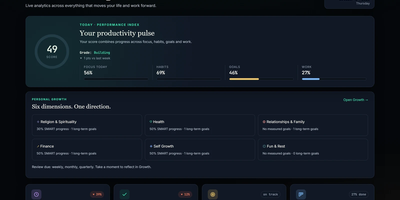
Edi Life OS puts the habits, goals, projects, money, focus sessions, and notes that usually live in five separate apps into one calm dashboard on your own server. Start the day from an Overview that rolls focus, habit trends, goals, finances, and the week ahead into one readable score. Connect long-term goals to six life areas, drive progress from a checklist, a measure, or a habit you actually keep, and use weekly, monthly, or quarterly reviews to choose the next honest step. Log daily habits with streaks and monthly progress, run timed focus sessions with short and long breaks, and keep a history of the deep work you finished. Track expenses, income, budgets, debts, and credits in your chosen currency, including recurring entries that land straight in the ledger. Plan projects on draggable Kanban boards with labels, priorities, due dates, checklists, comments, and attachments, then see card deadlines and money dues together in one calendar. Capture Markdown notes with preview and export, pin sticky notes with colors and connections, and give each account its own private workspace, theme, and currency. Ask an AI assistant through the optional MCP server to read your dashboard, create goals, log habits, or record expenses through a token-protected API that never touches the database directly. Running on a dedicated VPS on RepoCloud with guaranteed CPU, RAM, and SSD, full root SSH access, and a browser serial console. MIT licensed.
Pagesift
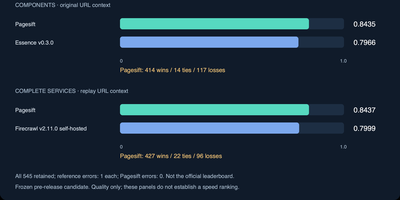
Pagesift converts messy web pages, PDFs, and Office documents into clean Markdown and structured JSON that language models can actually use, from one self-hosted binary you run yourself. Call it the way you already call Firecrawl: the HTTP API speaks the Firecrawl v1 and v2 formats, so existing scrape, crawl, and batch jobs point at your server instead, and a Jina Reader style endpoint answers simple /r/ URL requests. Scrape a single page, submit batches, or crawl whole sites with sitemap support, focused crawling by query, robots.txt respect, and per-host rate limits by default. Headless rendering kicks in only when a page needs JavaScript, keeping plain pages fast. Documents work offline too: Word, Excel, PowerPoint, EPUB, and CSV files become Markdown with titles, links, images, and publication metadata attached. Jobs persist so long crawls survive restarts, webhooks report completions, and per-API-key limits and quotas keep multi-tenant use civilized, with Prometheus metrics and a health endpoint for operators. AI agents can drive the same engine directly through the bundled MCP server over stdio or HTTP, while developers get Python, Node, and Rust libraries. Memory stays bounded under load by design, sized from container limits rather than hope. Running on a dedicated VPS on RepoCloud with guaranteed CPU, RAM, and SSD, full root SSH access, and a browser serial console. AGPL-3.0 licensed.
SyncWatch
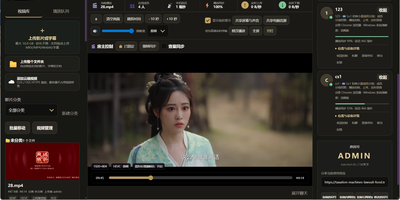
Movie night should not depend on everyone pressing play at the same second; SyncWatch runs your own watch-party server so friends in different places watch the same frame together. The host controls play, pause, seeking, and playback speed for the whole room, and late joiners or drifting clients are corrected back to the shared position automatically. You build the program from uploads or direct HTTPS media links, with subtitles, audio, images, and documents handled in the same library. Rooms can be permanent or temporary, protected by passwords and member limits, with host, admin, and permission-group control over who may operate playback. Between scenes, people talk through public and private chat, on-screen danmaku comments, emoji, voice messages, or full-room voice. Anyone can share a browser tab, window, desktop, or phone screen into the room, so a clip, a game, or a presentation becomes the shared screen. The server also keeps friends, notifications, online presence, bans, registration approvals, and an operations log, so a private community can run itself without a platform account. Uploaded media is analyzed and thumbnailed automatically, with browser-compatible versions generated for awkward formats. Backups, data export, a recycle bin, mail verification, and network diagnostics round out the admin side. Running on a dedicated VPS on RepoCloud with guaranteed CPU, RAM, and SSD, full root SSH access, and a browser serial console. Apache-2.0 licensed.
LanQin Email
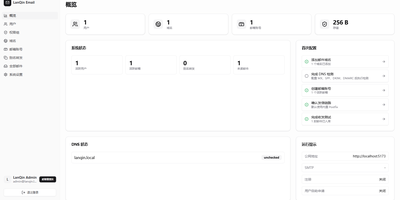
Running your own mail server usually means assembling five services and praying over DNS records; LanQin Email ships the whole stack in one container. Readers switch between mailboxes, search, label, star, and file messages into folders, then compose with a rich-text editor that handles fonts, colors, code blocks, attachments, emoji, and scheduled sending. Contacts, signatures, inbox rules with automatic forwarding, sender blacklists, and mail statistics make it a daily client rather than a demo. Administrators run the postal side from the same panel: add domains and generate DKIM keys, follow the DNS record checklist the system verifies for you, create mailboxes, set delivery aliases and catch-all addresses, and audit every message on the server. Accounts sign in with passwords or OAuth single sign-on, protected by TOTP two-factor codes and bot checks, while permission groups cap attachment size, sending rate, and mailbox count per user. Users can even request their own mailbox and wait for approval instead of filing a ticket. For programs, an Open API with bearer tokens sends mail idempotently and reports delivered, bounced, complained, rejected, and deferred events back through webhooks. External Gmail and Outlook accounts can be aggregated over IMAP, and a client-configuration page shows every IMAP, POP3, and SMTP setting in one place. A multi-container layout remains for debugging the stack piece by piece. Running on a dedicated VPS on RepoCloud with guaranteed CPU, RAM, and SSD, full root SSH access, and a browser serial console. GPL-3.0 licensed.

Dewarr
Your want-to-read shelf and your audiobook library finally talk to each other, so the next book you finish can trigger the hunt for the one after it. Dewarr syncs Goodreads shelves, CSV exports, custom public lists, and Hardcover lists, then watches them for new additions worth listening to. Connect Audiobookshelf or Grimmory and it knows what you already own, importing finished downloads into verified library folders instead of leaving files stranded in a downloads directory. Follow authors and series to catch future releases, with back-catalog review, filters, and exclusions before anything is grabbed, including release-day acquisition for titles you are waiting on. When you approve auto-download, it searches MyAnonamouse, Prowlarr, and AudiobookBay, ranks sources by your format, size, and seed preferences, and hands transfers to qBittorrent. Multi-file MP3 releases come back as one chapterized M4B, a chapter per file, ready for your player. The discovery page personalizes shelves with followed lists, award collections, trending books, and new releases. Household members get individual accounts, reading lists, and permissions, with sign-in through OpenID Connect providers or Plex. Notifications for grabs, imports, and digests go out over Discord, ntfy, Apprise, or plain webhooks. Running on a dedicated VPS on RepoCloud with guaranteed CPU, RAM, and SSD, full root SSH access, and a browser serial console. MIT licensed.
Kandev
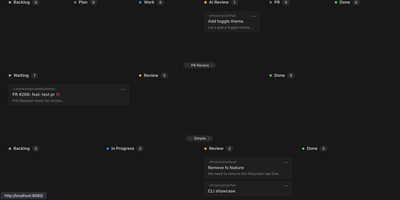
Kandev provides a command center for orchestrating AI coding agents across parallel workstreams. The Go backend paired with a Next.js frontend delivers kanban boards with drag-and-drop columns, pipeline workflow definitions with per-step agent handoffs, and an IDE-like review workspace combining file editor, file tree, terminal, browser preview, and unified git diffs. Multi-provider support connects Claude Code, GitHub Copilot, Codex, Qoder, Grok, and custom agents through configurable profiles with per-agent prompts, runtimes, and review gates. Tasks execute in isolated git worktrees with multi-repository support, letting agents work on separate branches simultaneously while changes surface in a consolidated review interface. Native integrations with GitHub, GitLab, Jira, Linear, Sentry, and Slack pull external issues into the kanban and link tasks to pull requests. Kandev exposes streamable HTTP and SSE MCP endpoints, enabling external clients — Cursor, Claude Desktop, Augment — to create tasks and read workspace context programmatically. Workflow definitions export as portable YAML for sharing across installations. Agentic workflows chain multi-step pipelines mixing different models per step — Opus for architecture, Sonnet for implementation, with human review gates between stages. Running on a dedicated VPS on RepoCloud with guaranteed CPU, RAM, and SSD, full root SSH access, and a browser serial console. AGPL-3.0 licensed.
Dock-Dploy
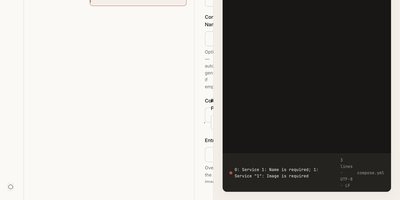
Visual drag-and-drop assembly replaces manual text editing in Dock-Dploy, a Docker Compose builder and configuration management suite that turns complex multi-service container topologies into validated YAML manifests. DevOps engineers and self-hosters can visually assemble application stacks by selecting container base images, defining healthcheck probes, mapping bridge networks, and assigning persistent volume mounts through a reactive web interface. An integrated marketplace catalog allows teams to search, preview, and import battle-tested templates for services like PostgreSQL, Redis, and Nginx with one click. Real-time Zod schema validation inspects every service parameter as you type, flagging port collisions, missing environment variables, and malformed volume syntax before deployment. A split-screen CodeMirror editor provides continuous synchronization between graphic form fields and generated YAML definitions with automatic code sanitization and clipboard exports. Beyond Compose stacks, operators can design blueprint templates, generate reverse proxy routing profiles, and assemble recurring cron schedules for automated backup and maintenance routines. Running on a dedicated VPS on RepoCloud with guaranteed CPU, RAM, and SSD, full root SSH access, and a browser serial console. AGPL-3.0 licensed.
GymCoach
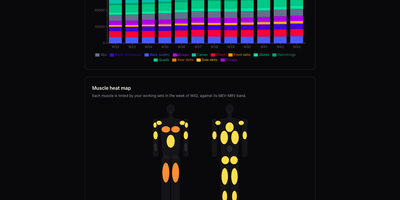
Strength training, cardio, and body metrics land in one workout log on your own server, backed by an optional AI coach that explains its advice from your real numbers. Quick entry such as 100x8@9 logs weight, reps, and effort in one line, with a rest timer, plate-loading calculator, and warm-up ramp beside the set table. A weight picker offers only loads your equipment can build, and a readiness check-in adjusts the suggested load and says why. Templates for 5/3/1 BBB, GZCLP, nSuns, PPL, and Upper/Lower run as written and edit like any custom program. Progress pages chart estimated 1RM, weekly volume per muscle group against MEV and MRV bands, a muscle heat map, bodyweight goals, and a training calendar. Garmin FIT, TCX, and GPX imports need no cloud account and add heart-rate charts and aerobic decoupling to each run or ride. The coach writes a weekly debrief, chats in a streaming conversation, and drafts a full program from a one-sentence goal, using your own Anthropic or OpenRouter key. History imports from Strong or Hevy CSV files with a dry-run preview and exports to CSV or TCX, and an MCP connector lets ChatGPT or other agents analyse it. The app installs as an offline-capable PWA, speaks English, French, Russian, and German, and keeps every user's data separate. Running on a dedicated VPS on RepoCloud with guaranteed CPU, RAM, and SSD, full root SSH access, and a browser serial console. MIT licensed.