NotifKit
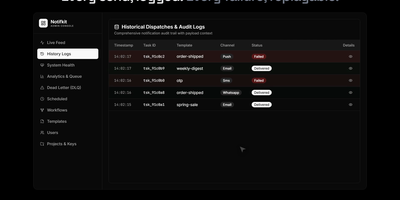
One notify() call is all your product needs to reach users on push, email, SMS, chat, and webhooks, with NotifKit deciding how and when each message travels. List the channels in the order you prefer and NotifKit tries each in turn, so a failed push quietly becomes an SMS or an email instead of a lost message. Per-user preferences, consent, and quiet hours in each user's own timezone hold non-urgent sends until morning, while critical messages such as one-time passwords travel their own lane immediately. Templates, multi-step workflows that wait days or block on events, scheduling, throttling, and deduplication all run behind that single call, defined in TypeScript and kept in your repository. Delivery logs record every attempt, and the admin dashboard shows a live activity feed, queue depth per priority lane, workflow runs step by step, and a replayable dead-letter queue. Several products can share one deployment as separate projects with their own API keys, rate limits, and data, and any service can call the REST API without the TypeScript SDK. Ask an AI assistant why a password reset never arrived by connecting the built-in MCP server to Claude Code, Cursor, or another MCP client. Running on a dedicated VPS on RepoCloud with guaranteed CPU, RAM, and SSD, full root SSH access, and a browser serial console. MIT licensed.
OpenGTM
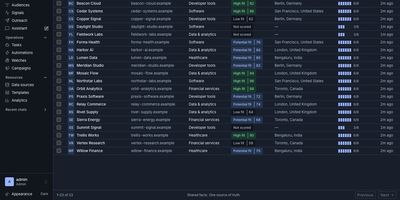
OpenGTM turns a market, a list, or a workbook into enriched, researched, ready-to-contact prospects on servers you control. Give it a market and it sources companies and people; hand it a CSV or a Clay table and it maps the columns into a shared record library. Enrichment columns run as waterfalls that try providers in cost order until a field is filled, and before anything spends a cent you see best and worst case estimates, with a workbook budget ceiling that halts paid calls on its own. Research columns send an agent to answer the hard question for each row, and the answer keeps citations to the pages it actually fetched, so a human can audit the claim before outreach. Live audiences segment your records and watch for hiring and buying signals, refreshing on schedules and firing automations when a prospect heats up. Finished rows flow out to HubSpot, Salesforce, Slack, Sheets, Airtable, Instantly, Smartlead, webhooks, or a warehouse, while every cell keeps a trace of provider attempts, latency, and cost. Your own agents get the same workspace through a REST API, webhooks, and an MCP server with scoped read and write tokens, and a seeded zero-key demo means the team can explore the whole loop before adding a single provider key under Settings. Running on a dedicated VPS on RepoCloud with guaranteed CPU, RAM, and SSD, full root SSH access, and a browser serial console. AGPL-3.0 licensed.
JellyGlance
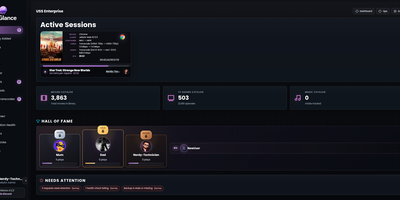
Running a Jellyfin or Emby server usually means a dozen open tabs; JellyGlance folds your whole media server into one screen you can leave open on a wall. Live sessions show who is watching what, from where, on which client, with direct play or transcode state, codec, bitrate, subtitles, and progress for every stream. Playback history accumulates in its own database, so statistics survive even when the media server forgets: top movies, series, libraries, clients, and users, watch-time trends, activity heatmaps, and weekly, monthly, and yearly recaps rendered as shareable cards. The home dashboard arranges by drag and drop, with presets, density controls, themes, kiosk mode for a wall display, and alert rules. Recently added shelves group by library, while library views surface totals and metadata gaps. Jellyseerr and Overseerr requests appear with poster cards, requester context, and admin actions, and the release calendar pulls upcoming titles from your *arr apps beside the queues of your torrent and Usenet clients, stalled items included. Wizarr invites, Tdarr transcodes, and Maintainerr cleanup connect from the same integrations area. Notifications travel by webhook, Discord, Gotify, and email newsletters, backups export to a plain folder, and sign-in spans local accounts, Jellyfin Quick Connect, and OIDC. Running on a dedicated VPS on RepoCloud with guaranteed CPU, RAM, and SSD, full root SSH access, and a browser serial console. MIT licensed.
LlamaForge
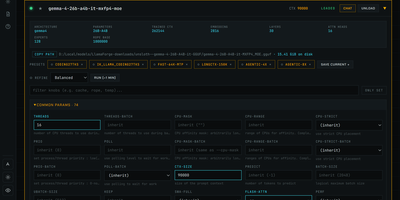
Running local models usually means choosing between a polished app that hides the engine and a terminal full of flags you half remember. LlamaForge refuses the trade: it installs and drives the official llama.cpp release itself, then puts a browser panel over all of it, every one of the 200-plus llama-server flags your build supports, grouped, searchable and editable per model. Before you load anything, each model is drawn into your GPUs at its real footprint, so the out-of-memory surprise happens on screen instead of in a crashed server; before you download anything, every quant on Hugging Face gets a fit rating for your VRAM, FITS, TIGHT or CPU OFFLOAD. Auto-Forge then measures placements, KV cache types and speculative drafters on your own hardware and keeps the fastest configuration, checking that a drafter still produces identical tokens before applying it with one click, and undoing it with one click. Keep several models loaded at once and a planner places each on the GPUs that fit it; when a game launches, Game Mode unloads your models and brings them back when you quit. Chat in llama.cpp's own interface, join from your phone by QR code, duel two models blind in the Arena under an Elo board, and let Embers, small local agents, keep a wiki and write scheduled briefs counting only facts they can quote verbatim. Running on a dedicated VPS on RepoCloud with guaranteed CPU, RAM, and SSD, full root SSH access, and a browser serial console. MIT licensed.
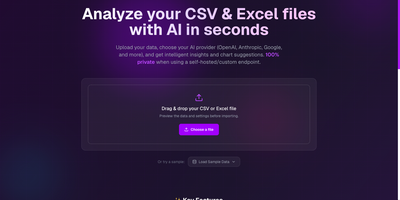
CSV AI Analyzer
A spreadsheet goes in, a plain-English readout comes out, and with a local model the file never leaves your own network. CSV AI Analyzer reads CSV and Excel files, detects delimiters, headers, and column types, and opens with a data-quality report that counts missing values, repeated rows, and type mismatches per column. A searchable preview table sits next to column, sort, and filter controls. One click on Run Complete Analysis produces a summary with key insights, an anomalies view, and chart suggestions, and the Custom Query tab answers follow-up questions in a chat thread. Charts come as bar, line, pie, scatter, or area, can be built by hand from any two columns, and export as SVG, PNG, or CSV. Reports download as PDF or Markdown. Point it at OpenAI, Anthropic, Google, Mistral, or any OpenAI-compatible endpoint, including Ollama, LM Studio, and vLLM, to keep analysis fully local. API keys stay encrypted in the browser, and a language selector switches the interface. Monthly finance exports, operations reports, and founder dashboards turn into answers without a single formula. Running on a dedicated VPS on RepoCloud with guaranteed CPU, RAM, and SSD, full root SSH access, and a browser serial console. MIT licensed.
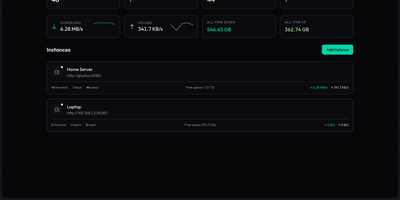
QBitWebUI
QBitWebUI is a single self-hosted dashboard that manages every qBittorrent instance you run, whether that is one seedbox or five, from one place. Instance cards show each client's status, live speeds, and torrent counts, with aggregate statistics across all of them and quick switching between instances. The torrent list brings sortable, resizable columns you can reorder and hide, filters for status, category, tag, and tracker, multi-select bulk actions with a context menu, and a details panel covering trackers, peers, files, and web seeds. Search your Prowlarr indexers from inside the UI and send results straight to the right instance, then let RSS feeds with regex auto-download rules keep recurring releases flowing in unattended. Browse the downloads directory and pull finished files or whole folders as tar archives, run an automatic cross-seed pass to match torrents across trackers, and check the connection with the network agent's speedtest, IP check, and DNS diagnostics. Edit qBittorrent preferences directly from the settings tabs, pick a color theme, and keep working from your phone with the installable PWA and mobile view. Running on a dedicated VPS on RepoCloud with guaranteed CPU, RAM, and SSD, full root SSH access, and a browser serial console. MIT licensed.
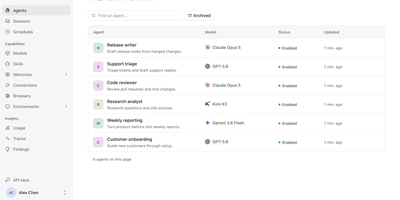
a13n Agent Foundation
Agents that keep working after you close the tab: a13n gives a team one shared place to define them, run them, and watch what they did. In the Console, an administrator adds models from OpenAI, Anthropic, Gemini, Bedrock, Azure, OpenRouter, DeepSeek, Ollama, and others, then creates agents with instructions, skills, memories, connections, browsers, and sandbox environments. A Try agent button opens a conversation, and the Debug view lays out every run step by step, with model calls, tool calls, token counts, cache rates, and durations. Sessions and schedules keep a history of conversations and recurring jobs. The Usage page charts spend, runs, requests, and tokens by agent, model, or member across a time range. Findings analyzes traces, flags answer quality and tool failures, and lets reviewers confirm or dismiss each one with a suggested improvement. Each agent has a Connect to app screen with its ID, service URL, and API key, so applications can call it over an HTTP API or SDK. Workers lease runs from PostgreSQL and save checkpoints to object storage, so interrupted work resumes. Customer support teams, internal platform groups, and product builders use it to ship agent features without writing their own orchestration layer. Running on a dedicated VPS on RepoCloud with guaranteed CPU, RAM, and SSD, full root SSH access, and a browser serial console. Apache-2.0 licensed.
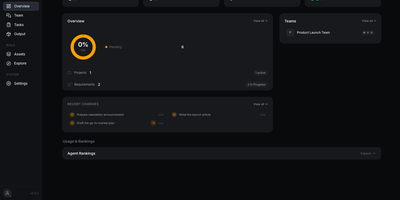
Markus
Markus is an AI workforce you run yourself: describe a goal in plain language and a team of specialist agents plans it, splits it into tasks, does the work, and reports back. A built-in Secretary agent hires agents from role templates, groups them into teams, and turns requirements into dependency-linked tasks. Work runs in parallel, each task in its own workspace, and a peer reviewer approves or sends back every delivery before it counts as done. Follow progress on a backlog table, a kanban board, or a dependency graph that shows which task unblocks which. Agents keep persistent memory, patrol their own task board around the clock, and can join team group chats or take direct messages. Connect Slack, Telegram, Discord, WhatsApp, or Feishu so people can reach agents where they already talk, and give agents browser and desktop automation through an optional Chrome extension. Pick any model provider, including Anthropic, OpenAI, Google, DeepSeek, OpenRouter, or a local Ollama server, and import skills from MCP servers or community hubs. A REST and WebSocket API, usage rankings, and an audit trail round out the control room. Running on a dedicated VPS on RepoCloud with guaranteed CPU, RAM, and SSD, full root SSH access, and a browser serial console. Apache-2.0 licensed.
9Router Pro
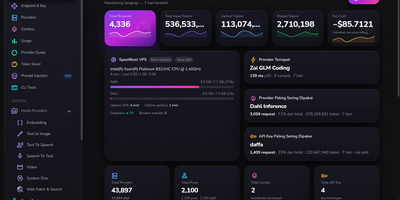
One endpoint for every model account you own: 9Router Pro sits between your applications and a fleet of LLM providers, decides which account answers each request, and keeps the whole operation visible on a live dashboard. Its signature trick is prompt injection scoped three ways, globally, per API key, or per model, delivered either as a system prompt or as a scripted chat history that primes the model far harder than instructions alone. Keys are products here: each carries a rolling token budget over 24 hours, 7 days, or 30 days plus rate limits per minute, hour, and day, so a resold plan enforces itself with polite 429 responses. Routing stays healthy on its own, with accounts tiered as clean, suspect, or cooldown, least-recently-used spreading across the fleet, flaky upstream responses retried against the next account, and proxy pools health-checked with one-click cleanup of the dead. The monitoring dashboard leads with VPS specs, fastest and most-used providers, top API key, and usage spectrum charts, while backup and restore cover providers, combos, keys, and settings section by section. Everything runs as a single application with one SQLite file and a dashboard localized into 34 languages. Running on a dedicated VPS on RepoCloud with guaranteed CPU, RAM, and SSD, full root SSH access, and a browser serial console. MIT licensed.
OpenTickly
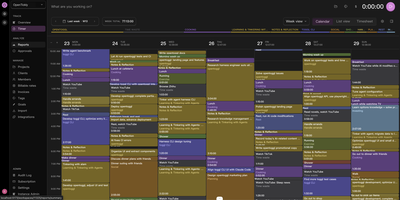
OpenTickly is a self-hosted Toggl alternative that keeps your timers, projects, clients, and reports on infrastructure you control, so tracking time does not mean renting access to your own work history. Start the timer from the web app or an installable mobile PWA that works offline, then review the week in a color-coded calendar, switch to list or timesheet views, or open reports to see where hours actually went. Projects, clients, tags, billable rates, invoices, goals, and favorites organize entries the way agencies and freelancers already work, with team activity, top projects, and time-by-project panels on the admin overview. Because the public API mirrors Toggl Track v9 and Reports v3, existing scripts, integrations, and reporting jobs carry over, and coworkers can move their Toggl data in or back out without losing entries. The generous API also suits AI workflows: pair it with toggl-cli and an agent can track, organize, and review your time for you, then combine it with the Lyubishchev method to spot time waste across learning, social, rest, and work categories. Approvals, an audit log, integrations, and instance administration round out team operations, and seat limits, per-user fees, and usage caps simply do not exist here. Running on a dedicated VPS on RepoCloud with guaranteed CPU, RAM, and SSD, full root SSH access, and a browser serial console. AGPL-3.0 licensed.
AliangBoard
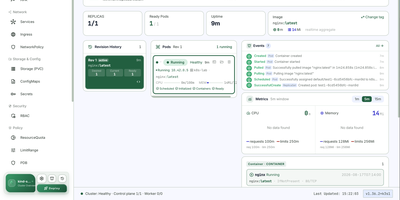
AliangBoard puts every Kubernetes cluster you run behind one web panel, where you manage resources yourself or ask an AI agent to do it with your approval. Connect each cluster with a bearer token or basic auth and the panel persists the connection, so switching clusters, namespaces, and workloads takes one click instead of another kubeconfig. More than thirty resource types stay in sync: create workloads, services, ingress, config, storage, and RBAC through structured forms, edit anything as YAML, apply multi-document manifests at once, and delete optimistically with automatic rollback when the API refuses. Pod work goes deep: a tmux-backed exec terminal survives browser refreshes, port-forwards resolve services to their backend pods, files move up and down with progress, and debug containers inject into running pods without restarting them. Day-two operations are buttons, not flag memorization: scale, rolling restart, rollout undo, manual CronJob triggers, and node cordon or drain. Global search, a layered namespace topology, live event streams, and CPU and memory metrics keep orientation effortless. Then there is the operator: an Agent workbench and MCP server let your LLM read logs, debug containers, and propose changes in natural language, while every write waits for a human click and lands in an audit log that names who did what. Running on a dedicated VPS on RepoCloud with guaranteed CPU, RAM, and SSD, full root SSH access, and a browser serial console. Apache-2.0 licensed.
Aurral
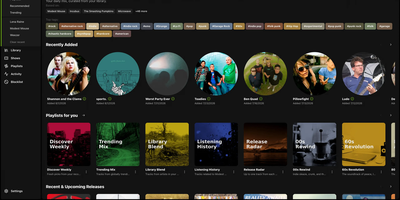
Discover, preview, and curate your personal music collection with Aurral, a self-hosted music discovery and library management server that turns listening history into automated playlists and album acquisitions. Connect your Last.fm, ListenBrainz, or Koito scrobble history to surface tailored artist recommendations, genre trends, upcoming releases, artist news, and nearby concert dates. Build scheduled rotating discovery flows that refresh automatically on your chosen cadence, or import existing playlists directly from Spotify, YouTube Music, Last.fm, and ListenBrainz. Preview tracks instantly in the browser before committing them to your permanent collection. Manage downloads through a built-in yt-dlp engine or route requests to slskd, SABnzbd, NZBGet, Prowlarr, deemix, and Lidarr with full queue, history, and upgrade controls. Stream your indexed library from the web player, connect Subsonic and OpenSubsonic apps such as Feishin or Music Assistant, and publish generated playlists straight to Navidrome, Plex, Plexamp, and Jellyfin. Multi-user profiles support granular permissions, custom discovery layouts, and single sign-on via OpenID Connect, Plex, Google, or reverse-proxy headers. Running on a dedicated VPS on RepoCloud with guaranteed CPU, RAM, and SSD, full root SSH access, and a browser serial console. MIT licensed.
Open Walnut
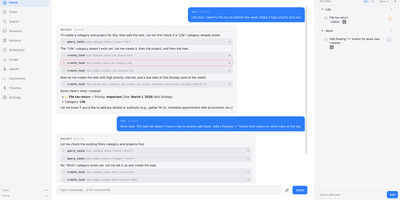
Open Walnut replaces your scattered terminals and notes with one self-hosted command center where a CEO agent and a lead for each project run your Claude Code sessions like a small company. You talk to the CEO; each project lead plans the work, spawns worker sessions, checks their output, and only brings you the questions that actually need a person. Every session sits in its own column with live output, permission controls, terminals, and files, and sessions survive browser disconnects, dropped SSH connections, and server restarts. Codex, Gemini, OpenCode, and Goose sessions join the same columns, on your laptop or on remote dev boxes reached over SSH. Finished work comes back as a per-session diff: comment on individual lines and send the review straight back into the session that wrote it. Around the agents sit your tasks with subtasks, dependencies, and due dates, Markdown notes with wiki links and backlinks, a calendar, and long-term memory that a background job keeps consolidated. Search covers notes, tasks, sessions, and memory together, mixing keyword matching with local embeddings, so nothing you told it last month gets lost. Routines run one-time, interval, and cron jobs; plugins add whole apps, tools, and skills; and paired phones reach the same console through device tokens. Running on a dedicated VPS on RepoCloud with guaranteed CPU, RAM, and SSD, full root SSH access, and a browser serial console. MIT licensed.
FoxProfile
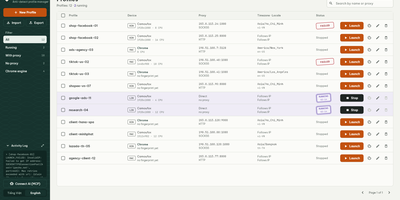
Every account you run deserves its own browser identity, and FoxProfile keeps those identities permanently separate instead of letting them bleed into one another. Create a profile once and it remembers its device: screen, GPU, CPU cores, fonts, and canvas noise are generated on first launch and reused on every later one, so the fingerprint a site saw yesterday is the fingerprint it sees tomorrow. Sessions stick too: history, cookies, and logins live in the profile directory, and the tabs you left open reopen where you left them. Each profile carries its own proxy (HTTP, HTTPS, SOCKS4, or SOCKS5, with a built-in checker) while timezone and locale follow the exit IP automatically or stay pinned to your choice, and the Check IP button compares the exit address across three services and flags mismatches or datacenter addresses. Cookies move in and out as standard editor JSON or Netscape files, whole profiles travel as ZIP archives, and bulk actions launch, stop, or delete fleets at once. On a server, the web panel runs profiles headlessly so you can manage them and view their screens from anywhere, the REST API scripts everything, and the MCP server lets AI agents drive the browsers directly. Running on a dedicated VPS on RepoCloud with guaranteed CPU, RAM, and SSD, full root SSH access, and a browser serial console. MIT licensed.
SocialCoach
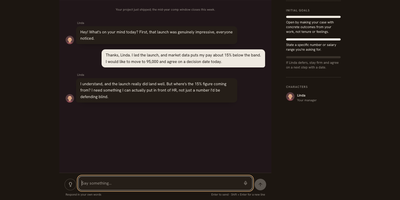
Asking for a raise, declining extra hours, or setting a boundary with a friend can all be rehearsed first in SocialCoach, an AI coach built for the conversations people dread. Pick one of 63 scenarios across seven areas of life, or describe your own situation, and talk to a character who has real goals, doubts, and limits, so politeness alone does not win the argument. A stance meter shows how firmly the other person holds their position as you speak, and optional timed replies add pressure for readiness practice. The debrief quotes what you actually said before judging it, separates communication quality from the outcome, and suggests one thing to change on the next attempt. A Today page recommends a daily scene from your goals, Growth tracks practice history against five competencies, and a Learn library offers short videos, theories, and cases with sources. Step into 3D dinners, elevator lobbies, and offices to answer by typing or speaking. Practice history stays in the browser and can be exported, with no sign-up needed, and the mobile-first layout installs as an app on a phone. Settings accept your own Anthropic or OpenAI-compatible model, or a server key, so a self-hosted copy runs on any gateway. English and Simplified Chinese are both built in. Rehearse a hard conversation three times here and the real one feels smaller. Running on a dedicated VPS on RepoCloud with guaranteed CPU, RAM, and SSD, full root SSH access, and a browser serial console. Apache-2.0 licensed.
Jarvis
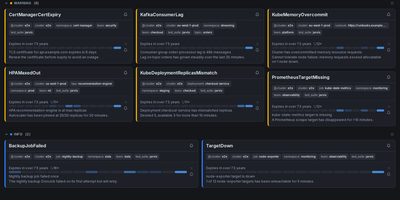
Alertmanager forgets an alert the moment it resolves; Jarvis remembers everything. This web frontend watches all your Alertmanager clusters at once and streams firing alerts into one live view over WebSocket, no refresh as problems appear or clear. Every alert's lifecycle is stored, so the resolved view answers how often something fired and how long it burned, and a grace period keeps a missed poll from being recorded as a phantom resolution. When an alert lands, claim it so the team sees who is on it, and leave comments bound to that alert fingerprint; notes survive restarts and re-fires, so the next person inherits the context. Silencing gets a rehearsal: preview exactly which alerts a silence will hit before creating it, fire a one-click Fast-Silence from the list, and save templates for recurring maintenance. Filters use the Alertmanager matchers you already know, save as named sets, ride in shareable URLs, and one can be your default view. Point Jarvis at every member of an HA gossip cluster and duplicates collapse by fingerprint, while protected upstreams authenticate with OAuth2, bearer tokens or basic auth per cluster. Sign-in is optional through built-in accounts or any OIDC provider, and it runs as one hardened container on port 8080, with PostgreSQL available when you want replicas. Keep it behind your VPN or an authenticating proxy, as its own docs insist. Running on a dedicated VPS on RepoCloud with guaranteed CPU, RAM, and SSD, full root SSH access, and a browser serial console. Apache-2.0 licensed.

NexusDesk
NexusDesk is a self-hosted agent platform whose first complete application turns customer support conversations into retrieved answers, tool calls, and confirmed tickets on your own infrastructure. An agent takes a request, retrieves context from your knowledge base, decides what to do, calls business tools, asks a human to confirm consequential actions, executes, records everything, and feeds evaluation, all as one visible loop rather than a black-box chat. The Harness around that loop is the engineering control layer: it governs permissions and execution boundaries, manages agent memory, routes human handoffs, and keeps an audit trail, so autonomy stays inside lines you drew. You configure, publish, and roll back agents, manage documents, chunks, indexes, and published knowledge versions, and connect Chat, Embedding, Rerank, OCR, and speech models through versioned profiles. Business APIs plug in as tools with their own credentials, parameters, and permissions, and support staff can take over a conversation, draft a ticket from it, and confirm follow-up work without leaving the flow. Channels and application APIs with server-sent events expose the same capabilities to your other systems, while execution records, model and tool call logs, and evaluation results show what the agent actually did. One PostgreSQL handles storage, job queues, and cross-process messaging, and one Compose file starts the stack. Running on a dedicated VPS on RepoCloud with guaranteed CPU, RAM, and SSD, full root SSH access, and a browser serial console. Apache-2.0 licensed.
Omnibus
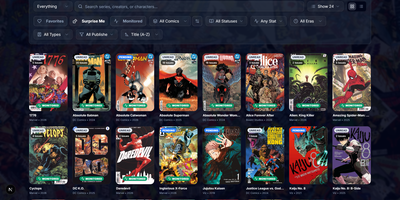
Omnibus runs your whole comic habit from one shelf: discover a series, request the missing issues, and read them in the browser when they land. Discovery starts with ComicVine or Metron metadata (high-resolution covers, synopses, and creator credits) and a release calendar that flags what you own and what is still missing across your monitored series. Requests are one click for a single issue or a whole run; Omnibus searches your indexers, hands the release to qBittorrent or SABnzbd, then imports, renames, and shelves the file with metadata embedded into the archive itself. Loose files that match nothing meet the Smart Matcher, which proposes the right series and applies every confident match in one pass. The built-in reader opens CBZ, natively read CBR and EPUB files in left-to-right, right-to-left manga, or continuous webtoon modes, with double-page spreads, brightness and contrast controls, page preloading, and preferences remembered per series; an offline button caches a full issue for the road. Reading lists assemble themselves from a pasted event ID or arrive by import from CBL files, League of Comic Geeks CSVs, AniList, or MyAnimeList, always showing how far through them you are. Everyone gets their own account, reading progress, follows, and an Updates feed, while OPDS, KOReader sync, and a Komga-compatible endpoint feed Panels, Mihon, and Paperback on the side. Running on a dedicated VPS on RepoCloud with guaranteed CPU, RAM, and SSD, full root SSH access, and a browser serial console. GPL-3.0 licensed.