LifeGLANCE
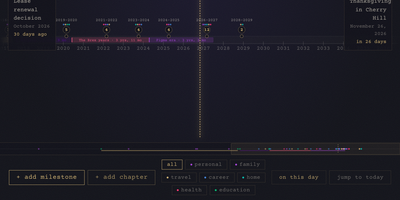
Birthdays, graduations, house moves, weddings, and the trip you keep promising yourself for next year all belong on the same line, and LifeGLANCE draws that line as one zoomable timeline of your life, past and future. Pan smoothly from a single week out to multiple decades, then zoom back in when a dense year needs room; cluster badges keep crowded stretches readable, and a minimap scrubbar jumps you across decades without endless scrolling. Each milestone carries a title, a date at day, month, or year precision, a category, a note, and a link, and you can attach photos, audio, and video directly to the moments they belong to. Birthdays and anniversaries repeat annually with an end year you set. Switch between All, Past, and Future views, search titles and notes in full text, or open On This Day to see what happened on this date in earlier years. A stats panel and summary modal turn the line into counts and patterns. Import calendar events from an ICS file, export the whole timeline as a high-resolution PNG, or back everything up and restore it as JSON. Running on a dedicated VPS on RepoCloud with guaranteed CPU, RAM, and SSD, full root SSH access, and a browser serial console. MIT licensed.
Plain Week
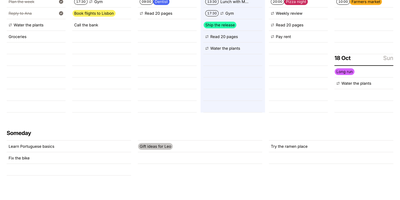
Seven days and a Someday list fit on one screen in Plain Week, a minimal weekly planner and to-do list. Click an empty row, type, press Enter, and keep typing. Writing "17:30 Gym" sets the time for you. Each task opens into a dialog with eight colors, plain-text notes, and a checklist of subtasks. Repeats run every few days, weekly on chosen weekdays, or monthly on a set date, with optional end dates and edits for one occurrence or the whole series. Drag tasks between days, into Someday, or past the screen edge to another week, by mouse, touch, or keyboard. Right-click to color, duplicate, delete, or push a task to tomorrow or next week, with undo. Arrow keys change weeks and T returns to today. The planner works offline, installs as an app, and keeps data in the browser until you add an account to sync. Export every task to JSON, import it into another instance, and pick light or dark themes or right-to-left layouts. Running on a dedicated VPS on RepoCloud with guaranteed CPU, RAM, and SSD, full root SSH access, and a browser serial console. MIT licensed.
Clodfarm
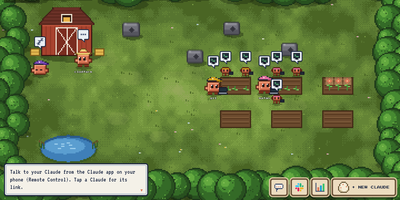
While you sleep, a crew of Claude Code agents in a single Docker container keeps building: you plant a mission, the farm splits it into sub-agents on their own branches, and only work that passes your tests ever lands in the repo. Open the farm in your browser and every agent is a pixel Claude walking its plot, tending a task at a terminal or napping when the budget says stop, with the quest log, mission board, and a hatchery for new agents a click away. Each account is paced against its real five hour and weekly usage, measured live, always leaving you twenty percent and never paying overage, and teammates' agents message each other and hand jobs to whichever account still has room. Talk to any agent from the Claude app on your phone, post quests, set schedules like weekday issue triage at nine, and watch live dashboards the agents maintain themselves. Whiteboards let you sketch while an agent draws back full Mermaid architectures for the whole farm to see, the farm's logged-in browser does website work as you, and Slack mentions, Blender scenes, and other models from GPT to a local Ollama all plug into the same queue. Running on a dedicated VPS on RepoCloud with guaranteed CPU, RAM, and SSD, full root SSH access, and a browser serial console. MIT licensed.
Headroom
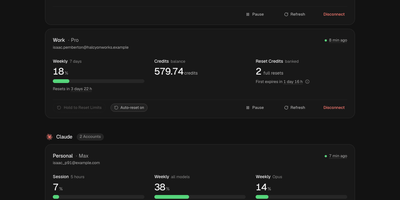
Headroom answers the question every multi-plan AI subscriber asks mid-task: which of my accounts still has room to work? It puts the live limits, reset times, credits, and spend of Claude, Codex, Cursor, Copilot, Grok, Antigravity, and Vercel AI Gateway accounts on one self-hosted dashboard instead of seven provider pages. Connect each account once, through its official CLI sign-in or a credential import, and a background scheduler refreshes every figure on schedule, renews tokens before they expire, and keeps 90 days of readings. Five-hour sessions, weekly pools, per-model limits, credit balances, banked resets, and on-demand spend sit side by side, and unreported figures show as unknown rather than a fake zero. Compare ranks same-provider accounts by the room they have left and names the one to use next, while Timeline lays every reset window on a two-week calendar. Analytics charts when you work, when you run dry, and whether each plan fits, and Wallet totals subscriptions, usage spend, and top-ups in one currency with renewals and budget alerts. In-app notices, Telegram messages, and signed webhooks warn about low limits, expiring resets, and broken sign-ins, and optional automations can spend a banked Codex reset or log a credit top-up the moment it lands. Personal, work, and side-project accounts stay separate under one owner login with passkeys and a Privacy Mode that blurs emails on screen. Running on a dedicated VPS on RepoCloud with guaranteed CPU, RAM, and SSD, full root SSH access, and a browser serial console. MIT licensed.
Netra
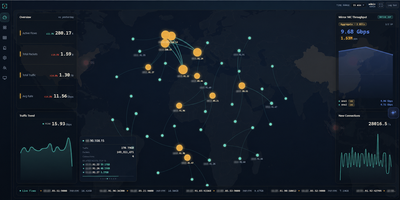
Netra watches your network from the side, plugged into a switch mirror port, and turns everything it sees into a live picture of your traffic without ever sitting in the forwarding path. A single binary loads its eBPF collectors in the kernel, so aggregation happens before packets reach user space and multi-gigabit mirror feeds stay observable instead of dropping samples. The dashboard opens on totals, protocol share, and traffic trends, then lets you drill into flows by address, port, domain, or service, check which countries your traffic talks to on a world map, and read the internal topology as a live graph. Domains surface passively from TLS handshakes, public addresses are enriched with country and organization data, and heuristic detectors flag scanning, flooding, and single-host surges, pushing alerts to your team chat with an optional AI-written explanation. You can ask the built-in assistant questions about real recorded history, connect external MCP servers so it can call your own tools while it answers, and stream flows onward to Kafka for other consumers. History rolls into compressed columnar files on a schedule and stays queryable for a month by default. Running on a dedicated VPS on RepoCloud with guaranteed CPU, RAM, and SSD, full root SSH access, and a browser serial console. GPL-3.0 licensed.
LanQin Email
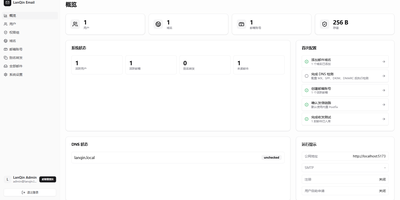
Running your own mail server usually means assembling five services and praying over DNS records; LanQin Email ships the whole stack in one container. Readers switch between mailboxes, search, label, star, and file messages into folders, then compose with a rich-text editor that handles fonts, colors, code blocks, attachments, emoji, and scheduled sending. Contacts, signatures, inbox rules with automatic forwarding, sender blacklists, and mail statistics make it a daily client rather than a demo. Administrators run the postal side from the same panel: add domains and generate DKIM keys, follow the DNS record checklist the system verifies for you, create mailboxes, set delivery aliases and catch-all addresses, and audit every message on the server. Accounts sign in with passwords or OAuth single sign-on, protected by TOTP two-factor codes and bot checks, while permission groups cap attachment size, sending rate, and mailbox count per user. Users can even request their own mailbox and wait for approval instead of filing a ticket. For programs, an Open API with bearer tokens sends mail idempotently and reports delivered, bounced, complained, rejected, and deferred events back through webhooks. External Gmail and Outlook accounts can be aggregated over IMAP, and a client-configuration page shows every IMAP, POP3, and SMTP setting in one place. A multi-container layout remains for debugging the stack piece by piece. Running on a dedicated VPS on RepoCloud with guaranteed CPU, RAM, and SSD, full root SSH access, and a browser serial console. GPL-3.0 licensed.
LAN Sheriff
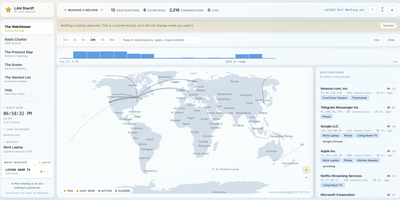
Self-hosted and account-free, LAN Sheriff watches where your devices send their traffic, plots each destination on a live world map, and flags anything that looks suspicious. Click a destination on the Watchtower for its country and city, owning organization, reverse DNS, protocol, port, byte counts, duration, and responsible app or device; filter by device, app, country, organization, or protocol, or scrub back through history. Radio Chatter streams the DNS lookups it can see, surfaces first-seen domains, and labels tracker, ad, telemetry, and malware domains without ever blocking them. The Precinct Map diagrams observed traffic, while the Roster inventories every device by IP, MAC, manufacturer, hostname, inferred type, and services, and alerts you when an unrecognized one joins. The Wanted List applies eight rules, including beaconing, machine-generated domains, port scans, plaintext credentials, and volume anomalies, and explains each finding in a plain sentence rather than a mystery score. Deputy Mode needs no privileges and names the application behind each connection, while Patrol Mode adds packet capture for DNS lookups and traffic volumes. Pair installations with a code to widen your view, export any view as CSV or JSON, and send alerts to webhook, ntfy, Discord, or Slack. Running on a dedicated VPS on RepoCloud with guaranteed CPU, RAM, and SSD, full root SSH access, and a browser serial console. AGPL-3.0 licensed.
Renewlet
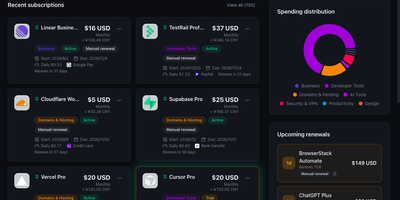
Renewlet is a self-hosted subscription ledger that shows exactly what your recurring services cost each month and warns you before every renewal, so no charge lands unannounced again. Record each subscription once with its price, currency, billing cycle, renewal date, payment method, and notes, and the dashboard keeps the monthly and yearly totals current, compares them against a budget you set, and converts between currencies. Reminders go out in each user's own time zone through Telegram, Discord, email, webhooks, and six more channels, with repeat reminders, delivery history, and retries when a send fails. Adding subscriptions takes seconds: point the AI recognition at a bill screenshot, a note, or a pasted table and it drafts the entries for your review, or import data from Wallos and other exports. Every subscription can join a shared calendar feed or publish its own ICS feed, and a public status page can show your stack with prices hidden. Accounts are protected with authenticator codes, recovery codes, and passkey sign-in. A read-only public API lets CLI tools and Shortcuts query your subscriptions, and the whole app runs in a single Docker container or on Cloudflare Workers. Running on a dedicated VPS on RepoCloud with guaranteed CPU, RAM, and SSD, full root SSH access, and a browser serial console. MIT licensed.
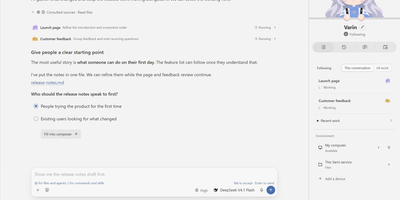
Varin
Talk to one assistant and a small team of agents quietly does the heavy lifting in the background. Ask for something in plain conversation and it answers, delegates tasks to other agents, and shows their progress in a side panel next to the thread. Answers are not just paragraphs: choices, checkboxes, tabbed drafts, tables, and live charts with adjustable sliders appear right inside the conversation. Open the Workbench to follow a task and message the agent doing it, or switch to the IDE for a Monaco editor, diffs, terminals, and Git beside the chat. Agents can read and edit files, run shell commands, search the web, work with PDF and Office documents, browse pages, and call MCP servers, skills, and extensions. Memory is inspectable and editable, work can be scheduled, and Codex or Claude Code can join as external agents. Connect any model provider or local service and watch usage and estimated cost per model. Running on a dedicated VPS on RepoCloud with guaranteed CPU, RAM, and SSD, full root SSH access, and a browser serial console. AGPL-3.0 licensed.
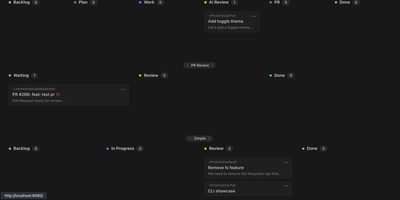
Kandev
Kandev provides a command center for orchestrating AI coding agents across parallel workstreams. The Go backend paired with a Next.js frontend delivers kanban boards with drag-and-drop columns, pipeline workflow definitions with per-step agent handoffs, and an IDE-like review workspace combining file editor, file tree, terminal, browser preview, and unified git diffs. Multi-provider support connects Claude Code, GitHub Copilot, Codex, Qoder, Grok, and custom agents through configurable profiles with per-agent prompts, runtimes, and review gates. Tasks execute in isolated git worktrees with multi-repository support, letting agents work on separate branches simultaneously while changes surface in a consolidated review interface. Native integrations with GitHub, GitLab, Jira, Linear, Sentry, and Slack pull external issues into the kanban and link tasks to pull requests. Kandev exposes streamable HTTP and SSE MCP endpoints, enabling external clients — Cursor, Claude Desktop, Augment — to create tasks and read workspace context programmatically. Workflow definitions export as portable YAML for sharing across installations. Agentic workflows chain multi-step pipelines mixing different models per step — Opus for architecture, Sonnet for implementation, with human review gates between stages. Running on a dedicated VPS on RepoCloud with guaranteed CPU, RAM, and SSD, full root SSH access, and a browser serial console. AGPL-3.0 licensed.
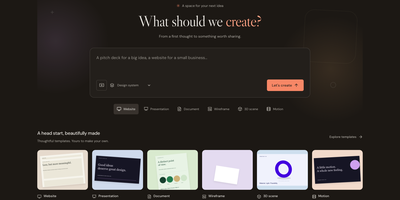
Design Studio AI
Describe a website, slide deck, document, 3D scene, or animation, then shape it with chat and a full visual editor in your own workspace. Templates give every project a head start, and a short brief about the goal and audience steers the first draft. The editor offers layers, flex and grid layouts, reusable design systems with palettes and fonts, component libraries, and live human and agent editing on one versioned document. The 3D mode handles materials, lighting, camera, rigging, and morph targets, and the motion tools animate bones, skins, and clips. Bring your own keys for OpenAI, Anthropic, Gemini, OpenRouter, or DeepSeek to generate text, images, speech, music, and video. Finished work exports as HTML, SVG, PNG, PDF, PowerPoint, WebM, GLB, or a React prototype, and snapshots can be shared publicly. Agents connect through REST, an authenticated MCP endpoint, or a command line tool, and an activity view records provider calls and usage. Accounts use email and password, with optional GitHub sign-in. Running on a dedicated VPS on RepoCloud with guaranteed CPU, RAM, and SSD, full root SSH access, and a browser serial console. MIT licensed.
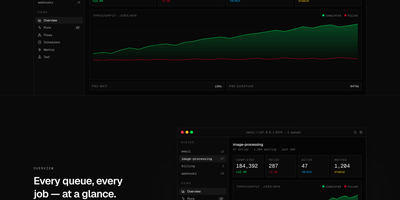
Workbench
For teams running BullMQ, Workbench makes the inside of your job system visible, searchable, and fixable from a single browser dashboard. Live counters track completed, failed, active, and waiting jobs per queue alongside p50 and p95 latency and throughput, so a backing-up queue announces itself before your users do. Every run sits in a filterable table where you can expand the full payload and attempt history, retry with a keystroke, or click a line in a failed job's stack trace and land on that exact file in your editor. Failures are grouped by error class and ranked by frequency with a 24-hour trend, which makes a fresh regression obvious the moment it spikes. Parent and child jobs render as a real graph you can drill into and replay subtree by subtree, schedulers can be paused or edited without a redeploy, and new jobs can be enqueued from a form that validates the payload first. Running on a dedicated VPS on RepoCloud with guaranteed CPU, RAM, and SSD, full root SSH access, and a browser serial console. MIT licensed.
Slashdocs
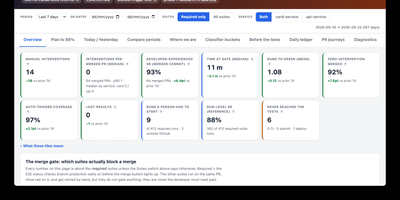
Slashdocs gives AI agents and the people who supervise them one shared home for finished work, replacing reports pasted into chat threads with reviewable HTML documents that live at a permanent address. An agent publishes a single self-contained HTML file, an architecture review, incident postmortem, product spec, data analysis, or QA report, and teammates open it in the browser to read the rendered page rather than raw markup. Reviewers anchor comments to exact words, resolve or reopen threads, and follow links straight to a heading or discussion, while Slack notifications announce new activity with personal mute controls for quieter channels. Every publish creates an immutable version guarded by optimistic concurrency, so an agent can read the feedback and push the next revision without overwriting anyone's copy. Agents connect through a remote MCP endpoint with browser OAuth or service-account keys, and people sign in through OpenID Connect with providers such as Google, Okta, Entra ID, or Keycloak. The companion CLI creates, pulls, pushes, and comments on documents with compact output or JSON for scripts, and folders plus sharing controls keep a growing library organized. Running on a dedicated VPS on RepoCloud with guaranteed CPU, RAM, and SSD, full root SSH access, and a browser serial console. MIT licensed.
GlitchTip
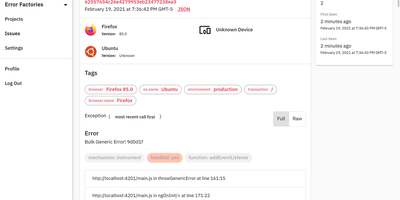
GlitchTip speaks Sentry's protocol without Sentry's operational weight - open-source error tracking that your existing SDKs already understand. The pitch is pragmatic: instrument your application with the official Sentry SDKs you already know - any language they cover - and point the DSN at your own GlitchTip instance instead. Errors, exceptions, log messages, and Content Security Policy violations flow into one place for triage, grouped into issues with stack traces, with alerts delivered by email or webhook the moment things break. Where self-hosted Sentry has ballooned into a docker-compose stack of twenty-plus containers, GlitchTip is a deliberately lean Django and PostgreSQL application a small team can actually run. Beyond errors, it bundles three more monitoring concerns: performance monitoring takes a works-out-of-the-box approach - no dashboard building, just your slowest web requests, database queries, and transactions surfaced automatically; uptime monitoring pings your sites and alerts on failures, or runs in reverse as a dead-man's-switch heartbeat for cron jobs that must check in on schedule; and log search puts application logs alongside errors for faster debugging. Unlimited projects and team members, MIT-licensed, built by Burke Software - your event volume is limited only by your own hardware.
Ybkkasi
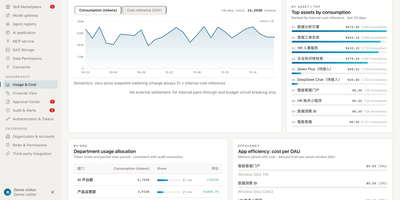
Enterprises keep buying AI tools and wondering why output does not compound, when the real gap is governance: nobody can say which agent owns what, what it may touch, or what it cost. Ybkkasi answers those three questions in one console for every MCP server, skill, agent, and AI application you run. Register each asset and move it through a lifecycle state machine from discovery to retirement, with 85 permission points deciding who can view, call, publish, or approve at every step. Work itself is organized as goals that break into projects and tasks, assigned to digital employees who each carry a home organization, a human supervisor, and a roster status. Approvals route through a dedicated center where lifecycle changes and sensitive actions wait for a human decision instead of happening silently. Every call is metered, so usage and cost reports attribute spend by department, by agent, and by skill, making showback a query rather than an argument. The audit log records who did what to which asset and when, giving compliance a trail they can actually read. Running on a dedicated VPS on RepoCloud with guaranteed CPU, RAM, and SSD, full root SSH access, and a browser serial console. MIT licensed.
Dock-Dploy
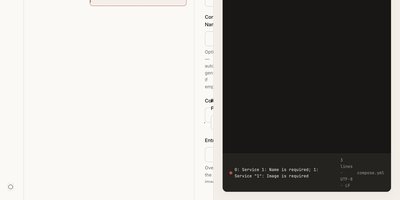
Visual drag-and-drop assembly replaces manual text editing in Dock-Dploy, a Docker Compose builder and configuration management suite that turns complex multi-service container topologies into validated YAML manifests. DevOps engineers and self-hosters can visually assemble application stacks by selecting container base images, defining healthcheck probes, mapping bridge networks, and assigning persistent volume mounts through a reactive web interface. An integrated marketplace catalog allows teams to search, preview, and import battle-tested templates for services like PostgreSQL, Redis, and Nginx with one click. Real-time Zod schema validation inspects every service parameter as you type, flagging port collisions, missing environment variables, and malformed volume syntax before deployment. A split-screen CodeMirror editor provides continuous synchronization between graphic form fields and generated YAML definitions with automatic code sanitization and clipboard exports. Beyond Compose stacks, operators can design blueprint templates, generate reverse proxy routing profiles, and assemble recurring cron schedules for automated backup and maintenance routines. Running on a dedicated VPS on RepoCloud with guaranteed CPU, RAM, and SSD, full root SSH access, and a browser serial console. AGPL-3.0 licensed.
Nowen Reader
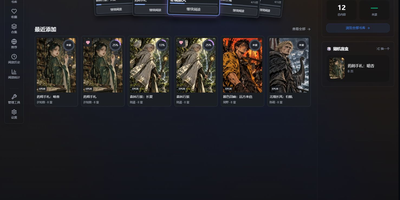
Nowen Reader turns a NAS folder of manga and novels into a private library you can browse, organize, and read from anywhere, without handing your collection to a cloud service. Drop comic archives and ebook files into watched folders and automatic scanning brings them into the library, detecting duplicates and cleaning up invalid entries along the way. Metadata arrives from AniList, Bangumi, MangaDex, MangaUpdates, and Kitsu, so covers, authors, and series information fill themselves in instead of being typed by hand. Read comics in single page, double page, or vertical webtoon modes with image filters and bookmarks, and pick up novels chapter by chapter where you left off. Reading status follows each user, with want to read, currently reading, and finished shelves plus personal ratings, favorites, and progress statistics. OPDS feeds stream pages directly to KOReader, Moon+ Reader, and other compatible apps, so your e-reader pulls from the same library. Optional AI assistance can suggest tags, summarize chapters, analyze covers, and translate pages. Libraries can be public, private, or shared with user groups, with per-library permissions for households. Running on a dedicated VPS on RepoCloud with guaranteed CPU, RAM, and SSD, full root SSH access, and a browser serial console. GPL-3.0 licensed.
Routerly
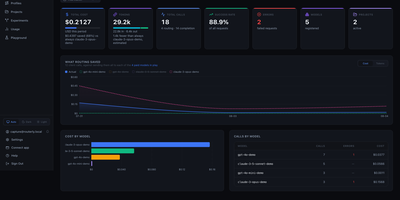
Routerly is the one front door for every AI model your apps use: point your OpenAI or Anthropic client at it, and it chooses the right model for each request, enforces your budget, and keeps the receipts. Nothing in your code changes except the base URL, and from that moment streaming chat completions and messages flow to OpenAI, Anthropic, Gemini, Mistral, Cohere, xAI or your own Ollama models behind a single token. Nine routing policies score every candidate in parallel: cheapest, fastest, healthiest, most capable, biggest context, least rate-limited, fairest, most budget left, and one that asks a small model to judge which model fits the task. When the winner errors or times out, the next candidate takes over automatically, and the recorded routing trace shows exactly why each model won or lost. Guardrails can block or log content that breaks your rules, and phone numbers, card numbers, SSNs, IBANs and emails can be scrubbed out before anything reaches a provider. Every call is logged with tokens, USD cost and latency, and hard limits per model, project and token reject overspending requests before a provider can charge for them. Projects keep separate tokens, model lists and budgets for each team or tool, role-based permissions decide who may change what, and alerts land in Slack, email, webhooks or PagerDuty when budgets or providers misbehave. Running on a dedicated VPS on RepoCloud with guaranteed CPU, RAM, and SSD, full root SSH access, and a browser serial console. AGPL-3.0 licensed.