
EcomGen
Your next product listing does not need a photo studio, because EcomGen turns the product facts and photos you already have into a complete image suite you approve shot by shot. Each product becomes a project that remembers its verified facts, banned claims, brand rules, target market, and platform requirements, so generation starts from what is true about the item rather than a fresh guess every time. An agent reads the template library and drafts a storyboard with a role for every image: hero, pain point, comparison, scene, detail, trust, variant, and conversion, and you edit and confirm each final prompt before anything renders. Twenty-five built-in templates and more than 1,100 reusable suites across 24 top-level categories keep a catalog visually consistent, and the Suite Forge can reverse-engineer a winning competitor set into a reusable template of your own. Product-truth pixel protection keeps the real item intact instead of letting the model improvise a different product. Finished shots can be masked, repainted, outpainted, and split into editable PNG and PSD layers, reviewed one by one, then exported as a ZIP with a manifest, while the model library keeps virtual models consistent across poses and scenes. Running on a dedicated VPS on RepoCloud with guaranteed CPU, RAM, and SSD, full root SSH access, and a browser serial console. MIT licensed.
OpenHermit
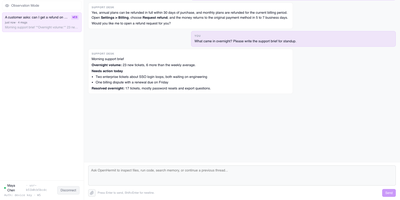
Run a whole fleet of AI agents as managed services, each with its own model, memory, schedules, and sandboxed workspace, from one admin console. Create an agent, point it at OpenAI, Anthropic, OpenRouter, or any OpenAI-compatible endpoint, store its API keys encrypted, and it is ready to chat in the browser. People sign in with a device key and get a session list, streaming replies, and file attachments. The Agents table shows status, last activity, sessions, errors, and token spend for the past 24 hours, and the Stats page tracks users, sessions, events, and total tokens. Cron or one-shot schedules let an agent send a daily brief, and each run is logged. Owner, user, and guest roles control who may talk to an agent or change it, and policy and approval tabs gate risky tool calls. Skills and MCP servers are registered once and enabled for one agent or the whole fleet, and instructions can be pushed to every agent at once. Sessions, memories, and secrets sit in PostgreSQL, so state persists across gateway restarts. Use it for an internal agent platform, a support desk, or one agent per customer. Running on a dedicated VPS on RepoCloud with guaranteed CPU, RAM, and SSD, full root SSH access, and a browser serial console. MIT licensed.
Thingport
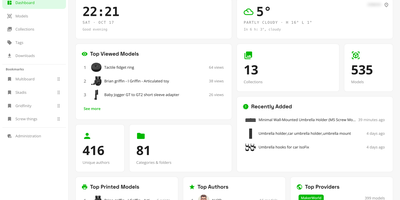
Authors delete listings, and the 3D models go with them, so Thingport stores its own copy of every printable file you import, in a self-hosted library you control. Ten sites feed the library, including MakerWorld, Printables, Thingiverse, and MyMiniFactory: paste a link or use the browser extension, and a model arrives with its files, photos, description, tags, author, and source link. Synced collections add newly bookmarked models as often as every hour. Files you already own come in as STL, 3MF, STEP, OBJ, or LightBurn uploads, ZIPs, folder trees, or drops into a watched consume folder. Each model gets an interactive 3D viewer with a thumbnail for every plate of a multi-plate 3MF. On first open, a check flags surface holes, non-manifold edges, flipped faces, and loose fragments before you slice. Sort with nested categories, collections, and tags, mark favourites, and find anything with full-text search. Optional AI sorts imports into your categories and tidies descriptions, using a local Ollama model or a cloud API. Open any file in Bambu Studio, OrcaSlicer, PrusaSlicer, Cura, or Creality Print, or download a model, tag, or collection as one ZIP. Every user gets a separate library, with invite-only registration, email verification, and single sign-on. A dashboard shows library statistics, profiles show a year-long activity heatmap, and MCP lets an AI assistant work with the collection. Running on a dedicated VPS on RepoCloud with guaranteed CPU, RAM, and SSD, full root SSH access, and a browser serial console. AGPL-3.0 licensed.
BrightBean Chat
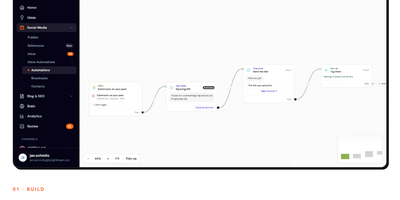
BrightBean Chat is a self-hosted chat automation platform that builds visual flows once and runs them across Instagram, WhatsApp, Messenger, Telegram, SMS, and email, so your audience automations live on your server instead of a per-contact subscription. You drag conditions, delays, randomizers, data collection, and message nodes onto a canvas, test the draft while the live version keeps running, then set it live with every save versioned. Flows start from keywords, comment-to-DM triggers, story mentions and replies, follows, ref URLs, QR codes, or calls to the public API. Every channel lands in one shared inbox where teammates assign conversations, label them, schedule replies, and take over from the bot, which pauses the automation for that contact. Contacts carry custom fields, tags, and segments that stay unified across channels, and imports and exports keep the list portable. Broadcasts and multi-step drip sequences check opt-outs and each platform's 24-hour messaging window before sending, pace themselves per channel, and show exactly who will receive a message and who is skipped. Per-node counters track sent, delivered, failed, and clicked, while a bearer-authenticated REST API and signed webhooks hand leads to Make, Zapier, n8n, or your own systems. Running on a dedicated VPS on RepoCloud with guaranteed CPU, RAM, and SSD, full root SSH access, and a browser serial console. AGPL-3.0 licensed.
Atlas
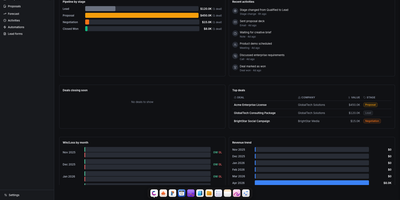
Atlas delivers a complete business operations platform in a single Docker Compose deployment, replacing the need for separate CRM, HRM, project management, invoicing, and file storage subscriptions. The CRM module provides pipeline management with Kanban views, contacts, companies, deals, leads, forecasting, saved views, and web-to-lead forms with Gmail integration for per-user email tracking inside deal timelines. HRM handles employees, departments, org charts, leave management, and attendance tracking. The invoicing system generates professional invoices with recurring billing, customizable templates, and payment tracking. Agreements provides PDF contract generation with legally-binding e-signatures, sequential signing workflows, counterparty linking, audit trails, and automated reminders. Projects integrates time tracking, billing, client management, budgets, and reporting in one view. Drive offers file storage with versioning, sharing, comments, activity logs, and password-protected links with Google Drive import and export. The calendar syncs bidirectionally with Google Calendar across month, week, day, year, and agenda views. Write provides rich text documents with cover images, comments, and templates, while Draw adds an Excalidraw-based whiteboard canvas with PDF export and presentation mode. The platform supports five languages, multi-tenant isolation, role-based permissions, and includes an Odoo importer that ingests res.partner, crm.lead, and CRM activity CSV exports for migration. Built on React, TypeScript, Vite, TanStack Query, and Zustand on the frontend with Express, Drizzle ORM, PostgreSQL, Redis, and BullMQ on the backend. Running on a dedicated VPS on RepoCloud with guaranteed CPU, RAM, and SSD, full root SSH access, and a browser serial console. AGPL-3.0 licensed.
FossFLOW
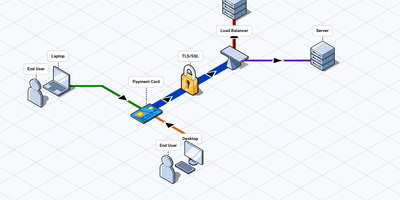
Infrastructure diagrams do not have to look like a ransom note of boxes and arrows: FossFLOW draws your network as a clean isometric map in the browser. Drag servers, routers, databases, and cloud services from the component library onto the angled grid, then link them with connectors that snap between nodes in click or drag mode. Multiplexed connectors bundle parallel links into tidy runs, rectangles and freehand annotations mark zones and notes, and text labels explain the flow. A diagram of a messy production network becomes a picture a new hire can read in one sitting. Work saves automatically every few seconds, exports to a JSON file you can keep in version control, and imports back just as easily. Run it as a shared team instance and diagrams persist on the server, filed under the project name, protected by optional basic authentication. The editor also installs as an offline-capable progressive web app, so the canvas keeps working on a plane and syncs nothing anywhere you did not send it. Documentation authors use the exported views in architecture guides, and engineers sketch proposals before touching real hardware. Running on a dedicated VPS on RepoCloud with guaranteed CPU, RAM, and SSD, full root SSH access, and a browser serial console. MIT licensed.
Imagor Studio
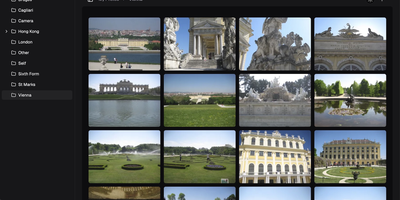
Imagor Studio is a photo workspace where browsing a huge library and editing what you find happen in the same place, and the originals never get touched. The gallery scrolls virtually through thousands of images with no indexing wait, while drag-and-drop moves files between folders and multi-select handles bulk work. Open any image and the editor lets you stack layers: other images as overlays or watermarks, text layers you can style inline, and solid color layers with blend modes and opacity. Adjust color, apply effects, and crop with a live preview, then copy the generated transformation URL and use that rendition anywhere without exporting a file. A look you build once can be saved as a template in portable JSON and applied across the whole library, so a watermark, a resize, and a color grade become one reusable recipe. You can also start from a blank canvas at any dimensions and compose from scratch. Storage stays yours throughout: point it at a local folder, S3, MinIO, or Cloudflare R2 and manage the same library the same way. Running on a dedicated VPS on RepoCloud with guaranteed CPU, RAM, and SSD, full root SSH access, and a browser serial console. AGPL-3.0 licensed.
QuickVoice
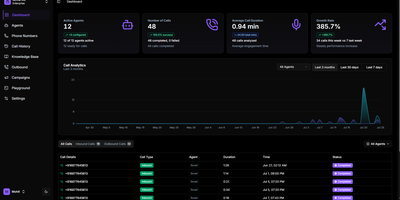
Your front desk phone rings at midnight and nobody sane is awake; QuickVoice answers it with an AI agent you configured, on servers you own, with call recordings you control. Build agents in the web console: write the prompt, pick speech-to-text, language model, and voice, set the first message, then link a real phone number from Twilio or Telnyx through LiveKit SIP trunks. Inbound callers get a receptionist that answers questions from your uploaded knowledge base, PDFs and web pages chunked and embedded for live retrieval, while outbound mode fires single quick calls or batch campaigns for reminders and follow-ups. Agents can invoke allowlisted MCP tools mid-call, so checking an order status or booking a slot happens inside the conversation instead of after it. Every call lands in the log with transcript, recording, and metadata, searchable from the analytics dashboard, and privacy controls redact personal data by default, can suppress recordings entirely, and sweep old transcripts on a retention schedule. Multi-language voices, per-agent runtime overrides for campaigns, organization accounts with API keys and audit logs, and Stripe billing hooks round out a platform built for teams who would rather inspect their voice stack than rent a black box. Running on a dedicated VPS on RepoCloud with guaranteed CPU, RAM, and SSD, full root SSH access, and a browser serial console. MIT licensed.
OpenSkyCam
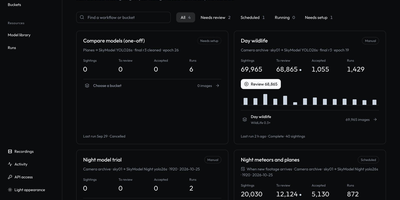
OpenSkyCam records a sky-facing IP camera around the clock on hardware you own, and searches the footage for meteors, planes, and anything else that moves. A small Linux relay by the camera copies the RTSP stream into one-minute MP4 files without re-encoding, kept on your disk under a rolling 40-day window: browse by day, scrub by hour, zoom into the 4K frame, download originals. Workshop workflows sample frames from any time window, run up to four detection or classification models over them, and sort each frame into buckets by class, score, count, time of day, or motion, once or nightly as footage lands. Detections of one object link across a recording into tracks labeled moving, stationary, or brief, so fixed stars and porch lights are discarded and aircraft kept. A trained night detector for planes and meteors ships with the project; every detection waits in a review view where you confirm or correct its label and box, then freeze the approved set as a versioned training dataset. The processor lives on your machine too (Apple or NVIDIA GPU, or plain CPU), and the footage itself never leaves your disk. Every website action is also a /v1 API call, and an MCP server lets an AI agent find last night's clearest meteors, take a photo at any second of stored video, or schedule the next workflow. Running on a dedicated VPS on RepoCloud with guaranteed CPU, RAM, and SSD, full root SSH access, and a browser serial console. MIT licensed.
TutorLoom
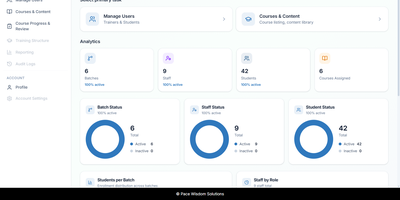
A training institute can run its courses, batches, trainers, and students from a single self-hosted TutorLoom installation it fully controls. One deployment serves many organizations at once, and every query is scoped to the organization, so trainers and learners only ever see their own data. Institute admins manage people and time-boxed batches, inviting trainers and students one by one or in bulk from CSV and Excel files. Courses are built as levels, chapters, and steps mixing videos, documents, tasks, and quizzes, with prerequisites and sequential unlocking so learners follow the path you designed instead of wandering. Students work through a guided step-by-step roadmap on the web or in the mobile app, watching completion fill in as they go and earning points and levels along the way. When learners submit work, trainers review everything in a single grading queue, approving or rejecting with a score and written feedback, then export progress to Excel when management asks for a report. Finishing a course produces a PDF completion certificate automatically. One account can hold several roles at once, so a trainer who also administers an institute switches portals without signing out. Branded email notifications keep learners informed under your own institute's name, and a documented REST API with interactive documentation powers the web app, the mobile app, and your own integrations. Running on a dedicated VPS on RepoCloud with guaranteed CPU, RAM, and SSD, full root SSH access, and a browser serial console. Apache-2.0 licensed.
NextClaw
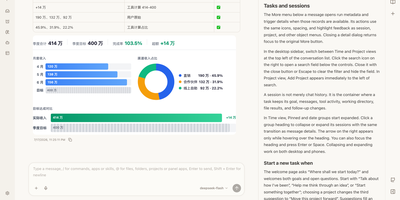
NextClaw is an AI workspace where a request for a report, a chart, or a small tool becomes organized research, files, and steps, with the result shown beside the conversation. Pick the engine for each task from Native, Claude Code, Codex, Hermes, or OpenCode, and the agent keeps its memory, skills, and workspace. A right-hand browser opens code, Markdown, HTML, Word, Excel, and PowerPoint files without losing the task that produced them. Connect providers like OpenRouter, OpenAI, Anthropic, Gemini, DeepSeek, or any OpenAI-compatible endpoint, and message the same agents from Telegram, Discord, Slack, WhatsApp, Feishu, or email. Scheduled tasks start from templates like a daily AI news brief or a competitor change tracker, and finished reports land in an AI Inbox you can read later or continue as a chat. A skill market installs new abilities, MCP servers extend tools, and Panel Apps keep the small pages an agent builds for you. Dedicated agents get their own role, home directory, and memory. Running on a dedicated VPS on RepoCloud with guaranteed CPU, RAM, and SSD, full root SSH access, and a browser serial console. MIT licensed.
1FlowBase
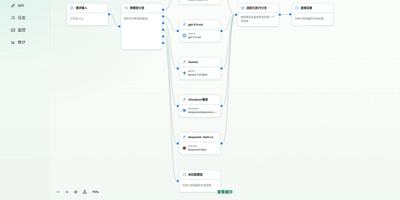
1FlowBase gives teams a single self-hosted foundation that connects model providers, retains every AI conversation, and turns that activity into working business applications. You connect OpenAI, Anthropic, Gemini, DeepSeek, Alibaba Cloud Bailian, or any OpenAI-compatible API through provider plugins and publish one stable endpoint for clients. Requests convert between Anthropic Messages, OpenAI Chat Completions, and OpenAI Responses, so applications keep working when a provider changes. You can route traffic by model name, fall back across branches when a provider fails, and combine planning, execution, and review models into a virtual model that callers use like any other model. Every gateway conversation is recorded with its model, reasoning effort, status, token totals, recorded cost, and latency, then broken down by model and by user in statistics views. You define data models and data sources, expose CRUD APIs, schedule workflows, and publish an OpenAPI 3.1 document for each application. Agents reach the same runtime through MCP with progressive list, get, and call tool discovery, and you manage MCP instances and third-party servers from the console. Pages come from native React blocks that you edit in place with a built-in AI assistant. Running on a dedicated VPS on RepoCloud with guaranteed CPU, RAM, and SSD, full root SSH access, and a browser serial console. Apache-2.0 licensed.
Immich Upload Optimizer
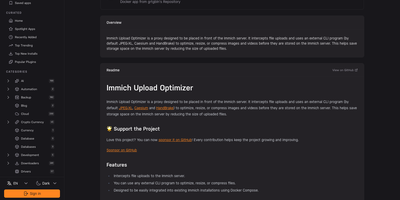
Immich Upload Optimizer shrinks every photo and video at the moment of upload, so a self-hosted Immich library stops growing faster than the disk beneath it. The proxy sits in front of your Immich server and receives uploads first, matching each file by extension against a task list you define in a YAML file. Images pass through JPEG-XL or Caesium command line tools for lossless optimization by default, preserving every pixel of the original capture. Owners who prefer smaller files can switch a task to lossy settings that cut image size dramatically at the same perceived quality. Video conversion ships disabled because lossless transcoding rarely wins space, and owners can enable HandBrake profiles for lossy conversion with strong savings. Tasks run in sequence with fallback: the first matching command that succeeds supplies the stored file, and an upload with no matching task is refused rather than stored unprocessed. Long conversions keep working in the background after a client disconnects, and the processed file still reaches Immich. Deployment adds one service to an existing Docker Compose stack, points clients at the proxy port, and removes the direct public port from the Immich server itself. Running on a dedicated VPS on RepoCloud with guaranteed CPU, RAM, and SSD, full root SSH access, and a browser serial console. MIT licensed.
Pictaria Server
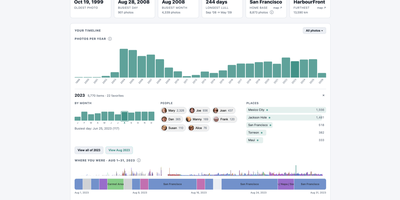
Pictaria Server sits beside your Immich instance and makes a photo library of thirty thousand images legible again, surfacing the trips, people, and best shots buried under duplicate bursts and forgotten folders. It starts with Insights: a clickable timeline of your years, detected trips, a people constellation linked by who appears together, place and camera rankings, and records like your busiest day. Click any number and you land on the actual photos, ready to open in Immich, turn into an album, or send onward. Enrich puts an AI to work describing what it sees, writing captions, menu-driven tags, and quality scores for every photo using a local model through Ollama or LM Studio, or a cloud provider with your own key, on a scheduled daily budget. Those tags can sync back into Immich, so searching improves everywhere, not just here. Curate then collapses bursts and near-duplicates into stacks with a suggested keeper, and one keystroke keeps the best and skips the rest. Smart Albums compose rules from people, places, dates, cameras, and tags, preview the result count, and maintain real Immich albums on a schedule. Frame owners get remote control, display metrics, and voice photo questions, while the Activity feed and runtime-editable Settings keep the whole box manageable from the browser. It connects with a limited-permissions API key and cannot delete a single photo. Running on a dedicated VPS on RepoCloud with guaranteed CPU, RAM, and SSD, full root SSH access, and a browser serial console. AGPL-3.0 licensed.
Dopbase
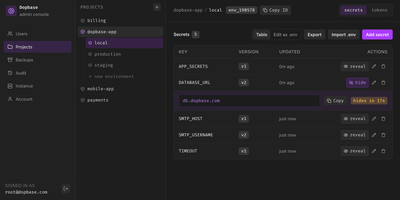
Dopbase keeps your application secrets out of scattered .env files and stores them, encrypted one by one, in a single self-hosted server you run as one file. You organize everything by project and environment, so the payment service has its own development, staging, and production values, and the same key can hold a different encrypted value in each place. Every secret is an individual record that can be updated, revealed, versioned, or rolled back without touching the others, and reading metadata never exposes a value. When an application starts, one command asks the server for an environment and injects exactly those values into the process, removing its own token before the child process runs. People sign in to the Admin UI with roles for root, admins, members, and even AI agents that can read metadata but change nothing. CI jobs and servers use runner tokens scoped to a single environment, so a staging credential can never read production. You can import and export .env files, edit secrets as a table or as raw env text, connect single sign-on through providers like Keycloak, and read an audit history of checks, reveals, and changes. Full-instance backups and the master key stay under your control on your own disk. Running on a dedicated VPS on RepoCloud with guaranteed CPU, RAM, and SSD, full root SSH access, and a browser serial console. Apache-2.0 licensed.
Docling Studio
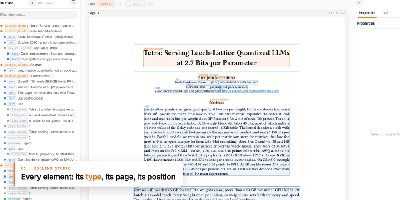
Docling Studio shows you exactly what a document parser sees, drawing a colored box around every title, paragraph, table, and picture it extracts from your PDFs. Import a PDF, run an analysis, and the result opens with three linked panels: the document tree on the left, the paged preview in the center, and the selected element on the right with its type, page, position, and text or table. Click any box on the page and the same element lights up in the tree and properties panel as other boxes fade away. The layers bar counts each element type and toggles boxes per type, or hides them all to reveal the bare page. You can analyze several documents at once from the list, watch progress percentages on long files, and queue work three analyses at a time. Ask a question and a local model answers from the document, with a reasoning timeline that links each step back to the passage it read. Finished results download as the original PDF, clean Markdown, or Docling JSON for downstream pipelines. AI agents connect over MCP to read and cite your documents, and an optional connection to your own Docling Serve server handles heavier parsing loads. Running on a dedicated VPS on RepoCloud with guaranteed CPU, RAM, and SSD, full root SSH access, and a browser serial console. MIT licensed.
Tymeslot
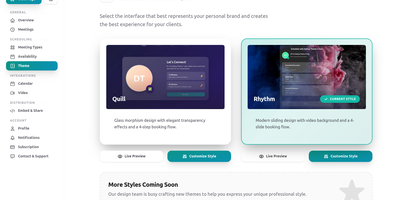
Built on Elixir's fault-tolerant OTP runtime, Tymeslot delivers the complete scheduling toolkit that Calendly charges for and Cal.com relicensed away from open source in 2026. Share one booking link and let clients pick available slots — your calendar stays synchronized and double-bookings disappear automatically through real-time availability checking against Google Calendar, Microsoft Outlook, and any CalDAV server including Nextcloud. Meeting types support configurable durations, buffer times, and availability windows that clients can book without email back-and-forth. Phoenix LiveView powers the real-time UI with WebSocket connections that update instantly as bookings arrive, without client-side JavaScript framework overhead. The platform attaches Zoom video rooms to confirmed bookings through your own Marketplace app credentials, sends confirmation and reminder emails via SMTP, Postmark, SendGrid, Mailgun, or AhaSend, and supports custom booking page themes with embed options for integration into existing websites. Circuit breakers, connection pooling, and graceful degradation maintain availability during provider outages. Authentication supports local accounts, GitHub OAuth, and reCAPTCHA protection on public booking forms. Self-hosting deploys as a single container with PostgreSQL embedded — no separate database container required. Two named volumes persist uploads and database state, while the same image powers the managed cloud at tymeslot.app so self-hosted users get identical features without a crippled community edition. Deploy via Docker, Cloudron with automatic updates, or Railway from a community template. Running on a dedicated VPS on RepoCloud with guaranteed CPU, RAM, and SSD, full root SSH access, and a browser serial console. AGPL-3.0 licensed.
Magec
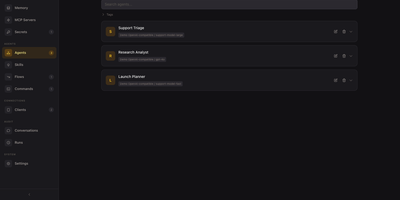
One self-hosted admin console runs a team of AI agents you can reach by voice, chat, webhook, or schedule. Each agent gets its own model backend, system prompt, memory, tools, and voice, with OpenAI, Anthropic, Gemini, Ollama, or any OpenAI-compatible API behind it. A visual flow editor chains agents with routers, joins, loops, parallel fan-out, templates, and small code blocks, so a question can be sorted and answered by the right specialist. Every run is recorded as a step-by-step timeline you can open and read, and conversations are browsable per client. Connect tools through the Model Context Protocol, keep long-term memory in PostgreSQL, and store API keys as secrets that models only ever see as placeholders. Voice runs on the server with wake word detection and speech models, and clients cover a voice web app, Telegram, Discord, Slack, webhooks, and cron jobs. One password-protected console manages every agent, flow, and client. Running on a dedicated VPS on RepoCloud with guaranteed CPU, RAM, and SSD, full root SSH access, and a browser serial console. Apache-2.0 licensed.