Pug
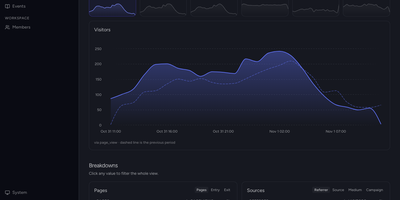
Pageviews tell you someone arrived; Pug is an open-source product analytics platform that shows what people actually did next, across events, funnels, retention, and user flows. Capture events from browser, Android, Flutter, Node, Go, or Ruby SDKs into an ingestion pipeline that enriches each hit with geography, user agent, bot detection, and web attribution automatically. Identify and alias the users behind events, then open a profile to see traits, sessions, and the full activity history of a person. Build insights as trends, funnels, retention cohorts, segmentation, Sankey user flows, and top-K breakdowns, with filters and period-over-period comparison on every chart. A web analytics overview is generated from your events with visitors, sessions, pageviews, bounce rate, and traffic sources, requiring no tile wiring. The live view plots every current visitor on a real-time world map, down to the person and the event they just fired. Compose dashboards from insight and markdown tiles on a time-windowed grid that analysts rearrange without touching ingestion. Erase a person's events and profile on request to satisfy GDPR and DPDP data-subject obligations. Running on a dedicated VPS on RepoCloud with guaranteed CPU, RAM, and SSD, full root SSH access, and a browser serial console. AGPL-3.0 licensed.
Work-Calendar
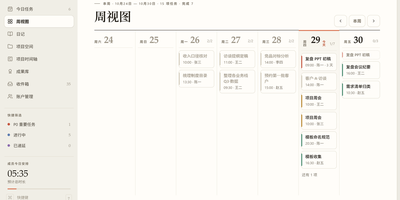
Small teams do not need another cloud subscription to know who is doing what this week: Work-Calendar runs your whole plan, do, finish, archive loop on one little server you own. The week view lays out every member's tasks across seven day columns with today highlighted, so standups start from the same picture instead of five private lists. Three kinds of tasks cover real work: project tasks, one-off tasks you can assign to yourself or teammates, and fixed recurring tasks on daily, weekday, monthly, or specific-date schedules. Anything unfinished carries over to the next day automatically, and completion records can be corrected by the assignee or sent back with a reason by the owner. Projects get spaces with folders, files up to 20MB, meetings with AI-generated minutes from pasted or dictated transcripts, timelines, and closing reports that an admin approves. Roles for superadmin, admin, and member, plus per-group rules, decide who may create projects directly, who needs approval, and who can use the built-in AI assistant, which drafts task and project changes as reviewable cards rather than acting silently. Inbox notifications, personal diaries, and daily statistics round out the routine, and keyboard shortcuts drive the whole interface. Running on a dedicated VPS on RepoCloud with guaranteed CPU, RAM, and SSD, full root SSH access, and a browser serial console. MIT licensed.
Coach Watts
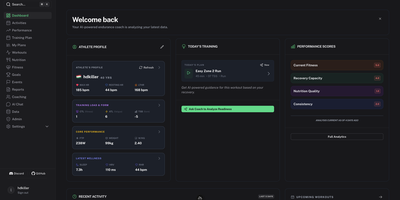
Coach Watts is a self-hosted AI endurance coach that reads your training, recovery, sleep, and nutrition data together and tells you, each day, whether to push or rest. Connect Intervals.icu, Strava, Whoop, Oura, Garmin, Withings, Wahoo, Polar, Fitbit, Hevy, Yazio, Rouvy, or Ultrahuman and every workout, HRV reading, sleep score, and meal lands in one athlete profile instead of fourteen separate apps. Each session gets a detailed breakdown with an execution score, and the performance view tracks Fitness, Fatigue, and Form alongside power curves so you can see a training block working, or quietly burying you. Daily recommendations weigh HRV and sleep before suggesting intensity, and the interactive chat answers questions against your own data when you want the reasoning behind a call. Adaptive plans generate around your schedule and goals, then adjust as life interferes. Nutrition tracking applies metabolic fueling logic that shifts between Eco, Steady, and Performance modes based on session intensity, so long rides get fed differently from recovery spins. Coaching alerts and system messages arrive in the dashboard, Telegram coaching is available for nudges on the move, and the whole platform speaks more than ten languages with timezone handling that follows traveling athletes. A Google account provides sign-in and the Gemini models behind the analysis, while your synced history stays in your own database. Running on a dedicated VPS on RepoCloud with guaranteed CPU, RAM, and SSD, full root SSH access, and a browser serial console. Apache-2.0 licensed.
FastLLM Proxy
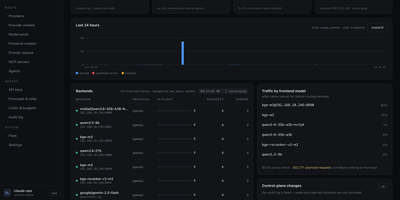
Local vLLM and llama.cpp boxes and hosted providers like OpenRouter, Anthropic, Bedrock, and Gemini all answer to one OpenAI-compatible address once FastLLM Proxy sits in front of them. Clients ask for a frontend model by name, and ordered rules pick the target by caller, prompt size, headers, budget spent, time of day, or how busy a backend is. Prompts that share a prefix return to the node holding their cache, and semantic routing sends coding questions one way and chat another using example prompts you write. API keys carry per-model grants, rate limits, and token or spend budgets, and the management console shows traffic, usage and spend, an append-only audit log, and a fleet topology. Failures fall through to the next target before a byte reaches the caller, and an admission gate turns a flooded engine into a bounded queue. An MCP gateway and an A2A agent endpoint put tool servers and agents behind the same address. Existing LiteLLM configs import unchanged. Running on a dedicated VPS on RepoCloud with guaranteed CPU, RAM, and SSD, full root SSH access, and a browser serial console. Apache-2.0 licensed.

Mentingo
Mentingo is an open-source learning management system where employees practice real workplace conversations with an AI mentor instead of only clicking through slides. The voice and chat mentor plays a customer, candidate, or colleague in role-play scenarios, asks follow-up questions, and returns scored feedback on how the conversation actually went. You can generate a course draft from your own documents, presentations, and procedures, then edit the structure and lessons instead of starting from a blank page. Learners work through a course catalog and distraction-free lessons, while quizzes, scenario questions, and long-form answers check understanding beyond simple recall. Compliance and safety courses can expire on a schedule, with automatic re-enrolment, reminders, and certificate validity tracking keeping renewals from slipping. Administrators organize people by departments, branches, and teams, inherit course access from group membership, and follow engagement and completion analytics per learner, group, and course. A knowledge base, company blog, announcements, and FAQ keep supporting material beside the training itself. Multiple organizations can share one deployment with separate domains and branding, and courses can be exported as SCORM packages for other tools. Integrations include Microsoft 365, Google Workspace, and Slack sign-in, plus an MCP endpoint for AI assistants. Running on a dedicated VPS on RepoCloud with guaranteed CPU, RAM, and SSD, full root SSH access, and a browser serial console. MIT licensed.
Homeio
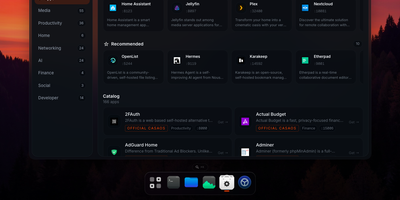
Homeio turns a Linux box into a desktop you open in a browser tab, with draggable windows, a dock, a lock screen, and a command palette sitting on top of your Docker apps, files, and disks. The App Store installs Docker Compose stacks from the CasaOS catalog or your own store sources, and each app's ports, volumes, environment variables, and compose file stay editable before and after install. Containers you started elsewhere still appear with live CPU and memory stats, streaming logs with keyword filters, and one-click restarts. The file manager uploads with progress, previews images, audio, video, and PDFs, edits text in a built-in code editor, mounts USB drives and SMB shares, and shares folders over Samba. A real login shell lives in the Terminal window, with exec access into any container, so routine fixes never need a separate SSH client. Cron-style scheduled tasks restart apps, pull images, or run backups on a timer, and scheduled archives of the database, files, and compose stacks restore from the same interface. Tailscale puts the whole desktop on your private network, while Cloudflare Tunnel can publish a single app on a public hostname with its DNS record created for you. Live metrics stream to widgets and the status bar, and notifications flag crashed containers, filling disks, and failed tasks. Running on a dedicated VPS on RepoCloud with guaranteed CPU, RAM, and SSD, full root SSH access, and a browser serial console. AGPL-3.0 licensed.
Shell Online
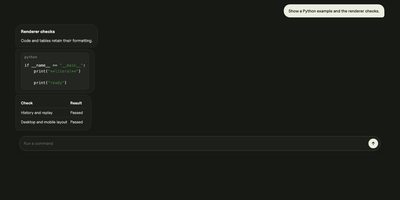
Shell Online lets a terminal session running on your own computer follow you to any browser, so your coding agent keeps working while you are away from your desk. Prefix the command you already run, such as shell claude, shell codex, or shell opencode, and your terminal prints a link, a password, and a QR code that open the same live session on a phone, tablet, or another computer. You watch output as it happens and reply to prompts from wherever you are, and closing the browser leaves the process running until it exits on its own. Inviting a teammate takes the same link: share it read-only so they can watch without typing, or let them type into the session with you. Terminal traffic is end-to-end encrypted by default, file access stays off until you deliberately expose a chosen directory, and a scoped MCP grant can let another agent inspect or steer a session for a limited time. With an account, linked machines and their sessions gather in one web app with team sharing. The relay the sessions pass through can run on your own server with the standalone Docker deployment, pointed at by the unchanged CLI. Running on a dedicated VPS on RepoCloud with guaranteed CPU, RAM, and SSD, full root SSH access, and a browser serial console. MIT licensed.
OpenQuok
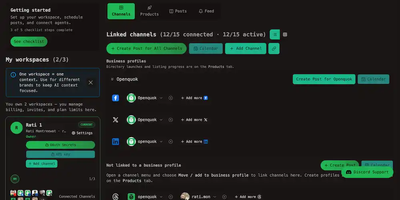
Monday starts with a blank composer and eleven open tabs. OpenQuok replaces those tabs with one open-source Content OS where social scheduling and directory launch share a workspace, a media library, and a review queue. You connect the accounts once: Facebook Page, Threads, Instagram, LinkedIn, X, YouTube, TikTok, Dev.to, Bluesky, Reddit, Skool. Then the week takes shape on a calendar you can drag around. A post begins in Global mode, one caption for everywhere. Unlock a channel and that network gets its own words, its own media, its own settings, with a preview that shows exactly what its audience will see. Drafts wait on the kanban board until a person signs off. Clients comment through preview links, and nothing reaches a live channel before that approval, no matter which tool drafted it. Agents queue drafts through MCP, the CLI, or the public API, and playbooks repeat the campaigns that worked last month. When launch day comes, the other half of the workspace opens. Your product profile already holds the copy, the readiness check names the missing fields, and each directory submission and live URL is tracked beside the posts announcing it. Separate workspaces keep separate brands honest, each with its own teammates, timezone, templates, and tags. Running on a dedicated VPS on RepoCloud with guaranteed CPU, RAM, and SSD, full root SSH access, and a browser serial console. AGPL-3.0 licensed.
HitKeep
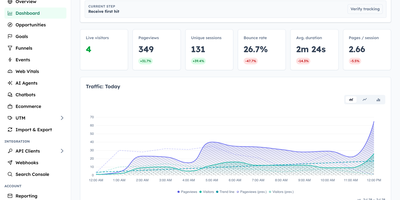
HitKeep is a sovereign web analytics platform that consolidates cookieless visitor telemetry, conversion funnels, e-commerce revenue reports, and AI engine visibility into a privacy-respecting dashboard that replaces Google Analytics and complex tracking clouds. Marketing teams can monitor inbound visitor journeys without installing intrusive consent banners or violating regional GDPR regulations. Custom conversion funnels and goal milestones track user registrations, checkout transactions, newsletter subscriptions, and software downloads with exact revenue attribution. Integrated Google Search Console synchronization brings organic search queries, keyword impression rankings, and click-through metrics directly alongside real-time pageview logs. A dedicated artificial intelligence visibility dashboard monitors crawling bots, retrieval citations, and direct referral visits originating from ChatGPT, Claude, Perplexity, and other generative search agents. Growth analysts can pose natural language questions to an embedded AI reporting assistant, generating instant cohort breakdowns and engagement trends without assembling complex manual filters. Site operators can configure custom tracking domains, whitelist reverse proxy networks, filter out referrer spam, and schedule automated database backups across persistent storage volumes. Complete data sovereignty controls allow teams to export raw event telemetry into open Parquet and CSV archives or stream metrics into external business intelligence warehouses via webhooks. Running on a dedicated VPS on RepoCloud with guaranteed CPU, RAM, and SSD, full root SSH access, and a browser serial console. MIT licensed.
Vedetta
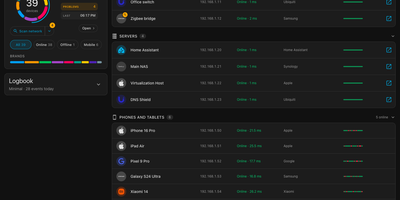
Your router calls it "Unknown device" at 192.168.1.23; Vedetta calls it the kitchen light and shows its work. Vedetta is a Home Assistant app that scans your local network, identifies what each device actually is, and explains every identification. One scan lists every device it can find with presence and latency history, in tile or list view, light or dark, on a computer or a phone. Behind each name sits the recognition engine: it weighs many weak clues together, counts a repeated fact once, groups devices by family, and shows certainty honestly, keeping anything doubtful in Other rather than inventing a label. Tap the info marker beside a name, brand, or type and a pop-up lists every clue, its weight, and the hypotheses that were rejected. Names or rooms you set by hand are never overwritten by later scans, and sleeping phones are remembered instead of flickering in and out. Choose from three search levels depending on how hard you want it to probe, let the nightly deep search refresh the picture, and use the network doctor to spot duplicate addresses, repeated restarts, devices that drop together, or a slowing gateway. It can also publish what you choose to Home Assistant and MQTT, display devices from other networks your Home Assistant already sees, and mask exports before they leave the machine. Running on a dedicated VPS on RepoCloud with guaranteed CPU, RAM, and SSD, full root SSH access, and a browser serial console. MIT licensed.
Issued
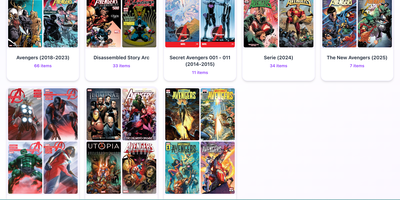
Issued is a self-hosted comic library server: point it at the folder of CBZ, CBR, CB7, and PDF comics already sitting on your server and the whole collection becomes browsable and readable from any device. Point it at your existing folders and it keeps your folder structure exactly as it is, scanning automatically when new issues appear and generating cover thumbnails so you can see what a file is before opening it. Read in the browser with the built-in web reader on desktop or mobile, with light and dark themes, or connect reader apps such as Panels, Chunky, KyBook, and Moon+ Reader through the standard OPDS catalog at /opds/. OPDS-PSE 1.2 page streaming lets compatible apps read individual pages as JPEGs without downloading whole archives, and OpenSearch discovery lets clients find library search automatically. Edit metadata in place using ComicInfo.xml data, mark series as ongoing to spot new issues, totals, and possible gaps, and use Continue Reading and Last Added views to resume the latest issue in progress or start the next unread one. An optional reader password protects browser access, and one Docker command on port 8181, with unrar included for CBR files, gets the whole library online. Running on a dedicated VPS on RepoCloud with guaranteed CPU, RAM, and SSD, full root SSH access, and a browser serial console. MIT licensed.
TLSPROXY
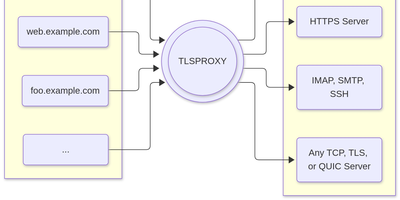
TLSPROXY puts automatic Let's Encrypt TLS in front of every service on your server, so many names can share one port while each backend gets exactly the encryption treatment it needs. Terminate TLS and hand plain text to a local service. Pass raw TLS straight through when the proxy should see nothing. Or terminate and re-encrypt towards a TLS backend, with client certificates checked on the way in. QUIC and HTTP/3 connections terminate here too, and Encrypted Client Hello keeps even the handshake private. Certificates arrive and renew by themselves through http-01 and tls-alpn-01 challenges, PROXY protocol headers preserve real client addresses, and SNI routing with round-robin balancing spreads names across backends. People get in with OpenID Connect, SAML, or passkeys; the same sign-in can mint short-lived SSH user certificates, and built-in certificate authorities manage client and backend credentials for you. Static sites can be served straight from disk, TPM-backed keys keep private material in hardware, and a built-in console shows what the proxy is doing. Running on a dedicated VPS on RepoCloud with guaranteed CPU, RAM, and SSD, full root SSH access, and a browser serial console. MIT licensed.
VolumeVault
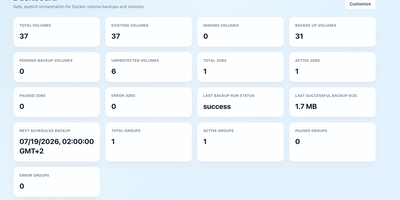
VolumeVault turns Docker volume backups into a routine you can prove: it schedules them, stores them off the box, and restores them into brand-new volumes so original data is never the test subject. A guided web dashboard discovers every Docker volume on the host and shows backup coverage per volume or per Compose and Swarm stack, including the size of the latest known backup, so gaps are visible before they matter. Each job runs on an hourly, daily, weekly or cron schedule with retention by days or archive count, include and exclude filters, and a choice of whether containers stop during the run. Archives land where you keep them: AWS S3, Cloudflare R2, any S3-compatible store, WebDAV, SFTP, Azure Blob, Dropbox, Google Drive or a local path, with credentials encrypted at rest. Restores download and verify the archive first, then unpack it into a new volume by default; overwriting the original demands an explicit confirmation. Several volumes can ride one grouped schedule that reports once for the whole set, and containers can volunteer themselves for backup through Docker labels. Small agent containers extend the same jobs to other Docker hosts, including encrypted cross-host restores into fresh volumes, while API tokens let scripts and dashboards drive everything the UI can. Running on a dedicated VPS on RepoCloud with guaranteed CPU, RAM, and SSD, full root SSH access, and a browser serial console. Apache-2.0 licensed.
HAProxy Manager
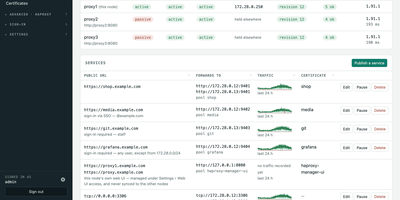
HAProxy Cluster Manager puts a web console on top of HAProxy, so you publish services, issue certificates, and cluster nodes from forms instead of hand-editing haproxy.cfg. Publishing a service takes two inputs, the public URL and the backend address, and the wizard builds the frontend, backend pool, host condition, routing rule, HTTPS listener, certificate, and HTTP redirect, with a preview of the exact configuration before anything applies. Every change is rendered and checked with haproxy -c before it is written, and a failed reload rolls back to the previous file automatically. Certificates come from Let's Encrypt through acme.sh, using HTTP-01 or DNS-01 with about 190 DNS providers, and renewals reload HAProxy and push the new certificate to every node on their own. Any number of nodes share one virtual IP through Keepalived: configuration and certificates sync between them, only the node holding the address is editable, and the dashboard flags split brain, an unclaimed virtual IP, or a node running stale configuration. You can gate services behind basic sign-in or OIDC single sign-on enforced by HAProxy itself, watch traffic statistics and logs, take transition alerts by email, Pushover, or webhook, and expose Prometheus metrics and Home Assistant entities. Running on a dedicated VPS on RepoCloud with guaranteed CPU, RAM, and SSD, full root SSH access, and a browser serial console. GPL-3.0 licensed.
OCI Core
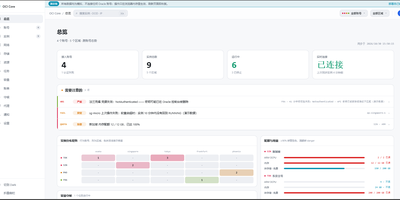
Anyone juggling several Oracle Cloud accounts knows the tab-switching ritual; OCI Core ends it by pulling every tenancy's instances into one self-hosted panel. The cross-account list shows state, shape, volumes, and public IPs for each machine, and you can start, stop, resize, rename, or terminate instances without opening Oracle's console. A creation wizard offers every shape in an availability domain, not just the free presets, while long operations such as IP swaps, resizes, and terminations run as background jobs with visible progress. Capacity hunting watches Oracle's read-only capacity reports and retries creation until a scarce shape appears, notifying you when it lands. Networking tools edit VCNs, subnets, and security rules visually, swap public IPs, enable IPv6, and manage extra network cards. Storage views resize boot and block volumes, and a rescue mode moves a broken system disk to a healthy machine for repair. Billing breaks spend down by service and region, tracks the monthly free egress allowance, and shows real usage for free-tier accounts. Accounts are checked for connectivity, quotas, and credential health, with emails, IPs, and OCIDs masked by default and revealed only on demand. Alerts reach Telegram, WeCom, DingTalk, email, or webhooks, and access is guarded by argon2id passwords, TOTP two-factor sign-in, session controls, and an audit log. Running on a dedicated VPS on RepoCloud with guaranteed CPU, RAM, and SSD, full root SSH access, and a browser serial console. MIT licensed.
FileCat
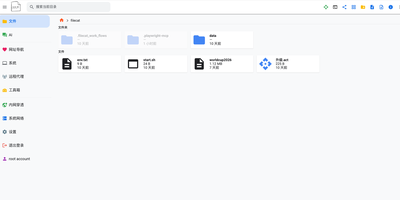
One browser tab can run your whole server, and FileCat is the tab: a self-hosted web file manager that also serves as a lightweight server operations console. Browse, upload, download, and edit files with inline previews for images, video, and Markdown, then keep writing in a Typora-style WYSIWYG Markdown editor or sketch on the built-in Excalidraw whiteboard. Remote storage stops being remote: SFTP, S3, WebDAV, SMB shares, and Baidu Netdisk mount as ordinary local folders under the same operations, and your own directories publish back out over SMB, WebDAV, and SFTP for Windows Explorer and other clients. A web SSH terminal and in-browser RDP sessions reach servers and Windows desktops without separate tools, and the system dashboard watches CPU, memory, disk, and network in real time. Oversized log files open instantly, deep search digs through names and file contents with regex and filters, and custom command pipelines cover CI/CD routines across machines linked by the built-in network tunneling. An optional AI agent, connected to your own model API and reachable through chat platform bots, assists with operations and file tasks, and multi-user permissions with shareable download links decide who touches what. Running on a dedicated VPS on RepoCloud with guaranteed CPU, RAM, and SSD, full root SSH access, and a browser serial console. Apache-2.0 licensed.
Talo
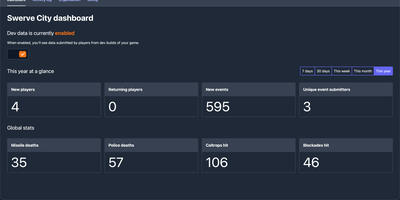
Shipping a game is hard enough without also building account systems, and Talo is the self-hosted backend that gives your Godot or Unity title player authentication, leaderboards, cloud saves, and analytics on infrastructure you control. Players persist across sessions with segments you define, so you can group testers, whales, or speedrunners and treat each group differently. Leaderboards sort ascending or descending, refresh on daily or weekly schedules, hide suspicious entries from the dashboard, and sync with Steamworks in one click. Event tracking records individual and global player actions, and the dashboard turns that stream into charts you can filter by group when a balance patch lands badly. Game saves load and store flexible state that also works offline, while global and per-player stats track everything from completions to currency earned. Live config lets you tune game settings from the web and push changes to running games with zero downtime. Channels carry real-time messages between subscribed players, presence shows who is online with custom statuses, and relationships add friends and followers when your game grows social. Steamworks, Google Play Games, and Apple Game Center integrations verify ownership and authenticate players through the platforms they already use. Running on a dedicated VPS on RepoCloud with guaranteed CPU, RAM, and SSD, full root SSH access, and a browser serial console. MIT licensed.
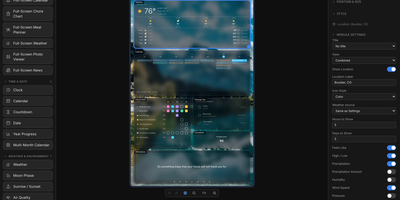
Home Screens
The family calendar is split across phones, the meal plan lives in someone's head, and the chore chart fell off the fridge: Home Screens turns a spare screen into a self-hosted family command center that puts calendars, weather, chores, meal plans, and photos on one shared display. You compose each screen in a drag and drop editor, placing any of 46 built in modules on a configurable canvas: clocks in 18 styles, weather in 14 views, calendars, to do lists, news, stock and crypto tickers, sports scores and standings for 15 leagues, traffic, air quality, and moon phases. Screens rotate through seven transitions, and a hub and spoke setup lets one server drive several physical displays, each with its own layout, dimensions, rotation, and scheduled profile. The phone remote wakes or sleeps displays, adjusts brightness, starts visual timers and morning routines, and runs the family organizer: chore charts with rewards, a meal planner with grocery list, shared to do lists, school timetables, and a notes board. Calendars arrive from Google, iCloud, or any iCal feed, weather from nine providers, and backgrounds from your uploads, Unsplash, NASA, Immich, Google Photos, iCloud, or OneDrive. Modules can appear or hide based on live conditions, plugins add new module types from a directory or a URL, and everything is stored locally with no cloud account. Running on a dedicated VPS on RepoCloud with guaranteed CPU, RAM, and SSD, full root SSH access, and a browser serial console. MIT licensed.