9Router Pro
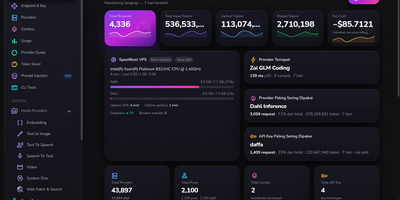
One endpoint for every model account you own: 9Router Pro sits between your applications and a fleet of LLM providers, decides which account answers each request, and keeps the whole operation visible on a live dashboard. Its signature trick is prompt injection scoped three ways, globally, per API key, or per model, delivered either as a system prompt or as a scripted chat history that primes the model far harder than instructions alone. Keys are products here: each carries a rolling token budget over 24 hours, 7 days, or 30 days plus rate limits per minute, hour, and day, so a resold plan enforces itself with polite 429 responses. Routing stays healthy on its own, with accounts tiered as clean, suspect, or cooldown, least-recently-used spreading across the fleet, flaky upstream responses retried against the next account, and proxy pools health-checked with one-click cleanup of the dead. The monitoring dashboard leads with VPS specs, fastest and most-used providers, top API key, and usage spectrum charts, while backup and restore cover providers, combos, keys, and settings section by section. Everything runs as a single application with one SQLite file and a dashboard localized into 34 languages. Running on a dedicated VPS on RepoCloud with guaranteed CPU, RAM, and SSD, full root SSH access, and a browser serial console. MIT licensed.
HomeLabInfo
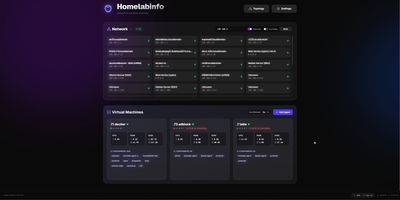
HomeLabInfo gives your homelab one dashboard where the network itself and everything running on it finally appear together, instead of scattered across router pages and terminal sessions. It watches for new devices the instant they ask the network for an address, identifies who made them, and can fire a webhook so you hear about a stranger joining your LAN before you notice it yourself. Scans keep track of which devices are online and which have gone quiet, and the interactive topology view lets you arrange the map of switches, access points, NAS boxes, and servers the way your rack actually looks. Lightweight agents installed on each machine report their containers back to the hub, so running and stopped containers, uptime, health, and host CPU, memory, and disk all show in one place without opening a separate tool per server. When an agent falls behind, its card tells you a newer version exists instead of leaving you guessing. You can add a username and password login before putting the dashboard anywhere beyond your desk, and arrange container layouts that stay put between visits. Running on a dedicated VPS on RepoCloud with guaranteed CPU, RAM, and SSD, full root SSH access, and a browser serial console. GPL-3.0 licensed.
Xianyu SaaS
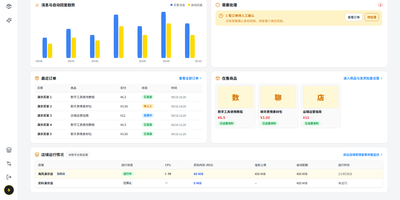
Xianyu SaaS runs all of your Xianyu (Goofish) shops from one self-hosted console, answering buyers with AI, delivering digital goods the moment orders verify, and keeping every store isolated in its own process. Add each shop by scanning a QR code in the Xianyu app, then switch between stores from one header while the overview tracks messages, replies, delivery results, orders, and pending tasks. The AI customer service center lets you pick a service persona, write shop-wide reply requirements in plain language, and maintain a separate knowledge entry for every product, covering audience, specifications, usage, delivery notes, and after-sales wording. Keyword rules answer the repetitive questions first, with product-specific rules outranking store-wide ones, and anything unmatched falls through to the AI with product knowledge and chat history in context. When a buyer pays, the system re-checks the platform order before delivering, drawing card keys one to fifty at a time from named pools, sending netdisk resources, or posting fixed text instructions, with a five-minute sweep catching orders missed while a shop was offline. A conversation workbench lets you search chats, take over from the AI with one click, send up to eight queued images, and jump from any order straight into the buyer's thread. A built-in operations agent manages a shop through chat, updating product knowledge, toggling reply rules, or binding delivery stock on request. Running on a dedicated VPS on RepoCloud with guaranteed CPU, RAM, and SSD, full root SSH access, and a browser serial console. GPL-3.0 licensed.
Talo
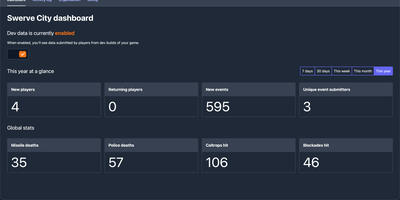
Shipping a game is hard enough without also building account systems, and Talo is the self-hosted backend that gives your Godot or Unity title player authentication, leaderboards, cloud saves, and analytics on infrastructure you control. Players persist across sessions with segments you define, so you can group testers, whales, or speedrunners and treat each group differently. Leaderboards sort ascending or descending, refresh on daily or weekly schedules, hide suspicious entries from the dashboard, and sync with Steamworks in one click. Event tracking records individual and global player actions, and the dashboard turns that stream into charts you can filter by group when a balance patch lands badly. Game saves load and store flexible state that also works offline, while global and per-player stats track everything from completions to currency earned. Live config lets you tune game settings from the web and push changes to running games with zero downtime. Channels carry real-time messages between subscribed players, presence shows who is online with custom statuses, and relationships add friends and followers when your game grows social. Steamworks, Google Play Games, and Apple Game Center integrations verify ownership and authenticate players through the platforms they already use. Running on a dedicated VPS on RepoCloud with guaranteed CPU, RAM, and SSD, full root SSH access, and a browser serial console. MIT licensed.
PlikShare
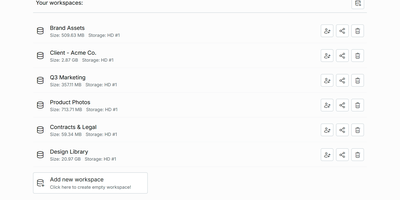
Sending a client a big file should not mean renting seats on someone else's cloud, and PlikShare turns your own server into a file sharing platform with unlimited users, unlimited workspaces, and no per-seat pricing. Its central idea is the box: a controlled gateway between your folders and the outside world, where you invite collaborators, mint anonymous links, and decide who may upload, download, preview, or drop files into an upload-only inbox. Quick share links carry custom slugs, expiry dates, passwords, and download caps, and every box can embed into another website as a live widget whose permissions update the moment you change them. Storage is your choice per workspace, from the server's own disk to S3, Cloudflare R2, Backblaze B2, Azure Blob, Google Cloud Storage, or any S3-compatible server, and each storage picks one of three encryption modes, including full encryption where names and contents are sealed with keys derived from each user's password. Bulk uploads arrive as a single zip that rebuilds its folder structure on landing, bulk downloads assemble from an explorer tree, and previews cover video, audio, PDFs, Markdown with diagrams, and even the inside of zip archives. Single sign-on through multiple OIDC providers, granular admin roles, an optional MCP server for scoped AI agents, and OCR or chat integrations round out a platform that stays lean on a small server. Running on a dedicated VPS on RepoCloud with guaranteed CPU, RAM, and SSD, full root SSH access, and a browser serial console. AGPL-3.0 licensed.
Home Screens
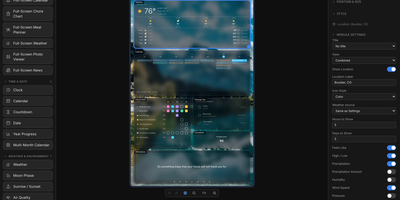
The family calendar is split across phones, the meal plan lives in someone's head, and the chore chart fell off the fridge: Home Screens turns a spare screen into a self-hosted family command center that puts calendars, weather, chores, meal plans, and photos on one shared display. You compose each screen in a drag and drop editor, placing any of 46 built in modules on a configurable canvas: clocks in 18 styles, weather in 14 views, calendars, to do lists, news, stock and crypto tickers, sports scores and standings for 15 leagues, traffic, air quality, and moon phases. Screens rotate through seven transitions, and a hub and spoke setup lets one server drive several physical displays, each with its own layout, dimensions, rotation, and scheduled profile. The phone remote wakes or sleeps displays, adjusts brightness, starts visual timers and morning routines, and runs the family organizer: chore charts with rewards, a meal planner with grocery list, shared to do lists, school timetables, and a notes board. Calendars arrive from Google, iCloud, or any iCal feed, weather from nine providers, and backgrounds from your uploads, Unsplash, NASA, Immich, Google Photos, iCloud, or OneDrive. Modules can appear or hide based on live conditions, plugins add new module types from a directory or a URL, and everything is stored locally with no cloud account. Running on a dedicated VPS on RepoCloud with guaranteed CPU, RAM, and SSD, full root SSH access, and a browser serial console. MIT licensed.

Sake
Your e-reader knows exactly where you stopped reading, and Sake makes your whole library know it too, with a self-hosted web library that syncs KOReader progress, notes, and highlights across every device you own. Browse your collection in a clean web app with covers, metadata, shelves, ratings, and reading state, and organize it with rule-based shelves that file new books automatically according to conditions you define. Pair a KOReader device once and progress uploads in the background when the reader sleeps, new books download on request, and highlights land in a searchable annotations hub where you can edit notes inline and export them as Markdown or JSON. An existing on-device library can be exported back into the web app complete with its sidecar data, so years of reading history move with you. Search providers including Open Library, Project Gutenberg, and Anna's Archive (through Libgen mirrors) put new books one query away from your shelves, and metadata lookups enrich them from Google Books, Open Library, or Hardcover. OPDS and WebDAV endpoints serve any compatible reader app with optional separate Basic-auth passwords, the built-in plugin updater keeps the KOReader plugin current without manual file copying, and reading statistics chart your habits across the library. The installable progressive web app keeps the library one tap away on phones and tablets. Running on a dedicated VPS on RepoCloud with guaranteed CPU, RAM, and SSD, full root SSH access, and a browser serial console. AGPL-3.0 licensed.
Homeio
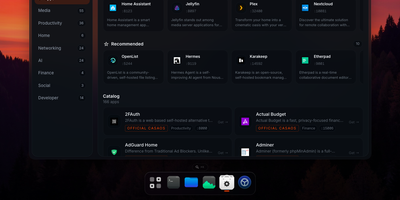
Homeio turns a Linux box into a desktop you open in a browser tab, with draggable windows, a dock, a lock screen, and a command palette sitting on top of your Docker apps, files, and disks. The App Store installs Docker Compose stacks from the CasaOS catalog or your own store sources, and each app's ports, volumes, environment variables, and compose file stay editable before and after install. Containers you started elsewhere still appear with live CPU and memory stats, streaming logs with keyword filters, and one-click restarts. The file manager uploads with progress, previews images, audio, video, and PDFs, edits text in a built-in code editor, mounts USB drives and SMB shares, and shares folders over Samba. A real login shell lives in the Terminal window, with exec access into any container, so routine fixes never need a separate SSH client. Cron-style scheduled tasks restart apps, pull images, or run backups on a timer, and scheduled archives of the database, files, and compose stacks restore from the same interface. Tailscale puts the whole desktop on your private network, while Cloudflare Tunnel can publish a single app on a public hostname with its DNS record created for you. Live metrics stream to widgets and the status bar, and notifications flag crashed containers, filling disks, and failed tasks. Running on a dedicated VPS on RepoCloud with guaranteed CPU, RAM, and SSD, full root SSH access, and a browser serial console. AGPL-3.0 licensed.
Ybkkasi
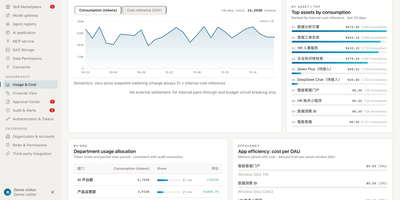
Enterprises keep buying AI tools and wondering why output does not compound, when the real gap is governance: nobody can say which agent owns what, what it may touch, or what it cost. Ybkkasi answers those three questions in one console for every MCP server, skill, agent, and AI application you run. Register each asset and move it through a lifecycle state machine from discovery to retirement, with 85 permission points deciding who can view, call, publish, or approve at every step. Work itself is organized as goals that break into projects and tasks, assigned to digital employees who each carry a home organization, a human supervisor, and a roster status. Approvals route through a dedicated center where lifecycle changes and sensitive actions wait for a human decision instead of happening silently. Every call is metered, so usage and cost reports attribute spend by department, by agent, and by skill, making showback a query rather than an argument. The audit log records who did what to which asset and when, giving compliance a trail they can actually read. Running on a dedicated VPS on RepoCloud with guaranteed CPU, RAM, and SSD, full root SSH access, and a browser serial console. MIT licensed.
lastGLANCE
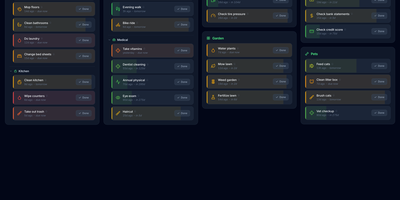
Green means handled, amber means soon, red means overdue: lastGLANCE turns recurring chores and neglected catch-ups into one recency dial you can read at a glance. Add a chore once, set how often it should happen, and its color ages from fresh green through amber to red as days pass, with overdue items floating to the top on their own. Mark a job done and the timer restarts; backdate the entry when you finished it yesterday but only remembered to log it today. Seasonal work hides outside its active months, categories and subcategories arrange into a masonry board, and reminders fire when something crosses its due line. Each chore keeps its own statistics, average interval against target, and a timestamped history with notes, and a contribution-style heatmap in the header charts your whole completion record. People get the same treatment: circles for family, friends, and work contacts show when you last reached out, who usually initiates, and which birthdays arrive in the next thirty days. Households share chores with assignments and a Mine view, everything works offline as an installable PWA, and optional WebDAV or Nextcloud sync merges changes without conflicts under optional end-to-end encryption, with hourly, daily, and weekly remote backups. Running on a dedicated VPS on RepoCloud with guaranteed CPU, RAM, and SSD, full root SSH access, and a browser serial console. MIT licensed.
BackupX
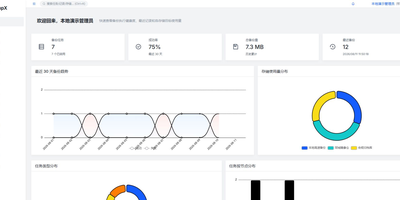
BackupX puts every server backup you are responsible for into one web console, so cron lines scattered across machines become scheduled, visible, and verifiable tasks. Files and directories from multiple sources, MySQL, PostgreSQL, SQLite, SQL Server, and SAP HANA databases all back up on cron schedules you can also build in a visual editor, with automatic retention by days or count cleaning up what expires. More than seventy destinations are reachable through rclone, from S3 and other object stores to Google Drive, WebDAV, FTP, SFTP, Azure Blob, Dropbox, and OneDrive, and storage targets show connection health and live capacity before a job ever fails against a full disk. A master and agent design lets remote servers poll outward only, even through proxies, private certificate authorities, or SSH bastions, so agents run tasks locally with no inbound connectivity to defend. Per-node bandwidth caps and concurrency limits keep a small node polite and a big node busy, each at its own pace. Success and failure notifications arrive by email, webhook, or Telegram, while Prometheus metrics, health probes, an SLA breach gauge, and a full audit log keep the platform observable, and signed audit webhooks forward events to SIEM or WORM storage for compliance records. Running on a dedicated VPS on RepoCloud with guaranteed CPU, RAM, and SSD, full root SSH access, and a browser serial console. Apache-2.0 licensed.
OpenGTM
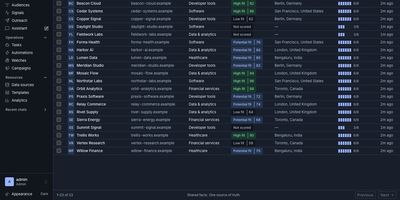
OpenGTM turns a market, a list, or a workbook into enriched, researched, ready-to-contact prospects on servers you control. Give it a market and it sources companies and people; hand it a CSV or a Clay table and it maps the columns into a shared record library. Enrichment columns run as waterfalls that try providers in cost order until a field is filled, and before anything spends a cent you see best and worst case estimates, with a workbook budget ceiling that halts paid calls on its own. Research columns send an agent to answer the hard question for each row, and the answer keeps citations to the pages it actually fetched, so a human can audit the claim before outreach. Live audiences segment your records and watch for hiring and buying signals, refreshing on schedules and firing automations when a prospect heats up. Finished rows flow out to HubSpot, Salesforce, Slack, Sheets, Airtable, Instantly, Smartlead, webhooks, or a warehouse, while every cell keeps a trace of provider attempts, latency, and cost. Your own agents get the same workspace through a REST API, webhooks, and an MCP server with scoped read and write tokens, and a seeded zero-key demo means the team can explore the whole loop before adding a single provider key under Settings. Running on a dedicated VPS on RepoCloud with guaranteed CPU, RAM, and SSD, full root SSH access, and a browser serial console. AGPL-3.0 licensed.
LetterSpace
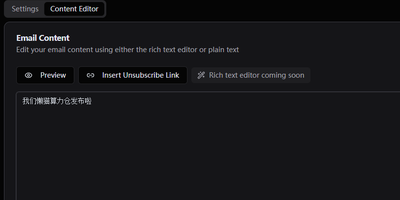
Keep your newsletter audience on infrastructure you own with LetterSpace, a self-hosted platform for subscriber lists, campaigns, and email analytics. Organize subscribers into lists inside your organization, enrich each address with metadata pairs, and use those values as placeholders inside the mail you send. Campaigns begin as drafts where subject, content, template, target lists, and tracking choices stay editable until you deliberately start the send. A test copy goes to your own inbox first, and a future schedule time holds the campaign until the moment arrives. Reusable HTML templates wrap every campaign in your house style, with the content injected at send time and an unsubscribe link in the footer. Once mail flows, the dashboard follows subscriber growth across six months, recent campaign delivery rates, and open and click performance compared between the last thirty days and the period before. Delivery itself runs through your SMTP settings with per-organization rate limits, retries, and concurrency controls, and provider webhooks can report bounces and confirmations back into message statuses. Signup forms and external tools connect through a REST API guarded by keys, with double opt-in available for new subscribers. Running on a dedicated VPS on RepoCloud with guaranteed CPU, RAM, and SSD, full root SSH access, and a browser serial console. MIT licensed.
Garcon
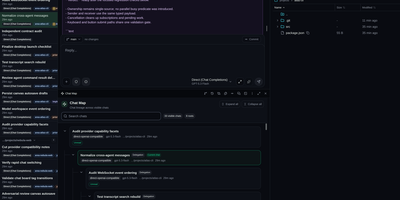
Garcon gives developers one browser workspace for running several coding agents at once, steering their work live, and turning reviewed changes into commits. Tile up to four resizable windows, move chats between them, and place live sessions on durable canvases that show delegated children, handoffs and parentage. Turn that activity into a tag-driven delivery board, or create tickets first and open chats from them with the project, priority, assignee and discussion already attached. Queue instructions, reorder them, answer agent questions, approve tool calls, pause work, interrupt a run or stop it without losing the transcript. Exchange labelled messages between chats, delegate bounded tasks to child agents, and bring final results back into the parent conversation. Browse and edit files, open terminals, inspect reasoning and tool calls, then stage individual lines, hunks, files or folders before committing and pushing. Search transcripts, save filters, pin or archive chats, export Markdown or XML, schedule prompts for later, and review token use and estimated API cost by day, agent and model. Connect trusted remote executors when work belongs on another machine, and open the same workspace from a phone when an agent needs a decision away from your desk. Running on a dedicated VPS on RepoCloud with guaranteed CPU, RAM, and SSD, full root SSH access, and a browser serial console. GPL-3.0 licensed.
AgenTerm
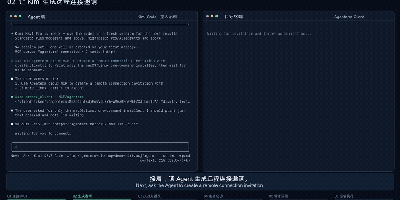
AgenTerm lets your AI agent work inside a remote computer's terminal with the owner's permission, through a relay server you host yourself. Your agent connects to the server over MCP and creates an invitation, single-use and expiring in fifteen minutes by default, or reusable across several devices; you privately share the generated connection command with the person who needs help. That person runs a small client on macOS, Linux, or Windows, reads what access means, and authorizes it; the client then dials out to your server, so the target computer needs no SSH service and no open inbound port. The agent can then run one-off commands with a chosen working directory, environment overrides, and timeouts, receiving stdout, stderr, and exit status, or hold an interactive session open, reading output as it arrives and typing answers to prompts. The person at the keyboard watches every command and its output in the client and can disconnect at any moment, and the client reconnects by itself after a network drop. Use it to troubleshoot a colleague's machine without swapping logs, help family through a terminal problem, or drive a development box with no agent or model account of its own. The relay itself is a single Go binary guarded by a management key, deployed with Docker Compose or systemd, with in-memory sessions and a health endpoint. Running on a dedicated VPS on RepoCloud with guaranteed CPU, RAM, and SSD, full root SSH access, and a browser serial console. Apache-2.0 licensed.
Homelab Atlas
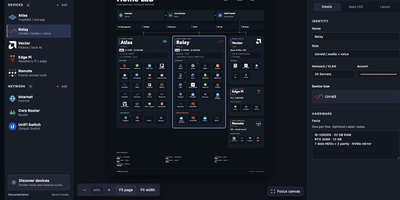
Every homelab eventually earns the question "so what is actually running on all those boxes," and Homelab Atlas turns the answer into a diagram worth posting. Add your servers, the services grouped on each one, and the network gear between them, and the canvas lays everything out automatically with real application logos instead of gray rectangles. Searchable logo pickers work offline, uploads accept your own PNG, JPG, WebP, or SVG marks, and Arrange mode lets you drag and resize cards when the automatic composition is not the story you want to tell. Discovery spares you the typing: point it at Docker or import a saved scan, then review every found device and app, all starting unchecked, before anything joins the diagram as one undoable change. Connections express logical relationships and VLANs, hardware details ride on each card, and your project autosaves in the browser with a downloadable JSON file as the durable copy. When it is time to share, export previews render PNG or SVG with addresses, URLs, and emails hidden by default, plus literal terms you name yourself. Running on a dedicated VPS on RepoCloud with guaranteed CPU, RAM, and SSD, full root SSH access, and a browser serial console. MIT licensed.
OpenResto
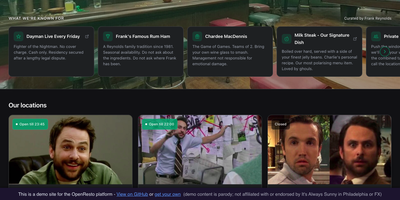
OpenResto is a self-hosted booking system that lets restaurants, bars, and cafes take reservations from their own website instead of paying a platform for every cover. Guests browse your locations, pick a party size, date, and time, and the exact table is held for five minutes while they type a name and email, with no account to create and nothing to install. Slots are grouped into Lunch, Dinner, and Off-Peak so guests jump straight to the sitting they want, and confirmation pages offer calendar export, reminders, and directions. Staff run the night from a dashboard with a live bookings list, a day timetable, and a service view, extending or cancelling reservations and pausing new bookings during private events without editing any configuration. One instance manages several restaurants, each with its own floor sections such as Patio or Bar, opening hours in its own timezone, policies, and pacing rules. The whole guest experience carries your name, colors, and icon, and the same screens can even be published as your own phone app. Every admin action lands in an append-only activity trail, and scoped API keys let your other tools read bookings without ever seeing guest contact details. Running on a dedicated VPS on RepoCloud with guaranteed CPU, RAM, and SSD, full root SSH access, and a browser serial console. MIT licensed.
CodeRail
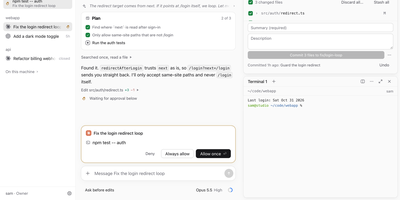
Close the laptop, walk away, and your coding agents keep working; CodeRail is the remote control that lets you supervise them from a browser or your phone without handing your machines to anyone's cloud. A small bridge on each computer connects outbound to your server, so there are no open ports and no VPN to babysit, and each machine keeps its own Claude Code and Codex logins because CodeRail never holds your AI keys. Chats show plans, tool calls, models, modes, and background tasks, and when an agent wants to run something sensitive, the approval lands with you wherever you are, including as a phone push notification. Real terminals outlive the browser tab, files can be viewed, edited, uploaded, and downloaded in place, and git work, pull requests included, sits beside the conversation that produced it. Each chat even gets a browser on the computer itself, shared live with everyone in the chat and drivable by the agent. Roles run Owner, Operator, or Viewer per computer, narrowed down to folders and agents, with every change audited, and sessions keep running with every browser closed while history stays readable offline. Running on a dedicated VPS on RepoCloud with guaranteed CPU, RAM, and SSD, full root SSH access, and a browser serial console. Apache-2.0 licensed.