Cupdate
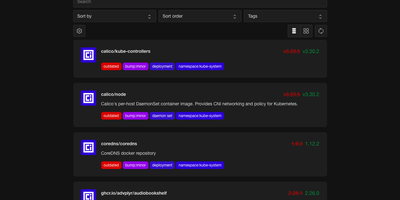
Cupdate keeps a watchful eye on every container image you run, reporting which ones are outdated or vulnerable while deliberately never touching the update button itself. Point it at a Kubernetes cluster, a Docker socket, or Podman hosts (local or remote, one or several) and it inventories every image in use with no configuration to write. Each image is matched against its registry to find the newest available version, and the dashboard shows the gap between what you deployed and what you could be running, with release notes inline so the decision to upgrade takes seconds instead of a changelog hunt. Vulnerability data is layered on top from four sources: Docker Scout for Docker Hub images, Clair for participating Quay images, GitHub Advisories for images tied to repositories, and osv.dev correlation for images shipping SBOMs. A dependency graph explains why each image exists in your stack by showing which workloads pull it, which ends the "can I delete this?" guessing game. Subscribe to the RSS feed to hear about new releases passively, query the REST API to drive scripts that update compose files or kustomizations, or surface outdated and vulnerable counts in a Homepage dashboard widget. Prometheus metrics and traces are available when you want the watcher itself watched. Running on a dedicated VPS on RepoCloud with guaranteed CPU, RAM, and SSD, full root SSH access, and a browser serial console. MIT licensed.
HabitSync
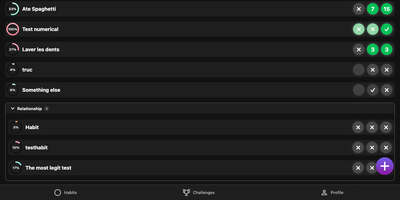
HabitSync treats habit tracking as a team sport, because willpower alone rarely survives February. Set each habit up the way life actually works: daily, weekly, monthly, on chosen weekdays, or at a custom interval, with a target value to reach or a ceiling to stay under for the habits you are trying to quit. Logging takes one tap, or a long press when today's effort deserves a custom number or a stopwatch. Share a habit with a partner, a sibling, or the whole household and everyone's progress sits side by side, which turns "did you go to the gym" into a question the dashboard answers. Monthly challenges raise the stakes with community voting, leaderboards, and medals for the top performers, while gentle automation watches your back: scheduled reminders when a habit goes unlogged, an alert when your completion slips under a threshold, and a quiet nudge when a friend overtakes you. Years of Loop Habit Tracker history import instead of being abandoned, and the installable web app keeps the streak one tap away on any device. Running on a dedicated VPS on RepoCloud with guaranteed CPU, RAM, and SSD, full root SSH access, and a browser serial console. BSD-3-Clause licensed.

WechRSS
WechRSS brings WeChat Official Accounts back into your RSS reader, turning accounts that normally live inside a closed app into ordinary feeds you control. Paste any article link from an account and the tool identifies the publisher automatically, without hunting for obscure account parameters. Connect WeChat Reading by scanning a QR code in the web interface, and the session renews itself when possible so subscriptions keep flowing. Each account gets its own independent feed with its own sync schedule, item count, and on or off switch, so noisy publishers can be slowed down and favourites checked more often. A background scheduler keeps article titles, publication times, covers, and summaries up to date, with sync attempts, successes, and the latest new article all visible at a glance. Everything is stored locally, so your subscription list and credentials never sit on someone else's server. A first-time subscription wizard walks you from QR login to seeing the first article in your reader, saving progress if you get interrupted. Reader-specific links can be generated per account, letting a cloud reader fetch a feed without handing out management access. Health diagnostics flag expired logins, verification requests, and long sync gaps with concrete recovery steps. Running on a dedicated VPS on RepoCloud with guaranteed CPU, RAM, and SSD, full root SSH access, and a browser serial console. MIT licensed.
Composr
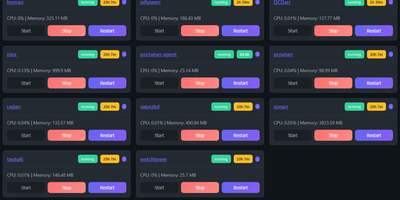
Managing multi-server container fleets often deteriorates into fragmented SSH sessions, mismatched compose files, and conflicting port allocations. Composr consolidates multiple Docker host daemons into a unified web dashboard that controls running containers, stack definitions, and system metrics from a single interface. Operators can connect remote Docker daemons through encrypted TCP sockets, inspect container health, and stream live execution logs with sub-second responsiveness. A built-in project creation wizard guides administrators through drafting new Compose topologies across local directories or remote server nodes. In-browser CodeMirror editors deliver live syntax highlighting for YAML files, configuration dotfiles, and reverse proxy definitions without detaching containers from disk. The platform tracks service properties directly, letting you toggle Compose profiles, relocate services between YAML manifests with pre-flight risk checks, and detect target port collisions before redeployment. Integrated backup managers bundle container metadata, compose files, and environment definitions into downloadable archive packages for automated disaster recovery. System operators can open interactive browser terminals into any active container, execute batch maintenance tasks, and configure scheduled image update checks. Running on a dedicated VPS on RepoCloud with guaranteed CPU, RAM, and SSD, full root SSH access, and a browser serial console. MIT licensed.
Dobase
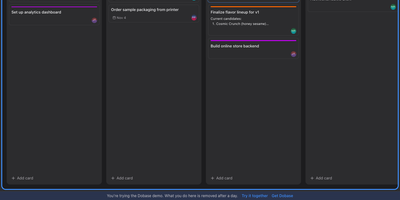
Dobase replaces the scattered pile of team subscriptions with one self-hosted workspace where mail, kanban boards, documents, chat, to-do lists, files, a calendar, and video rooms live side by side. Install only the tools your team needs, and share each one with exactly the collaborators you choose; a board for the whole company and a private todo list can sit in the same window. Several people can type in the same document at once, watching each other's colored cursors while the text merges cleanly, and presence faces in the sidebar show who is inside every tool right now. Open tools arrange themselves as tiles in a wide window, so chat can sit next to the board it discusses and the calendar under the mail you are answering. Pressing Cmd+K searches cards, todos, documents, files, chat, events, and mail in one motion, and nearly everything also works from the keyboard alone. Mail threads conversations and lets you accept calendar invites from the message, files get public links guarded by a password and an expiry, and the calendar syncs with CalDAV services or runs on its own. Video rooms with screen sharing join the same workspace, mentions and notifications follow you, and an email digest catches up anyone who was away. Running on a dedicated VPS on RepoCloud with guaranteed CPU, RAM, and SSD, full root SSH access, and a browser serial console. MIT licensed.
Wally
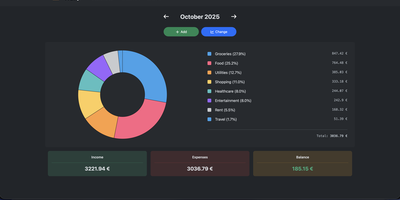
Started as an ExpenseOwl-inspired project, Wally grew into a lightweight, self-hosted expense tracker more capable in every direction its author touched. The backend is Python FastAPI over SQLite, which means every deployment ships a full REST API with interactive documentation at /api/docs - automating imports or wiring in external tools requires no reverse engineering, and when the optional login page is enabled you can mint scoped API keys from the Settings page for token-based integrations. The transactions view is built on AG Grid, bringing real search, column sorting, and per-column filtering to your ledger, with a footer totaling rows, income, and expenses for whatever slice you have filtered. Dashboards go beyond the usual monthly doughnut: a Change button swaps in year-scale line graphs so you can track a single category - restaurants, say - across time. Recurring transactions edit intelligently, letting you apply changes to all instances or only future ones. CSV import and export use a simple six-column format handled from Settings, the refined dark theme is genuinely easy on the eyes, and the interface is translated into more than ten languages. The whole thing runs from one small container with a single data volume.
Arkeep
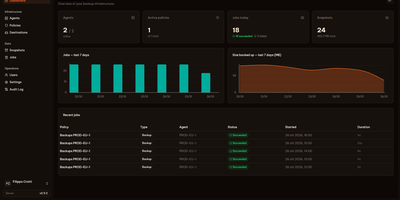
Five servers, five cron jobs, five restic scripts nobody quite remembers writing: Arkeep replaces that archaeology with one dashboard where every backup in your infrastructure reports for duty. A small agent on each machine dials out to the central server and waits for work, so nothing listens on an agent port and machines behind NAT or a home firewall enroll just as easily as cloud VPSes. From the web interface you define destinations, which can be local disk, any S3-compatible storage, SFTP, a restic REST server, or more than forty Rclone backends, then build policies that send one backup job to several destinations at once for a genuine 3-2-1 layout. Docker volumes are discovered automatically, and databases stream straight into the backup with pg_dump and mysqldump instead of fragile file copies. Retention and repository integrity checks run per destination on their own schedules. When recovery day comes, you open any snapshot in the browser, browse its files, and restore a single folder in place or somewhere new. Failures announce themselves by email, Slack, Discord, or webhook, or stay silent in Healthchecks.io. Sign-in is yours to choose: local accounts with TOTP two-factor, or single sign-on through any OIDC provider. Running on a dedicated VPS on RepoCloud with guaranteed CPU, RAM, and SSD, full root SSH access, and a browser serial console. Apache-2.0 licensed.
Circuit Breaker
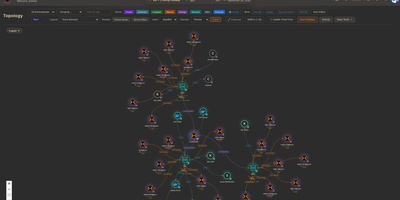
Mapping every physical server, virtual machine, container, and network link across a sprawling homelab into a live interactive canvas, Circuit Breaker gives infrastructure operators real-time topology visualization, IP address management, and rack elevation modeling on a single screen. Operators can switch between hierarchical, concentric, cortex ring, radial, and force-directed graph layouts where animated edges reflect link speeds and color-coded status rings display live hardware health. Automated discovery scans local subnets using nmap, SNMP, and ARP while querying Proxmox VE clusters, TrueNAS storage pools, and UniFi controllers, staging newly detected nodes in a review queue before adding them to the map. For multi-site labs or isolated VLANs, lightweight remote agents connect outbound over Noise-encrypted links after fingerprint approval to report host telemetry and run scoped network scans without opening inbound firewall ports. Rack diagrams let administrators drag servers into U slots with cabling overlays using a built-in catalog covering Dell, HPE, Supermicro, Ubiquiti, MikroTik, Synology, and APC gear alongside live iDRAC, iLO, and UPS metrics. Role-based access control, OIDC single sign-on, TOTP multi-factor authentication, encrypted full-state snapshots, and a SHA-256 hash-chained audit log keep multi-user operations accountable. Running on a dedicated VPS on RepoCloud with guaranteed CPU, RAM, and SSD, full root SSH access, and a browser serial console. MIT licensed.
Attic
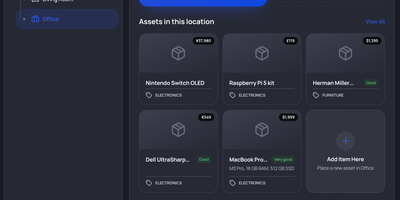
Somewhere in your home sits a box nobody has opened since the move, and Attic is the self-hosted home inventory that turns its contents from a mystery into a searchable record. You catalog appliances, tools, electronics, books, games, and furniture as assets, each with photos, receipts, manuals, purchase date and price, condition, and warranty dates attached. Nested locations mirror the house itself, rooms containing cupboards containing boxes, with photo galleries so you recognize a storage space on sight. Categories carry their own custom fields, inherited by subcategories, so electronics can demand a serial number while books ask for an ISBN. Items stored inside other items, like tools in a toolbox, are tracked as asset contents and move with their container. Collections group a game library or a moving box across locations, while tags label anything that needs repair or is out on loan. Adding stock is fast: import plugins pull metadata and cover images from Google Books, TMDB, BoardGameGeek, IGDB, and Rebrickable for LEGO sets. Search combines full-text with nested match-all and match-any filters, and saved searches pin to the sidebar as shortcuts. A history timeline records repairs and maintenance per asset, and the dashboard totals purchase value across currencies while flagging expiring warranties. OIDC single sign-on, scoped API keys, a REST API, and an MCP server connect Attic to scripts and agents. Running on a dedicated VPS on RepoCloud with guaranteed CPU, RAM, and SSD, full root SSH access, and a browser serial console. MIT licensed.
InfraCanvas
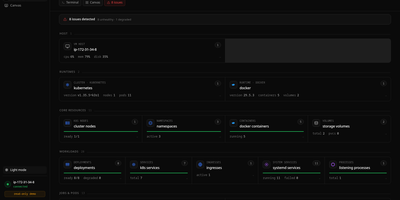
InfraCanvas draws the picture ten terminal commands cannot: a live map in your browser of every container, pod, service, volume and network on a machine, showing what runs where, what talks to what, and what is broken in one glance. Nodes turn green, amber or red from real state, including container health, pod phases, ready replicas, zombie processes and host thresholds, and real connection edges appear between processes, like your app server talking to Postgres on port 5432, read straight from the machine. It works where workloads already live: Docker and Podman containers, full Kubernetes object graphs from nodes to ingresses, LXD and Incus containers, and plain systemd or PM2 services on VMs with no container runtime. From any node you can shell into the container, pod or host, tail logs, restart or stop a service, scale a deployment, run a rolling restart, change an image or kill a process, with secrets masked before anything reaches the screen. A second machine joins through an outbound-only agent, and clusters connect by dropping in a kubeconfig with nothing installed inside them. The self-hosted binary needs no account, sends no telemetry and opens no inbound port: it binds localhost on port 7777 behind a random per-install token, with an optional read-only mode, and every action is audit-logged. Running on a dedicated VPS on RepoCloud with guaranteed CPU, RAM, and SSD, full root SSH access, and a browser serial console. AGPL-3.0 licensed.
Lalabase
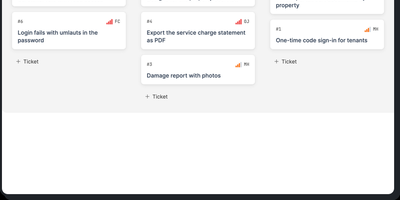
Lalabase is project management built for developers who work with clients, putting tickets, time tracking, documentation, and meetings in one workspace instead of five separate tools. Each client gets an organisation with its own projects and its own access, and roles decide exactly what clients can see. Tasks run as a list or a board with the statuses, priorities, and fields you define per project, rather than the workflow a vendor chose for you. Time tracking records several sessions per ticket, each billable on its own, with exports that go straight into the invoice. Documentation lives beside the work: notes and documents sit in the project, and a folder in your GitHub or GitLab repository becomes the project's docs automatically. Meetings keep their transcript, an AI summary, and the tasks that follow from what was actually said. When you need an answer, the AI assistant takes one question across tickets, comments, documents, hours, and meetings, and it cites the ticket, page, or conversation every answer came from. It even reads your repository's indexed code structurally, so questions about what is implemented get answered against the code. The assistant stays off until you enable it with your own provider key or a model in your own network. An MCP server and REST API let your own agents list, create, and update tickets, comment, and log time. Running on a dedicated VPS on RepoCloud with guaranteed CPU, RAM, and SSD, full root SSH access, and a browser serial console. AGPL-3.0 licensed.
M3U Studio
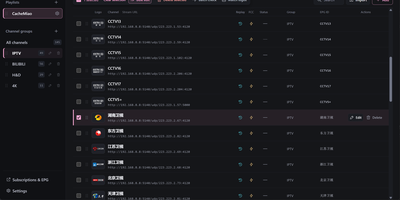
M3U Studio turns a tangled IPTV playlist into a tidy, published subscription you would actually hand to your player. Import channels from an M3U or TXT file, pasted text, or a remote link, then organize them properly: drag single channels or whole multi-selections into new groups, rename, reorder, and watch the list reshape itself as you work. Nothing goes live until you say so. Edits accumulate in a draft with undo and redo, and publishing keeps the last 30 configurations so a bad change rolls back in seconds. Channel logos stop being a scavenger hunt, because a unified logo library matches artwork automatically by name and alias, with search and batch upload when you bring your own. Select a pile of channels and fix them together: replace URL text, change groups, set EPG addresses, or move copies into another playlist, then run response checks to spot dead streams before your player does. Each playlist publishes as its own M3U or TXT subscription, or merged into a combined feed, under a custom short address that is easy to type into a TV box. Per-channel EPG, catch-up, and fast channel change settings travel with the export. Running on a dedicated VPS on RepoCloud with guaranteed CPU, RAM, and SSD, full root SSH access, and a browser serial console. GPL-2.0 licensed.
ComposeToolbox
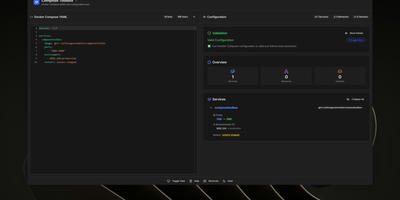
To eliminate YAML indentation errors and cryptic container misconfigurations before running docker compose up, ComposeToolbox pairs a full-featured code editor with a live configuration analyzer in a single self-hostable web workspace. Paste or write any docker-compose.yml file in the left pane to see immediate syntax validation alongside actionable best-practice warnings, such as unpinned latest image tags, missing healthchecks, or deprecated version declarations. On the right side, an interactive Configuration Overview breaks down every defined service, exposed port mapping, persistent volume mount, environment variable, and custom network into structured tabs. Built-in Quick Insert buttons let operators drop new service blocks, volume definitions, or network stanzas into the editor with one click. By mounting the persistent /app/data directory, administrators can define custom quick-insert YAML snippets with selectable hardware and networking icons in custom-templates.yml. Teams can also customize startup-template.yml so the editor opens with their organization's standard homelab or production boilerplate every time the page loads. Keyboard shortcuts, light and dark themes, and one-click YAML formatting or file export streamline daily container authoring. Running on a dedicated VPS on RepoCloud with guaranteed CPU, RAM, and SSD, full root SSH access, and a browser serial console. MIT licensed.
Proval
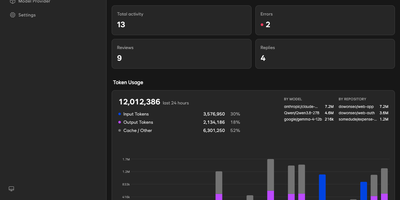
Proval is a self-hosted AI code review agent that reads every pull request on your GitLab, Forgejo, or GitHub server and posts a consolidated, severity-grouped review with inline comments, using a model you run yourself. When a pull request gets a meaningful push, a planning agent groups changed files into review units and dispatches specialist sub-agents in parallel, each exploring the codebase so cross-file issues surface. A writing agent merges their findings into one review, with comments on the affected lines, including multi-line ranges. Reply to any Proval comment and it reads the thread context and answers, and it works on issues too, greeting new ones and answering follow-ups on every message or only when mentioned. Choose per repository whether reviews run on first push only, every push, or not at all, skipping drafts until they are marked ready. Every review, reply, and issue comment is logged with its token usage, so each model's cost shows in the dashboard instead of hiding in an API bill. Your code is never stored; review context goes only to the LLM endpoint you configure, whether that is a cloud API or a local Ollama or llama.cpp server on your own network. Connect GitLab or Forgejo with an access token and webhooks, or GitHub through a GitHub App; Gitea and Codeberg use the same Forgejo-compatible path. Running on a dedicated VPS on RepoCloud with guaranteed CPU, RAM, and SSD, full root SSH access, and a browser serial console. AGPL-3.0 licensed.

OpenMail
Your entire mail system can live in one self-hosted suite with OpenMail, from SMTP, IMAP, and POP3 delivery to three-pane webmail and the admin console that runs it. Standard clients such as Thunderbird, Apple Mail, and phone apps connect over SMTP ports 25, 587, and 465, IMAP ports 143 and 993, and POP3 ports 110 and 995, while people use the three-pane webmail with folder tree, conversation list, and reading pane at port 3000. You read, write, reply, forward, batch-organize, drag messages between folders, filter stars, search sender, subject, and body text, and follow conversations threaded automatically by their References headers. The rich-text composer autocompletes recipients, accepts dragged attachments and pasted screenshots, saves drafts every 12 seconds, sends on a schedule, and inserts reusable templates imported from HTML or generated with AI. Any OpenAI-compatible endpoint can draft replies, translate mail into twelve languages, and summarize messages, with provider keys encrypted on your server. Administrators get real-time mail statistics with 14-day send and receive trends, user quotas and bans, multi-domain aliases and catch-all addresses, outgoing queue visibility, and audit logs. Adding a domain generates DKIM keys and copy-ready SPF, DKIM, and DMARC DNS records with one-click checks, while rule-based spam scoring, TOTP two-factor authentication, and role-based permissions protect accounts in ten interface languages including right-to-left Arabic and Urdu. Running on a dedicated VPS on RepoCloud with guaranteed CPU, RAM, and SSD, full root SSH access, and a browser serial console. MIT licensed.
Silicon Notes
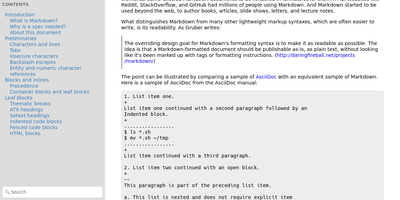
"Somewhat lightweight, low-friction" is how Silicon Notes' author describes the personal knowledge base - written after DokuWiki's editor "drove me mad" and no existing wiki quite fit. The philosophy is that small frequent annoyances compound into cognitive load with no return, so everything here is optimized for frictionless daily use. Notes are written in plaintext Markdown and rendered as clean HTML with Pygments syntax highlighting for code blocks; pages get bi-directional relationships (backlinks), so the knowledge base becomes a connected web rather than a folder tree; and full-text plus title search retrieves anything fast. A table of contents lives in the left sidebar - "where it belongs" - editable while you read without scrolling away. Page history tracks revisions for auditing and rollback, JSON export/import keeps everything portable, and the mobile layout is genuinely usable. The stack is deliberately minimal: Python and Flask with Mistune for Markdown and SQLite for storage - no big frameworks, just a few small dependencies. One honest caveat: there is no built-in authentication, so deploy it behind a VPN, private network, or reverse-proxy auth layer. For a solo engineer's brain, it is exactly enough.
Tagr
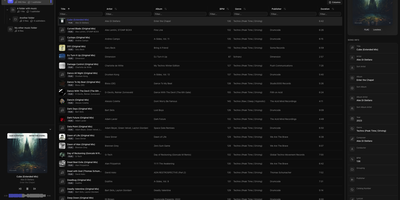
When a music library is full of wrong tags, missing covers, and blank ratings, Tagr lets you fix the whole collection from any browser, on desktop or phone. Three roles divide the work on your own server. Admins mount a music folder, press scan, and get a searchable table of every track, with sortable and filterable columns, more than 40 editable fields, and room for custom tags. Taggers make the changes: edit fields inline, swap album art, and match one song or a whole selection against MusicBrainz, ticking which fields to overwrite. Mistakes are cheap, because every edit is stored in a persistent change history with a revert action, viewable per song or per folder. Rule-based smart playlists, such as every track with an empty comment, show what still needs attention. Listeners browse and play without edit rights, using the waveform player, a Recently played view, and optional ListenBrainz scrobbling that each person connects to their own account. Supported formats include MP3, FLAC, WAV, AAC, OGG, M4A, M4B, WMA, AIFF, and Opus, with changes written straight back into the files. Swipe-friendly panels, an installable PWA, and five interface languages make the phone a comfortable place to work. Running on a dedicated VPS on RepoCloud with guaranteed CPU, RAM, and SSD, full root SSH access, and a browser serial console. AGPL-3.0 licensed.
Runwisp
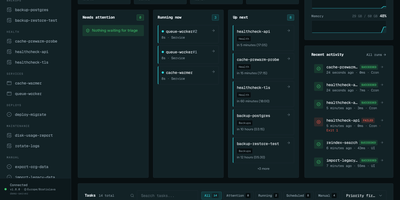
Cron ran the job, or maybe it did not; Runwisp makes the answer impossible to miss. One small binary replaces both crond and your process supervisor: list scheduled jobs and long-running services in a single runwisp.toml, and it runs the jobs on time, restarts services when they crash, and keeps every line they print. Every run leaves evidence: exit code, duration, timestamps and full stdout and stderr, searchable across a task's whole history, with CPU and memory shown next to what that task usually uses. When a run fails, the dashboard shows why, with stderr and the end reason beside the retry button, and alerts head to Slack, Discord, Telegram, ntfy, Gotify, Pushover, email or a webhook before you find out the hard way. Missed runs catch up after downtime, overlapping runs queue, skip or kill by policy, and services get restart backoff and graceful shutdown. Manual runs take typed parameters, so the dashboard generates a form with choices and defaults from your config. Long output streams live with progress bars redrawing in place, and the same history opens in a terminal UI over SSH. The config file stays the source of truth: interfaces trigger and inspect, they never edit your TOML. No database to run, no runtime to install, just the binary and its embedded storage. Running on a dedicated VPS on RepoCloud with guaranteed CPU, RAM, and SSD, full root SSH access, and a browser serial console. GPL-3.0 licensed.