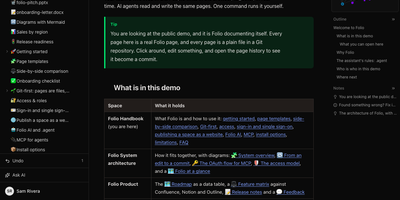
Folio
Folio is a self-hosted team wiki that stores every page as a plain Markdown file in a Git repository you own, while your team writes together in the browser in real time. People work in Reading, Live edit, or Source mode, keep editing offline until the connection returns, and watch changes land in the page history as commits they can restore. Data tables with nine column types, filters, and views sit beside the documents, and forms write submissions straight into those tables without requiring an account. Whiteboards, Mermaid diagrams, and a visual diagram editor cover the pictures, while uploads like PDF, Word, Excel, and PowerPoint files open as previewable pages inside the tree. Confluence spaces import with their trees, images, and whiteboards converted, so a migration keeps its structure instead of flattening into a pile of attachments. AI agents read and write the same pages through an MCP server with 41 tools, authenticated by personal tokens or OAuth 2.1, and the built-in assistant answers questions read-only or makes supervised edits. Administrators control access down to a single page, sign people in with SAML, SCIM, or OpenID Connect, hand out expiring share links, and publish a space as a public read-only website. Running on a dedicated VPS on RepoCloud with guaranteed CPU, RAM, and SSD, full root SSH access, and a browser serial console. MIT licensed.
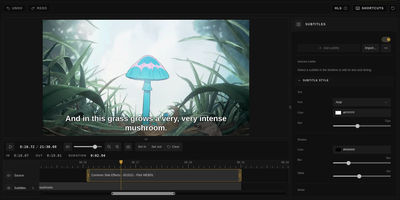
Cliparr
You are halfway through a film when a scene begs to be shared, and Cliparr is the self-hosted clip maker that turns moments from your Plex, Jellyfin, or local video library into shareable clips without opening a full video editor. Connect a media server and Cliparr follows live playback sessions automatically, so the scene you are watching is already loaded when you decide to keep it. Local video files open directly in the browser without being uploaded anywhere first. Mark the range, fine tune the start and end, then crop the frame freely or to a fixed aspect ratio with mouse or touch controls, which makes vertical clips for phones as easy as widescreen ones. Exports run entirely in your browser as video, audio only files, or GIFs, so the server never turns into a render box and the clip lands on the device you are using. Source details, artwork, and clip timing travel inside supported containers, keeping the exported file labelled with where it came from. Captions are a first class step: write your own subtitles, import an existing file, style the text, and burn it into the picture before export. Editor keyboard shortcuts, access control, and reverse proxy support round out a tool that fits into an existing media setup instead of replacing it. Running on a dedicated VPS on RepoCloud with guaranteed CPU, RAM, and SSD, full root SSH access, and a browser serial console. MIT licensed.
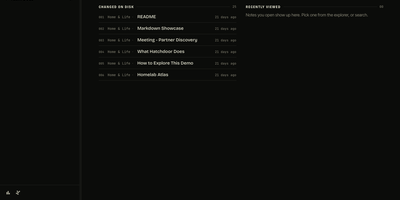
Hatchdoor
Hatchdoor gives your Markdown notes two front doors at once: a fast web interface for you, and an MCP endpoint where AI agents read and edit the very same vault. Point it at any folder of Markdown files, an existing Obsidian vault included, and it indexes everything into a disposable SQLite read model that rebuilds itself from your files if deleted. In the browser you browse folders, follow wikilinks that survive renames, explore backlinks and graph views, and search by keyword or meaning across every vault you mount. The live editor shows Markdown syntax only on the line you are editing and saves automatically, while concurrency checks refuse a save when the note changed underneath you. Agents connect with their own token and start read-only; turn writes on and Claude Code, Codex, Cursor, or Hermes can create, edit, move, and link notes through the same checked operations the interface uses. Saved queries in Obsidian's Bases syntax render as live tables, attachments preview inline, and optional git integration commits and pushes every change back to your vault's repository. Running on a dedicated VPS on RepoCloud with guaranteed CPU, RAM, and SSD, full root SSH access, and a browser serial console. AGPL-3.0 licensed.
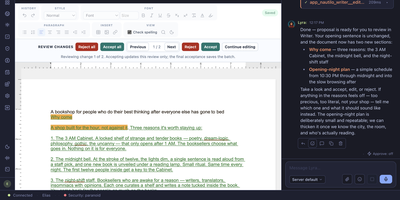
Nautilo
Most AI tools give one person one chat window; Nautilo is built for the room where your whole team, and each person's own AI Genie, work on the same thing at the same time. Give your Genie a personality, memory, face, and voice, then bring colleagues and their Genies into a shared Room to pull an idea apart, draft it, and send an agent off to research the missing piece. Six bundled creative apps cover the work itself: Writer for documents, Sheets for spreadsheets, Slides for decks, Board for planning, Design for visuals, and Video for clips, all editable by people and agents side by side. When the agent's draft misses, you grab the controls and rewrite the paragraph or move the lettering yourself instead of begging a prompt for a three-inch nudge. You choose the models and plug in your own provider API keys, connect tools through MCP, and let Genies operate connected workstations when a task needs real computer use. Membership, access, and tool permissions stay under your server's rules, and web, desktop, and mobile clients all connect to the same self-hosted instance. Running on a dedicated VPS on RepoCloud with guaranteed CPU, RAM, and SSD, full root SSH access, and a browser serial console. MIT licensed.
Docker Updater
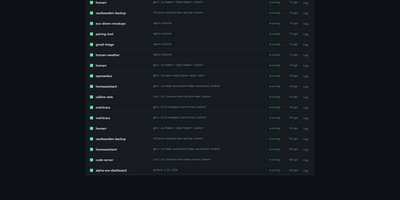
Docker Updater puts you back in charge of container updates: it watches your registries for newer images, and nothing updates until you approve it, so no database restarts itself at dinner. Polls run on a schedule you set, and each container card shows the newer image waiting before anything is pulled. The check costs nothing: it compares the digest your container runs against the registry manifest without pulling a byte, across Docker Hub, GHCR and other Bearer-token registries. Read the last five GitHub releases for an image before committing, update one container or a batch, and watch the pull percentage, layer count and recreation step stream live on the card. If the new container fails to start, the old one returns automatically, and you can keep a backup even after a clean update. Not ready? Defer an update for 7, 14, 30 or 90 days, or indefinitely, and it leaves your notifications alone until then. Several Docker hosts join the same dashboard over SSH or TCP with health indicators, and Compose stacks restart together so services find new addresses. Notifications arrive through an auto-generated ntfy topic or your own Apprise URL, every update keeps a persistent log, and a reclaimable-images view shows what disk space old images hold. The dashboard serves on port 9090 in English or Simplified Chinese, with optional login. Running on a dedicated VPS on RepoCloud with guaranteed CPU, RAM, and SSD, full root SSH access, and a browser serial console. MIT licensed.
Linux Update Dashboard
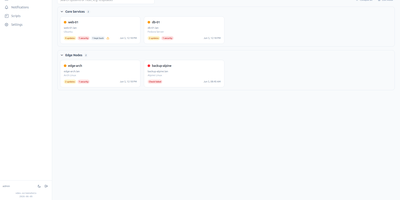
Linux Update Dashboard is a self-hosted web app that lets you check and apply package updates across a whole fleet of Linux servers from one browser dashboard, over SSH, with no agent installed on any managed machine. It discovers each server's package managers, operating system, installed packages, reboot state, and distribution lifecycle, then lets you refresh, upgrade selected packages, run full upgrades, autoremove leftovers, cancel running work, or reboot remotely while watching real-time command output stream into the page. Groups with health badges and explicit priorities organize fleets for clear overviews and ordered Upgrade All batches that run as waves across eligible systems. An encrypted SSH credential vault stores reusable passwords, private keys, and OpenSSH certificates with AES-256-GCM, and you can view or edit repository source files through sudoedit with diff review and activity history. Cron-based schedules automate refreshes, updates, autoremove, reboots, and notifications for chosen systems, while alerts go out by email, Gotify, MQTT, ntfy.sh, Telegram, or webhooks, with Home Assistant MQTT discovery entities for every server. Sign-in supports passwords with optional TOTP, passkeys and WebAuthn, OpenID Connect SSO, and API tokens, and the interface speaks ten languages with dark and light themes and custom branding. Because this tool can run commands on your servers, keep it on trusted networks behind TLS, a reverse proxy, or a VPN. Running on a dedicated VPS on RepoCloud with guaranteed CPU, RAM, and SSD, full root SSH access, and a browser serial console. AGPL-3.0 licensed.
Umpteenth
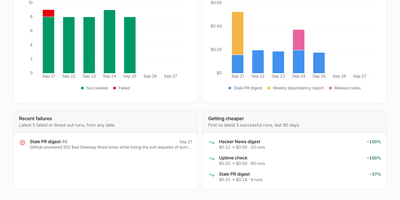
Recurring chores should get cheaper every time you run them, and Umpteenth is a self-hosted agent service built on that idea: describe a job once in plain language, and each run teaches it to need less help. A job starts on a schedule, a webhook call, the API, or the Run now button, and each run gets a fresh disposable container destroyed afterwards. The first run is an Explore run where the agent works out the steps; afterwards a reflection step reads the transcript and writes short learnings plus reusable toolkit scripts into a numbered playbook version. Later runs are Assisted, starting from those learnings, and after three successful assisted runs that take the same steps, the job graduates: reflection writes a main script, and scripted runs execute it alone, spending no model tokens unless a check asks for a judgment call. If a scripted check fails, the agent takes over in the same sandbox, finishes the job, and repairs the script. The job page charts cost per run dropping toward zero. Connect HTTP MCP servers such as GitHub or Slack; model keys and MCP credentials stay on the host and never enter the sandbox. Each job sets its own schedule, model, reach, and per run spending limit. Deploy with Docker Compose, or on Kubernetes with the Helm chart, where every sandbox is a pod. Running on a dedicated VPS on RepoCloud with guaranteed CPU, RAM, and SSD, full root SSH access, and a browser serial console. AGPL-3.0 licensed.
NeXroll
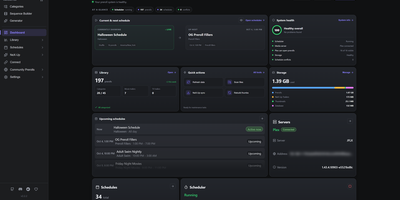
Give movie night a proper cinema preshow: NeXroll plays intros, trailers, and custom welcome screens before the feature on Plex, Jellyfin, and Emby. Build sequences in a list or a visual Flow view, with branches that pick a fallback when no trailer is available and rules for time of day, age rating, genre, or audio format. Schedules rotate the lineup automatically, with holiday themes, special event dates, priorities, and filler between them, all visible in month, week, and day calendars. Import your own videos, preview them, tag them, and sort them into categories, then pull in more from a community collection filtered by creator or platform. NeX-Up fetches upcoming movie and TV trailers through Radarr and Sonarr, and Library Trailers replays trailers for films you already own. Generator Studio makes welcome videos, announcements, QR code screens, and Coming Soon clips from your own text, logo, backdrop, and soundtrack, with a live preview. Connect several media servers to one install, switch among eight themes, back up and restore settings, and automate with the External API. Running on a dedicated VPS on RepoCloud with guaranteed CPU, RAM, and SSD, full root SSH access, and a browser serial console. MIT licensed.
Imp
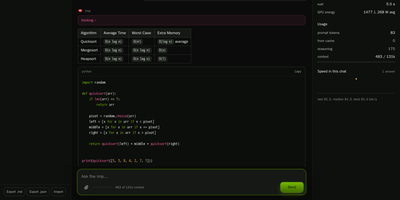
Imp runs large AI chat models privately on one NVIDIA RTX 50 or RTX PRO graphics card, exposing them through OpenAI and Anthropic compatible APIs plus a built-in browser chat. Start it with a single Docker command, point it at a model, and the chat opens in your browser with saved conversations and a live readout of generation speed. Coding agents such as Claude Code and Codex connect by changing one base URL, so your editor talks to the model on your own hardware instead of a rented cloud endpoint. Tool calls, structured JSON output, streaming responses, and reasoning models all work over the wire, and requests can be protected with an API key, per-IP rate limits, and concurrency caps. Load GGUF files you already have or NVFP4 and FP8 SafeTensors checkpoints straight from Hugging Face with no conversion step before the first answer. When a model is bigger than the card, mixture-of-experts weights stay in system RAM while the busiest experts are cached on the GPU, so a 123.6 GiB model still answers from a 32 GB card. Supported models can also read images alongside text, and tokenize, health, and model listing endpoints make the server easy to wire into scripts and monitors. Running on a dedicated VPS on RepoCloud with guaranteed CPU, RAM, and SSD, full root SSH access, and a browser serial console. MIT licensed.
Media Journal
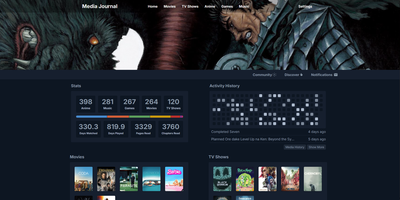
Every movie, series, anime, manga, book, game and album you finish deserves a line in one diary, not seven accounts on seven tracking sites. Media Journal keeps separate lists for each of the seven media types, and every entry carries your status, episode or page progress, rating and private notes. Rate on the scale that fits how you think: five stars, 1 to 10, 1 to 100, or simple faces. Group anything into collections, mark favorites, and watch your home page fill with stats, recent activity and your latest collections. The Discover page surfaces trending and popular titles, and built-in search pulls metadata and artwork from TMDB, IGDB and other providers once you add your free API keys. A community page lets everyone on your instance post thoughts and updates about what they watched, read or played, and a calendar plus history views keep your year in media organized. Saved songs play through the built-in YouTube music player while you browse, and automatic checks flag sequels and new seasons of things you already track. Running on a dedicated VPS on RepoCloud with guaranteed CPU, RAM, and SSD, full root SSH access, and a browser serial console. AGPL-3.0 licensed.
Plain Week
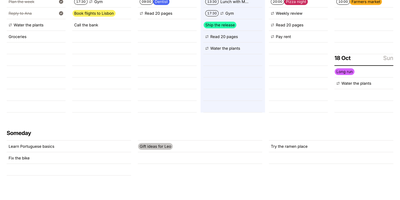
Seven days and a Someday list fit on one screen in Plain Week, a minimal weekly planner and to-do list. Click an empty row, type, press Enter, and keep typing. Writing "17:30 Gym" sets the time for you. Each task opens into a dialog with eight colors, plain-text notes, and a checklist of subtasks. Repeats run every few days, weekly on chosen weekdays, or monthly on a set date, with optional end dates and edits for one occurrence or the whole series. Drag tasks between days, into Someday, or past the screen edge to another week, by mouse, touch, or keyboard. Right-click to color, duplicate, delete, or push a task to tomorrow or next week, with undo. Arrow keys change weeks and T returns to today. The planner works offline, installs as an app, and keeps data in the browser until you add an account to sync. Export every task to JSON, import it into another instance, and pick light or dark themes or right-to-left layouts. Running on a dedicated VPS on RepoCloud with guaranteed CPU, RAM, and SSD, full root SSH access, and a browser serial console. MIT licensed.
Resolvr DNS Dashboard
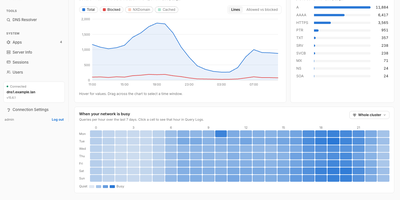
Resolvr gives your Technitium DNS server the clean, readable dashboard it deserves, turning raw query traffic into an overview you can understand at a glance. Four tabs divide the picture: Traffic charts queries over time with allowed and blocked stacked together and a seven-day heatmap of when your network is busy; Resolution shows where answers come from, cache, upstream, blocked, or authoritative, with response times and a flow diagram of each lookup; Top lists rank your chattiest clients and most-requested domains; and Infrastructure tracks DHCP scope usage, zones, and cache growth. Every chart is a doorway: click one and you land in Query Logs already filtered to what you clicked. Pick any device on the Clients page to see its queries, block rate, DHCP lease, and favourite domains. Query Logs themselves filter by client, name, protocol, response code, and time window, export to CSV, and can live-tail as new lookups arrive. Blocked Zones manages your feeds, your own blocked domains, and a checker that tells you whether a name is blocked and which feed caught it. Run a Technitium cluster and each panel gains a scope chip, comparing nodes side by side or merging their logs into one timeline. Running on a dedicated VPS on RepoCloud with guaranteed CPU, RAM, and SSD, full root SSH access, and a browser serial console. MIT licensed.
OpenManga
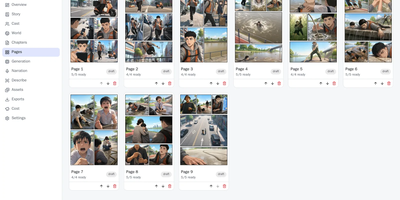
A written story becomes a manga chapter, manhwa episode, vertical webtoon, or narrated YouTube recap in OpenManga, with the same characters and places recognisable from the first panel to the last. It starts when AI splits a pasted story into cast, locations, chapters, scenes, and panel specs. You approve the reference portraits, turnarounds, outfits, and location sheets once, and every later panel is drawn against them. In the page editor you move panels, bubbles, captions, and sound effects, paint masks for targeted edits, compare art versions, and run a vision check on each panel. A production run prices the remaining work before it starts, respects a per-project budget cap, and can use half-price provider batches. The same run carries the project through artwork, narration, thumbnail, video, and YouTube text. Kokoro voices the narration locally, or you can cut it from your own recording. Exports cover print PDFs with KDP trim sizes, layered PSDs, CBZ, EPUB, webtoon strips, MP4, and Shorts. Supply your own keys for OpenAI, Gemini, Anthropic, DeepSeek, Meta Muse, OpenRouter, or ElevenLabs, or use paste mode with no key at all. Invite editors, comment on panels, share reader links, or let ChatGPT or Claude drive projects over MCP. Sign-up is closed until the admin opens it, and local narration wants about 8 GB of RAM. Running on a dedicated VPS on RepoCloud with guaranteed CPU, RAM, and SSD, full root SSH access, and a browser serial console. Apache-2.0 licensed.
PlikShare
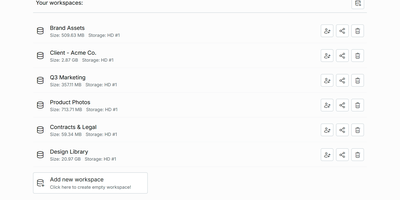
Sending a client a big file should not mean renting seats on someone else's cloud, and PlikShare turns your own server into a file sharing platform with unlimited users, unlimited workspaces, and no per-seat pricing. Its central idea is the box: a controlled gateway between your folders and the outside world, where you invite collaborators, mint anonymous links, and decide who may upload, download, preview, or drop files into an upload-only inbox. Quick share links carry custom slugs, expiry dates, passwords, and download caps, and every box can embed into another website as a live widget whose permissions update the moment you change them. Storage is your choice per workspace, from the server's own disk to S3, Cloudflare R2, Backblaze B2, Azure Blob, Google Cloud Storage, or any S3-compatible server, and each storage picks one of three encryption modes, including full encryption where names and contents are sealed with keys derived from each user's password. Bulk uploads arrive as a single zip that rebuilds its folder structure on landing, bulk downloads assemble from an explorer tree, and previews cover video, audio, PDFs, Markdown with diagrams, and even the inside of zip archives. Single sign-on through multiple OIDC providers, granular admin roles, an optional MCP server for scoped AI agents, and OCR or chat integrations round out a platform that stays lean on a small server. Running on a dedicated VPS on RepoCloud with guaranteed CPU, RAM, and SSD, full root SSH access, and a browser serial console. AGPL-3.0 licensed.
hy2scale
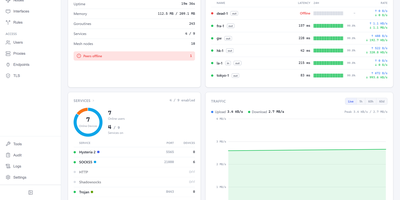
A handful of cheap servers in different countries become one routed network with a browser dashboard on top. Nodes link directly through Hysteria 2 QUIC tunnels with no coordination server, and traffic can leave through any node, several hops deep. The overview dashboard, topology graph, node list, and world map show latency, uptime, and live rates for every peer. Each node can also serve SOCKS5, HTTP, Shadowsocks, Trojan, L2TP/IPsec, IKEv2, OpenVPN, and WireGuard clients, and the VPN servers run in userspace without extra privileges. Policy sets route traffic by user, source, destination, domain, country, or ASN, and each user can get a fixed exit, quality failover, or aggregated paths. Traffic limits with periodic resets, upload and download rate caps, and expiry dates control how much each account can use. Hole punching connects nodes behind NAT, and peers can carry several addresses. A built-in certificate authority manages TLS certificates. An audit log records every connection, and ping, traceroute, throughput tests, and a terminal sit on the Tools page. Backup and restore, signed in-app upgrades, and an interface in English, Chinese, and Korean round out the admin side. Running on a dedicated VPS on RepoCloud with guaranteed CPU, RAM, and SSD, full root SSH access, and a browser serial console. GPL-3.0 licensed.

MeetDo
The meeting ends and, instead of a raw transcript, you get minutes you can file: MeetDo is an open-source meeting-to-action system that hosts the meeting, captions it locally, and finishes the record for you. Start a browser meeting with video, screen sharing, and chat, and watch captions stream from a speech model running on the same infrastructure, so no audio is sent to a cloud note-taker. When the call ends, the transcript becomes structured minutes: summary, agenda flow, conclusions, and action items with owners, instead of a wall of raw text. Five meeting types, from management reviews and project weeklies to interviews and customer calls, shape the record, and custom templates export to DOCX or PDF with your original layout preserved. Domain vocabulary is corrected after recognition, so names, units, and industry terms survive transcription instead of turning into near-miss words. Past meetings stay searchable in a local history, and questions can be asked across them without anything leaving the machine. Editable transcripts let a human fix the record before it is filed, and the whole pipeline works offline after the first model download. Running on a dedicated VPS on RepoCloud with guaranteed CPU, RAM, and SSD, full root SSH access, and a browser serial console. MIT licensed.
Etude
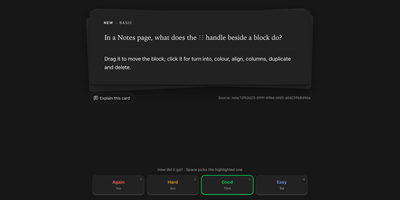
Because every flashcard is a small program, Etude can ask for a fresh calculation on each review, play a chord on a piano, pose a chess puzzle, or grade a proof by what you wrote. A card is graded by self rating, by a script, by AI that explains what you missed, or by a hybrid that hands the hard cases to the model. Math answers are compared by equivalence, so x(x+1) matches x^2+x. FSRS-6 schedules the reviews. Give a deck an exam date and every card is pulled in before the day. Anki .apkg decks import with their review history. The Market installs shared decks, card types, and themes, and an in-app editor with live preview lets you design your own. Notebook pages hold equations, runnable code, canvases, kanban boards, and a link graph. The Ask assistant builds decks from your notes or a PDF. Every action is also a CLI command with JSON output, so Claude Code or Codex can quiz you and flag weak topics, and an MCP server opens your collection and notes to them. AI grading stays off until you add an API key or sign in with ChatGPT, and any address other than localhost requires an access token. Running on a dedicated VPS on RepoCloud with guaranteed CPU, RAM, and SSD, full root SSH access, and a browser serial console. AGPL-3.0 licensed.
Compartment
Compartment gives the small internal tools, private apps, and AI-built utilities your team keeps creating a proper place to live: your own Kubernetes, with one-command deploys, stable URLs, and sign-in handled for you. Install it into a cluster you already run, or let the guided installer provision a managed single-node Kubernetes host after showing you exactly what it will change. Each app is described by one small compartment.yml file naming its services, and from there deployment is a single command from your checkout, or a branch-driven flow when you connect the Git repository and let pushes roll out on their own. If an app can build into a container image with Docker or Railpack, it fits the model, and every deploy lands behind the edge ingress with its own URL and HTTPS from the first release. The browser Console becomes your operations surface for projects, deployment history, logs, and runtime variables, while SSO, role-based access, and audit logs replace the informal permission paths that grow around shared tools. Workloads stay isolated and can sit close to the private services, data stores, and internal APIs they need, without turning steady traffic into managed-platform spend. Running on a dedicated VPS on RepoCloud with guaranteed CPU, RAM, and SSD, full root SSH access, and a browser serial console. Apache-2.0 licensed.