AliasVault
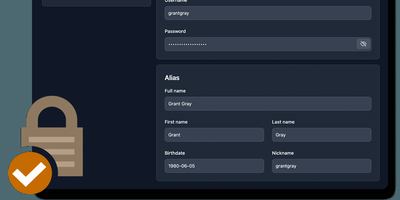
Sign up for a new service and you face a familiar choice: hand over your real email and get spam-listed forever, or generate a throwaway alias that dies when you close the tab. AliasVault eliminates that trade-off by combining a password manager with a built-in email server, so every website gets a unique identity (random email, generated name, strong password) and incoming emails land directly in your encrypted vault rather than your primary inbox. Creating a new alias takes one click: the system generates a random address on your configured domain, a fake identity with name and birthdate, and a cryptographically strong password, all stored in a zero-knowledge encrypted vault that even the server administrator cannot read. Browser extensions for Chrome, Firefox, Edge, Safari, and Brave detect login forms and autofill credentials or prompt you to create a new alias on the spot. Native iOS and Android apps with biometric unlock provide mobile access to your vault and integrate with the operating system's autofill framework. The built-in TOTP authenticator generates time-based one-time codes without needing a separate app. Import existing credentials from other password managers through standard export formats, and export your vault data at any time for full portability. Self-hosting via Docker with your own email domain gives you complete control over where alias mail is received and stored, with no third-party dependencies. Running on a dedicated VPS on RepoCloud with guaranteed CPU, RAM, and SSD, full root SSH access, and a browser serial console. AGPL-3.0 licensed.
TeamPass
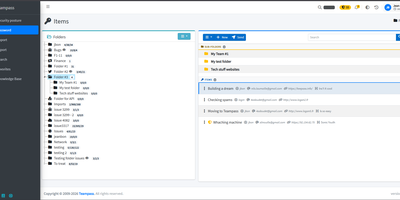
TeamPass is a dedicated on-premise password manager built specifically for teams that need collaborative credential sharing with fine-grained access controls. Role-based access control defines user permissions through hierarchical folder trees where each folder and item can be independently set to write, read, or no access against assigned roles, enabling organizations to segment credentials across departments without exposing sensitive data. Passwords are encrypted in the database using Defuse PHP Encryption with per-installation unique saltkeys, while two-factor authentication supports configurable RFC 6238 TOTP profiles with custom digits, period, and algorithm settings alongside Duo Security and Yubico hardware key integration. LDAP and Active Directory native integration enables enterprise SSO with automatic user provisioning. The Security Posture Dashboard surfaces weak, reused, breached, overdue, no-expiry, widely-shared, and unreadable credentials through indicator cards that filter and deep-link directly to items. Secure Send creates expiring, view-count-limited one-time links optionally protected by recipient passphrases for sharing credentials with external users. Import from Bitwarden, LastPass, 1Password, and KeePassXC through a unified source selector, with export to encrypted offline files. Email notifications, password expiration policies, custom fields, and attachment support round out item management. Running on a dedicated VPS on RepoCloud with guaranteed CPU, RAM, and SSD, full root SSH access, and a browser serial console. GPL-3.0 licensed.
Vaultwarden
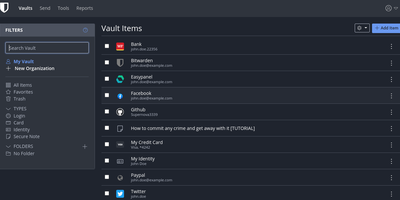
The Bitwarden server, reimplemented in Rust: Vaultwarden (formerly bitwarden_rs) is the unofficial lightweight edition. It speaks the same wire protocol as the official server, so every official Bitwarden client - browser extensions, iOS, Android, desktop, and the bw CLI - connects without modification, while the server itself runs as a single container against SQLite (or MySQL/MariaDB/PostgreSQL) instead of the official multi-container stack that wants gigabytes of RAM. Features Bitwarden gates behind paid tiers ship free: organizations with collections, groups, member roles, and policies; TOTP code storage; file attachments; Bitwarden Send; Emergency Access; event logs; and admin password reset. Two-factor options cover authenticator apps, email, FIDO2 WebAuthn, YubiKey, and Duo, and OIDC-based SSO landed natively in v1.35.0. Zero-knowledge encryption is unchanged - vault data is encrypted client-side and the master password never reaches the server. Attachments and Sends store on local disk or S3-compatible backends, an admin panel manages users and server settings, and backup is copying one data directory. Suited to individuals and teams up to roughly 50 users.
Polaris Control Plane
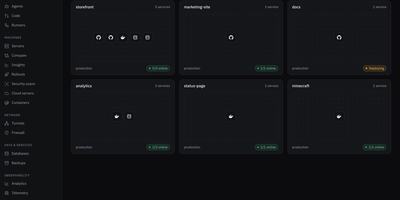
Polaris puts app deploys, file storage, team chat, tasks, and a password vault behind one login on a server you control. Deploy from a Git repository or an image with databases, volumes, environment variables, logs, a terminal, and a domain, published through your own domain, a Cloudflare tunnel, or DuckDNS. Enroll more machines over SSH with one generated command, then watch their containers and metrics and schedule backups with restore. Drive spans local disks, SFTP, S3-compatible storage, SMB, NFS, Google Drive, OneDrive, and Dropbox, with password-protected public links, expiry, and drop points for people without an account. Vault works with the Bitwarden apps and extensions and encrypts in the browser, so the server never sees your master password. Chat brings channels, threads, direct messages, voice and video calls, screen sharing, and a soundboard, while Tasks adds lists, boards, sprints, goals, and time tracking, and can hand work to coding agents over MCP. Calendar syncs both ways with Google, Microsoft 365, and CalDAV and offers booking pages. Game servers run Minecraft, ARK, and FiveM, a firewall blocks countries, networks, and bots, and one-click Marketplace installs add more apps. The interface comes in English and Spanish. Running on a dedicated VPS on RepoCloud with guaranteed CPU, RAM, and SSD, full root SSH access, and a browser serial console. AGPL-3.0 licensed.
KeeWeb
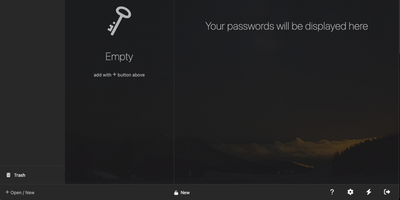
Your KeePass vaults, opened from any browser: KeeWeb reads, edits, and creates standard KDBX files, so it works with the same databases as KeePass and KeePassXC without conversion or lock-in. Self-hosting the web app gives you a password manager reachable from any modern browser, including mobile, with no client installation and no third-party cloud in the loop. All KDBX cryptography runs client-side; the server just serves the static app. Open multiple vault files simultaneously and search them all from one box, with advanced options covering specific fields, password history, and regular expressions. Vaults load from local files, your own server (WebDAV), or Dropbox, Google Drive, and OneDrive, with automatic sync - and files are cached for offline use, so a dropped connection never locks you out; changes resync once you're back online. Day-to-day niceties include a configurable password generator, protected fields that stay masked and are held in memory more defensively, entry history, tags with easy input, drag-and-drop attachments, and per-entry icons with favicon fetching. The optional KeeWeb Connect extension (Chrome, Firefox, Edge, Safari) autofills credentials using the keepassxc-protocol. MIT-licensed with matching desktop apps for macOS, Windows, and Linux.
Personal Management System
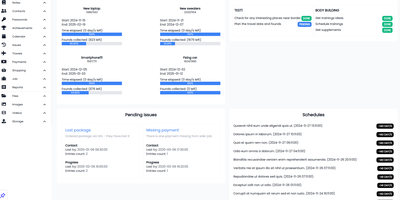
Consolidate daily to-do lists, encrypted passwords, household spending, contacts, and family photo galleries into Personal Management System, a self-hosted private command center for everyday life. Individuals can organize recurring schedules and calendar milestones with proactive notification alerts so important appointments, vehicle servicing dates, and recurring bill renewals are never overlooked. Users can balance household budgets and track expenditure across custom spending categories, calculating monthly cash flow balances while monitoring debts owed to friends or family members. Privacy-conscious users can safeguard account credentials inside an encrypted password vault featuring quick-copy buttons and secondary lock protection for sensitive personal entries. Goal setters can track multi-step personal targets and link financial milestones directly to dedicated savings pools. Home organizers can catalog contacts, log travel destinations with mapped imagery, and maintain categorized notes containing voice memos, bookmarks, and reference materials. Collectors can sort family photos and video recordings into interactive masonry galleries with built-in lightbox previews and file download tools. Running on a dedicated VPS on RepoCloud with guaranteed CPU, RAM, and SSD, full root SSH access, and a browser serial console. MIT licensed.
SkySend
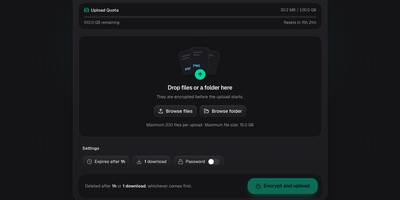
Only the person holding the link can open what you share with SkySend, a self-hosted file and note sharing service that encrypts everything in the browser before it leaves your device. Sending a contract? Drop in the file, several files, or a whole folder, and share the link. Need documents from a client? Send an upload link instead, and whatever comes back is encrypted for you alone. Handing over a password or an SSH key? Write it into a note that burns after reading. Notes can mix text, Markdown, generated passwords, and highlighted code in a single page. Every share can expire by time, stop after a set number of downloads or views, and carry an optional password as a second lock. The command-line client uploads, downloads, and reads notes with the same encryption, and its full-screen mode shows each link as a QR code. No accounts are needed: My Links keeps your shares in the browser, and optional OIDC sign-in limits who may create them. Encrypted uploads sit on local disk or any S3-compatible bucket, and the interface offers 13 languages and three themes. Running on a dedicated VPS on RepoCloud with guaranteed CPU, RAM, and SSD, full root SSH access, and a browser serial console. AGPL-3.0 licensed.
Enclosed
Private text, encrypted before it leaves the browser: Enclosed turns passwords, keys, and other secrets into a link that only its holder can open, with no third-party service in between. Can the server read the note? No. It stores only ciphertext and settings, because the decryption key rides in the part of the link after the # sign, which browsers never send. Want a second lock? Add a password, or generate a random one with a click, and share it by another route. Worried about links lingering in chat history? Pick one hour, one day, one week, or one month, and tick Delete after reading so the first view removes the note, with a warning shown to the recipient beforehand. Need more than text? Attach files by button or drag and drop, and recipients download them one by one or all at once. Sending to a phone? Every finished note offers a QR code, downloadable as SVG or PNG. Setting it up for a team? Restrict note creation to signed-in users, create notes from the command line, and let people read the interface in 17 languages with light, dark, or system themes. Running on a dedicated VPS on RepoCloud with guaranteed CPU, RAM, and SSD, full root SSH access, and a browser serial console. Apache-2.0 licensed.