Vaultwarden
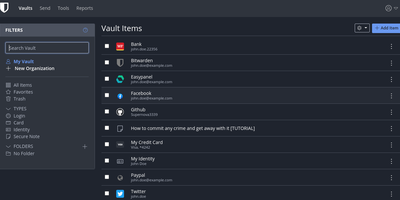
The Bitwarden server, reimplemented in Rust: Vaultwarden (formerly bitwarden_rs) is the unofficial lightweight edition. It speaks the same wire protocol as the official server, so every official Bitwarden client - browser extensions, iOS, Android, desktop, and the bw CLI - connects without modification, while the server itself runs as a single container against SQLite (or MySQL/MariaDB/PostgreSQL) instead of the official multi-container stack that wants gigabytes of RAM. Features Bitwarden gates behind paid tiers ship free: organizations with collections, groups, member roles, and policies; TOTP code storage; file attachments; Bitwarden Send; Emergency Access; event logs; and admin password reset. Two-factor options cover authenticator apps, email, FIDO2 WebAuthn, YubiKey, and Duo, and OIDC-based SSO landed natively in v1.35.0. Zero-knowledge encryption is unchanged - vault data is encrypted client-side and the master password never reaches the server. Attachments and Sends store on local disk or S3-compatible backends, an admin panel manages users and server settings, and backup is copying one data directory. Suited to individuals and teams up to roughly 50 users.
Bitwarden
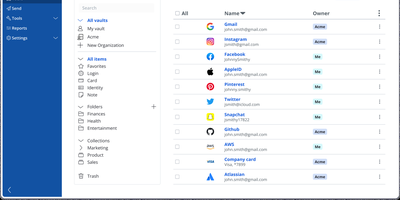
Backed by nearly 20,000 GitHub stars and ranked number one in G2's Enterprise User Satisfaction for eleven consecutive quarters, Bitwarden is the open-source password manager trusted by millions worldwide. The zero-knowledge encryption architecture ensures all vault data — passwords, passkeys, credit cards, identities, secure notes, and file attachments — is encrypted exclusively on client devices using AES-256 with PBKDF2-SHA256 or Argon2id key derivation and RSA-2048 for organization key exchange. Cross-platform clients span a web vault, browser extensions for Chrome, Firefox, Safari, Edge, Opera, Vivaldi, and Brave, native desktop apps for Windows, macOS, and Linux, mobile apps for iOS and Android, and a CLI for scripting. Bitwarden Send enables time-limited, password-protected sharing of text and files, while the built-in TOTP authenticator generates two-factor codes alongside stored credentials. Enterprise deployments integrate with identity providers through SAML 2.0 and OpenID Connect SSO, automate provisioning via SCIM or Directory Connector supporting LDAP, Active Directory, Azure AD, Okta, and OneLogin, and enforce security policies with custom roles and granular permissions. Emergency access allows designated contacts to request vault view or takeover through configurable waiting periods with cryptographic key exchange. The Secrets Manager stores API keys, tokens, and infrastructure credentials with native GitHub Actions, GitLab CI/CD, Ansible, and Terraform integrations. Running on a dedicated VPS on RepoCloud with guaranteed CPU, RAM, and SSD, full root SSH access, and a browser serial console. AGPL-3.0 licensed.
2FAuth
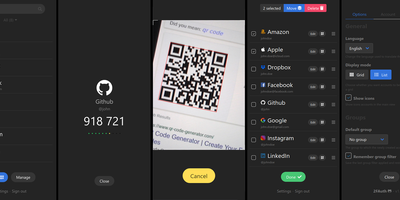
2FAuth generates TOTP, HOTP, and Steam Guard codes from any web browser, freeing your two-factor authentication from dependence on a single smartphone or app. Lose your phone, switch devices, or sit at a desktop computer, and your 2FA codes remain accessible through the web interface. The Laravel and Vue.js application stores account secrets in an encrypted SQLite database that backs up as a single file. Adding accounts works through camera-based QR scanning or manual secret key entry for services that only provide text codes. Group organization with drag-and-drop sorting keeps large collections navigable, categorized however you prefer. WebAuthn authentication with FIDO2 hardware keys protects vault access with phishing-resistant passwordless login, meaning the tool that secures your accounts is itself secured by the strongest available method. Automatic screen lock triggers after configurable idle time, and OTP obfuscation dots out generated codes until you tap to reveal them, preventing shoulder surfing in shared spaces. The REST API enables browser extensions and external applications to request codes programmatically. Import compatibility with Google Authenticator, Aegis, and 2FAS ensures painless migration without re-enrolling every account from scratch. PWA installation places 2FAuth on your device home screen for native-app-like instant access. Runs on a dedicated RepoCloud VPS with guaranteed resources and full root SSH access. AGPL-3.0 licensed.
KeeWeb
Your KeePass vaults, opened from any browser: KeeWeb reads, edits, and creates standard KDBX files, so it works with the same databases as KeePass and KeePassXC without conversion or lock-in. Self-hosting the web app gives you a password manager reachable from any modern browser, including mobile, with no client installation and no third-party cloud in the loop. All KDBX cryptography runs client-side; the server just serves the static app. Open multiple vault files simultaneously and search them all from one box, with advanced options covering specific fields, password history, and regular expressions. Vaults load from local files, your own server (WebDAV), or Dropbox, Google Drive, and OneDrive, with automatic sync - and files are cached for offline use, so a dropped connection never locks you out; changes resync once you're back online. Day-to-day niceties include a configurable password generator, protected fields that stay masked and are held in memory more defensively, entry history, tags with easy input, drag-and-drop attachments, and per-entry icons with favicon fetching. The optional KeeWeb Connect extension (Chrome, Firefox, Edge, Safari) autofills credentials using the keepassxc-protocol. MIT-licensed with matching desktop apps for macOS, Windows, and Linux.
Yopass
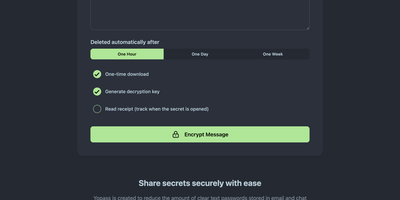
With nearly 3,000 GitHub stars and active development since 2014 through version 14.2.0, Yopass eliminates the universal bad habit of sharing passwords and API keys through Slack messages, email threads, and ticket systems by encrypting secrets entirely in the browser using OpenPGP before anything reaches the server. The Go backend stores only ciphertext — it never sees plaintext — while the React frontend handles all encryption and decryption client-side, generating one-time URLs that self-destruct after a single viewing or when the configured expiration of one hour, one day, or one week passes. File upload support streams encrypted files with configurable size limits, and optional custom password protection adds a second encryption layer beyond the URL-embedded key. The server supports Redis or Memcached as storage backends with automatic key expiration, deploying via Docker Compose in under five minutes or as Kubernetes manifests for production environments. Built-in TLS support works alongside reverse proxy configurations for Nginx, Caddy, and Traefik with automatic Let's Encrypt certificate provisioning. Prometheus metrics expose HTTP request counts, latency histograms, and secret lifecycle counters for Grafana dashboard integration and alerting. Read-only mode enables split-instance deployments separating secret creation from retrieval across different network zones. Multi-language support localizes the interface for international teams. The open-source core under Apache 2.0 provides full self-hosted functionality with no account management required. Running on a dedicated VPS on RepoCloud with guaranteed CPU, RAM, and SSD, full root SSH access, and a browser serial console. Apache-2.0 licensed.
AliasVault
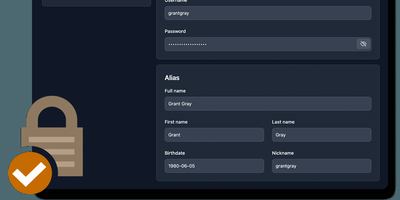
Sign up for a new service and you face a familiar choice: hand over your real email and get spam-listed forever, or generate a throwaway alias that dies when you close the tab. AliasVault eliminates that trade-off by combining a password manager with a built-in email server, so every website gets a unique identity (random email, generated name, strong password) and incoming emails land directly in your encrypted vault rather than your primary inbox. Creating a new alias takes one click: the system generates a random address on your configured domain, a fake identity with name and birthdate, and a cryptographically strong password, all stored in a zero-knowledge encrypted vault that even the server administrator cannot read. Browser extensions for Chrome, Firefox, Edge, Safari, and Brave detect login forms and autofill credentials or prompt you to create a new alias on the spot. Native iOS and Android apps with biometric unlock provide mobile access to your vault and integrate with the operating system's autofill framework. The built-in TOTP authenticator generates time-based one-time codes without needing a separate app. Import existing credentials from other password managers through standard export formats, and export your vault data at any time for full portability. Self-hosting via Docker with your own email domain gives you complete control over where alias mail is received and stored, with no third-party dependencies. Running on a dedicated VPS on RepoCloud with guaranteed CPU, RAM, and SSD, full root SSH access, and a browser serial console. AGPL-3.0 licensed.
Infisical
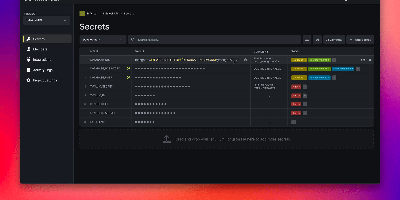
API keys hardcoded in repos, database passwords pasted into CI variables, .env files emailed between developers - Infisical, the open-source platform for secrets, certificates, and privileged access management, is the answer to all three. Secrets live in versioned stores scoped by project, environment, and path, with fine-grained identity-aware access control and full audit logging on every read and change. Delivery covers every consumption pattern: CLI injection into local dev, SDKs for Go, Node.js, and Python, an HTTP API, agents, a Kubernetes Operator, and secret syncs that push to GitHub, GitLab, AWS Secrets Manager, and Vercel. Automatic rotation replaces credentials for PostgreSQL, MySQL, MSSQL, LDAP, AWS IAM, and Azure on a rolling schedule - new credentials issue while old ones stay temporarily valid, so nothing breaks mid-rotation. Dynamic secrets go further, generating ephemeral, time-bound database credentials on demand, and SSH access replaces static keys with short-lived CA-signed certificates that expire automatically. Secrets scanning catches hardcoded credentials in code and pipelines, certificate management automates X.509 issuance and renewal, and a built-in KMS handles encrypt/decrypt with central key control. Self-hosting keeps the keys to everything else on your own infrastructure.
Passbolt
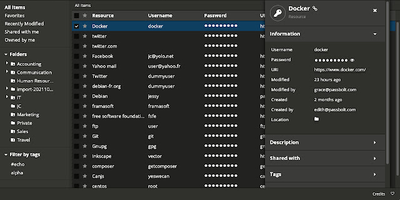
Security-conscious IT departments pick Passbolt for its cryptography: every user holds an OpenPGP key pair, and shared credentials are encrypted individually to each recipient's public key - real end-to-end encryption, not a vault password handed around. All crypto runs client-side in the mandatory browser extension (distributed and signed through the Chrome and Firefox stores, deliberately separating the crypto code from the server that stores ciphertext); private keys and passphrases never touch your instance, and the server admin cannot read a single secret. Authentication uses the challenge-based GpgAuth protocol, secrets are digitally signed to verify sender integrity, and metadata encryption extends protection to resource names and URLs. Day to day it behaves like a polished commercial manager: auto-fill and auto-save in forms, strong password generation, anti-phishing protection, TOTP storage, folder hierarchies shared per-user or per-group with fine-grained permissions and instant cryptographic revocation. Native iOS, Android, and desktop apps ship alongside a JSON API, CLI, and SDKs for CI/CD secret retrieval and rotation. The PHP server runs on MariaDB and is AGPL-licensed open source - including the paid tiers' codebase - with published security audits.
TeamPass
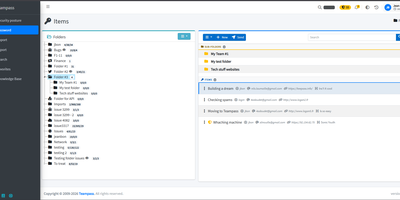
TeamPass is a dedicated on-premise password manager built specifically for teams that need collaborative credential sharing with fine-grained access controls. Role-based access control defines user permissions through hierarchical folder trees where each folder and item can be independently set to write, read, or no access against assigned roles, enabling organizations to segment credentials across departments without exposing sensitive data. Passwords are encrypted in the database using Defuse PHP Encryption with per-installation unique saltkeys, while two-factor authentication supports configurable RFC 6238 TOTP profiles with custom digits, period, and algorithm settings alongside Duo Security and Yubico hardware key integration. LDAP and Active Directory native integration enables enterprise SSO with automatic user provisioning. The Security Posture Dashboard surfaces weak, reused, breached, overdue, no-expiry, widely-shared, and unreadable credentials through indicator cards that filter and deep-link directly to items. Secure Send creates expiring, view-count-limited one-time links optionally protected by recipient passphrases for sharing credentials with external users. Import from Bitwarden, LastPass, 1Password, and KeePassXC through a unified source selector, with export to encrypted offline files. Email notifications, password expiration policies, custom fields, and attachment support round out item management. Running on a dedicated VPS on RepoCloud with guaranteed CPU, RAM, and SSD, full root SSH access, and a browser serial console. GPL-3.0 licensed.
Dopbase
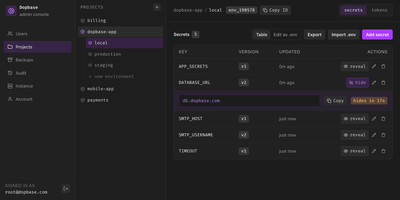
Dopbase keeps your application secrets out of scattered .env files and stores them, encrypted one by one, in a single self-hosted server you run as one file. You organize everything by project and environment, so the payment service has its own development, staging, and production values, and the same key can hold a different encrypted value in each place. Every secret is an individual record that can be updated, revealed, versioned, or rolled back without touching the others, and reading metadata never exposes a value. When an application starts, one command asks the server for an environment and injects exactly those values into the process, removing its own token before the child process runs. People sign in to the Admin UI with roles for root, admins, members, and even AI agents that can read metadata but change nothing. CI jobs and servers use runner tokens scoped to a single environment, so a staging credential can never read production. You can import and export .env files, edit secrets as a table or as raw env text, connect single sign-on through providers like Keycloak, and read an audit history of checks, reveals, and changes. Full-instance backups and the master key stay under your control on your own disk. Running on a dedicated VPS on RepoCloud with guaranteed CPU, RAM, and SSD, full root SSH access, and a browser serial console. Apache-2.0 licensed.
Password Pusher
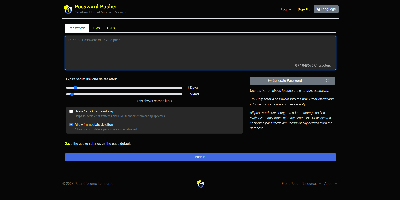
Credentials sitting forever in email threads and chat scrollback - Password Pusher solves that everyday security failure. Instead of pasting a password into Slack, you push it - a password, note, file, URL, or QR code - and share a unique one-time link that expires after a set number of views, a time limit, or both. Content is encrypted at rest with AES-GCM under a configurable master key, optionally guarded by a passphrase, and permanently deleted from the database the moment it expires; a retrieval-step option keeps URL-scanning bots from consuming views. Full audit logs record when each link was created and viewed (and by whom, with logins), and TOTP two-factor authentication can be required instance-wide. The delivery page is deliberately unbranded - no logos or confusing links for recipients - and the interface ships in 31 languages with light and dark themes. Automation runs through a JSON API (v2), an official CLI for pushing and expiring secrets from the terminal, a Chrome extension, and a catalog of third-party integrations. Apache-2.0 licensed Ruby on Rails, deployable via Docker, Kubernetes, or Helm, with SQLite or PostgreSQL storage - the sysadmin staple for sending credentials that clean up after themselves.
Shelve
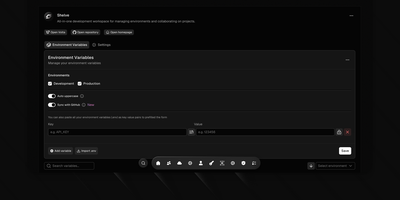
Eliminate scattered configuration files and leaked credentials across development teams with Shelve, an open-source secrets management platform that secures environment variables across development, staging, and production tiers. Engineering teams can organize sensitive database passwords and third-party API credentials within a centralized vault protected by AES-256 encryption and SHA-256 integrity verification. The platform synchronizes configurations directly to GitHub Actions and repository secret stores through an official GitHub App integration. Developers can inject encrypted variables directly into local processes using the dedicated CLI without saving plain-text secrets to disk. The built-in sharing vault creates self-destructing, password-protected links to exchange sensitive credentials securely with external contractors. Administrators can define custom workspace teams with granular role-based access controls, track change audit logs across configuration histories, and navigate management views using a keyboard-driven command palette. Automated schema validation engines detect missing parameters and enforce uniform uppercase naming standards across application tiers. Running on a dedicated VPS on RepoCloud with guaranteed CPU, RAM, and SSD, full root SSH access, and a browser serial console. Apache 2.0 licensed.