MCSManager
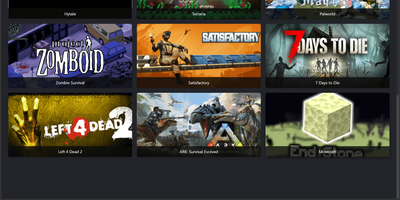
Hosting a Minecraft survival world, a Terraria server, and a Palworld host no longer means juggling SSH sessions and screen windows, because MCSManager puts every instance behind one web panel. A built-in marketplace installs game servers from ready-made templates, filtered by operating system and tagged with the Java version each one needs, while any Docker Hub image, uploaded ZIP archive, or plain process can run as an instance with its own start command, stop command, and live terminal. Docker instances get memory, CPU, port mapping, and volume settings, and each instance can auto start, auto restart, and run scheduled tasks. For Minecraft servers, the plugin and mod manager (Beta) searches Modrinth and CurseForge, and the file manager handles maps, configs, and uploads. Administrators create user accounts and assign instances to them, so friends or paying customers only see their own servers, which suits small hosting businesses that sell game servers. Extra machines join as nodes and connect to the same panel, and the drag-and-drop dashboard can be rearranged to taste. The interface supports many languages. Running on a dedicated VPS on RepoCloud with guaranteed CPU, RAM, and SSD, full root SSH access, and a browser serial console. Apache-2.0 licensed.
VitoDeploy
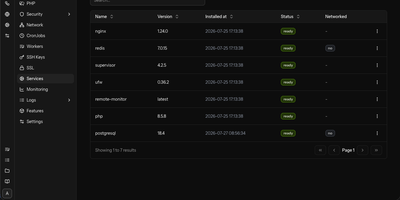
VitoDeploy replaces a pile of SSH sessions and shell scripts with one browser tab for provisioning servers and deploying websites, on a control panel you host yourself. Spin up a server on AWS, Akamai (Linode), DigitalOcean, Vultr, Hetzner, or Proxmox in a few clicks. Attach any Ubuntu machine you already own as a custom server. Add sites built with PHP, Laravel, or WordPress, or run Node.js and Bun apps behind a reverse proxy. Pull code from GitHub, GitLab, Gitea, or Bitbucket. Set environment variables and HTTP basic authentication. Issue Let's Encrypt, wildcard, or custom SSL certificates. Create MySQL, MariaDB, or PostgreSQL databases, manage their users, and send backups to Amazon S3, Wasabi, FTP, SFTP, Dropbox, or local disk. Manage firewall rules, cron jobs, Supervisor workers, Redis, and multiple PHP versions from the same screens. Watch CPU, memory, and disk use for each server, then open a live SSH shell without leaving the page. Agencies split clients into projects, invite teammates as Admins or Users, and send alerts to Slack, Discord, Telegram, or email. Workflows automate deployments, backups, and maintenance. Plugins, DNS record management, export and import of your setup, and a REST API round out the toolkit. The panel itself needs only 1 GB of RAM and 1 CPU core, then manages your other machines over SSH. Running on a dedicated VPS on RepoCloud with guaranteed CPU, RAM, and SSD, full root SSH access, and a browser serial console. AGPL-3.0 licensed.
Yacht
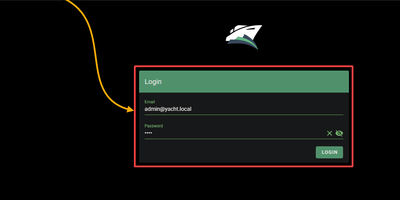
Docker deployment reimagined as an app store: browse a visual catalog of applications, click to deploy with sensible defaults, and customize ports, volumes, and environment variables only when you need to. Point Yacht at any Portainer-compatible template JSON URL and it parses every application into a browsable, searchable interface with pre-configured settings ready for one-click launch. The template framework is fully decentralized — anyone can host template files on GitHub, a personal server, or any URL, creating a community-driven ecosystem of deployment packages without central gatekeeping. Template variables prefixed with ! automatically substitute server-level settings, so !config resolves to your configured path across every deployment without repetitive manual editing. The Python backend handles container lifecycle — start, stop, restart, kill, removal — while streaming real-time logs, providing browser-based shell access, and monitoring resource statistics through the Vuetify dashboard. Docker Compose stacks sit alongside individual containers in the same management interface. Advanced editing lets you modify port mappings, volumes, environment variables, and restart policies on running containers without redeployment. The develop branch introduces agent-managed remote host support for expanding management to additional Docker hosts. Authentication can be disabled for environments behind external proxies like Authelia or Traefik forward auth. Running on a dedicated VPS on RepoCloud with guaranteed CPU, RAM, and SSD, full root SSH access, and a browser serial console. CC-BY-4.0 licensed.
Statainer
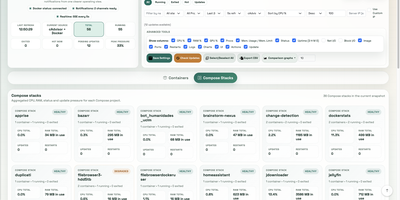
Monitoring and safeguarding Docker infrastructure without heavy enterprise software overhead is the primary mission of Statainer, an open-source management control center for container hosts. System operators inspect live CPU loads, memory consumption, network throughput, and disk I/O metrics across individual containers or comparative top-ranking charts. The interface groups containers by Compose projects, enabling administrators to start, stop, or restart entire application stacks and inspect real-time log streams without opening SSH sessions. The built-in Update Manager detects available image tags, executes single-click container updates, and maintains persistent deployment history with automated rollback capabilities for failed recreations. Custom alert configurations trigger instant notifications to Telegram, Discord, Slack, Pushover, or generic webhook endpoints whenever resource thresholds are breached or container health states change. Developers can provision scoped API keys with token authentication to automate container state transitions and export performance telemetry into custom monitoring workflows. Running on a dedicated VPS on RepoCloud with guaranteed CPU, RAM, and SSD, full root SSH access, and a browser serial console. MIT licensed.