Openship
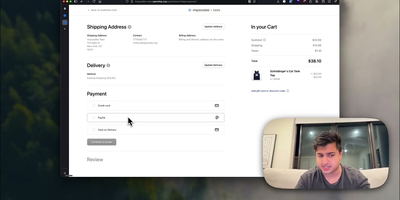
Point Openship at a GitHub repo, local folder, or prebuilt artifact and it detects your stack, builds a Docker container, provisions databases, configures domains with automatic Let's Encrypt TLS, and routes traffic through an OpenResty edge layer on ports 80 and 443. Already past 10,000 stars since launching in March 2026, it turns any Linux VPS into a managed application host. Language support covers Node.js, Python, Go, Rust, PHP, Ruby, Java, .NET, Docker, and monorepo projects with push-to-deploy CI/CD, pull request preview environments on unique subdomains, staging/production flows, and one-click rollbacks. Integrated backend services include managed Postgres, MySQL, MongoDB, Redis, persistent volumes, WebSocket proxying, object storage, and worker processes, all provisioned from the dashboard without compose files. A built-in SMTP server handles transactional email with automatic DKIM, SPF, and DMARC configuration, eliminating external email services. The edge layer serves HTTP/3 with Brotli compression, configurable cache rules, and instant purging. Real-time monitoring streams build logs, container metrics, visitor geography, and per-status-code analytics at 1.4 microsecond overhead with zero database writes. Scheduled backups cover databases and volumes with one-click restore and export. Three interfaces (web dashboard, desktop app for macOS/Windows/Linux, and the openship CLI) drive the same API, plus a Model Context Protocol endpoint for AI integration. Running on a dedicated VPS on RepoCloud with guaranteed CPU, RAM, and SSD, full root SSH access, and a browser serial console. Apache 2.0 licensed.
ServerKit
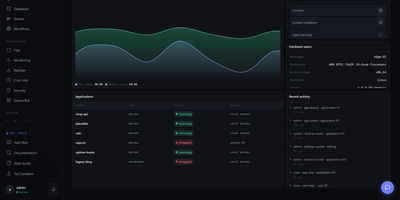
ServerKit delivers a server control panel that fits on a small VPS while managing everything from Docker containers to mail servers. The Python/Flask backend exposes 1,519 REST endpoints across 107 blueprints with full OpenAPI documentation at /api/v1/docs, while the React frontend spans 65 screens in a 1.75MB gzipped bundle served entirely from your own infrastructure. Docker management includes full container lifecycle control, Docker Compose project orchestration, real-time log streaming, and terminal access. Database panels cover MySQL/MariaDB and PostgreSQL with user management, browser-based query consoles, and automated backups to S3, Backblaze B2, or local storage. Nginx virtual host management automates Let's Encrypt certificate provisioning with hardened TLS 1.2+ configurations and Cloudflare-aware setups. The Go-based cross-platform agent enables multi-server fleet management with HMAC-SHA256 authentication over a WebSocket gateway, supporting Linux, Windows, and macOS across amd64 and ARM64 architectures. Fleet monitoring provides cross-server heatmaps, metric comparison charts, alert thresholds, anomaly detection, and capacity forecasting. A built-in marketplace distributes 106 one-click application templates using a declarative YAML schema with Docker Compose stacks. The extension system allows community plugins for Kubernetes management, Redis browsers, and WordPress site orchestration. Running on a dedicated VPS on RepoCloud with guaranteed CPU, RAM, and SSD, full root SSH access, and a browser serial console. MIT licensed.
Runtipi
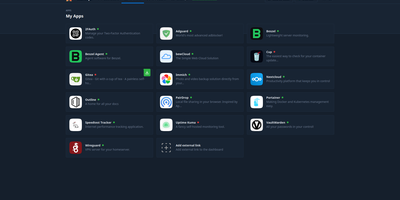
Runtipi makes any Linux server a personal app platform where installing services like Plex, Nextcloud, or Home Assistant takes a single click from a curated store of 265+ applications. With 9,500+ GitHub stars and 50 contributors, the React frontend backed by NestJS orchestrates Docker Compose projects for each installed app, automatically generating environment files, compose configurations, and Traefik reverse proxy labels for domain routing and SSL certificate provisioning via Let's Encrypt. The integrated Traefik reverse proxy handles all incoming traffic routing, HTTPS termination, and forward-auth protection for securing applications behind Runtipi's authentication layer without manual configuration. One-click updates notify administrators of new app versions and apply container image upgrades with automatic pre-update backup creation, while the restore feature rolls back application data to any saved snapshot. Custom app stores extend the ecosystem through Git repositories following the Runtipi app definition format, enabling organizations and communities to maintain private catalogs alongside the official store. The Docker Compose override system preserves user customizations across updates, allowing advanced modifications without losing changes. Architecture-aware filtering detects ARM64 or x86 platforms and displays only compatible applications. All apps deploy as standard Docker containers, and compose files can be exported for independent operation without lock-in. Running on a dedicated VPS on RepoCloud with guaranteed CPU, RAM, and SSD, full root SSH access, and a browser serial console. GPL-3.0 licensed.
Lab Dash
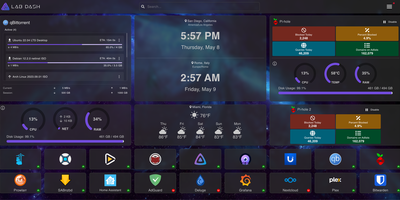
Every homelab deserves a control center that looks as good as the services it manages. Lab Dash gives you a customizable, drag-and-drop dashboard where every tile earns its spot. Add shortcut widgets linking to your Plex, Grafana, Nextcloud, or any service with automatic health check indicators showing green or red status at a glance. The system monitoring widget displays real-time CPU usage, memory consumption, network throughput, disk utilization, and temperature readings by mounting the host /sys directory as a read-only volume. Integrate Pi-hole stats, qBittorrent download progress, and media server widgets for Jellyfin, Plex, or Emby directly on your grid. Multiple pages let you organize services by category, and the search bar finds any tile instantly. Customize the background image from a local upload or URL, set a custom title and tab name, and choose your preferred search provider including self-hosted options like SearXNG. All sensitive configuration data is encrypted locally with AES-256-CBC, and only administrator accounts can modify the layout. Install Lab Dash as a Progressive Web App on desktop, phone, or tablet for a native app experience with offline capability. Configurations export as backup files for easy migration between instances. On RepoCloud, deploy Lab Dash on a dedicated VPS with root SSH access and Docker socket connectivity under the GPL-3.0 license.
Sencho
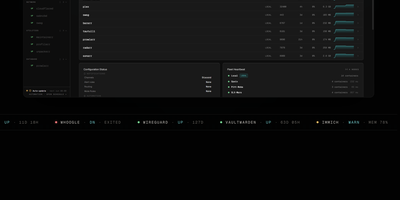
With over 430 GitHub stars and designed for DevOps engineers, platform teams, and homelab operators, Sencho is the self-hosted Docker Compose control plane that gives you a real operational cockpit without abandoning file-on-disk compose workflows. The web dashboard provides live CPU, memory, and disk sparklines per container, one-click start/stop/restart controls, and a Monaco-powered YAML editor with syntax highlighting, inline diff, and one-click rollback. Compose files remain the source of truth on the host filesystem. Multi-node management connects remote Sencho instances via authenticated HTTP and WebSocket proxy using long-lived API tokens, with no SSH access or exposed Docker sockets required. The Pilot Agent establishes an outbound-only WebSocket tunnel for nodes behind NAT, CGNAT, or strict firewalls. Blueprints define compose intent once and deploy it across label-targeted nodes, with drift detection keeping the fleet aligned. Fleet Federation provides cordon and pin controls for maintenance windows, while Fleet Actions execute bulk deploy, stop, and restart operations by stack label across the entire infrastructure. The security suite includes Trivy vulnerability scanning, deploy enforcement policies, SARIF and SBOM export, and Fleet Sync to replicate scan policies across replicas. Additional capabilities include 199+ one-click app templates, Git source integration, atomic deploys with auto-rollback, auto-heal, scheduled operations, webhooks, and custom S3 off-site backups to MinIO, R2, B2, or AWS. Running on a dedicated VPS on RepoCloud with guaranteed CPU, RAM, and SSD, full root SSH access, and a browser serial console. AGPL-3.0 licensed.
Cockpit
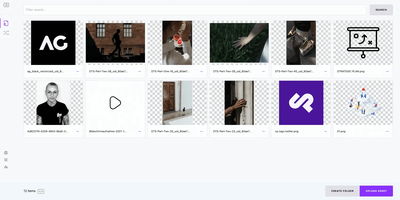
Cockpit puts Linux server administration in a web browser, rendering storage, networking, containers, and virtual machines as visual panels you click through instead of command-line syntax you memorize. It ships in every major Linux distribution and activates through systemd socket activation, consuming zero resources until someone connects on port 9090. What makes it different from other admin panels: every change through the web interface appears instantly at the command line, and every terminal change reflects in the browser in real time. No abstraction layer sits between the UI and the operating system, which means no configuration drift. Storage management covers disk partitioning, RAID arrays, LUKS encryption, LVM volumes, and NFS shares. Network configuration handles bonds, bridges, VLANs, and firewall zones through visual editors. Native Podman integration pulls images, creates containers, manages pods, and provides terminal access into running processes. KVM/libvirt support handles VM creation, cloning, snapshots, and live migration with console access. A built-in terminal provides shell access when the web interface is not enough, and the journal viewer filters systemd logs by severity and unit. Multi-server management connects additional hosts over SSH, presenting a unified dashboard across your entire infrastructure from one browser tab. Runs on a dedicated RepoCloud VPS with full root SSH access and browser serial console. LGPL licensed.
Polaris Control Plane
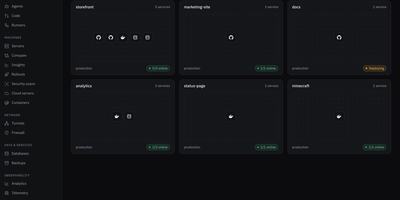
Polaris puts app deploys, file storage, team chat, tasks, and a password vault behind one login on a server you control. Deploy from a Git repository or an image with databases, volumes, environment variables, logs, a terminal, and a domain, published through your own domain, a Cloudflare tunnel, or DuckDNS. Enroll more machines over SSH with one generated command, then watch their containers and metrics and schedule backups with restore. Drive spans local disks, SFTP, S3-compatible storage, SMB, NFS, Google Drive, OneDrive, and Dropbox, with password-protected public links, expiry, and drop points for people without an account. Vault works with the Bitwarden apps and extensions and encrypts in the browser, so the server never sees your master password. Chat brings channels, threads, direct messages, voice and video calls, screen sharing, and a soundboard, while Tasks adds lists, boards, sprints, goals, and time tracking, and can hand work to coding agents over MCP. Calendar syncs both ways with Google, Microsoft 365, and CalDAV and offers booking pages. Game servers run Minecraft, ARK, and FiveM, a firewall blocks countries, networks, and bots, and one-click Marketplace installs add more apps. The interface comes in English and Spanish. Running on a dedicated VPS on RepoCloud with guaranteed CPU, RAM, and SSD, full root SSH access, and a browser serial console. AGPL-3.0 licensed.
3X-UI
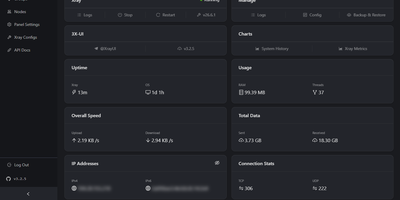
3X-UI is the most popular open-source Xray management panel, providing a full-featured web interface for deploying and monitoring proxy and VPN protocols on Linux servers. The Go backend manages Xray-core instances supporting VLESS, VMess, Trojan, Shadowsocks, WireGuard, Hysteria2, HTTP, SOCKS, Dokodemo-door, and TUN inbounds across TCP, mKCP, WebSocket, gRPC, HTTPUpgrade, and XHTTP transports secured with TLS, XTLS Vision, and REALITY. The Clients page tracks each user with individual traffic quotas, expiration dates, concurrent connection limits, and live online status indicators, while one-click share links, QR codes, and a built-in subscription server distribute configurations in multiple output formats. The multi-node architecture manages and scales deployments across multiple servers from a single panel instance. The Panel Settings page configures listen address, port, URI path, session duration, trusted proxy CIDRs, authentication, and Telegram bot integration for remote monitoring and management alerts. Outbound routing supports WARP, NordVPN, custom rules, load balancers, and proxy chaining. Xray Configs provides template-level control over the core configuration, while the API Docs page exposes a complete RESTful API with in-panel Swagger documentation. Data persists in SQLite by default or PostgreSQL for larger deployments, with database export and import from the panel. Fail2ban integration enforces per-client IP limits. On RepoCloud, deploy 3X-UI on a dedicated VPS with Docker, root SSH access, and complete control over your proxy infrastructure, all under the GPL-3.0 license.
OliveTin
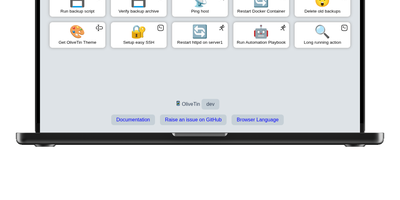
With over 3,600 GitHub stars and a philosophy of deliberate simplicity, OliveTin eliminates the need for SSH sessions, admin panels, and complex automation platforms by letting you define shell commands in a YAML config file and access them as clickable buttons through a clean browser interface. The Go binary consumes only a few megabytes of RAM, running on everything from tiny ARM and RISC-V devices through Linux VMs, containers, macOS, and Windows. Each button executes a predefined shell command with optional typed arguments that render as dropdowns, text fields, and validated inputs, preventing free-form command entry while giving users controlled access to server operations. Access control lists define exactly who can view or run each action — guests, family members, or junior administrators see only the buttons they are permitted to use. Entity templates generate actions dynamically from lists of hosts, containers, or other resources, creating one template that produces many buttons without manual duplication. Flexible triggers extend beyond browser clicks: cron schedules, webhooks, calendar file events, and filesystem watchers run actions automatically when conditions are met. Authentication supports OAuth2, JWT, and header-based methods for integration with reverse proxies and identity providers. Dashboards organize actions into folders and fieldsets for clear navigation across dozens of commands. No plugin system, no extension marketplace, no premium tiers — every feature ships in the single open-source release. Running on a dedicated VPS on RepoCloud with guaranteed CPU, RAM, and SSD, full root SSH access, and a browser serial console. AGPL-3.0 licensed.
Komari
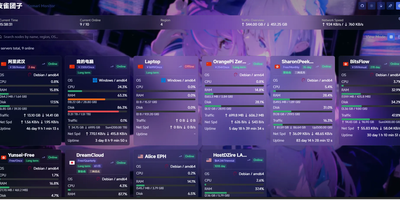
Komari turns a scattered fleet of VPS boxes into one clean status wall that shows which servers are alive, struggling, or about to expire. Every node reports CPU, GPU, memory, swap, disk, load, network speed, traffic totals, and uptime to a real-time dashboard, with history views from ten minutes to thirty days or any custom range. Flip between a card grid and a table, search by name, region, or operating system, and tag each machine with its price, billing cycle, and days until renewal. Latency tasks send ICMP, TCP, or HTTP probes and plot the results in per-node charts. Offline alerts wait out a per-node grace period before firing, expiry reminders warn before a plan lapses, and Webhook and custom JavaScript channels deliver them. A multi-tab browser terminal that reattaches after disconnects, remote command execution, and a remote file manager with an editor let you fix problems without leaving the panel. Agents install with a script, a binary, Docker, or an auto-discovery key for batch rollouts, and administrators can switch an agent's version remotely. Plugins run on an embedded JavaScript runtime and can add scheduled jobs, HTTP hooks, static pages, and notification channels. Administrators can add two-factor authentication, OAuth sign-in, API keys for a JSON-RPC 2.0 endpoint, themes from a theme market, and backups. Running on a dedicated VPS on RepoCloud with guaranteed CPU, RAM, and SSD, full root SSH access, and a browser serial console. MIT licensed.
Webmin
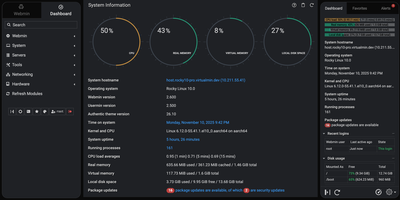
Skip the shell and the configuration file: Webmin handles user accounts, disk quotas, services, and server software on Linux and Unix machines from a browser tab. More than 100 standard modules sit under seven menus: Webmin, System, Servers, Tools, Networking, Hardware, and Cluster. System covers Users and Groups, Scheduled Cron Jobs, Running Processes, System Logs, Log File Rotation, Disk Quotas, Filesystem Backup, and systemd Bootup and Shutdown, plus Software Package Updates, which can hold selected packages on APT and DNF systems. Servers edits Apache, Nginx, BIND DNS, Postfix, Dovecot, MySQL and MariaDB, and PostgreSQL through forms. Networking brings an nftables firewall editor, Fail2Ban jails, and IPsec VPN settings. Tools adds File Manager, Custom Commands, and a Terminal that opens right in the browser. Hardware lists firmware, PCI, USB, storage, and sensor details. The dashboard keeps live CPU, memory, and disk gauges, stats history graphs, and a pending updates alert in view. Webmin Users limits each account to the modules it needs, while two-factor authentication, IP access control, and SSL settings guard the panel itself. Cluster modules reach other hosts registered in the Webmin Servers Index and run cron jobs, shell commands, and package installs on many servers at once. Running on a dedicated VPS on RepoCloud with guaranteed CPU, RAM, and SSD, full root SSH access, and a browser serial console. BSD-3-Clause licensed.
Tugtainer
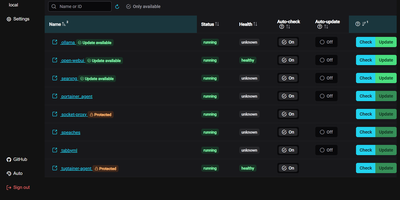
Tugtainer delivers a visual command center for Docker environments that automates container image updates, monitors registry releases, and manages application lifecycles across multiple servers without command-line intervention. System administrators can inspect running containers across all connected hosts, trigger immediate image pulls, and configure automated cron schedules for recurring health and registry checks. Flexible update policies allow teams to flag production databases as notification-only while automatically updating stateless web applications whenever new image tags publish. When updating linked services, the platform analyzes Docker Compose project definitions and custom dependency labels to stop and restart containers in strict dependency order, preventing broken network links and orphaned volume mounts. Administrators can authenticate private container registries, browse image layers and tags, and view real-time container log streams directly within the browser console. Automated pruning jobs continuously reclaim server disk space by deleting obsolete, untagged images and dangling build layers after successful deployments. Multi-channel alerting integrates with over fifty notification providers, delivering real-time update summaries and error warnings directly to Discord, Telegram, Slack, and email webhooks. Running on a dedicated VPS on RepoCloud with guaranteed CPU, RAM, and SSD, full root SSH access, and a browser serial console. MIT licensed.
Nexterm
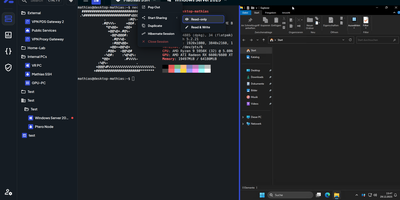
Terminals, remote desktops, and file browsers for every server you run: Nexterm opens them over SSH, VNC, RDP, Telnet, or SFTP from a self-hosted web page. Servers live in folders with tags and custom icons. Connections open as tabs or split views, keep running across browsers and devices, and can hibernate and resume later. The file manager handles SFTP and FTP: drag files in, upload whole folders, search, and edit in place with syntax highlighting. Live metrics track CPU, memory, disk, network, and processes for each host. Snippets store the commands you retype most. Scripts run whole maintenance jobs. Git repositories added as sources bring ready-made ones filtered by operating system. Organizations share servers through role-based permissions, and every action is logged. Record full terminal sessions for audits and training, or send a shared-session link so a colleague can join, read-only or writable. Authentication covers local accounts with TOTP and passkeys, OIDC providers such as Keycloak, Authentik, and Microsoft Entra ID, and LDAP or Active Directory. Saved passwords, SSH keys, and passphrases stay encrypted at rest. A Proxmox integration lists LXC containers and QEMU virtual machines and can start or stop them. An opt-in AI assistant drafts shell commands from plain-language requests. Running on a dedicated VPS on RepoCloud with guaranteed CPU, RAM, and SSD, full root SSH access, and a browser serial console. MIT licensed.
1Panel
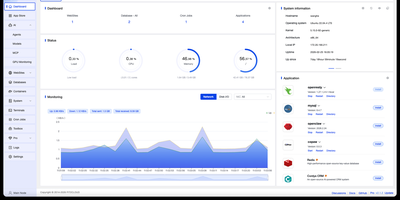
Backed by over 36,000 GitHub stars and 120 contributors with 123 releases since 2022, 1Panel has rapidly become the go-to open-source alternative to cPanel and Plesk for modern Linux server management. The platform delivers a clean Vue.js dashboard powered by a Go backend using the Gin framework, providing visual management of Docker containers, images, networks, and volumes without touching the command line. Its curated app marketplace offers one-click installation of 165+ trusted open-source applications including Nextcloud, Bitwarden, Umami analytics, WordPress, and NocoBase, each running in isolated containers for maximum security. Native AI capabilities set 1Panel apart from every competing panel: deploy Ollama LLMs directly from the dashboard, spin up OpenClaw personal agents, monitor GPU utilization, and manage AI models through a unified interface. Website management includes automatic domain binding, Let's Encrypt SSL certificate provisioning, and Nginx configuration with zero manual setup. Security runs deep with built-in firewall rules, fail2ban integration, container isolation, WAF protection, and comprehensive audit logging enabled from day one. Automated backups support AWS S3, Cloudflare R2, and local storage with one-click restore from any snapshot. The panel supports Debian, Ubuntu, CentOS, and Rocky Linux across x86_64, aarch64, armv7l, ppc64le, and s390x architectures. Running on a dedicated VPS on RepoCloud with guaranteed CPU, RAM, and SSD, full root SSH access, and a browser serial console. GPL-3.0 licensed.
Laranode
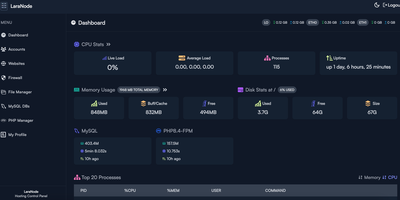
Built for self-hosted server deployments, Laranode transforms bare Linux installations into multi-tenant web hosting platforms with automated Let's Encrypt certificates and isolated PHP environments without recurring license fees. System administrators can provision isolated user accounts with dedicated document roots, configure custom domains, and deploy SSL certificates across all active websites in seconds. The integrated PHP manager enables per-site runtime isolation from legacy PHP 7.4 through cutting-edge PHP 8.5 releases, preventing version conflicts between separate production web applications. Operators can create MySQL databases, manage database users, inspect active connections, and adjust UFW firewall port access directly from the visual dashboard. An integrated browser-based file manager lets developers browse directories, edit configuration files, extract compressed archives, and modify file permissions without external FTP tools. Real-time telemetry monitors CPU utilization, memory consumption, disk capacity, and network traffic over customizable historical timeframes to catch bottlenecks early. Automated backup routines archive full accounts, individual websites, or specific databases to local storage, remote SFTP servers, or S3-compatible cloud object stores with point-in-time recovery verification. Running on a dedicated VPS on RepoCloud with guaranteed CPU, RAM, and SSD, full root SSH access, and a browser serial console. MIT licensed.
Zabbix
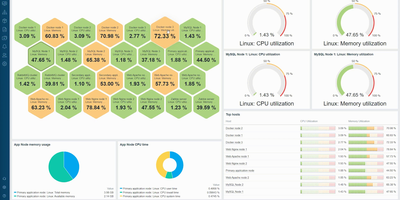
Monitoring everything from network switches to Kubernetes clusters since 2001 with over 6,200 GitHub stars and deployments exceeding 100,000 devices per installation, Zabbix has established itself as one of the most mature and feature-rich open-source monitoring platforms available, trusted by organizations including Dell, Salesforce, ICANN, and T-Mobile. The platform collects metrics from virtually any source using Zabbix Agent written in C, Zabbix Agent 2 written in Go with native plugin support, SNMP v1/v2c/v3 polling and trapping, IPMI for hardware health, JMX for Java applications, SSH and Telnet checks, HTTP/HTTPS polling, and ODBC database queries. Version 7.0 LTS introduced synthetic browser monitoring that executes user-defined JavaScript via WebDriver to simulate multi-step user interactions on websites, proxy load balancing with automatic host redistribution across proxy groups for high availability, in-memory proxy data buffering delivering up to 100x performance improvement, native multi-factor authentication with TOTP and Duo support, and just-in-time user provisioning from SAML and LDAP. Low-level discovery automatically detects file systems, network interfaces, SNMP OIDs, VMware resources, and Kubernetes pods, creating monitoring items and triggers dynamically. The alerting engine correlates events with configurable escalation chains, sending notifications through Slack, Microsoft Teams, PagerDuty, Jira, email, and SMS with customizable message templates. Over 1,000 official templates provide instant monitoring for Linux, Windows, VMware, AWS, Azure, Docker, PostgreSQL, MySQL, Apache, Nginx, and hundreds more. Running on a dedicated VPS on RepoCloud with guaranteed CPU, RAM, and SSD, full root SSH access, and a browser serial console. AGPL-3.0 licensed.
DockPanel
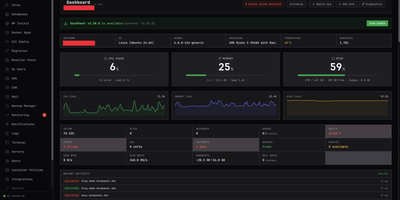
Created in March 2026 and rapidly gaining traction in self-hosting communities, DockPanel delivers the most feature-dense free server panel available — 811 API endpoints, 153 one-click Docker app templates across 14 categories, and full multi-server management, all running on three Rust binaries consuming under 50MB of combined RAM. The panel handles the complete server lifecycle: sites with automatic SSL via Let's Encrypt, MySQL and PostgreSQL databases in Docker containers, Git push-to-deploy using Nixpacks for automatic language detection without Dockerfiles, blue-green zero-downtime deployments with automatic rollback on failed health checks, DNS management, mail servers, monitoring dashboards, and encrypted backups to S3, SFTP, Backblaze B2, or Google Cloud Storage. Security receives production-grade attention with per-image CVE scanning that gates deployments, a built-in WAF, passkey authentication alongside Argon2 password hashing, HttpOnly JWT sessions with blacklist-on-logout, rate limiting on auth endpoints, and fail2ban integration — all verified through an 18-vulnerability pentest with zero remaining issues. Infrastructure as Code support exports your entire server configuration to YAML, and the developer CLI provides status, diagnose, and export commands for automation. GPU passthrough enables AI workload hosting, reseller accounts support white-label branding for agencies, and ARM64 compatibility covers Raspberry Pi and Oracle Cloud free-tier deployments. Running on a dedicated VPS on RepoCloud with guaranteed CPU, RAM, and SSD, full root SSH access, and a browser serial console. AGPL-3.0 licensed.
Beszel
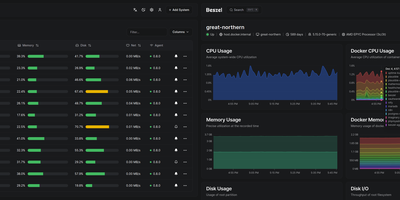
Reaching 24,000 GitHub stars within two years of its first commit in July 2024, Beszel delivers Netdata-grade monitoring dashboards from a single Docker container with no Prometheus stack, no external database, and no complex configuration — just a one-binary hub on PocketBase (SQLite embedded) and a sub-15 MB agent per host that auto-discovers Docker and Podman containers on contact. The agent connects outbound via WebSocket or SSH tunnel, requiring zero open ports on monitored servers and zero manual network configuration. Per-host metrics cover CPU usage, memory with swap and ZFS ARC breakdown, disk I/O across multiple partitions, network throughput, load average, sensor temperatures, battery charge, and GPU utilization with power draw for Nvidia, AMD, and Intel cards — features that competitors lock behind paid tiers. S.M.A.R.T. disk health including eMMC wear indicators and Linux mdraid array status surface hardware degradation before failures occur. Container statistics track CPU, memory, and network history per container with automatic discovery as new containers start. Configurable threshold alerts notify via email, Discord, Telegram, ntfy, Pushover, Gotify, Matrix, Mattermost, Signal, Slack, Microsoft Teams, and Twilio when metrics exceed defined limits. Multi-user accounts with OAuth/OIDC authentication let teams share monitored systems with role-based access, while automatic backups persist data to disk or S3-compatible storage. Running on a dedicated VPS on RepoCloud with guaranteed CPU, RAM, and SSD, full root SSH access, and a browser serial console. MIT licensed.