docat
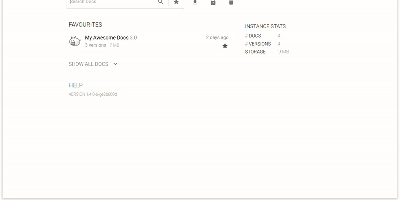
Hosting finished documentation for many projects at once, Docat leaves every uploaded version online for the readers still on version 2. Zip the static HTML that MkDocs, Sphinx, or mdBook produced. Send it to a project and version with curl or the docatl command line client. Tag the newest build as latest, and links get a stable address. Readers land on a home page that opens on starred favourites. A search box narrows the list, and its queries can be shared as links. Instance statistics report documents, versions, and storage. Inside any docs page, a version dropdown with a latest label moves between releases. Uploads are open at first. Claim a project and it returns a token that must accompany every later version upload or deletion. The same token hides versions from the dropdown and from search, and each project can carry its own icon. Operators can mount a small config file for custom header and footer HTML, raise the 100 MB default archive limit with an environment variable, and put nginx basic authentication in front of the write endpoints. Swagger UI and ReDoc pages at /api/docs and /api/redoc document the HTTP API for pipeline authors. Running on a dedicated VPS on RepoCloud with guaranteed CPU, RAM, and SSD, full root SSH access, and a browser serial console. MIT licensed.
Evonic
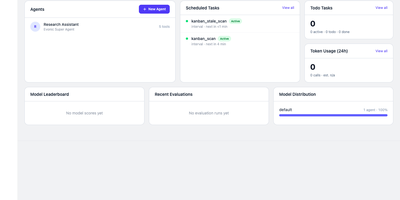
AI agents that delegate to each other, remember past conversations, and stay inside your safety rules all live in one self-hosted platform called Evonic. Every agent in Evonic has its own identity, model, tools, knowledge base, channels, and skills, and a guided first-run wizard creates the first one in minutes against OpenRouter, Together AI, Ollama, DeepSeek, llama.cpp, or any custom OpenAI-compatible endpoint. Agents message and delegate to each other, run commands in a Docker, Podman, or bubblewrap sandbox, and execute on a local folder, an SSH server, or a tunnel device that needs no public IP. A built-in Kanban board hands tasks to agents, a scheduler fires cron jobs and reminders, and Telegram, WhatsApp, and Discord channels put agents where users already chat. Markdown knowledge bases with wiki-links form an interactive graph, a memory engine recalls facts across sessions, and an organizer sub-agent extracts entities and merges duplicates. Safety layers inspect actions for mass deletion or remote code execution and escalate to a human, and an injection guard blocks prompt manipulation. Evaluation dashboards score models across domains, a token monitor tracks usage per agent and model, and bundled skills, 12 plugins, backup and restore, and themed light and dark modes round it out. Running on a dedicated VPS on RepoCloud with guaranteed CPU, RAM, and SSD, full root SSH access, and a browser serial console. AGPL-3.0 licensed.
Tingly Box
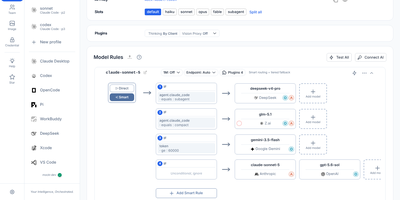
Give every agent your team runs the same front door, and the model chaos behind it becomes manageable. Tingly Box is a self-hosted gateway with a web console where providers, keys, routing rules, and team usage live in one place. Claude Code, OpenCode, Codex, Xcode, and other clients simply call the endpoint. A request arrives. The gateway reads your rules, weighs cost against speed against the policy you wrote, picks a model and a token, translates the protocol if the two ends disagree, and streams the answer back. Existing subscription quotas are spendable here, connected by OAuth beside ordinary API keys, and per-scenario profiles let quick edits and deep refactors land on different models by default. Team mode shares that endpoint properly. Model rules are managed centrally, each member receives a dedicated key, data stays isolated per user, and the usage dashboard shows exactly who consumed what. The gateway also speaks images, generating and editing through the same address with a playground for testing prompts before clients depend on them. Agents remain reachable after you leave the desk, driven through Telegram, DingTalk, Feishu, Lark, Weixin, or WeCom, with guardrails and an MCP gateway available as power-ups. Virtual models give new rules a safe target for testing and benchmarking before real traffic moves over. Running on a dedicated VPS on RepoCloud with guaranteed CPU, RAM, and SSD, full root SSH access, and a browser serial console. MPL-2.0 licensed.
Snowshare
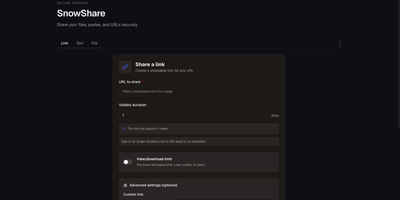
A dropped connection should not restart a 20 GB upload: SnowShare is a self-hosted app for sharing files, links, and pastes, with resumable transfers and an expiry date, a view limit, a password, and a QR code available on every share. Put several files into one share and let recipients preview common formats right in the browser, shorten a long address with an optional custom slug, or publish text and code with syntax highlighting. People you send a link to can open it with or without an account, depending on how you configure the instance. Give your users email and password accounts or OAuth sign-in, turn on email verification and CAPTCHA, and set separate storage quotas for anonymous visitors and registered users. Keep uploads on local disk or move them to S3-compatible storage, apply your own branding, and change quotas, sharing rules, SMTP, and storage from the admin panel without restarting. Automate sharing through the REST API with keys created from your profile, drop the generated ShareX uploader files into your capture tool, and receive signed webhook events when shares are created, opened, or deleted. Read the interface in English, French, Spanish, German, Dutch, or Polish, and let expired shares clean themselves up every hour. Running on a dedicated VPS on RepoCloud with guaranteed CPU, RAM, and SSD, full root SSH access, and a browser serial console. CC0 1.0 licensed.
OpenSkyCam
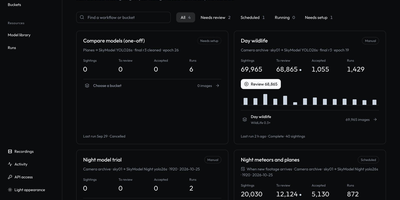
OpenSkyCam records a sky-facing IP camera around the clock on hardware you own, and searches the footage for meteors, planes, and anything else that moves. A small Linux relay by the camera copies the RTSP stream into one-minute MP4 files without re-encoding, kept on your disk under a rolling 40-day window: browse by day, scrub by hour, zoom into the 4K frame, download originals. Workshop workflows sample frames from any time window, run up to four detection or classification models over them, and sort each frame into buckets by class, score, count, time of day, or motion, once or nightly as footage lands. Detections of one object link across a recording into tracks labeled moving, stationary, or brief, so fixed stars and porch lights are discarded and aircraft kept. A trained night detector for planes and meteors ships with the project; every detection waits in a review view where you confirm or correct its label and box, then freeze the approved set as a versioned training dataset. The processor lives on your machine too (Apple or NVIDIA GPU, or plain CPU), and the footage itself never leaves your disk. Every website action is also a /v1 API call, and an MCP server lets an AI agent find last night's clearest meteors, take a photo at any second of stored video, or schedule the next workflow. Running on a dedicated VPS on RepoCloud with guaranteed CPU, RAM, and SSD, full root SSH access, and a browser serial console. MIT licensed.
LifeGLANCE
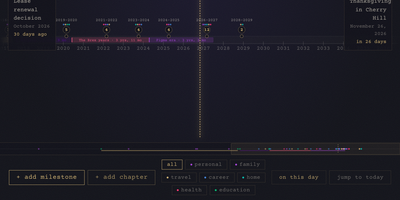
Birthdays, graduations, house moves, weddings, and the trip you keep promising yourself for next year all belong on the same line, and LifeGLANCE draws that line as one zoomable timeline of your life, past and future. Pan smoothly from a single week out to multiple decades, then zoom back in when a dense year needs room; cluster badges keep crowded stretches readable, and a minimap scrubbar jumps you across decades without endless scrolling. Each milestone carries a title, a date at day, month, or year precision, a category, a note, and a link, and you can attach photos, audio, and video directly to the moments they belong to. Birthdays and anniversaries repeat annually with an end year you set. Switch between All, Past, and Future views, search titles and notes in full text, or open On This Day to see what happened on this date in earlier years. A stats panel and summary modal turn the line into counts and patterns. Import calendar events from an ICS file, export the whole timeline as a high-resolution PNG, or back everything up and restore it as JSON. Running on a dedicated VPS on RepoCloud with guaranteed CPU, RAM, and SSD, full root SSH access, and a browser serial console. MIT licensed.
KamiYomu
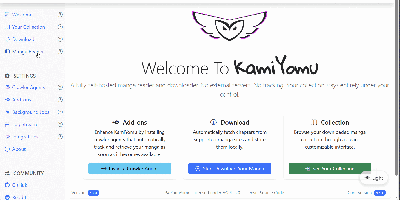
Manga readers use KamiYomu to build a private, self-hosted library: it fetches chapters from the websites they already follow, archives them locally, and serves everything back through a clean web reader on any device. The discovery flow runs on Crawler Agents, small plugins that teach KamiYomu how a particular source site lists series, chapters, and pages, so searching and fetching metadata happens inside the same interface as reading. Downloads land in a structured local archive, and reading picks up where you left off with history, filters for your library, and weekly views that surface new chapters and fresh releases. When a series is complete, export it as CBZ, PDF, or ZIP and take the files anywhere, no account or cloud library involved. Your e-reader and phone apps join through the built-in OPDS catalog, the same standard used by Moon+ Reader and KyBook, while a Swagger-documented API exposes the collection to your own scripts. Scheduled jobs keep watched series current in the background, checking sources and pulling new chapters without you babysitting tabs. Running on a dedicated VPS on RepoCloud with guaranteed CPU, RAM, and SSD, full root SSH access, and a browser serial console. AGPL-3.0 licensed.
Wally
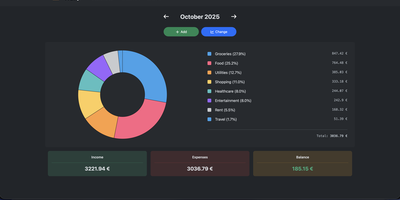
Started as an ExpenseOwl-inspired project, Wally grew into a lightweight, self-hosted expense tracker more capable in every direction its author touched. The backend is Python FastAPI over SQLite, which means every deployment ships a full REST API with interactive documentation at /api/docs - automating imports or wiring in external tools requires no reverse engineering, and when the optional login page is enabled you can mint scoped API keys from the Settings page for token-based integrations. The transactions view is built on AG Grid, bringing real search, column sorting, and per-column filtering to your ledger, with a footer totaling rows, income, and expenses for whatever slice you have filtered. Dashboards go beyond the usual monthly doughnut: a Change button swaps in year-scale line graphs so you can track a single category - restaurants, say - across time. Recurring transactions edit intelligently, letting you apply changes to all instances or only future ones. CSV import and export use a simple six-column format handled from Settings, the refined dark theme is genuinely easy on the eyes, and the interface is translated into more than ten languages. The whole thing runs from one small container with a single data volume.
WikiDocs
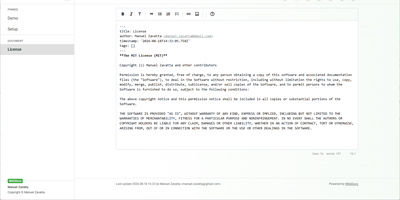
Write your knowledge as plain Markdown files, and WikiDocs turns the folder into a searchable, versioned wiki with no database to set up or back up. Pages carry YAML front matter, so the whole wiki can be copied, archived, or opened in any text editor. An editor with a formatting toolbar handles headings, lists, task lists, links, and images, and pictures can be pasted straight from the clipboard. Math is typeset with KaTeX, Mermaid renders diagrams such as ER models and mind maps, and code blocks get syntax highlighting. Every save keeps a revision, a versions dialog lists them, and deleted pages wait in a trash where they can be restored or erased. Attachments upload and download from any page, namespaces build a page tree in the sidebar with pinned pages on top, and full-text search highlights every match. Public mode publishes a read-only knowledge base, private mode requires sign-in, and administrator and user accounts are managed in the app. Settings cover the wiki title, owner notice, privacy banner, language, timezone, light or dark template, and accent color, and every page has a print button. A desktop app keeps files on your computer and syncs with your self-hosted instance, while a REST API with Swagger documentation lets other tools read and write pages. Running on a dedicated VPS on RepoCloud with guaranteed CPU, RAM, and SSD, full root SSH access, and a browser serial console. MIT licensed.
Arc
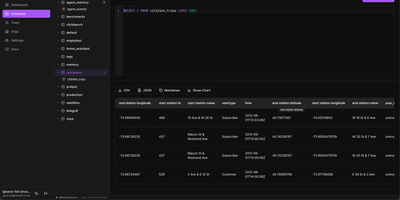
Arc keeps the telemetry you cannot afford to lose in one open time-series database, so last minute's sensor readings and last year's can be queried together with plain SQL. Metrics usually end up split between a fast recent store and a forgotten archive, and Arc removes that split. Data lands as open Apache Parquet on local disk, S3, Azure Blob, or any S3-compatible store such as MinIO, R2, or SeaweedFS, while background compaction merges small files and hot and cold tiers move older data to cheaper storage. Writers can send MessagePack columnar batches, InfluxDB Line Protocol, Prometheus Remote Write, MQTT topic subscriptions, or TLE satellite data, and existing Telegraf agents point at it without changing the collection layer. Queries support window functions, CTEs, joins, and aggregations, and results return as JSON, columnar MessagePack, or Apache Arrow IPC, with an optional Arrow Flight SQL listener for ADBC clients. Retention policies, continuous queries for rollups, a write-ahead log, backup and restore, token authentication with RBAC, per-token quotas, and GDPR-style deletes cover the data lifecycle. Grafana, Superset, a VS Code extension, a Python SDK, and the arcli command line connect to it, and the companion Launchpad web console adds a SQL console, log viewer, monitoring charts, alerts, and MQTT management. It runs as a single binary and serves HTTP on port 8000. Running on a dedicated VPS on RepoCloud with guaranteed CPU, RAM, and SSD, full root SSH access, and a browser serial console. AGPL-3.0 licensed.
MakersVault
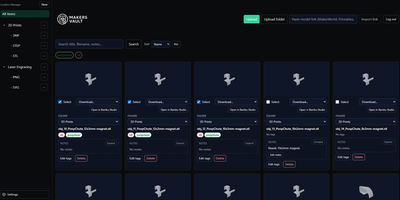
MakersVault gives your scattered 3D print files and creative artwork one searchable home, so you stop loading models into a slicer just to remember what they are. You create folders and subfolders for projects, then drag and drop single files, batches, or whole folders straight into the library from your browser. Every model tile carries a rendered preview, and double-clicking opens an interactive 3D view you can rotate and inspect before downloading anything. Tags attach to any file, batch tagging covers many selected models at once, and tag tabs plus sorting by name, size, type, or folder keep large collections browsable. Notes on individual files record print settings, filament choices, or assembly reminders right beside the model they describe. Imports pull models directly from MakerWorld, Thingiverse, and Printables links, and zip archives prompt you to keep only the files you actually want. Supporting documents ride along with each model and travel inside its ZIP downloads, and prepared print data surfaces printer, material, nozzle, and time estimates on the card. The Open in Slicer button hands a model to your configured slicer through the desktop bridge, and themes from light and dark to neon accents restyle the whole workspace. Running on a dedicated VPS on RepoCloud with guaranteed CPU, RAM, and SSD, full root SSH access, and a browser serial console. MIT licensed.
Homelab Atlas
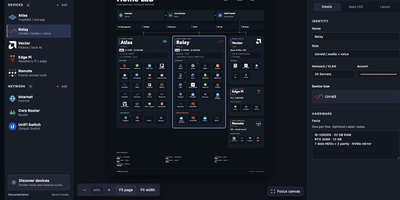
Every homelab eventually earns the question "so what is actually running on all those boxes," and Homelab Atlas turns the answer into a diagram worth posting. Add your servers, the services grouped on each one, and the network gear between them, and the canvas lays everything out automatically with real application logos instead of gray rectangles. Searchable logo pickers work offline, uploads accept your own PNG, JPG, WebP, or SVG marks, and Arrange mode lets you drag and resize cards when the automatic composition is not the story you want to tell. Discovery spares you the typing: point it at Docker or import a saved scan, then review every found device and app, all starting unchecked, before anything joins the diagram as one undoable change. Connections express logical relationships and VLANs, hardware details ride on each card, and your project autosaves in the browser with a downloadable JSON file as the durable copy. When it is time to share, export previews render PNG or SVG with addresses, URLs, and emails hidden by default, plus literal terms you name yourself. Running on a dedicated VPS on RepoCloud with guaranteed CPU, RAM, and SSD, full root SSH access, and a browser serial console. MIT licensed.
Commento++
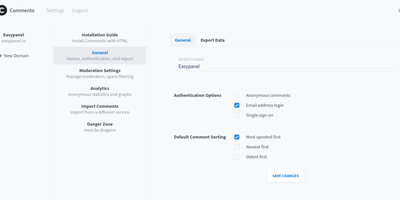
When Commento's original maintainer went quiet, Commento++ bundled the community's bug fixes and stalled merge requests into a batteries-included release of the beloved Go-based Disqus alternative - and kept building. The core promise is unchanged: an embeddable comments box that is orders of magnitude lighter and faster than Disqus, with no ads, tracking, or data sales - two lines of HTML and a PostgreSQL database. On top of Markdown comments, voting, Disqus import, OAuth login (Google, GitHub, Twitter) plus SSO, sticky comments, thread locking, and email notifications, the fork's additions are substantial: WebSocket-powered live comment updates with permalinks and highlight animations for new arrivals, guest commenting with a name, a cross-domain moderation dashboard for approving and deleting comments in one place, MathJax rendering support, wildcard domain matching, a reInit hook that makes single-page-application integration clean, and Perspective API spam scoring alongside the existing Akismet integration. Optional page-view logging graphs traffic on the dashboard, native SSL termination works without a proxy, and script-tag data attributes control fonts, CSS overrides, deleted-comment visibility, and polling-versus-WebSocket behavior.
Shep
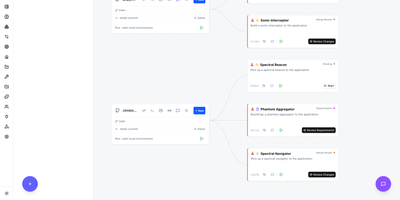
Type one sentence about a feature, and Shep spins up an AI coding agent on its own branch and worktree, then carries the work through commit, push, CI, and a draft pull request. Run three features, five, or ten at once, with Claude Code, Codex, Copilot, Cursor, Gemini, Kimi Code, Cline, or local models picked per feature. A control center draws every repository and feature as a live graph with a fleet bar that counts what is cruising, queued, waiting on you, or failed. When an agent is unsure it asks a blocking question with a recommended answer and a deadline, and you reply from the web, the CLI, chat, or the terminal console. Optional spec-driven mode writes requirements, research, and a plan as YAML for you to approve before any code exists. CI watch reads failing logs and pushes fixes, a checkpoint follows every agent step so you can diff or restore it, and nothing merges without your approval. Tool pages, skills, plugins, webhooks, project memory, and per-feature chat round out the workspace, and an app starter plans a brand new project from a prompt. State stays in a local SQLite database, and usage metrics can be switched off. Running on a dedicated VPS on RepoCloud with guaranteed CPU, RAM, and SSD, full root SSH access, and a browser serial console. MIT licensed.
Resolvr DNS Dashboard
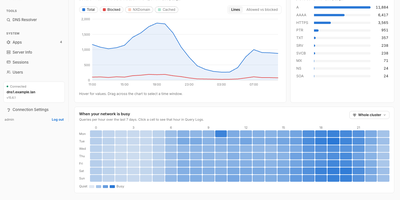
Resolvr gives your Technitium DNS server the clean, readable dashboard it deserves, turning raw query traffic into an overview you can understand at a glance. Four tabs divide the picture: Traffic charts queries over time with allowed and blocked stacked together and a seven-day heatmap of when your network is busy; Resolution shows where answers come from, cache, upstream, blocked, or authoritative, with response times and a flow diagram of each lookup; Top lists rank your chattiest clients and most-requested domains; and Infrastructure tracks DHCP scope usage, zones, and cache growth. Every chart is a doorway: click one and you land in Query Logs already filtered to what you clicked. Pick any device on the Clients page to see its queries, block rate, DHCP lease, and favourite domains. Query Logs themselves filter by client, name, protocol, response code, and time window, export to CSV, and can live-tail as new lookups arrive. Blocked Zones manages your feeds, your own blocked domains, and a checker that tells you whether a name is blocked and which feed caught it. Run a Technitium cluster and each panel gains a scope chip, comparing nodes side by side or merging their logs into one timeline. Running on a dedicated VPS on RepoCloud with guaranteed CPU, RAM, and SSD, full root SSH access, and a browser serial console. MIT licensed.

DailyHub
DailyHub is one calm page for a single person's whole day: today's open work grouped by project, the habits due this morning, and an inbox that catches everything that does not belong anywhere yet. The Today view greets you with a quick-add box, nudges about what is slipping, and a progress bar that fills as the day gets done. Focus mode pins the projects or tasks that matter and hides the rest until a date you pick or until you clear it, so the full list stops shouting. Projects carry status, due dates, and milestones, wear logos with accent colours derived from them automatically, and raise a banner when work stalls. Habits run on weekday schedules and report back with a 14-day consistency strip and a completion rate, so a streak is something you can see rather than guess. Analytics chart completions over time, break them down per project, and surface the weekday patterns that show when you actually get things done. A command palette jumps to any project, task, habit, or milestone from the keyboard, and light and dark themes keep long planning sessions easy on the eyes. An AI assistant can join through the built-in MCP endpoint: ask what is still open in the inbox, add a task to the website project for Friday, or mark today's workout done. Running on a dedicated VPS on RepoCloud with guaranteed CPU, RAM, and SSD, full root SSH access, and a browser serial console. MIT licensed.
DispatchSEO
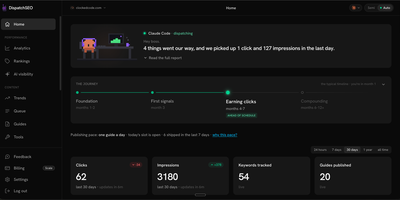
DispatchSEO runs an SEO program through your own AI agent: it researches keywords, queues ideas for your approval, and publishes a guide every morning. Connect Claude Code, Codex, Cursor, or the Claude app over MCP and the agent mines keywords from Search Console data and Google Autocomplete, then drops each idea into a queue showing volume, difficulty, and the reasoning behind it. Approve, reject, or drag to reorder, or switch on auto mode and skip the queue. Each morning the oldest approved idea becomes a real guide, delivered as a GitHub pull request or posted straight to a self-hosted WordPress site, checked against the live search results before it ships. Home greets you with a plain-language daily briefing, a journey tracker, publishing pace, and click and impression counters. Rankings charts daily positions with thirty-day sparklines, Search Traffic plots Search Console history, and an AI visibility page shows how often Claude cites your domain. A backlink playbook lists free and paid submissions with copy ready to paste. One deployment manages many sites, each with its own MCP token. Running on a dedicated VPS on RepoCloud with guaranteed CPU, RAM, and SSD, full root SSH access, and a browser serial console. AGPL-3.0 licensed.

Antragsgrün
When hundreds of delegates want to rewrite the same resolution, Antragsgrün keeps every proposed change visible, line-numbered, and ready to merge. Organizers define motion types for resolutions, statutes, and candidacies, each with its own sections, deadlines, and permissions, and members submit documents online with supporters, screening by administrators, and attachments such as images or PDFs. Amendments appear as tabs beside the paragraph they change and as red and green inline diffs; paragraph comments, likes, tags, and versions keep the discussion orderly. Administrators merge amendments into the final text by accepting or rejecting each change, with collisions flagged and drafts saved along the way. During the meeting, agenda items, speaking lists with separate queues, timed speakers, and votings with simple, absolute, or two-thirds majorities run on the same site, and a Currently Debated widget shows what is under discussion. Print-ready PDFs, OpenDocument texts, amendment spreadsheets, HTML, and RSS feeds cover every format a delegate asks for, and consultations can run in several languages in parallel. Custom themes, user groups, email notifications, and optional two-factor login adapt it to each organization. Running on a dedicated VPS on RepoCloud with guaranteed CPU, RAM, and SSD, full root SSH access, and a browser serial console. AGPL-3.0 licensed.