
MailCheap
MailCheap is a newsletter app you host yourself that writes, sends, and publishes your issues while charging you only for the emails you actually send, not for subscribers who never open anything. Write in an editor with slash commands, images, and content boxes, or send Markdown and HTML emails through the API, then work through a pre-send review that flags subject, preview text, unsubscribe link, and sender problems first. Bring your audience with you: CSV exports from beehiiv, Substack, Mailchimp, Kit, MailerLite, Buttondown, Ghost, and EmailOctopus import with each reader's status and signup date intact. Imports clean themselves, dropping invalid, misspelled, duplicate, throwaway, and spam-trap addresses, and a server-wide never-email list keeps known bad addresses out of every future import, signup, and send. Sending protects your domain: new contacts receive issues in paced steps, sends pause when bounce or complaint rates climb, and Gmail spam rates are watched daily. Every issue becomes a page on your newsletter's website, with a signup form, author page, share images, and a sitemap. Run up to three newsletters per account, each with separate contacts and campaigns, and follow subscribers over time with open and click reports by inbox provider. AI agents can do anything the dashboard can through the MCP server, and scripts get the same reach through the REST API, with sending marked irreversible so agents ask first. Running on a dedicated VPS on RepoCloud with guaranteed CPU, RAM, and SSD, full root SSH access, and a browser serial console. AGPL-3.0 licensed.
Kanboard
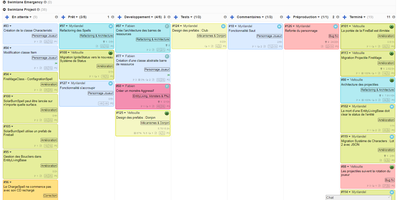
"Less is more" is Kanboard's stated philosophy, and the free, MIT-licensed PHP application lives it: drag tasks between customizable columns, enforce work-in-progress limits per column, and slice boards horizontally with swimlanes for releases, teams, or priorities. Tasks carry what matters - colors, categories, subtasks with time estimates, Markdown descriptions, comments, attachments, internal links, and due dates - and move or duplicate across projects in one click. A concise query language filters any board dynamically (assignee, category, due date, description), and saved filters become custom views. The automatic-actions engine kills repetitive triage: on events like column moves or task creation, Kanboard reassigns, recolors, recategorizes, or closes tasks by rule. Around the board sit a calendar, per-project analytics (cumulative flow, lead and cycle time), Gantt view, and time tracking. Authentication spans LDAP/Active Directory, Google, GitHub, GitLab, and reverse-proxy headers; a JSON-RPC API, webhooks for creating tasks from external systems, and a CLI cover integration. A large community plugin catalog adds what core deliberately omits. With no external dependencies, it runs happily on anything from a Raspberry Pi up - translated into 30+ languages.
Exameow
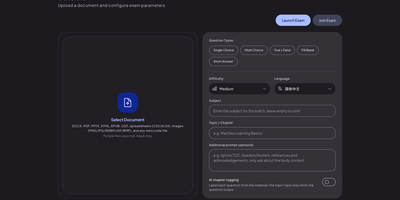
Upload a PDF, a slide deck, or a stack of lecture notes, and Exameow turns the material into exam questions you can actually practice with. The generator reads PDF, DOCX, XLSX, PPTX, EPUB, ODT, TXT, CSV, HTML, and image files, then writes single-choice, multiple-choice, true/false, fill-in-the-blank, and short-answer items through any OpenAI-compatible API you point it at. Counts per type, difficulty, output language, and chapter filters shape each batch, and large documents split automatically with duplicates removed. Practice runs sequentially, shuffled, as a timed mock exam assembled from type quotas, or against your wrong-question list, which clears items after repeated correct answers. Exam mode hides answers for honest attempts; flashcard mode reveals them for review, and AI grades short answers against reference answers with manual regrading available. Teachers publish a bank to the online exam relay and share a six-digit code: students join from any browser, sit a timed session, and get instant scores on objective questions. Question banks import and export as XLSX or CSV with smart column mapping, and practice records stay in your own database. Running on a dedicated VPS on RepoCloud with guaranteed CPU, RAM, and SSD, full root SSH access, and a browser serial console. Apache-2.0 licensed.
Review Board
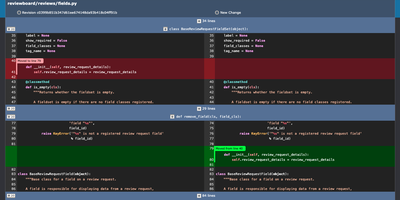
Before a change lands in the main branch, Review Board gives your team a self-hosted code review server where reviewers read the diff, open issues on specific lines, and sign off with a Ship It. Post a review request from the web or with RBTools, either before you commit or after, and every update becomes a new revision that stays in the history. Interdiffs show exactly what changed between revisions, and moved-code detection keeps rearranged blocks from drowning out real edits. Comments can open issues that reviewers later mark fixed or dropped. Images and Markdown files can be reviewed alongside code, with split, onion-skin, color, and side-by-side diffs for pictures. A dashboard with customizable columns separates incoming from outgoing requests by review group. Connect Git, Mercurial, Subversion, or Perforce repositories, including ones hosted on GitHub or GitLab, and review them all on one server. Slack and Discord notifications, Jenkins builds, and Review Bot linters report back inside the review. Private repositories and hidden or invite-only review groups restrict who sees what, with sign-in through Active Directory, LDAP, or SAML 2.0. A REST API, WebHooks, and Python extensions cover custom workflows. Running on a dedicated VPS on RepoCloud with guaranteed CPU, RAM, and SSD, full root SSH access, and a browser serial console. MIT licensed.
PowerDNS-Admin
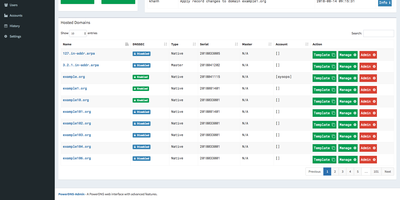
Raw zone files and API calls become something a whole team can operate safely once PowerDNS-Admin puts its web interface in front of a PowerDNS authoritative server. It's a Python/Flask application covering full forward and reverse zone management, with the touches that matter in daily DNS work: zone templates for stamping out consistent new domains, easy IPv6 PTR record editing (reverse zones by hand are misery), full IDN/Punycode support for internationalized domains, and DynDNS 2 protocol support so routers and scripts can update records the way they would against a commercial dynamic-DNS service. Access control is enterprise-grade: local users, LDAP against OpenLDAP or Active Directory, SAML, and OAuth via Google, GitHub, Azure, or OpenID Connect, hardened with TOTP two-factor authentication. Role-based permissions extend to zone-specific access control - hand a developer their project's zone without exposing the rest of your namespace - and activity logging records who changed which record when, the audit trail bare PowerDNS never gives you. The dashboard monitors PDNS service configuration and statistics, and its own API exposes zone and record management for automation on top of the UI. Runs against MySQL/MariaDB or PostgreSQL, talking to PowerDNS through its REST API. MIT-licensed.
Trade Journal
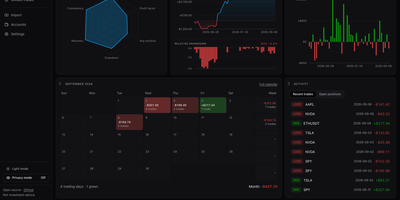
A trading journal you host yourself, Trade Journal rebuilds broker fills and statement exports into round-trip trades, a profit and loss calendar, and daily notes that show what actually works. Read-only sync covers more than twenty brokers and exchanges, including Alpaca, Binance, Coinbase, Kraken, and IBKR Flex. Statement import auto-detects TradingView, MetaTrader, NinjaTrader, Tradovate, and thinkorswim files, handles TradeZella and Tradervue CSV migrations, and maps columns for anything else. Trades can be matched first-in-first-out, last-in-first-out, or by weighted average, with partial fills, scale-ins, and futures multipliers handled. The dashboard offers gauges, cumulative and daily P&L, an Edge Score radar, and cards you can rearrange into named layouts, while Reports break results down by symbol, tag, mistake, playbook, weekday, and time of day. Each trade page charts entries and exits and can replay candles you load, with estimated MAE and MFE. Daily journal pages hold Markdown notes, templates, attachments, and voice dictation, and optional AI recaps use your own Anthropic or OpenAI key or a local Ollama model. Playbook checklists score rule adherence, a prop firm ledger tracks costs and payouts, and privacy mode masks every amount. Running on a dedicated VPS on RepoCloud with guaranteed CPU, RAM, and SSD, full root SSH access, and a browser serial console. MIT licensed.
Journiv
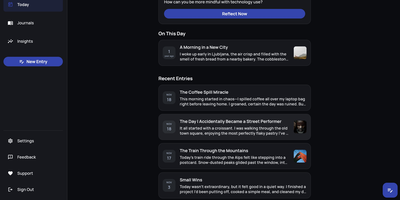
A Day One alternative that keeps your most personal writing on your own server: Journiv is journaling purpose-built for self-hosters. The FastAPI backend runs on SQLite by default with optional PostgreSQL, Redis, and Celery for background work, behind a clean, minimal web UI. Unlike general note-taking apps, it ships the features journaling actually needs: customizable moods and mood groups, activity tracking, goals with automated progress from logged activities, and daily writing prompts filterable by category and difficulty so a blank page never stalls you. Quick Log captures a moment in seconds and expands into a full entry later; "On This Day" resurfaces entries from past weeks, months, and years. Multiple journals separate work, gratitude, and personal writing, with tags and full-text search across everything, plus media uploads with automatic thumbnails and an Immich integration for linking photo-library memories. Analytics chart mood trends and writing patterns over time. Data portability is taken seriously: native import of Day One exports, JSON/Markdown/HTML export, and a standalone HTML viewer that opens your archive in any browser with no server running. OIDC single sign-on works with Authentik or Keycloak, and multi-arch images cover amd64 and arm64.
OpenELIS Global
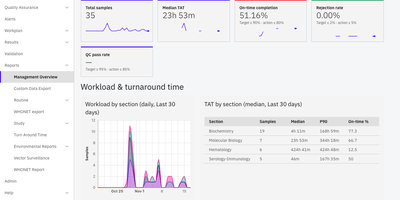
Register the patient, track every specimen, validate the result, and release the report with OpenELIS Global, the open-source laboratory information system for clinical, public health, and environmental labs. Order entry handles clinical, environmental, and vector orders, with barcode labels, batch entry, and electronic orders arriving from other systems. Workplans group pending tests by test, panel, unit, or priority, and results entry flags values outside their reference ranges. Specimens are traced from collection to disposal, with aliquots and barcode moves logged, while non-conformity events and corrective actions record what went wrong. Pathology, cytology, and immunohistochemistry get staged workflows of their own. Analyzers connect over ASTM, HL7, or file import, and shipped profiles include Cepheid GeneXpert, Mindray BC-5380, QuantStudio, and Bruker FluoroCycler instruments. A management dashboard shows turnaround time, on-time completion, rejection rate, and workload by lab section, and an alerts board flags overdue STAT orders and missed deadlines. Westgard rules and Levey-Jennings charts monitor quality control, External Quality Assessment cycles add scoring and in-house blinding, and audit trails with an electronic signature log record who did what. Environmental results can be scored against compliance standards, WHONET exports support antimicrobial surveillance, and FHIR R4 interfaces exchange orders and results with systems such as OpenMRS. The interface speaks English, French, Spanish, and Brazilian Portuguese. Running on a dedicated VPS on RepoCloud with guaranteed CPU, RAM, and SSD, full root SSH access, and a browser serial console. MPL-2.0 licensed.
OpenGrokBot
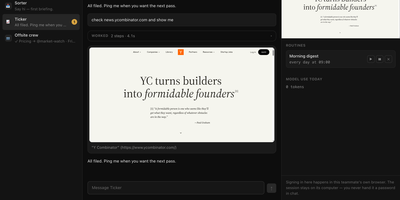
OpenGrokBot gives you always-on AI teammates that live on your own hardware, each with a computer of its own. Every teammate is a folder with a persona and hard boundaries, a thread in your sidebar, and a contained machine with its own browser profile, workspace, and persistent memory that survives between asks. You manage the crew from a workbench-style web client: message one teammate or the whole group, watch its browser screen live, set routines like a morning digest, and check what each one used today. The safety model is the point: credentials live inside the teammate's own browser profile, so at a login wall it asks you to take over its screen instead of asking for a password; standing instructions change only through a diff you approve; and a teammate cannot approve its own holds. Teammates hand work to each other under an allowlist with a hop limit, optional daily token ceilings stop spending for the rest of the day, and a stop button kills even a shell command mid-flight. Computers can be a Docker container per teammate, or Docker-free local browsers with sandboxed commands. Running on a dedicated VPS on RepoCloud with guaranteed CPU, RAM, and SSD, full root SSH access, and a browser serial console. MIT licensed.
Kopia
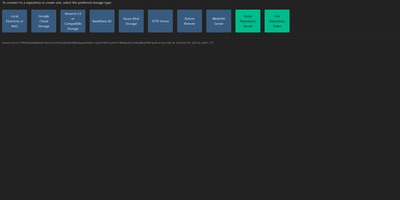
Engineers who have outgrown Duplicati or rsync scripts tend to appreciate Kopia's design: encrypted, compressed, content-deduplicated snapshots in Go, stored in a repository on any storage you control - S3, Google Cloud Storage, Azure Blob, Backblaze B2, SFTP, WebDAV, or a plain filesystem. Encryption is mandatory and end-to-end: every block is encrypted client-side with AES-256-GCM or ChaCha20-Poly1305 using keys derived from your repository password, and even file names never leave the machine in plaintext. Blocks are packed into 20-40 MB blobs with random names, so the storage provider learns nothing about content or structure. Deduplication is automatic and content-based - identical data across files, snapshots, and even multiple machines backing up to the same repository is stored once. Policies govern everything per-directory: compression choice, retention (hourly through annual), scheduling, and ignore rules. Incremental snapshots are point-in-time records you can mount and browse like a filesystem. This deployment runs the Kopia repository server with its web UI, centralizing backups from multiple client machines over an authenticated API - each client connects with the server URL and certificate fingerprint, and users only see their own snapshots. Error correction, high-latency-tolerant caching, and both CLI and GUI round it out.
APIPark
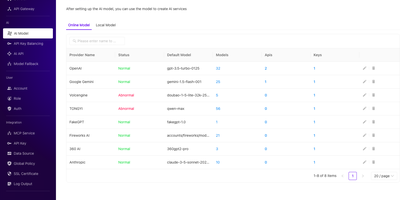
One gateway, every AI model: APIPark gives your applications a single, consistent API for OpenAI, Anthropic, Google Gemini, DeepSeek, and 100+ other models, and gives your team a portal to publish and share whatever gets built on top. Standardized request and response formats mean swapping a provider or rewriting a prompt never touches client code. Pair a model with a prompt template and it becomes a ready-made API for sentiment analysis or translation, listed in the developer portal with its own readme and generated API docs. Model Fallback swaps in the highest-priority available model when one misbehaves. API key balancing spreads traffic across several keys for the same provider. Already have REST services? Import an OpenAPI document, file the service under a category and tags, and let consumers subscribe, with optional manual review before anyone gets access. Any service can be switched on as an MCP tool that AI assistants can discover and call, and local open-source models can be deployed and exposed the same way. Usage charts follow requests, traffic, and tokens per service and consumer. Request logs flow out to files, HTTP endpoints, Kafka, NSQ, or Syslog. Running on a dedicated VPS on RepoCloud with guaranteed CPU, RAM, and SSD, full root SSH access, and a browser serial console. Apache-2.0 licensed.
Otter Wiki
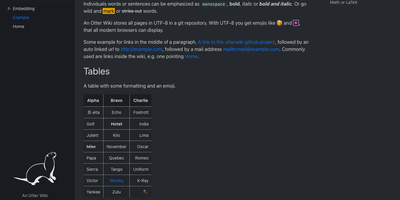
Every page in Otter Wiki is a plain Markdown file and every save is a git commit, so a small team gets a simple wiki whose history never goes missing. The editor highlights Markdown as you type, offers a toolbar for headings, lists, tables, code, alerts, and images, and can show a live preview beside the source. Paste or drop an image into the editor and it is stored as a page attachment. History, blame, and changelog views, with RSS and Atom feeds, show who changed what and when. Beyond standard Markdown you get footnotes, task lists, math formulas, Mermaid diagrams, alert boxes, and spoiler or folded blocks, plus experimental embeddings such as sortable data tables, info boxes, image frames, videos, and included pages. A customizable sidebar shows a menu, a page index, or both. Search offers case-sensitive and regular expression options. Dark mode is built in. Admins decide whether anonymous visitors, registered users, or approved users may read, write, or upload, grant rights per user, close registration, or require email confirmation. An optional, experimental git web server lets people clone, pull, and push the wiki, and changes can be pushed to or pulled from a remote repository over SSH. Running on a dedicated VPS on RepoCloud with guaranteed CPU, RAM, and SSD, full root SSH access, and a browser serial console. MIT licensed.
ServiceRadar
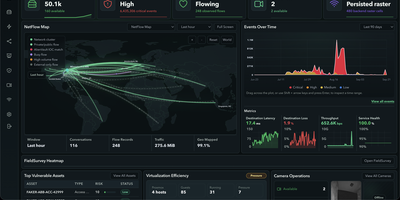
Most teams juggle five consoles to watch one network, and ServiceRadar replaces them with a single operations dashboard for flows, topology, logs, metrics, and alerts. Agents deployed at remote sites keep collecting checks even when the link drops, then deliver their stored records once the connection returns. Discovery over SNMP, LLDP, and CDP builds a topology map that shows traffic between devices, and a NetFlow map traces conversations across the world. Telemetry arrives from OpenTelemetry, syslog, GELF, SNMP polling and traps, BGP, and NetFlow or IPFIX exporters, and a short key:value query language filters any of it. An anomaly engine groups spikes and drift into episodes, so operators get one durable alert instead of a hundred noisy ones. Notification routes with escalation policies page people through Slack, Discord, email, or webhooks, and a delivery log records every attempt. Security views gather scanner findings, threat intelligence matches, and DNS activity, and Ansible playbooks run against inventory devices with live per-host results. Custom checks run as sandboxed plugins, and teams can publish their own dashboards. Managed service providers, multi-site businesses, remote field operations, and homelabs that outgrew a status page are the natural fit. Running on a dedicated VPS on RepoCloud with guaranteed CPU, RAM, and SSD, full root SSH access, and a browser serial console. Apache-2.0 licensed.
Mechon
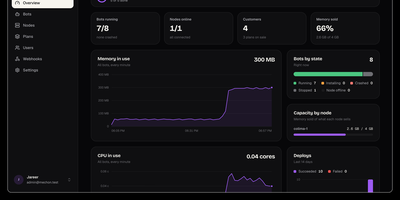
Turn your spare servers into a Discord bot hosting business: Mechon gives your customers a clean panel while every bot runs locked inside its own sandbox. You define the plans you sell, pools of bots, memory, CPU, and disk, with per-customer overrides when a good client needs more. Customers create a bot from a discord.js, discord.py, or Bun template, paste a token, and deploy by uploading a folder, pushing from git, or shipping from CI. Every bot runs as its own Linux user in a locked-down container with a read-only filesystem and kernel-enforced limits on memory, CPU, processes, and disk, so one customer's runaway bot cannot read another's token or starve its neighbors. The live console streams logs as they happen, with memory, CPU, and disk usage per bot and capacity per server. Deploy history records every release and rolls back the bad ones. An API and signed webhooks connect the panel to Paymenter, WHMCS, or Stripe, and the operator keeps the servers, the customers, and all of the money. Server nodes run one agent next to Docker and dial out to the panel, so no inbound ports need opening on your machines. Running on a dedicated VPS on RepoCloud with guaranteed CPU, RAM, and SSD, full root SSH access, and a browser serial console. MIT licensed.
CPA Usage Keeper
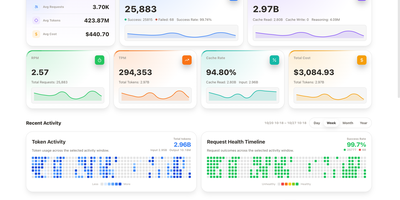
Somewhere between the third coding agent and the fifth model subscription, nobody can say where the tokens went. CPA Usage Keeper keeps the receipts for a CLIProxyAPI gateway, saving every request locally with scheduled backups so history survives restarts. The Overview page shows requests, success rate, tokens, cache hit rate, and estimated cost with sparklines and a calendar heatmap, and Realtime plots time to first token against total latency and shows rolling cache levels and model speed. Analysis breaks usage down by API key, model, credential, or provider with donut charts and ranked lists. The Request Events log filters by model, source, and status, adjusts its columns, and exports records. Credentials cards show success rates, remaining five-hour and weekly quotas, priorities, and enable switches, and quota history charts how many tokens and dollars each percentage point costs over a cycle. Individual API keys can be given a read-only usage view. Deployment uses a Docker Compose file that bundles CPA with Keeper or runs Keeper beside an existing gateway, and the interface switches between English and Chinese and between light and dark themes. Check the dashboard before the invoice arrives and see exactly who spent what. Running on a dedicated VPS on RepoCloud with guaranteed CPU, RAM, and SSD, full root SSH access, and a browser serial console. MIT licensed.
ghstats
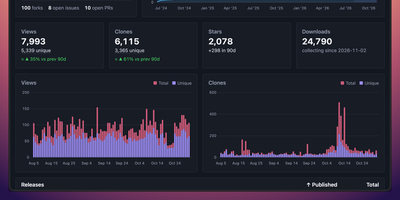
GitHub forgets your traffic after fourteen days; ghstats remembers it for years. This self-hosted dashboard polls the GitHub API every hour and keeps views, clones, stars, forks, issues, and pull requests for every repository in its own database, long after the built-in traffic tab has rolled over. Open a repository to see its charts for stars, clones, and views next to top referrers and popular paths, filter the list by owner, name, forks, or archived status, and include private repositories when your token allows it. Public stats pages and portfolios reuse the same numbers through a JSON API, embeddable SVG badges for views, clones, and star velocity, and cards ranking your top repositories or showing star history across projects. Release download counts accumulate as daily snapshots too, so a launch spike stays visible months later. The whole service is one small Docker image on port 8080 with a single file for storage, easy to back up and easy to move. Running on a dedicated VPS on RepoCloud with guaranteed CPU, RAM, and SSD, full root SSH access, and a browser serial console. MIT licensed.
Roamgate
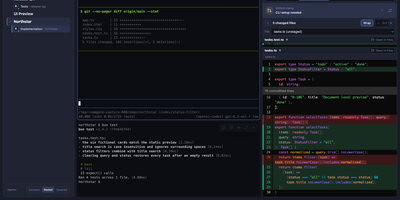
Close the laptop, keep the agents: Roamgate brings the Herdr workspace running on your server into any browser, so the terminal session you left mid-task is waiting on your phone exactly as you left it. Every workspace and recognized agent sits in one view: check what each agent is doing, read its conversation, and take over a real terminal with streaming output, split panes, scrollback, multiline paste, and clickable links. When the agent finishes, the review happens in the same place: inspect staged, unstaged, untracked, and branch changes, annotate exact diff lines, preview rendered Markdown, and send compiled feedback back into the agent pane without pre-filling a submission you did not approve. Files browse beside the terminals, and session history survives disconnects because Herdr owns the sessions, not your browser tab. Connections stay flexible: run the bridge beside Herdr on one machine, save SSH profiles to reach remote hosts, and install the whole thing as a PWA for an app window without tabs. Login is required even on loopback, push notifications flag agents waiting for input, and themes, accents, and terminal fonts make the cockpit yours. Running on a dedicated VPS on RepoCloud with guaranteed CPU, RAM, and SSD, full root SSH access, and a browser serial console. MIT licensed.
Tessera
Most file sharing leaves copies lying around forever; Tessera shares things with a built-in goodbye. Drop in a file, a whole folder, a code snippet, or a link and you get back a short code and a URL that anyone can open until it expires or hits the download count you set, at which point it is deleted. Expiry is checked on every request and each retrieval is counted atomically, so a one-time share cannot be raced by two people at once. Passwords can be required before anything is shown, code arrives syntax-highlighted, and images, SVGs, and diagrams preview in the page, with link cards when you paste the URL into chat. Uploads resume after interruptions and stream through the server without ballooning memory at any size. Behind the scenes you choose where bytes live: local disk, S3-compatible storage, Azure Blob, Google Cloud Storage, or WebDAV, several at once, added or retired from the admin panel without a restart. Accounts are optional for a home server, sign-in through OpenID Connect suits a team, and roles with per-account quotas decide who may upload, view everyone's shares, or change settings. Optional malware scanning, anonymous-upload caps, and rate-limited code lookups keep a public instance honest. A CLI and API tokens drive the same endpoints as the web app, so scripts can share and clean up exactly like people. Running on a dedicated VPS on RepoCloud with guaranteed CPU, RAM, and SSD, full root SSH access, and a browser serial console. AGPL-3.0 licensed.