Tick Stock Panel
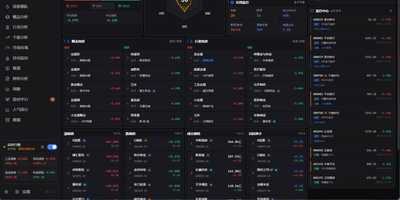
Screen equities against dozens of technical indicators, backtest algorithmic trading strategies, and spot intraday market anomalies using Tick Stock Panel, a self-hosted quantitative analysis workbench. Traders can filter entire exchanges across technical indicators including moving averages, relative strength index, and Bollinger bands with near-instantaneous execution. The platform provides a full backtesting environment where users test customized entry and exit rules, account for simulated slippage and commission fees, and review streamed performance metrics. Dedicated monitoring modules track intraday volume spikes, price breakouts, and multi-day limit streaks with automated alert dispatching to messaging channels and voice announcements. Users can explore individual stock profiles featuring multi-dimensional technical breakdowns, financial balance sheets, and automated event post-mortems generated via integrated language models. Visual factor mining tools allow analysts to discover uncorrelated signals and assemble composite portfolio screens without external database overhead. An interactive dashboard aggregates sector rotations, hot concept heatmaps, and customizable watchlists into modular operational views. Running on a dedicated VPS on RepoCloud with guaranteed CPU, RAM, and SSD, full root SSH access, and a browser serial console. MIT licensed.
Manifold
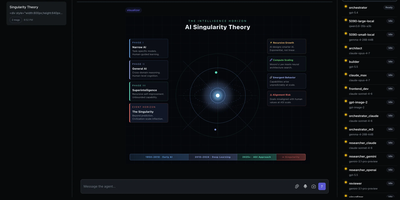
One workspace, a whole roster of AI specialists: Manifold is an agent platform for long-horizon objectives that run through chat, visual workflows, and scheduled tasks. Specialists carry their own model, prompt, and tool allow-list, group into teams, and collaborate across many turns in a chat view that renders HTML visualizations beside text. Models come from OpenAI, Google, Anthropic, or any server that speaks the OpenAI API, such as llama.cpp or vLLM, and image generation reaches OpenAI, Google, or local ComfyUI. The flow editor draws workflows on a canvas, exposes MCP tools as nodes, and turns a saved workflow into a tool that specialists and other flows can call. Pulse schedules specialist tasks at intervals, daily, or once at a chosen time and delivers results to Matrix rooms. Projects isolate agent workspaces to their own folders, load skills from each project's skills directory, and include a file browser with upload, download, and Markdown preview. A Playground versions prompts and datasets and runs experiments that show how a prompt change shifts behavior, while the overview dashboard charts token usage, traces, and logs. Sign-in through OIDC or OAuth2 is optional and adds user and admin roles. Running on a dedicated VPS on RepoCloud with guaranteed CPU, RAM, and SSD, full root SSH access, and a browser serial console. MIT licensed.
ILIAS
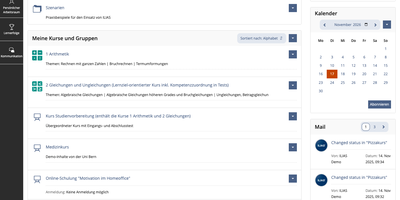
ILIAS is an open-source learning management system that puts courses, SCORM modules, online exams, surveys, wikis, and portfolios on one platform for universities, schools, and companies. Content lives in a repository where categories and courses hold files, learning modules, and tests, and a fine-grained permission system decides who may read, edit, or administer each object. Authors write learning modules, glossaries, and wikis in the browser, import SCORM 1.2 and SCORM 2004 packages, and connect external tools through IMS LTI. The Test and Assessment tool covers everything from self-check quizzes to complete e-exams, and the Scoring tab lets markers work participant by participant or question by question, anonymously if needed, with Markdown feedback. Preconditions unlock the next activity from a test result, so a score of 0 to 30 percent can open one follow-up test while 31 to 50 percent opens another. Study Programmes map whole study and training courses, and an optional progress bar shows learners their completion percentage. Every learner gets a personal workspace for portfolios and blogs, drag-and-drop file upload, profiles, contacts, mail, and chat. Administrators can add guided tours that point at tabs and buttons, assign short links to categories, and export data as XML, CSV, or Excel. The OER Harvester spots Creative Commons material and publishes it in a dedicated category. Running on a dedicated VPS on RepoCloud with guaranteed CPU, RAM, and SSD, full root SSH access, and a browser serial console. GPL-3.0 licensed.
LinShare
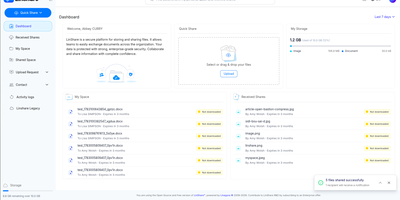
LinShare gives organizations a file sharing service they run themselves, where every upload, share, and download is accounted for instead of scattering across inboxes nobody can audit, retract, or find six months later. Your personal space keeps files organized and versioned, ready to share by link or email with the people who should have them and no one else. Teams work in shared spaces with roles, nested folders, and shared drives, so a project keeps one canonical copy instead of eleven emailed variants. Need files from someone outside? Send an upload request and they drop documents into a secure, expiring drop box without ever getting an account. Regular external collaborators become guests with restricted, time-limited accounts, and contact lists make recurring groups of recipients reusable in one click. Administrators see the whole picture in activity logs that trace every download, share, and change, while antivirus scanning checks files as they move through the system. Previews spare everyone the download-just-to-check dance, and directory integration with LDAP and OpenID Connect single sign-on means accounts follow your existing identity rules. Everything an administrator can click, automation can call through the REST API, and an MCP server even lets AI assistants manage files, shares, and guests on your behalf. Running on a dedicated VPS on RepoCloud with guaranteed CPU, RAM, and SSD, full root SSH access, and a browser serial console. AGPL-3.0 licensed.
DockNest
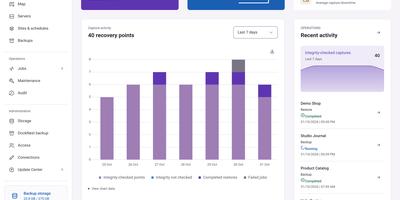
A backup nobody has restored is only a hope, so DockNest backs up your Docker sites to storage you own and proves each one by restoring it to a private copy. It connects to your Linux servers over SSH and finds the Docker projects and static nginx sites on them. Schedules, retention, and pinned backups are set per site. A Map page draws your servers, sites, and backup storage as connected nodes, and dragging a site to another server moves it, with a backup first and the old copy kept stopped for seven days. Jobs show live progress, a step timeline, and plain-language reasons when something fails. Automatic restore tests bring the latest backup up on a test server and check it. Hardening scores grade each site from A to F with a fix for every finding, and server cleanup previews reclaimable space before anything is removed. Alerts reach Telegram, Slack, Discord, email, ntfy, and many more channels. Backups are encrypted with AES-256-GCM, sign-in needs an authenticator app, and the interface offers light and dark themes plus a phone layout. Running on a dedicated VPS on RepoCloud with guaranteed CPU, RAM, and SSD, full root SSH access, and a browser serial console. AGPL-3.0 licensed.
Cryptpad
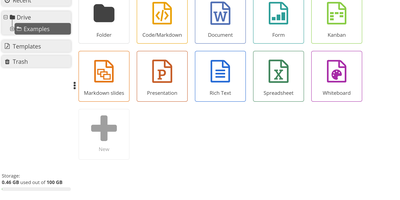
End-to-end encrypted by design, CryptPad is a real-time office suite where teams write documents, plan on kanban boards, collect answers with forms, and draw diagrams without the hosting server ever seeing their content. Rich text pages come with comments, replies, @mentions, and a document outline, while the Markdown editor adds a live preview, Mermaid diagrams, mind maps, and math. Kanban columns hold colored, tagged cards with Markdown bodies, and the diagram editor exports PNG, JPG, SVG, or PDF. Optional ONLYOFFICE editors add spreadsheets, word-processing documents, and presentations that several people can edit together. The form builder offers text, choice, grid, date, ranking, and poll questions, conditional sections, and separate author, auditor, and participant roles. Documents can be shared with contacts or teams, by link, or as embed code, with view, edit, present, or view-once access. Passwords, expiry dates, owner lists, and access lists limit who gets in, and every edit lands in a history you can step through, restore, or pin as a named snapshot. CryptDrive keeps files in folders, tags, templates, and a trash bin, while teams get their own drive, chat, and member roles. Running on a dedicated VPS on RepoCloud with guaranteed CPU, RAM, and SSD, full root SSH access, and a browser serial console. AGPL-3.0 licensed.
Mistgate
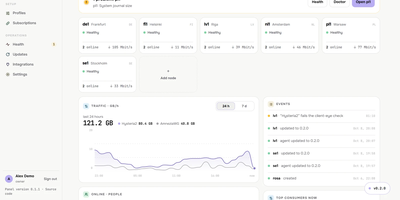
Running a VPN for family, friends, or a small team usually means babysitting servers one SSH session at a time, and Mistgate replaces that with one panel that keeps the whole fleet configured. Add a server from the browser by typing its address and root password: the panel pins the host key, checks the host, opens the ports, and installs the signed node agent for you. Each person gets one subscription link that their app turns into the server list, or a personal AmneziaVPN key per device, so a lost phone can be revoked without touching anyone else. Groups decide which protocol profiles a person receives, while per-user traffic quotas, expiry dates, device limits, and per-device speed limits keep sharing fair. Hysteria2 brings QUIC-based speed with port hopping, obfuscation, and certificate options; VLESS REALITY and AmneziaWG 2.0 and 3.1 cover networks where one protocol gets blocked, and Cloudflare WARP can serve as the exit for all three. Every five minutes the panel connects to each server the way a real client app would, a doctor on every node runs host checks with safe fixes, and alerts reach you on Telegram before your users notice. The public address shows strangers a decoy site while the admin hides behind a secret path, and encrypted backups go to your Cloudflare R2 bucket on a schedule. Running on a dedicated VPS on RepoCloud with guaranteed CPU, RAM, and SSD, full root SSH access, and a browser serial console. AGPL-3.0 licensed.
Grav
No database anywhere in the stack: Grav, the leading flat-file CMS, builds every page from a folder of Markdown and YAML on PHP, Symfony components, Twig templating, and Doctrine caching. That architecture is the whole argument: content is Git-versionable, rsync-able, and lock-in-free; pages render in well under 100ms without database round-trips; and backup means copying a directory. Content authors write Markdown (or plain HTML), configure with readable YAML, and define custom page structures via blueprint files that generate editing forms automatically. The optional Admin panel adds a polished editing layer: dashboard with site activity, page management with a syntax-highlighted editor and live preview, drag-and-drop media uploads, one-click plugin/theme updates, and normal/expert modes for form-based or raw YAML editing. The ecosystem runs deep - hundreds of open-source plugins and themes installed through the GPM package manager, with an event-hook architecture that gives plugins full control over the request lifecycle, and downloadable skeletons providing entire pre-built sites. Grav 2.0 modernizes the stack (PHP 8.3+, Symfony 7, Twig 3) and adds a first-party REST API, an MCP server for AI agents, and a SvelteKit single-page admin with real-time collaborative editing. Ideal for docs, blogs, and marketing sites. MIT-licensed.
Shaarli
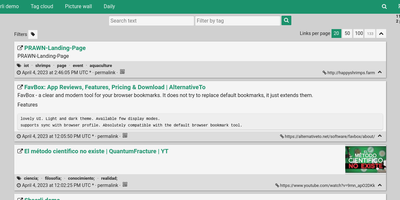
Personal, minimalist, database-free bookmarking - Shaarli is a philosophy as much as an app. Everything lives in a single compressed datastore file inside data/: no MySQL, no PostgreSQL, backup by copying one directory. That write-once/read-many file is usually served straight from OS disk caches, which is why a decade-old Shaarli instance with tens of thousands of links still responds instantly. Designed deliberately single-user, it saves URL, title, unlimited-length description, and tags (with autocomplete, renaming, and merging), marks entries public or private, and automatically strips utm_source and fb tracking parameters from saved URLs. That description field is why the community uses Shaarli as far more than bookmarks: a microblog, read-it-later queue, code-snippet base, pastebin, and shared clipboard between machines. Sharing is one click via bookmarklet or Android apps; consumption is per-tag RSS/Atom feeds plus a daily digest feed; search is full-text with tag filtering. A REST API opens it to any client, a plugin and theme system extends the PHP core (Markdown rendering, thumbnails), and import/export uses browser-standard Netscape HTML - your data enters and leaves freely. LDAP login is supported, no telemetry is sent anywhere, and the UI degrades gracefully without JavaScript. The anti-cloud Delicious.

OpenHAB
Over 400 technologies and thousands of smart devices from any manufacturer, unified under one roof: openHAB is the vendor-neutral home automation platform with a pluggable binding architecture. Each binding translates a device or service into openHAB's clean abstraction: Things expose Channels, Channels link to Items, and Items feed a rules engine that runs your home. That engine meets you at your skill level: Blockly gives non-programmers drag-and-drop visual logic, JS Scripting (GraalJS with the openhab-js library) is the modern text-based standard, the classic Rules DSL remains supported, and JSR223 opens the door to Python, Ruby, and Groovy. Time- and event-based triggers, scripts, notifications, and voice control compose into automations of any complexity, and users report decade-old rule sets still running rock solid. The Main UI handles configuration, semantic modeling, and now built-in charting - no external Grafana required. Built in Java on Apache Karaf's OSGi runtime and stewarded by the non-profit openHAB Foundation, it requires no cloud to function: everything runs locally, talking directly to your devices. Optional connectors bridge to Alexa, Google Assistant, and HomeKit, with iOS, Android, and web apps for control from anywhere.
Concourse
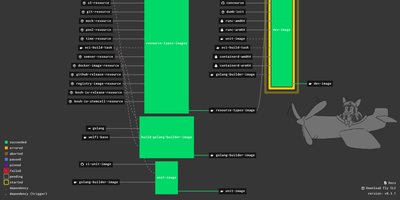
When a commit lands, a timer fires, or a pull request opens, Concourse runs the matching jobs in fresh containers and draws the entire CI/CD pipeline as a live graph you can read at a glance. Pipelines are plain YAML files that tie resources such as git repositories, registries, and buckets to jobs made of get, put, and task steps, so the same file behaves the same on every installation. Resources are checked continuously for new versions, webhooks can request an immediate check, and a version can be pinned when something needs to stay put. The dashboard lists every pipeline by team with status colors, a filter box, favorites, and a high-density view, while build pages stream colored logs and let you rerun a build with the exact same inputs. The fly command line sets pipelines, runs one-off tasks against local files from your laptop, and opens a shell inside the container of a failed step. A set_pipeline step lets pipelines configure other pipelines, and instance vars create a family of related pipelines, such as one per pull request. Teams keep projects separate and can be tied to a GitHub organization, credentials arrive at run time from Vault, CredHub, AWS, or Kubernetes, and policy rules can block disallowed images. Running on a dedicated VPS on RepoCloud with guaranteed CPU, RAM, and SSD, full root SSH access, and a browser serial console. Apache-2.0 licensed.
Openfire
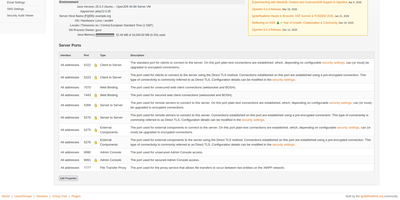
Openfire is a self-hosted XMPP server that gives your organization its own instant messaging network, with one-to-one chat, persistent group rooms, and federation to other XMPP servers, all administered from a web console. Team members connect with any XMPP client on desktop, mobile, or the web and get presence, rosters, offline message delivery, and file sharing inside conversations. Multi-user chat rooms stay available around the clock with configurable history, moderation roles, and access controls, so a support channel or project room keeps its context instead of dissolving into scattered direct messages. The plugin catalog installs from inside the admin console and adds capabilities like message archiving and compliance monitoring, a browser-based chat client, HTTP file upload, and push notifications for mobile clients. An LDAP directory or an existing database can supply users and groups, so accounts stay in sync with the directory your organization already maintains. Server-to-server federation connects your users with contacts on other XMPP domains over encrypted connections, and load balancing spreads busy deployments across multiple instances. TLS certificates, encrypted client ports, and IP-based access lists for the admin console keep the deployment under your control from the first setup wizard onward. Running on a dedicated VPS on RepoCloud with guaranteed CPU, RAM, and SSD, full root SSH access, and a browser serial console. Apache-2.0 licensed.
Wetty
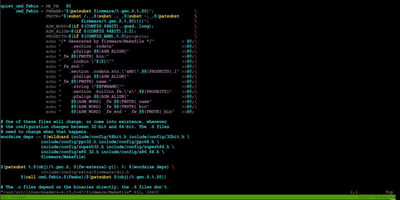
Open a browser tab and you are at a real login prompt on your server. Wetty puts a full terminal inside the web page, so SSH access survives firewalls, borrowed laptops, and networks where only HTTPS gets out. The emulator is a complete xterm.js implementation rather than a crippled web console, so colors, Unicode, mouse interaction, and full-screen programs like vim, top, and tmux behave the way they do in a desktop terminal. Websockets carry the session instead of Ajax polling, which keeps keystrokes responsive enough to forget you are in a browser. Point it at any SSH server with host, port, user, and key options, or let it launch the local login prompt when it runs on the machine itself. Visiting /ssh/yourname skips the username question and goes straight to the password prompt for that account. Serve it over HTTPS with your own certificates, restrict which browser origins may connect, run it on a Unix socket behind a reverse proxy, and confine it to a base path when it shares a domain with other tools. A YAML configuration file and environment friendly flags make the same setup reproducible across a fleet, and an official container image keeps installation to one command. Running on a dedicated VPS on RepoCloud with guaranteed CPU, RAM, and SSD, full root SSH access, and a browser serial console. MIT licensed.
HomeGenie
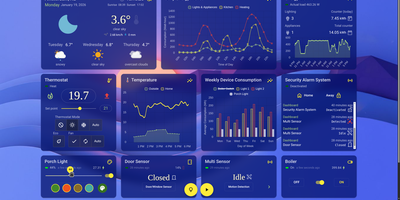
HomeGenie runs your whole smart home locally, controlling lights, sensors, cameras, and automations from hardware in your own house, so everything keeps obeying you even with the internet cable pulled. The dashboard is your control room: watch energy consumption, security zones, and environmental conditions in real time, then customize layouts, themes, and charts until the view matches your household. Automations suit every skill level, from a visual editor where scenarios assemble without code, to full programs in C#, JavaScript, or Python against a documented API. The built-in AI assistant, Lailama, runs locally: speak or type natural-language commands and it reasons about your home's context, orchestrates multiple devices, and shows the exact code it executed, so nothing happens by opaque magic. Voice works locally too, with Whisper recognizing speech and Piper answering through the browser. Cameras gain brains through VisionCore, which detects people, vehicles, and objects in real time, records buffered event clips, and feeds what it sees into your automations. A data browser turns months of sensor history into interactive charts with filters like moving averages, so "why did heating spike Tuesday" gets an answer. Virtual modules let you prototype sensors before buying hardware, and the interface speaks more than 90 languages. Running on a dedicated VPS on RepoCloud with guaranteed CPU, RAM, and SSD, full root SSH access, and a browser serial console. AGPL-3.0 licensed.
GeneWeb
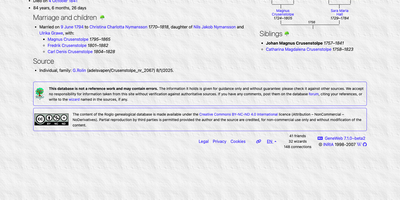
Most family trees sit inside a single desktop file that only one relative can open, but GeneWeb publishes the whole tree on the web as an interactive site the entire family can browse and grow together. One lightweight server hosts as many genealogical databases as you like, and every page is generated on demand from the data itself, so edits appear instantly without rebuilding static files. Each person page gathers births, marriages, deaths, and other events with exact dates, witnesses, notes, and sources, giving every fact in the tree a documented trail back to its evidence. Trees arrive and leave in the standard GEDCOM format or in GeneWeb's own compact format, and details that do not fit the import land safely in notes instead of being discarded. The built-in relationship calculator traces the exact link between any two people in the database, even through billions of possible paths, and its consanguinity rates reveal how closely related spouses really were. Searching follows real research habits: names match across spelling variations, women are found by their maiden names, and nobility titles appear on a chronological timeline. Privacy comes built in through password accounts: friends can view private data, wizards can edit it, and visibility rules can hide everyone born within the last hundred years automatically. Running on a dedicated VPS on RepoCloud with guaranteed CPU, RAM, and SSD, full root SSH access, and a browser serial console. GPL-2.0 licensed.
Dataverse
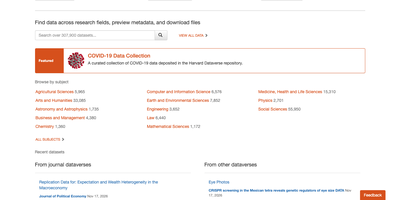
A shared drive full of spreadsheets is not a research data archive; Dataverse is repository software that gives each dataset a citable page, metadata, versions, and a permanent identifier. Universities, libraries, and research groups arrange holdings in nested collections, each with its own branding, featured subcollections, and search facets. Metadata comes from citation, geospatial, social science, astronomy, and life sciences blocks, and administrators add custom fields and controlled vocabularies without writing code. Publishing assigns a DOI through DataCite or Crossref, or a Handle or PermaLink, and each dataset shows a formatted citation with download counts and Make Data Count statistics. Tabular files in CSV, Excel, SPSS, Stata, R, and SAS formats are ingested with variable-level metadata. Previewers show images, text, spreadsheets, maps, and notebooks on the page. Every published change creates a new version, and a versions table lets readers move between them. Roles reach down to individual files, with restricted files and access requests, embargoes, guestbooks, terms of use, and anonymous preview links for peer reviewers. Records export as DDI, Dublin Core, DataCite, schema.org JSON-LD, and Croissant, and OAI-PMH lets installations harvest one another. Deposits can be automated through a REST API, SWORD, and client libraries for Python, R, and Java. Integrations reach Jupyter, Globus, DataLad, and OJS. Running on a dedicated VPS on RepoCloud with guaranteed CPU, RAM, and SSD, full root SSH access, and a browser serial console. Apache-2.0 licensed.
Sulu
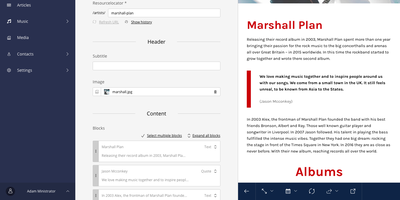
Running several multilingual websites does not mean juggling several admins: Sulu is a content management system that hosts them all in one, with a live preview beside every form. Webspaces are separate websites, each with its own page tree, languages, domains, and permissions. Pages are built from templates of fields and reorderable blocks, grouped under Content, SEO, Excerpt, and Settings tabs. Unsure how a page will look in search? The SEO tab previews it, counts characters in the meta title and description, and offers keywords, a canonical URL, and no-index and no-follow switches. Changing a page address automatically redirects the old one. Files stay organized in nestable media collections with grid and list views, and images are resized automatically to the formats a design asks for. Snippets hold content shared across pages, and smart content assembles dynamic lists of pages, contacts, or organizations. Landing pages get their own custom URLs, and target groups can show different content at the same address to different visitors. Editors who should not see everything get roles with view, add, edit, and delete rights per webspace. An activity log lists changes, and the trash restores deleted items. Contacts and organizations live in the same interface, and developers can add their own admin sections with lists, forms, and preview. Running on a dedicated VPS on RepoCloud with guaranteed CPU, RAM, and SSD, full root SSH access, and a browser serial console. MIT licensed.
FlaskBB
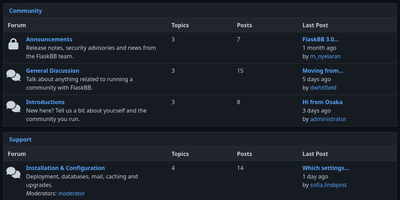
For communities that want a classic forum of their own, FlaskBB offers categories, topics, replies, and moderation tools the community controls. Members write posts in Markdown with an editor toolbar, syntax-highlighted code, and emoji, quote one another with a link back to the original post, and type @ plus three characters to get username suggestions. They upload avatars, attach files to posts and topics, and rely on unread tracking and a topic tracker to see what changed since their last visit. Group-based permissions and per-forum moderators decide who can read, post, and moderate. Administrators manage users, groups, forums, and reports from a side-navigation panel, hide or unhide topics and posts, remove every post of a spammer in one action, and switch on reCAPTCHA. Search highlights matching terms on its results page. Official plugins add private messages, a portal page, invite-only registration, likes, user ranks, and StopForumSpam checks, and an extension registry lists more plugins and themes. The Aurora theme comes in light and dark variants, and translations cover more than a dozen languages. Running on a dedicated VPS on RepoCloud with guaranteed CPU, RAM, and SSD, full root SSH access, and a browser serial console. BSD-3-Clause licensed.