
Plainpad
Notes are personal, and Plainpad keeps them that way by running entirely on your own server instead of a vendor cloud. Class notes, trip plans, lyrics, and side-project ideas sit in one fast list that searches instantly and opens in any modern browser, adapting to phones, tablets, and desktops. Added to a home screen it launches like an app, and offline editing keeps writing possible when the connection drops. Turning on encryption stores titles and content encrypted at rest, so even database access does not expose what you wrote. One installation supports unlimited accounts with administrator and user roles, and every person keeps a private notebook no one else can read. There are no note limits, no device limits, no ads, and no tracking of any kind. Moving in is scripted through the built-in REST API, which can import collections from files and other note services into the right accounts. The stack asks only for PHP and MySQL, or a single Docker Compose command, and a sample data seeder can populate a fresh install with realistic study notes for evaluation. Simplicity is the design goal: the interface stays quiet, loads quickly, and leaves the words in front. Running on a dedicated VPS on RepoCloud with guaranteed CPU, RAM, and SSD, full root SSH access, and a browser serial console. GPL 3.0 licensed.
MyCompany
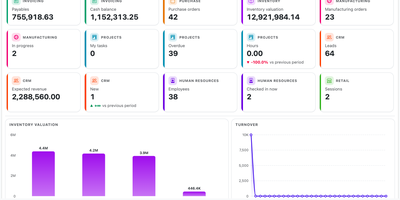
MyCompany runs the whole back office of a small business, sales, stock, production, invoices, projects, payroll, and the shop till, as one application sharing one database. A lead arrives and moves across a kanban board with calls and emails logged on its card, then becomes a sales order and an invoice without retyping a single field. Purchasing raises supplier orders, receives goods into the right warehouse, and watches stock move between locations with full movement history, reservations, lots, and serial numbers. Manufacturing plans production orders from bills of materials with operations and work centers, tracking the materials actually consumed and what each finished batch cost. Projects track tasks and time with supervisor timesheets, HR keeps employee records, hourly rates, and payslips, and the retail point of sale handles barcodes, payments, register sessions, and discounts. Because every module reads and writes the same records, the invoice knows what the warehouse shipped and the project knows what the customer was billed. When your business outgrows a standard screen, customizations live in separate extension modules, so vendor updates never collide with the workflows you adapted. Running on a dedicated VPS on RepoCloud with guaranteed CPU, RAM, and SSD, full root SSH access, and a browser serial console. Apache-2.0 licensed.
Sugabots
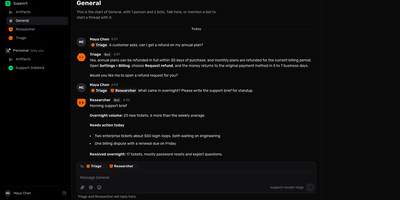
Give your team a shared chat workspace where AI bots sit next to people, answer questions, and pick up recurring work. Organize conversations into pods with channels and threads, and keep a private personal pod for each member. Mention a bot with @ to hand it a task, mention several and each one replies, or let a bot ask another bot for help. Every bot gets its own name, avatar, instructions, and model, picked from OpenRouter, Anthropic, OpenAI, Google Gemini, or any OpenAI-compatible endpoint you add. Connections link a pod to GitHub, Linear, Stripe, Notion, Sentry, Jira, any MCP server, or any HTTP API, and bots act through them with approvals where you want a human check. Routines run a bot on a schedule, a webhook, or a GitHub event, then post the result to the pod channel. Computers give bots an isolated machine for heavier jobs, and web search lets them look things up and cite pages. A Usage page breaks down what bots cost by bot, model, and pod. Use it for a support desk, an engineering ops room, a morning briefing, or a shared research assistant. Running on a dedicated VPS on RepoCloud with guaranteed CPU, RAM, and SSD, full root SSH access, and a browser serial console. MIT licensed.

Damselfly
Damselfly puts a searchable brain over a folder-based photo archive, so a library of hundreds of thousands of images stays browsable from any browser. Point it at your existing folders and it indexes everything in the background, generating thumbnails and reading IPTC keywords, EXIF camera data, and file names into one catalogue. Search returns results in under a second even across 500,000 photographs, and advanced filters narrow by date range, camera or lens model, file size, orientation, detected objects, or recognized faces. Face detection and recognition run locally and offline, so you tag a person once and Damselfly finds them in other shots without sending family photos to a cloud service. Keyword tagging writes metadata with ExifTool without re-encoding JPEGs, keeping originals byte-identical while tags travel with the files into DigiKam, Photoshop, or other tools. The Picasa-style basket collects picks from search results for download, watermarked export for social media or email, or upload to WordPress, and baskets can be personal or shared between users. Photos with location metadata appear on a map, visually similar images can be found from a single example, and untagged shots can be listed so nothing stays unlabelled. Accounts with role-based permissions let everyone browse while only editors tag or reorganize, and an optional desktop client syncs basket selections to a laptop for editing. Running on a dedicated VPS on RepoCloud with guaranteed CPU, RAM, and SSD, full root SSH access, and a browser serial console. GPL-3.0 licensed.
Rath
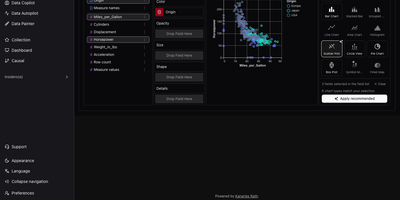
RATH, an automated data exploration workbench, turns any table into a gallery of charts worth reading, without building each chart by hand. Start with a CSV, JSON, or Excel file, or pull tables from MySQL, PostgreSQL, Oracle, SQL Server, SQLite, or Airtable. Eight built-in demo datasets are ready to try. Next comes a profile: every field gets a distribution chart and summary statistics. A metadata view retags fields as dimensions or measures. Data Autopilot then searches the dataset and pages through generated insight charts. Charts can be starred, exported, or opened in the editor. Starting from a single field, Data Copilot lists associated patterns to follow, with controls to add variables, filters, and computations. For hands-on work, the drag-and-drop chart builder offers fifteen chart types, including heat maps, box plots, and maps, plus a button that applies the recommended chart. With Data Painter, you brush points into up to ten labeled color groups or erase anomalies, then search for a chart that explains the painting. Causal analysis runs one of ten discovery algorithms, including PC, FCI, GES, and GRaSP. It then draws a directed graph with influence percentages, plus charts and statistics for any field you select. Dashboards combine titles, text, and charts in movable, resizable cards with four themes and global filters. Running on a dedicated VPS on RepoCloud with guaranteed CPU, RAM, and SSD, full root SSH access, and a browser serial console. AGPL-3.0 licensed.
Docspell
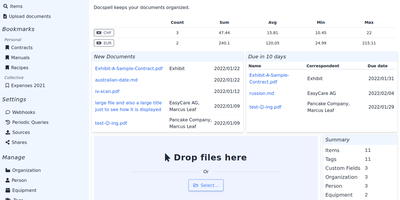
Convert paper archives, email attachments, and PDF records into an organized digital repository with Docspell, an open-source document management system that automates optical character recognition, metadata extraction, and full-text search. Users can ingest receipts and invoices through network scanners, monitored IMAP email mailboxes, mobile uploads, or drag-and-drop browser tools. The background processing pipeline executes optical character recognition via Tesseract, enhances image contrast with unpaper, and extracts text from Word documents and PDFs. Machine learning algorithms analyze document syntax to predict correspondents, suggest relevant organization tags, and identify due dates automatically. Team members can search their entire filing cabinet using complex Boolean queries and full-text indexing powered by Apache Solr or PostgreSQL. Administrators can configure multi-user collectives with isolated permissions, define custom metadata attributes, set up webhooks, and share time-limited document download links. Users can also merge multi-page scans, track processing job queues, and export curated document collections for tax filings or legal audits. Running on a dedicated VPS on RepoCloud with guaranteed CPU, RAM, and SSD, full root SSH access, and a browser serial console. GNU AGPL v3.0 licensed.
Label Studio
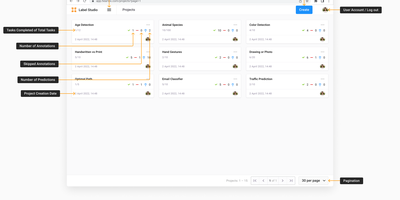
Images, text, audio, video, HTML, PDFs, and time series, labeled in one tool with a standardized output format: Label Studio is the open-source data labeling platform for building training datasets. Computer vision tasks cover classification, object detection (boxes, polygons, ellipses, keypoints), and semantic segmentation; audio work spans transcription, speaker diarization, and emotion recognition; NLP handles named entity recognition and document classification with taxonomies up to 10,000 classes; and GenAI workflows support LLM fine-tuning data and RLHF response ranking. Labeling interfaces are fully configurable with an XML-like templating language, so the UI matches the task instead of the reverse. The ML backend SDK turns any model into a connected web server for pre-annotation (model predicts, humans verify), interactive labeling (real-time predictions as annotators draw regions or highlight text), and model evaluation - cutting annotation time dramatically on large datasets. Data imports from S3, GCS, or file uploads; the Data Manager filters and explores tasks; exports convert to the format your ML library expects via label-studio-converter. Multi-user accounts tie every annotation to its author, and webhooks, a Python SDK, and REST API embed labeling into any pipeline. Self-hosting keeps proprietary training data - often a company's most sensitive asset - entirely on your infrastructure.
Corteza
Salesforce's platform model, 100% open-source (Apache 2.0): Corteza is a Go/Vue.js low-code platform developed under a foundation, so there is no open-core bait to grow out of. The heart is Corteza Compose: namespaces contain applications, modules define record structures the way Salesforce objects do, and a drag-and-drop page builder assembles record pages, list pages, dashboards, and charts from configurable blocks. Automation comes from a visual, BPMN-style workflow engine plus JavaScript automation scripts, so cross-application business logic - approval chains, field updates, notifications - is configured rather than programmed. Granular role-based permissions reach down to individual modules, fields, and records, mirroring real organizational hierarchies. Corteza CRM ships as the flagship application built entirely on Compose: leads, accounts, opportunities, campaigns, and cases with a 360-degree customer view, covering most Salesforce standard objects - and because it is just a Compose app, adding or reshaping modules is configuration, not a fork. Everything is reachable over REST APIs, deliberately familiar tooling eases Salesforce admin migration, and a CLI can even generate synthetic records for load-testing what you build.
ShellHub
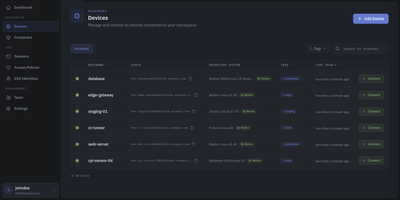
Every server, embedded board, and edge gateway you manage becomes reachable through one SSH address in ShellHub, even when it sits behind NAT with no public IP and no open inbound port. A small agent on each device dials out to your server, so a box on a customer LAN or a cellular link needs nothing beyond outbound web access. Connect with the stock ssh client by typing [email protected]@server, or open a terminal in the browser, and scp, sftp, rsync, and port forwarding work unchanged. SSH identities tie every key to a named team member, so removing someone ends their access on every device at once. Default-deny access policies grant or block members, roles, users, or API keys by device tag, Linux login, and source address, and can require a fresh browser confirmation before a session opens. Provisioning keys enroll whole fleets through automatic, manual, webhook, or allowlist acceptance, with usage limits, expiry dates, and tags. The Sessions page records who connected to which device, as which login, and from where, and browser terminals can be recorded and replayed. A Docker connector turns containers into devices that policies can grant one by one. Four member roles shape what each person can change, and the HTTP API, API keys, and an MCP server let scripts and AI assistants list devices and review sessions. Running on a dedicated VPS on RepoCloud with guaranteed CPU, RAM, and SSD, full root SSH access, and a browser serial console. Apache-2.0 licensed.
Mayan EDMS
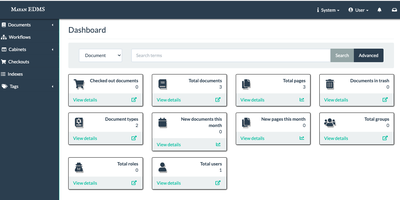
Mayan EDMS stores, classifies, and retrieves millions of documents with automatic OCR, workflow automation, and audit-ready access controls that organizations have relied on for over a decade. Tesseract integration extracts searchable text from scanned PDFs and images in over 100 languages, transforming paper archives into instantly queryable digital collections without manual data entry. The workflow engine routes documents through approval chains using configurable state machines that trigger notifications, enforce retention policies, and maintain complete audit trails for regulatory compliance. Version tracking preserves every revision with full diff capabilities, while GnuPG digital signatures provide cryptographic proof of authenticity and tamper detection for sensitive records. Role-based permissions combined with object-level ACLs and LDAP integration ensure documents remain visible only to authorized users, down to individual file granularity. Full-text search powered by Whoosh or ElasticSearch handles advanced queries across massive document stores with faceted filtering and relevance ranking. The Django REST Framework API enables programmatic upload, metadata extraction, and workflow triggering from external systems. Beyond simple folder hierarchies, metadata schemas, document types, tags, and cabinet structures provide multi-dimensional classification tailored to how your organization actually works. Background processing through Celery handles OCR, conversion, and preview generation asynchronously, keeping the web interface responsive under heavy ingest loads.
Personal Management System
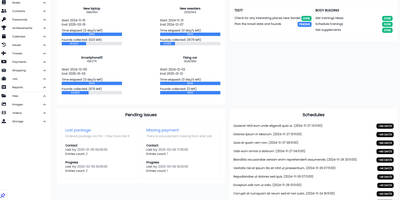
Consolidate daily to-do lists, encrypted passwords, household spending, contacts, and family photo galleries into Personal Management System, a self-hosted private command center for everyday life. Individuals can organize recurring schedules and calendar milestones with proactive notification alerts so important appointments, vehicle servicing dates, and recurring bill renewals are never overlooked. Users can balance household budgets and track expenditure across custom spending categories, calculating monthly cash flow balances while monitoring debts owed to friends or family members. Privacy-conscious users can safeguard account credentials inside an encrypted password vault featuring quick-copy buttons and secondary lock protection for sensitive personal entries. Goal setters can track multi-step personal targets and link financial milestones directly to dedicated savings pools. Home organizers can catalog contacts, log travel destinations with mapped imagery, and maintain categorized notes containing voice memos, bookmarks, and reference materials. Collectors can sort family photos and video recordings into interactive masonry galleries with built-in lightbox previews and file download tools. Running on a dedicated VPS on RepoCloud with guaranteed CPU, RAM, and SSD, full root SSH access, and a browser serial console. MIT licensed.
Magic Cloud
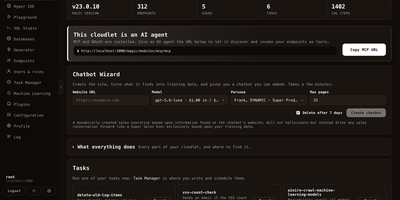
Magic Cloud turns a plain-English app description into a working backend, secured API, and frontend that run on your own server. Point the endpoint generator at a database and it writes CRUD endpoints with roles and validation; paste an OpenAPI or Swagger URL and it wraps any third-party API as documented endpoints. A dashboard shows endpoint counts, users, scheduled tasks, and logs. A built-in MCP URL gives Claude, Cursor, or Codex a way to discover and call every endpoint as a tool. The Chatbot Wizard crawls a website and hands back an embeddable chatbot grounded in that content. Hyper IDE edits any file on the server with an ask-the-AI prompt bar underneath, and Rewind steps through a recorded execution line by line. A visual Web Designer assembles pages from blocks, a Task Manager schedules background jobs, and Chat Ops answers questions about what the cloudlet can do and then does it. Role-based access guards each endpoint, and a SQL Studio handles direct queries. Running on a dedicated VPS on RepoCloud with guaranteed CPU, RAM, and SSD, full root SSH access, and a browser serial console. MIT licensed.
Traduora
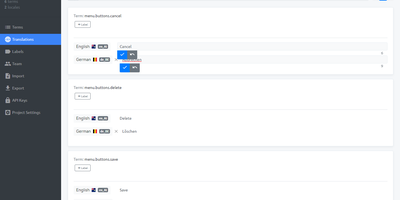
Teams that ship one app in many languages keep every string, translator, and reviewer in a single workspace by hosting their own Traduora translation management platform. Developers import the files they already have: JSON, YAML, PO, XLIFF, CSV, Android XML, iOS Strings, Java properties, PHP array, or RESX. Each string becomes a term that can carry a context note and colored labels. A search bar and a label filter narrow long lists in seconds. Translators open a locale and type inline beside a reference language, with per-locale progress showing how much is finished and a toggle that hides what is already done. Colleagues join by email invitation as admins, editors, or viewers, with optional Google sign-in. Build pipelines get their own API clients, each with a role, to fetch and push translations over a REST API. Exports go back out in whichever format each platform wants, with fallback-locale and untranslated-key options. Mobile and web teams can keep iOS, Android, and website copy in sync from a single source of truth. Running on a dedicated VPS on RepoCloud with guaranteed CPU, RAM, and SSD, full root SSH access, and a browser serial console. AGPL-3.0 licensed.
Cliparr
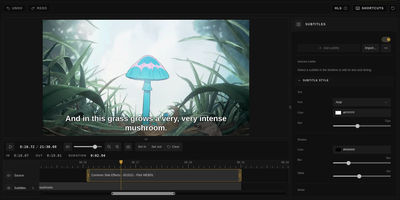
You are halfway through a film when a scene begs to be shared, and Cliparr is the self-hosted clip maker that turns moments from your Plex, Jellyfin, or local video library into shareable clips without opening a full video editor. Connect a media server and Cliparr follows live playback sessions automatically, so the scene you are watching is already loaded when you decide to keep it. Local video files open directly in the browser without being uploaded anywhere first. Mark the range, fine tune the start and end, then crop the frame freely or to a fixed aspect ratio with mouse or touch controls, which makes vertical clips for phones as easy as widescreen ones. Exports run entirely in your browser as video, audio only files, or GIFs, so the server never turns into a render box and the clip lands on the device you are using. Source details, artwork, and clip timing travel inside supported containers, keeping the exported file labelled with where it came from. Captions are a first class step: write your own subtitles, import an existing file, style the text, and burn it into the picture before export. Editor keyboard shortcuts, access control, and reverse proxy support round out a tool that fits into an existing media setup instead of replacing it. Running on a dedicated VPS on RepoCloud with guaranteed CPU, RAM, and SSD, full root SSH access, and a browser serial console. MIT licensed.
Louez
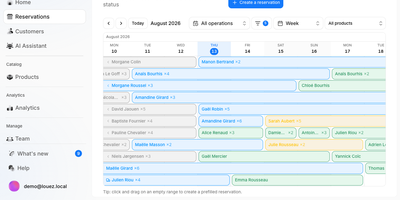
Bikes, cameras, party tents, power tools: if you hand it out by the day, Louez runs the booking desk for you. Each shop gets a branded online catalog where customers filter products, pick pickup and return times, and see real availability before they check out. Behind it sits a dashboard with a reservation calendar and planning timeline, a product catalog with stock and tiered pricing, and a customer database with full booking history. Pricing supports duration discounts, seasonal rates, and promo codes, and a simulator previews what a rental will cost. Every reservation can generate a PDF contract, send confirmation and reminder emails, and take deposits, with Stripe payments as an optional extra. Customers get a passwordless portal to follow their bookings, and staff get roles and permissions through team invitations. Equipment inspections, delivery options, multi-store overviews with revenue and occupancy charts, and API keys round out the toolkit, and the interface ships in thirteen languages. Use it for a bike hire shop, a tool library, an AV rental company, or a community gear pool. Running on a dedicated VPS on RepoCloud with guaranteed CPU, RAM, and SSD, full root SSH access, and a browser serial console. AGPL-3.0 licensed.
Minecraft Server Manager
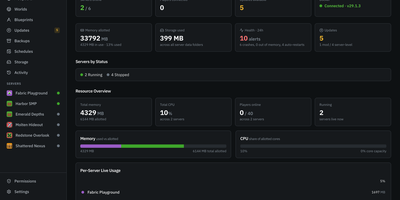
One Minecraft server is easy, but a Fabric test world, a Paper survival realm, and a Forge modpack on the same machine need a proper control room. Minecraft Server Manager runs every server as its own resource-capped container and offers create, start, stop, restart, rebuild, and delete from the browser, with a graceful RCON stop and crash detection. A guided wizard offers Simple and Advanced modes with plain-English help. Modpacks stay pinned to an exact version, and upgrades come with a preview, an automatic backup, health monitoring, and one-click rollback. Search Modrinth, CurseForge, Hangar, SpigotMC, and GitHub Releases from one browser, add mods by link, or import .mrpack files and zips, with checksum-verified downloads. A live console streams logs with filters and an RCON command bar, and player tools cover whitelists, ops, bans, IP bans, and teleports. Cron schedules run restarts, backups, and RCON commands, backups follow retention rules, and storage analytics enforce disk quotas. Crash reports are parsed and can be shared to mclo.gs for automated insights, and blueprints export a server as a recipe. A one-click BlueMap live map and an optional public status page show the world off. Admin, operator, and viewer roles with per-server permissions keep helpers in their lane. Friends-only survival worlds, modded community realms, and hosts running many test servers are what it was built for. Running on a dedicated VPS on RepoCloud with guaranteed CPU, RAM, and SSD, full root SSH access, and a browser serial console. MIT licensed.
Maloja
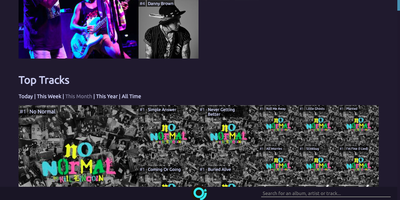
Maloja's one job is to be your own scrobble database, charting what you listen to from a server you control. Players and media servers that speak the native JSON API or a ListenBrainz, GNU FM, or Audioscrobbler 1.2 compatible protocol can scrobble with their own API keys. Vinyl sessions and background music can be logged by hand on a manual scrobble page. Existing history moves in from a Last.fm export, a Spotify data export, a ListenBrainz export, or another Maloja instance, while a proxy option forwards new scrobbles to Last.fm or a second Maloja server. The start page ranks top artists, tracks, and albums for today, this week, this month, this year, or all time, alongside a pulse chart of listening volume and a feed of the latest scrobbles. Artist and album pages add performance charts that follow chart position over time. Collaborations credit every artist on a track, and subunits, solo projects, and main acts can be combined or separated in charts at any time. Gold, Platinum, and Diamond awards mark tracks and albums that pass scrobble thresholds you set. Artwork can come from Last.fm, Spotify, Deezer, TheAudioDB, or MusicBrainz lookups, or from images you upload yourself. Week start, timezone, theme, and tile layout are all settings, and an API explorer lists endpoints for scripts. Running on a dedicated VPS on RepoCloud with guaranteed CPU, RAM, and SSD, full root SSH access, and a browser serial console. GPL-3.0 licensed.
Passbolt
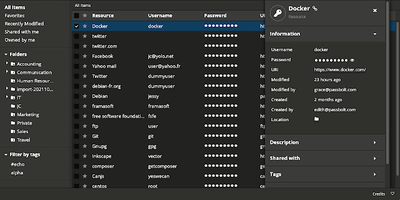
Security-conscious IT departments pick Passbolt for its cryptography: every user holds an OpenPGP key pair, and shared credentials are encrypted individually to each recipient's public key - real end-to-end encryption, not a vault password handed around. All crypto runs client-side in the mandatory browser extension (distributed and signed through the Chrome and Firefox stores, deliberately separating the crypto code from the server that stores ciphertext); private keys and passphrases never touch your instance, and the server admin cannot read a single secret. Authentication uses the challenge-based GpgAuth protocol, secrets are digitally signed to verify sender integrity, and metadata encryption extends protection to resource names and URLs. Day to day it behaves like a polished commercial manager: auto-fill and auto-save in forms, strong password generation, anti-phishing protection, TOTP storage, folder hierarchies shared per-user or per-group with fine-grained permissions and instant cryptographic revocation. Native iOS, Android, and desktop apps ship alongside a JSON API, CLI, and SDKs for CI/CD secret retrieval and rotation. The PHP server runs on MariaDB and is AGPL-licensed open source - including the paid tiers' codebase - with published security audits.