Flatnotes
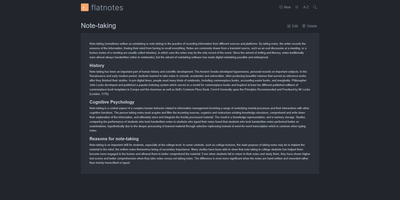
A web interface for a folder of Markdown files - Flatnotes is exactly that, and the discipline of that design is why people love it. Every note is a plain .md file in a single flat directory: no database, no proprietary format, no hierarchy to maintain, no export step if you ever leave. Edit notes in the browser or open the same files in VS Code or Obsidian, sync them with Syncthing or rsync while the app is running - the Whoosh-powered search index synchronizes incrementally, so external edits just show up. The interface is a clean Vue.js app with both WYSIWYG and raw Markdown editing modes (TOAST UI Editor), instant full-text search behind the "/" shortcut with partial-match support, wikilinks for cross-note references, and automatic tag extraction from #hashtags in note bodies. Light and dark themes and a mobile-responsive layout make it pleasant everywhere. Authentication is flexible for a personal tool: none, read-only, username/password, or TOTP two-factor. A documented REST API covers create/read/update/delete for automation. The operational story is the quiet selling point - the only state is the notes folder and a rebuildable index, so backup is copying a directory. For a personal notepad that respects your data, Flatnotes nails minimal.
GoatCounter
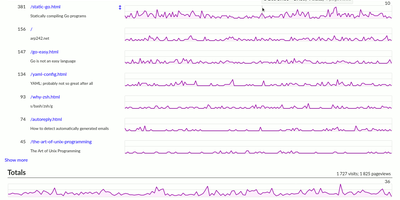
GoatCounter delivers meaningful web traffic insights — pageviews, referrers, browsers, screen sizes, country-level geolocation — without setting a single cookie, without collecting personal data, and without forcing GDPR consent banners on your visitors. Written entirely in Go and distributed as a single compiled binary consuming roughly 25MB of RAM, it adds just 3.5KB to your pages via the tracking script, with a JavaScript-free tracking pixel alternative for sites that avoid scripts entirely, plus backend middleware integration and log file import for server-side collection. The dashboard displays pageview counts per path with hourly resolution, referrer sources grouped by domain with full URL on hover, browser and OS version breakdowns, screen size distributions, and country-level location data derived from IP addresses that are immediately discarded after geolocation. Campaign tracking supports UTM parameters and custom data attributes. A public stats option exposes your dashboard at a shareable URL for build-in-public transparency. SQLite serves as the default database requiring zero administration, while PostgreSQL handles higher-traffic deployments with multi-site setups. Built-in ACME and TLS certificate management eliminates reverse proxy requirements for HTTPS — no Nginx or Caddy needed. The REST API provides programmatic access to all analytics data. Deploy as a single binary, via Docker with the official arp242/goatcounter image, or through native packages. Running on a dedicated VPS on RepoCloud with guaranteed CPU, RAM, and SSD, full root SSH access, and a browser serial console. EUPL-1.2 licensed.
Apache Airflow
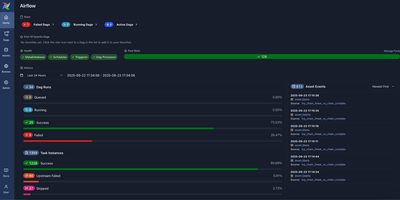
With over 46,000 GitHub stars and one of the largest communities in data engineering, Apache Airflow is the workflow orchestration platform that lets teams define, schedule, and monitor complex data pipelines as Python code through directed acyclic graphs. Airflow 3.x introduced a modernized architecture with a task execution API, the Language Task SDK for writing task implementations in Java and Go alongside Python, asset-based partitioning with FanOutMapper and FixedKeyMapper for data-driven scheduling, a first-class state store for tasks and assets, pluggable retry policies, and a redesigned React-based web UI built on FastAPI. The provider ecosystem ships 80+ packages covering AWS, Google Cloud, Azure, Snowflake, Databricks, Apache Spark, Apache Kafka, PostgreSQL, MySQL, MongoDB, Slack, HTTP, SSH, Docker, Kubernetes, and dozens more, enabling a single deployment to orchestrate jobs across multi-cloud and on-premises infrastructure. The scheduler supports cron expressions, timetable plugins, data-aware scheduling triggered by asset events, and dynamic task generation through Python loops and conditionals. Built-in operators include BashOperator, PythonOperator, DockerOperator, KubernetesPodOperator, and sensor operators that poll external systems. The web UI provides DAG visualization with Gantt charts, grid views, and graph views, task instance logs, SLA monitoring, connection and variable management, and role-based access control. Deployment options include standalone mode, Docker Compose with CeleryExecutor or KubernetesExecutor, Helm charts for Kubernetes, and managed cloud services. Running on a dedicated VPS on RepoCloud with guaranteed CPU, RAM, and SSD, full root SSH access, and a browser serial console. Apache License 2.0 licensed.
Open SEO
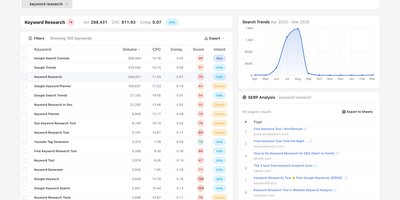
OpenSEO provides an alternative to the $100+/month SEO suite monopoly by connecting directly to DataForSEO APIs on a pay-as-you-go basis — you bring your own API key and pay only for the queries you actually make. The platform delivers focused workflows for keyword research with volume, difficulty, CPC, intent, and live SERP inspection; rank tracking with historical position monitoring; backlink analysis with referring domain quality scoring; technical site audits that crawl pages and surface issues; competitor insights comparing SERP positions across keyword sets; and AI visibility monitoring that tracks brand mentions, citations, and prompts across AI models. The integrated MCP server exposes all tools to AI coding agents including Claude Code, OpenClaw, Hermes, and Cursor, while Agent Skills provide reusable SKILL.md workflows that guide agents through complex SEO research tasks. Google Search Console integration reads first-party performance data including clicks, impressions, CTR, and position metrics with URL-level index status inspection. The Prompt Explorer compares how different AI models respond to SEO-relevant queries. Self-host via Docker for personal use or deploy to Cloudflare for team access with automatic database backups. The hosted version at openseo.so adds a 28% markup on DataForSEO requests. Running on a dedicated VPS on RepoCloud with guaranteed CPU, RAM, and SSD, full root SSH access, and a browser serial console. MIT licensed.

Zammad
With 5,700+ GitHub stars and over a decade of active development since 2012, Zammad is the open-source helpdesk platform that unifies every customer communication channel — email, live chat, telephone, WhatsApp, Telegram, Facebook, SMS, and web forms — into a single ticket management interface backed by PostgreSQL, Elasticsearch, and Redis. Version 7.0 introduced native AI features including automated ticket categorization, priority assignment, and title rewriting via AI agents that plug into triggers, macros, and scheduler jobs, plus one-click AI ticket summaries and a writing assistant — all configurable with your choice of LLM provider: OpenAI, Anthropic, Mistral AI, Azure AI, Ollama for local models, or any custom OpenAI-compatible endpoint with full audit logging of every AI action. Define service level agreements with first response, update, and solution time tracking tied to business hours calendars, with automatic escalation notifications. The knowledge base provides multilingual FAQ management with internal and public visibility. Core workflows enable dynamic ticket masks with conditional field dependencies per group. Text modules let agents insert predefined responses via the double-colon shortcut, while macros execute multi-step actions with one click. Security includes two-factor authentication, S/MIME and PGP email encryption, and single sign-on via SAML or OpenID Connect. Integrations connect to GitHub, GitLab, Microsoft 365, LDAP with nested group support, and Exchange. Deploy via Docker Compose, Kubernetes with the official Helm chart, or DEB/RPM packages. Running on a dedicated VPS on RepoCloud with guaranteed CPU, RAM, and SSD, full root SSH access, and a browser serial console. AGPLv3 licensed.
Heimdall
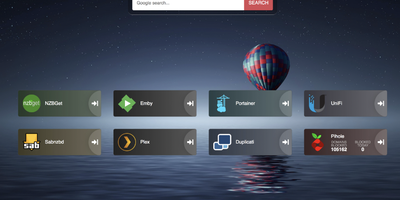
Links stop drowning in browser bookmarks once Heimdall - the application dashboard from the LinuxServer.io team - gives every web app and service you run a single, organized front door. Items come in three tiers. Generic items link to anything on the web with a name, color, and optional icon. Foundation apps are recognized as you type, auto-filling the application's icon and tile color so a full homelab dashboard assembles in minutes. Enhanced apps go further: supply API credentials and the tile shows live data - queue size and download speed for SABnzbd and NZBGet, plus integrations for Sonarr, Radarr, Plex, Jellyfin, Pi-hole, Portainer, Transmission, and many more. There are no iframes and no apps-within-apps; tiles are honest links with real-time stats layered on. Tiles arrange by drag and drop, backgrounds are customizable, an optional search bar (Google, Bing, or DuckDuckGo) makes it work as a browser start page, and optional multi-user authentication keeps dashboards personal. Built on Laravel with SQLite file-based storage - no external database - it stays light, responsive on mobile, and simple to back up. A natural first deployment: the page that ties every other self-hosted service together.
Kodus AI
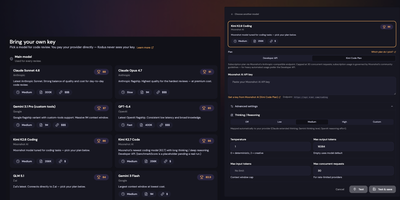
Kodus AI automates pull request code review with inline AI comments across GitHub, GitLab, Bitbucket, and Azure DevOps, supporting any LLM provider at cost with zero token markup. The multi-service TypeScript architecture deploys via Docker Compose, running an API server, background worker, webhooks service, and React dashboard backed by PostgreSQL with pgvector, MongoDB, and RabbitMQ. Integration covers both cloud platforms and their enterprise flavors (GitHub Enterprise Server, GitLab Self-Managed, Bitbucket Data Center) using standard OAuth flows and webhook signing to keep the review loop entirely inside your network. The platform is model-agnostic with Bring Your Own Key support for Claude, GPT, Gemini, Llama, and any OpenAI-compatible endpoint including locally-hosted models. Custom review rules combine your team's coding standards with requirements pulled from Jira, Linear, and Notion, automatically checking every PR against documented specifications. The CLI enables local reviews against working trees, staged diffs, branches, or specific commits, integrating into CI/CD pipelines as pre-merge gates. Source code is never stored and never used for model training, with all data encrypted in transit and at rest. 1,270+ stars and 129+ releases since March 2025. Running on a dedicated VPS on RepoCloud with guaranteed CPU, RAM, and SSD, full root SSH access, and a browser serial console. AGPL-3.0 licensed.
Neko
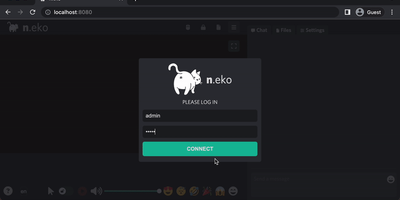
With over 21,000 GitHub stars and six years of steady development through version 3.1.0, Neko transforms any Docker container into a fully interactive browser or desktop environment streamed to web browsers via WebRTC with sub-300-millisecond glass-to-glass latency. The Go backend captures X server display frames using the Pion WebRTC library while the Vue.js frontend renders the remote session with native audio synchronization, delivering a significantly smoother experience than Apache Guacamole or noVNC which rely on image-over-WebSocket approaches. Multiple users simultaneously view and collaboratively control the same session with real-time input synchronization and host-managed control passing between participants. Pre-built Docker images cover Firefox, Chromium, Google Chrome, Tor Browser, Brave, Vivaldi, and Microsoft Edge alongside full desktop environments including XFCE and KDE for running any Linux application. Neko Rooms provides multi-tenant deployment with a REST API for programmatic room provisioning, while Neko Apps extends the platform with additional containerized applications beyond browsers. Sessions persist on the server independently of client connections — close your laptop, reconnect from your phone, and resume exactly where you left off. Optional VPN and Tor integration routes traffic through encrypted tunnels for privacy-sensitive browsing. RTMP broadcasting streams sessions to external platforms. The embeddable client supports iframe integration for custom portals and applications. Running on a dedicated VPS on RepoCloud with guaranteed CPU, RAM, and SSD, full root SSH access, and a browser serial console. Apache-2.0 licensed.
Wagtail
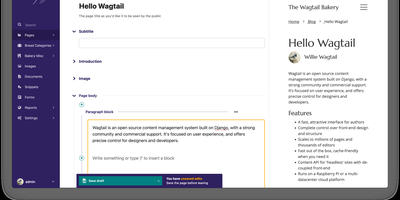
Backed by over 20,000 GitHub stars, 800 contributors, and organizations like Google, NASA, and the NHS, Wagtail is the Django-powered content management system that gives editors creative freedom through StreamField while keeping developers in full control of data structure and front-end rendering. StreamField lets editors compose pages from a custom library of content blocks — rich text, images, embedded videos, tables, code snippets, and developer-defined custom types — without compromising the underlying data model or breaking responsive layouts. The built-in JSON API supports headless deployments with versioned endpoints for pages, images, and documents, enabling decoupled front-ends in Next.js, Nuxt.js, or any framework that consumes REST. Editorial workflows provide configurable approval chains where content moves through draft, review, and publish states with commenting, task assignment, and email notifications built into the admin interface. Integrated search connects to Elasticsearch for full-text indexing with faceted filtering, or falls back to PostgreSQL and SQLite backends with fuzzy matching support added in v7.4. Multi-site management serves multiple domains from a single Wagtail installation with independent page trees, while the internationalization framework handles content translation with locale-aware URL routing. Image management includes focal point detection, responsive renditions, and automatic format conversion. The platform supports Django 5.2 and 6.0 with Python 3.10 through 3.14 and PostgreSQL, MySQL, MariaDB, or SQLite databases. Running on a dedicated VPS on RepoCloud with guaranteed CPU, RAM, and SSD, full root SSH access, and a browser serial console. BSD-3-Clause licensed.

Seanime
Seanime turns your server into a dedicated anime and manga command center, combining local library management, torrent streaming, an integrated manga reader, and AniList progress tracking in a single self-hosted web application. Point it at your media folders and the smart scanner automatically identifies and matches your anime files to AniList entries without requiring strict naming conventions or folder hierarchies. Stream episodes directly from torrents through qBittorrent, Transmission, Torbox, Real-Debrid, AllDebrid, or Premiumize; the built-in player starts playback before the download finishes, so there is no waiting for full transfers. The manga reader pulls chapters from community extension sources and tracks your reading progress across series automatically. An in-app extension marketplace lets you install third-party providers for streaming, manga, and torrent sources, all written in JavaScript and managed through a visual interface. Seanime Tenji, the companion mobile app for iOS and Android, connects to your server for on-the-go library browsing, content streaming, and offline downloads. Auto-download rules grab new episodes of airing series the moment torrents appear. The transcoding engine handles on-the-fly conversion for browser playback on any device, while direct play passes through compatible formats at full quality. Running on a dedicated VPS on RepoCloud with guaranteed CPU, RAM, and SSD, full root SSH access, and a browser serial console. GPL-3.0 licensed.
Jellyseerr
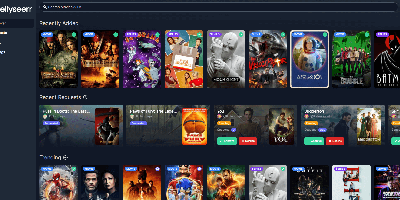
Browse trending titles, search anything, request it in two clicks: Jellyseerr gives Jellyfin, Emby, and Plex users a beautiful storefront for the media library. Born as the Overseerr fork that added Jellyfin and Emby support (the projects have since unified as Seerr), it handles the full request lifecycle - users authenticate with their existing media-server accounts, pick individual seasons or movies in a clean interface, and admins approve or decline from a simple queue, including on mobile. Approved requests flow straight to Sonarr and Radarr, which handle acquisition automatically, with support for separate 4K server instances. Regular library scans keep availability accurate, so users see instantly what already exists instead of requesting duplicates. A granular permission system controls who can request what - auto-approval for trusted users, quotas and limits elsewhere - and override rules adjust request routing by user, tag, or other conditions. Watchlist and blocklist functions curate discovery, notifications reach email, Discord, Telegram, Slack, Pushover, and Pushbullet, and both PostgreSQL and SQLite are supported. Localized into many languages, it turns "can you add this movie?" texts into a self-service system that runs itself.
Nextcloud
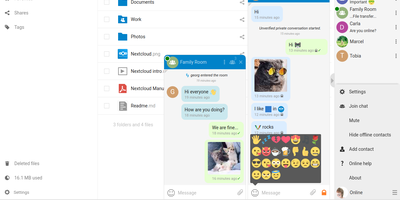
Google Workspace and Microsoft 365, replaced by a platform you actually control: Nextcloud is the self-hosted digital workspace. Files is the core: file storage and sync across desktop, mobile, and web clients, with sharing, versioning, and collaboration built in. Around it, Talk provides private text chat, audio/video conferencing with screen sharing, SIP integration, and persistent voice rooms; Groupware bundles calendar, contacts, and mail with delegation support; and Office offers two collaborative suites - the Collabora-based option with deep ODF support, and Euro-Office, whose local-processing architecture delivers strong Microsoft Office compatibility and fast browser rendering with reduced server load. The Nextcloud Assistant threads AI through the platform via a context-aware sidebar, Whiteboard covers visual collaboration, Flow handles automation, and an app ecosystem of hundreds of extensions adds everything from Kanban boards to end-to-end encryption. Hub 26 brings a lighter UI with a unified app switcher and Nextcloud Governance for organizations under strict regulatory requirements. This is the flagship of data sovereignty: your files, chats, calendars, and documents live on your server, under your jurisdiction, with GDPR compliance by architecture rather than by contract.
AI Researcher
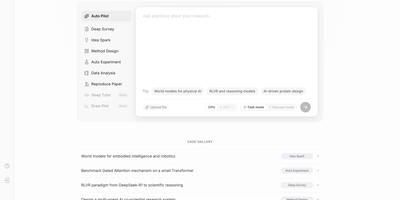
Accepted as a NeurIPS 2025 Spotlight paper and rapidly approaching 6,000 GitHub stars, AI-Researcher from the Hong Kong University Data Science Lab delivers the first fully autonomous scientific research system — a multi-agent platform that takes a list of reference papers and returns a complete research contribution with working code, validated experiments, and a formatted academic manuscript. The pipeline orchestrates five distinct phases: a Resource Collector systematically gathers materials from arXiv, IEEE Xplore, ACM Digital Library, Google Scholar, GitHub, and Hugging Face; an Idea Generator performs gap analysis against semantic embeddings to produce 3-5 novel hypotheses with feasibility scores; an Algorithm Designer transforms concepts into functional implementations; a Validation Engine automates testing, performance evaluation, and iterative optimization; and a Manuscript Creator generates polished full-length papers with figures, tables, and citations. The Gradio-based web GUI provides intuitive tabs for environment configuration, example selection, and real-time monitoring of research progress, while the production deployment at novix.science offers immediate browser access without local setup. Scientist-Bench provides a standardized benchmark comprising state-of-the-art papers across diverse AI research domains for evaluating autonomous research capabilities. The system supports multiple LLM providers including OpenAI, Anthropic, Google Gemini, and OpenRouter models with per-task routing for cost optimization. Deploy via Python with pip dependencies or Docker containerization. Running on a dedicated VPS on RepoCloud with guaranteed CPU, RAM, and SSD, full root SSH access, and a browser serial console. Apache-2.0 licensed.
Grimoire
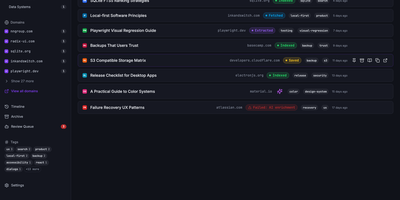
Grimoire captures, extracts, and indexes the content behind your bookmarks so you can search what pages actually say, not just their titles and URLs. The ingestion pipeline accepts links from the web UI, REST API, MCP server, browser bookmarklet, or bulk import, then fetches each page and extracts readable content using specialized parsers for GitHub repos, GitHub issues, StackOverflow threads, YouTube transcripts, PDFs, and standard web articles. Everything stores locally in SQLite with file-based content archives. Search operates in three modes: FTS5 keyword matching for exact terms, semantic embedding search for meaning-based retrieval using vector similarity, or a hybrid ranking mode combining both. Optional AI providers including OpenAI, Ollama, Anthropic, DeepSeek, and any OpenAI-compatible endpoint generate automatic tags, summaries, and embeddings without being required for core functionality. The interface built with React 18, Vite, TypeScript, Tailwind CSS, and Radix UI supports categories, nested tags, notes, archive and trash states, read-later flags, and multi-user isolated spaces. A single Bun-powered Hono process serves both the compiled frontend and the REST API on port 3210, requiring only one Docker container and a SQLite volume. Backup and restore export bookmarks, content, settings, and metadata as portable ZIP archives. Nearly 3,000 GitHub stars reflect growing adoption among developers and researchers. Running on a VPS on RepoCloud with guaranteed CPU, RAM, and SSD, full root SSH access, and a browser serial console. MIT licensed.
Medusa
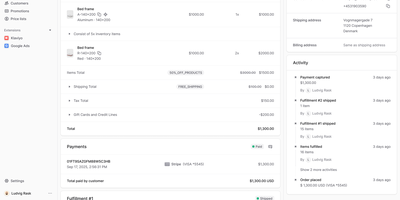
With over 35,000 GitHub stars and 460 contributors, Medusa is the headless commerce framework that gives development teams full ownership of their e-commerce backend without license fees, per-transaction charges, or revenue sharing. The modular architecture ships over 18 domain modules covering products, collections, categories, inventory, pricing, carts, orders, payments, fulfillment, promotions, customers, users, API keys, and stock locations, each independently usable and replaceable. REST and GraphQL APIs expose every commerce operation to any frontend framework — official starters exist for Next.js with community options for Nuxt, Remix, and Gatsby. The React-based admin dashboard provides out-of-the-box order management, product maintenance, promotions configuration, B2B accounts, and multi-warehouse inventory, extensible via the Admin SDK for custom views and workflows. The workflow engine orchestrates long-running commerce processes like checkout, fulfillment, and returns with compensating transactions for reliability. Over 200 official and community plugins integrate Stripe, PayPal, Klarna, Algolia, Meilisearch, SendGrid, Mailchimp, Contentful, Sanity, and Klaviyo. Native multi-region and multi-currency support handles tax-inclusive pricing, region-specific payment and fulfillment providers, and localized storefronts from a single backend. Enterprises including Viessmann, Makro PRO, and INSPIRED Pet Nutrition run Medusa in production. Self-hosting deploys via Docker or directly on Node.js with PostgreSQL and Redis. Running on a dedicated VPS on RepoCloud with guaranteed CPU, RAM, and SSD, full root SSH access, and a browser serial console. MIT licensed.
Vikunja
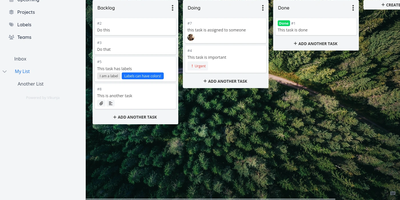
A personal to-do list that scales to team project management: Vikunja is an open-source task manager that grows with the work. Every project can be viewed four ways - classic list, drag-and-drop Kanban board, Gantt chart for timeline planning, and a spreadsheet-style table - so a project manager watches the Gantt while developers work the board, on the same data. Tasks carry the full attribute set: labels, priorities, due dates and reminders, recurring schedules, subtasks and task relations, file attachments, assignees, and comments, and Quick Add Magic parses natural-language input like dates and labels typed inline. Projects share with team members or via links, and saved filters slice tasks across projects. Built-in CalDAV support (VTODO) syncs tasks bidirectionally with clients like Thunderbird, DAVx5, and iOS Reminders, and one-click importers migrate from Todoist, Trello, and Microsoft To-Do. Nothing is metered - unlimited projects, tasks, filters, and attachments. A single Go binary with a Vue frontend runs against SQLite, MySQL, or PostgreSQL, exposes a full REST API, and works as an installable PWA on mobile. AGPLv3-licensed.
LibreTranslate
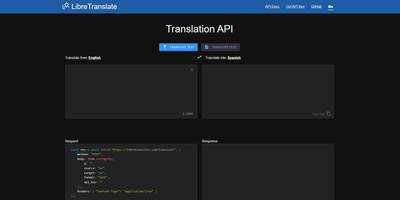
Machine translation with no Google, no Azure, no per-character billing, and no text leaving your infrastructure: LibreTranslate is a free, open-source translation API that runs entirely on your own server. The engine underneath is Argos Translate, which runs OpenNMT neural models with SentencePiece tokenization and Stanza sentence-boundary detection, all offline. Models install as portable .argosmodel packages covering dozens of languages - English, Spanish, French, German, Chinese, Japanese, Russian, Arabic, Hindi, Portuguese, and many more - and Argos handles automatic pivoting: with es-to-en and en-to-fr installed, it chains them to translate es-to-fr without a direct model. The API is a straightforward HTTP POST to /translate with source and target language codes, returning JSON - simple enough that the ecosystem has clients in every major language and integrations across tools like Weblate and Mastodon. Beyond plain text it translates HTML while preserving markup and handles whole file uploads (documents in, translated documents out), plus automatic language detection when the source is unknown. A clean bundled web UI serves interactive translation for end users, and optional API keys with rate limits control access. AGPL-licensed and trainable with custom models, it is the standard answer when translation must be private, unmetered, and self-contained - GDPR-sensitive text never touches a third party.
InvokeAI
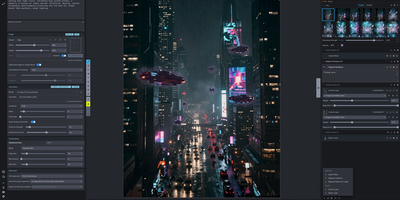
With over 27,500 GitHub stars, 350 contributors, and 220 releases since 2022, InvokeAI delivers an industry-leading creative engine that serves as the foundation for multiple commercial AI art products. The web-based UI supports an extensive model ecosystem including Stable Diffusion 1.5 through 3.5, SDXL, Flux.1 Dev, Flux.1 Schnell, Flux.1 Kontext, Flux.2 Klein 4B and 9B, CogView 4, Z-Image, Anima, and Qwen Image — plus externally-hosted models from OpenAI GPT Image, Google Gemini, BytePlus, and Alibaba Cloud via API key integration. The Unified Canvas provides a fully integrated workspace with in-painting, out-painting, brush tools, layer management, and regional guidance for compositing AI-generated content with existing artwork. The node-based Workflow Editor enables building complex generation pipelines with branching logic, connecting text encoders, VAEs, ControlNets, IP-Adapters, and LoRA weights into reusable graphs. Model management handles automatic downloading from HuggingFace and Civitai with conversion between safetensors, diffusers, and checkpoint formats. The backend runs on Python with CUDA, ROCm, and MPS acceleration supporting NVIDIA, AMD, and Apple Silicon GPUs. Multi-user accounts allow shared access to a single InvokeAI server with per-user galleries and settings. Running on a dedicated VPS on RepoCloud with guaranteed CPU, RAM, and SSD, full root SSH access, and a browser serial console. Apache 2.0 licensed.