Omni
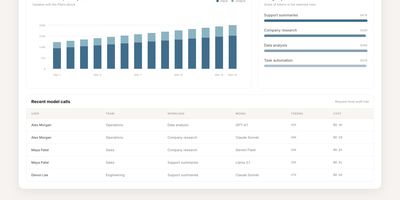
Omni is an open-source workplace AI agent and enterprise search platform that unites your company's scattered tools into a single context-aware workspace where team members can find answers and automate cross-application workflows. Employees can query connected knowledge sources including Google Drive, Gmail, Slack, Jira, GitHub, Confluence, and HubSpot to locate project specifications, customer records, and operational documents without jumping across tabs. The integrated AI assistant answers complex multi-step inquiries, summarizes lengthy email threads, and cites exact source passages so workers can verify factual accuracy before making business decisions. Granular permission inheritance mirrors existing access controls across every connected service, guaranteeing that sensitive personnel files, financial statements, and confidential repositories remain hidden from unauthorized staff. Engineers can construct bespoke data connectors and define automated agent skills through the extensible Python and TypeScript software development kits, triggering multi-service actions directly from interactive chat dialogues. Administrators can monitor background synchronization jobs, inspect audit trails, manage single sign-on access, and configure custom extraction pipelines using centralized operational dashboards. Running on a dedicated VPS on RepoCloud with guaranteed CPU, RAM, and SSD, full root SSH access, and a browser serial console. Apache 2.0 licensed.
Whiteboard
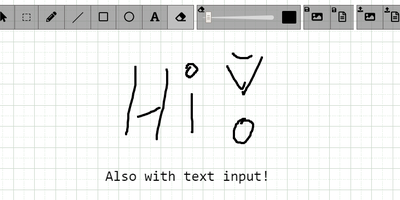
The drawing surface inside WebRTC conference tools like Meetzi and the LAMS online-learning platform is Whiteboard (by cracker0dks) - a lightweight Node.js collaborative sketchboard built to be embedded and customized, which also slots into Nextcloud via the External Sites app. Everyone opening the same whiteboardid URL parameter draws on the same board, with remote user cursors visible live, per-user undo/redo, and an indicator showing the smallest participating screen so nobody draws outside a colleague's view. Content handling goes beyond pen strokes: drag-and-drop or paste images and PDFs from any PC or browser, then resize, rotate, and draw over them on canvas or background; add text and sticky notes; hold Shift for angle-snapped lines and perfect squares. Every function has a keybinding - deliberately friendly to pen displays like Wacom and XP-Pen whose hardware buttons map to shortcuts. Boards save to image or JSON (with reload), export directly to Nextcloud via WebDAV, and persist across restarts with the file-database option. A REST API with bundled interactive docs allows full programmatic control, an optional access token locks down uploads, and YAML configuration tunes behavior and performance. MIT-licensed and reverse-proxy friendly.
Eclaire
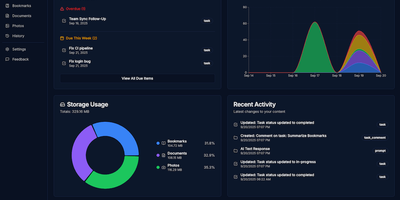
Built to consolidate fragmented digital life into a private personal cloud, Eclaire centralizes tasks, notes, documents, photos, and web bookmarks into a unified workspace powered by local artificial intelligence. Users can save web articles to generate clean Markdown copies and searchable PDF archives, automatically bypassing clutter and dead links. The integrated document ingestion engine extracts tabular data from spreadsheets, performs optical character recognition across uploaded receipts and handwritten images, and indexes multi-page PDF manuals for rapid full-text search. Conversational assistant panels allow operators to interrogate their accumulated library using natural language, asking for cross-document summaries, research timelines, or action items extracted from meeting transcripts. Background workers prioritize asynchronous indexing queues, categorizing image libraries with visual object tags and managing recurring task deadlines with automated Telegram alert notifications. External automation flows can interact directly with the unified storage layer via an OpenAI-compatible REST API, allowing mobile shortcuts and custom scripts to ingest bookmarks and dictate notes remotely. Running on a dedicated VPS on RepoCloud with guaranteed CPU, RAM, and SSD, full root SSH access, and a browser serial console. MIT licensed.
Faved
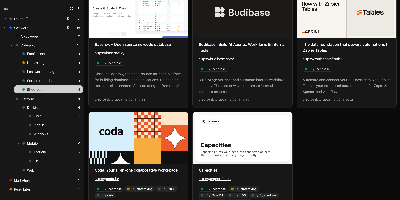
Large link collections stay fast and organized in Faved, a private, self-hosted bookmark manager built for exactly that job. Its core is a nested tagging system that outgrows flat folders: place Go and Python under Programming Languages, color-code tags, add descriptions, pin frequent ones to the top of the sidebar, and optionally roll up child-tag items into parent views. Saving is frictionless - a lightweight bookmarklet works in any desktop or mobile browser without extensions, and Apple devices can send links through the native Share menu. Faved fetches titles, descriptions, and preview images automatically, keeps that metadata fresh over time, and flags duplicates as you save. Instant as-you-type search, flexible sorting, and bulk actions (retag, delete, refetch) keep collections of any size manageable, while customizable layouts - card, list, or table - plus a system-synced dark mode adapt the interface to your workflow. Migration is first-class: import from Chrome, Safari, Firefox, or Edge with folder structure preserved, or move from Pocket and Raindrop.io keeping tags and collections. The stack is deliberately light - PHP 8 with SQLite behind a React/Tailwind frontend - deploying via Docker with no external dependencies. All data stays local: no ads, no tracking, and no risk of your library vanishing with a discontinued service.
Docspell
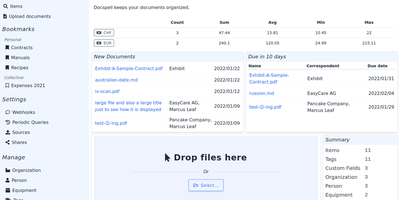
Convert paper archives, email attachments, and PDF records into an organized digital repository with Docspell, an open-source document management system that automates optical character recognition, metadata extraction, and full-text search. Users can ingest receipts and invoices through network scanners, monitored IMAP email mailboxes, mobile uploads, or drag-and-drop browser tools. The background processing pipeline executes optical character recognition via Tesseract, enhances image contrast with unpaper, and extracts text from Word documents and PDFs. Machine learning algorithms analyze document syntax to predict correspondents, suggest relevant organization tags, and identify due dates automatically. Team members can search their entire filing cabinet using complex Boolean queries and full-text indexing powered by Apache Solr or PostgreSQL. Administrators can configure multi-user collectives with isolated permissions, define custom metadata attributes, set up webhooks, and share time-limited document download links. Users can also merge multi-page scans, track processing job queues, and export curated document collections for tax filings or legal audits. Running on a dedicated VPS on RepoCloud with guaranteed CPU, RAM, and SSD, full root SSH access, and a browser serial console. GNU AGPL v3.0 licensed.
Upvote RSS
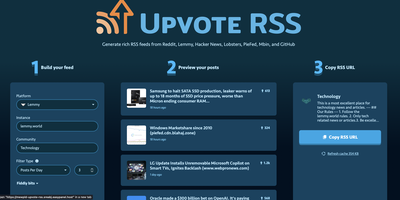
The antidote to doomscrolling: Upvote RSS turns Reddit, Hacker News, Lemmy, Lobsters, PieFed, Mbin, and trending GitHub repositories into calm, filtered RSS feeds. The MIT-licensed PHP app's killer feature is intelligent filtering: beyond simple score thresholds, the "posts per day" filter analyzes a community's recent history and computes the score cutoff that yields your target volume - say, exactly three r/technology posts daily - while a percentage-based threshold mode stays consistent as communities grow. Feeds are rich, not bare links: parsed full-article content via Readability (with optional Readability.js, Mercury, or Browserless for JavaScript-heavy pages), embedded videos and image galleries, top-voted comments with pinned-moderator filtering, scores, reading-time estimates, and optional AI summaries through Ollama, OpenAI, Gemini, Anthropic, Mistral, DeepSeek, or any OpenAI-compatible endpoint - with automatic provider fallback. A web UI builds the feed URL interactively with live preview; paste the result into any RSS reader. Reddit support includes custom domains like old.reddit.com plus NSFW filtering and blurring. Caching via filesystem, Redis, or APCu keeps repeated fetches cheap and avoids re-running paid summarizations.
ExpenseOwl
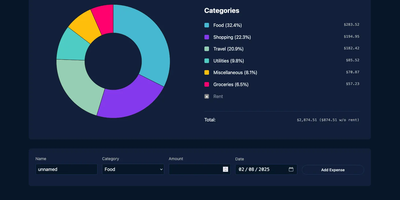
Log a date, amount, and category; get a clean monthly pie chart and a cashflow strip showing income, expenses, and net balance - ExpenseOwl is expense tracking stripped to what actually matters. The MIT-licensed Go application deliberately is not a budgeting system - no envelopes, no accounts, no double-entry, no bank sync - because its author found tools like Firefly III and Actual too heavy for the simple question "where did this month's money go?" The dashboard makes that question fast: click a pie slice to exclude fixed costs like rent and see discretionary spending clearly, then drill into a chronological table view to inspect or delete individual transactions. Recurring transactions handle salaries and subscriptions automatically, optional tags add a second classification axis, and settings cover custom categories, currency symbol, and a configurable month start date for non-calendar pay cycles. CSV import migrates data from virtually any other tool, and CSV export keeps your data portable. It ships as a self-contained binary and multi-architecture Docker image with zero internet interaction, stores data in flat JSON files by default (PostgreSQL optional), and installs as a PWA on phones. Single-user by design; pair it with an authenticating reverse proxy if exposed publicly.
Wally
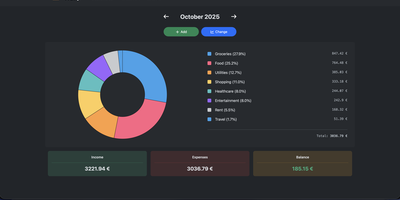
Started as an ExpenseOwl-inspired project, Wally grew into a lightweight, self-hosted expense tracker more capable in every direction its author touched. The backend is Python FastAPI over SQLite, which means every deployment ships a full REST API with interactive documentation at /api/docs - automating imports or wiring in external tools requires no reverse engineering, and when the optional login page is enabled you can mint scoped API keys from the Settings page for token-based integrations. The transactions view is built on AG Grid, bringing real search, column sorting, and per-column filtering to your ledger, with a footer totaling rows, income, and expenses for whatever slice you have filtered. Dashboards go beyond the usual monthly doughnut: a Change button swaps in year-scale line graphs so you can track a single category - restaurants, say - across time. Recurring transactions edit intelligently, letting you apply changes to all instances or only future ones. CSV import and export use a simple six-column format handled from Settings, the refined dark theme is genuinely easy on the eyes, and the interface is translated into more than ten languages. The whole thing runs from one small container with a single data volume.
DispatchMail
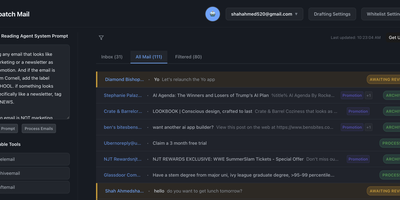
DispatchMail is an SuperHuman alternative and delivers a self-hosted AI email assistant that processes your Gmail inbox through configurable OpenAI prompts without sending data to third-party cloud services beyond the LLM API itself. The Flask backend connects to Gmail via IMAP, retrieves new messages according to your schedule, and routes them through customizable whitelist rules based on sender address, subject keywords, or natural language descriptions before AI processing begins. Two distinct prompt configurations control behavior — the Reading Prompt instructs how the AI should analyze and classify incoming messages, while the Draft Prompt defines how responses should be composed, letting you maintain consistent tone and policy across all automated replies. Whitelist filtering ensures the AI only processes messages you explicitly authorize, preventing unnecessary API costs and keeping sensitive emails out of the LLM pipeline entirely. The React web interface provides inbox management with message previews, AI-generated summaries, draft editing with human-in-the-loop approval before sending, and configuration panels for prompts and rules. Automatic labeling and archival organize processed messages into categories without manual intervention. The sender research feature uses LLM-powered deep analysis to build background profiles of email contacts. All email content, credentials, and processing results persist in a local SQLite database with zero cloud storage dependencies. Running on a dedicated VPS on RepoCloud with guaranteed CPU, RAM, and SSD, full root SSH access, and a browser serial console. Apache-2.0 licensed.
Papermerge
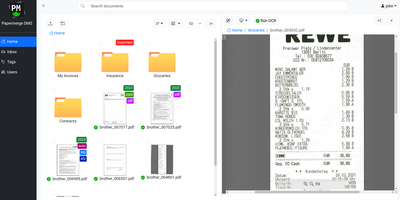
Receipts, contracts, and letters that arrive as pixels rather than text: Papermerge is a document management system built specifically for scanned documents. Upload a PDF, TIFF, JPEG, or PNG and OCR runs automatically, with a real-time status indicator beside the document title; under the hood it drives OCRmyPDF and Tesseract, supporting 130+ languages and producing a new document version with a selectable, searchable text layer you can download. Full-text search runs across everything, with multiple search-engine backends (Xapian by default). The interface deliberately mimics a modern desktop file browser: dual-panel commander, drag and drop, hierarchical folders, and colored tags on documents and folders. Page management fixes what scanners get wrong - delete blank pages, rotate, reorder, merge, extract, and move strayed pages between documents, powered by PikePDF. Document types act as categories, each with its own custom metadata fields, so invoices carry vendor and amount while contracts carry parties and dates. Versioning preserves every state of a document. Multi-user support includes groups, group ownership, permission management, and document/folder sharing between users and groups, and an OpenAPI-compliant REST API automates ingestion from scanners or scripts. Apache-licensed, ideal for long-term digital archives.
Yaade
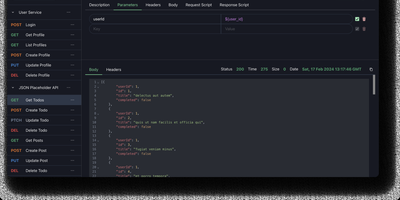
Yet Another API Development Environment delivers a self-hosted alternative to Postman designed from the ground up for teams that need secure, collaborative API development without sending sensitive credentials through third-party cloud services. The multi-user system manages team members with role-based permissions and supports external authentication through OAuth2 and OIDC providers, while all data persists in an H2 file-based database that survives container and server restarts. REST and WebSocket request testing includes environment variable substitution, request chaining, and Markdown documentation for each endpoint. The JavaScript scripting engine runs request and response scripts for automated testing and data extraction, with cron job scheduling and API-triggered execution for continuous integration workflows. Collections import directly from OpenAPI specifications and Postman exports, while outbound export generates request code in multiple languages and frameworks. The browser extension proxy for Chrome and Firefox routes requests through the user's browser to bypass CORS restrictions when testing localhost and internal APIs, with an alternative server-side proxy for headless environments. Single-file data import and export simplifies backup and migration between instances. The React and Vite frontend ships with dark mode enabled by default. Running on a dedicated VPS on RepoCloud with guaranteed CPU, RAM, and SSD, full root SSH access, and a browser serial console. MIT licensed.
ChatChat
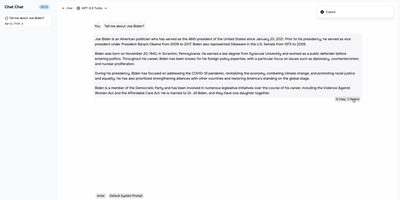
One clean interface in front of Anthropic, OpenAI, Google Gemini, Cohere, and more: Chat Chat is a Next.js front door to the major AI providers, ending the juggling of separate subscriptions, tabs, and UIs per model. Bring your own API keys, pick a provider and model per conversation, and switch between them as the task demands: Claude for long-form reasoning, GPT for code, Gemini for multimodal work - the interface stays identical. Beyond configured presets, custom providers plug in with their own API endpoints and keys, which covers OpenAI-compatible gateways and local inference servers. The design splits into two dedicated modes: a chat interface for conversational work with customizable system prompts, and a search interface that pairs AI processing with query handling for research-style questions. The stack is modern and hackable - Next.js 14, Tailwind CSS, shadcn/ui on Radix primitives, Jotai for state - with full internationalization including English, Chinese, and Japanese. Self-hosting means your conversation history and API keys live on your instance rather than a third-party wrapper service, and pay-per-token API pricing typically beats stacking multiple monthly chat subscriptions. AGPL-licensed and deliberately simple to deploy: one container, environment variables for keys, done.
Traggo
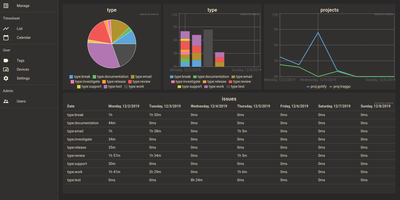
With over 1,600 GitHub stars and a design philosophy that fundamentally rethinks how time tracking should work, Traggo abandons the traditional project-task hierarchy that forces your work into rigid categories and instead lets you tag time spans with arbitrary key-value pairs — project:website, type:coding, client:acme, billable:yes — enabling cross-dimensional analysis that conventional trackers cannot replicate. The Go backend compiles into a single binary that runs alongside a SQLite database and embedded web UI in under 10MB total, consuming approximately 50MB of RAM at runtime and starting in seconds on even the smallest VPS. Tags are the fundamental data model: create any tag key with any set of values, then apply multiple tags to each time span simultaneously to track by project, client, task type, energy level, or any other dimension your workflow demands. Customizable dashboards render pie charts, bar charts, and line graphs from tag-aggregated data, letting you visualize time distribution across any combination of dimensions over configurable date ranges. The calendar view displays time spans as colored blocks across days and weeks, while the list view provides chronological entry browsing with inline editing. Multiple themes including light and dark modes adapt the interface to personal preference, and simple user management with role-based access supports small team deployments. Docker deployment runs a single container exposing port 3030 with multi-architecture support for amd64, arm64, and arm v7. Running on a dedicated VPS on RepoCloud with guaranteed CPU, RAM, and SSD, full root SSH access, and a browser serial console. GPL-3.0 licensed.
Manage My Damn Life
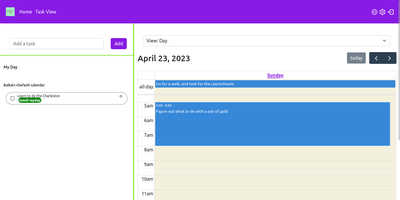
Manage My Damn Life is a personal productivity platform and CalDAV task manager that gives individuals and teams a full-featured web workspace for coordinating todos, calendar agendas, and project schedules without relying on proprietary productivity software. Users can connect multiple CalDAV server backends including Nextcloud, Radicale, and Baikal to synchronize tasks, events, and subtasks across their self-hosted infrastructure. The interface offers multiple interactive perspectives, letting planners switch between nested task checklists, full monthly calendar grids, and dynamic Gantt chart roadmaps with customizable timeline scales. Keyboard-driven operators can rapidly log action items via intuitive Quick Add syntax that parses due dates, priority tiers, and category labels from inline text triggers. A versatile filter manager allows users to save custom query views matching due dates, completion statuses, parent task hierarchies, and color-coded labels. Team members can establish reusable task templates for recurring administrative workflows, assign multi-level checklist items, and manage individual calendar visibility across shared workspaces. System administrators can configure user authentication through native accounts or integrate enterprise Single Sign-On using OpenID Connect providers like Keycloak, Authentik, and Google. Client-side state caching accelerates navigation while background sync preserves CalDAV compliance. Running on a dedicated VPS on RepoCloud with guaranteed CPU, RAM, and SSD, full root SSH access, and a browser serial console. GPL v3 licensed.
SQL Chat
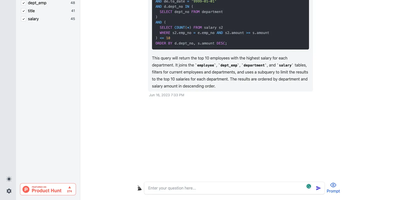
Describe what you want in plain language and get real SQL against your real schema: SQL Chat is an open-source, chat-based SQL client from the Bytebase team. Instead of writing queries in a traditional editor, you connect a database and describe what you want in plain language; the AI reads your schema automatically, generates SQL that references real table and column names, executes it, and returns tabular results in the conversation. Follow-up messages refine the query, so exploration becomes a dialogue - narrow a result set, add a join, change an aggregation - without retyping statements. It supports MySQL, PostgreSQL, SQL Server, TiDB Cloud, and OceanBase from one interface, and covers modification as well as reads: insert, update, and delete operations phrased conversationally. Built with Next.js and TypeScript, it deploys as a single stateless Docker container in single-user mode - connection profiles live in the browser, so there is nothing server-side to maintain. A custom AI endpoint setting routes inference through any OpenAI-compatible API, including self-hosted models, and an optional database-backed mode adds accounts and quotas for offering the tool to a team. MIT-licensed.
Silicon Notes
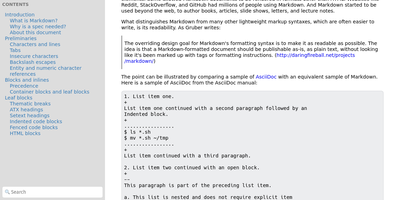
"Somewhat lightweight, low-friction" is how Silicon Notes' author describes the personal knowledge base - written after DokuWiki's editor "drove me mad" and no existing wiki quite fit. The philosophy is that small frequent annoyances compound into cognitive load with no return, so everything here is optimized for frictionless daily use. Notes are written in plaintext Markdown and rendered as clean HTML with Pygments syntax highlighting for code blocks; pages get bi-directional relationships (backlinks), so the knowledge base becomes a connected web rather than a folder tree; and full-text plus title search retrieves anything fast. A table of contents lives in the left sidebar - "where it belongs" - editable while you read without scrolling away. Page history tracks revisions for auditing and rollback, JSON export/import keeps everything portable, and the mobile layout is genuinely usable. The stack is deliberately minimal: Python and Flask with Mistune for Markdown and SQLite for storage - no big frameworks, just a few small dependencies. One honest caveat: there is no built-in authentication, so deploy it behind a VPN, private network, or reverse-proxy auth layer. For a solo engineer's brain, it is exactly enough.
Typing Mind
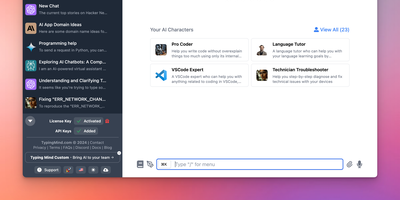
Bring your own API keys and work with OpenAI GPT models, Anthropic Claude, Google Gemini, Mistral, DeepSeek, Grok, Azure endpoints, and local models in one organized workspace: TypingMind is a unified chat frontend for large language models, replacing a browser tab per provider. Parallel chat sends the same prompt to multiple models and compares answers side by side, and models can be switched mid-conversation. A prompt library stores reusable, tagged prompts with variables, and the AI Agents system builds specialized assistants that bundle a base model, custom instructions, assigned plugins, and uploaded knowledge files for RAG. Plugins extend every connected model with web search, image generation (DALL-E, Stable Diffusion), Deep Research, URL reading via Firecrawl, and Zapier automation - plus MCP server integrations for Notion, Atlassian, and other external tools, and a JavaScript extension API for custom behavior. Chats store locally by default with optional sync. Self-hosting puts the interface on your own domain and, for teams, adds branding, member access limits, and shared prompt and agent libraries.
Chief-Onboarding
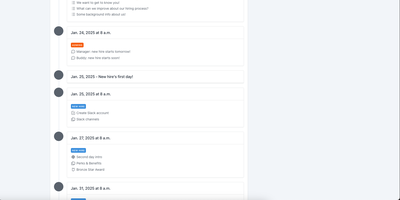
New hires fail from information overload and IT bottlenecks, not lack of goodwill - the observation behind ChiefOnboarding, a free, open-source employee onboarding platform (Django, Celery, PostgreSQL, Redis). Its answer is sequences - drag-and-drop timelines that drip-feed to-do items, resources, courses, forms, and badges to each new hire, triggered by dates or by completing a previous item, so nobody faces everything at once. Onboarding starts before day one: preboarding pages welcome hires early, and colleagues can leave personal messages that appear there. The account provisioning module creates the new hire's Slack, Google, Asana, and other accounts automatically on the scheduled day via a library of integrations plus custom webhooks - the IT ticket queue never gets involved. Everything works through two equivalent interfaces: a full web dashboard and a Slack bot, either usable standalone. Slack can even auto-create new hire accounts when someone joins the workspace and assign default sequences with zero manual action. Colleague tasks with comments and collaboration, a searchable people directory, scheduled introductions, and per-hire timezone awareness (no 3 a.m. notifications) round it out. No trackers, no phoning home - third-party credentials sit in encrypted fields on your server.