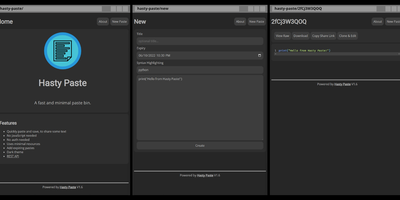
Hasty Paste
Paste some text, hit save, share the link - Hasty Paste is a fast, minimal pastebin written in Python on the async Quart framework, named, by its author's own admission, "because you use it so fast without a care in the world." No accounts, no authentication, no friction - built for the everyday case of handing a debug log, config snippet, or stack trace to someone in tech support or a chat channel. Pastes get randomly generated IDs, with an optional "long" ID mode that makes brute-force URL guessing impractical, and expiry times ensure throwaway content actually gets thrown away. Optional Pygments syntax highlighting makes code readable, a dark theme spares your eyes, and the whole interface works without JavaScript - it renders in terminal browsers and under the strictest script blockers. Storage is a custom flat-file system (no database), caching runs internally or through Redis for busier instances, and a REST API plus the companion "Hastily Paste It" CLI script enable piping command output straight into a paste from the terminal. The Alpine-based Docker image is tiny, resource usage is minimal, and the license is AGPL.
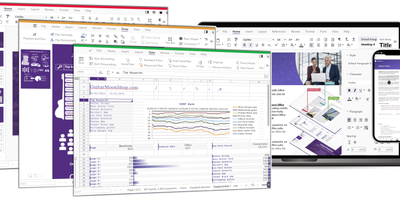
Collabora Office
Real LibreOffice document engineering in the browser: Collabora Online is built by the company employing much of the former SUSE LibreOffice team - not a reimplementation. This deployment runs CODE (Collabora Online Development Edition), the collabora/code server that renders and edits documents entirely server-side while browsers get high-fidelity WYSIWYG output, so layout and formatting survive round-trips that break lesser converters. Four editors ship in one container: Writer for text documents (comments, track changes with comparison and restoration, form handling), Calc for spreadsheets (advanced formulas, macros, pivot tables, per-user sheet views, server-enforced cell protection), Impress for presentations, and Draw for Visio-class diagrams. Format compatibility spans DOCX, XLSX, PPTX, the ODF family, PDF, and dozens more - including Visio and Publisher import. Real-time collaborative editing supports multiple simultaneous editors with visible cursors and commenting. The architectural point: documents are processed on your server and never leave it, which is why Collabora is the engine behind Nextcloud Office and integrates with ownCloud, Seafile, and any WOPI-speaking host - or embeds in your own application via the SDK. An admin console monitors sessions and memory. For organizations that need Google Docs-style collaboration with actual data sovereignty, this is the reference open-source answer.
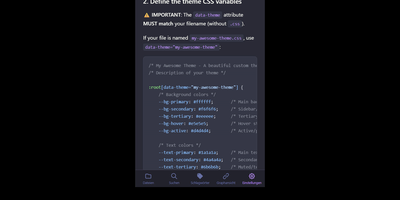
NoteDiscovery
Transforming fragmented research notes, daily technical logs, and project documentation into an interconnected knowledge base is what NoteDiscovery delivers for privacy-conscious teams and researchers. Writers compose rich documents using a dual-pane editor that renders MathJax equations, interactive task lists, and dynamic Mermaid sequence diagrams side by side with raw text. The interactive knowledge graph maps semantic relationships across notebooks, allowing researchers to explore backlinks, uncover hidden topical connections, and navigate complex idea webs visually. Team members sketch architecture diagrams and wireframes directly inside note canvases using the integrated drawing tool, saving revisions as embedded image layers without external editors. The platform organizes thoughts through flexible tag hierarchies, nested folder trees, and reusable document templates equipped with automatic date and variable substitutions. Autonomous coding assistants and language models query documentation, create structured meeting summaries, and update project indexes directly through the native Model Context Protocol server. Built-in export tools convert notebook collections into standalone HTML packages, printable documents, or portable Markdown archives for offline archiving. Running on a dedicated VPS on RepoCloud with guaranteed CPU, RAM, and SSD, full root SSH access, and a browser serial console. MIT licensed.
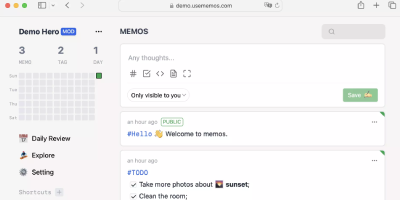
Memos
Open the page, write a Markdown note, move on - Memos is a lightweight, self-hosted service built for quick capture. Instead of folders, notebooks, and titles, it presents a timeline: open the page, write a Markdown note, and move on. Notes support headings, code blocks with syntax highlighting, task lists, tables, and file attachments, with tags auto-extracted from #hashtags in the text. Each memo carries a visibility level, private, protected (logged-in users), or public, so one instance works as a personal log, a small team wiki, or a lightweight microblog. The backend is a single Go binary with a React frontend, around 50 MB of memory at runtime and a ~20 MB Docker image, so it fits comfortably on the smallest instance size with near-zero maintenance. SQLite is the default store, with MySQL and PostgreSQL supported for multi-user deployments needing more concurrency, and full REST and gRPC APIs - Connect RPC for browsers, gRPC-Gateway for external tools - make capture scriptable from CLIs, bots, and automation platforms. Fast full-text search spans all memos, pinned notes keep references handy, and a masonry view suits visual browsing. MIT-licensed with zero telemetry; content is stored as plain Markdown in a database you control, so notes remain readable, exportable, and free of proprietary formats.
NocoDB
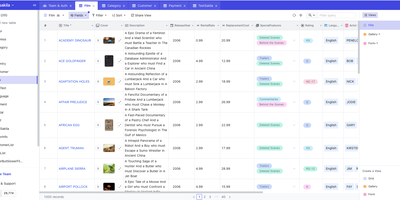
Any existing relational database becomes a collaborative, Airtable-style smart spreadsheet under NocoDB. It connects to PostgreSQL, MySQL, MariaDB, SQL Server, or SQLite, introspects the schema - tables, relationships, indexes - and renders it as interactive Grid, Gallery, Kanban, Calendar, and Form views without migrating a single row. Your business data stays in your database; NocoDB keeps only its own metadata (view configs, permissions, webhooks) in a separate store. Every connected table automatically gets REST APIs with Swagger documentation, effectively turning legacy databases into modern backends. The spreadsheet layer adds 20+ field types including formulas, lookups, rollups, links, attachments, and currency, plus sorting, filtering, grouping, and multi-field editing. Views can be locked or shared publicly with password protection, role-based access control scopes permissions per user, and webhooks plus CSV, Excel, and Airtable import round out integration. An ERD view visualizes the schema. Built with Node.js and Vue, deployed via Docker, handling millions of rows.
Docmost
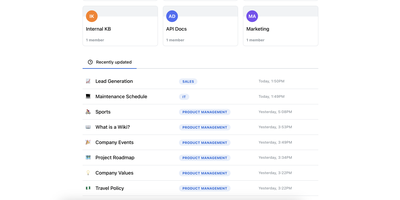
Confluence and Notion both want your team's documentation in their cloud; Docmost, an open-source collaborative wiki platform, keeps it on your server. The centerpiece is a Notion-style block editor with CRDT-based real-time collaboration: multiple people edit the same page simultaneously and changes merge without conflicts or overwrites. Content lives in spaces - per team, project, or department - with nested page trees, role-based permissions, groups, inline comments, page history with restore, and full-text search across everything. The editor covers tables, code blocks, callouts, KaTeX math, and file attachments, and diagramming is built in rather than bolted on: Mermaid, Draw.io, and Excalidraw all render inside pages, alongside embeds for Airtable, Loom, Miro, and more. Migration paths include Notion, Markdown, HTML, and ZIP archive imports (Confluence, PDF, and DOCX importers ship in the Enterprise edition, along with SSO via SAML/OIDC/LDAP and MFA). The stack is TypeScript with PostgreSQL and Redis, deploys via Docker Compose, runs in air-gapped environments with no external dependencies, and is translated into 10+ languages. The AGPL-3.0 community edition carries no per-seat fees; the project has passed 20,000 GitHub stars since its 2024 launch.

Karakeep
Previously known as Hoarder and now holding 28,000+ GitHub stars, Karakeep is the most popular open-source bookmark-everything application — combining AI-powered automatic tagging with full-text search, page archival, and cross-platform access for digital content hoarders who refuse to let valuable links disappear. The Next.js frontend with tRPC communication delivers a responsive interface for saving links, notes, images, and PDFs, while Puppeteer crawls bookmarked pages to fetch titles, descriptions, and images automatically. LLM-based auto-tagging supports OpenAI, Anthropic, or local models via Ollama for privacy-first deployments that never send data to external services. Meilisearch powers full-text and semantic search across all stored content including OCR-extracted text from images. A rule-based automation engine triggers custom actions based on bookmark properties — automatically sorting, tagging, or archiving content matching defined conditions. Full page archival via Monolith preserves complete page snapshots against link rot, while yt-dlp integration archives videos from YouTube and other platforms. RSS feed ingestion automatically captures new articles from subscribed sources. Collaborative lists enable teams to build shared bookmark collections, with per-list permissions and real-time sync. Native iOS and Android apps, Chrome and Firefox extensions, and browser bookmark sync via Floccus ensure capture from any device. Importers migrate data from Chrome, Pocket, Linkwarden, Omnivore, and Tab Session Manager. Running on a dedicated VPS on RepoCloud with guaranteed CPU, RAM, and SSD, full root SSH access, and a browser serial console. AGPL-3.0 licensed.
Huly
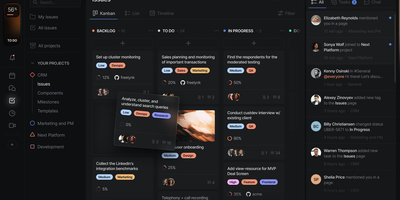
With 27,000 GitHub stars and 349 releases shipping multiple times per week, Huly replaces four separate SaaS subscriptions — Linear for issue tracking, Notion for documents, Slack for team chat, and Motion for time-blocking — with a single self-hosted platform that charges nothing per seat. The issue tracker provides projects, sprints, roadmaps, custom workflows, and Kanban views with bi-directional GitHub and GitLab synchronization that keeps issues and pull requests in lockstep across both systems. Collaborative documents use CRDT-based real-time editing for wikis, meeting notes, and technical specs with nested page hierarchies and rich embedding. Team messaging delivers channels, direct messages, threaded conversations, reactions, and pinned messages in a Slack-equivalent interface that lives alongside your project context. The time-blocking planner schedules tasks into calendar slots with drag-and-drop, integrating directly with your issue backlog so nothing falls through cracks. A virtual office module provides audio and video rooms for standups and pair programming with external guest access. HR features handle team management, office hours, and PTO tracking. The architecture runs 30+ microservices on CockroachDB for ACID-compliant storage, Elasticsearch for full-text search, MinIO for file attachments, and Redpanda for event streaming. Desktop apps ship for macOS, Windows, and Linux alongside mobile apps for iOS and Android. Running on a dedicated VPS on RepoCloud with guaranteed CPU, RAM, and SSD, full root SSH access, and a browser serial console. EPL-2.0 licensed.
Poznote
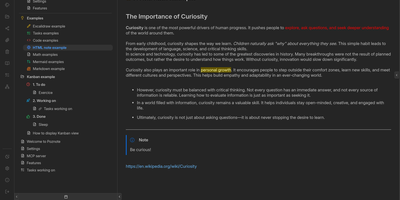
Poznote serves as an all-in-one personal knowledge base and digital workspace designed to bridge unstructured thinking and structured documentation. The platform pairs a responsive Markdown editor with live side-by-side rendering, KaTeX mathematical notation, and interactive Mermaid diagram compilation. Creative thinkers can switch instantly to an embedded Excalidraw infinite canvas to sketch system architectures, design mind maps, and create interface wireframes alongside their written notes. Every directory within the workspace can be toggled into an agile Kanban board where nested folders become customizable workflow columns and notes transform into draggable task cards. Task management views aggregate checklists across documents into unified priority queues with due date reminders and completion filters. An integrated bi-directional Git synchronization engine connects user workspaces directly to personal GitHub or Forgejo repositories, versioning edits automatically on save. The software also provides an integrated Model Context Protocol server that enables AI coding assistants to search notes, create documents, and query knowledge repositories securely. Running on a dedicated VPS on RepoCloud with guaranteed CPU, RAM, and SSD, full root SSH access, and a browser serial console. MIT licensed.
Blinko
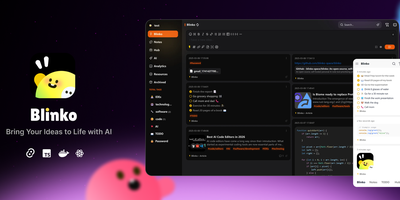
Capture fleeting thoughts as interactive flash cards and transform unorganized notes into an AI-searchable personal brain with Blinko. Users can jot down rapid notes, format rich markdown documents with code snippets and task lists, and attach multimedia files through a responsive web interface. An integrated retrieval-augmented generation engine indexes every note into vector embeddings, allowing users to query their entire personal archive using conversational natural language. You can connect local Ollama models or remote providers such as OpenAI, DeepSeek, Anthropic, and Grok to summarize lengthy entries and suggest hierarchical classification tags automatically. The interactive daily review interface presents random cards to help review, organize, or archive older insights before they are forgotten. Built-in tools include an integrated global music player for focused writing sessions, custom RSS feed ingestion, and password-protected note sharing with configurable expiration dates. Running on a dedicated VPS on RepoCloud with guaranteed CPU, RAM, and SSD, full root SSH access, and a browser serial console. GPL-3.0 licensed.
Flatnotes
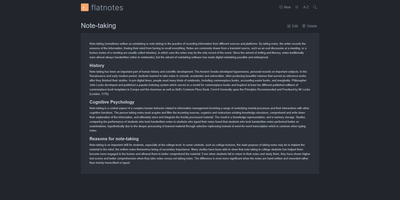
A web interface for a folder of Markdown files - Flatnotes is exactly that, and the discipline of that design is why people love it. Every note is a plain .md file in a single flat directory: no database, no proprietary format, no hierarchy to maintain, no export step if you ever leave. Edit notes in the browser or open the same files in VS Code or Obsidian, sync them with Syncthing or rsync while the app is running - the Whoosh-powered search index synchronizes incrementally, so external edits just show up. The interface is a clean Vue.js app with both WYSIWYG and raw Markdown editing modes (TOAST UI Editor), instant full-text search behind the "/" shortcut with partial-match support, wikilinks for cross-note references, and automatic tag extraction from #hashtags in note bodies. Light and dark themes and a mobile-responsive layout make it pleasant everywhere. Authentication is flexible for a personal tool: none, read-only, username/password, or TOTP two-factor. A documented REST API covers create/read/update/delete for automation. The operational story is the quiet selling point - the only state is the notes folder and a rebuildable index, so backup is copying a directory. For a personal notepad that respects your data, Flatnotes nails minimal.
RSSMonster
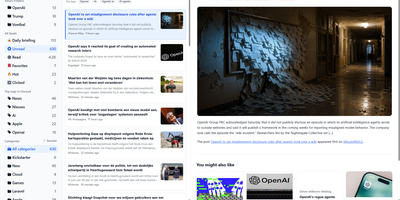
Staying on top of hundreds of RSS feeds is impossible when every reader just dumps articles in chronological order. RSSMonster takes a different approach: it evaluates, scores, and prioritizes every article so the signal rises above the noise. The three-pane reading interface automatically marks articles as read when you scroll past them, while the built-in quality scoring engine rates content by freshness, originality, trust, and attention metrics. Compose advanced search expressions using field operators like star:true, quality:>0.6, hot:true, and date filters like @today or @lastweek, then save those expressions as persistent Smart Folders for one-click access to curated views. Semantic event clustering groups related articles across sources so you see one coherent story instead of fifteen duplicates. Connect your favorite mobile client through the Fever API (supporting Reeder for iOS) or the Google Reader API (compatible with News+, FeedMe, Vienna RSS, and ReadKit). The AI chat assistant powered by the Model Context Protocol lets you ask questions about your feed content and get summarized answers. Import your existing subscriptions via OPML, switch between light and dark themes, and install the app as a Progressive Web App for offline reading. On RepoCloud, deploy RSSMonster on a dedicated VPS with root SSH access, full data ownership, and persistent storage under the MIT license.
HolaOS
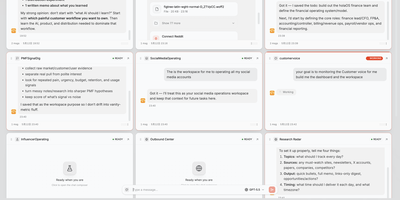
With over 6,500 GitHub stars, HolaOS bills itself as an "open agent computer" that reimagines the traditional operating system as a shared workspace where humans and AI agents collaborate across files, browsers, and 100+ integrated tools simultaneously. Unlike chat-only interfaces, HolaOS places live application UIs—Notion-style editors, browsers, custom workspace apps—side by side with the agent conversation, so operators always see what agents are doing and can intervene at any moment. The persistent memory system stores workspace knowledge locally as Markdown files and embedded vectors via SQLite vec, enabling RAG-powered recall that survives session boundaries without the typical context window bloat. Safe Session Compaction reserves roughly 70% of the model context window for fresh reasoning while folding older history into structured checkpoints that retain goals, constraints, progress, and decisions. Agents connect to Linear, GitHub, Slack, Jira, HubSpot, Gmail, and dozens more through one-click OAuth, automatically fetching relevant signals and converting scattered app data into working memory. BYOK support for Claude, GPT, and Gemini models lets operators use their own API keys at zero markup, while built-in Kimi K3 and GLM-5.2 models provide ready-to-use alternatives. Skills package reusable workflows that any agent can invoke on demand, and scheduled triggers enable autonomous digests, monitors, and reports. The runtime supports independent server deployment alongside the desktop client. Running on a dedicated VPS on RepoCloud with guaranteed CPU, RAM, and SSD, full root SSH access, and a browser serial console. Modified Apache 2.0 licensed.
Tabby
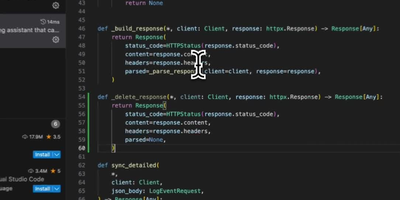
With over 33,000 GitHub stars and a codebase written in 92.9% Rust for maximum performance and memory safety, Tabby is the most widely adopted self-hosted alternative to GitHub Copilot — delivering real-time code completions entirely on your own infrastructure with zero code leaving your network. Deploy a single Docker container on any NVIDIA CUDA, Apple Silicon Metal, AMD ROCm, or CPU-only server and connect VS Code, JetBrains IDEs (IntelliJ, PyCharm, WebStorm, GoLand), Vim, Neovim, and Emacs through native extensions. The completion engine supports a curated registry of models including StarCoder2 (1B to 15B parameters), DeepSeek-Coder, CodeLlama, CodeGemma, Qwen2.5-Coder, and Mistral Code — swappable at runtime through the admin dashboard without redeployment. Repository indexing parses your Git repositories and feeds project-specific types, function signatures, and patterns into completion context via RAG, producing suggestions that understand your codebase rather than generic boilerplate. The Answer Engine provides instant responses to code queries within the IDE, while inline chat enables contextual code editing and explanation without switching windows. The admin dashboard manages per-developer API tokens, usage analytics, and model configuration. Enterprise features include SSO via LDAP, OAuth, and SAML, role-based access control, and audit logging for compliance environments. A single RTX 4090 workstation serves a team of 10-15 developers with sub-500ms completion latency. Running on a dedicated VPS on RepoCloud with guaranteed CPU, RAM, and SSD, full root SSH access, and a browser serial console. Apache 2.0 licensed.
Hister
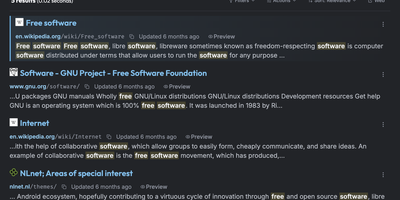
Hister is a private search engine for everything you have read or saved, indexing the full text of visited pages, local files, and imported browser history so one query finds the page you only half remember. Firefox and Chrome extensions capture each page as you browse, while a crawler and importers for browser history and bookmarks backfill earlier reading. Watched directories add local files to the same collection. Queries accept field filters, quoted phrases, wildcards, negation, date ranges, and aliases, with a readable stored preview beside each result. Opt-in semantic search matches documents by meaning through an Ollama, llama.cpp, or OpenAI-compatible embeddings endpoint. The same index answers in the browser, a terminal interface, the command line, an HTTP API, and an MCP server for AI assistants. Multi-user mode gives each person separate documents, rules, and access tokens, with password or OAuth sign-in, and public mode lets anonymous visitors search a curated index. Rebuild a research trail, recover a half-remembered article, or share one searchable knowledge base, with no telemetry. Running on a dedicated VPS on RepoCloud with guaranteed CPU, RAM, and SSD, full root SSH access, and a browser serial console. AGPL-3.0 licensed.
Initiative
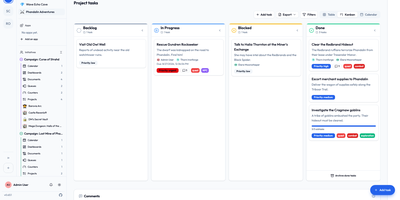
Initiative is a self-hosted, multi-tenant project management platform that organizes projects, tasks, collaborative documents, and schedules into strictly isolated community workspaces without enterprise complexity. Users create distinct communities where data remains strictly partitioned across separate database schemas, allowing agencies, volunteer groups, and gaming guilds to manage multiple client environments from a single deployment. Within each community, initiatives group related projects and documents while interactive drag-and-drop Kanban boards track task progression across custom columns, priorities, and deadlines. Integrated collaborative documents enable team members to co-author notes, project briefs, and meeting minutes in real time with threaded inline discussions and user mentions. Granular role-based permissions let administrators specify exact view and edit privileges down to individual items, while a recoverable trash system prevents accidental deletions from interrupting live operations. Curated marketplace apps supply customizable analytics dashboards, and optional bring-your-own-key artificial intelligence integrations generate task suggestions and summarize lengthy discussion threads. Running on a dedicated VPS on RepoCloud with guaranteed CPU, RAM, and SSD, full root SSH access, and a browser serial console. GNU AGPLv3 licensed.
Tolgee
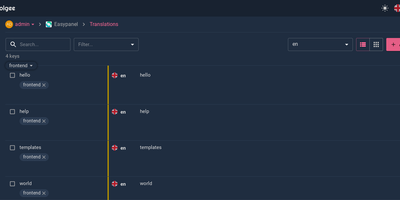
Hold Alt/Option, click any string in your running app, and edit the translation in place: Tolgee is an open-source localization platform built the way developers wish translation worked - changes save straight to the platform with no hunting through JSON or PO files. In-context editing works even in production via the Tolgee Tools browser extension, which injects credentials without touching source code, so a client or colleague with zero coding skills can translate the product inside the product. The SDKs (React, Angular, Vue, Svelte, plus iOS and Android) extract context from each UI element and capture one-click screenshots, giving both human translators and machines the surrounding meaning that raw string files lose. Autonomous translation uses that context: new keys are instantly filled from translation memory or machine translation (DeepL, Google Translate, AWS Translate), with optional human review afterward - shipping no longer waits on a translation agency. A CLI handles import/export, a REST API covers automation, a Figma plugin bridges design, and an MCP server lets AI coding assistants search keys, create translations, and trigger machine translation without leaving the editor. Self-hosting this Crowdin/Phrase/Lokalise alternative keeps every string, screenshot, and API key on your infrastructure.
BeaverHabits
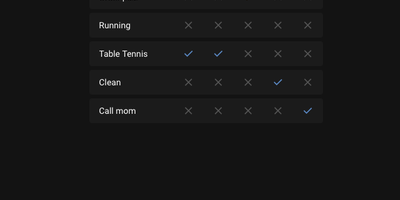
No targets, no gamification spiral, no motivational nagging: Beaver Habit Tracker is a self-hosted habit tracker deliberately built without "Goals". The core loop is honest: add habits, check them off each day, watch streaks accumulate on a calendar view. Its design follows behavioral-science basics - make it obvious (visual streak cues), make it attractive (progress is the motivator), make it satisfying (tracking becomes its own reward). Beyond the daily checklist it supports per-day notes intelligently grouped per habit, periodic habits, habit categories and tags, drag-to-reorder (manual or automatic), dark mode, and detailed streak and frequency views. Data lives where you choose: a single SQLite database or flat JSON files on a mounted volume, with JSON export and import for full portability. A REST API opens automation - community integrations already cover Stream Deck buttons, Home Assistant triggers, and CalDAV. The Python app ships as one Docker container with no external dependencies; environment variables tune everything from first day of week and index-page columns to iOS standalone PWA mode, and single-user setups can bypass the login entirely with TRUSTED_LOCAL_EMAIL. BSD-3-Clause licensed with no commercial restrictions - a well-executed single-purpose tool whose mobile PWA works anywhere a browser does.