Grist
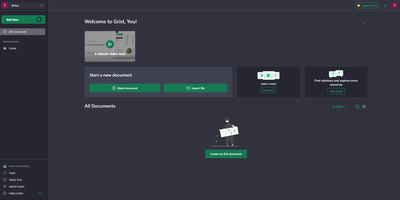
With over 11,200 GitHub stars and adoption by France's sovereign digital workspace LaSuite serving 20,000+ government users, Grist is the relational spreadsheet that ends the false choice between fragile Excel files and expensive custom database development — storing all data in portable SQLite files while providing true relational structure where VLOOKUPs become actual linked records that update instantly across entire documents. Python-powered formulas replace complex Excel syntax with clear, readable logic using the full Python standard library, while familiar Excel functions remain available for users who prefer them. Granular access rules control permissions at row, column, table, and cell levels — not just entire sheets — enabling multi-department documents where each team sees only their authorized data. The flexible layout system combines spreadsheets, card views, charts, calendars, and custom widgets on configurable dashboard pages that transform raw data into operational interfaces. Real-time collaboration lets multiple users edit simultaneously with automatic snapshot history capturing every change for full audit trails and point-in-time recovery. AI formula assistance connects to OpenAI, Llama, or any OpenAI-compatible endpoint via OpenRouter to generate formulas from natural language descriptions. The REST API and webhooks enable integration with n8n, Zapier, and custom automation, while incremental imports keep external data sources synchronized. Deployable via Docker with OIDC, SAML, and SCIM authentication support. Running on a dedicated VPS on RepoCloud with guaranteed CPU, RAM, and SSD, full root SSH access, and a browser serial console. Apache 2.0 licensed.
ByteStash
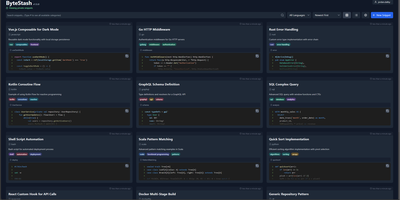
The functions, config files, and one-liners you keep re-deriving finally get a searchable home: ByteStash is a self-hosted code snippet manager - a private Gist. Each snippet holds multiple code fragments, so a Docker Compose file, its .env template, and a plaintext usage note live together under one titled, categorized entry. Monaco-based syntax highlighting covers dozens of languages, from Python, TypeScript, Go, and Rust to YAML, Dockerfiles, Terraform, and Markdown. Retrieval is the point: filter by language or category, search titles and descriptions, and optionally include snippet contents in full-text search. Snippets can be pinned for quick access and shared via public links that recipients open without an account. Multi-user support runs on JWT authentication with optional OIDC single sign-on for teams on centralized identity, and a full CRUD REST API with Swagger documentation wires snippet retrieval into editors, scripts, and CI pipelines. Storage is a single SQLite database with optional encryption, and collections export as JSON or Markdown. A React frontend on a Node.js backend, deployed as one lightweight container.
CommaFeed
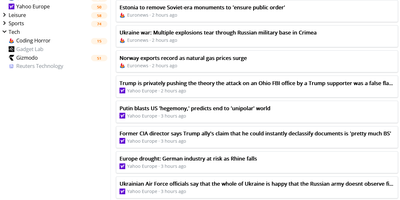
CommaFeed delivers the Google Reader experience on your own infrastructure with modern performance characteristics. The Quarkus-based Java backend compiles to native code via GraalVM, achieving sub-second cold starts and 50MB memory footprint — a fraction of traditional JVM RSS readers. Four distinct layouts (title-only, expanded, magazine, and card) with light and dark themes adapt to any reading style, while comprehensive keyboard shortcuts cover navigation, marking, starring, and feed management without touching a mouse. The Fever-compatible API and newly added Google Reader API connect native iOS and Android apps (Reeder, Unread, FeedMe, ReadKit) directly to your instance. Per-feed push notifications through ntfy, Gotify, or Pushover alert you to new articles instantly. The visual query builder for automatic read-marking rules replaces raw expression syntax with an intuitive condition editor supporting title, content, author, and URL matching. OPML import and export enable seamless migration from any RSS service. Custom CSS and JavaScript injection let power users completely restyle the interface, while the browser extension adds one-click subscription from any website. Docker images for linux/amd64 and linux/arm64 with H2 embedded database require zero configuration to start. Running on a dedicated VPS on RepoCloud with guaranteed CPU, RAM, and SSD, full root SSH access, and a browser serial console. Apache-2.0 licensed.
Homer
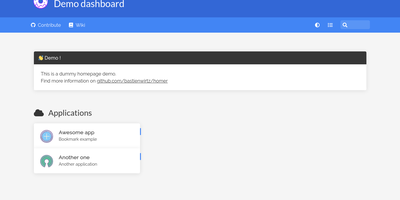
"Dead simple static HOMepage for your servER" - Homer's name is the spec. It is a fully static HTML/JS dashboard driven by one YAML file (assets/config.yml): list your services in groups with names, icons, tags, and URLs, and Homer renders a clean, fast landing page for everything you self-host. Because there is no backend, no database, and nothing to maintain, the container is tiny and effectively zero-maintenance - the entire operational surface is a text file you can version-control alongside your infrastructure. Despite the minimalism, the feature set is genuinely useful: smart cards add live data to service tiles via a type key - Pi-hole block statistics, AdGuard Home status, Jellyfin activity, Gatus and Home Assistant states, and dozens more integrations, with configurable periodic refresh. Fuzzy search jumps to any service as you type, keyboard shortcuts drive navigation, and multi-page support with item grouping keeps large homelabs organized. Theming covers built-in light and dark modes plus full custom CSS, tags get color-coded styles, and the whole dashboard installs as a PWA on phones and tablets. Icons come from Font Awesome or your own images. If Dashy is the maximalist dashboard and Homarr the drag-and-drop one, Homer is the minimalist: one YAML file, instant loads, and nothing that can break at 2 a.m.
linkding
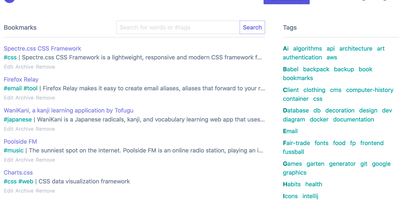
For people who found del.icio.us perfect and everything since bloated, linkding is the bookmark manager - a Django application whose entire design goal is saving and finding links with zero friction. Paste a URL and it fetches the title, description, favicon, and preview image automatically; organize with tags, search full-text across everything, mark bookmarks unread for read-it-later, attach Markdown notes, and bulk-edit whole selections at once. Its answer to link rot is archiving: bookmarked pages can be snapshotted automatically, either submitted to the Internet Archive or saved as local HTML files, and a documented SingleFile browser-extension integration uploads full self-contained page captures straight to your instance. Official Firefox and Chrome extensions (plus a bookmarklet) make saving a one-click habit, the UI installs as a Progressive Web App on mobile, and multi-user support with bookmark sharing - to users or logged-out guests - covers families and teams, with SSO via OIDC when needed. The REST API (create, search, filter by tag) has spawned a genuine ecosystem of community mobile apps and libraries. Operationally it is famously boring in the best way: one small container, SQLite by default, automated migrations, and a zero-breaking-changes policy. Import and export use standard Netscape HTML. MIT-licensed.
Shiori
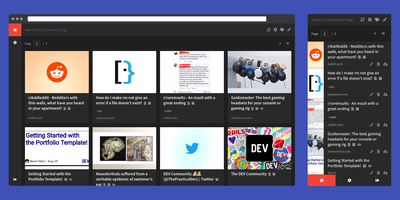
Most web links eventually break - the sobering statistic Shiori, a bookmark manager with archiving by default, is built on. Its answer is archiving by default - where possible, every bookmark you save gets a clean, readable offline copy parsed from the page, ads and navigation stripped, so the article survives even after the original URL dies. Conceived as a simple Pocket clone and written in Go, the entire server is a single binary using roughly 25-30 MB of RAM with SQLite out of the box (Postgres and MySQL supported) - genuinely the lightest archiving bookmark manager you can run. Saving is one click through the Firefox and Chrome extensions, and finding things again is where Shiori quietly outperforms its size: full-text search covers the archived page content, not just titles and tags, so you can find that article by a phrase you remember from paragraph six. Reader mode presents the cleaned text; archive mode shows the preserved page. It's dual-interface by design - a pretty web UI (installable as a PWA on mobile) and a complete CLI for terminal devotees - plus a REST API for scripting. Pocket imports work natively, and Netscape HTML handles browser imports and exports. Multi-user support included. MIT-licensed.
Nextcloud
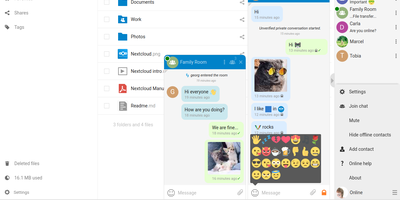
Google Workspace and Microsoft 365, replaced by a platform you actually control: Nextcloud is the self-hosted digital workspace. Files is the core: file storage and sync across desktop, mobile, and web clients, with sharing, versioning, and collaboration built in. Around it, Talk provides private text chat, audio/video conferencing with screen sharing, SIP integration, and persistent voice rooms; Groupware bundles calendar, contacts, and mail with delegation support; and Office offers two collaborative suites - the Collabora-based option with deep ODF support, and Euro-Office, whose local-processing architecture delivers strong Microsoft Office compatibility and fast browser rendering with reduced server load. The Nextcloud Assistant threads AI through the platform via a context-aware sidebar, Whiteboard covers visual collaboration, Flow handles automation, and an app ecosystem of hundreds of extensions adds everything from Kanban boards to end-to-end encryption. Hub 26 brings a lighter UI with a unified app switcher and Nextcloud Governance for organizations under strict regulatory requirements. This is the flagship of data sovereignty: your files, chats, calendars, and documents live on your server, under your jurisdiction, with GDPR compliance by architecture rather than by contract.
ExpenseOwl
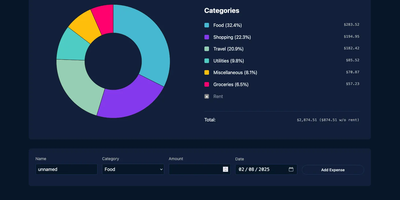
Log a date, amount, and category; get a clean monthly pie chart and a cashflow strip showing income, expenses, and net balance - ExpenseOwl is expense tracking stripped to what actually matters. The MIT-licensed Go application deliberately is not a budgeting system - no envelopes, no accounts, no double-entry, no bank sync - because its author found tools like Firefly III and Actual too heavy for the simple question "where did this month's money go?" The dashboard makes that question fast: click a pie slice to exclude fixed costs like rent and see discretionary spending clearly, then drill into a chronological table view to inspect or delete individual transactions. Recurring transactions handle salaries and subscriptions automatically, optional tags add a second classification axis, and settings cover custom categories, currency symbol, and a configurable month start date for non-calendar pay cycles. CSV import migrates data from virtually any other tool, and CSV export keeps your data portable. It ships as a self-contained binary and multi-architecture Docker image with zero internet interaction, stores data in flat JSON files by default (PostgreSQL optional), and installs as a PWA on phones. Single-user by design; pair it with an authenticating reverse proxy if exposed publicly.
LobeHub
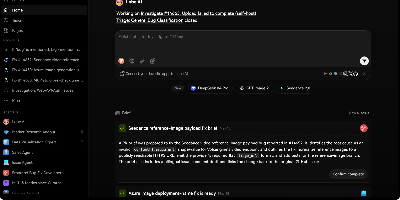
With over 82,000 GitHub stars and 700,000+ downloads, LobeHub has evolved from its origins as LobeChat into a comprehensive multi-agent AI collaboration platform where humans and autonomous agent teams co-evolve. The platform's Agent Harness architecture functions as an operating system between AI models and applications, handling prompt presets, tool orchestration, lifecycle hooks, planning, filesystem access, and sub-agent management across 25+ model providers including OpenAI, Anthropic Claude, Google Gemini, DeepSeek, Mistral, Groq, AWS Bedrock, Azure OpenAI, and local models through Ollama. Agent Groups enable sophisticated collaboration with sequential, parallel, iterative, and debate orchestration modes, allowing multiple specialized agents to tackle complex workflows simultaneously. The Agent Builder creates production-ready agents from natural language descriptions with auto-configuration, drawing from a marketplace of 505+ pre-built agents and 10,000+ MCP-compatible skills and plugins. Pages provide collaborative document editing with multi-agent co-authoring, while Schedules automate agent runs around the clock without human supervision. The knowledge base leverages PostgreSQL with pgvector for RAG-powered retrieval, and Personal Memory gives agents transparent, editable context that evolves through continual learning. The full self-hosted stack deploys via Docker Compose with PostgreSQL, Redis, RustFS for S3-compatible storage, and SearXNG for private web search, all configurable through environment variables. Running on a dedicated VPS on RepoCloud with guaranteed CPU, RAM, and SSD, full root SSH access, and a browser serial console. LobeHub Community licensed.
Budibase
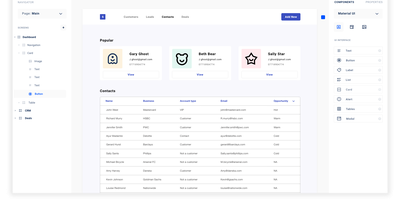
Step right up to the magical world of Budibase, the open-source wizardry that turns the grueling task of building internal tools into a walk in the digital park. Imagine crafting mighty tools and formidable forms in less time than it takes to brew a cup of coffee, all without typing a single line of code! With Budibase, you can charm data from an ancient external database, summon information from a Rest API, conjure up figures from a CSV, or create something entirely new with Budibase's own mystical database. Design your digital dominion with a flick of the drag-and-drop, and automate your kingdom's workflows as if by magic. Join the ranks of the 75,000 teams who've harnessed the power of Budibase to accelerate their business quests. Need to safeguard data like a digital fortress, automate tasks like a sorcerer, or streamline operations like a high-speed chariot? Budibase is your trusty steed in the race to operational victory. And with RepoCloud hosting, you'll save a treasure chest of gold compared to those other cloud-dwelling giants!
Siftly
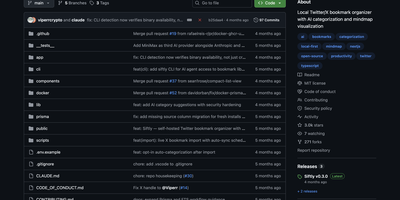
Siftly transforms your Twitter/X bookmarks from a chaotic pile of saved tweets into a searchable, AI-categorized knowledge base with an interactive visual mindmap. With over 2,700 GitHub stars since March 2026, the platform runs a four-stage enrichment pipeline on each bookmark: entity extraction mines hashtags, URLs, @mentions, and 100+ known tool domains without API calls; vision analysis generates 30-40 visual tags per image using the Anthropic SDK; semantic tagging produces 25-35 searchable descriptors; and categorization assigns one to three categories with confidence scores. Search combines SQLite FTS5 full-text indexing with Claude-based semantic reranking, narrowing candidates through keyword matching, category-intent detection, and deduplication before sending a bounded set for LLM relevance scoring, letting you find bookmarks by meaning rather than exact keywords. The interactive mindmap built on @xyflow/react renders your entire collection as a force-directed graph organized by category with expandable nodes, color-coded legends, and direct links to original tweets. Import bookmarks through a built-in bookmarklet or console script without browser extensions, then browse in grid or list view with filters for category, media type, and date range. Export as CSV, JSON, or category-grouped ZIP archives. Prisma 7 manages the local SQLite database with FTS5 built in, requiring zero external database setup. A bundled CLI provides JSON-output commands for stats, search, and category management. Running on a dedicated VPS on RepoCloud with guaranteed CPU, RAM, and SSD, full root SSH access, and a browser serial console. MIT licensed.
Plane
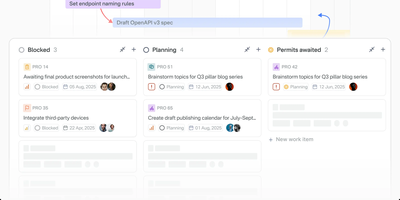
The most-starred open-source project management platform on GitHub with over 55,000 stars, Plane delivers what Jira, Linear, Monday, and ClickUp charge thousands per year for — issue tracking, sprint planning, documentation, and AI-powered workflows in one unified workspace that you own and control entirely. Work items feature a rich text editor with file uploads, sub-properties, custom states, priorities, labels, assignees, and cross-referencing, organized across five customizable layout views (list, board, table, spreadsheet, Gantt) with Command-K navigation for instant access to anything. Time-boxed Cycles provide sprint planning with automatic burn-down charts, velocity tracking, and scope change detection, while Modules break complex projects into manageable deliverables with progress aggregation. Built-in Pages combine AI-powered documentation with rich formatting, image embedding, and one-click conversion of notes into actionable work items. The AI layer reads across every project, cycle, document, and thread in the workspace — agents take real assignments, triage incoming requests, assign owners, track blockers, and ship status updates automatically. Native integrations connect GitHub, GitLab, Slack, Sentry, Figma, and 50+ tools with bidirectional issue sync and PR tracking, while import pipelines migrate entire workspaces from Jira, Linear, Asana, ClickUp, or Monday in minutes. The REST API with OAuth 2.0, HMAC-signed webhooks, typed SDKs in Node.js and Python, and a native MCP server enable custom automations. Running on a dedicated VPS on RepoCloud with guaranteed CPU, RAM, and SSD, full root SSH access, and a browser serial console. AGPL-3.0 licensed.
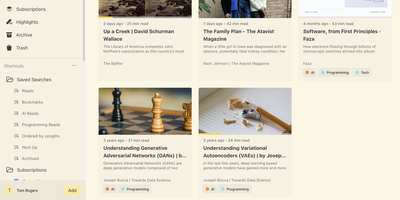
Omnivore
Self-hosted and built around long reading, Omnivore saves articles, newsletters, and PDFs, renders web pages as clean text, remembers your place, and keeps every highlight searchable. Pages arrive from the web app's Add button or from Chrome and Firefox extensions that authenticate with an API key. Newsletters arrive through generated email addresses once an IMAP watcher or another mail bridge is set up. PDFs open in the same reader and accept highlights and notes just like articles. Labels, saved searches, and filters such as subscription:"Name" make a big library easy to slice. The RSS section follows your feeds, lets you add a story to the library or hide it, and can sort stories into topics when an OpenAI key is configured. Custom extractors scroll lazy-loaded pages, follow paginated articles, and strip pop-ups before saving. Rules trigger webhooks when pages are created or updated, which suits automatic labelling and other custom workflows. E-ink reading settings add double-tap page turns and volume-button scrolling, and Android and iOS apps sync the same library. Running on a dedicated VPS on RepoCloud with guaranteed CPU, RAM, and SSD, full root SSH access, and a browser serial console. AGPL-3.0 licensed.
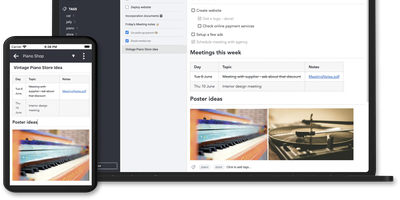
Joplin
Notes on Windows, macOS, Linux, Android, iOS, and the terminal, synced through your own server: Joplin pairs its open-source clients with Joplin Server, the official self-hosted backend that replaces Dropbox, OneDrive, or Nextcloud as the synchronization target. Notes are Markdown with inline attachments (images, PDFs, audio), organized into hierarchical notebooks and sub-notebooks with cross-cutting tags, alongside to-do lists with reminders and alarms. End-to-end encryption is the headline feature: enabled in the clients, it encrypts sync payloads on-device before upload, so the server stores blobs it cannot read - genuine protection even if the host is compromised. The desktop app offers both Rich Text and Markdown editors, extended by a plugin ecosystem, custom themes, and an Extension API for writing your own scripts; a Web Clipper for Chrome and Firefox captures full pages or screenshots straight into notebooks. Joplin Server ships as a Docker image with SQLite for evaluation and PostgreSQL for production, offers a filesystem storage driver for large content, and includes multi-user support and note sharing - all free under AGPL-3.0 when self-hosted. Notes stay in an open format, so the exit path always exists.

Morphic
Perplexity's answer-engine experience, self-hostable and open-source: Morphic searches the web and writes cited answers. Instead of returning a list of links, it searches the web, reads the sources, and generates a complete answer with inline numbered citations. The generative UI streams rich components, source cards with thumbnails, image grids, syntax-highlighted code, and LaTeX math, rather than plain markdown. Quick mode answers fast; Adaptive mode runs deeper multi-step research. Search backends are pluggable: the Docker Compose bundle ships with a private SearXNG instance so no search API key is required, and Tavily, Brave, and Exa are supported alternatives. LLM providers include OpenAI, Anthropic, Google, Ollama, and any OpenAI-compatible endpoint, with per-mode model mapping - fast, cheap models for quick searches, stronger models for adaptive research, tuning the cost-quality trade-off per query type. An inspector panel exposes tool execution during multi-step research, and AI-suggested follow-up questions keep an investigation moving. Chat history persists in PostgreSQL, results are shareable by URL, file uploads feed context into queries, and optional Supabase authentication adds multi-user or guest access. Because the default search path is your private SearXNG instance, research topics never hit a commercial search API - and with local Ollama models the marginal cost of a query approaches zero. Built with Next.js, TypeScript, and the Vercel AI SDK under Apache 2.0.
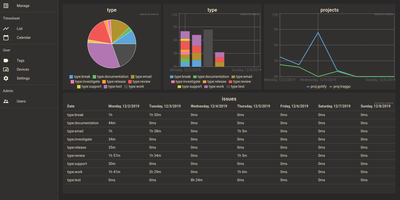
Traggo
With over 1,600 GitHub stars and a design philosophy that fundamentally rethinks how time tracking should work, Traggo abandons the traditional project-task hierarchy that forces your work into rigid categories and instead lets you tag time spans with arbitrary key-value pairs — project:website, type:coding, client:acme, billable:yes — enabling cross-dimensional analysis that conventional trackers cannot replicate. The Go backend compiles into a single binary that runs alongside a SQLite database and embedded web UI in under 10MB total, consuming approximately 50MB of RAM at runtime and starting in seconds on even the smallest VPS. Tags are the fundamental data model: create any tag key with any set of values, then apply multiple tags to each time span simultaneously to track by project, client, task type, energy level, or any other dimension your workflow demands. Customizable dashboards render pie charts, bar charts, and line graphs from tag-aggregated data, letting you visualize time distribution across any combination of dimensions over configurable date ranges. The calendar view displays time spans as colored blocks across days and weeks, while the list view provides chronological entry browsing with inline editing. Multiple themes including light and dark modes adapt the interface to personal preference, and simple user management with role-based access supports small team deployments. Docker deployment runs a single container exposing port 3030 with multi-architecture support for amd64, arm64, and arm v7. Running on a dedicated VPS on RepoCloud with guaranteed CPU, RAM, and SSD, full root SSH access, and a browser serial console. GPL-3.0 licensed.
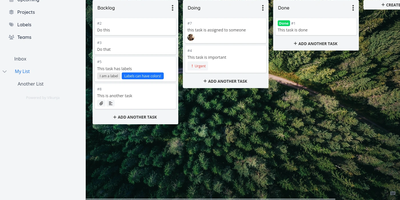
Vikunja
A personal to-do list that scales to team project management: Vikunja is an open-source task manager that grows with the work. Every project can be viewed four ways - classic list, drag-and-drop Kanban board, Gantt chart for timeline planning, and a spreadsheet-style table - so a project manager watches the Gantt while developers work the board, on the same data. Tasks carry the full attribute set: labels, priorities, due dates and reminders, recurring schedules, subtasks and task relations, file attachments, assignees, and comments, and Quick Add Magic parses natural-language input like dates and labels typed inline. Projects share with team members or via links, and saved filters slice tasks across projects. Built-in CalDAV support (VTODO) syncs tasks bidirectionally with clients like Thunderbird, DAVx5, and iOS Reminders, and one-click importers migrate from Todoist, Trello, and Microsoft To-Do. Nothing is metered - unlimited projects, tasks, filters, and attachments. A single Go binary with a Vue frontend runs against SQLite, MySQL, or PostgreSQL, exposes a full REST API, and works as an installable PWA on mobile. AGPLv3-licensed.
Automatisch
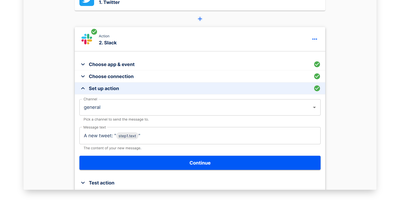
Automatisch runs your Zapier workflows on your own hardware - an open-source, self-hosted automation platform built as a direct alternative. Flows are chains of steps: one trigger (a polling or webhook event such as a new GitHub issue, a Stripe payment, or a form submission) followed by action steps that pass data downstream (post to Slack, append a Google Sheets row, update Notion). The visual builder deliberately mirrors Zapier's trigger-action model, so migrating existing Zaps requires no retraining and no programming knowledge. Roughly 60 integrations cover common business services - Slack, GitHub, Google Sheets, Notion, Stripe, Discord - and connections store credentials per service, with multiple accounts per app supported. Every execution runs on your own server: execution history, logs, and payload data never touch a third-party processor, which matters for GDPR, healthcare, and finance workloads. Error handling with retry logic, a REST API for programmatic flow management, and Docker Compose deployment round out the platform. The AGPL-3.0 Community Edition has no feature limits or per-task billing; an Enterprise Edition adds SSO, roles, and audit logs.