Journiv
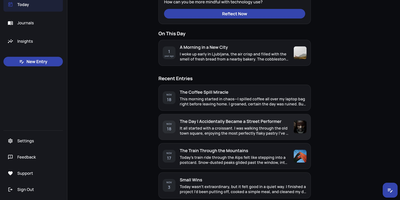
A Day One alternative that keeps your most personal writing on your own server: Journiv is journaling purpose-built for self-hosters. The FastAPI backend runs on SQLite by default with optional PostgreSQL, Redis, and Celery for background work, behind a clean, minimal web UI. Unlike general note-taking apps, it ships the features journaling actually needs: customizable moods and mood groups, activity tracking, goals with automated progress from logged activities, and daily writing prompts filterable by category and difficulty so a blank page never stalls you. Quick Log captures a moment in seconds and expands into a full entry later; "On This Day" resurfaces entries from past weeks, months, and years. Multiple journals separate work, gratitude, and personal writing, with tags and full-text search across everything, plus media uploads with automatic thumbnails and an Immich integration for linking photo-library memories. Analytics chart mood trends and writing patterns over time. Data portability is taken seriously: native import of Day One exports, JSON/Markdown/HTML export, and a standalone HTML viewer that opens your archive in any browser with no server running. OIDC single sign-on works with Authentik or Keycloak, and multi-arch images cover amd64 and arm64.
Joplin
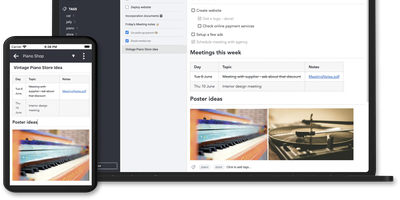
Notes on Windows, macOS, Linux, Android, iOS, and the terminal, synced through your own server: Joplin pairs its open-source clients with Joplin Server, the official self-hosted backend that replaces Dropbox, OneDrive, or Nextcloud as the synchronization target. Notes are Markdown with inline attachments (images, PDFs, audio), organized into hierarchical notebooks and sub-notebooks with cross-cutting tags, alongside to-do lists with reminders and alarms. End-to-end encryption is the headline feature: enabled in the clients, it encrypts sync payloads on-device before upload, so the server stores blobs it cannot read - genuine protection even if the host is compromised. The desktop app offers both Rich Text and Markdown editors, extended by a plugin ecosystem, custom themes, and an Extension API for writing your own scripts; a Web Clipper for Chrome and Firefox captures full pages or screenshots straight into notebooks. Joplin Server ships as a Docker image with SQLite for evaluation and PostgreSQL for production, offers a filesystem storage driver for large content, and includes multi-user support and note sharing - all free under AGPL-3.0 when self-hosted. Notes stay in an open format, so the exit path always exists.
SnappyMail
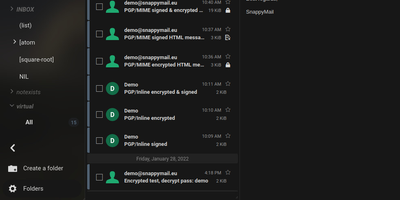
SnappyMail is a fast, privacy-respecting webmail client that connects to any existing IMAP and SMTP server, booting in under a second with a JavaScript payload of just 138 KB under Brotli compression (down from RainLoop's 8 MB fork origin). No database is required: all configuration and user data persists as flat files in a single volume, making Docker deployment trivially simple with the roughly 30 MB image consuming approximately 50 MB of RAM. Built-in PGP encryption supports three backends: OpenPGP.js v5 with ECDSA and EDDSA key generation, GnuPG integration, and Mailvelope browser extension compatibility, eliminating the need for separate encryption plugins. The integrated Sieve script editor enables users to create mail filtering rules, vacation auto-responders, and forwarding conditions directly within the web interface when connected to ManageSieve-capable servers on port 4190. Multi-domain administration allows a single instance to serve users across multiple IMAP servers with per-domain authentication routing. The admin panel manages extensions, security settings, branding customization, and domain configuration. GDPR-friendly by design, it removes all social media integrations, Gravatar lookups, and external tracking present in RainLoop. Dark mode strips background and font colors from email messages. The modified Squire HTML editor replaces CKEditor for composing rich-text messages. Scores 99% on Lighthouse performance. Running on a dedicated VPS on RepoCloud with guaranteed CPU, RAM, and SSD, full root SSH access, and a browser serial console. AGPL-3.0 licensed.
Nametag
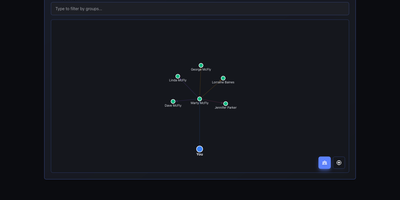
CRM mechanics applied to your actual relationships instead of a sales pipeline: Nametag is a Personal Relationship Manager (PRM). It exists to fix the things you keep forgetting: when you last talked to an old friend, their kids' names, the birthday you missed twice. Contacts are tracked with flexible attributes - names, birthdays, important dates, and free-form notes for everything else - and organized into custom groups. Where it goes beyond a contacts app is relationship mapping: you define how people connect to each other (family, friends, colleagues, or custom relationship types), and an interactive D3.js-powered graph renders your entire personal network so you can see clusters and connections at a glance. Staying in touch is automated: scheduled reminders fire for birthdays, important dates, and reach-out nudges, with optional email delivery via a Resend API key for password resets and reminder notifications. Built with Next.js, it is mobile-responsive, ships with full dark mode, and supports multiple languages including English and Spanish. Because it is self-hosted, there are no account tiers or contact limits - unlimited people and relationships, with every note about your personal life stored on your own server rather than a social-graph company's cloud. A lightweight, single-container deployment makes it one of the easiest personal tools to run.
Haven
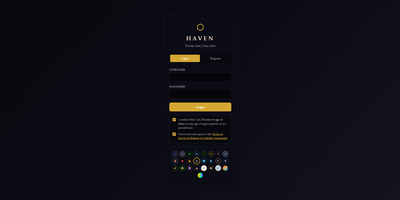
Haven gives your community a private chat server with voice calls, screen sharing, and end-to-end encrypted direct messages where friends join via invite link in their browser without installing apps or creating third-party accounts. Real-time messaging supports image uploads via paste and drag-drop, emoji reactions, replies, threads, typing indicators, @mentions with autocomplete, and inline GIF search through Tenor or GIPHY. Peer-to-peer WebRTC voice chat includes per-user volume sliders, mute and deafen controls, talking indicators, and screen sharing with picture-in-picture mode. Direct messages use ECDH P-256 key exchange with AES-256-GCM symmetric encryption where private keys never leave the browser, ensuring not even the server operator can read them. Twenty-plus visual themes with stackable effects including CRT scanlines, Matrix Rain, Cyberpunk Text Scramble, Snowfall, and Campfire Embers let users personalize the experience with configurable intensity sliders. Rich Presence integration shows what members are playing or listening to via Last.fm, Steam, and Spotify. A built-in bot API supports webhooks and custom slash commands, while Discord history import preserves channels, threads, forums, reactions, pins, and avatars. The Node.js server deploys via Docker Compose or a single batch file that auto-handles dependencies, SSL certificates, and configuration. Running on a dedicated VPS on RepoCloud with guaranteed CPU, RAM, and SSD, full root SSH access, and a browser serial console. AGPL-3.0 licensed.
Chatpad
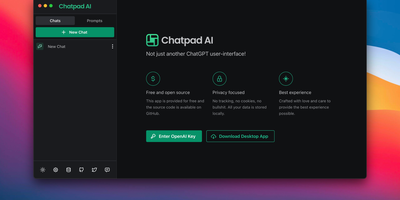
Why should your chat history live on someone else's servers? Chatpad AI - a React/TypeScript front end for the OpenAI API, built on the Mantine component library - is designed around that question. Enter your own OpenAI API key and start chatting with GPT models; every conversation, prompt, and setting is stored locally in your browser via DexieJS over IndexedDB, with no tracking, no cookies, and no backend database at all. That architecture is the point - the Docker image is just Nginx serving static files, making it one of the lightest AI deployments in the catalog, and pay-per-token API pricing typically undercuts a ChatGPT Plus subscription for moderate use. The interface earns its "premium quality" tagline with the details: a persona selector that switches communication styles per conversation, a saved-prompts library for messages you reuse constantly, organized chat history, and full data export/import so conversations move between browsers or into backups as files you control. A JSON config file customizes defaults - models, API endpoints, UI options - without rebuilding the image. AGPL-licensed, with desktop builds available upstream. For teams that want ChatGPT's utility with a self-hosted, zero-telemetry footprint, Chatpad is the minimal, sane answer.
Monica
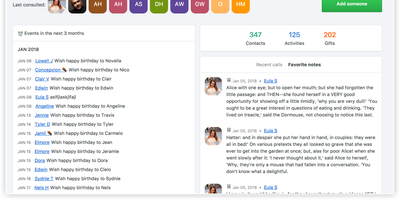
Take the tool sales teams use to never forget a client detail and point it at the people who actually matter - friends, family, the colleague whose kid's name you keep blanking on: Monica is a personal CRM. It's a Laravel/PHP application over MySQL where each contact accumulates the texture of a real relationship: how you met, family members and pets, work changes, addresses, notes from conversations, activities done together, gift ideas and gifts given, even debts owed in multiple currencies. Two features set it apart from every contact app. Reminders with staying power: set per-contact intervals (weekly through yearly), get notified at 30 days, 7 days, and day-of, with automatic birthday reminders and CalDAV sync to your calendar. And a journal linked to contacts: write about dinner with friends, tag each person, and build a timeline that's part diary, part relationship log - plus a daily "how was your day" rating. Monica is deliberately manual and deliberately private: no social network features, no AI, no email scraping, no ads, no analytics - a quiet database of what you know about people you love, on your own server. Multiple vaults and users, labels, custom activity types, and document/photo uploads round it out. AGPL-licensed.
Zero Email
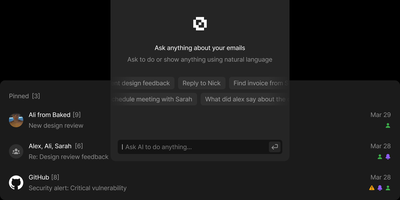
Zero unifies Gmail, Outlook, and IMAP accounts into a single AI-enhanced inbox with keyboard-driven navigation that matches premium email clients in speed. Backed by 10,000+ stars and positioned as the alternative to Superhuman, it keeps your email data in your own PostgreSQL database while LLM agents handle categorization, priority sorting, draft composition, and natural language mailbox queries. You choose whether models run locally or through cloud providers you control. The Next.js and React interface delivers customizable keyboard shortcuts for every action: reading, archiving, labeling, composing. A WorkflowEngine defines automated multi-step rules including label application, bulk archiving, and conditional routing based on sender, subject, or content analysis. Built on Drizzle ORM with Better Auth handling Google OAuth, styled with TailwindCSS and Shadcn UI components, the interface is polished without being bloated. MCP integration exposes email management tools to external AI assistants for programmatic inbox control through standardized protocols. The Nizzy CLI handles environment configuration, database synchronization, and development server orchestration. Deploys via Docker Compose with a single database initialization command. Running on a dedicated VPS on RepoCloud with guaranteed CPU, RAM, and SSD, full root SSH access, and a browser serial console. MIT licensed.
Papercups
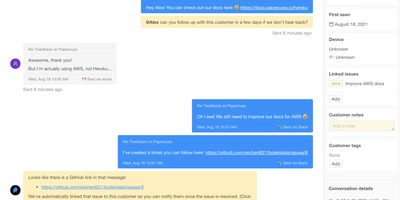
Companies with privacy and security concerns about piping customer conversations through Intercom or Zendesk run Papercups - open-source live customer chat. The stack is a deliberate strength: an Elixir/Phoenix API over PostgreSQL, with real-time messaging powered by Phoenix Channels and Presence - the same BEAM foundation trusted by Discord and PagerDuty for fault-tolerant, low-latency messaging. Customers see a customizable chat widget that embeds in any site as an HTML snippet, a React component, or even inside React Native apps, with configurable colors, greetings, and away messages. Your team sees a dashboard for managing conversations - close, assign, and prioritize - with Markdown and emoji in replies. The killer workflow is the reply-channel integration: connect Slack or Mattermost and every customer conversation becomes a synced thread your team answers without leaving the tool they already live in, with two-way message syncing handled by webhooks. Email and SMS channels extend intake beyond the widget, an analytics dashboard tracks communication patterns, and the Storytime feature adds real-time screen sharing to watch users navigate while you help them. A documented API supports fully custom chat UIs in Svelte, Flutter, or Vue. MIT-licensed and GDPR-conscious - customer data stays in your PostgreSQL.
Mail-in-a-Box
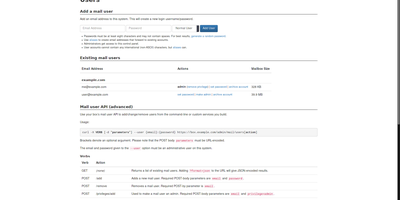
Mail-in-a-Box turns a single Ubuntu server into a fully functional email system with one setup command, installing and configuring Postfix for SMTP, Dovecot for IMAP, Roundcube for webmail, and Z-Push for Exchange ActiveSync push notifications in an automated sequence that would take days to replicate manually. The DNS server auto-configures the full suite of email authentication records: SPF, DKIM, DMARC, DNSSEC with DANE TLSA, MTA-STS, and SSHFP. Getting all of these right is what separates email that lands in inboxes from email that lands in spam, and most manual installations never achieve the complete set. Nextcloud integration adds CardDAV contact sync and CalDAV calendar sharing across devices. Let's Encrypt certificates provision and renew automatically for every hosted domain. The web control panel manages users, aliases, custom DNS records, and automated backups, protected by TOTP two-factor authentication. Daily health checks verify that services run correctly, ports remain open, TLS certificates stay valid, and DNS records resolve properly, alerting you before delivery problems develop. Multiple domains and users operate from one installation with internationalized domain name support. Built-in HTTPS static site hosting uses the TLS infrastructure already in place. Runs on a dedicated RepoCloud VPS with guaranteed resources, root SSH, and browser serial console for complete email sovereignty. CC0 public domain licensed.

TypeType
On your own server, TypeType runs a private video platform for YouTube, NicoNico, and BiliBili, keeping subscriptions, history, and playlists out of someone else's recommendation engine. Pick a service and search it. Browse channels, Shorts, podcasts, and a home feed. Speed and quality control. Cinema mode. Native picture-in-picture. Subtitles, alternate audio tracks, and frame-by-frame stepping. SponsorBlock segments get skipped, or just marked, by category. Subscriptions, playlists, watch later, favorites, and resume positions fill the library. Import a Google Takeout export or a PipePipe backup and a new instance never starts empty. Download video or audio to local or S3-compatible storage and collect it in the browser when it is ready. Sign in locally or through OIDC. An admin console runs the instance. Block a channel and it disappears from feeds, search, and related videos. Hide Shorts. Hide personalized recommendations. Hide the suggestions column. A native Android client for phones and tablets syncs with the same instance. An optional experimental recommender can build a personalized home feed, and each user chooses whether to turn it on. Running on a dedicated VPS on RepoCloud with guaranteed CPU, RAM, and SSD, full root SSH access, and a browser serial console. MIT licensed.
LifeGLANCE
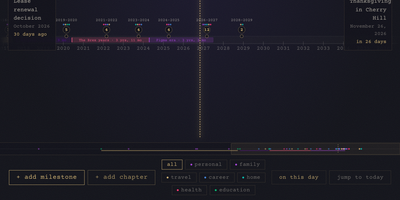
Birthdays, graduations, house moves, weddings, and the trip you keep promising yourself for next year all belong on the same line, and LifeGLANCE draws that line as one zoomable timeline of your life, past and future. Pan smoothly from a single week out to multiple decades, then zoom back in when a dense year needs room; cluster badges keep crowded stretches readable, and a minimap scrubbar jumps you across decades without endless scrolling. Each milestone carries a title, a date at day, month, or year precision, a category, a note, and a link, and you can attach photos, audio, and video directly to the moments they belong to. Birthdays and anniversaries repeat annually with an end year you set. Switch between All, Past, and Future views, search titles and notes in full text, or open On This Day to see what happened on this date in earlier years. A stats panel and summary modal turn the line into counts and patterns. Import calendar events from an ICS file, export the whole timeline as a high-resolution PNG, or back everything up and restore it as JSON. Running on a dedicated VPS on RepoCloud with guaranteed CPU, RAM, and SSD, full root SSH access, and a browser serial console. MIT licensed.
Rotki
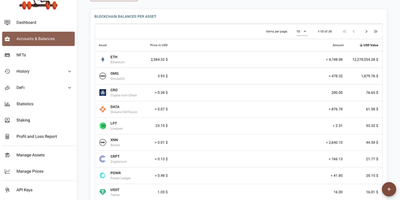
Crypto portfolio tracking that inverts the SaaS model: rotki runs on your own machine, needs no email or account for the free tier, and keeps every wallet address, balance, transaction, and tax event in a local SQLCipher database encrypted with 256-bit AES. By default nothing passes through rotki-operated servers - a design choice that matters when cloud portfolio trackers concentrate exactly the identity-linked holdings data attackers want. Centralized exchanges (Kraken, Binance, Coinbase, Bitstamp, and more) connect through read-only API keys that can see but never withdraw; blockchain accounts cover Ethereum and its L2s, Bitcoin, Solana, Polkadot, and Kusama, with ENS resolution and your choice of RPC endpoint or your own node. rotki decodes on-chain transactions into readable events across major DeFi protocols - Aave, Uniswap, Compound, Curve, Lido - and generates profit-and- loss reports for tax season with customizable accounting settings, including FIFO, LIFO, and HIFO cost-basis methods, plus CSV imports for defunct exchanges. Optional premium sync is zero-knowledge, encrypting the database on-device before upload. AGPLv3-licensed and multiplatform, with a Docker package for server deployment.
KeeWeb
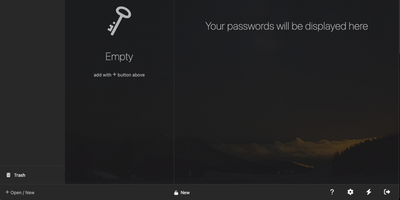
Your KeePass vaults, opened from any browser: KeeWeb reads, edits, and creates standard KDBX files, so it works with the same databases as KeePass and KeePassXC without conversion or lock-in. Self-hosting the web app gives you a password manager reachable from any modern browser, including mobile, with no client installation and no third-party cloud in the loop. All KDBX cryptography runs client-side; the server just serves the static app. Open multiple vault files simultaneously and search them all from one box, with advanced options covering specific fields, password history, and regular expressions. Vaults load from local files, your own server (WebDAV), or Dropbox, Google Drive, and OneDrive, with automatic sync - and files are cached for offline use, so a dropped connection never locks you out; changes resync once you're back online. Day-to-day niceties include a configurable password generator, protected fields that stay masked and are held in memory more defensively, entry history, tags with easy input, drag-and-drop attachments, and per-entry icons with favicon fetching. The optional KeeWeb Connect extension (Chrome, Firefox, Edge, Safari) autofills credentials using the keepassxc-protocol. MIT-licensed with matching desktop apps for macOS, Windows, and Linux.
Maybe Finance
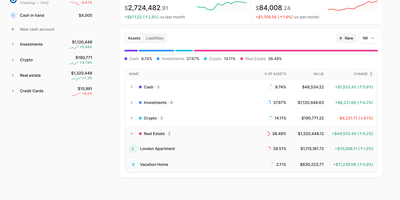
Roughly $1M of development work, open-sourced: Maybe Finance began as a $249/year commercial personal finance product before the company released it all. It aggregates bank accounts, credit cards, loans, investments, crypto, and real estate into a single net worth dashboard with historical trend charts - replacing the spreadsheet that usually glues a whole portfolio together. Transactions are categorized and tagged with rules, with merchant tracking and search across imported or synced activity; budgets track spending by category against plan; and the investment view follows holdings, cost basis, and returns across brokerage accounts. Multi-currency support converts accounts held in different currencies into a single reporting currency, bank synchronization works through Plaid where supported, and manual CSV import covers any institution. An optional AI assistant answers questions grounded in your own financial data. Because the app was built as a paid product with professional design before being open-sourced, its interface quality exceeds most community finance tools - and self-hosting means your balances and transactions are not monetized by a free app or gated behind an annual subscription. The stack is Ruby on Rails with Hotwire on PostgreSQL, licensed AGPL-3.0 and deployed via Docker. The original repository is archived; development continues in the community fork Sure, compatible with the same self-hosted setup.
Languagetool
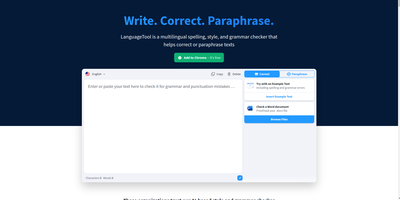
Grammar, punctuation, and style errors a dictionary lookup can't see: LanguageTool is open-source proofreading powered by a Java rule engine covering English, German, Spanish, French, Portuguese, Dutch, and 25+ other languages. Self-hosting the HTTP server is how you get Grammarly-class checking without sending every sentence you write to a third party - a real concern when the text being proofread is confidential email, legal drafts, or unreleased documentation. Your instance exposes the standard /v2/check API, so the official ecosystem plugs straight in: browser extensions for Chrome and Firefox accept a custom server URL, and integrations exist for VS Code, LibreOffice, Obsidian, Vim, Emacs, and many editors. Notably, self-hosting restores free browser-extension checking that the hosted service moved behind a premium subscription - your server, no character limits, no paywall. Detection quality is tunable: optional n-gram datasets (multi-gigabyte language models for en, de, es, fr, nl) teach the engine word-order and confusion-pair errors like there/their and brakes/breaks, and a fastText model improves automatic language identification. Everything runs offline once models are downloaded. The core is LGPL, the API is documented with Swagger, and rules are community- maintained and constantly expanding.
Plausible
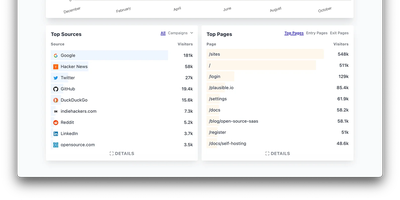
Built as a direct rejection of the adtech model, Plausible is the best-known privacy-first web analytics tool - lightweight, cookie-free, and open-source. It sets no cookies and stores no personal data: unique visitors are counted via a hash of IP plus User-Agent that rotates every 24 hours and is never stored raw, so no consent banner is required and GDPR compliance is structural rather than contractual. The tracking script is under 1 KB - orders of magnitude lighter than GA - and the dashboard is a deliberate contrast to GA4's sprawl: one fast-loading page with visitors, sources, top pages, countries, devices, and UTM breakdowns, filterable by any dimension. Custom events and goals track signups and clicks, Google Search Console integration pulls in search queries, scheduled email reports keep stakeholders updated, and the Stats API (v2) plus CSV export feed data anywhere. This is the AGPL-licensed Community Edition, the same Elixir codebase that powers Plausible's cloud service, running as three containers: the web app, PostgreSQL for accounts, and ClickHouse for event storage - which means self-hosters get direct SQL access to raw analytics data the cloud version never exposes. Traffic data stays entirely on your server, with no visitor caps or per-pageview pricing.
Mere Medical
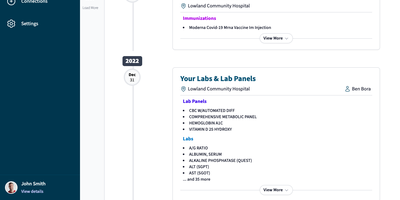
Mere Medical pulls the records from every hospital and clinic patient portal you use into one date-ordered timeline, so lab panels, immunizations, and procedures from different systems sit side by side. Each timeline card shows its facility and, when recorded, the provider, and expands with View More; a Jump To index leaps between years. The Summary tab condenses bookmarked labs, medications, conditions, immunizations, care plans, and allergies onto one dashboard whose cards can be dragged into any order or hidden. Lab results are graphed over time wherever the units line up, and a search bar finds specific entries by keyword. Connections sync from Epic MyChart, Oracle Health (Cerner), Veradigm, DrChrono, eClinicalWorks Healow, athenahealth, and NextGen, and several sources can feed one profile at once. Everything lives on your device, so records stay searchable offline and no account sign-in is needed; an optional password encrypts them at rest. Separate user profiles hold each person's records, and JSON export and import make backups simple. Experimental AI features add semantic search that links a phrase like high blood sugar to related labs, plus a Mere Assistant that answers plain-language questions about your records using local Ollama models or an OpenAI key. Install it on a phone or desktop home screen for quick access in the waiting room. Running on a dedicated VPS on RepoCloud with guaranteed CPU, RAM, and SSD, full root SSH access, and a browser serial console. MIT licensed.