Plainpad
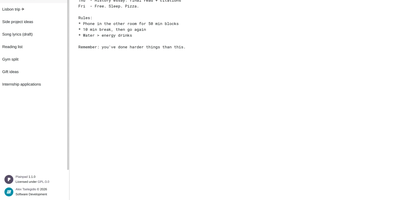
Notes are personal, and Plainpad keeps them that way by running entirely on your own server instead of a vendor cloud. Class notes, trip plans, lyrics, and side-project ideas sit in one fast list that searches instantly and opens in any modern browser, adapting to phones, tablets, and desktops. Added to a home screen it launches like an app, and offline editing keeps writing possible when the connection drops. Turning on encryption stores titles and content encrypted at rest, so even database access does not expose what you wrote. One installation supports unlimited accounts with administrator and user roles, and every person keeps a private notebook no one else can read. There are no note limits, no device limits, no ads, and no tracking of any kind. Moving in is scripted through the built-in REST API, which can import collections from files and other note services into the right accounts. The stack asks only for PHP and MySQL, or a single Docker Compose command, and a sample data seeder can populate a fresh install with realistic study notes for evaluation. Simplicity is the design goal: the interface stays quiet, loads quickly, and leaves the words in front. Running on a dedicated VPS on RepoCloud with guaranteed CPU, RAM, and SSD, full root SSH access, and a browser serial console. GPL 3.0 licensed.
Shaarli
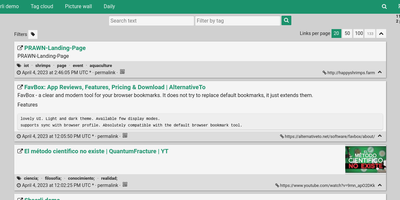
Personal, minimalist, database-free bookmarking - Shaarli is a philosophy as much as an app. Everything lives in a single compressed datastore file inside data/: no MySQL, no PostgreSQL, backup by copying one directory. That write-once/read-many file is usually served straight from OS disk caches, which is why a decade-old Shaarli instance with tens of thousands of links still responds instantly. Designed deliberately single-user, it saves URL, title, unlimited-length description, and tags (with autocomplete, renaming, and merging), marks entries public or private, and automatically strips utm_source and fb tracking parameters from saved URLs. That description field is why the community uses Shaarli as far more than bookmarks: a microblog, read-it-later queue, code-snippet base, pastebin, and shared clipboard between machines. Sharing is one click via bookmarklet or Android apps; consumption is per-tag RSS/Atom feeds plus a daily digest feed; search is full-text with tag filtering. A REST API opens it to any client, a plugin and theme system extends the PHP core (Markdown rendering, thumbnails), and import/export uses browser-standard Netscape HTML - your data enters and leaves freely. LDAP login is supported, no telemetry is sent anywhere, and the UI degrades gracefully without JavaScript. The anti-cloud Delicious.
TriliumNext
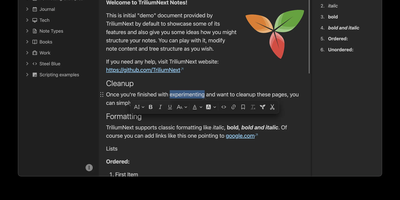
TriliumNext organizes notes in an infinitely deep tree where any single note can be cloned into multiple branches without duplication, building personal knowledge bases that mirror how ideas actually connect rather than forcing a single rigid folder hierarchy. Carrying forward the original Trilium project under active community stewardship with nearly 37,000 GitHub stars, the application is built on TypeScript with a CKEditor 5 WYSIWYG editor supporting rich text, tables, images, KaTeX math expressions, Mermaid diagrams, Excalidraw canvases, mind maps, spreadsheets with XLSX and CSV import/export, and code blocks with full syntax highlighting. A built-in JavaScript scripting engine runs on both frontend and backend, enabling custom widgets, automated workflows, scheduled tasks, and direct interaction with external REST services through a typed Script API. Full-text and fuzzy search with attribute-based queries locates any note instantly across databases tested at over 100,000 notes without performance degradation. The v0.104 release introduced importers for OneNote, Notion, Google Keep, Anytype, and Obsidian alongside 16 dedicated security fixes. Per-note AES encryption, OpenID Connect authentication, and TOTP two-factor protection safeguard sensitive content. The sync server keeps desktop clients, the progressive web app, and mobile devices in lockstep with zero third-party cloud dependency. Web Clipper captures content directly from browsers. Running on a dedicated VPS on RepoCloud with guaranteed CPU, RAM, and SSD, full root SSH access, and a browser serial console. AGPL-3.0 licensed.
Gollum
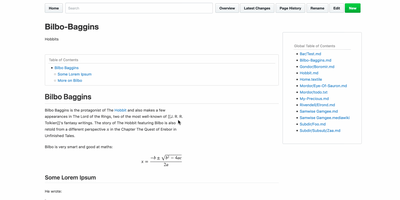
Every wiki page lives as a plain-text file in a standard Git repository, giving you full version history, branching, merging, and the freedom to edit with any text editor or IDE alongside the web interface. Originally built by GitHub's founders as the engine behind GitHub's own wiki feature, Gollum supports Markdown, AsciiDoc, reStructuredText, Org-mode, Textile, MediaWiki, Creole, and Pod markup formats with live preview rendering as you type. PlantUML and Mermaid diagrams render inline for architecture documentation, MathJax handles mathematical notation, and BibTeX integration via Pandoc provides academic citation management. YAML frontmatter controls per-page sidebars, headers, footers, and table of contents generation. CriticMarkup annotations enable editorial review workflows with tracked insertions, deletions, substitutions, and comments. Macros extend pages with dynamic content injection, file includes, and navigation helpers. The wiki maintains compatibility with GitHub and GitLab wiki repositories, so teams can clone existing platform wikis for local editing and offline access. The official Docker image at gollumwiki/gollum exposes port 4567 with volume-mounted repositories, requiring roughly 170 MB of container storage and minimal RAM. Authentication integrates via OmniAuth supporting GitHub, GitLab, Google, and other OAuth providers. Over 14,300 stars on GitHub since 2009. MIT licensed.
OpenWiki
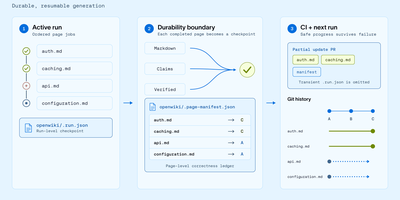
With over 15,900 GitHub stars and 40,000 weekly npm downloads in its first two months, OpenWiki from LangChain has rapidly become the standard for AI-generated codebase documentation. Built on the Deep Agents framework, it deploys a documentation agent that reads your repository's source code, tests, and configuration, then synthesizes a complete linked Markdown wiki with architecture overviews, integration guides, data-flow diagrams, and validated Mermaid visualizations. Two operating modes cover distinct workflows: code mode generates repository documentation in an openwiki/ folder with automatic AGENTS.md and CLAUDE.md integration for Codex, Claude Code, OpenCode, and Cursor, while personal mode builds a local knowledge base from nine connectors including Notion, Slack, Gmail, X/Twitter, Hacker News, LangSmith, Custom MCP, Web Search, and local git repositories. Thirteen model providers are supported out of the box — OpenAI, Anthropic, Gemini, AWS Bedrock, GitHub Copilot, OpenRouter, Nebius, Fireworks, Baseten, NVIDIA NIM, and any OpenAI-compatible endpoint like Ollama or LM Studio. Grounded Claims track every material assertion back to versioned source evidence, flagging stale propositions before they propagate. The interactive visualizer renders wiki pages as an explorable node graph with a side-by-side Markdown reader, exportable as a static site for GitHub Pages or MkDocs. Self-updating CI workflows via GitHub Actions, GitLab CI, or Bitbucket Pipelines open documentation PRs automatically when code changes. Running on a dedicated VPS on RepoCloud with guaranteed CPU, RAM, and SSD, full root SSH access, and a browser serial console. MIT licensed.
Lemma
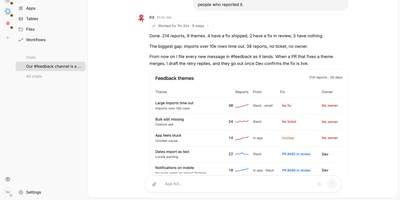
Every job gets its own AI teammate in Lemma, shared with your whole team and busy building the pages, tables, workflows, and apps the work needs. Each teammate lives in its own space, so the briefs it writes, the records it keeps, and the screens it builds stay where your people can open them instead of vanishing up a chat thread. Agents run when asked and also on a schedule, a table change, or an incoming webhook, with every run recorded step by step. Before anything consequential, like sending an email or issuing a refund, the run pauses and asks the person who owns the decision. Workflows hand work between agents, plain code, decisions, loops, and named people, and a run can wait days for an approval. Teammates keep memory as Markdown notes that anyone can open and correct. People reach them from Slack, Microsoft Teams, WhatsApp, Telegram, or email, and one permission model covers roles, rows, and approvals everywhere. Bring a Claude Code or Codex subscription, a hosted model, or any OpenAI or Anthropic compatible key. Running on a dedicated VPS on RepoCloud with guaranteed CPU, RAM, and SSD, full root SSH access, and a browser serial console. AGPL-3.0 licensed.
brain.md
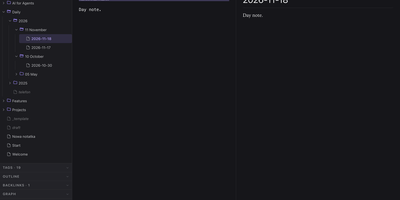
Your notes stay a folder of plain markdown files, and your AI agents get a safe, permissioned way to read, search, and write them. Open an existing Obsidian vault and wikilinks, embeds, callouts, math, mermaid diagrams, tasks, frontmatter, and aliases all work, in a live editor with a scroll-synced preview, a command palette, a quick switcher, and a task list across the whole vault. A graph view maps notes and links, with hover highlights, folder and tag filters, and a local graph beside the current note. Semantic search, switched on in Settings, indexes notes on every save with a bundled local embedder, or with Ollama, LM Studio, OpenAI, or any compatible endpoint, and a Related panel surfaces similar notes and suggests tags. An MCP server with 18 tools and two resources lets Claude Code, Cursor, and other agents search, read, and write notes, with read and write rights set per folder and a write refused when another agent changed the note first. Saves are committed to git with the person or agent named, so History shows diffs and restores any version. An optional password protects the web app and the MCP endpoint, with Google, GitHub, Keycloak, or Authentik sign-in as another door, and hidden-note rules keep scratch files out of the tree and search. Running on a dedicated VPS on RepoCloud with guaranteed CPU, RAM, and SSD, full root SSH access, and a browser serial console. AGPL-3.0-or-later licensed.
Workavera
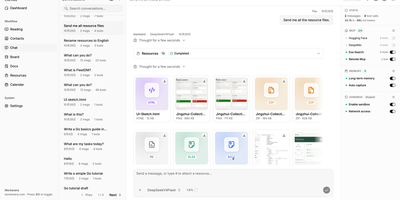
Workavera gives freelancers and small teams one self-hosted workspace for projects, docs, calendar, and files, with an AI assistant that actually does the work. Ask Chat to plan a project and it picks one of ten Kanban templates, creates tasks with states, priorities, and deadlines, and shows every reasoning step and tool call. Boards support custom workflow states, labels, members, and due dates, plus a read-only timeline you can share with clients by public link. Docs offers a rich-text editor with slash commands, version history, Markdown and HTML export, AI editing, and public pages. Calendar merges personal events with Board deadlines, including recurring events and reminders. Resources holds PDFs, Office files, code, images, archives, and SQLite databases that you attach to any chat with + or #, and an optional per-user Linux sandbox lets the assistant run Python or Node scripts to OCR a scanned PDF, clean a spreadsheet, or batch-rename files. Reading saves links with AI summaries, Discover follows sources such as GitHub Trending and Hacker News, and Contacts keeps a searchable team directory. Claude Code, Cursor, and other MCP clients connect with an API key, outside MCP servers plug into Chat, and models come from OpenAI, Anthropic, or Google endpoints or a local LM Studio, Ollama, vLLM, or llama.cpp server. Native Android and iOS apps put the workspace on your phone. Running on a dedicated VPS on RepoCloud with guaranteed CPU, RAM, and SSD, full root SSH access, and a browser serial console. Apache-2.0 licensed.
Hexis
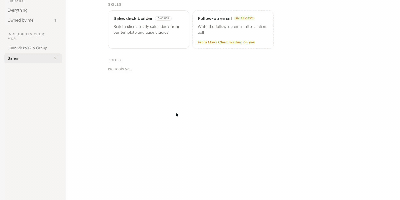
Hexis gives every AI agent in your company one governed brain: skills, tool manuals, and knowledge stored as files in a git repository you own. Engineers and non-technical teammates browse the same workspace to load plugins, read company context, and propose improvements without touching git themselves. A proposed change shows its exact diff to the owners of the files it touches, and it ships only when they approve, on the branch rules you set. Agents propose too: one that hits a broken skill mid-task can suggest the fix as a change request and wait for a person to decide. Claude Code, Cursor, Cline, Codex, and ChatGPT connect over MCP and discover skills by search at call time, so the context window stays lean. Each agent acts with its user's own permissions, resolved per file, and the credentials behind tools stay in an encrypted vault the agent never holds. Roles and folder-level grants decide who sees what, and your team signs in behind your own SSO. Every save is a commit, so history, blame, and revert come free, and the knowledge base can start from the bundled template in minutes. Running on a dedicated VPS on RepoCloud with guaranteed CPU, RAM, and SSD, full root SSH access, and a browser serial console. Apache-2.0 licensed.
Insights LM
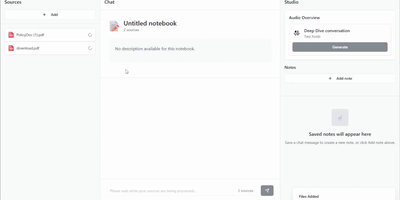
Insights LM gives you a NotebookLM-style research assistant that runs on your own infrastructure and answers strictly from the documents you feed it. Build a notebook for a project, drop in PDFs, pasted text, website links, and audio files, then ask questions in plain language and get answers grounded in those sources rather than the open internet. Every answer carries citations you can click to jump straight to the passage it came from, so verifying a claim takes seconds instead of a fresh search. Findings worth keeping become notes saved alongside the notebook, building a private knowledge base that grows with your research. When reading is too slow, generate an audio overview and listen to two hosts discuss your material like a podcast episode, perfect for absorbing a long report on a walk. Teams use it to interrogate internal documentation, onboard new hires against company knowledge, and brief themselves before meetings without uploading confidential files to a third-party service. Because the whole stack is yours, you choose which AI models do the reading, including local models for fully private work. Running on a dedicated VPS on RepoCloud with guaranteed CPU, RAM, and SSD, full root SSH access, and a browser serial console. MIT licensed.
loci
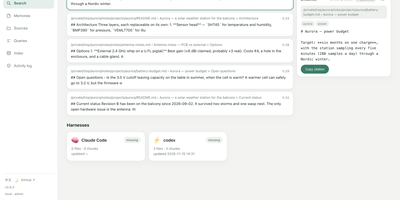
Point Claude Desktop, Cursor, Cline, or any other MCP host at one loci instance and every assistant searches the same notes, project docs, and saved memories. Hybrid retrieval fuses vector hits with BM25 using reciprocal rank fusion, so an exact identifier like user_id still surfaces, and every answer cites the file and section it came from, with optional claim-by-claim verification. Notes stay readable as Markdown, and the index updates incrementally from folders of text, HTML, org files, PDF, and Word documents or an Obsidian vault. Durable memories are saved with one command, structured task state is stored and fetched by exact key, and decision notes can declare what they supersede so a history command shows the chain and answers stop quoting retired policy. A memory health report shows which notes were cited, corrected, or never used. The web console has a dashboard, search with an evidence pane, memory editing, sources and file uploads, a query log, a note graph, and an activity log, in English or Chinese with light and dark themes. Role-based tokens separate viewers, editors, and admins. Embedding and chat calls go only to the providers you configure, and local endpoints like Ollama keep the whole workflow offline. Running on a dedicated VPS on RepoCloud with guaranteed CPU, RAM, and SSD, full root SSH access, and a browser serial console. MIT licensed.
QMReader
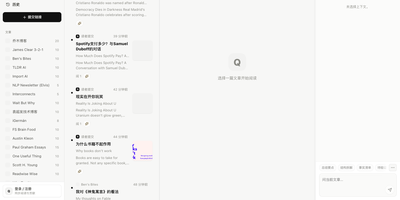
QMReader is a self-hosted reading workbench that treats RSS as raw material for knowledge you keep, not a pile of unread badges waiting to be cleared. Subscribe to RSSHub routes, direct feeds, sitemaps, Hacker News, Product Hunt, GitHub Trending, and Hugging Face Papers, and new items land in the article list immediately while translation and rewriting finish in the background. English headlines gain Chinese translations automatically, and full articles can be read as the original, a Chinese translation, or a plain-language rewrite, all kept side by side on the same page. Highlight passages, attach your own commentary, and open an AI conversation scoped to the article in front of you instead of starting from a blank chat box. Work you produce becomes a public reading asset with a stable link: translations, rewrites, comments, and dialogues collect on contributor pages and flow out through asset catalogs and RSS feeds for the next reader. Split background workers keep fast feed fetching separate from slower AI processing, and search, unread, popular, favorites, and history views keep a heavy reading habit navigable. Running on a dedicated VPS on RepoCloud with guaranteed CPU, RAM, and SSD, full root SSH access, and a browser serial console. MIT licensed.
Arkon
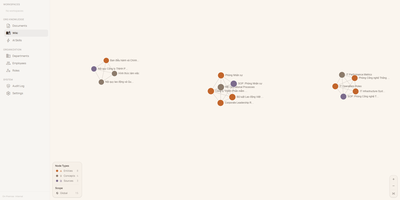
With 1,200+ GitHub stars since its April 2026 launch, Arkon provides an enterprise-grade knowledge management layer that turns scattered organizational documentation into AI-accessible structured context. The platform runs as a centralized MCP server, compiling your SOPs, policies, technical docs, and institutional knowledge into a versioned wiki with draft-approval workflows, then serving that wiki to Claude Desktop, Claude.ai, Cursor, and any MCP-compatible client through a single permission-scoped endpoint. OAuth 2.1 with PKCE authentication eliminates manual token management — employees authenticate through a browser login while the system discovers endpoints automatically via RFC 8414. The RBAC v2 system supports custom roles with granular permissions, department-scoped AI Skills, workspace isolation, and comprehensive audit logging so every query and access event is traceable. RAG retrieval powered by pgvector embeddings enables AI clients to search across all organizational documents with source attribution, while the AI Skills system lets teams define reusable instruction sets scoped to specific departments or roles. The architecture runs seven Docker containers coordinated by Compose: PostgreSQL with pgvector for embeddings and metadata, Redis for caching, MinIO for document storage, a FastAPI backend, two ARQ async workers for embedding generation and document processing, and a Next.js frontend portal accessible on port 3119. API keys are encrypted at rest with Fernet, and no telemetry leaves the deployment. Running on a dedicated VPS on RepoCloud with guaranteed CPU, RAM, and SSD, full root SSH access, and a browser serial console. PolyForm Internal Use licensed.
AgentDesk
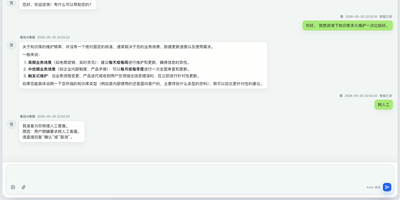
Most AI chat integrations bolt an LLM onto a text box and call it customer support; AgentDesk builds the entire helpdesk around AI agents that handle first responses, escalate to humans when they cannot answer, and track follow-up work through integrated ticket workflows. Each AI agent binds to a specific LLM configuration, one or more knowledge bases, a set of callable Skills, and MCP tool integrations, creating specialized support personas for different product lines or departments. When a customer message arrives, the agent retrieves relevant FAQ entries and document chunks through RAG-powered vector search (Qdrant), then passes retrieved context through an Answerability Gate that determines whether the knowledge base can support a reliable answer; if not, it triggers a fallback response and recommends human handoff instead of hallucinating. Human agents pick up escalated conversations in a dedicated workspace that preserves the full AI conversation history, customer profile, conversation tags, and linked tickets, so they never start from scratch. The ticket system converts conversations into tracked work items with category assignment, status flows, progress notes, and team routing. An admin dashboard provides user management, role-based access control, team scheduling, and automatic conversation assignment rules. Model configuration supports any OpenAI-compatible provider, letting you wire in LLMs, embedding models, and reranking models with per-model context limits, timeout settings, and rate controls. Running on a dedicated VPS on RepoCloud with guaranteed CPU, RAM, and SSD, full root SSH access, and a browser serial console. Apache 2.0 licensed.
Glean
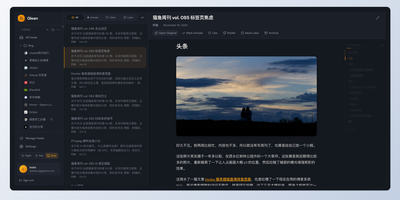
Information overload is the default state of the modern internet, and Glean exists to tame it by pulling every blog, newsletter, and news source you follow into a single, organized reading experience with an interface that prioritizes clarity over clutter. Subscribe to RSS and Atom feeds, import your existing subscriptions via OPML, and organize everything into multi-level folders with a flexible tagging system that lets you slice your reading list by topic, priority, or mood. A three-pane layout presents your feed list, article summaries, and full content side by side, with one-click actions for marking articles as read, saving them for later, bookmarking favorites, or archiving what you have already processed. Background workers fetch new articles every 15 minutes so your feeds stay current without manual refreshes. The preference learning engine (backed by Milvus vector embeddings) scores incoming articles against your reading history and surfaces a personalized Smart Feed of content you are most likely to care about, reducing the time spent scrolling past irrelevant posts. A built-in MCP server lets AI assistants like Claude Desktop search and interact with your feed library directly. The admin dashboard on a separate port provides user management, system monitoring, and configuration controls for multi-user deployments. Bookmark external URLs from any browser with the Chrome extension, or access your feeds on mobile through the Progressive Web App. Running on a dedicated VPS on RepoCloud with guaranteed CPU, RAM, and SSD, full root SSH access, and a browser serial console. AGPL-3.0 licensed.
GuideAnts
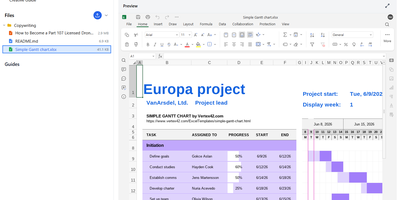
GuideAnts is an AI workspace where files, conversations, and generated documents stay together in project notebooks, so good work gets reused instead of vanishing into chat history. Projects own folders, notebooks, guides, assistants, and usage records, and each notebook keeps its conversation, file context, artifacts, and version history side by side. Word, PowerPoint, Excel, and OpenDocument files open and co-edit in place through an optional document server, Markdown has a live-preview editor, and extracted Markdown copies feed retrieval. A Guide Builder packages instructions, tools, files, starter prompts, and model choices into reusable guides and assistants, and portable SKILL.md packages can be imported or authored there. Published guides get friendly URLs, a web component for embedding in other sites, public APIs, and MCP access to their skills, with anonymous, key-protected, or webhook-validated entry plus daily and billing-period charge limits. Telemetry attributes each message, tool call, and charge to a model and assistant, so you can see which steps truly need a frontier model; the maintainers report one public workload falling from hundreds of dollars a day to about ten. Chat, embeddings, document intelligence, image generation, and speech can each route to a different cloud or local provider, with slim, CPU, NVIDIA, AMD, and Vulkan runtimes to choose from. Running on a dedicated VPS on RepoCloud with guaranteed CPU, RAM, and SSD, full root SSH access, and a browser serial console. Apache-2.0 licensed.
xEdit
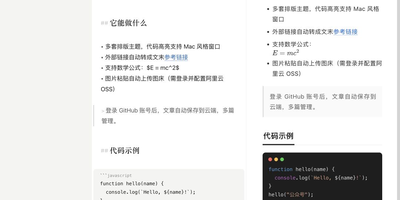
xEdit is a free, open-source Markdown editor that keeps your notes as plain text, on your device or on your own server, and hands AI clients a proper door instead of a scrape. Write in live preview, where headings, code and images render in place and only the line under your cursor shows its source, or flip to a split view when you want both sides visible. Slash commands insert headings, callouts, tables, to-dos, code blocks and media, and wiki links tie notes together by title, with renames updating every link that points at the note. Any checkbox in any note with a date rolls up into a Today view, and nested folders, global search and a recoverable trash keep a growing library tidy. Choose where notes live: browser storage, a local folder of Markdown files, or cloud sync with an offline mirror on every device. Cloud notes gain version history with line-by-line diffs and one-click rollback, share links that collect comments on selected passages, and exports to Markdown, HTML, PDF, PNG and Word. Pick one of thirteen layout themes and copy straight into WeChat or Zhihu with styles inlined and math intact, then connect Claude or Cursor through the built-in MCP server to search, organize and edit the whole library. Running on a dedicated VPS on RepoCloud with guaranteed CPU, RAM, and SSD, full root SSH access, and a browser serial console. MIT licensed.
Ties
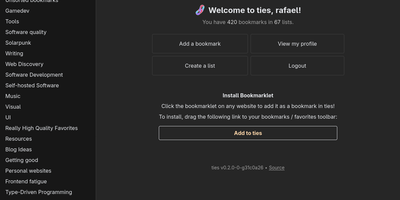
A federated bookmark manager written in Rust: Ties (formerly linkblocks) is your own small corner of the web for saving, organizing, and sharing good pages, connected to the fediverse over ActivityPub. Instead of rigid folders, bookmarks live in arbitrarily nested lists that link together into a knowledge graph. Saved pages are fetched, converted to a readable archived version, and stored in the database, so full-text search covers titles, URLs, and the actual page text - and the content survives if the original disappears. The federation model is deliberately anti-viral: there is no global timeline and no algorithmic feed. You publish public lists for anyone, follow users whose taste you trust, and mark trusted users whose bookmarks become part of your search range - extendable to trusted-users-of-trusted-users for a wider net. Public bookmarks post to Mastodon timelines, and WebFinger lookup makes your handle discoverable across fediverse platforms. Operationally it is about as light as web software gets: a single binary with all assets baked in, integrated TLS so it can run without a reverse proxy, PostgreSQL as the only dependency, OIDC single sign-on, and a bookmarklet for one-click saves. Note the project is alpha: single-user instances only, and all data should be considered public. AGPL-3.0 licensed, built with Rust and htmx.