DumbBudget
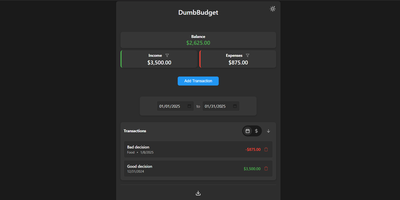
"Stupid simple software" is the entire philosophy at DumbWare.io, and DumbBudget delivers it: no over-engineering, no complexity, no accounts, no bank connections - just a clean, modern ledger for money in and money out. Log income and expenses, assign categories, and watch real-time balance calculations update as you type. Finding transactions is quick: filter by type, narrow by date range, sort by date or amount. When tax season or spreadsheet analysis calls, everything exports to CSV. Access control matches the philosophy - a single PIN (set via one environment variable) gates the app, backed by real security engineering: rate limiting on PIN attempts, temporary lockout after failures, secure session handling, and no sensitive data in browser storage. Multi-currency support covers the ISO codes, and a SITE_TITLE variable names each instance - deliberately useful, because running separate instances per account or family member is the intended pattern for multi-user needs. The responsive UI ships light and dark themes and installs as a PWA on phones, where expense logging actually happens. Configuration is five environment variables; data persists in one folder. If Actual Budget and Firefly III feel like accounting software, this is the notepad that gets used. GPL-licensed.
Akaunting
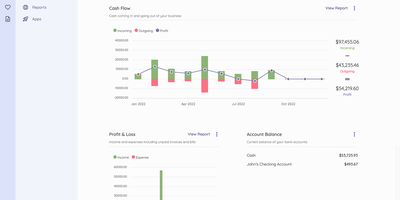
Akaunting is an online accounting software for small businesses and freelancers. The double-entry accounting engine provides a full Chart of Accounts, journal entries, and balance sheet reporting, eliminating the manual errors inherent in single-entry systems. Unlimited invoice creation with customizable templates, automatic payment reminders, and client portal access lets businesses present professional documents and accept payments through PayPal, Stripe, and other gateway integrations. Expense tracking captures operational costs with category-based organization, receipt scanning, and vendor bill management with overdue payment alerts. Bank Feeds auto-syncs transactions from connected bank accounts and matches them against invoices and bills for streamlined reconciliation. The dashboard displays receivables, payables, cash flow summaries, profit and loss charts, expenses by category, and account balances at a glance with configurable date ranges. Quotes and estimates convert directly into invoices upon client approval, while recurring invoices and bills automate periodic billing without manual intervention. The modular architecture built on Laravel with the Akaunting Module package enables an App Store where developers publish extensions for payroll, inventory, projects, and CRM functionality. Multi-company support manages separate books from a single installation with per-company user roles. Running on a dedicated VPS on RepoCloud with guaranteed CPU, RAM, and SSD, full root SSH access, and a browser serial console. BSL licensed.
Wealthfolio
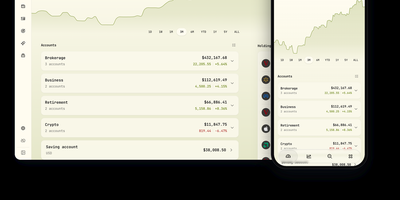
Wealthfolio is a portfolio tracker offering a complete wealth management platform where financial data never leaves your infrastructure. Built on Rust with an Axum HTTP server, Diesel ORM, and SQLite storage, paired with a React 19 and Vite frontend, version 3.6 tracks stocks, ETFs, mutual funds, crypto, and cash savings across unlimited accounts with unified holdings. The performance engine calculates time-weighted returns (TWR), internal rate of return (IRR), volatility, maximum drawdown, and benchmark comparisons against the S&P 500 and custom indices, scoped per-account or across the entire portfolio. Net worth tracking monitors assets including real estate, vehicles, collectibles, and precious metals alongside liabilities, with stale-valuation warnings for items not updated in 90+ days. The spending module categorizes transactions automatically, supports multi-currency credit cards, builds budgets with monthly targets and rollovers, and generates narrative insights. A built-in AI assistant answers portfolio questions, suggests asset classifications, and imports transactions conversationally — bring your own API key from OpenAI, Anthropic, or use local LLMs. The addon system provides sandboxed extensions with granular permission declarations across 16 capability domains. CSV import maps broker exports with per-broker recipes for Interactive Brokers, Schwab, Fidelity, and dozens more. Market data streams from Yahoo Finance with automatic currency conversion. Running on a dedicated VPS on RepoCloud with guaranteed CPU, RAM, and SSD, full root SSH access, and a browser serial console. AGPL-3.0 licensed.
Invoice Ninja
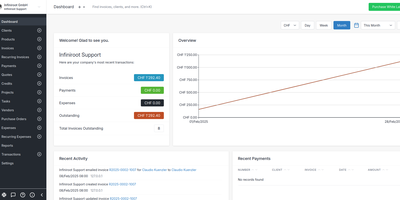
With nearly 10,000 GitHub stars and over a decade of development since 2013, Invoice Ninja is the most complete source-available invoicing platform for freelancers and small businesses — combining professional invoicing, online payments, expense tracking, and project management in a single self-hosted application. The Laravel API backend powers a React web portal and Flutter native applications for Windows, macOS, Linux, iOS, and Android, delivering a consistent experience across every device. Create professional invoices and quotes with real-time PDF preview, product libraries, custom templates, and automatic tax calculations. Clients receive branded emails and access their dedicated portal at your custom domain to view documents, approve quotes with e-signatures, and pay with one click via Stripe, PayPal, Square, GoCardless, Authorize.net, Braintree, or Mollie. Recurring invoices with auto-billing charge saved payment methods on schedule — weekly, monthly, or annually — with automatic reminders and late fee calculations. The built-in project management suite includes Kanban boards for task organization, billable time tracking with start/stop timers, and vendor expense management with receipt attachments. Bank account synchronization via Yodlee or GoCardless automatically imports transactions for reconciliation. E-invoicing with PEPPOL network integration supports electronic invoicing standards for European and government compliance. Reports cover invoices, expenses, profit and loss, tax summaries, and aged receivables. Running on a dedicated VPS on RepoCloud with guaranteed CPU, RAM, and SSD, full root SSH access, and a browser serial console. Elastic License v2.
OpenBudgeteer
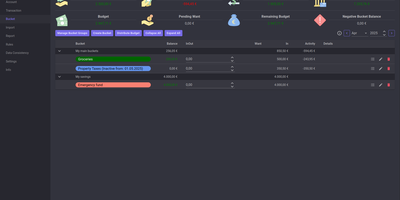
Allocating every incoming dollar into purposeful spending and savings buckets before transactions occur, OpenBudgeteer gives households complete financial control through a self-hosted zero-based envelope budgeting platform. Users can organize expenditures into customizable bucket hierarchies, grouping everyday living costs, debt repayments, and sinking funds into distinct categories with target balances. Financial planners can import bank statement files via flexible CSV mapping profiles that parse transaction descriptions, clean up merchant strings, and auto-assign records to corresponding expense buckets. The transaction registry provides split-transaction functionality, allowing shoppers to divide a single department store receipt across grocery, household, and clothing envelopes with exact currency precision. Interactive progress bars display bucket health throughout the billing month, signaling when spending velocity threatens allocated limits and calculating suggested contributions for forthcoming paychecks. Advanced forecasting reports plot multi-month net worth trajectories, track category expenditure patterns, and calculate burn rates against long-term retirement and emergency savings goals. Account balances synchronize across multiple physical checking accounts, credit cards, and cash wallets, ensuring total bucket balances reconcile perfectly against real bank reserves. Running on a dedicated VPS on RepoCloud with guaranteed CPU, RAM, and SSD, full root SSH access, and a browser serial console. AGPL v3 licensed.
Monetr
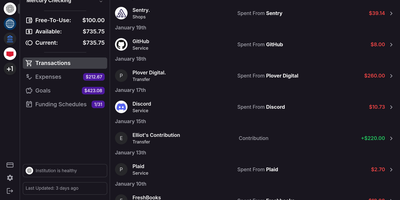
After the bills are covered, how much is actually safe to spend? monetr organizes an entire budgeting application around that one question. Inspired by the defunct Simple bank, it budgets paycheck by paycheck rather than month by month. Funding schedules encode when you get paid - including multiple schedules per account and a weekend-exclusion option for deposits that land early - and every expense or savings goal is tied to one. monetr then calculates how much of each recurring obligation (rent, car payment, subscriptions, on any repeat interval) to set aside from each paycheck, so a large bill never has to come out of a single check. What remains after allocations is surfaced as Free-To-Use, and a forecasting timeline projects contributions, due dates, and leftover funds forward so low-balance periods are visible before they happen. Transactions arrive either as OFX uploads from your bank or automatically through a Plaid connection using your own API credentials, keeping balances and transactions synced without manual entry. The app is mobile-friendly and installable as a PWA on desktop or phone. Self-hosting via Docker Compose is completely free, with all source code public and your financial data on your own hardware.
TradingAgents GUI
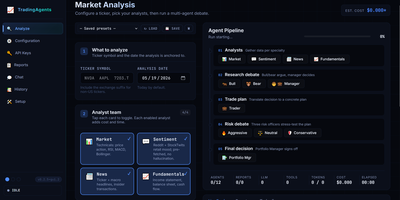
Built atop the TauricResearch TradingAgents framework with nearly 100,000 GitHub stars, TradingAgents GUI transforms a CLI-only multi-agent LLM stock analysis pipeline into a polished web application accessible at localhost:5000. The system deploys twelve specialized AI agents — fundamental analysts, sentiment experts, technical analysts, bull and bear researchers, a trader, risk management team, and portfolio manager — who collaboratively debate market conditions through structured LangGraph workflows before producing a final BUY, SELL, or HOLD recommendation. The interface supports ten LLM providers including OpenAI, Anthropic, Google, OpenRouter, DeepSeek, Ollama, xAI, Qwen, GLM, and MiniMax, with a first-run wizard that auto-detects configured API keys and tests connections. A live pipeline visualization shows each agent's status with real-time progress bars, while the tabbed output area separates Live Feed, Reports preview, and Tool calls into dedicated panes. The three-pane Reports tab provides searchable indexing, table-of-contents navigation, and export to Markdown, HTML, or PDF formats. Report length control across Concise, Standard, and Comprehensive modes saves up to 50% on token costs. Multi-session chat allows pinning past reports as grounding context with live token counting and context-window warnings. Three built-in themes — Terminal, Modern, and Bloomberg — persist per browser. Docker Compose deployment maps port 5000 with persistent report storage. Running on a dedicated VPS on RepoCloud with guaranteed CPU, RAM, and SSD, full root SSH access, and a browser serial console. Apache 2.0 licensed.
Invio
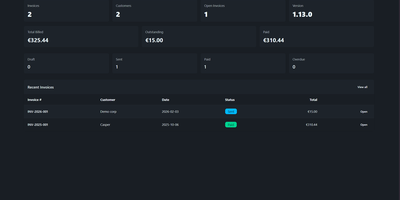
Create an invoice, share a secure link, get paid — that's the entire workflow, no client portals or account registrations required. Invio distills billing into its absolute minimum viable surface while still producing legally compliant EU electronic invoices in Factur-X/ZUGFeRD 2.2 BASIC, UBL 2.1, and Italian FatturaPA formats, all embedded as XML attachments inside WeasyPrint-rendered PDFs. The Deno 2 backend uses Hono v4 for HTTP routing with SQLite persistence, while the SvelteKit 2 frontend styled with Tailwind CSS v4 and DaisyUI v5 delivers a responsive interface that stays out of your way. The team access system includes a permission matrix, TOTP-based two-factor authentication, and OIDC integration with configurable auto-provisioning — drop it into existing identity infrastructure without manual user management. Preset products let you build invoices from reusable catalog items. A change history log tracks every modification for audit purposes. Rate limiting protects the API behind reverse proxies. The entire stack ships as a single multi-stage Docker image containing Deno, Bun, Node, WeasyPrint, and all required font packages — zero external service dependencies beyond the container itself. Running on a dedicated VPS on RepoCloud with guaranteed CPU, RAM, and SSD, full root SSH access, and a browser serial console. Unlicense licensed.
Trade Journal
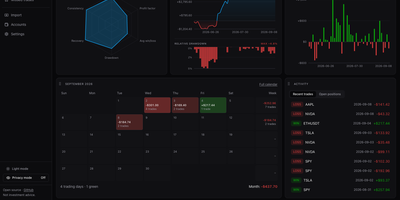
A trading journal you host yourself, Trade Journal rebuilds broker fills and statement exports into round-trip trades, a profit and loss calendar, and daily notes that show what actually works. Read-only sync covers more than twenty brokers and exchanges, including Alpaca, Binance, Coinbase, Kraken, and IBKR Flex. Statement import auto-detects TradingView, MetaTrader, NinjaTrader, Tradovate, and thinkorswim files, handles TradeZella and Tradervue CSV migrations, and maps columns for anything else. Trades can be matched first-in-first-out, last-in-first-out, or by weighted average, with partial fills, scale-ins, and futures multipliers handled. The dashboard offers gauges, cumulative and daily P&L, an Edge Score radar, and cards you can rearrange into named layouts, while Reports break results down by symbol, tag, mistake, playbook, weekday, and time of day. Each trade page charts entries and exits and can replay candles you load, with estimated MAE and MFE. Daily journal pages hold Markdown notes, templates, attachments, and voice dictation, and optional AI recaps use your own Anthropic or OpenAI key or a local Ollama model. Playbook checklists score rule adherence, a prop firm ledger tracks costs and payouts, and privacy mode masks every amount. Running on a dedicated VPS on RepoCloud with guaranteed CPU, RAM, and SSD, full root SSH access, and a browser serial console. MIT licensed.
Wallos
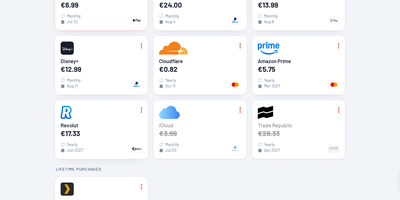
Track every recurring payment you have, from streaming services to SaaS tools, and get AI-powered recommendations on where to cut costs. Wallos manages subscriptions with automatic due date reminders delivered through email, Discord, Telegram, Pushover, Gotify, or custom webhooks so renewal charges never catch you off guard. Multi-currency support handles international subscriptions while the Fixer API converts everything to your primary currency for unified budget visibility. The statistics dashboard breaks down monthly and yearly spending by customizable categories, revealing consumption patterns and highlighting savings opportunities. AI analysis via ChatGPT, Gemini, or a locally-hosted Ollama instance reviews your subscription portfolio and suggests alternatives or consolidation strategies. Logo search automatically fetches brand imagery so your subscription list stays visually organized without manual uploads. Authentication supports OIDC with OAuth for enterprise environments, and the mobile-responsive interface works on any device with customizable themes and multi-language support. The PHP 8.3 application with SQLite backend runs from a single Docker container (bellamy/wallos image) with two persistent volumes for database and logos on port 8282. Deploy on RepoCloud with a dedicated VPS, keeping all financial data private under the GPL-3.0 license.
ExpenseOwl
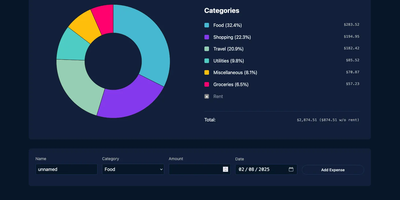
Log a date, amount, and category; get a clean monthly pie chart and a cashflow strip showing income, expenses, and net balance - ExpenseOwl is expense tracking stripped to what actually matters. The MIT-licensed Go application deliberately is not a budgeting system - no envelopes, no accounts, no double-entry, no bank sync - because its author found tools like Firefly III and Actual too heavy for the simple question "where did this month's money go?" The dashboard makes that question fast: click a pie slice to exclude fixed costs like rent and see discretionary spending clearly, then drill into a chronological table view to inspect or delete individual transactions. Recurring transactions handle salaries and subscriptions automatically, optional tags add a second classification axis, and settings cover custom categories, currency symbol, and a configurable month start date for non-calendar pay cycles. CSV import migrates data from virtually any other tool, and CSV export keeps your data portable. It ships as a self-contained binary and multi-architecture Docker image with zero internet interaction, stores data in flat JSON files by default (PostgreSQL optional), and installs as a PWA on phones. Single-user by design; pair it with an authenticating reverse proxy if exposed publicly.
SolidInvoice
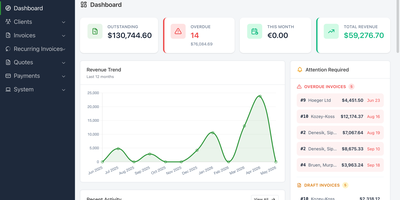
SolidInvoice ships a complete billing platform as a single FrankenPHP binary — no separate PHP installation, no web server configuration, just one executable that delivers quote-to-invoice conversion, automated recurring billing, Stripe and PayPal payment processing, multi-currency precision arithmetic, and eight render-ready PDF templates out of the box. Maintained since 2012 across 63 releases with 30 contributors, the Symfony 7 and PHP 8.4 backend provides quote creation with one-click conversion to invoices, recurring billing with configurable frequency schedules, and online payment processing through Payum supporting Stripe, PayPal, and additional gateways. Multi-currency support uses real Money objects for precision arithmetic, while multi-tax support handles invoice-level and line-item tax rates with automatic calculation. Client management stores contacts, multiple addresses with map integration, credit balances, and complete quote and invoice history per client. The redesigned Tabler-based UI features a dashboard with hero statistics, ChartJS revenue trend visualization, attention-required alerts for overdue and draft invoices, quick actions, and a recent activity timeline. A RESTful API enables integrations with external systems. Multi-channel notifications deliver alerts via email, SMS, and webhooks. Google OAuth and two-factor authentication secure access. Grid export and full company data export support backup and migration. Deploy using Docker, Homebrew, the standalone FrankenPHP binary, or from source. Running on a dedicated VPS on RepoCloud with guaranteed CPU, RAM, and SSD, full root SSH access, and a browser serial console. MIT licensed.
Bloomberg Terminal
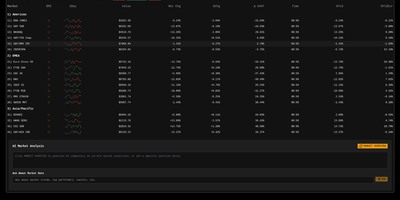
With 1,450+ GitHub stars and a live demo on Vercel, this Bloomberg Terminal clone delivers a professional-grade financial dashboard without the $24,000 annual seat license. The Next.js 15 App Router with React 19 and TypeScript serves a single-page terminal interface optimized for constantly mutating financial data, with partial pre-rendering enabling sub-500ms initial loads even on data-heavy views. Upstash Redis caches AlphaVantage market data to minimize API calls while maintaining sub-second update latency through React Query polling with configurable refresh rates. OpenAI integration provides AI-powered market insights, sentiment analysis, and trend interpretation directly within the terminal interface. Multiple specialized views cover market data tables with bid/ask spreads, financial news aggregation with category filtering, market movers highlighting top gainers and losers, and volatility analysis with historical comparison charts. Jotai atoms manage local state for watchlists, layout preferences, and terminal sessions while React Query handles server-state synchronization with aggressive stale-while-revalidate caching. The shadcn/ui component library with Tailwind CSS delivers accessible, keyboard-navigable interface elements styled after Bloomberg's iconic dark terminal aesthetic. Security features include origin restriction, rate limiting via Redis, and Zod-based input validation on all API routes. Motion (formerly Framer Motion) animates transitions between views and data updates without layout shift. Running on a dedicated VPS on RepoCloud with guaranteed CPU, RAM, and SSD, full root SSH access, and a browser serial console. MIT licensed.
Rachoon
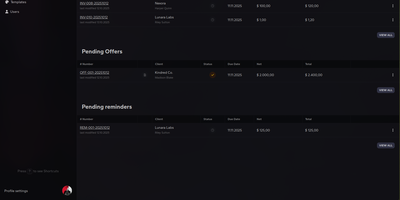
Named after the Bosnian word for invoice (račun) with a raccoon twist, Rachoon provides a clean self-hosted invoicing platform that handles the complete billing cycle from quotation to payment reconciliation without touching a third-party SaaS subscription. The Nuxt.js frontend serves a dashboard that surfaces revenue totals, pending balances, overdue items, and client statistics at a glance, while the AdonisJS backend manages all business logic against a PostgreSQL 16 database with TypeScript throughout the full stack. Invoice templates use Nunjucks with full HTML and CSS control—including conditional logic, loops, and custom formatting—so the rendered PDFs actually match your design intent. This is possible because Rachoon delegates PDF generation to Gotenberg, which renders invoices through headless Chrome rather than a restricted drawing API, producing output that faithfully preserves complex layouts, web fonts, and CSS grid. Client records stay organized and searchable, each linked to their invoice and quotation history with payment status tracking across pending, paid, and overdue states. Multi-currency billing with flexible tax configuration supports international operations, and all data remains on your own infrastructure. The monorepo is managed by Turborepo with a CI pipeline covering linting, PostgreSQL integration tests, build verification, and multi-platform Docker image creation for both amd64 and arm64 architectures. Running on a dedicated VPS on RepoCloud with guaranteed CPU, RAM, and SSD, full root SSH access, and a browser serial console. AGPL-3.0 licensed.
Personal Management System
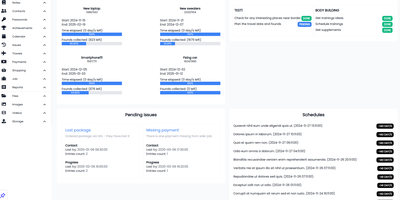
Consolidate daily to-do lists, encrypted passwords, household spending, contacts, and family photo galleries into Personal Management System, a self-hosted private command center for everyday life. Individuals can organize recurring schedules and calendar milestones with proactive notification alerts so important appointments, vehicle servicing dates, and recurring bill renewals are never overlooked. Users can balance household budgets and track expenditure across custom spending categories, calculating monthly cash flow balances while monitoring debts owed to friends or family members. Privacy-conscious users can safeguard account credentials inside an encrypted password vault featuring quick-copy buttons and secondary lock protection for sensitive personal entries. Goal setters can track multi-step personal targets and link financial milestones directly to dedicated savings pools. Home organizers can catalog contacts, log travel destinations with mapped imagery, and maintain categorized notes containing voice memos, bookmarks, and reference materials. Collectors can sort family photos and video recordings into interactive masonry galleries with built-in lightbox previews and file download tools. Running on a dedicated VPS on RepoCloud with guaranteed CPU, RAM, and SSD, full root SSH access, and a browser serial console. MIT licensed.
Wally
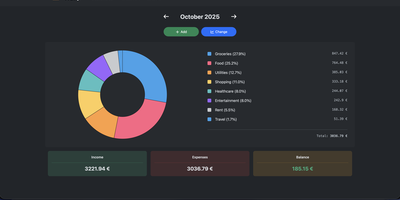
Started as an ExpenseOwl-inspired project, Wally grew into a lightweight, self-hosted expense tracker more capable in every direction its author touched. The backend is Python FastAPI over SQLite, which means every deployment ships a full REST API with interactive documentation at /api/docs - automating imports or wiring in external tools requires no reverse engineering, and when the optional login page is enabled you can mint scoped API keys from the Settings page for token-based integrations. The transactions view is built on AG Grid, bringing real search, column sorting, and per-column filtering to your ledger, with a footer totaling rows, income, and expenses for whatever slice you have filtered. Dashboards go beyond the usual monthly doughnut: a Change button swaps in year-scale line graphs so you can track a single category - restaurants, say - across time. Recurring transactions edit intelligently, letting you apply changes to all instances or only future ones. CSV import and export use a simple six-column format handled from Settings, the refined dark theme is genuinely easy on the eyes, and the interface is translated into more than ten languages. The whole thing runs from one small container with a single data volume.

Hammond
When Clarkson, the once-popular fuel logger, stopped receiving updates, Hammond stepped in as its logical successor - a self-hosted vehicle expense tracker. Written in Go with a Vue.js interface and SQLite storage - a single lightweight container, no external database - it tracks every cost your vehicles generate: fuel fill-ups with cost, volume, and odometer readings; maintenance and repairs; and arbitrary other expenses, each attachable with photos and documents stored against the vehicle. The multi-user, multi-vehicle design is what sets it apart from phone apps: a household or small business adds all its vehicles and all its drivers, shares vehicles across users, and every fill-up lands in one ledger no matter who was driving. The Quick Entries feature respects how expenses actually happen - snap a photo of the receipt or pump screen at the gas station, then complete the structured entry later when you have a minute. Reporting works at both the vehicle level (cost per distance, fuel economy trends) and across the whole fleet. Migration matters here: importers for Clarkson, Fuelly, and Drivvo bring years of fill-up history along, so switching does not mean starting your data over.
PayMe
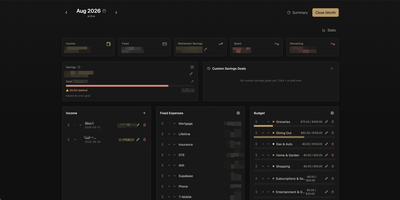
PayMe is a privacy-first personal finance dashboard that runs entirely on your own hardware with zero third-party service dependencies. The Rust backend compiled to a single binary serves a React 19 frontend built with Vite, TypeScript, and Tailwind CSS 4, storing all financial data in a local SQLite database that auto-migrates on startup. Monthly dashboards track income entries, fixed expenses like mortgage and utilities, and budget categories with real-time progress bars showing spending against configurable limits. The savings module includes goal tracking with percentage-based progress indicators, custom savings goals for targeted objectives, retirement savings projections with breakdown analysis, and projected savings calculations. Variance analysis compares actual spending against budgets across categories. Drag-and-drop reordering powered by dnd-kit lets you arrange income sources, expenses, and budget items to match your workflow. The interactive charts rendered by Recharts visualize spending trends, income patterns, and savings trajectories. Month-by-month navigation tracks financial history over time, while the Summary and Stats views aggregate data across periods. JWT-based authentication secures access, and the full OpenAPI Swagger documentation at the /swagger-ui endpoint exposes every API route for automation and integration. Docker Compose deployment creates a minimal image with the compiled Rust binary and static frontend assets, running on port 3001 behind nginx, Caddy, or Traefik reverse proxy with HTTPS. On RepoCloud, deploy PayMe on a dedicated VPS with persistent SQLite storage, root SSH access, and complete privacy over your household financial data, all under the MIT license.