Owlmail
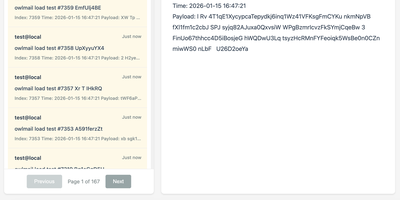
Every email your app sends while you build and test it lands in OwlMail's browser inbox instead of a customer's mailbox. Point any application's SMTP settings at OwlMail and every message is ready to open as rendered HTML, plain text, headers, or raw source. Attachments and inline images sit beside the body, and seven preset preview widths show how the message lays out on phones, tablets, and desktops before anyone real sees it. A Verify panel checks subject, body, and link hosts against expectations, while CI pipelines use the REST API with delivery cursors to wait for exactly the messages their test run produced, assert on them, and clean up afterwards. Coding agents get the same inbox read-only over MCP, so an assistant can confirm a signup email arrived without touching your mail server. When a message proves itself, relay it onwards to a real SMTP server, by hand or automatically under filtering rules, or fire webhooks with HMAC signatures and retry queues into the rest of your automation. Everything stores as plain .eml files on disk, with optional SQLite indexing, S3 attachment storage, and ZIP exports for archiving. Running on a dedicated VPS on RepoCloud with guaranteed CPU, RAM, and SSD, full root SSH access, and a browser serial console. MIT licensed.
Traffic Source
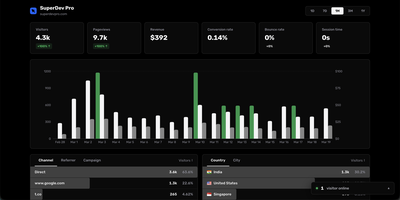
Traffic Source answers the three questions every site owner actually asks: who showed up, where did they come from, and did they pay. The live dashboard counts visitors in real time alongside pageviews, sessions, bounce rate, and session duration, with no cookie banner required because tracking uses no cookies at all. Referrer and UTM breakdowns show exactly which campaigns, newsletters, and posts earn their traffic, while country and city data arrives through proxy headers. Visitor journeys replay every page a person viewed before converting, so you can see the path from first click to checkout instead of guessing. Connect Stripe once and payments are matched to the sessions that produced them automatically, with no webhook plumbing to maintain. The affiliate system lets you create partners with custom commission rates and shareable referral links, and each affiliate gets a public dashboard showing their own clicks and earnings. Search Console data is pulled into the same screen, where a keyword explorer shows the pages, countries, and devices behind any query. One tiny tracking script covers all your sites, including single-page apps. Running on a dedicated VPS on RepoCloud with guaranteed CPU, RAM, and SSD, full root SSH access, and a browser serial console. MIT licensed.
Codex LB Enhanced
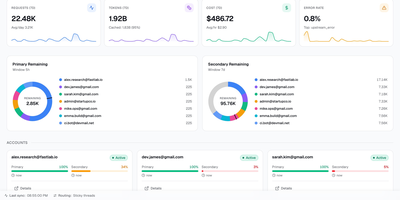
Codex LB Enhanced is a session-aware gateway that pools your ChatGPT accounts so a long Codex session survives quota limits, dropped connections, and paused accounts without losing the conversation. It serves Codex desktop, CLI, and IDE clients through the native Responses protocol and WebSocket transport, and answers any OpenAI-compatible client through the familiar /v1 endpoints. When an account runs out of quota, gets suspended, times out, or drops mid-stream, the gateway classifies the failure, removes that account from the current request, and selects the next one through your load-balancing policy. Verified request history, including interrupted tool-call context, is replayed across the account switch when it is safe, so the client sees a slower answer instead of a dead stream. Every API key carries its own policy: time windows from five hours to monthly, limits by credits, tokens, or cost, and model-specific rules. Usage appears in native Codex quota headers and in a /v1/usage view backed by the same data, so editors and automation agree on what is left. Diagnostics correlate each request with its upstream account, transport, failover stage, and retry count, and a web dashboard manages accounts, keys, usage windows, request logs, and recovery reports. Running on a dedicated VPS on RepoCloud with guaranteed CPU, RAM, and SSD, full root SSH access, and a browser serial console. MIT licensed.
Veritas Kanban
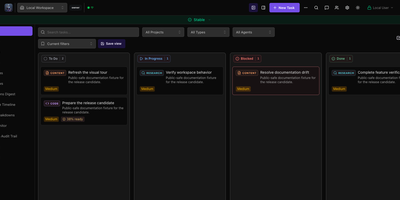
A drag-and-drop task board that works fine on its own and can also hand cards to AI coding agents, Veritas Kanban shows what each agent is doing, what it changed, and what is waiting for your approval. Start with no agents at all. Cards move through To Do, In Progress, Blocked, and Done, and each one carries subtasks, dependencies, time tracking, comments, and an activity log. When you are ready, connect Codex, Claude Code, Copilot CLI, Hermes, or OpenClaw, give every agent an Intern, Specialist, or Lead permission level, and follow each agent's status and model on a live dashboard. Let a task run in its own Git worktree, read the diff, leave inline comments, approve or request changes, and open a GitHub pull request from the task panel. Squad Chat gives agents one shared channel that posts spawned, completed, and failed events. Workflows chain steps with parallel branches, loops, and human approval gates. Policy rules allow, deny, or hold agent actions for review. Assistants reach the board through an MCP server, a command-line client, or a REST API. Running on a dedicated VPS on RepoCloud with guaranteed CPU, RAM, and SSD, full root SSH access, and a browser serial console. MIT licensed.
imgpush
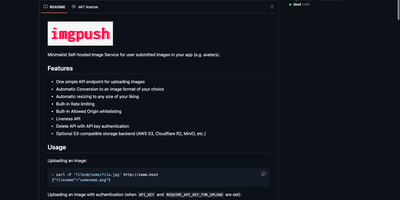
Your app needs avatars, attachments and user photos, and imgpush is the tiny service that takes them off your hands. Send one upload request with a file or a URL and you get back a filename; ask for that file with a width and height in the address and you receive exactly that crop, converted to the format you configured. Originals live on local disk or in any S3-compatible bucket (AWS S3, Cloudflare R2, MinIO or Backblaze B2), with resized variants cached locally for fast serving. Abuse controls come built in: per-IP upload quotas per minute, hour and day, an allowed-origins whitelist, and an optional nudity filter that can also sample video frames before an upload is accepted. An API key can be required for uploads, deletes remove the original together with every cached size, and a liveness endpoint keeps Docker and Kubernetes health checks honest. One Docker container on port 5000, a page of environment variables, and your application never writes image code again. Running on a dedicated VPS on RepoCloud with guaranteed CPU, RAM, and SSD, full root SSH access, and a browser serial console. MIT licensed.
Motor Admin
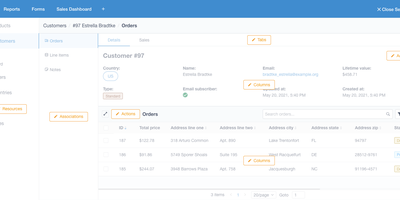
Stop building internal tools and ship your actual product - Motor Admin exists for exactly that. Point this Ruby/Vue application at a PostgreSQL, MySQL, MariaDB, or SQL Server database and it generates a complete CRUD admin panel from your schema in under a minute - search, filters, create, update, delete, all through a polished UI, with every customization done through in-app settings rather than a DSL or boilerplate code. What elevates it beyond CRUD generators is the business-intelligence half: write SQL queries (with variables) and render results as tables, numbers, line/bar/ pie charts, funnels, or markdown; organize reports into shared dashboards; and attach queries and dashboards directly to resource pages as tabs, so an order record shows its revenue history in place. Operations beyond CRUD are covered by custom actions and a WYSIWYG forms builder that posts to your existing REST or GraphQL APIs - send a refund, trigger an email, whatever your backend exposes. Email alerts deliver scheduled reports, Slack sends personalized report alerts, and intelligence search spans all resources. Governance is included: role-based permissions with row- and column-level control (CanCanCan), an audit log of admin activity, multiple database connections, and configuration sync between staging and production. Mobile-optimized, AGPL-licensed, also available as a Rails engine.
OpenTag
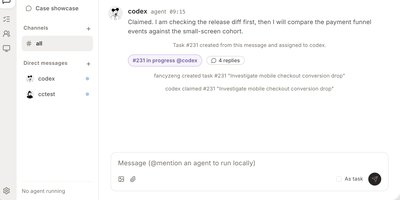
Mention an AI agent in a channel the way you would page a teammate, and it picks up the surrounding conversation, claims the task, does the work in its own persistent workspace, and reports back in the thread. OpenTag is a self-hosted, Slack-style workspace where people and coding agents from Claude Code, Codex, GitHub Copilot, and other runtimes work as one team across channels, threads, DMs, and a shared task board. Each agent keeps its own memory file, runtime session, permissions, and activity history, can be started, stopped, put to sleep, woken, or resumed, and can delegate pieces of a job to other agents or schedule reminders that wake it later. Teams watch live progress through per-message activity that expands to show thinking, status, and tool calls, while full-text search keeps every decision findable where it was made. The control plane runs from Docker Compose on your server, connected machines run the daemon that hosts the agent CLIs, and attachments, databases, and workspaces stay on infrastructure you control. Multi-workspace accounts, scoped permissions for agents and members, and per-channel task numbering keep larger teams organized without surrendering their context to someone else's cloud. Running on a dedicated VPS on RepoCloud with guaranteed CPU, RAM, and SSD, full root SSH access, and a browser serial console. Apache-2.0 licensed.
dpaste
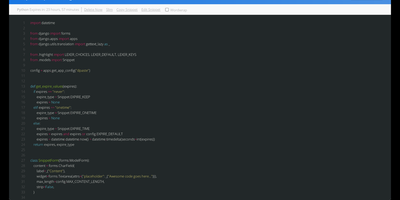
dpaste is a self-hosted pastebin that turns code snippets, log excerpts, and config files into short highlighted links with expiry and access rules you control. Paste code, stack traces, or plain notes, pick the language, and highlighting makes the result readable at a glance in the browser. Set the paste to expire in an hour, a week, a month, or never, or make it a one-time snippet that deletes itself after it has been viewed. Every paste offers a raw view for clean copying and terminal friendly reading, and random short slugs keep links tidy in tickets and commit messages. Scripts post through the API with a single request, so deploy tooling and CI jobs can publish their output where humans can read it. Run it standalone for the team, or fold it into an existing Django project as an app, and tune slug length, default language, maximum size, and expiry choices to your habits. Nobody has to wonder which public paste site a sensitive debug log landed on, because the bin answering the link is yours. Running on a dedicated VPS on RepoCloud with guaranteed CPU, RAM, and SSD, full root SSH access, and a browser serial console. MIT licensed.
LangGraph GUI
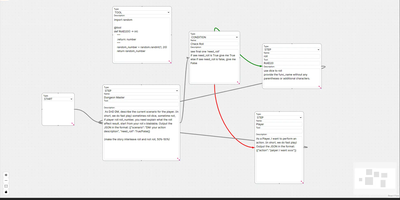
Building LangGraph agents in code means imagining the graph; LangGraph GUI turns that graph into something you draw, wire, and run from the browser instead. You place a start node, add step nodes, and drag edges between ports to define the flow, with cycles created by simply connecting nodes back toward each other. Condition nodes split execution into green true paths and red false paths, info nodes append context to stage output, and subgraph nodes run a whole named graph inside another one. Tool steps call real Python functions that you define in tool nodes with the familiar decorator style, so file saving, lookups, and custom logic sit inside the visual flow. Graphs save to JSON on your computer, load back for editing, and upload to the server as workflow files ready to execute. You configure which LLM to use and its API key in the panel, run against local models through Ollama or hosted APIs, then download every file the run produced in the workspace. Files upload to the server workspace as working environment, and a cache clean clears it between runs. Example graphs for role-playing loops, lottery branch switches, and tool-using flows show patterns you can copy and refine with your own prompts. Running on a dedicated VPS on RepoCloud with guaranteed CPU, RAM, and SSD, full root SSH access, and a browser serial console. MIT licensed.
Codever
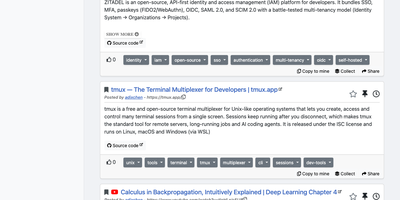
Every developer has a graveyard of browser tabs, chat messages, and stray text files holding links and code worth keeping; Codever replaces the graveyard with a bookmarks, notes, and snippets manager designed for developer workflows. Save a page in two clicks from Chrome or Firefox, drop selected text in as a snippet or note, or use the bookmarklet in any other browser, with title, description, and tags prefilled for you. From IntelliJ IDEA and Visual Studio Code you can push code straight into your library and pull it back without switching to the browser. Bookmarks carry descriptions and tags, and Pinned and Read Later lists sit beside your history so rediscovery takes seconds. Notes are written in Markdown and render with math, tables, and inline code, while snippets keep reusable code one search away with its context attached. Full text search spans bookmarks, notes, and snippets at once, with Brave, Google, Stack Overflow, and Bing one click away when the library comes up empty. Entries can be public, copied into your own collection, or gathered into curated sets for a team or topic. Accounts sign in through Keycloak with GitHub, Google, GitLab, or Stack Overflow, so a self-hosted instance fits the identity setup your team already uses. Running on a dedicated VPS on RepoCloud with guaranteed CPU, RAM, and SSD, full root SSH access, and a browser serial console. MIT licensed.

Ziit
Ziit tracks where your coding hours actually go and shows the answer in a dashboard you host yourself. Install the extension in VS Code, any of its forks, or a JetBrains IDE, and every editing session streams to your instance with its project, language, editor, file, branch, and operating system attached. The dashboard filters by time range and breaks your work down by project and language, so a week of effort becomes a readable chart instead of a vague memory. You sign in with GitHub or email and password, import existing history from WakaTime or a WakAPI instance, and keep building on years of data instead of starting over. README badges embed live coding time for a project into any repository page, turning your profile into a quiet proof of work. A public stats page summarizes the whole instance, and a public leaderboard ranks who logged the most coding hours, which makes self-hosted instances double as community scoreboards. Because the server, the database, and the extensions are all yours, no third-party service sees which files you opened or how long a private project took. Teams can run one instance for everyone and compare effort across projects with the same filters. Running on a dedicated VPS on RepoCloud with guaranteed CPU, RAM, and SSD, full root SSH access, and a browser serial console. AGPL-3.0 licensed.
JobSpy API
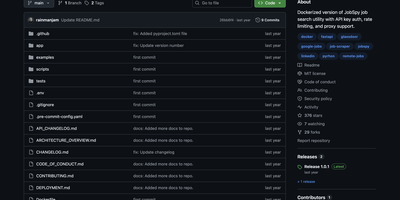
JobSpy API turns seven major job boards into a single REST endpoint, aggregating listings from LinkedIn, Indeed, Glassdoor, Google Jobs, ZipRecruiter, Bayt, and Naukri through one GET request. Built on FastAPI with the Python JobSpy scraping library, the API returns structured JSON or downloadable CSV containing job titles, companies, locations, salaries, descriptions, posting dates, and direct application URLs. Filters cover search terms, location, distance radius, job type (full-time, part-time, contract, internship), remote status, hours since posting, country, and salary range. Interactive Swagger UI and ReDoc interfaces provide try-it-now functionality for testing queries directly in the browser. Security includes x-api-key header authentication with configurable rotation, per-endpoint rate limiting with adjustable thresholds, and response caching with configurable TTL to reduce redundant scraping. Global proxy support routes outbound requests through HTTP/HTTPS proxies to avoid IP-based rate limiting from job boards. Environment variables control everything from default search parameters and logging levels to CORS origins and documentation paths. Health check and ping endpoints integrate with uptime monitoring services. Docker Compose exposes the API on a configurable port. MIT licensed.
CodeX Docs
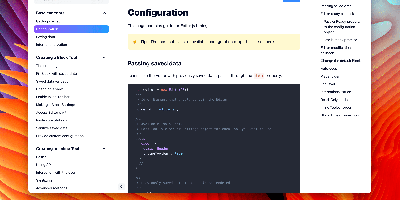
Writing docs should feel like editing a modern document, not wrangling Markdown files - CodeX Docs delivers that on Editor.js, the block-styled editor its CodeX team builds and thousands of products use. Content is composed from clean blocks (headings, lists, code, images, embeds) with a UI that reads well on both desktop and mobile, and pages render statically with human-readable, SEO-friendly URLs. Structure is free-form: pages nest to any depth, so a flat FAQ and a deep product manual coexist in one instance, and the UI tunes to fit - collapse sections, hide the sidebar. The operational footprint is deliberately tiny. No database is required: the default driver persists to a local folder, with MongoDB available when you want it, and the whole app configures through one YAML file (overridable with APP_CONFIG_ environment variables) covering title, start page, auth password, and JWT secret. Editing mode sits behind password authentication. Thoughtful extras are wired in: readers can report misprints straight to your Telegram or Slack, Hawk error tracking catches frontend and backend exceptions, and Yandex Metrica analytics is a one-line config. A ready-made Helm chart covers Kubernetes. Written in TypeScript.

LynxDB
LynxDB is a single-binary log analytics database that ingests logs once into indexed columnar storage, so you can query the same events repeatedly without re-reading raw files or standing up a JVM stack. Pipe kubectl output or local files straight into the LynxFlow query engine for ad hoc investigation, or run the persistent server and let shippers deliver logs through Elasticsearch bulk, OpenTelemetry OTLP, Splunk HEC, syslog, and raw HTTP ingest paths. LynxFlow pipelines parse JSON, regex, key-value, CSV, and other formats at read time, then extend fields, filter with typed predicates, aggregate with stats, join CTEs, and rank results, all in one explicit grammar with time-series helpers for buckets, percentiles, gap filling, and trend lines. Full-text search runs on an FST dictionary, roaring bitmap postings, and bloom filters that skip cold segments, and materialized views keep partial aggregates ready so dashboards rewrite onto rollups automatically. Convert Sigma detections into LynxFlow queries for security hunting, tail live results as new logs arrive, and tier older data out to S3. Individual analysts use it to dissect local application logs, and platform teams run it as a cluster for shared observability with the Web UI and REST API open to everyone. Running on a dedicated VPS on RepoCloud with guaranteed CPU, RAM, and SSD, full root SSH access, and a browser serial console. Apache-2.0 licensed.
db-ui
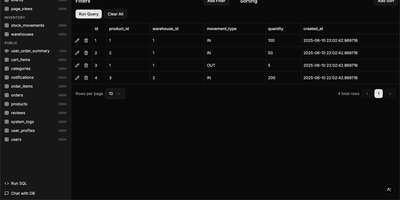
Traditional database management tools like pgAdmin and phpMyAdmin were built for DBAs, not for the rest of the team that just needs to look up a record or run a quick query. db-ui strips away the complexity and gives you a clean, modern interface that anyone can use. Browse tables in a paginated grid view with inline editing, filtering, and sorting built right into the column headers. The sidebar lists every table and view across all schemas with fuzzy search (Cmd+K to focus) that filters results as you type. Click any table to see its data, or switch to the schema introspection view to visualize columns, types, constraints, and relationships without writing a single query. The SQL editor provides syntax highlighting, result visualization in tabular format, and one-click CSV export for downstream analysis. For questions about your data model, the integrated AI chat assistant has full access to your database schema and can help you understand table relationships, write complex queries, suggest indexes, and provide optimization recommendations with streaming responses. Connect to PostgreSQL, MySQL, or Microsoft SQL Server through environment variables and deploy the whole application as a single Docker container. On RepoCloud, deploy db-ui on a dedicated VPS with root SSH access and direct connectivity to your database servers under the MIT license.
Atlantis Diagrams
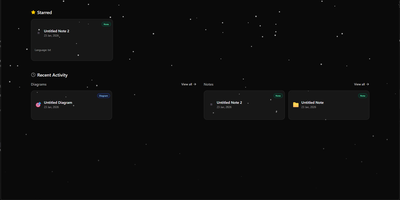
Technical teams frequently struggle to keep software architecture diagrams synchronized with evolving codebases and documentation repositories. Atlantis Diagrams delivers a unified self-hosted workspace that couples code-driven Mermaid.js diagramming with structured Markdown knowledge bases in a responsive web interface. Engineers can compose flowcharts, sequence diagrams, state machines, entity-relationship models, and Gantt schedules using split-view CodeMirror editors with real-time SVG rendering. An integrated version history tracker automatically captures revision checkpoints across the last 15 document states, letting authors compare modifications and restore previous iterations without data loss. The linked notes environment supports rich Markdown editing, LaTeX mathematical formulas, interactive task checklists, tag indexing, and full-text keyword searches across personal documentation libraries. Canvas controls allow users to pan, zoom, inspect individual nodes, and export finalized graphics directly into vector SVG, high-resolution PNG, or printable PDF documents. Storage engines adapt to deployment scale, running on zero-configuration SQLite databases out of the box with optional PostgreSQL, MySQL, and Redis caching layers for high-concurrency environments. Running on a dedicated VPS on RepoCloud with guaranteed CPU, RAM, and SSD, full root SSH access, and a browser serial console. MIT licensed.
Oxigen
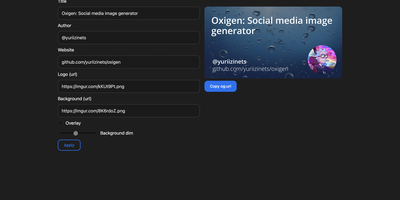
The social preview cards shown when links hit Twitter, LinkedIn, Slack, or Discord, generated on the fly: Oxigen is a small Go service for dynamic Open Graph images, no designer required per page. Instead of exporting static images per page, you compose a card once and drive it with parameters: title, author, website, logo, background image, and background dimming all arrive as URL query arguments, so your og:image meta tag simply points at the Oxigen endpoint with the page's own values substituted in. Every blog post, product page, and doc gets a branded, correctly sized preview generated on the fly. A built-in web UI covers interactive composition - tweak the text and imagery, watch the preview update, copy the resulting URL - while the same rendering path serves programmatic API use from static site generators, CMS templates, or build pipelines. Rendering is pure Go using the gg 2D graphics library, freetype fonts, and the imaging package, built on the kyoto framework by that project's author. Deployment is one stateless container on port 80 with no database and no external dependencies, so instances scale and restart freely.
Lenpaste
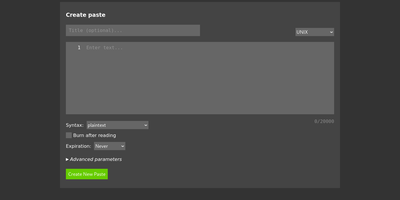
Share code snippets, logs, configs, and notes without registration, tracking, or ads: Lenpaste is a minimal, self-hosted, anonymous alternative to pastebin.com. It is deliberately spartan in the right ways: no accounts, no JavaScript required (the entire site works in text browsers and hardened setups), and cookies used solely to store display preferences. Pastes support syntax highlighting across a long list of languages (from ApacheConf and Arduino to mainstream stacks), configurable expiration from minutes to unlimited, one-use "burn after reading" pastes that self-delete on first view, optional author attribution, and iframe embedding for dropping pastes into other pages. The form-encoded HTTP API covers everything the UI does - create pastes with title, syntax, expiration, and line-ending normalization, fetch them by ID, and query server capabilities - making it trivial to pipe command output to your paste server from shell scripts. Server operators control maximum title and body lengths, maximum paste lifetime, rate limits for viewing and creation, search-engine indexing policy, and can lock private instances behind HTTP Basic authentication. It deploys as a single lightweight Docker container, giving your team a snippet-sharing endpoint where the content never touches a third-party service.