Nerve
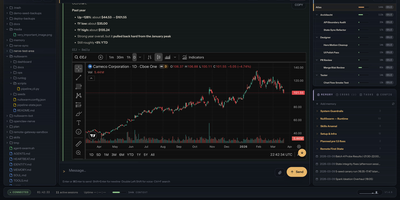
Nerve is the web cockpit for OpenClaw, giving you one real-time screen to run an entire fleet of AI agents instead of chasing them through chat threads. Every agent keeps its own workspace, memory, identity, and skills, and you can switch between agents, browse their files, and edit memory or configuration in a tabbed editor during a live conversation. Work moves onto a kanban board where subagents pick up delegated tasks, and returned work waits in a proposal inbox for your review before it is accepted. Cron jobs run as their own sessions in a navigable session tree, so scheduled automation has logs and output you can actually inspect. Voice is a first-class input: push to talk or use a wake word, watch live transcription, and hear replies spoken back in your chosen language. Ask for a chart and the answer arrives as a real rendered chart, with diffs, file previews, and highlighted code inline in the stream. Token usage, running costs, and context pressure stay visible on every session, so long tasks never quietly drain your budget. Run it privately on localhost, reach it over your LAN behind password authentication and signed-cookie sessions, or keep access inside a Tailscale tailnet. Running on a dedicated VPS on RepoCloud with guaranteed CPU, RAM, and SSD, full root SSH access, and a browser serial console. MIT licensed.
Sugabots
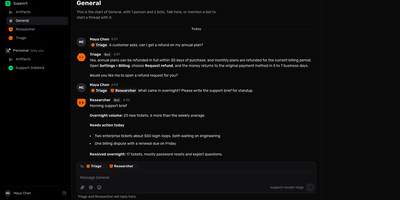
Give your team a shared chat workspace where AI bots sit next to people, answer questions, and pick up recurring work. Organize conversations into pods with channels and threads, and keep a private personal pod for each member. Mention a bot with @ to hand it a task, mention several and each one replies, or let a bot ask another bot for help. Every bot gets its own name, avatar, instructions, and model, picked from OpenRouter, Anthropic, OpenAI, Google Gemini, or any OpenAI-compatible endpoint you add. Connections link a pod to GitHub, Linear, Stripe, Notion, Sentry, Jira, any MCP server, or any HTTP API, and bots act through them with approvals where you want a human check. Routines run a bot on a schedule, a webhook, or a GitHub event, then post the result to the pod channel. Computers give bots an isolated machine for heavier jobs, and web search lets them look things up and cite pages. A Usage page breaks down what bots cost by bot, model, and pod. Use it for a support desk, an engineering ops room, a morning briefing, or a shared research assistant. Running on a dedicated VPS on RepoCloud with guaranteed CPU, RAM, and SSD, full root SSH access, and a browser serial console. MIT licensed.
Magic Cloud
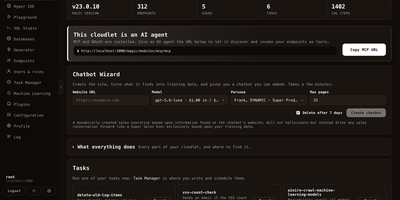
Magic Cloud turns a plain-English app description into a working backend, secured API, and frontend that run on your own server. Point the endpoint generator at a database and it writes CRUD endpoints with roles and validation; paste an OpenAPI or Swagger URL and it wraps any third-party API as documented endpoints. A dashboard shows endpoint counts, users, scheduled tasks, and logs. A built-in MCP URL gives Claude, Cursor, or Codex a way to discover and call every endpoint as a tool. The Chatbot Wizard crawls a website and hands back an embeddable chatbot grounded in that content. Hyper IDE edits any file on the server with an ask-the-AI prompt bar underneath, and Rewind steps through a recorded execution line by line. A visual Web Designer assembles pages from blocks, a Task Manager schedules background jobs, and Chat Ops answers questions about what the cloudlet can do and then does it. Role-based access guards each endpoint, and a SQL Studio handles direct queries. Running on a dedicated VPS on RepoCloud with guaranteed CPU, RAM, and SSD, full root SSH access, and a browser serial console. MIT licensed.
EDDI
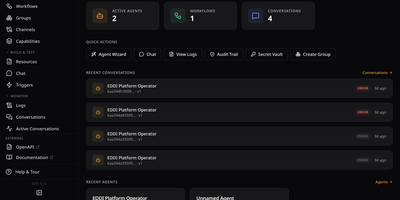
Deploy autonomous conversational AI agents and coordinate complex multi-agent workflows through EDDI, an open-source orchestration middleware that turns declarative configuration files into secure, production-grade enterprise assistants. Engineering teams connect AI models from twelve different commercial and local providers, using bilateral Model Context Protocol tools to let external desktop clients and coding assistants interact directly with running conversational services. Autonomous agents collaborate through structured group interaction patterns including round table discussions, peer reviews, Delphi consensus rounds, and devil's advocate debates to refine generated solutions before delivery. Declarative workflow extensions automate external REST API calls with dynamic request templating, extracting structured properties into persistent conversation memory and chaining multi-step service interactions without custom script glue. Built-in secret vaults safely manage sensitive API credentials, while the centralized web dashboard provides live conversation inspection, token quota enforcement, and comprehensive audit logging for regulatory compliance. Running on a dedicated VPS on RepoCloud with guaranteed CPU, RAM, and SSD, full root SSH access, and a browser serial console. Apache 2.0 licensed.
AI Chatbot Framework
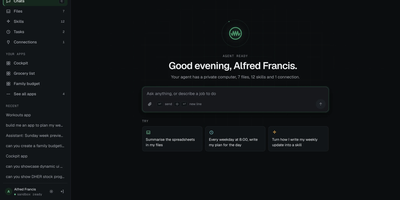
Ask for a job in plain words and an agent with its own private computer does it: it reads files, runs commands, calls connected apps, and reports back in the chat. Every user gets a persistent sandbox workspace, so one person's files and commands never touch another's. Type a new message mid-run and the agent picks it up without stopping, or press Stop at any time. For bigger jobs the agent starts sub-agents that work side by side, each on a model of its choice, and the chat shows what each one is doing. Skills teach it repeatable methods in the open Agent Skills format; upload a zip, write one by hand, or let the agent write its own, and use them from a slash menu. The Connections page links Linear, Notion, Jira, Stripe, and other apps through one-click OAuth sign-in, or any MCP server by address. Scheduled tasks run on a repeating or one-time schedule, and each run becomes a readable chat. Small personal apps like a to-do cockpit or budget view appear in the sidebar, and charts, plans, and forms can render right inside answers. A files browser, an artifacts panel, a command menu, light and dark themes, and a phone layout round out the interface. Running on a dedicated VPS on RepoCloud with guaranteed CPU, RAM, and SSD, full root SSH access, and a browser serial console. MIT licensed.
OpenHermit
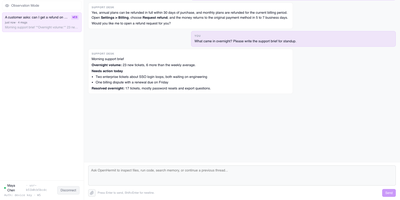
Run a whole fleet of AI agents as managed services, each with its own model, memory, schedules, and sandboxed workspace, from one admin console. Create an agent, point it at OpenAI, Anthropic, OpenRouter, or any OpenAI-compatible endpoint, store its API keys encrypted, and it is ready to chat in the browser. People sign in with a device key and get a session list, streaming replies, and file attachments. The Agents table shows status, last activity, sessions, errors, and token spend for the past 24 hours, and the Stats page tracks users, sessions, events, and total tokens. Cron or one-shot schedules let an agent send a daily brief, and each run is logged. Owner, user, and guest roles control who may talk to an agent or change it, and policy and approval tabs gate risky tool calls. Skills and MCP servers are registered once and enabled for one agent or the whole fleet, and instructions can be pushed to every agent at once. Sessions, memories, and secrets sit in PostgreSQL, so state persists across gateway restarts. Use it for an internal agent platform, a support desk, or one agent per customer. Running on a dedicated VPS on RepoCloud with guaranteed CPU, RAM, and SSD, full root SSH access, and a browser serial console. MIT licensed.
keinsaas Navigator
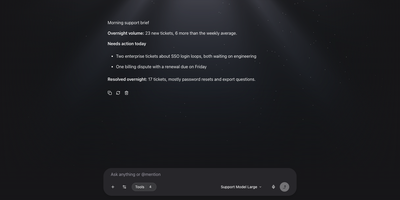
Chat apps, agent builders, workflow tools, and tool servers usually live in four separate products, and keinsaas Navigator folds them into one self-hosted AI workspace. Point it at Ollama, LM Studio, or any OpenAI-compatible endpoint, register the models you want, and pick one for each conversation. Type an at sign in the composer to pull an agent, a workflow, or a tool straight into the message. Agents carry their own role, instructions, model, and tool list, and each one stays private or is shared with the team. The workflow editor connects Input, LLM, Condition, Tool, HTTP, Template, Note, and Output nodes on a canvas, and a published workflow becomes a tool that any chat can call. MCP servers connect over HTTP or local commands, and a built-in tester runs each tool with JSON input before an agent depends on it. Projects keep shared documents and memory with vector search. Agents can run on a schedule for recurring jobs like morning briefs. Teams get accounts and sharing, and the first person to sign up becomes the administrator. A support desk copilot, a private assistant, or a prototype for the next automation all start from the same screen. Running on a dedicated VPS on RepoCloud with guaranteed CPU, RAM, and SSD, full root SSH access, and a browser serial console. MIT licensed.
DocsMint
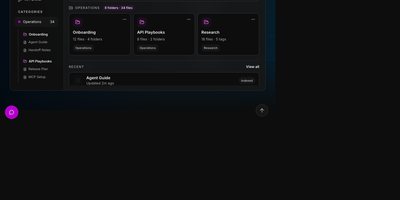
DocsMint is a self-hosted knowledge workspace where your team writes documentation once and both people and AI agents retrieve it through hybrid search and a built-in MCP server. Documents live in a rich visual editor with Markdown import and export, organized by folders, categories, and tags, with sharing and version history. Search blends exact title matches, multilingual keyword search, typo-tolerant fuzzy matching, and semantic vectors, then widens results through graph relationships between documents, so a query in one language or phrasing still finds the right page. Every edit quietly refreshes the index in the background; nothing needs manual re-embedding. Agents connect through 22 MCP tools covering search, reading, creation, updates, folders, snapshots, and export, over a local stdio bridge or the HTTP endpoint on your own installation. Category-scoped API keys hand each integration only the slice of the library it may read, edit, or write, while a global key serves trusted automation. The same operations are available through the REST API, a typed TypeScript SDK, and a terminal CLI for scripts. The web application installs as a PWA with offline reading, and AI features run on your choice of an OpenRouter key or a fully local Ollama setup. Running on a dedicated VPS on RepoCloud with guaranteed CPU, RAM, and SSD, full root SSH access, and a browser serial console. Apache-2.0 licensed.
Shell Online
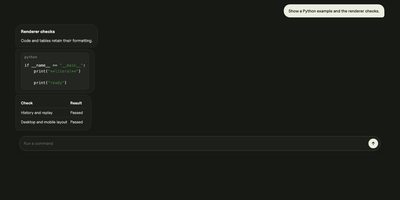
Shell Online lets a terminal session running on your own computer follow you to any browser, so your coding agent keeps working while you are away from your desk. Prefix the command you already run, such as shell claude, shell codex, or shell opencode, and your terminal prints a link, a password, and a QR code that open the same live session on a phone, tablet, or another computer. You watch output as it happens and reply to prompts from wherever you are, and closing the browser leaves the process running until it exits on its own. Inviting a teammate takes the same link: share it read-only so they can watch without typing, or let them type into the session with you. Terminal traffic is end-to-end encrypted by default, file access stays off until you deliberately expose a chosen directory, and a scoped MCP grant can let another agent inspect or steer a session for a limited time. With an account, linked machines and their sessions gather in one web app with team sharing. The relay the sessions pass through can run on your own server with the standalone Docker deployment, pointed at by the unchanged CLI. Running on a dedicated VPS on RepoCloud with guaranteed CPU, RAM, and SSD, full root SSH access, and a browser serial console. MIT licensed.
Statewave
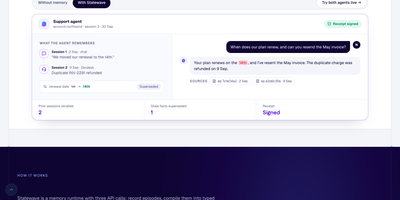
Statewave is the memory runtime that compiles what your AI agents experience into typed, provenance-tagged memories, so the same subject asked the same question receives the same context every time. Recording is append-only: your application writes events as episodes (chat, ticket, commit), and a compiler distills them into structured memories with confidence scores, each traceable to its source episodes. When an agent needs context, Statewave assembles a ranked bundle inside the token budget you set; the same request at the same moment returns identical bytes, so retrieval sampling noise never leaks into an answer. Every bundle leaves an HMAC-signed receipt that a replay endpoint can re-evaluate under the same rules. Memories carry sensitivity labels for personal data, financial details, and secrets, and YAML policies deny or redact them per tenant. One instance serves many products: tenants are isolated by header, pinned to a region for residency with cross-region requests refused, and erasable by subject on request. The default compiler runs fully local on regex heuristics with no API key, or point extraction at any of 100+ LiteLLM providers. Reach it over REST from any language, through typed Python and TypeScript SDKs, LangChain, CrewAI, and AutoGen integrations, or the built-in MCP server that lets Copilot, Claude, and Cursor share one memory. Support agents recognize returning customers across sessions, and coding agents keep project decisions between conversations. Running on a dedicated VPS on RepoCloud with guaranteed CPU, RAM, and SSD, full root SSH access, and a browser serial console. Apache 2.0 licensed.
OhMyBuddy
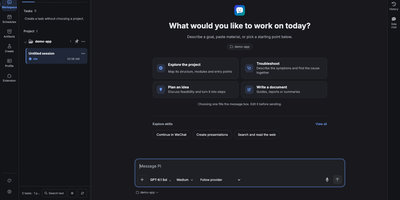
Give your AI assistant a name, a memory you can actually inspect, and a permanent seat on your own server. OhMyBuddy has two sides that share the same models and tools. The Buddy side keeps one ongoing conversation, learns your preferences, and shows a receipt under any reply that saved something, so every memory can be reviewed, edited, or undone. The Workspace side opens real project folders with threads, streaming tool calls, file diffs, side chats, and a branching history view. Add scheduled tasks, an artifacts library, and a media lab for image, video, and speech generation. Connect extensions, MCP tools, a browser, and subagents when a job needs more hands. Sessions live on the server, so a laptop, a tablet, and a phone home screen all continue the same chat, with notifications when a reply finishes. Bring Claude, GPT, Gemini, DeepSeek, or any OpenAI-compatible relay, and protect the instance with an access token. Keep a personal AI on hardware you control, reachable from every device you own. Running on a dedicated VPS on RepoCloud with guaranteed CPU, RAM, and SSD, full root SSH access, and a browser serial console. ISC licensed.
MulmoTerminal
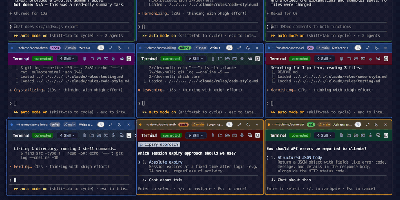
MulmoTerminal is a browser cockpit for running many AI coding agents at once, laying every session out in a color-coded grid so you can see at a glance which agents are working, which are finished, and which are sitting idle waiting on you. Each cell is a real terminal running Claude Code, Codex, Muse, GitHub Copilot CLI, Cursor CLI, Grok, or Antigravity, and its border turns amber with a chime the moment a permission prompt or question blocks progress. Zoom into one session and the cockpit roster keeps the rest in view as one-line summaries with your last prompt, the agent's latest reply, and each branch's pull request phase. Agents hand you more than text: a Canvas panel renders documents, forms, charts, and generated images they produce, while per-session context, token, and cost readouts keep spending legible. Isolate parallel work in one-click git worktrees, review the diff, then commit, push, and open the pull request without leaving the grid. Sessions persist through tmux across restarts, Web Push pings your phone when a task finishes or needs input, and per-directory themes and name badges keep a wall of agents readable. Running on a dedicated VPS on RepoCloud with guaranteed CPU, RAM, and SSD, full root SSH access, and a browser serial console. MIT licensed.
brain.md
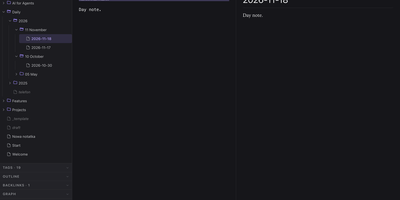
Your notes stay a folder of plain markdown files, and your AI agents get a safe, permissioned way to read, search, and write them. Open an existing Obsidian vault and wikilinks, embeds, callouts, math, mermaid diagrams, tasks, frontmatter, and aliases all work, in a live editor with a scroll-synced preview, a command palette, a quick switcher, and a task list across the whole vault. A graph view maps notes and links, with hover highlights, folder and tag filters, and a local graph beside the current note. Semantic search, switched on in Settings, indexes notes on every save with a bundled local embedder, or with Ollama, LM Studio, OpenAI, or any compatible endpoint, and a Related panel surfaces similar notes and suggests tags. An MCP server with 18 tools and two resources lets Claude Code, Cursor, and other agents search, read, and write notes, with read and write rights set per folder and a write refused when another agent changed the note first. Saves are committed to git with the person or agent named, so History shows diffs and restores any version. An optional password protects the web app and the MCP endpoint, with Google, GitHub, Keycloak, or Authentik sign-in as another door, and hidden-note rules keep scratch files out of the tree and search. Running on a dedicated VPS on RepoCloud with guaranteed CPU, RAM, and SSD, full root SSH access, and a browser serial console. AGPL-3.0-or-later licensed.
Phlox
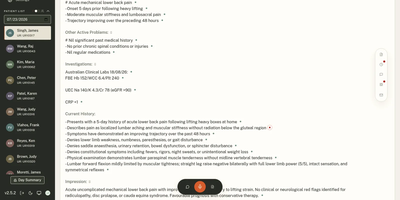
Phlox is the AI medical scribe you run yourself: it listens to a consultation, drafts the structured clinical note while the patient is still in the room, and keeps every record on a server you control. Ambient mode records the visit, Dictate mode formats what you say, and Live Agent mode fills the note in real time, answers spoken requests such as a BMI calculation, drafts a letter to the GP, or fills a PDF referral form, then opens Wrap-Up when you say the visit is over. Templates set each field's prompt, format, and whether it persists between encounters, and one example note can generate a whole template. Every note line is checked against the numbered transcript and marked supported, unverified, or in conflict, with a click through to the exact utterance. Jobs extracted from the plan feed an Outstanding Jobs view, letters refine with one-tap chips, and the chat agent searches notes, completes jobs, and cites a local knowledge base of guidelines and journals. MCP servers add tools, with patient details stripped by default. Point it at any tool-calling OpenAI-compatible LLM and Whisper-compatible transcription server you choose. Admin and clinician accounts keep each user's encounters separate, and every note stays a draft for clinician review. Running on a dedicated VPS on RepoCloud with guaranteed CPU, RAM, and SSD, full root SSH access, and a browser serial console. MIT licensed.
NextClaw
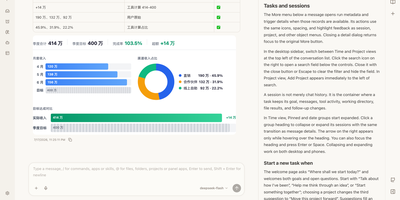
NextClaw is an AI workspace where a request for a report, a chart, or a small tool becomes organized research, files, and steps, with the result shown beside the conversation. Pick the engine for each task from Native, Claude Code, Codex, Hermes, or OpenCode, and the agent keeps its memory, skills, and workspace. A right-hand browser opens code, Markdown, HTML, Word, Excel, and PowerPoint files without losing the task that produced them. Connect providers like OpenRouter, OpenAI, Anthropic, Gemini, DeepSeek, or any OpenAI-compatible endpoint, and message the same agents from Telegram, Discord, Slack, WhatsApp, Feishu, or email. Scheduled tasks start from templates like a daily AI news brief or a competitor change tracker, and finished reports land in an AI Inbox you can read later or continue as a chat. A skill market installs new abilities, MCP servers extend tools, and Panel Apps keep the small pages an agent builds for you. Dedicated agents get their own role, home directory, and memory. Running on a dedicated VPS on RepoCloud with guaranteed CPU, RAM, and SSD, full root SSH access, and a browser serial console. MIT licensed.
QuickVoice
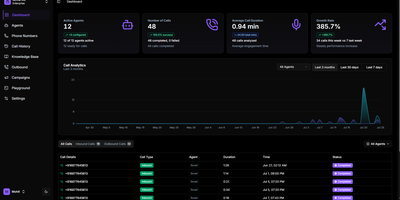
Your front desk phone rings at midnight and nobody sane is awake; QuickVoice answers it with an AI agent you configured, on servers you own, with call recordings you control. Build agents in the web console: write the prompt, pick speech-to-text, language model, and voice, set the first message, then link a real phone number from Twilio or Telnyx through LiveKit SIP trunks. Inbound callers get a receptionist that answers questions from your uploaded knowledge base, PDFs and web pages chunked and embedded for live retrieval, while outbound mode fires single quick calls or batch campaigns for reminders and follow-ups. Agents can invoke allowlisted MCP tools mid-call, so checking an order status or booking a slot happens inside the conversation instead of after it. Every call lands in the log with transcript, recording, and metadata, searchable from the analytics dashboard, and privacy controls redact personal data by default, can suppress recordings entirely, and sweep old transcripts on a retention schedule. Multi-language voices, per-agent runtime overrides for campaigns, organization accounts with API keys and audit logs, and Stripe billing hooks round out a platform built for teams who would rather inspect their voice stack than rent a black box. Running on a dedicated VPS on RepoCloud with guaranteed CPU, RAM, and SSD, full root SSH access, and a browser serial console. MIT licensed.
Opengeni
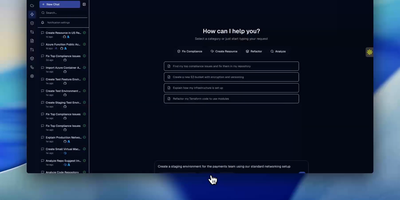
Enterprises requiring production-grade governance for long-running autonomous AI operations can rely on OpenGeni, a self-hosted orchestration platform with human-in-the-loop approvals, Connected Machine execution, and comprehensive audit replays. Operators can configure durable multi-turn workflows that execute continuously toward specified goals without premature termination, automatically pausing when human verification, structured multiple-choice decisions, or critical credential approvals are required. Teams can assign execution workloads across ephemeral cloud sandboxes or route them straight to enrolled Connected Machines to run commands directly against local code repositories without exposing inbound network ports. The integrated web console lets developers inspect live Server-Sent Event activity streams, replay complete turn histories from audit logs, inspect generated artifacts, and cancel or steer in-flight agent tasks on demand. Platform administrators can enforce fine-grained access policies through GitHub App repository bindings, broker temporary role-scoped secrets, and maintain a shared organizational knowledge base where agents propose findings for human review before vector indexing. Running on a dedicated VPS on RepoCloud with guaranteed CPU, RAM, and SSD, full root SSH access, and a browser serial console. Apache-2.0 licensed.
mcpspan
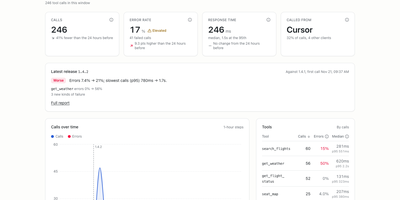
Every tool call, resource read, and prompt get an agent makes on your MCP server lands in mcpspan, with the client that asked, the response time, and the reason for any failure. One line added at startup sends them, with SDKs for eight languages or a proxy that wraps any server without touching its code. The overview charts calls, error rate, and median and 95th-percentile response time per tool, and failures are told apart as crashed handlers, reported errors, refused arguments, and tools an agent asked for that the server does not have. Sessions replay each connection step by step, mark repeated calls, and show what the agent did after every failure: retried, tried something else, or gave up. Release reports set each server version against the one before it, and client versions show whether a client's newest release gets its arguments refused more often. A tool-definition view shows what the tool list costs in tokens each session and which tools agents never call. Alerts go to Slack, Discord, or any webhook, and read tokens let an MCP client such as Claude Code answer questions about the numbers. Anything you can see exports as CSV or NDJSON, calls forward to OpenTelemetry, and README badges show usage. Running on a dedicated VPS on RepoCloud with guaranteed CPU, RAM, and SSD, full root SSH access, and a browser serial console. MIT licensed.