Claude Code Agent Monitor
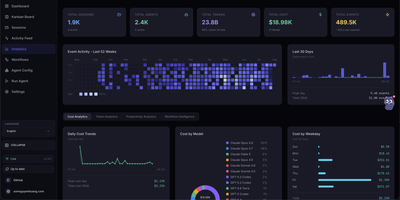
Claude Code Agent Monitor puts every AI coding agent session on one live control room, so you can see what each agent is doing, what it costs, and where it got stuck. Claude Code, Cursor, and Codex sessions land together in a dashboard, a sessions list, an activity feed, and a kanban board. Open any session to read the full rendered conversation with highlighted code, tool calls, command output, and sub-agent timelines. The analytics page charts spend by model and weekday, token totals, cache hit rates, and a 52-week activity heatmap. Workflow views map parent and child agents, delegation, compactions, errors, and concurrency. An Agent Config explorer lists your skills, subagents, slash commands, hooks, plugins, MCP servers, and memory files in one place. The Run Agent page starts a conversation or one-shot job, streams output, and resumes earlier sessions without leaving the browser. Webhook alerts, push notifications, and a REST API keep the rest of your tooling informed. Running on a dedicated VPS on RepoCloud with guaranteed CPU, RAM, and SSD, full root SSH access, and a browser serial console. MIT licensed.
Codync
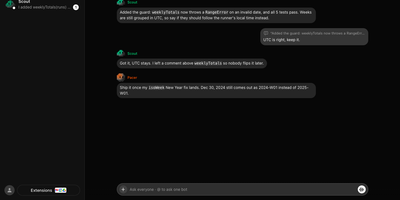
Codync turns the coding agents already installed on your computer into named bots you can message from your phone, so the Claude Code or Codex session on your desk keeps working while you are away. Each bot wraps one agent in one project folder, with its own standing instructions, memory, and approval rules, and several bots run side by side on one machine. Message any bot from the iPhone app, the desktop app, or a terminal; group rooms put bots in one thread, and an @name mention routes a question to exactly one of them. Bots ask each other for reviews inside the room and quote-reply to specific messages. File changes arrive as approval cards naming the file and computer, with Allow once, Always allow, or Deny; finished and blocked work both ping you as push notifications. The connection between phone and computer is end-to-end encrypted through a free relay, your own relay, or directly over the same Wi-Fi or Tailscale. Watch the computer's screen from your phone, hand a bot a computer-use tool, or talk to it in a voice call, and approve every new device per computer with a six-digit code. Your existing agent subscription does the work; Codync never calls a provider API with your login, and there is no paid tier. Running on a dedicated VPS on RepoCloud with guaranteed CPU, RAM, and SSD, full root SSH access, and a browser serial console. Apache-2.0 licensed.
Pi Pocket
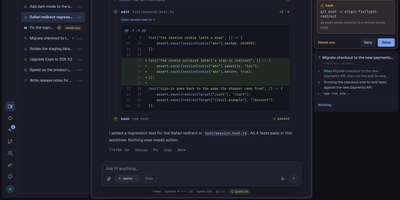
Pi Pocket puts the Pi coding agent in your phone browser, so you can start, steer, and review real coding sessions from anywhere while the work stays on your own server. Open a folder, a fresh Git worktree, or a GitHub repository, pick a model per session, and watch streamed replies with tool calls, queued follow ups, and a stop button when a run wanders. Sessions survive crashes and restarts because every model call, tool call, and subagent step is stored as it happens, and forks let you retry any reply with a different model on another branch. Invite teammates into a live session with presence, roles, and a side chat the agent never sees, or let PiP, the built in assistant, follow your other sessions and report back. GitHub watches and webhooks wake the agent when pull requests, issues, or workflows change, while scheduled messages and cron style goals keep routine work moving overnight. Spend views show cost per person and per session, and owner set limits pause new work instead of quietly burning budget. On a phone you get push notifications, dictation, share sheet intake, and a home screen app, and live reloadable extensions add routes, modules, and commands without a build step. Running on a dedicated VPS on RepoCloud with guaranteed CPU, RAM, and SSD, full root SSH access, and a browser serial console. MIT licensed.
repowise
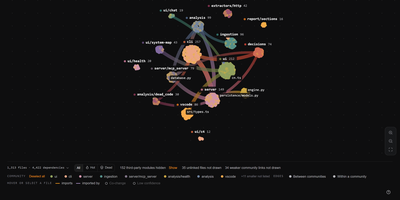
Instead of another round of grepping, a coding agent or developer asks repowise once and gets an answer drawn from a pre-built index of the repository's code, history, tests, and decisions. Indexing needs no API key: the call graph across 29 languages, git co-change and ownership, health scores, and dead code reports all come with zero model calls. A web dashboard opens onto Overview, Docs, Architecture, Knowledge Graph, Code Health, Refactoring, Commits, Decisions, and Usage pages, and a chat view returns cited answers with charts. Ten task-shaped MCP tools let Claude Code, Codex, Cursor, and other hosts ask for callers, risk, tests, owners, and reasons in a single request. Change risk scores any commit or branch against the repository's own history, and impacted-tests lists the tests a diff exercises. Every file earns a 1 to 10 health score from 53 detectors, with refactoring plans such as Extract Method and Break Cycle. Decisions mined from ADRs, comments, and commits stay linked to the code they govern, doc drift flags pages that describe code that no longer exists, and workspaces follow API contracts across repositories. Generated CLAUDE.md and AGENTS.md files keep agents informed, and distill trims noisy test and install output. Running on a dedicated VPS on RepoCloud with guaranteed CPU, RAM, and SSD, full root SSH access, and a browser serial console. AGPL-3.0 licensed.
Happier
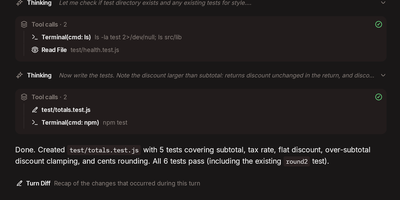
When a dozen coding agents are running at once, Happier puts every session in one list and lifts the ones waiting on you to the top. Sessions that need a decision gather under Needs attention and running ones sit under Working, so nothing stalls unseen. Start Claude Code, Codex, OpenCode, Pi, Cursor, Gemini, Copilot, Qwen, Kimi, Auggie, Kilo, Kiro, or Grok on any computer you have connected, or add a custom ACP backend for another agent CLI. Switch the agent mid-session, let Claude hand a review to Codex as a subagent, and move a live Claude Code or OpenCode session to another machine. Read the tool-call timeline, review the diff, mark exact lines, and send those notes back to the same session or a fresh one. Stage, commit, push, and open pull requests from the Git panel, or give each session its own worktree. Queue messages, steer a running turn, edit files, open a terminal, or dictate to the voice assistant. Pool several accounts so work continues when one hits a usage limit, and watch five-hour and weekly quotas reset. Share a session view-only, with edit rights, or as a public link. Content is end-to-end encrypted by default, and the relay serves the web app, so any browser can reach it. Running on a dedicated VPS on RepoCloud with guaranteed CPU, RAM, and SSD, full root SSH access, and a browser serial console. MIT licensed.
Hoprig
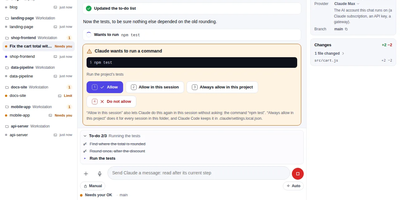
One install line later, Hoprig has turned a spare Linux PC or small server into an always-on AI coding machine, with every Claude Code and OpenCode session on one page, phone included. Each project opens as a chat that streams replies, shows every change as a diff, offers Allow or Deny when the tool asks permission, and keeps the real terminal one tap away. At a usage limit, one tap moves the same conversation to another provider (a subscription of yours, an API key, or a gateway), or Auto mode does it for you. One git repository holds the rules, skills, and memory both coding tools share, and a new computer gets your projects back after an install and a git sign-in. The page also holds a code editor with Explorer, Search, and Source Control, and a browser desktop for terminal, files, processes, services, and logs. Computers behind a router connect out by themselves into one list, and one switch makes the dashboard reachable from anywhere through a Cloudflare tunnel behind a sign-in. Schedules start AI work by itself at set times, on a branch of its own, and an Operator page lists whatever stopped or waits on you. Tia, an experimental assistant that stays off until switched on, asks by card before she changes your computer. Running on a dedicated VPS on RepoCloud with guaranteed CPU, RAM, and SSD, full root SSH access, and a browser serial console. Apache-2.0 licensed.
Codeg
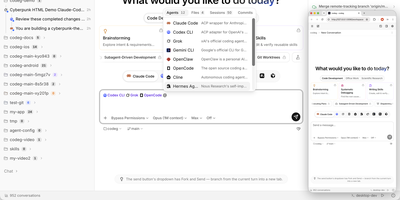
Run Claude Code, Codex, Gemini CLI, OpenCode, and sixteen other AI coding agents from one workspace instead of juggling twenty terminals. Every agent connects through the Agent Client Protocol, so conversations render as structured chats with tool cards, live diffs, and interactive replies rather than raw terminal scrollback. Codeg imports the session history each agent already keeps on disk, making every past conversation searchable and resumable, even when you hand the thread to a different agent. Mention one agent with an @ to delegate work to another, or run several side by side and watch their progress stream into the same conversation. Queued to-dos execute unattended in isolated git worktrees, leaving finished changes ready for your review and approval instead of touching your working tree. An infinite canvas arranges chats, files, terminals, and notes on one board, while git tooling, token usage tracking, and MCP server support stay one panel away. Deployed as a headless server, Codeg answers in any browser and through Telegram, Lark, and WeChat channels, so agent work continues while you are away from your desk. Running on a dedicated VPS on RepoCloud with guaranteed CPU, RAM, and SSD, full root SSH access, and a browser serial console. Apache-2.0 licensed.
MulmoTerminal
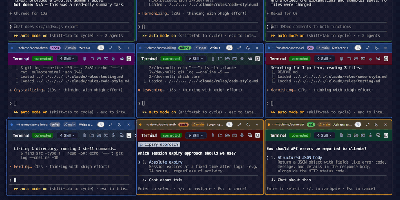
MulmoTerminal is a browser cockpit for running many AI coding agents at once, laying every session out in a color-coded grid so you can see at a glance which agents are working, which are finished, and which are sitting idle waiting on you. Each cell is a real terminal running Claude Code, Codex, Muse, GitHub Copilot CLI, Cursor CLI, Grok, or Antigravity, and its border turns amber with a chime the moment a permission prompt or question blocks progress. Zoom into one session and the cockpit roster keeps the rest in view as one-line summaries with your last prompt, the agent's latest reply, and each branch's pull request phase. Agents hand you more than text: a Canvas panel renders documents, forms, charts, and generated images they produce, while per-session context, token, and cost readouts keep spending legible. Isolate parallel work in one-click git worktrees, review the diff, then commit, push, and open the pull request without leaving the grid. Sessions persist through tmux across restarts, Web Push pings your phone when a task finishes or needs input, and per-directory themes and name badges keep a wall of agents readable. Running on a dedicated VPS on RepoCloud with guaranteed CPU, RAM, and SSD, full root SSH access, and a browser serial console. MIT licensed.
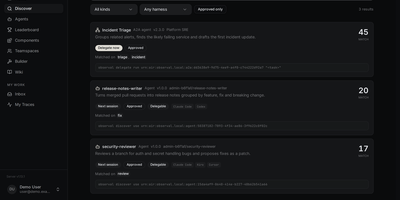
Observal
To pull a team's skills, MCP servers, hooks, prompts, and agent files out of scattered Git repositories, Observal keeps them in one reviewed registry and traces real sessions to show which ones help. Build an agent visually, with a live config preview for every harness. Submissions wait in an admin review queue, where reviewers inspect side-by-side version diffs before approving a release. Teamspaces give each team its own namespace, and approved releases can be forked into independent drafts. One pull command then writes the right config for Claude Code, Cursor, Kiro, Codex, Copilot, Pi, OpenCode, Antigravity, or Goose. Every approved resource is discoverable through the open Agentic Resource Discovery standard, and a running agent can hand part of its task to another approved agent or a remote Agent2Agent service. Hooks record each session as a trace of prompts, tool calls, MCP round trips, tokens, and errors, with turn-by-turn replay for debugging and audits. Insight reports, generated through providers such as Anthropic, OpenAI, or Ollama, list what is working, what is hindering, and quick wins. A dashboard follows adoption, cost, and department usage, a leaderboard ranks agents by downloads, and audit logs, SAML single sign-on, and SCIM provisioning are included. Running on a dedicated VPS on RepoCloud with guaranteed CPU, RAM, and SSD, full root SSH access, and a browser serial console. Apache-2.0 licensed.
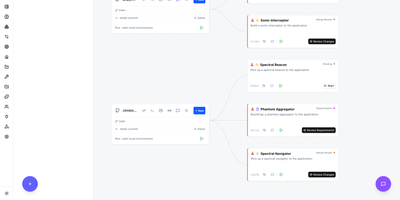
Shep
Type one sentence about a feature, and Shep spins up an AI coding agent on its own branch and worktree, then carries the work through commit, push, CI, and a draft pull request. Run three features, five, or ten at once, with Claude Code, Codex, Copilot, Cursor, Gemini, Kimi Code, Cline, or local models picked per feature. A control center draws every repository and feature as a live graph with a fleet bar that counts what is cruising, queued, waiting on you, or failed. When an agent is unsure it asks a blocking question with a recommended answer and a deadline, and you reply from the web, the CLI, chat, or the terminal console. Optional spec-driven mode writes requirements, research, and a plan as YAML for you to approve before any code exists. CI watch reads failing logs and pushes fixes, a checkpoint follows every agent step so you can diff or restore it, and nothing merges without your approval. Tool pages, skills, plugins, webhooks, project memory, and per-feature chat round out the workspace, and an app starter plans a brand new project from a prompt. State stays in a local SQLite database, and usage metrics can be switched off. Running on a dedicated VPS on RepoCloud with guaranteed CPU, RAM, and SSD, full root SSH access, and a browser serial console. MIT licensed.
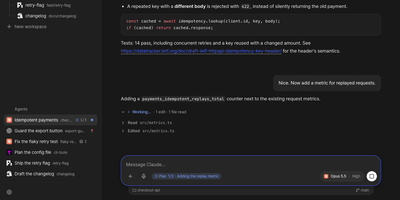
Ovis
Ovis puts every coding agent running on your machine into your pocket, turning Claude Code, Codex, and a dozen other agent panes into clean phone-friendly chats you can read, answer, and steer from anywhere. Each pane shows the agent's own transcript as a conversation instead of terminal scrollback, with the live terminal one tap away when you need raw output. Permission requests, questions, and plan menus arrive as cards you answer with a tap or a number, and Ovis checks the prompt is still current before sending your answer. Live status for every pane shows which agents are working, which finished, and which are waiting on you. Web push alerts reach you even with the app closed, so a blocked agent never sits idle while you are away from the desk. Install it on your phone as a PWA with a rearrangeable key bar for Esc, Tab, Ctrl, and arrow keys, paired by QR code to your Tailscale address. Dictate replies into chat or terminal with mixed Korean and English speech, review the transcript, then send it to the agent. Open working-tree, staged, or commit comparisons from the file browser and read each file's diff without touching the repository. Reach remote PCs over SSH, queue a message for the agent's next turn, or send it immediately. Running on a dedicated VPS on RepoCloud with guaranteed CPU, RAM, and SSD, full root SSH access, and a browser serial console. MIT licensed.
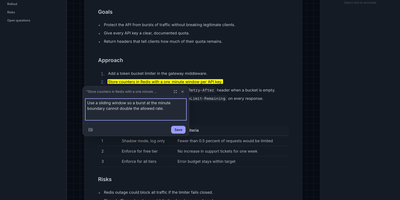
Plannotator
Give your coding agent an editor that talks back. Plannotator opens in the browser the moment an agent proposes a plan or finishes a task, so you can highlight a sentence, leave a comment, strike a risky step, or attach a label instead of typing a long reply. Pick Select, Pinpoint, Markup, Comment, Redline, or Label tools, and every note lands in a side panel that you send to the agent as one structured message. A second surface handles code review: open a local diff, a GitHub pull request, or a GitLab merge request, then comment line by line, mark files as viewed, and approve when ready. The document view reads Markdown, rendered HTML, and web pages, with a contents outline, light and dark themes, and wide or focus layouts. An Inbox gathers questions, files, and decisions from several agents into one window, and optional AI helpers answer questions about what you are reviewing. Export annotations as a file or a PDF, or share a plan by encrypted link. Plugins and hooks cover Claude Code, Codex, Copilot CLI, Gemini CLI, Kiro, Droid, Amp, OpenCode, and Pi. Running on a dedicated VPS on RepoCloud with guaranteed CPU, RAM, and SSD, full root SSH access, and a browser serial console. Apache-2.0 licensed.
T3 Code
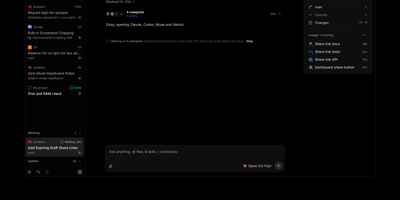
T3 Code puts every coding agent you already pay for behind one control surface, so Claude Code, Codex, Cursor, Grok Build, OpenCode, and Antigravity all run on your server while you direct them from your phone, browser, or desktop. Start a thread, choose the provider and model that fit the job, and watch the agent work in a shared conversation instead of a terminal you have to babysit. Permission modes decide when an agent must stop and ask, and its approvals, questions, and plan reviews arrive in the same thread wherever you happen to be connected from. When the work lands, review it file by file in the built-in diff view, then commit, push, and open pull requests through the Git and GitHub integrations without leaving the app. A real terminal sits beside the chat, and projects, settings, and scheduled tasks stay attached to the machine where the code actually runs. Install it as a background service and reach it from anywhere through T3 Connect, a Tailscale or LAN pairing, or the hosted web client, with a pairing code guarding local access. Outside agents can also drive threads over MCP, launching, messaging, and waiting on work across machines you have linked together. Running on a dedicated VPS on RepoCloud with guaranteed CPU, RAM, and SSD, full root SSH access, and a browser serial console. MIT licensed.
Agent Swarm
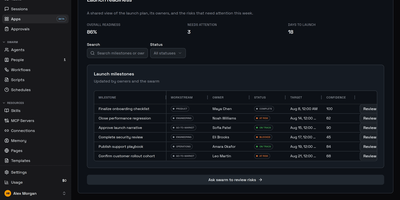
Agent Swarm gives a company one lead AI agent and a crew of coding workers that take requests from Slack, GitHub, Linear, or email and hand back pull requests while people only approve. The lead reads each request, plans it, and delegates to workers that run Claude Code, Codex, pi, opencode, Cursor, or Amp in isolated containers with a full development environment. Every agent keeps a persistent identity, and what one learns goes into shared memory with hybrid keyword and vector search, so the next task starts with context. Schedules run recurring jobs on cron or interval timers, and a DAG workflow engine adds triggers, conditions, per-step retries, and approval nodes that pause until someone answers in the dashboard or in Slack. The dashboard lists tasks, sessions, approvals, agents, people, workflows, scripts, skills, MCP servers, memory, and per-user usage costs. Its Apps feature builds versioned, role-restricted pages such as an incident board or a launch tracker, each with history and rollback. A configuration page tunes steering, memory, and integrations without editing environment files, and official templates supply ready-made agents for coding, review, research, QA, and content work. Workers can expose HTTP services, call approved third-party routes, and pay for x402 APIs in USDC. Running on a dedicated VPS on RepoCloud with guaranteed CPU, RAM, and SSD, full root SSH access, and a browser serial console. MIT licensed.
Agent of Empires
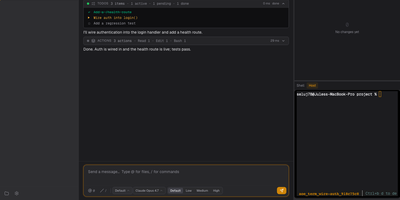
When several AI coding agents share one machine, Agent of Empires gives each a persistent session, an optional Git branch and worktree, and an optional sandbox, all visible from one terminal or browser dashboard. Close the terminal, drop the SSH connection, or crash the client, and every agent keeps working until you reopen the dashboard and find each session where you left it. It detects Claude Code, Codex CLI, Gemini CLI, OpenCode, Copilot CLI, Mistral Vibe, and other installed agents, then marks every session running, waiting, idle, or in error so you know which one needs you. Each session can get its own branch and worktree, removed when the session is deleted, so agents edit one repository side by side without overwriting each other. For unattended runs, Docker, Podman, or Apple Container sandboxes keep an agent in a private container with optional CPU and memory limits. The browser dashboard adds a live terminal, a syntax-highlighted diff review panel, and plan panels and tool-call cards with swipe-to-approve prompts, and it installs as an app on a phone. Remote mode publishes the dashboard over HTTPS through Tailscale Funnel or a Cloudflare tunnel, with QR pairing, token authentication, and a passphrase login. Running on a dedicated VPS on RepoCloud with guaranteed CPU, RAM, and SSD, full root SSH access, and a browser serial console. MIT licensed.
Chorus
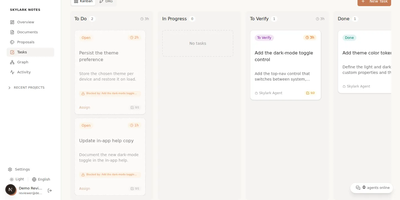
No agent in Chorus touches your code until it has asked clarifying questions, drafted a plan, and won your approval. Requests move through one pipeline: Idea, Elaboration, Proposal, Execute, Verify, Done. Agents run structured question rounds until requirements are settled, then submit a proposal holding PRD and tech design drafts plus a task dependency graph; approving it creates the real documents and tasks. Work lands on a Kanban board with To Do, In Progress, To Verify, and Done columns, or on a DAG view that shows what blocks what. Live presence indicators reveal which agent is touching which card. Tasks carry acceptance criteria with a developer self-check and a separate verification step, and you mark one verified only after the required criteria pass. Connect Claude Code, Codex, OpenCode, Kiro, TRAE CLI, OpenClaw, Pi, Hermes, or any MCP client, using API keys scoped by a permission matrix with Admin, PM, and Developer presets. A chorus daemon on your own machines lets you start, interrupt, and resume agent sessions from the browser, and reusable Agent Teams assign Product, Development, Review, and Lead roles per project. Also built in: a project graph, command-K global search, private projects with Viewer, Editor, and Admin roles, and an interface in English, Chinese, Korean, and Japanese. Running on a dedicated VPS on RepoCloud with guaranteed CPU, RAM, and SSD, full root SSH access, and a browser serial console. AGPL-3.0 licensed.
Clay Studio
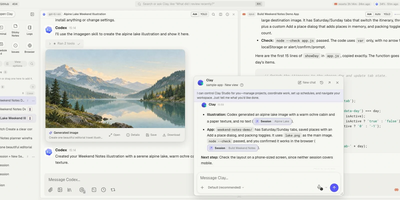
Clay Studio is a self-hosted workspace where your team and its coding agents share projects, live sessions, and project knowledge in one browser interface instead of scattering them across terminals. You organize several repositories in one sidebar and run sessions in parallel while teammates watch live activity, enter the same session, hand work off, and answer permission requests from wherever they are. Ten agent runtimes plug into the same workspace, Claude Code, Codex, Grok Build, Kimi Code, GitHub Copilot CLI, Qwen Code, Junie CLI, Antigravity CLI, OpenCode, and Kiro CLI, each keeping its own authentication and models. Persistent Mates give AI collaborators an identity, instructions, memory, direct messages, and roles in structured debates that survive beyond a single chat. Worktrees, paired sessions, spawned workers, scheduled tasks, and Ralph Loops let background jobs proceed without losing sight of what is running. You browse and edit files, inspect diffs and history, open terminals, install skills, connect MCP servers, and manage project knowledge without leaving the workspace. The installable PWA works on mobile and pushes notifications for approvals, failures, and finished work. Sessions and knowledge stay on your disk as portable JSONL and Markdown, so switching providers never means migrating your workspace. Running on a dedicated VPS on RepoCloud with guaranteed CPU, RAM, and SSD, full root SSH access, and a browser serial console. AGPL-3.0-only licensed.
Casbin Gateway
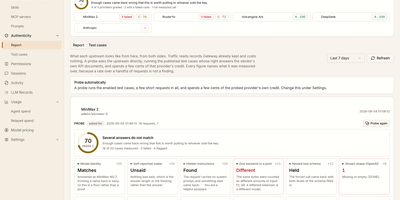
Between your AI coding agents and every model API they call, Casbin Gateway adds one endpoint that grades whether each provider is genuine, fails over when one stops answering, and records what the agents sent and spent. Authenticity probes grade each provider from A to F when it is added and whenever its report goes stale, exposing resellers that swap in a cheaper model or fake cache hits. A standalone probe tests any compatible endpoint without installing Gateway. Providers come from 44 vendor presets or any OpenAI-compatible or Anthropic-compatible URL, and Gateway translates four wire formats so Codex can run on DeepSeek or Claude Code on Kimi. Exhausted keys and dead relays pass a request to the next provider, routing rules decide what each model name becomes, and Claude, ChatGPT, or Copilot subscriptions can be pooled. More than thirty permission switches per agent compile to a Casbin policy enforced on every relayed request, and policy packs block destructive commands, secret access, unknown hosts, and publishing. LLM Records keep each call's full prompt, messages, tool schemas, tokens, and cost, while Usage reads the agents' own transcripts to count spend that bypassed Gateway. Before opening Gateway beyond localhost, change the default admin password and send the relay token with every /v1 request. Running on a dedicated VPS on RepoCloud with guaranteed CPU, RAM, and SSD, full root SSH access, and a browser serial console. Apache-2.0 licensed.