Open Source App Cloud Marketplace
Deploy, host, and scale with one click, at half the cost. Then customize with AI agents.
Drydock
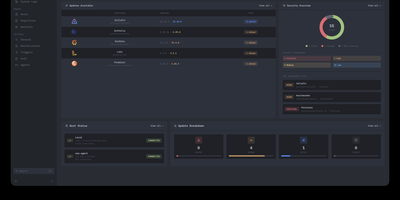
Deploying container updates without blind surprises is what Drydock delivers through a monitor-first inspection plane that evaluates image registries, scans CVE vulnerabilities, and automates rollbacks across distributed Docker infrastructure. Systems engineers track container fleets across twenty-three public and private registries including Docker Hub, GitHub Container Registry, Harbor, and Quay using cursor-based pagination and semver classification. The integrated Update Bouncer runs Trivy and Grype static scanners against incoming candidate layers, blocking deployments that fail configurable CVE severity policies while verifying cryptographic signatures through cosign. Operators configure declarative update schedules with stabilization countdown gates that hold back brand-new releases until defined burn-in periods elapse. When updates execute, Drydock creates pre-upgrade container snapshots and evaluates post-launch container health checks, instantly restoring previous image digests and network configs if failures occur. Distributed Portwing edge agents stream live container output and system logs over encrypted WebSockets, allowing central consoles to coordinate remote daemon updates without opening inbound host firewall ports. Automated event triggers dispatch granular notifications and update payloads across seventeen communication channels including Slack, Discord, Telegram, and Home Assistant MQTT brokers. Running on a dedicated VPS on RepoCloud with guaranteed CPU, RAM, and SSD, full root SSH access, and a browser serial console. AGPL-3.0 licensed.
Owlmail
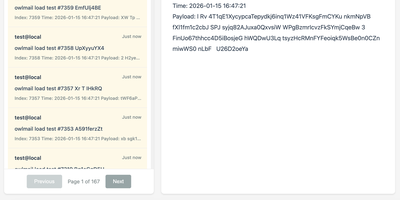
Every email your app sends while you build and test it lands in OwlMail's browser inbox instead of a customer's mailbox. Point any application's SMTP settings at OwlMail and every message is ready to open as rendered HTML, plain text, headers, or raw source. Attachments and inline images sit beside the body, and seven preset preview widths show how the message lays out on phones, tablets, and desktops before anyone real sees it. A Verify panel checks subject, body, and link hosts against expectations, while CI pipelines use the REST API with delivery cursors to wait for exactly the messages their test run produced, assert on them, and clean up afterwards. Coding agents get the same inbox read-only over MCP, so an assistant can confirm a signup email arrived without touching your mail server. When a message proves itself, relay it onwards to a real SMTP server, by hand or automatically under filtering rules, or fire webhooks with HMAC signatures and retry queues into the rest of your automation. Everything stores as plain .eml files on disk, with optional SQLite indexing, S3 attachment storage, and ZIP exports for archiving. Running on a dedicated VPS on RepoCloud with guaranteed CPU, RAM, and SSD, full root SSH access, and a browser serial console. MIT licensed.
Wildbox
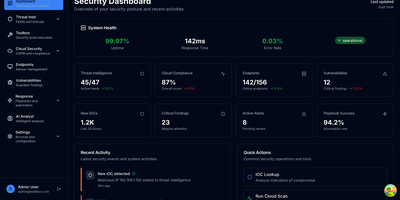
Enterprise security stacks assume an enterprise budget; Wildbox assumes a server you already own. It runs your whole security operation as a set of cooperating services behind a single HTTPS gateway: threat intelligence collectors pull indicators from seven public feeds on a schedule, starting with abuse.ch's Feodo Tracker, and every indicator is searchable in one place. Fifty-two security tools sit behind one API, covering DNS, TLS, email security, headers, and port analysis. The cloud posture service runs 22 configuration checks against your live AWS accounts and keeps each scan's report, while the vulnerability service inventories your assets, prioritizes findings by risk, and tracks them through remediation with SLA checks and alert rules. When something needs doing, YAML playbooks execute response workflows as background jobs, and the agents service writes Claude-generated threat-enrichment reports for suspicious indicators when you give it an API key. An osquery-based sensor streams endpoint telemetry from your hosts into the platform, kept separate per team. Users, teams, roles, and scoped API keys live in the identity service, and the backends accept nothing that did not arrive through the gateway, so your security data never leaves hardware you control. Optional Compose profiles add n8n automation and Prometheus monitoring. Running on a dedicated VPS on RepoCloud with guaranteed CPU, RAM, and SSD, full root SSH access, and a browser serial console. MIT licensed.
Alerta
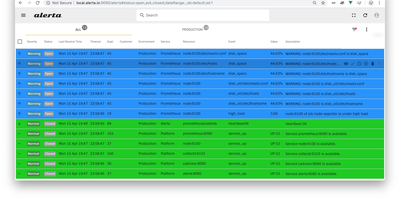
Five monitoring systems should not mean five places to look when something breaks at 3 a.m. Alerta is an open-source alert management server that consolidates alerts from many sources into a single stream, de-duplicates repeats, correlates severity changes, and shows only the current state of each problem in a web console built for fast scanning. Prometheus, Zabbix, Nagios, InfluxDB Kapacitor, cloud watch alarms, and your own scripts all post into the same HTTP API, which accepts a flexible alert format carrying environment, resource, event, severity, and custom attributes, so no tool has to contort itself into someone else's schema first. Repeats of a known fault raise a duplicate count instead of generating another page, and a severity change updates the existing alert rather than birthing a twin. Operators acknowledge problems, assign them, silence expected fire during blackout periods set for maintenance windows, and partition visibility by customer for teams that monitor other people's infrastructure. A command-line client, query language, webhooks, and plugin hooks carry alerts onward into tickets, chat, and paging workflows, and everything persists in MongoDB or PostgreSQL with API keys and OAuth protecting access. Running on a dedicated VPS on RepoCloud with guaranteed CPU, RAM, and SSD, full root SSH access, and a browser serial console. Apache-2.0 licensed.
Vince
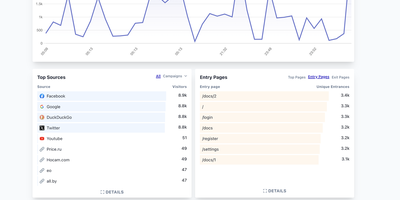
Own every visitor metric without cookies, consent banners, or external database clusters through Vince, a self-hosted web analytics platform engineered for fast multi-site traffic intelligence. Zero cookies. Sub-kilobyte tracking script. Unlimited domains and events. You can point existing Plausible Analytics tracker snippets directly at your instance and immediately begin recording unique visitors, total sessions, pageviews, views per visit, bounce rates, and visit durations across all of your properties. Interactive dashboards break down incoming traffic by referral sources, UTM campaign parameters, entry and exit pages, countries, regions, cities, device categories, browsers, and operating systems. Behavior analytics go beyond simple pageviews by capturing outbound link clicks, file downloads, 404 error pages, pageview goals, and custom event conversions with custom properties. Period-over-period comparisons let you benchmark current traffic and conversion rates against previous date ranges or custom calendar intervals with a single click. Dashboards stay private by default, but you can open public stats views or generate unique, optionally password-protected shared links for clients and stakeholders, as well as query metrics programmatically over the REST API. Running on a dedicated VPS on RepoCloud with guaranteed CPU, RAM, and SSD, full root SSH access, and a browser serial console. AGPL-3.0 licensed.
Traffic Source
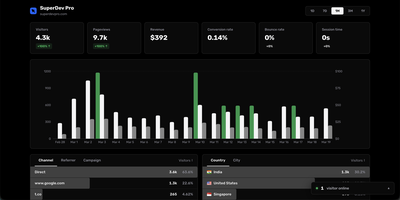
Traffic Source answers the three questions every site owner actually asks: who showed up, where did they come from, and did they pay. The live dashboard counts visitors in real time alongside pageviews, sessions, bounce rate, and session duration, with no cookie banner required because tracking uses no cookies at all. Referrer and UTM breakdowns show exactly which campaigns, newsletters, and posts earn their traffic, while country and city data arrives through proxy headers. Visitor journeys replay every page a person viewed before converting, so you can see the path from first click to checkout instead of guessing. Connect Stripe once and payments are matched to the sessions that produced them automatically, with no webhook plumbing to maintain. The affiliate system lets you create partners with custom commission rates and shareable referral links, and each affiliate gets a public dashboard showing their own clicks and earnings. Search Console data is pulled into the same screen, where a keyword explorer shows the pages, countries, and devices behind any query. One tiny tracking script covers all your sites, including single-page apps. Running on a dedicated VPS on RepoCloud with guaranteed CPU, RAM, and SSD, full root SSH access, and a browser serial console. MIT licensed.
Vigil
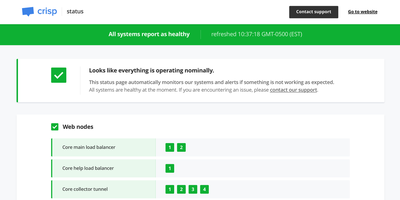
Vigil monitors your entire distributed infrastructure and generates a public status page from a single Rust binary small enough to run on a Raspberry Pi, consuming minimal CPU and memory while providing crash-free reliability. Four distinct monitoring modes cover every topology: poll probes check HTTP, TCP, SSH, and ICMP endpoints for reachability with configurable intervals and thresholds; push probes receive health reports from Vigil Reporter libraries embedded in your application code across Node.js, Python, Golang, Rust, TypeScript, Dart, and C#; local probes delegate monitoring to Vigil Local slave daemons running behind firewalls on separate LANs; and script probes execute custom shell commands for specialized health checks. Each monitored service transitions through healthy, sick, and dead states based on consecutive probe failures, with configurable thresholds controlling state transition sensitivity. When services change state, Vigil dispatches notifications through twelve alert channels including Slack, Email, Twilio SMS, Telegram, Pushover, Gotify, XMPP, Matrix, Zulip, Cisco Webex, and generic webhooks. The generated status page displays service groups organized by category with real-time replica status, system load metrics from reporter probes, and a maintenance announcement system for communicating planned downtime through the Manager HTTP API. Configuration uses a single TOML file defining all probes, services, and notification channels with no database dependency. Docker deployment pulls the official image with volume-mounted configuration. Running on a dedicated VPS on RepoCloud with guaranteed CPU, RAM, and SSD, full root SSH access, and a browser serial console. MPL-2.0 licensed.
Dock-Dploy
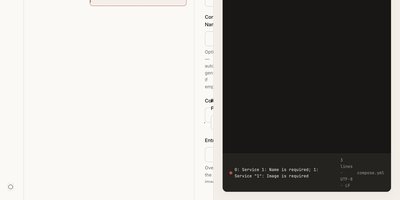
Visual drag-and-drop assembly replaces manual text editing in Dock-Dploy, a Docker Compose builder and configuration management suite that turns complex multi-service container topologies into validated YAML manifests. DevOps engineers and self-hosters can visually assemble application stacks by selecting container base images, defining healthcheck probes, mapping bridge networks, and assigning persistent volume mounts through a reactive web interface. An integrated marketplace catalog allows teams to search, preview, and import battle-tested templates for services like PostgreSQL, Redis, and Nginx with one click. Real-time Zod schema validation inspects every service parameter as you type, flagging port collisions, missing environment variables, and malformed volume syntax before deployment. A split-screen CodeMirror editor provides continuous synchronization between graphic form fields and generated YAML definitions with automatic code sanitization and clipboard exports. Beyond Compose stacks, operators can design blueprint templates, generate reverse proxy routing profiles, and assemble recurring cron schedules for automated backup and maintenance routines. Running on a dedicated VPS on RepoCloud with guaranteed CPU, RAM, and SSD, full root SSH access, and a browser serial console. AGPL-3.0 licensed.
Codex LB Enhanced
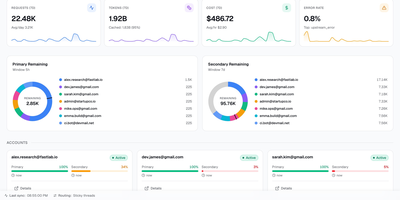
Codex LB Enhanced is a session-aware gateway that pools your ChatGPT accounts so a long Codex session survives quota limits, dropped connections, and paused accounts without losing the conversation. It serves Codex desktop, CLI, and IDE clients through the native Responses protocol and WebSocket transport, and answers any OpenAI-compatible client through the familiar /v1 endpoints. When an account runs out of quota, gets suspended, times out, or drops mid-stream, the gateway classifies the failure, removes that account from the current request, and selects the next one through your load-balancing policy. Verified request history, including interrupted tool-call context, is replayed across the account switch when it is safe, so the client sees a slower answer instead of a dead stream. Every API key carries its own policy: time windows from five hours to monthly, limits by credits, tokens, or cost, and model-specific rules. Usage appears in native Codex quota headers and in a /v1/usage view backed by the same data, so editors and automation agree on what is left. Diagnostics correlate each request with its upstream account, transport, failover stage, and retry count, and a web dashboard manages accounts, keys, usage windows, request logs, and recovery reports. Running on a dedicated VPS on RepoCloud with guaranteed CPU, RAM, and SSD, full root SSH access, and a browser serial console. MIT licensed.
Single Server
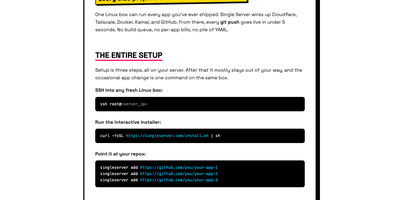
Point it at your GitHub repos and every push goes live in under five seconds: one Linux box becomes the deployment platform for every app you have ever shipped, with no build queue, no per-app bills, and no pile of YAML. An interactive installer wires the box up once, creating a GitHub App for limited, revocable repo access, Cloudflare DNS records and a tunnel so visitors get TLS and CDN at the edge while your server IP stays hidden, and Tailscale access so you SSH in without exposing SSH to the public internet. From then on you just push: the daemon receives the webhook through a Tailscale Funnel, verifies its signature, fetches the commit, builds the image on the server from your Dockerfile or a generated one, and swaps traffic only after the new container passes its health check, so a failed deploy leaves the previous version serving. Each app runs in its own container with its own environment variables and persistent storage, and one CLI on the box handles the rest: add or remove apps, attach a domain in one command, roll back to an earlier commit, stream logs, check status, take backups, or run doctor to diagnose every layer from daemon to DNS. Running on a dedicated VPS on RepoCloud with guaranteed CPU, RAM, and SSD, full root SSH access, and a browser serial console. MIT licensed.
OrcaQ
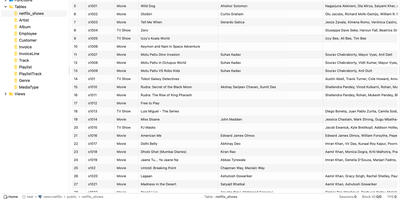
For developers and database administrators who want a full database IDE inside the browser without installing separate desktop clients on every machine, OrcaQ provides a unified workspace for PostgreSQL, MySQL, MariaDB, Oracle, SQLite, Cloudflare D1, Turso, and Redis. Engineers organize connections into named workspaces with SSH bastion tunneling, granular SSL configuration, and color-coded environment tags whose strict mode requires explicit confirmation before executing destructive mutations against production databases. The Quick Query data grid lets users filter, sort, paginate, and edit table rows inline while jumping across foreign-key relationships and inspecting table DDL metadata. When writing complex multi-statement SQL, the Raw SQL Editor provides context-aware autocomplete, query variables, nested script folders, and visual EXPLAIN execution plan analysis. Database architects can render interactive entity-relationship diagrams for single tables or entire schemas, compare two database schemas side by side to generate safe migration scripts, and manage Redis keys across string, hash, list, set, and sorted-set structures in a dedicated workbench. PostgreSQL administrators also gain a visual role-permission matrix, real-time instance health monitoring for active sessions, locks, and replication lag, native backup and restore job tracking, and an optional AI Orca Agent that drafts queries and detects anomalies while requiring human approval before any data modification runs. Running on a dedicated VPS on RepoCloud with guaranteed CPU, RAM, and SSD, full root SSH access, and a browser serial console. MIT licensed.
SyncWatch
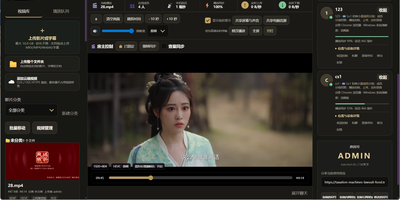
Movie night should not depend on everyone pressing play at the same second; SyncWatch runs your own watch-party server so friends in different places watch the same frame together. The host controls play, pause, seeking, and playback speed for the whole room, and late joiners or drifting clients are corrected back to the shared position automatically. You build the program from uploads or direct HTTPS media links, with subtitles, audio, images, and documents handled in the same library. Rooms can be permanent or temporary, protected by passwords and member limits, with host, admin, and permission-group control over who may operate playback. Between scenes, people talk through public and private chat, on-screen danmaku comments, emoji, voice messages, or full-room voice. Anyone can share a browser tab, window, desktop, or phone screen into the room, so a clip, a game, or a presentation becomes the shared screen. The server also keeps friends, notifications, online presence, bans, registration approvals, and an operations log, so a private community can run itself without a platform account. Uploaded media is analyzed and thumbnailed automatically, with browser-compatible versions generated for awkward formats. Backups, data export, a recycle bin, mail verification, and network diagnostics round out the admin side. Running on a dedicated VPS on RepoCloud with guaranteed CPU, RAM, and SSD, full root SSH access, and a browser serial console. Apache-2.0 licensed.
Zusam
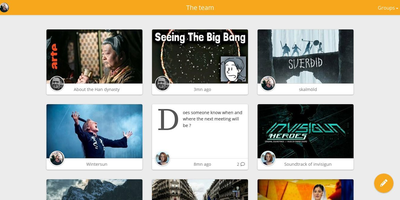
From the German "zusammen," together: Zusam is a private social space for a group of friends - a self-hosted alternative to the family WhatsApp group or the friends Facebook group, with no ads, algorithms, or data harvesting in between. The AGPLv3 project is deliberately modest in scope and stack: a Symfony PHP backend exposing a REST API over SQLite, with a lightweight Preact single-page frontend, designed for a low server footprint that runs comfortably on small hardware. Groups post messages into shared feeds that handle real life well: video and image uploads (with FFmpeg processing), photo albums for trips and events, and rich link previews with inline embeds for YouTube, Vimeo, Imgur, SoundCloud, Twitch, and Bandcamp - so sharing a song or a clip looks the way it should. When something needs to leave the circle, public link generation exposes a single message to non-members without opening the group. The interface is fully responsive and mobile-friendly, targeting Firefox ESR and recent Chrome. It is the small-web answer to a real question: where does a group chat's shared history live when you want it owned by the group instead of a platform?
Swiftwave
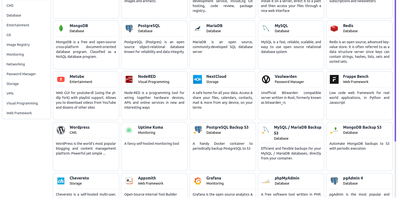
Pick a source, click deploy, and the app is online: Swiftwave turns a Git repository, a Docker image, or an uploaded folder into a hosted application with domains, certificates, and ingress handled for you, skipping the afternoon of YAML and reverse-proxy chores. It detects the language and framework automatically and generates the Docker configuration for projects that lack one. Domains attach with free Let's Encrypt certificates that renew themselves, while managed ingress routes HTTP, HTTPS, TCP, and even UDP traffic to the right containers. An integrated app store turns popular open-source software into fill-in-the-form installations that are ready in minutes. Persistent volumes mount local disks or network shares, and snapshots back them up locally or to S3 for later restoration. When something misbehaves at 2 a.m., the browser-based console opens a shell into any server or application without hunting for SSH keys, and resource monitoring charts CPU, memory, network, and disk across every hosted app. Webhooks redeploy automatically when code changes or a new image lands, and the whole control plane sips resources: the core stack fits in roughly 180 MB of RAM, leaving a 1 GB server room to run three or four real applications. One server runs standalone, or several join a cluster when traffic outgrows a single box. Running on a dedicated VPS on RepoCloud with guaranteed CPU, RAM, and SSD, full root SSH access, and a browser serial console. Apache-2.0 licensed.
Espial
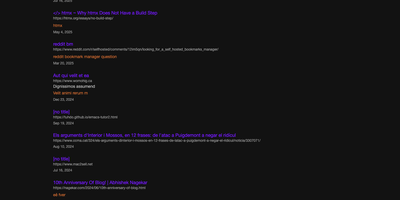
Espial gives your links one permanent address, a bookmarking server you host, reachable from any browser where you can log in instead of vanishing into whichever profile, device, or dead laptop you happened to save them on. Saving a page takes one click on the bookmarklet while you are reading it; a small popup arrives with the URL, title, and any text you selected already filled in, ready for tags and a quick save. Back at the server, bookmarks organize with tags and descriptions so that article from March is findable by what it was about, not by which machine you were sitting at. Years of accumulated browser bookmarks do not need re-saving one by one: import tools bring in Pinboard exports and Firefox bookmark files wholesale, and a sample file makes testing painless. Multiple user accounts keep each person's collection separate on a shared instance, which suits a household or a small team perfectly. Anything that can send an HTTP request can add bookmarks too, through an API endpoint guarded by a personal key you generate in settings, so scripts and automations file links alongside your manual saves. The whole thing stores its data in a single SQLite database, which makes backups a one-file copy and keeps the operational burden near zero. Internationalization support means the interface is not limited to English-speaking households either. Running on a dedicated VPS on RepoCloud with guaranteed CPU, RAM, and SSD, full root SSH access, and a browser serial console. AGPL-3.0 licensed.
Fireshare
FireShare turns a folder of game captures on your server into a browsable library where every clip gets its own permanent link, ready to paste into Discord the moment something worth bragging about happens. Point it at the directories you already record to and it scans what is there: the file people watch is always your untouched original, in MP4, WebM, or MOV, never a recompressed stand-in. Privacy is set per file, public for the feed, link-only for friends, or behind a password, and whole folders can be shared as a single link. It also sorts the chaos for you, detecting the game in each capture and shelving hundreds of timestamped filenames under proper cover art you can search and browse. Trim the dead air off a clip before posting it, add a title, description, tags, and a custom thumbnail, and watch the view count climb. For screens that struggle with huge originals, optional transcoding adds adaptive lower qualities on CPU or an NVIDIA GPU, and HDR captures get tone-mapped to SDR instead of looking washed out. Friends can upload through the browser or by token from scripts, new public clips can announce themselves to Discord or an RSS reader, and accounts come with permissions, profiles, and two-factor sign-in. Running on a dedicated VPS on RepoCloud with guaranteed CPU, RAM, and SSD, full root SSH access, and a browser serial console. GPL-3.0 licensed.
Para
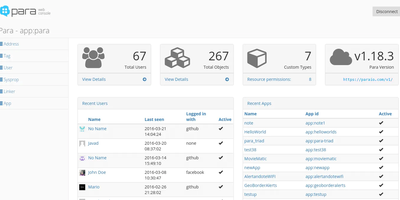
The name means steam in Bulgarian, and the job matches: Para is the boiler room that powers your application's backend so you never build one from scratch. You store plain JSON objects through a REST API and get them back persisted, indexed for full-text search, and cached on every write, without designing schemas or gluing three systems together yourself. One server hosts many applications at once, each with its own table, search index, and cache, so a client project, a side app, and an internal tool can share a single deployment without sharing data. Users sign in with social accounts, LDAP, or SAML and receive JSON Web Tokens, while resource permissions decide exactly which objects each client may touch. Queries go beyond key lookups: field, wildcard, geo point, and more-like-this searches all run against the same stored objects. Signed webhooks notify your own endpoints when data changes, and an MCP server lets AI assistants manage configuration, data, and search against the same backend. The admin Web Console handles users, objects, backups, and permissions from the browser, and client libraries cover JavaScript, PHP, Java, C#, Android, and iOS. Running on a dedicated VPS on RepoCloud with guaranteed CPU, RAM, and SSD, full root SSH access, and a browser serial console. Apache-2.0 licensed.
Plik
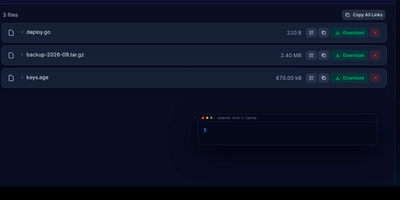
Plik lets you send big files the way WeTransfer does, except the server is yours: upload from the browser or one CLI command and get an expiring link to share. Files can delete themselves after the first download, stream straight from uploader to downloader without touching disk, or sit behind a password until their TTL runs out and cleanup removes them. End-to-end encryption with Age works between the CLI and the web interface, so the server only ever holds ciphertext. Recipients preview code with syntax highlighting, read rendered Markdown and Mermaid diagrams, and play media in the browser without downloading first. Storage lands on local disk, S3, OpenStack Swift, or Google Cloud Storage, with metadata in SQLite, PostgreSQL, or MySQL, and sign-in through local accounts, Google, GitHub, or OIDC. The web interface speaks twelve languages with light, dark, and custom themes, and Prometheus metrics plus an MCP server connect Plik to monitoring and AI assistants. Running on a dedicated VPS on RepoCloud with guaranteed CPU, RAM, and SSD, full root SSH access, and a browser serial console. MIT licensed.