Dagger
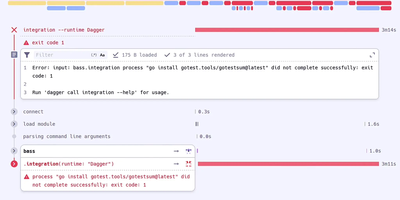
With 16,100 GitHub stars and created by Solomon Hykes (co-founder of Docker), Dagger eliminates proprietary YAML DSLs from CI/CD by letting developers write pipelines as real programs in their preferred language — then executing them identically on a laptop, in GitHub Actions, in GitLab CI, or on any machine with a container runtime. The BuildKit-based Dagger Engine runs every pipeline operation inside OCI containers, constructing a directed acyclic graph where each node is cached by default, parallelized automatically, and produces bit-for-bit reproducible outputs regardless of execution environment. Native SDKs generated from the GraphQL API schema provide Go, Python, TypeScript, PHP, Java, .NET, Elixir, and Rust developers with full type safety, IDE autocomplete, and the ability to unit-test CI pipelines using the same testing frameworks as application code. The module ecosystem enables cross-language composition where a Python team can invoke a Go team's build functions without learning Go, while filesystems, secrets, git repositories, and network tunnels are passed between functions as strongly-typed objects. Pipeline operations cache at container-layer granularity with content-addressed deduplication, and the interactive REPL enables step-by-step pipeline debugging with live container inspection. Host dependencies are explicit and strictly typed, eliminating implicit environment coupling that causes "works on my machine" failures. Running on a dedicated VPS on RepoCloud with guaranteed CPU, RAM, and SSD, full root SSH access, and a browser serial console. Apache 2.0 licensed.
Wazuh
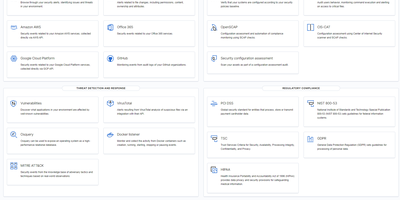
Protecting over 10,000 organizations worldwide with 16,000+ GitHub stars, Wazuh delivers enterprise-grade security operations through a fully open-source platform with zero feature gating. The unified XDR and SIEM solution deploys lightweight agents across Linux, Windows, macOS, Solaris, AIX, and HP-UX endpoints that stream security telemetry to a centralized cluster built on OpenSearch for indexing and the Wazuh Dashboard for visualization and management. Core capabilities include real-time file integrity monitoring with inotify-based detection and who-data attribution, automated vulnerability assessment that correlates software inventories against continuously updated CVE databases, Security Configuration Assessment against CIS benchmarks, rootkit detection, and log data analysis with a rules engine supporting over 3,000 built-in detection rules mapped to MITRE ATT&CK tactics and techniques. Wazuh monitors cloud infrastructure at the API level with native modules for AWS, Azure, and Google Cloud, detects container anomalies through Docker engine integration, and ingests third-party telemetry via syslog and REST APIs from sources like VirusTotal, TheHive, YARA, Suricata, and PagerDuty. Pre-built compliance dashboards and reports cover PCI DSS, HIPAA, NIST 800-53, GDPR, and TSC frameworks. Active response capabilities automatically trigger countermeasures including firewall rule updates, account lockouts, and endpoint isolation when threats are detected. The platform scales horizontally with multi-node clustering for high availability. Running on a dedicated VPS on RepoCloud with guaranteed CPU, RAM, and SSD, full root SSH access, and a browser serial console. GPL-2.0 licensed.
Tiddlywiki
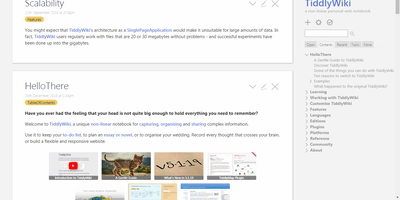
The entire wiki - content, code, and interface - is built from "tiddlers," small addressable units of information that link, transclude, tag, and filter into each other: TiddlyWiki is a non-linear personal notebook with a design philosophy unlike anything else in this catalog. Instead of pages in a hierarchy, you compose views by pulling tiddlers together on demand, which is why researchers, zettelkasten practitioners, and GTD devotees have sworn by it for two decades. The whole application is JavaScript, and the UI itself is written in hackable WikiText - customization goes as deep as rewriting the interface from inside the wiki. Self-hosting runs the Node.js version, which upgrades the classic single-HTML-file architecture in the ways that matter for a server: every tiddler is stored as an individual text file (Git-friendly, organizable), edits save through the HTTP API from any modern browser including phones, and one installation can serve multiple wikis blending shared and unique content. The plugin ecosystem covers graph visualizations, themes, languages, and hundreds of community extensions, declared per-wiki in a simple tiddlywiki.info file; the newer MultiWikiServer plugin adds multi-user accounts and tiddler sharing. Your notes stay usable for decades, independent of any corporation - the project's founding promise. BSD-licensed.
Graylog
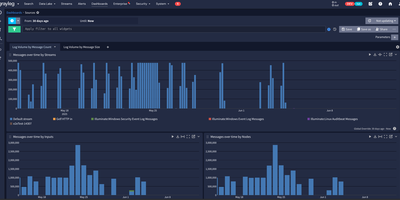
Trusted by over 60,000 organizations worldwide with more than 8,100 GitHub stars since 2010, Graylog has established itself as one of the fastest paths from raw log data to operational visibility, delivering centralized log management, security analytics, and compliance auditing through a purpose-built web interface with sub-second search at scale. The platform ingests logs from virtually any source via syslog, GELF, Beats, raw TCP/UDP, HTTP, CEF, IPFIX, and Netflow protocols, processing each message through configurable pipelines that parse fields, apply transformations, enrich events with GeoIP data from MaxMind or IPinfo lookup tables, and route messages to appropriate streams based on content rules. OpenSearch handles full-text indexing and storage with dynamic shard sizing that automatically calculates appropriate sizes from available node memory, while MongoDB stores configuration metadata including user accounts, roles, dashboards, alert rules, and pipeline definitions. The alerting system integrates with Slack, PagerDuty, and email with customizable notification templates and Replay Search links for immediate investigation context. Version 7.0 introduced MCP server integration for connecting preferred LLMs to perform AI-assisted log analysis and automation, while version 7.1 added Sigma detection rule import from private GitHub, GitLab, and Bitbucket repositories for detection-as-code workflows. The Sidecar agent management system centrally configures and deploys Filebeat, Winlogbeat, and nxlog collectors across infrastructure from the Graylog web interface. Running on a dedicated VPS on RepoCloud with guaranteed CPU, RAM, and SSD, full root SSH access, and a browser serial console. SSPL licensed.
KeeWeb
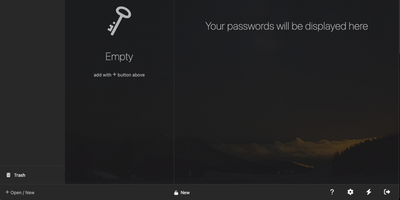
Your KeePass vaults, opened from any browser: KeeWeb reads, edits, and creates standard KDBX files, so it works with the same databases as KeePass and KeePassXC without conversion or lock-in. Self-hosting the web app gives you a password manager reachable from any modern browser, including mobile, with no client installation and no third-party cloud in the loop. All KDBX cryptography runs client-side; the server just serves the static app. Open multiple vault files simultaneously and search them all from one box, with advanced options covering specific fields, password history, and regular expressions. Vaults load from local files, your own server (WebDAV), or Dropbox, Google Drive, and OneDrive, with automatic sync - and files are cached for offline use, so a dropped connection never locks you out; changes resync once you're back online. Day-to-day niceties include a configurable password generator, protected fields that stay masked and are held in memory more defensively, entry history, tags with easy input, drag-and-drop attachments, and per-entry icons with favicon fetching. The optional KeeWeb Connect extension (Chrome, Firefox, Edge, Safari) autofills credentials using the keepassxc-protocol. MIT-licensed with matching desktop apps for macOS, Windows, and Linux.
Element
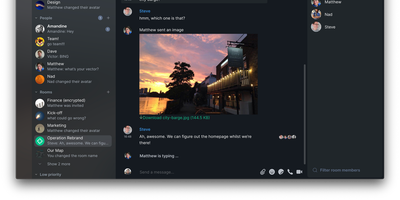
Matrix's flagship client, built by the protocol's creators: Element brings the decentralized open standard for real-time communication to web, desktop, iOS, and Android. Paired with a Matrix homeserver, it delivers Slack-quality team messaging where you own every message, file, encryption key, and byte of metadata. End-to-end encryption is on by default, built on Olm and Megolm - the Double Ratchet algorithm family Signal popularized, extended for large-room scalability and publicly audited by NCC Group. Messages encrypt per-device with cross-signed device verification, so even a compromised server yields nothing readable. Federation is the defining capability: like email, users on different homeservers converse seamlessly, and 30+ bridges connect Matrix rooms to Slack, Discord, WhatsApp, and Telegram, so moving to sovereign infrastructure doesn't sever contact with anyone. Rooms support threads, reactions, file sharing, and voice and video calls via Element Call. The result is digital sovereignty chosen by governments and enterprises across Europe: your data sits on your server in your jurisdiction, portable to any other Matrix host because the protocol is an open standard. Apache-2.0 licensed, with no per-user fees at any scale.
Puter
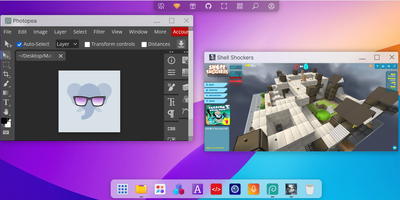
Puter delivers a complete cloud operating system that runs entirely in the browser — turning any device with internet access into a full-featured personal computer with desktop environment, file management, application hosting, and developer platform. The familiar desktop interface presents windows, taskbar, right-click menus, drag-and-drop, and multi-window management indistinguishable from native operating systems. The hierarchical filesystem supports file creation, uploads, sharing, permissions, and trash recovery with storage backends ranging from local SQLite for self-hosting to S3 and DynamoDB for production scale. Built-in AI integration provides access to GPT-4, Claude, and other models directly from the desktop for text generation, code assistance, and image creation. The developer platform offers a JavaScript SDK, REST APIs, cloud storage, key-value database, and serverless workers for building and hosting web applications without managing infrastructure. Sandboxed applications run in iframes with IPC communication and permission-based access to filesystem, AI, and system services. The app store enables publishing, discovering, and monetizing applications built on the Puter platform. Website hosting publishes static sites with custom domains directly from the file manager. Multi-user support provides individual accounts with authentication, resource isolation, and sharing capabilities. Deploy via Docker with a single command, Docker Compose for production, or npm for development — the one-line install script handles everything automatically on Linux, macOS, and Windows. Running on a dedicated VPS on RepoCloud with guaranteed CPU, RAM, and SSD, full root SSH access, and a browser serial console. AGPL-3.0 licensed.
osTicket
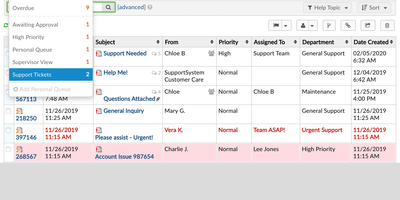
With nearly 3,900 GitHub stars, over 1,800 forks, and continuous development since 2013 culminating in the v1.18.4 release in June 2026, osTicket remains one of the most deployed open-source help desk systems worldwide, trusted by organizations from small businesses to universities and government agencies. The PHP backend on Apache or IIS with MySQL stores every ticket, response, and attachment while the web interface provides separate agent and customer portal views with role-based access control across departments, teams, and individual agents. Customers submit tickets through web forms, email piping, or phone-entry by agents, and configurable ticket filters automatically route incoming requests to the correct department, assign agents or teams, set priority levels, apply SLA plans, and trigger canned responses based on matching criteria including custom field values. Agent collision avoidance locks tickets during response composition to prevent duplicate replies, while SLA plans with business hour schedules track due dates and escalate overdue tickets automatically. Custom forms and fields let organizations capture structured data specific to each help topic — from IT asset tags to billing account numbers — with configurable required and internal-only visibility. The advanced search system with saved queries and CSV export enables reporting across all ticket metadata and custom fields. The customer portal provides ticket tracking, profile management, and knowledge base access. OAuth2 plugin support enables modern email authentication with Microsoft 365 and Google. Running on a dedicated VPS on RepoCloud with guaranteed CPU, RAM, and SSD, full root SSH access, and a browser serial console. GPL-2.0 licensed.
Argo CD
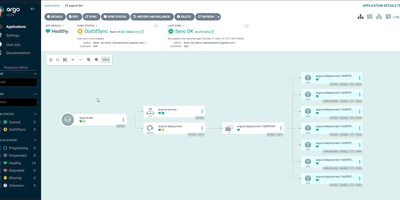
A CNCF Graduated project with over 23,700 GitHub stars and adoption by organizations including Intuit, Adobe, Capital One, and Red Hat, Argo CD has become the industry standard for GitOps-based Kubernetes deployments since its creation at Intuit in 2018, treating Git repositories as the single source of truth for application configurations and automatically reconciling live cluster state with declared desired state. The platform supports Helm charts including Helm 4, Kustomize overlays, Jsonnet, and plain Kubernetes YAML manifests, rendering templates and applying resources through configurable sync policies with automated or manual reconciliation, pruning of orphaned resources, and self-healing that reverts unauthorized cluster changes. ApplicationSets enable templated generation of applications across multiple clusters, environments, and Git repositories using generators for pull requests, Git directories, cluster lists, and merge strategies. The web UI provides a real-time application topology view with resource health status, sync state indicators, log streaming, and a network view supporting Gateway API and Ingress visualization. Version 3.5 introduced mTLS for internal component communication, graduated user impersonation and source hydrator to beta, added native ApplicationSet management with preview applications in the UI, and delivered source integrity validation. Multi-cluster management deploys applications across development, staging, and production environments from a single Argo CD instance with RBAC, SSO via OIDC and SAML, and audit logging. Running on a dedicated VPS on RepoCloud with guaranteed CPU, RAM, and SSD, full root SSH access, and a browser serial console. Apache 2.0 licensed.
KubeSphere
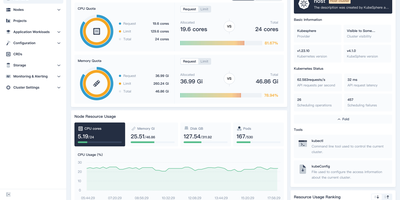
Managing Kubernetes shouldn't require every developer to become a Kubernetes expert — KubeSphere wraps cluster operations, CI/CD, service mesh, and observability into guided web workflows that operations teams configure once and developers consume without kubectl. The LuBan extensible architecture treats each capability as an independently installable extension plugging into a lightweight microkernel: enable DevOps without service mesh, add monitoring without the app store, compose exactly what your organization needs. Multi-cluster management provides a centralized control plane for provisioning and operating clusters across cloud providers, data centers, and edge locations with unified identity and resource quotas. The DevOps extension integrates Jenkins for graphical pipeline creation with S2I and B2I workflows, while Argo CD powers GitOps continuous deployment with real-time sync status. Istio-based service mesh provides traffic management, canary deployments, circuit breaking, and distributed tracing through the console without CLI knowledge. Prometheus monitoring with custom dashboards, Fluentd log collection with multi-tenant search, and alerting via Slack and email complete the observability stack. Multi-tenant workspace hierarchy enforces resource quotas and fine-grained RBAC roles across teams. A built-in Helm-based app store handles lifecycle management across clusters. KubeKey deploys production-grade clusters on bare metal or VMs with air-gapped support. Running on a dedicated VPS on RepoCloud with guaranteed CPU, RAM, and SSD, full root SSH access, and a browser serial console. Apache-2.0 licensed.
Budibase
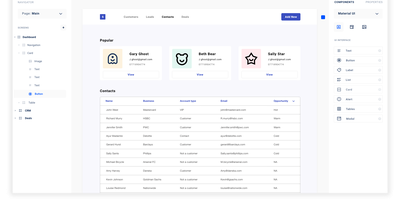
Step right up to the magical world of Budibase, the open-source wizardry that turns the grueling task of building internal tools into a walk in the digital park. Imagine crafting mighty tools and formidable forms in less time than it takes to brew a cup of coffee, all without typing a single line of code! With Budibase, you can charm data from an ancient external database, summon information from a Rest API, conjure up figures from a CSV, or create something entirely new with Budibase's own mystical database. Design your digital dominion with a flick of the drag-and-drop, and automate your kingdom's workflows as if by magic. Join the ranks of the 75,000 teams who've harnessed the power of Budibase to accelerate their business quests. Need to safeguard data like a digital fortress, automate tasks like a sorcerer, or streamline operations like a high-speed chariot? Budibase is your trusty steed in the race to operational victory. And with RepoCloud hosting, you'll save a treasure chest of gold compared to those other cloud-dwelling giants!
Bitwarden
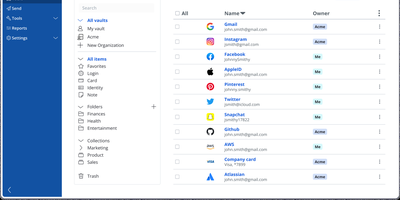
Backed by nearly 20,000 GitHub stars and ranked number one in G2's Enterprise User Satisfaction for eleven consecutive quarters, Bitwarden is the open-source password manager trusted by millions worldwide. The zero-knowledge encryption architecture ensures all vault data — passwords, passkeys, credit cards, identities, secure notes, and file attachments — is encrypted exclusively on client devices using AES-256 with PBKDF2-SHA256 or Argon2id key derivation and RSA-2048 for organization key exchange. Cross-platform clients span a web vault, browser extensions for Chrome, Firefox, Safari, Edge, Opera, Vivaldi, and Brave, native desktop apps for Windows, macOS, and Linux, mobile apps for iOS and Android, and a CLI for scripting. Bitwarden Send enables time-limited, password-protected sharing of text and files, while the built-in TOTP authenticator generates two-factor codes alongside stored credentials. Enterprise deployments integrate with identity providers through SAML 2.0 and OpenID Connect SSO, automate provisioning via SCIM or Directory Connector supporting LDAP, Active Directory, Azure AD, Okta, and OneLogin, and enforce security policies with custom roles and granular permissions. Emergency access allows designated contacts to request vault view or takeover through configurable waiting periods with cryptographic key exchange. The Secrets Manager stores API keys, tokens, and infrastructure credentials with native GitHub Actions, GitLab CI/CD, Ansible, and Terraform integrations. Running on a dedicated VPS on RepoCloud with guaranteed CPU, RAM, and SSD, full root SSH access, and a browser serial console. AGPL-3.0 licensed.
Nanobot
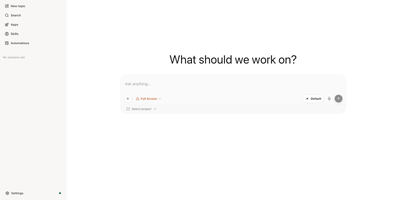
With over 46,000 GitHub stars, nanobot is the ultra-lightweight personal AI agent framework that delivers full agentic capabilities — tools, persistent memory, multi-agent workflows, scheduled automation, and 10+ chat channel integrations — in approximately 4,000 lines of readable Python core code. The agent loop receives messages from any connected channel, builds context from session history and long-term memory files, calls the configured LLM provider, executes requested tools, and publishes replies back to the originating channel. Supported LLM providers include OpenAI, Anthropic, Google Gemini, DeepSeek, Qwen via DashScope, Moonshot/Kimi, Ollama, vLLM for local models, and any OpenAI-compatible API through OpenRouter or LiteLLM. Chat channels connect the agent to Telegram, Discord, Slack, WhatsApp, Feishu/Lark, DingTalk, Email via IMAP/SMTP, QQ, Matrix with end-to-end encryption, Mattermost, and the built-in browser WebUI served from the published Python wheel with no separate frontend build. Built-in tools include filesystem read/write/edit, shell execution with configurable sandboxing via bubblewrap, web search and fetch with SSRF protection, MCP server integration, cron scheduling, image generation, and subagent spawning for parallel task delegation. The Dream memory system consolidates session history into persistent markdown files for long-term context retention across conversations. Deployment runs as a CLI agent, a persistent gateway server, a Docker container with Docker Compose, or an OpenAI-compatible API server. Running on a dedicated VPS on RepoCloud with guaranteed CPU, RAM, and SSD, full root SSH access, and a browser serial console. MIT licensed.
Archon
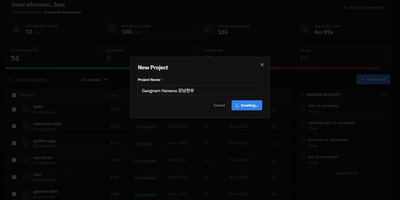
Stop hoping your AI coding assistant remembers to plan before it codes, test after it implements, and review before it ships. Archon wraps Claude Code, OpenAI Codex, and other AI agents inside structured YAML workflows that enforce the same development process every single time. Define your pipeline as a directed acyclic graph of nodes (AI tasks, shell scripts, approval gates, loops) and Archon handles the orchestration: resolving dependencies, running independent nodes in parallel, passing artifacts between steps, and isolating every run in its own git worktree so five bug fixes can proceed simultaneously without conflicts. Ship with 17 pre-built workflows covering everything from "idea to merged PR" to automated conflict resolution, or author your own by committing YAML files to your repository's .archon/workflows/ directory. The web dashboard, launched with archon serve, provides a conversation interface with real-time streaming, a visual drag-and-drop workflow builder for creating DAG pipelines, step-by-step progress monitoring for every run, and a unified sidebar aggregating conversations from CLI, Slack, Telegram, and GitHub into one view. An NLP router parses natural language requests and automatically selects the right workflow. Structured JSON output schemas let you enforce typed responses from AI nodes, with validation and auto-repair for providers that lack native schema support. Every workflow file is version-controlled, portable, and reviewable in pull requests, so your entire team runs identical processes from day one. Running on a dedicated VPS on RepoCloud with guaranteed CPU, RAM, and SSD, full root SSH access, and a browser serial console. MIT licensed.
Frappe
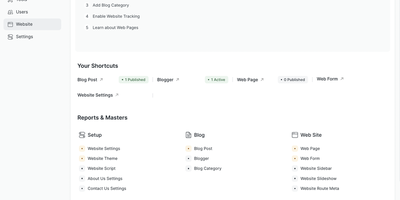
Define a DocType in Frappe and the framework automatically generates database tables, Python ORM classes, REST API endpoints, form views, list views, and role-based permission rules from that single schema definition. The meta-driven architecture stores schemas as database records, letting administrators add fields, reorder layouts, and modify validation rules through the browser-based Form Builder without redeployment. Server-side Python controllers handle business logic through hook-based lifecycle events while client-side JavaScript manages interactive form behavior, with WebSocket connections providing real-time updates across sessions. The built-in workflow engine defines document state machines with role-gated transitions, email notifications, and conditional action visibility. Pre-configured Desk views include list, form, report, tree, kanban, calendar, and dashboard layouts with drag-and-drop workspace customization. The report builder generates grid reports with configurable columns, filters, grouping, and chart visualizations from DocType data or custom SQL and Python scripts. Background job processing uses Redis queues for email delivery, data imports, and periodic tasks. Virtual DocTypes connect external databases to the framework's UI without data migration. Docker deployment via frappe_docker provides production-ready Compose configurations with MariaDB, Redis, Nginx, and worker containers. The foundation powering ERPNext, HRMS, CRM, and Helpdesk in production. Over 10,500 GitHub stars. MIT licensed.
Akaunting
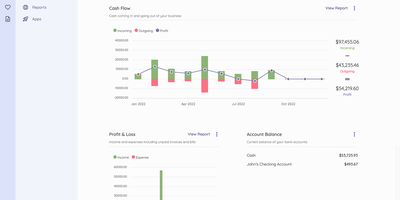
Akaunting is an online accounting software for small businesses and freelancers. The double-entry accounting engine provides a full Chart of Accounts, journal entries, and balance sheet reporting, eliminating the manual errors inherent in single-entry systems. Unlimited invoice creation with customizable templates, automatic payment reminders, and client portal access lets businesses present professional documents and accept payments through PayPal, Stripe, and other gateway integrations. Expense tracking captures operational costs with category-based organization, receipt scanning, and vendor bill management with overdue payment alerts. Bank Feeds auto-syncs transactions from connected bank accounts and matches them against invoices and bills for streamlined reconciliation. The dashboard displays receivables, payables, cash flow summaries, profit and loss charts, expenses by category, and account balances at a glance with configurable date ranges. Quotes and estimates convert directly into invoices upon client approval, while recurring invoices and bills automate periodic billing without manual intervention. The modular architecture built on Laravel with the Akaunting Module package enables an App Store where developers publish extensions for payroll, inventory, projects, and CRM functionality. Multi-company support manages separate books from a single installation with per-company user roles. Running on a dedicated VPS on RepoCloud with guaranteed CPU, RAM, and SSD, full root SSH access, and a browser serial console. BSL licensed.
Roundcube
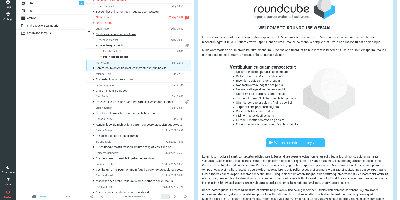
Two decades of continuous development made Roundcube the standard-bearer of open-source webmail - a PHP IMAP client that gives any mail server a polished, application-like interface in the browser. It connects to whatever IMAP/SMTP stack you run - Dovecot, Postfix, a hosted mailbox - and delivers the full desktop-client experience: drag-and-drop message management, threaded conversation views, full MIME and HTML mail handling, find-as-you-type address book with groups and LDAP connectors, multiple sender identities, full-text search, and spell checking in dozens of languages. The default Elastic skin is genuinely responsive, working as well on a phone as a desktop, and the entire UI is skinnable. The plugin API is where deployments get shaped: managesieve exposes server-side filter management in the UI, enigma brings PGP encryption and signing via GnuPG, markasjunk trains spam filters, zipdownload batches attachments, password lets users change credentials, and attachment_reminder catches the classic forgotten-attachment email - among hundreds of community plugins. Built-in caching keeps large mailboxes fast, IMAP ACLs and shared folders support team setups, and XSS protection is engineered into the rendering pipeline. It scales from a single personal mailbox to unlimited users, backed by MySQL, MariaDB, PostgreSQL, or SQLite. GPL-licensed with regular security releases.

Cal.diy
With over 47,000 GitHub stars, Cal.diy is the fully open-source community fork of Cal.com that strips away every proprietary license gate and enterprise paywall to deliver a pure MIT-licensed scheduling platform you completely own. The booking engine supports individual event types including recurring events, seated events with capacity limits, and paid bookings through Stripe and PayPal, all backed by customizable availability schedules with date overrides, buffer times, minimum notice periods, and travel schedule support. Calendar synchronization is bidirectional across nine providers — Google Calendar, Outlook and Office 365, Apple Calendar, CalDAV, Lark, Feishu, Zoho, Exchange, and ICS feeds — so every booking automatically appears on your existing calendar while blocking conflicting slots. Video conferencing links generate automatically for Zoom, Google Meet, Microsoft Teams, Webex, Jitsi, Daily.co, Whereby, and Huddle01, eliminating manual link management. The automation layer connects through webhooks, Zapier, n8n, Make, and Pipedream to CRM platforms like HubSpot, Salesforce, and Close, messaging services including Discord, Telegram, and WhatsApp, and analytics tools such as Google Analytics 4, PostHog, and Fathom. The entire application is built on the T3 stack — Next.js for server-rendered pages, tRPC for end-to-end type-safe APIs, Prisma for PostgreSQL database access, and Tailwind CSS for the responsive interface. Unlike Cal.com's open-core model, Cal.diy requires no license key and includes no gated features. Running on a dedicated VPS on RepoCloud with guaranteed CPU, RAM, and SSD, full root SSH access, and a browser serial console. MIT licensed.