mkcertWeb
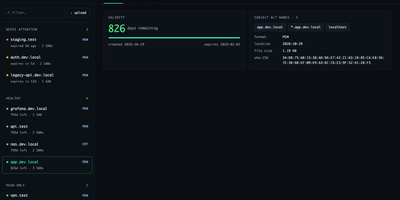
Your internal services deserve certificates your browsers actually trust, without a spreadsheet tracking when each one expires. mkcertWeb wraps the mkcert tool in a web interface where you generate certificates for any mix of hostnames, wildcards, and IP addresses, then download them as PEM, CRT, or PKCS#12 bundles for servers and client authentication. The certificate list groups everything by state, needs attention, healthy, read-only, or archived, showing days remaining, subject alternative names, and SHA-256 fingerprints at a glance. You can upload existing certificate and key files for viewing, attach a free-text note to each certificate, and archive or restore entries without ever overwriting a certificate of the same name. The root CA page offers downloads and install instructions for macOS, Linux, and Windows, and can generate a fresh CA for a new deployment. Devices enroll through the built-in SCEP server using one-time challenge passwords and templates, with an optional enterprise CA signing manual enrollments. A scheduled monitor checks expiry daily and sends alerts through SMTP email, ntfy, or an HTTP webhook, with test buttons for every channel. Settings save from the browser with secret masking, sign-in supports passwords or OpenID Connect single sign-on, and light and dark themes work down to phone width. Running on a dedicated VPS on RepoCloud with guaranteed CPU, RAM, and SSD, full root SSH access, and a browser serial console. GPL-3.0 licensed.
ComposeToolbox
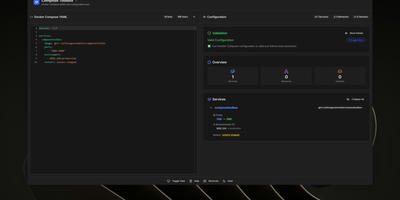
To eliminate YAML indentation errors and cryptic container misconfigurations before running docker compose up, ComposeToolbox pairs a full-featured code editor with a live configuration analyzer in a single self-hostable web workspace. Paste or write any docker-compose.yml file in the left pane to see immediate syntax validation alongside actionable best-practice warnings, such as unpinned latest image tags, missing healthchecks, or deprecated version declarations. On the right side, an interactive Configuration Overview breaks down every defined service, exposed port mapping, persistent volume mount, environment variable, and custom network into structured tabs. Built-in Quick Insert buttons let operators drop new service blocks, volume definitions, or network stanzas into the editor with one click. By mounting the persistent /app/data directory, administrators can define custom quick-insert YAML snippets with selectable hardware and networking icons in custom-templates.yml. Teams can also customize startup-template.yml so the editor opens with their organization's standard homelab or production boilerplate every time the page loads. Keyboard shortcuts, light and dark themes, and one-click YAML formatting or file export streamline daily container authoring. Running on a dedicated VPS on RepoCloud with guaranteed CPU, RAM, and SSD, full root SSH access, and a browser serial console. MIT licensed.
Rackpad
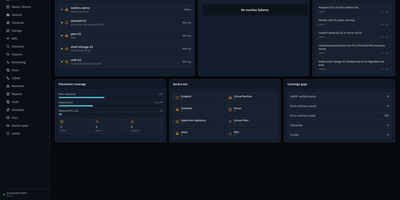
Every cable, switch port, VLAN, and rack unit in a homelab or small server room gets a documented place in Rackpad, a self-hosted inventory and operations workspace. Rack elevations show mounted gear, including paired half-width appliances. Switch-panel port maps and aggregate ports show what is patched where. Cables carry type, length, and color, editable in bulk. VLANs, subnets, DHCP scopes, reservations, and zones sit in one Networks workspace, with gateway and DNS protection and a mismatch review for IP assignments. Storage topology follows drives, bays, and pools that span several devices. Wi-Fi controllers, access points, hypervisor hosts, and virtual machines have pages of their own, and Proxmox and Hyper-V hosts can be imported after review. Discovery scans a subnet or any CIDR and stages every finding in an inbox. Per-device checks over ICMP, TCP, HTTP, HTTPS, and SNMP raise alerts by email, Discord, or Telegram. Everything feeds a movable topology map. Markdown runbooks attach to devices, and an audit log records every change. Admin, editor, and viewer roles control access, and OpenID Connect login is optional. Running on a dedicated VPS on RepoCloud with guaranteed CPU, RAM, and SSD, full root SSH access, and a browser serial console. MIT licensed.
Pipedash
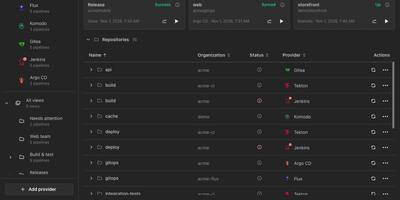
Pipedash unifies pipelines from twelve CI/CD providers into one self-hosted dashboard for watching statuses, reading job logs, and triggering, rerunning, or cancelling runs without opening each provider's site. Connect GitHub Actions, Gitea Actions, GitLab CI, Azure DevOps, Bitbucket, Buildkite, Jenkins, Tekton, ArgoCD, FluxCD, Komodo, or Prow, and every workflow lands in one list grouped by repository. Filters narrow by status, provider, organization, or time range, and saved views with rules, sub views, and pins give each team its own shortlist. Run history records each attempt with its commit, branch, actor, and duration, and opening a run reveals its jobs and a searchable log viewer that streams live output. Trigger forms load the workflow's own inputs, pipeline variables, or job parameters from the provider, so parameterized runs start with real values. Reruns reuse the original inputs, GitHub runs can restart only failed jobs, and stuck builds can be cancelled singly, in bulk, or by repository. Metrics charts track duration, success rate, and run counts per pipeline by hour, day, week, or month with P95 and P99 values. A notifications inbox gathers failures, degraded workloads, long running builds, and provider outages, while health panels place status pages beside the pipelines they describe. Every dashboard action is a REST API route under /api/v1 with bearer authentication, provider tokens stay encrypted at rest, and the server sends no telemetry. Running on a dedicated VPS on RepoCloud with guaranteed CPU, RAM, and SSD, full root SSH access, and a browser serial console. GPL-3.0 licensed.
EveryOS
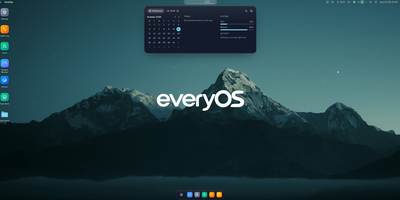
EveryOS gives the Linux server you already own a desktop it never had: open a browser and your machine greets you with windows you can move, snap, and stack, a dock, virtual desktops, widgets, and a launcher, all remembering exactly how you left them. Your files live in a private home with the usual folders, previews, a text editor, and a trash you can restore from, and plugging in a USB disk makes it appear on the desktop ready to mount. An app store installs self-hosted applications from catalogs and follows each deployment, later offering updates that keep your settings, rollbacks when one goes wrong, and backups of app data. The same workspace watches the machine itself: CPU, memory, disk, and network at a glance, systemd services and logs, available package updates, and a Docker view for containers and Compose projects. A real terminal opens in the browser under your own Linux account, Home Assistant arrives as a panel and desktop widgets with its tokens kept on the server, and an AI assistants app can find or install a local model server such as Ollama and chat with it privately. Running on a dedicated VPS on RepoCloud with guaranteed CPU, RAM, and SSD, full root SSH access, and a browser serial console. MIT licensed.

Iva Agent
Your Telegram chats already contain your tasks, agreements, and reminders; Iva Agent turns that stream into a memory you can query months later from the same chat window. Send a voice note and it returns a task list, a draft email, or a meeting card, with the original words stored verbatim in a dated markdown log. A nightly rollup folds each day into weekly, monthly, and yearly summaries, then rewrites changing facts into typed cards for contacts, projects, decisions, and ideas. Ask what you agreed with a client and it answers from the card it wrote, complete with date and context. Photos are described by your vision model, forwarded posts pass an injection screen before the model reads them, and outgoing messages pass a secret-redaction gate. You can connect Gmail, Calendar, Drive, Sheets, Docs, and Tasks, search the web through Tavily, Exa, Parallel, or Brave, and add skills or MCP servers by dropping in a file. An optional userbot reads group chats from your own account, folds them into summaries, and flags messages that need you, guarded by server-enforced send pacing. Token accounting logs every model step, and the user allowlist fails closed when empty. Running on a dedicated VPS on RepoCloud with guaranteed CPU, RAM, and SSD, full root SSH access, and a browser serial console. MIT licensed.
HomeLabInfo
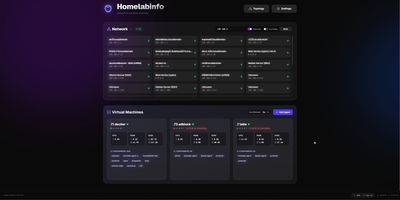
HomeLabInfo gives your homelab one dashboard where the network itself and everything running on it finally appear together, instead of scattered across router pages and terminal sessions. It watches for new devices the instant they ask the network for an address, identifies who made them, and can fire a webhook so you hear about a stranger joining your LAN before you notice it yourself. Scans keep track of which devices are online and which have gone quiet, and the interactive topology view lets you arrange the map of switches, access points, NAS boxes, and servers the way your rack actually looks. Lightweight agents installed on each machine report their containers back to the hub, so running and stopped containers, uptime, health, and host CPU, memory, and disk all show in one place without opening a separate tool per server. When an agent falls behind, its card tells you a newer version exists instead of leaving you guessing. You can add a username and password login before putting the dashboard anywhere beyond your desk, and arrange container layouts that stay put between visits. Running on a dedicated VPS on RepoCloud with guaranteed CPU, RAM, and SSD, full root SSH access, and a browser serial console. GPL-3.0 licensed.
Ties
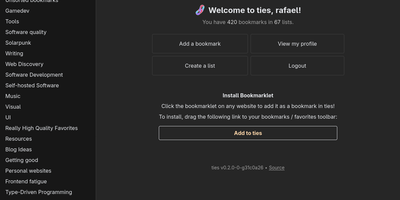
A federated bookmark manager written in Rust: Ties (formerly linkblocks) is your own small corner of the web for saving, organizing, and sharing good pages, connected to the fediverse over ActivityPub. Instead of rigid folders, bookmarks live in arbitrarily nested lists that link together into a knowledge graph. Saved pages are fetched, converted to a readable archived version, and stored in the database, so full-text search covers titles, URLs, and the actual page text - and the content survives if the original disappears. The federation model is deliberately anti-viral: there is no global timeline and no algorithmic feed. You publish public lists for anyone, follow users whose taste you trust, and mark trusted users whose bookmarks become part of your search range - extendable to trusted-users-of-trusted-users for a wider net. Public bookmarks post to Mastodon timelines, and WebFinger lookup makes your handle discoverable across fediverse platforms. Operationally it is about as light as web software gets: a single binary with all assets baked in, integrated TLS so it can run without a reverse proxy, PostgreSQL as the only dependency, OIDC single sign-on, and a bookmarklet for one-click saves. Note the project is alpha: single-user instances only, and all data should be considered public. AGPL-3.0 licensed, built with Rust and htmx.
GitSave
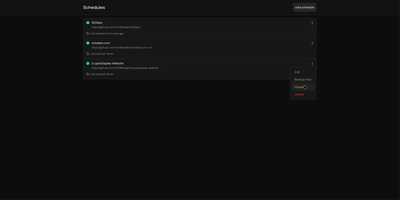
A deleted account or a force-pushed branch should not erase your code history: GitSave copies your Git repositories to storage you control, on a schedule you set. Add a repository link, pick a routine (every few minutes, hours, or days), and GitSave copies the repository and refreshes the copy in the background. It works with GitHub, GitLab, and other Git platforms, and you decide how many backups to keep before older copies are pruned. Schedules can be paused and resumed from each repository card, and a Backup now action starts an immediate copy when you want one before a risky change. The history page records every run with its time and result, and the overview shows the last backup state of each repository at a glance. Backups can land on a local volume or an SMB share, and sign-in supports your own authentication provider for shared servers. Running on a dedicated VPS on RepoCloud with guaranteed CPU, RAM, and SSD, full root SSH access, and a browser serial console. Apache-2.0 licensed.

Opengeni
Enterprises requiring production-grade governance for long-running autonomous AI operations can rely on OpenGeni, a self-hosted orchestration platform with human-in-the-loop approvals, Connected Machine execution, and comprehensive audit replays. Operators can configure durable multi-turn workflows that execute continuously toward specified goals without premature termination, automatically pausing when human verification, structured multiple-choice decisions, or critical credential approvals are required. Teams can assign execution workloads across ephemeral cloud sandboxes or route them straight to enrolled Connected Machines to run commands directly against local code repositories without exposing inbound network ports. The integrated web console lets developers inspect live Server-Sent Event activity streams, replay complete turn histories from audit logs, inspect generated artifacts, and cancel or steer in-flight agent tasks on demand. Platform administrators can enforce fine-grained access policies through GitHub App repository bindings, broker temporary role-scoped secrets, and maintain a shared organizational knowledge base where agents propose findings for human review before vector indexing. Running on a dedicated VPS on RepoCloud with guaranteed CPU, RAM, and SSD, full root SSH access, and a browser serial console. Apache-2.0 licensed.

OpenVoiceUI
OpenVoiceUI is the voice-first front end for a self-hosted AI agent that lives entirely on your own hardware; you talk, it answers out loud, and it builds live pages on screen while the conversation runs. Hold a hands-free conversation with wake word, push-to-talk, and the ability to interrupt, or switch to text when the room is quiet. Speech recognition runs in the browser for free or through Deepgram, Groq Whisper, or your own Whisper server, while nine speech providers from local Supertonic to ElevenLabs give the agent its voice, cloned voices included. As it talks, the agent opens live canvas pages, dashboards, galleries, reports, and tools, and files them on an OS-style desktop you can reopen from the start menu. Ask for music and it generates songs with a built-in player and playlists; ask for images and it creates those too, alongside an audio clip maker and a soundboard. Profiles swap the agent's persona, voice, and model provider, animated faces react while it speaks, and sub-agents and workspace files stay visible in the admin dashboard. The agent itself runs in the OpenClaw gateway with your choice of model provider, so your keys, conversations, and files never leave your server. Running on a dedicated VPS on RepoCloud with guaranteed CPU, RAM, and SSD, full root SSH access, and a browser serial console. MIT licensed.
Flare
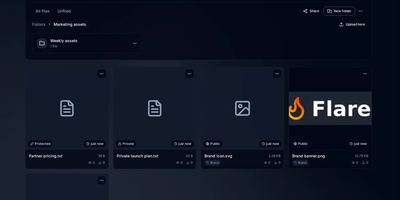
Screenshot, copy link, done: that is the loop Flare is built to make instant on your own server. Connect ShareX, Flameshot, KDE Spectacle, or a plain upload script once, and captures land in a vault you control instead of a third-party host that deletes them next month. Files live in folders with nested structure, bulk moves, automatic tagging rules, and one share link per folder, while previews handle images, video, PDFs, and syntax-highlighted code without downloading anything. Search digs through filenames, dates, and text extracted from images by OCR, so the screenshot from three weeks ago is findable by what it says. Password-protect a sensitive file, keep another private entirely, or publish it with a rich embed that unfurls properly wherever you paste the link. An appearance studio restyles branding, color palettes, and share page layouts, upload profiles carry reusable defaults between browser and screenshot tools, and the extras round out the kit: a URL shortener with click tracking, a pastebin, storage quotas, invite links, and tokens with signed webhooks for your own integrations. Running on a dedicated VPS on RepoCloud with guaranteed CPU, RAM, and SSD, full root SSH access, and a browser serial console. MIT licensed.
NextOrders
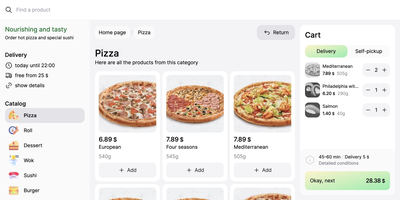
Marketplace apps take a large slice of every order, and NextOrders Food gives a restaurant its own ordering website instead. Customers land on a storefront carrying your brand, browse the menu, and check out under your domain, so the customer relationship stays with the kitchen. A city selector opens the right location storefront, which suits chains and ghost kitchens running several neighborhoods from one deployment. Menus speak to more guests with eleven or more bundled languages, from English and German to Georgian and Simplified Chinese. The cart stays visible on desktop during browsing, removing the hunt for the checkout button that loses hungry customers. Product pages can carry video, and the ordering flow highlights items frequently bought together, nudging a drink or side into the basket. Delivery and pickup are both supported at fulfillment, letting one menu serve couriers and counter collection. Pages render on the server as separate indexable pages, so search engines can find a city menu rather than a script shell. Behind the counter, the storefront talks to your backend through a typed food schema: your service supplies menus, prices, and order handling, and an example business logic service in the repository shows the contract working. Running on a dedicated VPS on RepoCloud with guaranteed CPU, RAM, and SSD, full root SSH access, and a browser serial console. MIT licensed.
Reloops
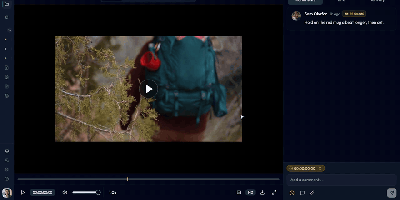
Reloops is a self-hosted creative asset workspace where teams keep every video, design, PDF, audio file, and live website in one library and collect feedback on the files themselves instead of in scattered email threads. Reviewers click anywhere on an image to pin a note to that exact spot, and on video the comments attach to the precise frame, so "fix this bit" always points at the bit in question. Every upload becomes a new version on the same asset, older cuts stay available for side-by-side comparison, and approvals are recorded on the file so nobody ships the wrong export by accident. Clients never need an account: send them a share link or a branded collection and they can watch, comment, and sign off as guests. The library searches the way people remember work, because each asset carries generated descriptions, tags, and metadata filters, so "the approved homepage with the blue button" actually finds something. Day to day, assignments and review queues keep feedback moving, while scoped API keys let agents such as Claude, OpenClaw, Zapier, and n8n upload new versions, post comments, update statuses, and manage share links inside the same workspace. Running on a dedicated VPS on RepoCloud with guaranteed CPU, RAM, and SSD, full root SSH access, and a browser serial console. AGPL-3.0 licensed.
HabitSync
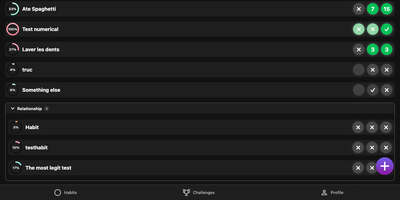
HabitSync treats habit tracking as a team sport, because willpower alone rarely survives February. Set each habit up the way life actually works: daily, weekly, monthly, on chosen weekdays, or at a custom interval, with a target value to reach or a ceiling to stay under for the habits you are trying to quit. Logging takes one tap, or a long press when today's effort deserves a custom number or a stopwatch. Share a habit with a partner, a sibling, or the whole household and everyone's progress sits side by side, which turns "did you go to the gym" into a question the dashboard answers. Monthly challenges raise the stakes with community voting, leaderboards, and medals for the top performers, while gentle automation watches your back: scheduled reminders when a habit goes unlogged, an alert when your completion slips under a threshold, and a quiet nudge when a friend overtakes you. Years of Loop Habit Tracker history import instead of being abandoned, and the installable web app keeps the streak one tap away on any device. Running on a dedicated VPS on RepoCloud with guaranteed CPU, RAM, and SSD, full root SSH access, and a browser serial console. BSD-3-Clause licensed.
FileCat
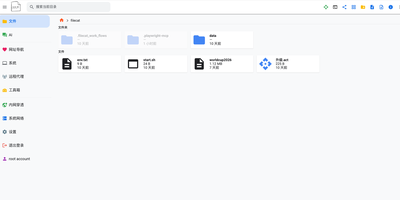
One browser tab can run your whole server, and FileCat is the tab: a self-hosted web file manager that also serves as a lightweight server operations console. Browse, upload, download, and edit files with inline previews for images, video, and Markdown, then keep writing in a Typora-style WYSIWYG Markdown editor or sketch on the built-in Excalidraw whiteboard. Remote storage stops being remote: SFTP, S3, WebDAV, SMB shares, and Baidu Netdisk mount as ordinary local folders under the same operations, and your own directories publish back out over SMB, WebDAV, and SFTP for Windows Explorer and other clients. A web SSH terminal and in-browser RDP sessions reach servers and Windows desktops without separate tools, and the system dashboard watches CPU, memory, disk, and network in real time. Oversized log files open instantly, deep search digs through names and file contents with regex and filters, and custom command pipelines cover CI/CD routines across machines linked by the built-in network tunneling. An optional AI agent, connected to your own model API and reachable through chat platform bots, assists with operations and file tasks, and multi-user permissions with shareable download links decide who touches what. Running on a dedicated VPS on RepoCloud with guaranteed CPU, RAM, and SSD, full root SSH access, and a browser serial console. Apache-2.0 licensed.
Tamari
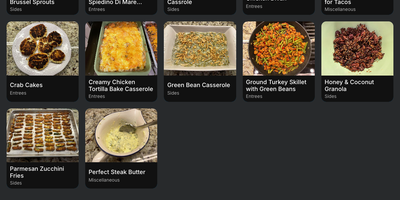
Recipes scattered across bookmarks, screenshots, and open browser tabs become one searchable cookbook with Tamari, which adds meal planning, per-store shopping lists, and one-click imports from a built-in library of over 400,000 recipes. Save each dish with its photo, ingredients, instructions, servings, time estimates, and nutrition information, then find it again through search, categories, or your favorites list. The Explore collection gathers more than 400,000 recipes from 300 cooking websites, and any of them moves into your personal cookbook with a single click. Pick a recipe and its full ingredient list lands on a shopping list at once, organized per store so a supermarket run and a farmers market run stay separate. Check items off as you shop, or scan a barcode to add something the moment you notice it running out at home. The meal planner assigns recipes to specific dates up to 30 days ahead, turning the weekly what-is-for-dinner debate into a settled schedule. Adjust how your cookbook displays, with large photos to show dishes off or compact photos to fit more on screen, sorting by title or date added, and light or dark themes for late-night cooking sessions. Share recipes with family members, reset a forgotten password by email, and manage everything programmatically through the REST API from scripts or other tools. Running on a dedicated VPS on RepoCloud with guaranteed CPU, RAM, and SSD, full root SSH access, and a browser serial console. GPL-3.0 licensed.
Plainspace
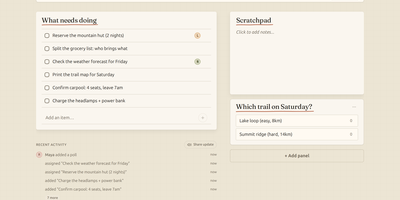
Planning a weekend trip, a household move or a club event in a group chat means the packing list is forty messages up, the poll about dates expired, and nobody remembers who volunteered to book the van. Plainspace gives that chaos one calm page: create a Space, share a single link, and everyone lands on the same shared board of tasks, notes, checklists, polls and availability, in any browser, with no app to install and no account to create. One person adds the campsite options as a poll, another claims the cooking tasks, a third drops the address and gate code into a note, and the whole group watches it come together with live updates as people type, vote and check things off. Optional push reminders nudge the person whose task is due before the plan quietly stalls. It is deliberately not a project management suite: no sprints, no story points, no permission matrices, just the handful of primitives real life actually coordinates with, presented touch-first so it works as well on a phone at the supermarket as on a laptop. Run it for your family, your team or your club on the hosted version, or self-host the same thing with Docker Compose next to the rest of your services. Running on a dedicated VPS on RepoCloud with guaranteed CPU, RAM, and SSD, full root SSH access, and a browser serial console. MIT licensed.