Issued
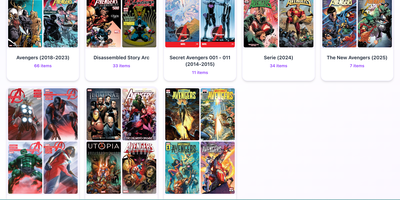
Issued is a self-hosted comic library server: point it at the folder of CBZ, CBR, CB7, and PDF comics already sitting on your server and the whole collection becomes browsable and readable from any device. Point it at your existing folders and it keeps your folder structure exactly as it is, scanning automatically when new issues appear and generating cover thumbnails so you can see what a file is before opening it. Read in the browser with the built-in web reader on desktop or mobile, with light and dark themes, or connect reader apps such as Panels, Chunky, KyBook, and Moon+ Reader through the standard OPDS catalog at /opds/. OPDS-PSE 1.2 page streaming lets compatible apps read individual pages as JPEGs without downloading whole archives, and OpenSearch discovery lets clients find library search automatically. Edit metadata in place using ComicInfo.xml data, mark series as ongoing to spot new issues, totals, and possible gaps, and use Continue Reading and Last Added views to resume the latest issue in progress or start the next unread one. An optional reader password protects browser access, and one Docker command on port 8181, with unrar included for CBR files, gets the whole library online. Running on a dedicated VPS on RepoCloud with guaranteed CPU, RAM, and SSD, full root SSH access, and a browser serial console. MIT licensed.
Agenvoy
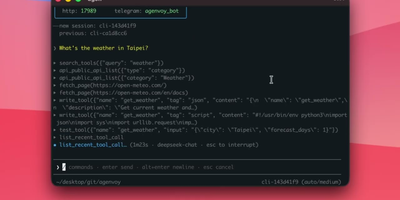
While ordinary chatbots sit idle between prompts, Agenvoy runs around the clock on your own machine, turning one-sentence requests into finished research, files, and reports. Say what you need once and it builds the missing tool itself, tests that tool inside a sandbox, saves it, and reaches for it again the next time a similar job appears. Recurring work becomes a schedule in plain words; a morning briefing, a watched folder, or a weekly report then runs unattended, and a long task interrupted mid-run resumes from its checkpoint instead of starting over. Ask questions about your own files and it searches them like a private archive, transcribing audio and video into text it can quote back to you. Each task is routed to the model tier that fits it, a light model for lookups and a heavy one for hard reasoning, across subscription logins, API keys from eleven providers, or a local Ollama that never phones home. Commands run in a sandbox with the network off until you approve a call, sensitive paths ask before they open, and credentials wait in the system keychain instead of the chat history. You drive it from the terminal, the browser dashboard, or Telegram and Discord when you are away from the desk, and it lends its sandboxed tools to Claude Code and Codex over MCP. Running on a dedicated VPS on RepoCloud with guaranteed CPU, RAM, and SSD, full root SSH access, and a browser serial console. AGPL-3.0 licensed.
GrayMatter
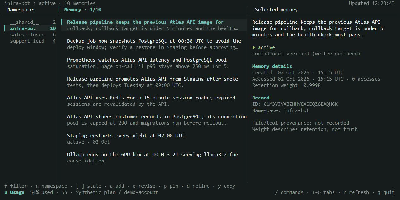
GrayMatter gives AI agents a persistent memory that survives between sessions, so every new run starts from stored facts instead of a blank slate. Agents save facts once and recall them by meaning, receiving the top eight relevant entries instead of a full history replay. A consolidation cycle extracts typed entities (people, organizations, and projects) and links co-mentioned items into a knowledge graph that grows from ordinary use. Every recall can return receipts showing the per-signal ranks, fused score, and provenance behind each fact, so you can audit why the agent remembered something. Deterministic decay gives facts a 30-day half-life and retires stale entries to tombstones, keeping the store current without manual cleanup. Claude Code hooks inject routine recall on every turn, and the context-sync command projects top facts into CLAUDE.md or AGENTS.md inside a set token budget. Agents curate their own memory through the memory_reflect tool, adding, updating, forgetting, and linking facts during a session. The workbench opens six views (Memory, Recall, Activity, Graph, Usage, and Status) for browsing namespaces, inspecting ranking receipts, and tracking subscription limits or API spend. Connect Claude Code, Cursor, Codex, OpenCode, Antigravity, or any MCP-compatible client over stdio, or call the REST API server on port 8080 from your own tooling. Export the graph to Obsidian with one command, turning entities into notes and edges into links. Running on a dedicated VPS on RepoCloud with guaranteed CPU, RAM, and SSD, full root SSH access, and a browser serial console. MIT licensed.
Poznote
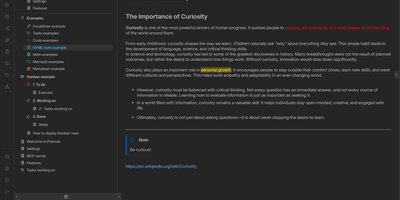
Poznote serves as an all-in-one personal knowledge base and digital workspace designed to bridge unstructured thinking and structured documentation. The platform pairs a responsive Markdown editor with live side-by-side rendering, KaTeX mathematical notation, and interactive Mermaid diagram compilation. Creative thinkers can switch instantly to an embedded Excalidraw infinite canvas to sketch system architectures, design mind maps, and create interface wireframes alongside their written notes. Every directory within the workspace can be toggled into an agile Kanban board where nested folders become customizable workflow columns and notes transform into draggable task cards. Task management views aggregate checklists across documents into unified priority queues with due date reminders and completion filters. An integrated bi-directional Git synchronization engine connects user workspaces directly to personal GitHub or Forgejo repositories, versioning edits automatically on save. The software also provides an integrated Model Context Protocol server that enables AI coding assistants to search notes, create documents, and query knowledge repositories securely. Running on a dedicated VPS on RepoCloud with guaranteed CPU, RAM, and SSD, full root SSH access, and a browser serial console. MIT licensed.
Airstation
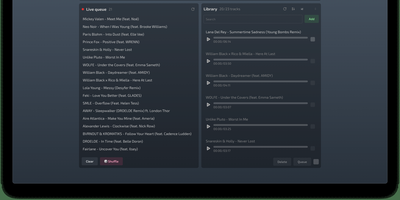
Airstation turns your music folder into a radio station where every listener hears the same second of the same song at the same time. From the studio panel you upload tracks once, and they stay in a permanent library you can search and sort by date added, name, or duration. Build the broadcast queue by dragging tracks into order, reshuffle it whenever the mood changes, let it cycle endlessly, shuffle it randomly, or pause the station entirely when the day is done. Playlists group tracks for recurring shows, and the playback history shows listeners what has already aired. Anyone with the link opens the player page and is listening within seconds, no account and no app install, while a live counter tells you how many people are tuned in right now. The player page itself can be retitled to match your station's name. Friends get a shared listening moment instead of another playlist link, communities get a station that plays their own rotation around the clock, and collectors get to hear their library the way radio always felt: live, shared, and slightly out of your control once it starts. Running on a dedicated VPS on RepoCloud with guaranteed CPU, RAM, and SSD, full root SSH access, and a browser serial console. MIT licensed.
Quickly
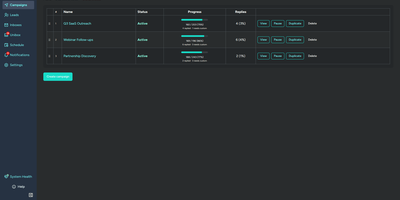
Cold outreach works better when your sending platform does not charge per seat and per contact for the privilege. Quickly runs multi-step email sequences across unlimited connected Gmail and Microsoft 365 inboxes, rotating sends automatically while respecting each inbox's daily limit. Because messages go out through Google and Microsoft's official OAuth APIs, they ride those providers' own infrastructure and reputation instead of a shared SMTP pool. You personalize every step with template variables drawn from your CSV import, split subject and body variants for A/B testing, and let bounce detection stop bad addresses before they hurt your domains. Replies from every account land in one unified inbox with threaded conversations, and AI classification sorts each reply as interested, not interested, out of office, wrong person, auto-reply, or unsubscribed, with Ollama available for fully offline classification. Analytics break performance down per campaign and per step with open, click, and reply rates and timeline charts, while a system health dashboard watches inbox token health and tracking domain reachability. Fifteen webhook event types and more than ninety REST endpoints feed tools like n8n, an MCP server exposes lead tools to AI assistants, and a test mode simulates sends, opens, and clicks without delivering anything. Running on a dedicated VPS on RepoCloud with guaranteed CPU, RAM, and SSD, full root SSH access, and a browser serial console. MIT licensed.
Ovis
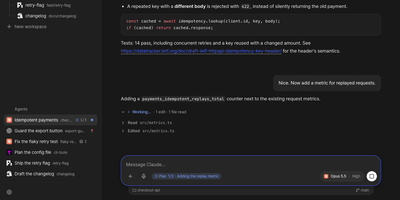
Ovis puts every coding agent running on your machine into your pocket, turning Claude Code, Codex, and a dozen other agent panes into clean phone-friendly chats you can read, answer, and steer from anywhere. Each pane shows the agent's own transcript as a conversation instead of terminal scrollback, with the live terminal one tap away when you need raw output. Permission requests, questions, and plan menus arrive as cards you answer with a tap or a number, and Ovis checks the prompt is still current before sending your answer. Live status for every pane shows which agents are working, which finished, and which are waiting on you. Web push alerts reach you even with the app closed, so a blocked agent never sits idle while you are away from the desk. Install it on your phone as a PWA with a rearrangeable key bar for Esc, Tab, Ctrl, and arrow keys, paired by QR code to your Tailscale address. Dictate replies into chat or terminal with mixed Korean and English speech, review the transcript, then send it to the agent. Open working-tree, staged, or commit comparisons from the file browser and read each file's diff without touching the repository. Reach remote PCs over SSH, queue a message for the agent's next turn, or send it immediately. Running on a dedicated VPS on RepoCloud with guaranteed CPU, RAM, and SSD, full root SSH access, and a browser serial console. MIT licensed.
Ziit
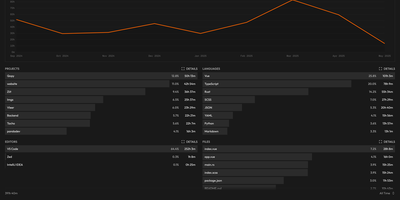
Ziit tracks where your coding hours actually go and shows the answer in a dashboard you host yourself. Install the extension in VS Code, any of its forks, or a JetBrains IDE, and every editing session streams to your instance with its project, language, editor, file, branch, and operating system attached. The dashboard filters by time range and breaks your work down by project and language, so a week of effort becomes a readable chart instead of a vague memory. You sign in with GitHub or email and password, import existing history from WakaTime or a WakAPI instance, and keep building on years of data instead of starting over. README badges embed live coding time for a project into any repository page, turning your profile into a quiet proof of work. A public stats page summarizes the whole instance, and a public leaderboard ranks who logged the most coding hours, which makes self-hosted instances double as community scoreboards. Because the server, the database, and the extensions are all yours, no third-party service sees which files you opened or how long a private project took. Teams can run one instance for everyone and compare effort across projects with the same filters. Running on a dedicated VPS on RepoCloud with guaranteed CPU, RAM, and SSD, full root SSH access, and a browser serial console. AGPL-3.0 licensed.
AiPBX
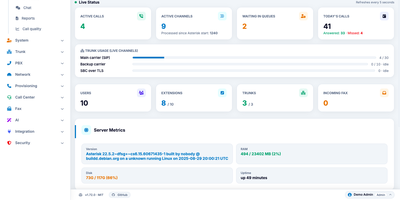
One server replaces the phone system, the meeting link, and the fax line: AiPBX turns a Linux machine into a business phone system with extensions, video meetings, chat, and call queues. Every employee gets one extension that rings a desk phone, the browser softphone, and the mobile app, while ring groups, multi-level IVRs, and time conditions route callers without anyone editing dialplan files. Queues staff your support line with dynamic agent sign-in, hold music, and position announcements, and a live wallboard lets supervisors watch waiting callers and agent states, then listen, whisper, or barge into a call. Meetings run in the browser: schedule conferences with PINs, send guests a magic link into a WebRTC room with screen sharing, and let streams forward without transcoding. Chat lives in the same portal: photos, files, presence, read receipts, and fax is composed in a rich-text editor or uploaded as PDF and delivered over T.38. Desk phones provision themselves: a discovery daemon spots new Yealink, Fanvil, Grandstream, Snom, and Cisco handsets and writes their configuration files. An AI assistant plans dialplan changes in plain language with dry-run preview and one-click undo, cloud voices from Google, Polly, Azure, ElevenLabs, or OpenAI read announcements aloud, and GDPR, KVKK, HIPAA, and PCI-DSS presets govern recording consent and retention purges. A 100-plus-endpoint REST API with scoped keys and HMAC-signed webhooks makes everything scriptable. Running on a dedicated VPS on RepoCloud with guaranteed CPU, RAM, and SSD, full root SSH access, and a browser serial console. MIT licensed.
PhreshOS
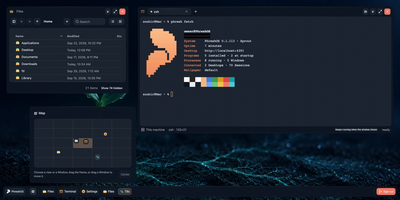
Your server already runs your apps; PhreshOS gives it a desktop. Install the System once and every Program you add gets a window on a real browser desktop, complete with taskbar, start menu, and a plane of views you can spread work across. Close the browser and nothing stops: each Program's server keeps running on the machine, holding its data and state, and when you open the Desktop again the windows are exactly where you left them. The System handles the groundwork every small web tool normally rebuilds for itself: one sign-in for the owner, permissions that decide what each Program may reach, storage and uploads, logs, and messaging between Programs, so a new tool only brings its own logic. Everyday pieces like the file manager, Settings, and even the wallpaper are Programs too, and an appearance changes colors and motion across the whole desktop at once. The same Desktop opens in several browsers simultaneously, each with its own view and scale, and AI agents work alongside you through the same Programs and APIs you use. When you want another tool, you create it as a small web project and its window appears on your desktop. Running on a dedicated VPS on RepoCloud with guaranteed CPU, RAM, and SSD, full root SSH access, and a browser serial console. MIT licensed.
LLM Gateway
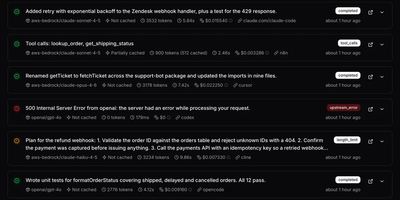
One OpenAI-compatible API fronts more than 250 models across 40 providers in LLM Gateway, with routing, cost analytics, and key management in a single dashboard. Existing OpenAI SDK code keeps working: change the base URL and model name to reach OpenAI, Anthropic, Google, xAI, DeepSeek, Groq, and dozens more. Every request lands in an activity log with its model, cache status, token counts, duration, and cost, and opening a request shows time to first token, throughput, and cached token usage. Spend splits by model, provider, project, and API key over 7 or 30 days, so the expensive endpoint stops hiding inside one monthly invoice. Scoped API keys carry spend caps and recurring limits, and requests stop automatically at the cap. Provider errors, timeouts, and rate limits trigger a retry on another provider for the same model before the caller hears about it. Coding agents and automation tools get their own usage views with requests, tokens, and spend per tool. Self-hosting runs the unified Docker image or a Kubernetes Helm chart on your own network. Running on a dedicated VPS on RepoCloud with guaranteed CPU, RAM, and SSD, full root SSH access, and a browser serial console. AGPL-3.0 licensed.
Spinifex
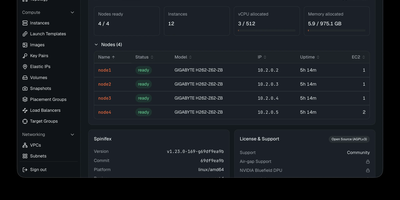
Spinifex rebuilds the AWS services your applications already call (EC2, EBS, S3, VPC, and IAM) on hardware you control, so workloads can leave the hyperscalers without a rewrite. An EC2 call boots a real KVM guest with spot instance and GPU passthrough options, attaches replicated block volumes, and places the machine inside an OVN virtual network guarded by security groups. S3 buckets land in erasure-coded object storage, container images live in a deduplicated registry, and managed Kubernetes clusters arrive with highly available control planes and node groups. Relational databases run as managed PostgreSQL or MariaDB with automated backups, load balancers terminate traffic at layer 4 or layer 7 with ACM certificates, and an authoritative DNS service manages hosted zones. Every request is authenticated with SigV4 at the gateway and routed to stateless service daemons, so capacity grows by starting more daemons on more nodes. Your existing AWS CLI profiles, SDK code, and Terraform plans point at the new endpoint and keep working, because 405 AWS API operations answer with the shapes your tooling expects. A built-in web console covers instances, volumes, buckets, networks, and IAM for operators who prefer clicks to commands. Clusters run on-premise, at air-gapped edge sites, or on GPU cloud capacity, and keep serving through disconnection because no external control plane exists. Running on a dedicated VPS on RepoCloud with guaranteed CPU, RAM, and SSD, full root SSH access, and a browser serial console. AGPL-3.0 licensed.
Terrapod
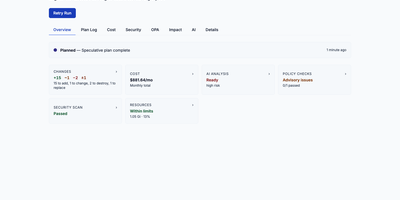
Terrapod gives you the Terraform Enterprise control plane on your own Kubernetes cluster, with remote state, run approvals, and policy checks, and no per-resource bill at the end of the month. Point your existing cloud block at it and terraform or tofu keep working unchanged, because Terrapod answers the same backend protocol the CLI already speaks. Workspaces isolate state, variables, and runs per team or environment, with versioned state you can lock, inspect, and roll back. Server-side agent pools execute plans and applies on ephemeral Kubernetes jobs, while CLI-driven runs stay available for local workflows. Approvals gate every apply, and conditional auto-apply only proceeds when a plan adds or updates resources without destroying anything. Label-based RBAC decides who may read, plan, write, or administer each workspace, with OIDC and SAML single sign-on on top. A private registry hosts your own modules and providers with GPG signing, and OPA Rego policy sets enforce rules as mandatory or advisory checks before apply. Drift detection flags infrastructure that wandered from its state, run triggers chain dependent workspaces, and an interactive impact graph shows a plan's blast radius before you approve it. Optional AI review summarizes each plan's changes and risks, and an MCP server lets AI assistants inspect workspaces and runs under the same permissions. Running on a dedicated VPS on RepoCloud with guaranteed CPU, RAM, and SSD, full root SSH access, and a browser serial console. MPL-2.0 licensed.
Mailflow
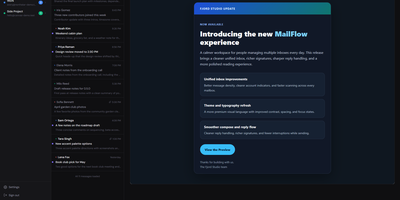
Mailflow gathers every mailbox you own, the work account, the personal one, and the address stranded at a provider you left years ago, into one unified inbox hosted on your own server. All accounts merge into a single stream sorted by date, then sort themselves into Primary, Newsletters, Social, Notifications, and Other tabs, with a reclassify button for the ones that land wrong. Conversations group into threads, one click unsubscribes from detected newsletters, and full-text search reaches across every connected account at once. Writing mail gets a proper editor with formatting, tables, emoji, attachments, and smart address completion that learns from what you send, while inbox rules and a block list quietly move, archive, star, or trash messages by sender, subject, or content before you ever see them. New mail arrives with real-time toasts and push notifications, the interface installs as an app, speaks eleven languages, and can be reshaped with layouts, themes, and your own CSS. Accounts stay protected with two-factor authentication and single sign-on, contacts sync out over CardDAV, and an optional AI assistant can summarize a thread or draft the reply you are avoiding. Running on a dedicated VPS on RepoCloud with guaranteed CPU, RAM, and SSD, full root SSH access, and a browser serial console. AGPL-3.0 licensed.
Rootprint
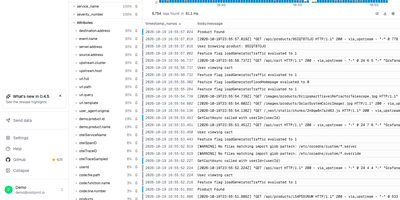
A year of searchable logs and traces no longer needs a metered logging service, because Rootprint keeps the whole index in a storage bucket you already own. A search matches any word on any line, since every log is indexed in full and no service name, stream, or label is needed first. A frequency histogram, one-click field filters, and saved views narrow the results, a fold mode collapses repeated lines, and exports arrive as NDJSON, CSV, or plain text, or as a share link. Open a trace from the log that emitted it, or paste a trace ID, and a waterfall shows per-span timing, attributes, events, and database calls grouped by query, with each span linking back to its logs. The trace explorer charts span volume, error rate, and p50, p95, and p99 latency, ranks the busiest operations, and filters spans by service, duration, and status. Every service gets its own page with request rate, error rate, operations, dependencies, and errors. Data arrives over OpenTelemetry from the Collector, Vector, or Fluent Bit, through a plain HTTP gateway, or by pulling from Kafka, Kinesis, or SQS, with guided setup for nine integrations. Indexes can live in S3, Google Cloud Storage, R2, MinIO, or Azure Blob. Teammates sign in with Google, GitHub, or any OpenID Connect provider, and scoped API keys serve scripts. Running on a dedicated VPS on RepoCloud with guaranteed CPU, RAM, and SSD, full root SSH access, and a browser serial console. Apache-2.0 licensed.
Runwisp
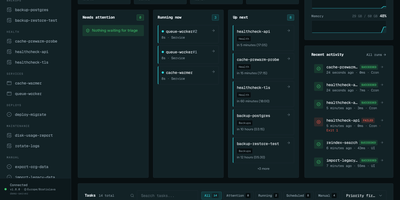
Cron ran the job, or maybe it did not; Runwisp makes the answer impossible to miss. One small binary replaces both crond and your process supervisor: list scheduled jobs and long-running services in a single runwisp.toml, and it runs the jobs on time, restarts services when they crash, and keeps every line they print. Every run leaves evidence: exit code, duration, timestamps and full stdout and stderr, searchable across a task's whole history, with CPU and memory shown next to what that task usually uses. When a run fails, the dashboard shows why, with stderr and the end reason beside the retry button, and alerts head to Slack, Discord, Telegram, ntfy, Gotify, Pushover, email or a webhook before you find out the hard way. Missed runs catch up after downtime, overlapping runs queue, skip or kill by policy, and services get restart backoff and graceful shutdown. Manual runs take typed parameters, so the dashboard generates a form with choices and defaults from your config. Long output streams live with progress bars redrawing in place, and the same history opens in a terminal UI over SSH. The config file stays the source of truth: interfaces trigger and inspect, they never edit your TOML. No database to run, no runtime to install, just the binary and its embedded storage. Running on a dedicated VPS on RepoCloud with guaranteed CPU, RAM, and SSD, full root SSH access, and a browser serial console. GPL-3.0 licensed.
Doorman
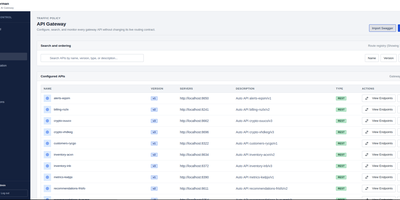
Doorman puts one controlled front door in front of every API you run, instead of teaching each service to reinvent keys, quotas, and abuse protection. It routes REST, SOAP, GraphQL, gRPC, gRPC-Web, and AI traffic through a single gateway while its control plane handles the surrounding work. Catalog APIs in a visual builder, configure protocols and endpoints, validate schemas, and manage semantic versions with deprecation and sunset dates as interfaces evolve. Control who may call what through users, roles, groups, and subscriptions, then attach credit tiers and quotas so heavy consumers stay inside the plan you sold them. Slow abusive clients with rate limits, throttling, and bandwidth caps, and keep flaky upstreams from cascading through retries and circuit breaking. Follow every request in searchable logs, review security controls and audit activity, and move configuration between environments with import and export. Start in a self-contained in-memory mode for a small deployment, then switch to shared MongoDB and Redis when several gateway instances need the same counters, revocations, and routing state. Running on a dedicated VPS on RepoCloud with guaranteed CPU, RAM, and SSD, full root SSH access, and a browser serial console. Apache 2.0 licensed.
Flowplan
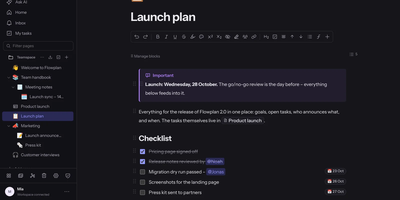
Flowplan puts your team's documents, databases, whiteboards, handwriting notebooks, and daily journal into one self-hosted page tree, so the work lives in a single place you control instead of five subscriptions. Write in a block editor that stays out of the way, and when a number appears mid-sentence, type the calculation and press Tab to drop in the result, or graph functions and vectors in 2D and 3D without leaving the page. The same records can be viewed as a table, board, calendar, timeline, gallery, list, feed, chart, form, or sprint board, with relations, rollups, and formulas tying them together, and projects get ticket numbers, sprints with burndown, and automations on top. Brainstorm on whiteboards with sticky notes, mind maps, and voting; keep a journal page per day with templates and an optional PIN lock; and write by hand in notebooks with lined, grid, or Cornell paper, annotate PDFs, and sketch inside documents with a pressure-sensitive pen. Teammates edit together with live cursors, comment in inline threads, and share single pages with guests through password-protected, expiring links, while permissions reach down to a single record. AI is off until an admin enables it, per feature and per person, and it can run entirely on your own hardware or answer questions about the workspace with links to its sources. Running on a dedicated VPS on RepoCloud with guaranteed CPU, RAM, and SSD, full root SSH access, and a browser serial console. AGPL-3.0 licensed.