Kompl
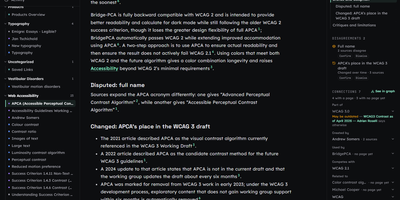
Save a link, a PDF, a YouTube video, or a bookmark export to Kompl and it reads the material on arrival, then writes it into cross-linked wiki pages instead of leaving it in a folder you never reopen. Save more on the same subject and the existing pages are rewritten, so source number fifty improves the pages it touches. Every claim carries a numbered citation back to the original text, and when two sources disagree the page records both sides with a confirm or dismiss button. A knowledge graph shows how topics connect, each link backed by the sentence that states it. An onboarding wizard stages pasted text, URLs, uploaded files, browser bookmarks, Twitter exports, Apple Notes, and Upnote exports for review before anything is compiled. Settings pick the compile model from DeepSeek or Gemini, cap daily spend, and show wiki health. Eight MCP tools let Claude Code, Cursor, Codex, and other agents search, read, and cite pages. Full backups export as one zip that restores without further model calls. Running on a dedicated VPS on RepoCloud with guaranteed CPU, RAM, and SSD, full root SSH access, and a browser serial console. Apache-2.0 licensed.
Galette
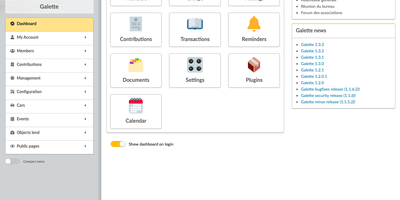
Galette keeps an association's member list, dues, and correspondence in one place, with no per-member fees and no cap on registered members. Each member card holds identity, contact details, status, and an optional picture, extended with your own text, choice, date, checkbox, or file fields and permissions that decide who can view or edit them. Filters, saved advanced searches with relative dates, and groups with their own managers help you find the right people, and linked members cover families or companies. From any selection you can send mailings with attachments, print labels, membership cards, and attendance sheets as PDF, or export and import CSV. Every recorded contribution updates the member's due date, the members list color-codes who is up to date or late, and email reminders go out before and after expiry. Fees follow types you define, with donations, offered months, a shared membership year or a duration running from payment, installments, and PDF receipts or invoices. Members log in to update their own record and download their card, with optional two-factor authentication, an online registration form, and public pages for those who consent. Charts summarize members by status and contributions over time, shared documents carry per-audience visibility, and plugins add events, equipment lending, maps, and online payment. The interface runs in about twenty languages. Running on a dedicated VPS on RepoCloud with guaranteed CPU, RAM, and SSD, full root SSH access, and a browser serial console. GPL-3.0-or-later licensed.
PrettyPleasePrint
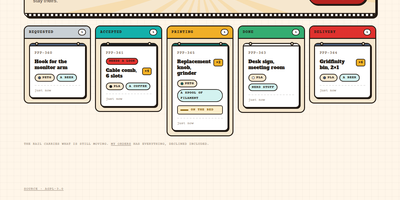
Pretty Please Print turns one office's shared 3D printer into an invite-only request board: colleagues upload a model and follow it from request to delivery. Requesters upload an STL or 3MF file, or start from a Printables link the owner enabled, and the mesh renders in the browser, auto-framed and draggable, so everyone checks the geometry first. Every request becomes a ticket that the printer owner moves through Requested, Accepted, Printing, and Delivery, or declines with a reason, and requesters can withdraw their own print before it reaches the bed. Slicer specifics like layer height, infill, supports, and temperatures ride along as notes on the ticket, a low, medium, or high priority keeps the owner's queue ordered, and a conversation thread on each ticket replaces lost chat threads. The owner curates the materials and colours on the shelf, with swatches and a rainbow whatever option, and defines the tips requesters can offer, preferred ones starred. Finished jobs collect in a filterable history: Print again reopens the form with the model copied server-side and fields adjustable, and one click sends a model straight to PrusaSlicer. Accounts are invitation-only; access can be revoked with a global sign-out, every change lands in an audit trail that cannot be edited, and the same tickets are exposed over a JSON API documented in OpenAPI 3.1 with a Swagger console. Running on a dedicated VPS on RepoCloud with guaranteed CPU, RAM, and SSD, full root SSH access, and a browser serial console. AGPL-3.0 licensed.
Jarvis
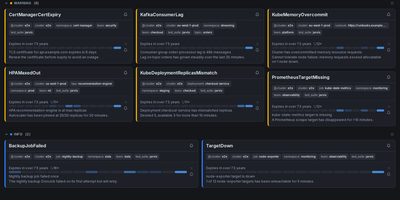
Alertmanager forgets an alert the moment it resolves; Jarvis remembers everything. This web frontend watches all your Alertmanager clusters at once and streams firing alerts into one live view over WebSocket, no refresh as problems appear or clear. Every alert's lifecycle is stored, so the resolved view answers how often something fired and how long it burned, and a grace period keeps a missed poll from being recorded as a phantom resolution. When an alert lands, claim it so the team sees who is on it, and leave comments bound to that alert fingerprint; notes survive restarts and re-fires, so the next person inherits the context. Silencing gets a rehearsal: preview exactly which alerts a silence will hit before creating it, fire a one-click Fast-Silence from the list, and save templates for recurring maintenance. Filters use the Alertmanager matchers you already know, save as named sets, ride in shareable URLs, and one can be your default view. Point Jarvis at every member of an HA gossip cluster and duplicates collapse by fingerprint, while protected upstreams authenticate with OAuth2, bearer tokens or basic auth per cluster. Sign-in is optional through built-in accounts or any OIDC provider, and it runs as one hardened container on port 8080, with PostgreSQL available when you want replicas. Keep it behind your VPN or an authenticating proxy, as its own docs insist. Running on a dedicated VPS on RepoCloud with guaranteed CPU, RAM, and SSD, full root SSH access, and a browser serial console. Apache-2.0 licensed.
Open SEO Crawler
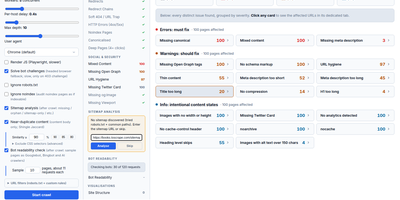
The audit starts with one URL: Open SEO Crawler spiders the entire site from your own server and groups every technical issue by severity. It crawls concurrently with per-host politeness and backoff retries, and presets adapt automatically to WordPress, Shopify, Webflow, and seven other detected CMS platforms. Every page gets checked for missing or duplicate titles, meta descriptions, H1s, and canonicals, plus thin content, redirect chains, broken links, hreflang gaps, and images without alt text. Afterwards, sample pages are fetched again as Googlebot, Bingbot, Applebot, GPTBot, and PerplexityBot, and any page a bot cannot read in full gets flagged. The Summary groups issues into errors, warnings, and info with affected page counts, and the sidebar opens bulk reports for titles, metas, canonicals, duplicates, response codes, and deep pages. Each report exports to an XLSX workbook, and the Crawl Budget page turns parameter traps into ready-to-paste robots.txt rules that stop phantom URLs from eating your budget. One click packs the crawl into a Markdown brief for any AI assistant, and the bundled MCP server lets Claude or Cursor start crawls and read issues directly. Saved crawls reopen any time, dark mode is built in, and a daily auto-update keeps the tool current with rollback if a pull ever breaks it. Running on a dedicated VPS on RepoCloud with guaranteed CPU, RAM, and SSD, full root SSH access, and a browser serial console. MIT licensed.
Blombooru
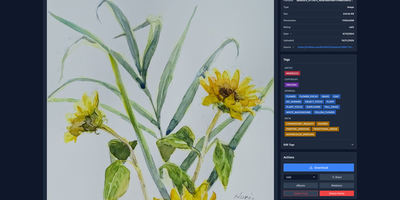
Tens of thousands of saved images become useless the moment you cannot find the one you want, and Blombooru turns that private pile into a searchable, tag-organized library on your own server. Its Danbooru-style tagging uses familiar categories like artist, character, and copyright, with tag-based search and negative exclusion to slice a huge collection down to exactly the post you remembered. A dedicated tag gallery lets you browse and manage the vocabulary itself, and CSV imports bring existing tag lists in through the admin panel. Albums organize media with nested sub-albums and manual sorting, while parent-child relationships and a TF-IDF similarity engine surface variations, multi-page comics, and near-duplicates. Getting media in is flexible: upload files, compressed archives, filesystem scans, or paste a Danbooru or Gelbooru post URL and let it fetch media, tags, rating, and source automatically. AI-generated images keep their SwarmUI, ComfyUI, A1111, or NovelAI metadata viewable, optional WDv3 or PixAI auto-taggers suggest tags with one click, and tag implications and aliases keep everything consistent. Secure mode, share links, thumbnail blurring, scoped API keys, and custom themes from the admin panel finish the picture. Running on a dedicated VPS on RepoCloud with guaranteed CPU, RAM, and SSD, full root SSH access, and a browser serial console. MIT licensed.
Docker Updater
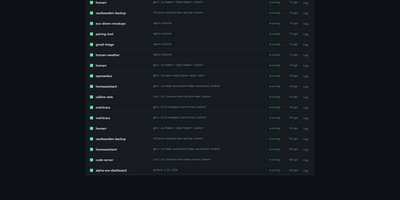
Docker Updater puts you back in charge of container updates: it watches your registries for newer images, and nothing updates until you approve it, so no database restarts itself at dinner. Polls run on a schedule you set, and each container card shows the newer image waiting before anything is pulled. The check costs nothing: it compares the digest your container runs against the registry manifest without pulling a byte, across Docker Hub, GHCR and other Bearer-token registries. Read the last five GitHub releases for an image before committing, update one container or a batch, and watch the pull percentage, layer count and recreation step stream live on the card. If the new container fails to start, the old one returns automatically, and you can keep a backup even after a clean update. Not ready? Defer an update for 7, 14, 30 or 90 days, or indefinitely, and it leaves your notifications alone until then. Several Docker hosts join the same dashboard over SSH or TCP with health indicators, and Compose stacks restart together so services find new addresses. Notifications arrive through an auto-generated ntfy topic or your own Apprise URL, every update keeps a persistent log, and a reclaimable-images view shows what disk space old images hold. The dashboard serves on port 9090 in English or Simplified Chinese, with optional login. Running on a dedicated VPS on RepoCloud with guaranteed CPU, RAM, and SSD, full root SSH access, and a browser serial console. MIT licensed.
Mikka
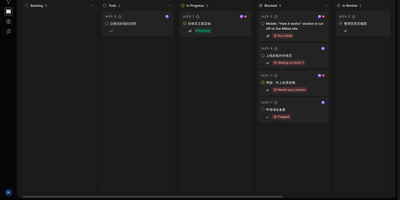
Instead of babysitting three coding agents in three terminal windows, you describe the work once and let Mikka run the team: its Coordinator bot plans the job, dispatches runs to Claude Code, Codex, or Cursor on your connected machines, and only interrupts you when a decision is actually yours. Every piece of work lives in a thread with its own conversation, so dispatched runs appear as cards that report progress, ask questions, and flag blocks while you watch, reply, or stop them from the web, desktop, or phone. Unclear requests come back as choice cards before anything runs, and finished work moves through review and verification runs, back to a fix run when a check fails, then to acceptance where the pull request merges as you. Runs use leases and checkpoints, so a machine that drops mid-task hands the work to another connected computer with the same repository. You can create your own bots beside the Coordinator, each with its own chat, memory, and threads, and answers can arrive as charts, tables, stat cards, and task chips with sources cited. Daemons connect over SSH or from the desktop app, other agents drive Mikka through MCP, and Telegram or Slack messages reach the Coordinator too. Running on a dedicated VPS on RepoCloud with guaranteed CPU, RAM, and SSD, full root SSH access, and a browser serial console. AGPL-3.0 licensed.
Supernote
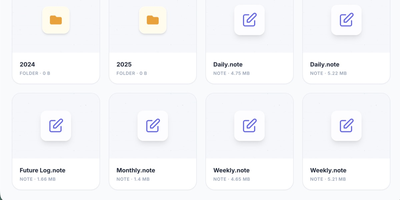
Your Supernote tablet fills with handwritten journals, meeting notes, and sketches, and this server gives that handwriting a private home: Supernote is a self-hosted sync cloud for Ratta Supernote tablets that stores notebooks on your own hardware and can transcribe, summarize, and search them with AI. Point the tablet at your server under its Private Cloud sync setting and notebooks upload automatically, ready to browse in the web interface alongside your task lists and AI insights. Turn on the intelligence layer and each synced page is transcribed by a vision model, either Google Gemini or a local model served by Ollama or another OpenAI-compatible endpoint, so notes never leave your network. Analyzers then read your journals to surface tasks, themes, and Daily, Weekly, and Monthly summaries. Every word is indexed for semantic search, which understands concepts: searching for budget also finds pages about expenses or money, even when that exact word never appears. Tasks discovered in your handwriting export as calendar feeds that drop into Home Assistant, Apple Calendar, Google Calendar, and Outlook. An MCP server lets assistants such as Claude, Gemini, and ChatGPT answer questions against your notebooks, and notebooks convert to PDF, PNG, SVG, or plain text for use anywhere else. The hub idles at about 160 MB of memory, or roughly 135 MB in bare sync mode. Running on a dedicated VPS on RepoCloud with guaranteed CPU, RAM, and SSD, full root SSH access, and a browser serial console. Apache 2.0 licensed.
XianScan
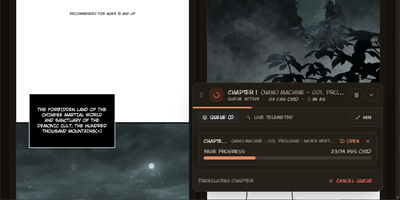
Reading a new manhwa chapter on release day usually means waiting for a scanlation group, or pasting panels into three tools yourself. XianScan collapses that whole relay into one server: point its browser extension at a chapter on a reader site and it captures every page, or drop raw pages into the studio and let the pipeline run. Speech bubbles, captions and sound effects are detected automatically, the text inside them is read by OCR supporting ten languages in vertical and horizontal layouts, and tall webtoon strips are resliced along natural panel gutters so no bubble is ever cut in half. Translation keeps a sliding memory of previous pages so speakers, pronouns and story topics stay consistent, while terminology glossaries lock character names and cultivation terms across an entire series. The original lettering is then removed by neural inpainting that rebuilds the artwork underneath, and the translation is typeset back into the bubbles with computed font sizes, line breaks and per-script fonts, including right-to-left scripts and accent fonts for attack names. Inspect OCR boxes and confidence scores, fix text before saving, then read in the web studio or stream chapters to the Mihon app on your phone. Local models through Ollama or LM Studio keep everything offline, or plug in Gemini, OpenAI, Groq or OpenRouter keys when you prefer the cloud. Running on a dedicated VPS on RepoCloud with guaranteed CPU, RAM, and SSD, full root SSH access, and a browser serial console. MIT licensed.
Nojoin
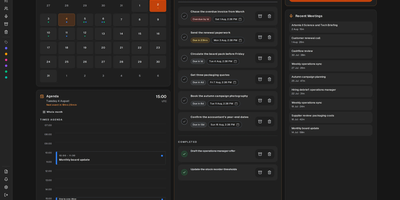
Nojoin takes notes on your Meet, Teams, and Zoom calls without sending a bot into the meeting: it records from your browser and transcribes on your own server. Nothing extra joins the call and nothing announces itself to the room; you meet as usual, press record, and the browser captures the audio. Transcription runs locally with Whisper or Parakeet, so the audio never leaves your hardware, and speaker recognition matches voiceprints across calls, so a person you name once is labelled correctly in later meetings too. AI notes can come from an API provider, your existing Claude or ChatGPT subscription, or Ollama on the same machine for fully local processing. During the call, Meeting Edge suggests questions, flags points you may have missed, and explains unfamiliar terms in real time. Afterward, analytics measured from the audio report talk-time share, turn-taking, and overlapping speech. A built-in MCP server hands Claude or ChatGPT 32 tools over your library, 19 of them writable, so an assistant can search every meeting, correct a misheard line, turn action items into tasks, and reconcile attendees with your CRM. Google and Outlook calendars sync automatically, every meeting carries its own chat, and finished notes export to PDF, Word, or plain text. Stored credentials are encrypted with a key you control, and anonymous telemetry can be switched off entirely. Running on a dedicated VPS on RepoCloud with guaranteed CPU, RAM, and SSD, full root SSH access, and a browser serial console. AGPL-3.0 licensed.
CSV AI Analyzer
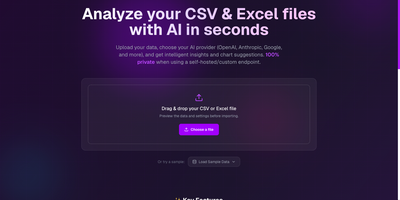
A spreadsheet goes in, a plain-English readout comes out, and with a local model the file never leaves your own network. CSV AI Analyzer reads CSV and Excel files, detects delimiters, headers, and column types, and opens with a data-quality report that counts missing values, repeated rows, and type mismatches per column. A searchable preview table sits next to column, sort, and filter controls. One click on Run Complete Analysis produces a summary with key insights, an anomalies view, and chart suggestions, and the Custom Query tab answers follow-up questions in a chat thread. Charts come as bar, line, pie, scatter, or area, can be built by hand from any two columns, and export as SVG, PNG, or CSV. Reports download as PDF or Markdown. Point it at OpenAI, Anthropic, Google, Mistral, or any OpenAI-compatible endpoint, including Ollama, LM Studio, and vLLM, to keep analysis fully local. API keys stay encrypted in the browser, and a language selector switches the interface. Monthly finance exports, operations reports, and founder dashboards turn into answers without a single formula. Running on a dedicated VPS on RepoCloud with guaranteed CPU, RAM, and SSD, full root SSH access, and a browser serial console. MIT licensed.
Open Game Master
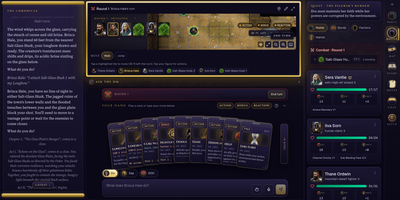
Start a fantasy campaign tonight, share an invite code with friends, and let an AI narrate the story as the server does the rolling. The model never owns the numbers: dice, hit points, spell slots, conditions, and the death track are computed and clamped by the backend, and the model changes game state only through validated tools. Players get a hand of action cards under a fogged battle map with initiative order, a chronicle of the story so far, and a party panel. A guided wizard builds SRD 5.1 characters from 48 classes and 49 backgrounds, and AI companions have real sheets that level up with the party. A secret story arc advances as chapters close and surfaces as a quest log. The workshop and map studio handle prep: paint maps, build encounters, cast, factions, bestiary entries, roll tables, and lore, then import them into any campaign. Pick the narrator from llama.cpp, Ollama, LM Studio, vLLM, OpenAI, OpenRouter, or a Codex, Grok Build, Claude Code, or opencode subscription. Optional ComfyUI or OpenAI images paint portraits and scene art, and live voice chat, ambience, and a 3D dice tray round out the table. A human Game Master mode keeps sheets and dice straight for a person narrating. Data stays in an encrypted SQLite database with no telemetry. Running on a dedicated VPS on RepoCloud with guaranteed CPU, RAM, and SSD, full root SSH access, and a browser serial console. MIT licensed.
OpenVoiceUI
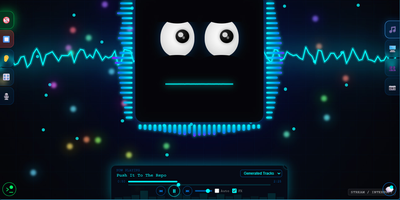
OpenVoiceUI is the voice-first front end for a self-hosted AI agent that lives entirely on your own hardware; you talk, it answers out loud, and it builds live pages on screen while the conversation runs. Hold a hands-free conversation with wake word, push-to-talk, and the ability to interrupt, or switch to text when the room is quiet. Speech recognition runs in the browser for free or through Deepgram, Groq Whisper, or your own Whisper server, while nine speech providers from local Supertonic to ElevenLabs give the agent its voice, cloned voices included. As it talks, the agent opens live canvas pages, dashboards, galleries, reports, and tools, and files them on an OS-style desktop you can reopen from the start menu. Ask for music and it generates songs with a built-in player and playlists; ask for images and it creates those too, alongside an audio clip maker and a soundboard. Profiles swap the agent's persona, voice, and model provider, animated faces react while it speaks, and sub-agents and workspace files stay visible in the admin dashboard. The agent itself runs in the OpenClaw gateway with your choice of model provider, so your keys, conversations, and files never leave your server. Running on a dedicated VPS on RepoCloud with guaranteed CPU, RAM, and SSD, full root SSH access, and a browser serial console. MIT licensed.
MediaServer
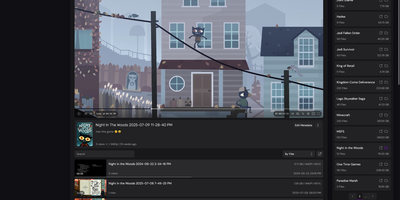
Your folders are the library with MediaServer, a self-hosted player that scans the directories you already keep and serves their video and audio through a tidy web interface. Browsing feels like a personal YouTube: folders open as shelves of content, and the custom player keeps the video going as you explore what to watch next. Keyboard shortcuts drive playback, speed controls and player statistics sit a click away, and an ambient background glows behind the video. Every view is remembered: full watch history with timestamps, re-watch counts, per-user totals, and playback heatmaps replace the single watched tick other servers stop at. Metadata belongs to you: edit titles, thumbnails, tags, seasons, and release dates for videos, folders, and albums, and the edits survive files being moved or renamed. Music gets its own treatment with embedded cover art, a lyrics viewer and editor fed by LrcLib, and auto-scrolling lines that follow the song. Subtitles extract themselves from embedded and external files, folders and single videos share as readable links, and each share renders a rich preview card for Discord or chat. Behind the scenes, a dashboard manages libraries, scanning jobs, users, and server performance. Running on a dedicated VPS on RepoCloud with guaranteed CPU, RAM, and SSD, full root SSH access, and a browser serial console. AGPL-3.0 licensed.
ShibaClaw
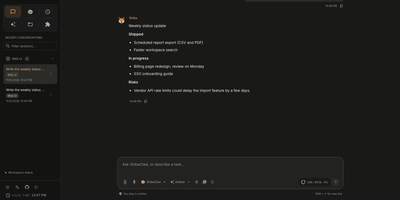
Meet an AI assistant that lives on your own server, remembers who you are, and keeps working after you close the tab. ShibaClaw opens with a four-step onboarding wizard for provider, credentials, and model, then drops you into a chat workspace with agent profiles for building, planning, reviewing, administering, and security work. Long-term memory lives in editable files, a dream diary records what the agent learned, and a Library view maps how profiles relate to each other. Agents call file, shell, and web tools, plug into external MCP servers, and hand work to isolated or forked sub-agents. The Automations page schedules one-shot, interval, or cron jobs like a weekday morning support brief, and a plugin catalog adds services like GitHub, Notion, PostgreSQL, and Google Workspace in one click. An optional knowledge base searches your own documents, and channel integrations reach the agent from Discord, Telegram, Slack, and Matrix. Provider choices span OpenRouter, Anthropic, OpenAI, Gemini, DeepSeek, Groq, Ollama, and any OpenAI-compatible endpoint. A credential vault encrypts keys, and file tools stay inside a restricted workspace. Anyone who wants research, drafting, and recurring chores handled by an assistant they host themselves will feel at home. Running on a dedicated VPS on RepoCloud with guaranteed CPU, RAM, and SSD, full root SSH access, and a browser serial console. Apache-2.0 licensed.

HEISS UI
ComfyUI's node graph is where workflows are built, not where pictures get made, and HEISS UI is the calm studio that sits on top of your ComfyUI server for the daily prompt, wait, look, tweak loop. Thirty model families work out of the box, from SD 1.5 and SDXL to Flux.2, Qwen-Image, Krea 2, and Wan 2.2, and missing text encoders, VAEs, or node packs each get a Download button, with Get all for the lot. Pick 2K and the model draws at 2048 in one run with no upscale in between, or send any finished picture to 2K or 4K with SeedVR2 in one click. Import your own workflow and it becomes clean controls over the same graph, with usual inputs connected and guesses marked for review. Paint over part of a picture and say what it becomes, and only that part changes, with inpainting across 18 image families and no extra nodes. The gallery auto-groups ten takes of one idea into a single tile, and opens on your phone while your rendering machine does the work. A Hidden vault locks private images behind Touch ID, Windows Hello, or a password; new PNGs can carry Civitai-ready metadata, and Zen mode shows only prompt and picture. Run it beside ComfyUI with Docker or npm on port 8787, or point it at ComfyUI on another machine. Running on a dedicated VPS on RepoCloud with guaranteed CPU, RAM, and SSD, full root SSH access, and a browser serial console. MIT licensed.
InfraCanvas
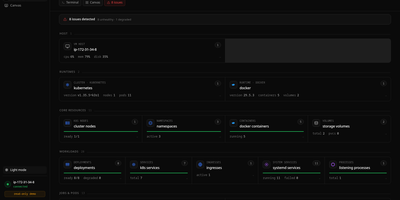
InfraCanvas draws the picture ten terminal commands cannot: a live map in your browser of every container, pod, service, volume and network on a machine, showing what runs where, what talks to what, and what is broken in one glance. Nodes turn green, amber or red from real state, including container health, pod phases, ready replicas, zombie processes and host thresholds, and real connection edges appear between processes, like your app server talking to Postgres on port 5432, read straight from the machine. It works where workloads already live: Docker and Podman containers, full Kubernetes object graphs from nodes to ingresses, LXD and Incus containers, and plain systemd or PM2 services on VMs with no container runtime. From any node you can shell into the container, pod or host, tail logs, restart or stop a service, scale a deployment, run a rolling restart, change an image or kill a process, with secrets masked before anything reaches the screen. A second machine joins through an outbound-only agent, and clusters connect by dropping in a kubeconfig with nothing installed inside them. The self-hosted binary needs no account, sends no telemetry and opens no inbound port: it binds localhost on port 7777 behind a random per-install token, with an optional read-only mode, and every action is audit-logged. Running on a dedicated VPS on RepoCloud with guaranteed CPU, RAM, and SSD, full root SSH access, and a browser serial console. AGPL-3.0 licensed.