TradingAgents GUI
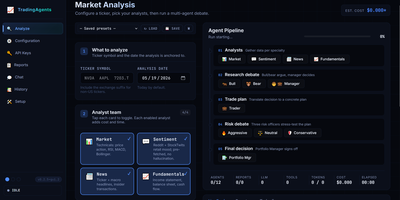
Built atop the TauricResearch TradingAgents framework with nearly 100,000 GitHub stars, TradingAgents GUI transforms a CLI-only multi-agent LLM stock analysis pipeline into a polished web application accessible at localhost:5000. The system deploys twelve specialized AI agents — fundamental analysts, sentiment experts, technical analysts, bull and bear researchers, a trader, risk management team, and portfolio manager — who collaboratively debate market conditions through structured LangGraph workflows before producing a final BUY, SELL, or HOLD recommendation. The interface supports ten LLM providers including OpenAI, Anthropic, Google, OpenRouter, DeepSeek, Ollama, xAI, Qwen, GLM, and MiniMax, with a first-run wizard that auto-detects configured API keys and tests connections. A live pipeline visualization shows each agent's status with real-time progress bars, while the tabbed output area separates Live Feed, Reports preview, and Tool calls into dedicated panes. The three-pane Reports tab provides searchable indexing, table-of-contents navigation, and export to Markdown, HTML, or PDF formats. Report length control across Concise, Standard, and Comprehensive modes saves up to 50% on token costs. Multi-session chat allows pinning past reports as grounding context with live token counting and context-window warnings. Three built-in themes — Terminal, Modern, and Bloomberg — persist per browser. Docker Compose deployment maps port 5000 with persistent report storage. Running on a dedicated VPS on RepoCloud with guaranteed CPU, RAM, and SSD, full root SSH access, and a browser serial console. Apache 2.0 licensed.
Open Walnut
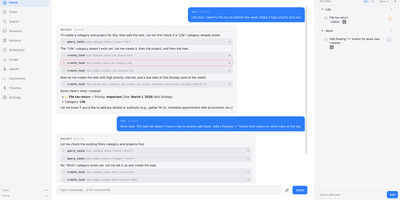
Open Walnut replaces your scattered terminals and notes with one self-hosted command center where a CEO agent and a lead for each project run your Claude Code sessions like a small company. You talk to the CEO; each project lead plans the work, spawns worker sessions, checks their output, and only brings you the questions that actually need a person. Every session sits in its own column with live output, permission controls, terminals, and files, and sessions survive browser disconnects, dropped SSH connections, and server restarts. Codex, Gemini, OpenCode, and Goose sessions join the same columns, on your laptop or on remote dev boxes reached over SSH. Finished work comes back as a per-session diff: comment on individual lines and send the review straight back into the session that wrote it. Around the agents sit your tasks with subtasks, dependencies, and due dates, Markdown notes with wiki links and backlinks, a calendar, and long-term memory that a background job keeps consolidated. Search covers notes, tasks, sessions, and memory together, mixing keyword matching with local embeddings, so nothing you told it last month gets lost. Routines run one-time, interval, and cron jobs; plugins add whole apps, tools, and skills; and paired phones reach the same console through device tokens. Running on a dedicated VPS on RepoCloud with guaranteed CPU, RAM, and SSD, full root SSH access, and a browser serial console. MIT licensed.
GyroidVault
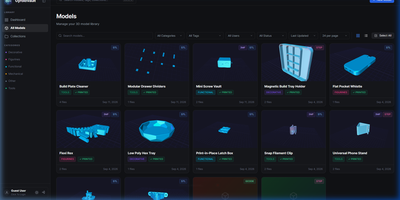
The bracket you printed last spring sits in some folder, on some drive, under a filename you no longer remember; GyroidVault is the searchable library that ends the hunt, where every model can be inspected in 3D, tracked through its prints, and sent to a printer without touching a slicer queue. Point it at your existing folders on a NAS or server and it indexes STL, 3MF, STEP, OBJ, G-code, binary BGCODE, and even Fusion 360 files non-destructively, generating thumbnails and 2x2 collages while a duplicate finder flags identical copies by SHA-256 hash. Opening a model launches Studio 2.0: orbit the mesh, jump between isometric, top, front, and side cameras, switch between solid, wireframe, and X-ray shading, try filament colours live, arrange multi-part assemblies on one build plate, and snapshot your favourite angle as the cover. Sliced files give up their secrets too, with layer-by-layer toolpath previews plus infill, temperatures, filament weight, and estimated cost extracted automatically. From the same page you can fire G-code straight to a Moonraker or Klipper printer, open the file in OrcaSlicer, Bambu Studio, PrusaSlicer, Cura, or Creality Print, log each print with its material and outcome, and share a model through an expiring public link. Collections, version histories, custom metadata fields, and role-based accounts keep a growing print farm library tidy for everyone who uses it. Running on a dedicated VPS on RepoCloud with guaranteed CPU, RAM, and SSD, full root SSH access, and a browser serial console. AGPL-3.0 licensed.
Flowplan
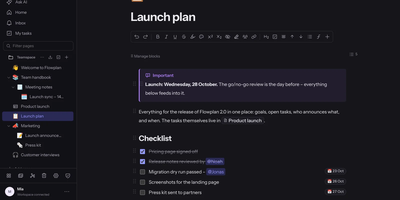
Flowplan puts your team's documents, databases, whiteboards, handwriting notebooks, and daily journal into one self-hosted page tree, so the work lives in a single place you control instead of five subscriptions. Write in a block editor that stays out of the way, and when a number appears mid-sentence, type the calculation and press Tab to drop in the result, or graph functions and vectors in 2D and 3D without leaving the page. The same records can be viewed as a table, board, calendar, timeline, gallery, list, feed, chart, form, or sprint board, with relations, rollups, and formulas tying them together, and projects get ticket numbers, sprints with burndown, and automations on top. Brainstorm on whiteboards with sticky notes, mind maps, and voting; keep a journal page per day with templates and an optional PIN lock; and write by hand in notebooks with lined, grid, or Cornell paper, annotate PDFs, and sketch inside documents with a pressure-sensitive pen. Teammates edit together with live cursors, comment in inline threads, and share single pages with guests through password-protected, expiring links, while permissions reach down to a single record. AI is off until an admin enables it, per feature and per person, and it can run entirely on your own hardware or answer questions about the workspace with links to its sources. Running on a dedicated VPS on RepoCloud with guaranteed CPU, RAM, and SSD, full root SSH access, and a browser serial console. AGPL-3.0 licensed.
Libre WebUI
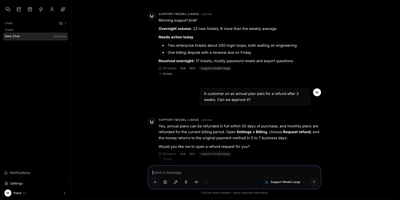
Libre WebUI is a self-hosted AI workspace that keeps chat, notes, personas, and agent tasks in one place you control. Local models run through Ollama, and hosted ones come from OpenAI, Anthropic, Gemini, Groq, Mistral, OpenRouter, or any OpenAI-compatible endpoint added on the provider settings page. Pick a model per conversation. Replies stream, prompts queue, chats fork into branches, and several models can answer side by side. Notes keep Markdown documents with revision history. Personas bundle a system prompt, a model, and memory into a reusable assistant, and prompt templates with typed variables appear when you type a slash in the composer. Knowledge collections ground answers in uploaded documents and cite their sources. The Work area gives each task its own workspace with files, a terminal, diffs, and a live preview, and automations run scheduled prompts that arrive as normal chats. Administrators create users and groups, hand out roles, issue scoped API tokens, and share chats, notes, and personas through one grant model. A private team assistant, a research desk, or a sandbox where agents build small apps all fit here. Running on a dedicated VPS on RepoCloud with guaranteed CPU, RAM, and SSD, full root SSH access, and a browser serial console. Apache-2.0 licensed.
pgconsole
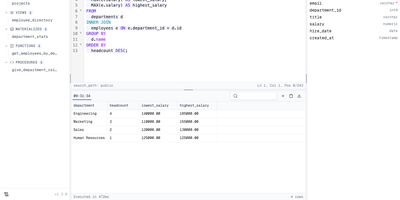
Your whole team can work in a browser-based PostgreSQL editor without a single database password changing hands. Connections live on the server, and one TOML file defines the connections, users, groups, access rules, and AI providers, so access changes get reviewed in pull requests like any other change. The editor parses PostgreSQL as you type, which powers autocomplete across tables, columns, joins, and CTEs, formatting, red error underlines, code folding, and function signature help. Results fill a virtual-scrolling grid with a row detail panel, pinned rows, and CSV, TSV, JSON, or Markdown export, while inline edits stay staged and color-coded until you preview the generated SQL and execute them. A schema browser lists tables, views, materialized views, functions, and procedures with entity diagrams, indexes, constraints, triggers, policies, and grants, and a Processes view lists active sessions. The AI assistant, using OpenAI, Anthropic, or Google keys that never reach the browser, writes SQL from plain English, explains, fixes, and rewrites queries, and rates the risk of staged changes. Coding agents such as Claude Code and Cursor connect through a built-in MCP server, where IAM rules limit each agent and every statement lands in the audit log. People sign in with email and password, Google, Okta, Keycloak, or any OIDC provider. Running on a dedicated VPS on RepoCloud with guaranteed CPU, RAM, and SSD, full root SSH access, and a browser serial console. Apache-2.0 licensed.

Denpa
Denpa is a home TV recording server that turns a Linux machine and a TV tuner into a private recorder for Japanese terrestrial and satellite broadcasts, with reservations and browser playback. There are no configuration files: plug in a supported tuner and card reader, press scan, and the tuner type, channels, and program guide set themselves up. Reserve from the guide, or save a search as a rule and matching broadcasts record automatically; a repeated episode is ignored after its first airing is captured. Recordings encode to AV1 or H.264 MKV files (H.265 when a GPU is present) with captions exactly as broadcast, and detected commercials become chapters that playback skips entirely. Playback resumes where you stopped, runs at up to double speed, and clips save on the server with captions intact; programs also download to devices for offline viewing. Live viewing runs about a second behind the broadcast: pausing starts chase playback, alternate audio stays selectable, and BML data broadcasting works in the browser. The companion denpa-tv app reaches Android TV and Fire TV through QR pairing, and an API exposes channels, recordings, and audio-only feeds to Home Assistant and scripts. EPGStation and EDCB users can import rules, reservations, and recordings, and the interface stays closed until you open it to trusted networks or protect it with OIDC login. Running on a dedicated VPS on RepoCloud with guaranteed CPU, RAM, and SSD, full root SSH access, and a browser serial console. AGPL-3.0 licensed.
Reloops
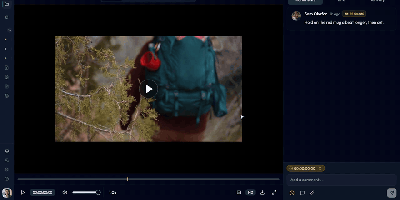
Reloops is a self-hosted creative asset workspace where teams keep every video, design, PDF, audio file, and live website in one library and collect feedback on the files themselves instead of in scattered email threads. Reviewers click anywhere on an image to pin a note to that exact spot, and on video the comments attach to the precise frame, so "fix this bit" always points at the bit in question. Every upload becomes a new version on the same asset, older cuts stay available for side-by-side comparison, and approvals are recorded on the file so nobody ships the wrong export by accident. Clients never need an account: send them a share link or a branded collection and they can watch, comment, and sign off as guests. The library searches the way people remember work, because each asset carries generated descriptions, tags, and metadata filters, so "the approved homepage with the blue button" actually finds something. Day to day, assignments and review queues keep feedback moving, while scoped API keys let agents such as Claude, OpenClaw, Zapier, and n8n upload new versions, post comments, update statuses, and manage share links inside the same workspace. Running on a dedicated VPS on RepoCloud with guaranteed CPU, RAM, and SSD, full root SSH access, and a browser serial console. AGPL-3.0 licensed.

Ambry
Ambry is a personal audiobook streaming server that keeps a collection you own on hardware you control, ready to stream to any browser or phone. Upload your audiobook files once, and the library becomes streamable to any device through a browser or the native mobile application. The server reads durations, tags, and chapter markers straight from the audio files, so a long novel arrives with its structure intact instead of as one anonymous ten-hour blob, and the original files are served untouched. First boot walks you through creating the initial administrator account, after which the instance restarts ready for listening. Households can open registration to family members or close it entirely, keeping the library an invitation-only shelf. Forgotten passwords and registration messages go out through the configured mail provider, so account recovery works without manual intervention. The collection itself lives in PostgreSQL with uploads on a persistent volume, and the whole service runs from a container image on a configurable port. Put a commute listen on your phone, a history title on a kitchen tablet, and a shared family library behind one address, all served from hardware you control. Running on a dedicated VPS on RepoCloud with guaranteed CPU, RAM, and SSD, full root SSH access, and a browser serial console. MIT licensed.
mmar
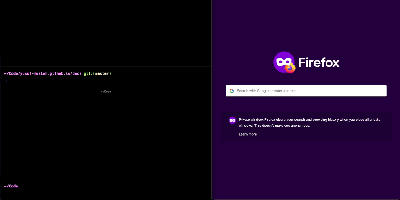
Expose a service running on your laptop to the public internet in one command, through a tunnel server that you control. mmar pairs a small client with a self-hosted server: run the client against a local port and it registers a tunnel, receives a generated subdomain, and prints the public URL that now forwards to your machine. Every request that arrives shows up in live client logs, so a webhook test or a shared preview carries a visible trail of hits as they happen. Multiple local ports can be exposed on different subdomains at the same time, which suits a frontend, an API and a callback receiver running side by side during development. On the server side, two listeners do the work, one for HTTP traffic and one for the TCP tunnel connections, and a protected stats page returns JSON listing connected clients, their subdomains and creation times. Wildcard DNS plus a Caddy layer4 proxy with automatic wildcard certificates turns a personal domain into tunnel territory, and credential hashes guard the stats endpoint. The hosted mmar.dev service offers a free starting point on a generated subdomain, and the same single binary moves the whole arrangement onto your own infrastructure when control matters more. Running on a dedicated VPS on RepoCloud with guaranteed CPU, RAM, and SSD, full root SSH access, and a browser serial console. AGPL-3.0 licensed.
XianScan
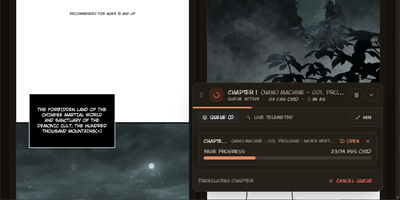
Reading a new manhwa chapter on release day usually means waiting for a scanlation group, or pasting panels into three tools yourself. XianScan collapses that whole relay into one server: point its browser extension at a chapter on a reader site and it captures every page, or drop raw pages into the studio and let the pipeline run. Speech bubbles, captions and sound effects are detected automatically, the text inside them is read by OCR supporting ten languages in vertical and horizontal layouts, and tall webtoon strips are resliced along natural panel gutters so no bubble is ever cut in half. Translation keeps a sliding memory of previous pages so speakers, pronouns and story topics stay consistent, while terminology glossaries lock character names and cultivation terms across an entire series. The original lettering is then removed by neural inpainting that rebuilds the artwork underneath, and the translation is typeset back into the bubbles with computed font sizes, line breaks and per-script fonts, including right-to-left scripts and accent fonts for attack names. Inspect OCR boxes and confidence scores, fix text before saving, then read in the web studio or stream chapters to the Mihon app on your phone. Local models through Ollama or LM Studio keep everything offline, or plug in Gemini, OpenAI, Groq or OpenRouter keys when you prefer the cloud. Running on a dedicated VPS on RepoCloud with guaranteed CPU, RAM, and SSD, full root SSH access, and a browser serial console. MIT licensed.
Overlook
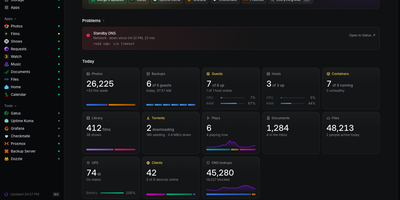
Overlook is a read-only status page that tells you at a glance whether your whole homelab is healthy, by pulling live answers from the monitoring, server, network, storage, and media tools you already run. The page leads with what is wrong, listing the checks your existing check engine is alerting on for as long as they fail, so the page and your alerts never disagree. Below that sit Servers, Network, Storage, and Apps, each marked up, degraded, or down with the last 30 results of its checks and its own detail page showing guests, DNS clients, or disk detail. A Today strip gives one figure from every source, such as guests running, DNS lookups, photos added, or the watts your UPS is drawing, while a weekly view lists each area's problems and events across the last seven days. Your apps appear as links with a dot that says whether each one answers, and chores due this week, waiting updates, batteries to change, and requests awaiting approval collect in one place you act on in the tool itself. A browser setup page appears before any config exists, tests each source you enter, and writes the config and secrets files for you. Running on a dedicated VPS on RepoCloud with guaranteed CPU, RAM, and SSD, full root SSH access, and a browser serial console. MIT licensed.
Omnibus
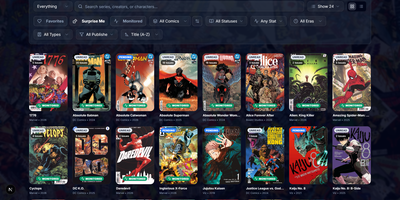
Omnibus runs your whole comic habit from one shelf: discover a series, request the missing issues, and read them in the browser when they land. Discovery starts with ComicVine or Metron metadata (high-resolution covers, synopses, and creator credits) and a release calendar that flags what you own and what is still missing across your monitored series. Requests are one click for a single issue or a whole run; Omnibus searches your indexers, hands the release to qBittorrent or SABnzbd, then imports, renames, and shelves the file with metadata embedded into the archive itself. Loose files that match nothing meet the Smart Matcher, which proposes the right series and applies every confident match in one pass. The built-in reader opens CBZ, natively read CBR and EPUB files in left-to-right, right-to-left manga, or continuous webtoon modes, with double-page spreads, brightness and contrast controls, page preloading, and preferences remembered per series; an offline button caches a full issue for the road. Reading lists assemble themselves from a pasted event ID or arrive by import from CBL files, League of Comic Geeks CSVs, AniList, or MyAnimeList, always showing how far through them you are. Everyone gets their own account, reading progress, follows, and an Updates feed, while OPDS, KOReader sync, and a Komga-compatible endpoint feed Panels, Mihon, and Paperback on the side. Running on a dedicated VPS on RepoCloud with guaranteed CPU, RAM, and SSD, full root SSH access, and a browser serial console. GPL-3.0 licensed.
Watchtower
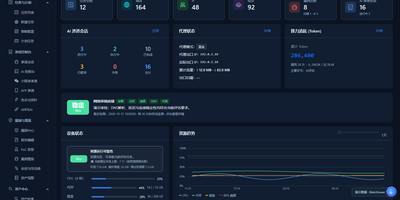
Watchtower puts AI-driven security assessments into one web console, where sessions probe your attack surface while every request, finding, and piece of evidence is captured as it happens. The AI session console follows the attack surface, session progress, tool calls, and findings as an assessment runs, so you can watch an engagement unfold instead of reading a log afterwards. A built-in proxy workflow records HTTP and HTTPS traffic history with highlighted patterns, and any captured request can be sent to the Repeater for editing, replay, and response comparison. Mobile work is covered too: connect phones over USB or wireless, capture app traffic separately from accessibility control, and import WeChat mini-program packages to configure an assessment session. A public vulnerability intelligence library can be searched by component, severity, and source and kept synchronized locally, giving assessments current context without sending your targets anywhere. Findings are managed by source, severity, and status, each linked back to its supporting evidence, and the report editor assembles them with a live preview, impact notes, and remediation guidance. The dashboard tracks assets, tasks, AI sessions, token usage, and runtime resources, and task admission is budgeted against physical memory so heavy scans do not starve the host. Running on a dedicated VPS on RepoCloud with guaranteed CPU, RAM, and SSD, full root SSH access, and a browser serial console. GPL-3.0 licensed.

HEISS UI
ComfyUI's node graph is where workflows are built, not where pictures get made, and HEISS UI is the calm studio that sits on top of your ComfyUI server for the daily prompt, wait, look, tweak loop. Thirty model families work out of the box, from SD 1.5 and SDXL to Flux.2, Qwen-Image, Krea 2, and Wan 2.2, and missing text encoders, VAEs, or node packs each get a Download button, with Get all for the lot. Pick 2K and the model draws at 2048 in one run with no upscale in between, or send any finished picture to 2K or 4K with SeedVR2 in one click. Import your own workflow and it becomes clean controls over the same graph, with usual inputs connected and guesses marked for review. Paint over part of a picture and say what it becomes, and only that part changes, with inpainting across 18 image families and no extra nodes. The gallery auto-groups ten takes of one idea into a single tile, and opens on your phone while your rendering machine does the work. A Hidden vault locks private images behind Touch ID, Windows Hello, or a password; new PNGs can carry Civitai-ready metadata, and Zen mode shows only prompt and picture. Run it beside ComfyUI with Docker or npm on port 8787, or point it at ComfyUI on another machine. Running on a dedicated VPS on RepoCloud with guaranteed CPU, RAM, and SSD, full root SSH access, and a browser serial console. MIT licensed.
Homeio
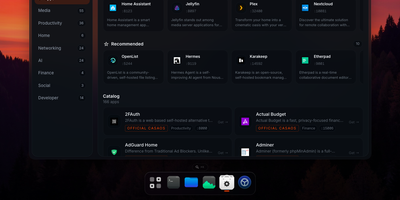
Homeio turns a Linux box into a desktop you open in a browser tab, with draggable windows, a dock, a lock screen, and a command palette sitting on top of your Docker apps, files, and disks. The App Store installs Docker Compose stacks from the CasaOS catalog or your own store sources, and each app's ports, volumes, environment variables, and compose file stay editable before and after install. Containers you started elsewhere still appear with live CPU and memory stats, streaming logs with keyword filters, and one-click restarts. The file manager uploads with progress, previews images, audio, video, and PDFs, edits text in a built-in code editor, mounts USB drives and SMB shares, and shares folders over Samba. A real login shell lives in the Terminal window, with exec access into any container, so routine fixes never need a separate SSH client. Cron-style scheduled tasks restart apps, pull images, or run backups on a timer, and scheduled archives of the database, files, and compose stacks restore from the same interface. Tailscale puts the whole desktop on your private network, while Cloudflare Tunnel can publish a single app on a public hostname with its DNS record created for you. Live metrics stream to widgets and the status bar, and notifications flag crashed containers, filling disks, and failed tasks. Running on a dedicated VPS on RepoCloud with guaranteed CPU, RAM, and SSD, full root SSH access, and a browser serial console. AGPL-3.0 licensed.
Talo
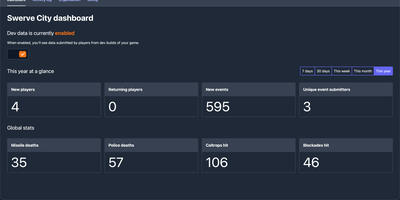
Shipping a game is hard enough without also building account systems, and Talo is the self-hosted backend that gives your Godot or Unity title player authentication, leaderboards, cloud saves, and analytics on infrastructure you control. Players persist across sessions with segments you define, so you can group testers, whales, or speedrunners and treat each group differently. Leaderboards sort ascending or descending, refresh on daily or weekly schedules, hide suspicious entries from the dashboard, and sync with Steamworks in one click. Event tracking records individual and global player actions, and the dashboard turns that stream into charts you can filter by group when a balance patch lands badly. Game saves load and store flexible state that also works offline, while global and per-player stats track everything from completions to currency earned. Live config lets you tune game settings from the web and push changes to running games with zero downtime. Channels carry real-time messages between subscribed players, presence shows who is online with custom statuses, and relationships add friends and followers when your game grows social. Steamworks, Google Play Games, and Apple Game Center integrations verify ownership and authenticate players through the platforms they already use. Running on a dedicated VPS on RepoCloud with guaranteed CPU, RAM, and SSD, full root SSH access, and a browser serial console. MIT licensed.
Knock-Knock
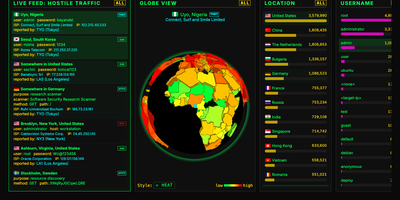
Bots that knock on your server's login ports are always turned away by Knock-Knock, a multi-protocol honeypot that shows every attempt on a live dashboard. Honeypots answer on the standard ports for SSH, Telnet, FTP, RDP, SMB, SIP, HTTP, and SMTP, with MQTT, Node-RED, Modbus, S7, and SNMP as optional extras. Authentication is always rejected, so no bot ever gets a shell. Who is knocking? The live feed shows each attempt's country, username, password, ISP, IP, and protocol. From where? A 3D globe marks the origin in one of six styles, including an extruded country heat map. Trying what? Leaderboards rank countries, usernames, passwords, ISPs, and IP addresses, and a trivia panel explains why bots favor certain credentials. A protocol filter re-slices the feed, globe, and leaderboards together; SIP shows dialed numbers and toll-call destinations, and RDP shows hostnames and accounts. Too fast? Press the space bar to pause, right-click any knock for details, or switch on a virtual Geiger counter that clicks as attacks arrive. Want to fight back? Download hourly 30-day and 365-day blocklists with recipes for CSF, CrowdSec, ipset, nftables, and pfSense, or query the optional API for any IP, CIDR range, or ASN. Several honeypot servers can stream into one aggregated dashboard. Running on a dedicated VPS on RepoCloud with guaranteed CPU, RAM, and SSD, full root SSH access, and a browser serial console. MIT licensed.