XBackBone
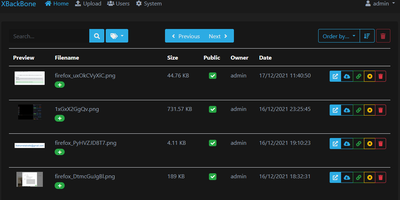
XBackBone is a self-hosted file and media sharing platform that turns your own server into a tidy home for screenshots, clips, and PDFs, giving each file a clean short link with rich embeds for chat and social apps instead of expiring file-transfer links. Capture tools plug straight in: generate a ready-made uploader config for ShareX, ScreenCloud, ishare, Spectacle, Xerahs, the macOS Share sheet, or a CLI script, and new screenshots land on your instance with the link copied. The dashboard previews images, video, audio waveforms, PDFs, and syntax-highlighted code in the browser, and pastes plus link shortening cover text and URLs. Make any upload public or private, add a password, or set an expiration date, and identical files are stored once thanks to content fingerprinting. Storage stays flexible across local disk, Amazon S3 and compatible services, FTP, and SFTP. Admins manage users with roles, disk quotas, and usage statistics, review a searchable activity timeline, and toggle registrations or themes without redeploying. Accounts support email verification, password resets, two-factor codes, and passkeys. A guided web installer handles first setup, and admins can apply updates from the browser. Running on a dedicated VPS on RepoCloud with guaranteed CPU, RAM, and SSD, full root SSH access, and a browser serial console. Apache-2.0 licensed.
VoucherVault
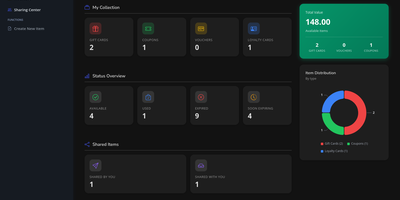
Stop losing money to forgotten paper gift cards and expired retail coupons by centralizing every voucher, loyalty barcode, and store credit inside VoucherVault, a self-hosted digital wallet accessible from any browser or mobile device. Point your phone camera at physical cards during item creation to scan 1D barcodes and 2D QR codes with automatic format detection, or upload original PDF receipts and image attachments directly to each entry. At the checkout register, pull up high-contrast QR codes and scannable barcodes instantly, even inside underground stores without cellular reception thanks to the manual 48-hour offline caching mode. Gift card balances update automatically as you log individual partial redemptions in the per-item transaction ledger. Configurable Apprise notification rules alert you 30 days and 7 days before any voucher expires across Telegram, Discord, Gotify, Ntfy, or email. Households and teams can share specific cards between accounts while keeping personal items private, and administrators can enable OpenID Connect single sign-on for frictionless login. Multi-currency conversion automatically calculates portfolio totals across international vouchers. A built-in REST API endpoint even exposes live portfolio counts and value statistics directly to Home Assistant dashboards. Running on a dedicated VPS on RepoCloud with guaranteed CPU, RAM, and SSD, full root SSH access, and a browser serial console. GPL-3.0 licensed.

Offen
Analytics usually starts by watching people who never agreed to be watched; Offen flips that order, collecting nothing until a visitor actively opts in, and then showing that visitor exactly what was recorded. Paste the tracking snippet into your pages and the Auditorium reports the metrics that actually guide decisions: unique users and sessions, page views in real time, top pages, landing and exit pages, referrers, locations, UTM parameters, and weekly retention. Every visitor gets the same interface pointed at their own footprint, where they can review each recorded visit, opt out at any moment, or delete their stored data outright. Records are encrypted end to end, user data expires automatically after six months, and first-party cookies keep the tool inside GDPR-friendly territory without third parties touching the stream. One installation tracks several websites, accounts can be shared with a team, and the consent banner adapts its colors and shape to your site design. The interface and banner speak English, French, German, Portuguese, Spanish, and Vietnamese. Running on a dedicated VPS on RepoCloud with guaranteed CPU, RAM, and SSD, full root SSH access, and a browser serial console. Apache-2.0 licensed.
ZaneOps
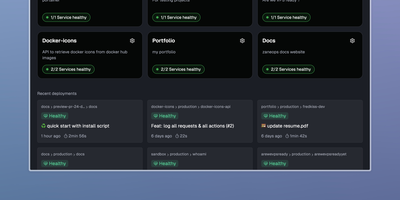
Shipping a Git repository to a live HTTPS URL takes one dashboard and one server with ZaneOps, an open-source alternative to Heroku, Railway, and Render. Linked GitHub or GitLab repositories build with a Dockerfile, Nixpacks, Railpack, or a static directory builder. Deploys start by hand, on git push, or from a CI webhook. Blue/green releases keep the previous version serving traffic while the new one starts. Each pull request or merge request can open its own preview environment, and the API can create one on demand. Configuration edits queue up as changes that you review before a new version deploys. A pasted docker-compose.yml or a ready-made template (Postgres, Redis, WordPress) deploys a whole stack with blue/green rollouts. Every domain gets a free SSL certificate that renews itself. Wildcard hosts, permanent or temporary redirects, and several services under one domain all work. Runtime logs, request logs, metrics, and health checks gather in the dashboard. Services get CPU and memory limits and volumes, and environment variables import or export as .env files. Viewer, Member, Admin, and Owner roles decide who can see and change what; the free tier allows one workspace and three users. A web terminal opens a shell inside any running deployment, and a second one reaches the server itself over SSH. Running on a dedicated VPS on RepoCloud with guaranteed CPU, RAM, and SSD, full root SSH access, and a browser serial console. MIT licensed.
LinguaCafe
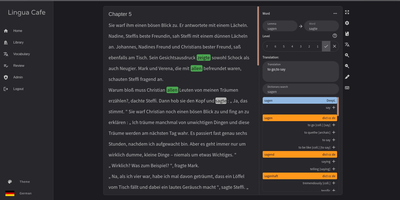
LinguaCafe turns your own reading material, novels, news sites, ebooks, and video subtitles, into a private language tutor that lives entirely on your server. Import a text and every word starts out highlighted as new; as you read and mark words known, the highlighting thins out until whole pages sit clean. When an unknown word stops you, the built-in vocabulary search shows its dictionary form, so inflected verbs surface as their infinitive and nouns carry their gender, while optional DeepL translation covers anything the dictionaries miss. Marking a word adds it to your vocabulary, and multi-word selections become phrases that stay highlighted everywhere they appear again. Chapters track how many new, highlighted, and known words they contain, which makes judging a text's difficulty a glance instead of a guess. The review system cycles highlighted words through Leitner-style spaced repetition, and anything you collect can be exported or pushed straight into Anki through AnkiConnect for study on your phone. Japanese learners get kanji and radical breakdowns beside the reading pane. Everything stays local: your books, your words, and your progress never leave the machine. Running on a dedicated VPS on RepoCloud with guaranteed CPU, RAM, and SSD, full root SSH access, and a browser serial console. GPL-3.0 licensed.

LinkAce
Preventing silent link rot across research libraries, LinkAce captures, indexes, and permanently archives web discoveries into searchable multi-user collections with automated Wayback Machine snapshots. Curators bookmark articles, documentation, tools, and media using custom browser bookmarklets or quick-add input fields that automatically scrape page titles and metadata descriptions. The built-in link monitor continuously checks saved endpoints for HTTP status anomalies, alerting curators whenever destinations move, throw server errors, or vanish from the live internet. For long-term preservation, the system dispatches automated backup requests to the Internet Archive Wayback Machine to capture historical copies of critical research material. Curators organize their library using nested lists and granular tag hierarchies, switching seamlessly between compact tables, detailed reading feeds, and visual card layouts. Teams and households can create separate user accounts to collaborate on shared collections, delegating read-only or editing privileges per list. The platform also generates individualized RSS feeds for public or private bookmark streams, synchronizes external data through a tokenized REST API, and dispatches automated database dumps to AWS S3 storage buckets. Running on a dedicated VPS on RepoCloud with guaranteed CPU, RAM, and SSD, full root SSH access, and a browser serial console. GPL-3.0 licensed.
Vanilla Cookbook
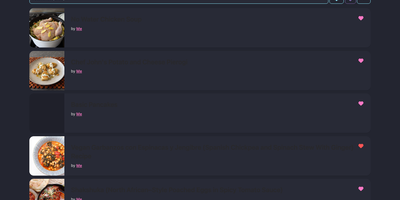
Every family recipe, bookmarked food blog post, and meal-prep formula stays organized inside Vanilla Cookbook, a self-hosted culinary library that converts volumetric measurements into precise gram weights and scales servings on the fly. Paste a URL or click the browser bookmarklet to scrape recipes from hundreds of cooking websites. Plain-text ingredient strings split automatically into structured quantities, units, preparation notes, and optional or to-serve badges. Home bakers switch effortlessly between US cups, imperial ounces, and metric grams across thousands of ingredient density profiles. Inline oven temperatures, fractions, and numeric ranges adjust automatically as serving counts change. Nutritional text parses into a structured per-serving breakdown, while integrated shopping lists, cooking logs, and equipment lists keep weekly grocery planning synchronized across desktop browsers and Progressive Web App mobile devices. Connecting an optional OpenAI, Anthropic, Google Gemini, Ollama, or LiteLLM endpoint unlocks AI fallback scraping for pages lacking Schema.org markup, automatic recipe translation, verbose direction summarization, photo-to-recipe extraction, and vector-based semantic search. Multi-user accounts, OAuth authentication, public recipe sharing links, and bulk import or export tools give households full control over their cookbook data. Running on a dedicated VPS on RepoCloud with guaranteed CPU, RAM, and SSD, full root SSH access, and a browser serial console. GPL-3.0 licensed.
Craftplan
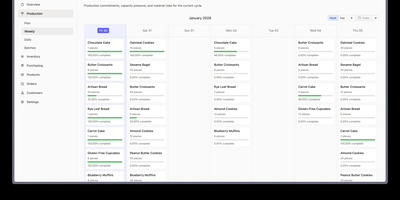
Every batch a craft business ships carries a recipe version, a cost, and a trail of ingredient lots, and Craftplan, an open-source ERP, keeps all three connected. Receiving stock against a purchase order records each supplier lot code and optional expiry date, and partial deliveries keep the order open. Customer orders appear on a delivery calendar and can generate invoices. Scheduled items wait on the production board as unbatched cards until Batch All creates one batch with a frozen copy of the recipe. Capacity warnings flag products over their daily limit, and a forecast highlights materials that will run short. Finishing a batch consumes ingredient lots earliest-expiry first, skips any lot on hold or rejected, and snapshots material, labor, and overhead costs. Recipes are versioned, so past costs never change. A blend made in-house can be stocked as its own material, with its actual yield, lot costs, and source lots intact. Allergens and nutrition facts roll up from each material through every recipe, and completed batches print A5 or compact labels with a scannable barcode. The Trace Center follows a supplier lot forward to every customer who received it, or a finished batch back to its sources. Recall mode can place the lot on hold, and the trace exports as CSV or prints for the recall file. Running on a dedicated VPS on RepoCloud with guaranteed CPU, RAM, and SSD, full root SSH access, and a browser serial console. AGPL-3.0 licensed.
Misago
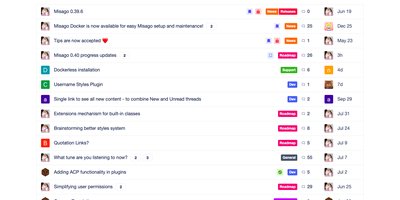
A Misago forum comes with threads, polls, private conversations, nested categories, and the moderation tools to keep them in order. Categories nest to any depth. Permissions follow rank, role, and category. Registration can require e-mail activation or administrator approval, and a Q&A challenge, reCAPTCHA, Stop Forum Spam, or an IP blacklist can turn away spam sign-ups. More than 50 OAuth providers, including Google, GitHub, Steam, and Facebook, can handle sign-in. Posts accept GitHub-flavoured Markdown, a BBCode subset, or both, and attachments get thumbnails. Polls allow public or private voters, multiple choices, vote changes, and deadlines. Question threads let one reply be marked as the best answer. A post-accurate read tracker flags threads with new replies. Private threads stay visible only to the people invited. Presence shows who is online, and members can hide their own activity from non-admins. Custom profile fields get their own display and validation rules. Features and settings for GDPR compliance are included. Themes restyle the forum from the admin panel, and plugins extend it through action and filter hooks. Moderators can edit, move, hide, approve, delete, or close content, and a moderation queue holds new submissions for review before other members see them. If someone empties a post, the edit log shows the original wording and can restore it. Running on a dedicated VPS on RepoCloud with guaranteed CPU, RAM, and SSD, full root SSH access, and a browser serial console. GPL-2.0 licensed.
Lingarr
When international movies and series arrive in a Radarr or Sonarr library without native-language captions, Lingarr automatically translates subtitle files across dozens of languages using local AI models or cloud translation engines. Connect your existing movie and television directories to scan media folders, identify missing target-language subtitles, and generate translated caption files alongside the original video streams. Administrators can configure an ordered chain of 13 translation backends, pairing a primary engine such as OpenAI, Anthropic, Gemini, DeepSeek, Mistral, xAI, or DeepL with automatic fallback to self-hosted LibreTranslate or local Ollama models whenever rate limits occur. Context-aware prompt templates inject preceding and following dialogue lines into each AI request so idioms, speaker tone, and timing remain natural across scene transitions, while batch translation mode processes multi-line blocks in a single call. From the web dashboard, users can browse indexed movies and episodes, trigger manual single-file or library-wide translations, and monitor active queues, progress percentages, and historical logs in real time. Scheduled background tasks and a documented REST API allow media servers to automate caption generation completely hands-free as new releases finish downloading. Running on a dedicated VPS on RepoCloud with guaranteed CPU, RAM, and SSD, full root SSH access, and a browser serial console. AGPL-3.0 licensed.

Jelu
Every time a commercial book-tracking platform changes its terms or shuts down, years of reading notes and carefully curated wishlists risk getting lost in messy spreadsheet migrations; Jelu puts your entire reading life under your own control as a self-hosted personal Goodreads alternative. Readers log books as currently reading, finished, or dropped, track page progress and dated reading events, and organize titles across unlimited custom shelves using flexible tags. Adding new books takes seconds through mobile camera ISBN barcode scanning, EPUB and OPF metadata extraction, or automated online searches that query Calibre metadata plugins and fallback book providers for covers, summaries, and publisher identifiers. Migrating existing libraries is effortless with bulk imports for Goodreads CSV exports and plain-text ISBN lists alongside one-click CSV data exports. Author pages automatically pull biographies from Wikipedia and include a deduplication tool to merge duplicate author records created during bulk imports. Household and book-club members can sign in via local accounts, LDAP, or reverse-proxy authentication to share book ratings, write public or instance-wide reviews, inspect yearly and monthly reading statistics, and generate HTML or Markdown embed snippets for personal blogs and digital journals. Running on a dedicated VPS on RepoCloud with guaranteed CPU, RAM, and SSD, full root SSH access, and a browser serial console. MIT licensed.
Dockerizalo
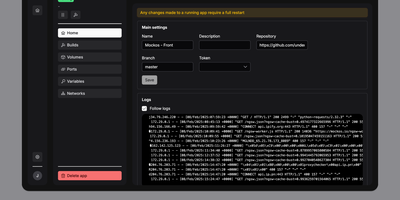
For self-hosters who want Git-driven container deployments without surrendering control of their existing reverse proxy or host networking, Dockerizalo provides a lightweight web platform that clones repositories, builds Docker images, and manages running services from a single dashboard. Point an application entry at any Git-compatible repository or public container registry image, configure custom build paths, and let the platform build and launch the container directly on your host Docker engine. A built-in template library accelerates database provisioning with pre-configured variables, networks, and persistent storage mounts. Through the web interface, operators manage environment secrets, bind-mounted volumes, custom Docker labels, and published TCP or UDP ports while coexisting peacefully alongside Caddy, Nginx, or Traefik setups. Per-application HTTP webhook triggers let teams automate continuous delivery from GitHub, GitLab, Gitea, or custom CI pipelines on every push event. Real-time paginated build and runtime container log streams prevent memory exhaustion on chatty APIs while keeping every deployment event visible. Configurable image retention policies automatically prune older tags and remove dangling images after each rollout so disk space stays clean. Multi-user account management allows homelab administrators to invite collaborators to the dashboard without sharing a single root credential. Running on a dedicated VPS on RepoCloud with guaranteed CPU, RAM, and SSD, full root SSH access, and a browser serial console. AGPL-3.0 licensed.
Pastefy
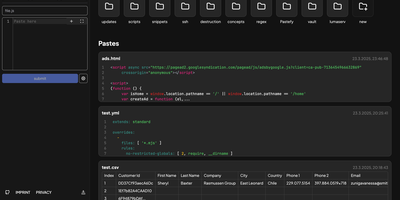
Pastefy gives developers a self-hosted pastebin and GitHub Gist workspace where multi-file code snippets, Mermaid architecture diagrams, and terminal recordings can be shared in a single click or cURL command. Its multi-tab editor highlights syntax across more than 200 programming languages so you can bundle scripts, configuration files, and documentation inside one URL. Markdown notes render cleanly. SVG graphics, CSV tables, GeoJSON maps, unified diffs, calendar events, regex testers, and Asciinema `.cast` terminal sessions all preview interactively in the browser. Sensitive snippets stay locked behind client-side AES password encryption, automatic expiration timers, and public, unlisted, or private visibility controls. Authenticated users organize pastes into nested folders, fork community snippets, generate QR codes or styled code screenshots, and embed interactive viewers into external docs. Command-line users pipe output directly via `curl -F [email protected]`, manage pastes from VS Code or Raycast extensions, and automate workflows through the REST API v2 with official JavaScript, Java, and Go SDKs. Single sign-on supports GitHub, Google, Discord, Twitch, and custom OpenID Connect providers. Running on a dedicated VPS on RepoCloud with guaranteed CPU, RAM, and SSD, full root SSH access, and a browser serial console. MIT licensed.

MrDoc
Individuals and small teams use MrDoc as a private web workspace for writing, organizing, searching, and publishing documentation. Projects hold documents in multi-level hierarchies with drag ordering, tags, and templates, so a product manual, an internal wiki, and personal notes share one installation without colliding. Three editors cover different habits: Markdown with live preview, rich text for formatted pages, and spreadsheets for tabular data. Pages take images, attachments, formulas, audio and video, mind maps, flowcharts, and ECharts diagrams, which keeps runbooks expressive instead of plain text walls. History is never lost: every document keeps versions with rollback, and a recycle bin stands between a bad edit and permanent loss. Sharing stays deliberate, with projects and pages set public, private, limited to named users, or protected by an access code. Full-text search reaches across the whole library, and a tag network view shows how topics connect. Finished projects export as PDF or EPUB, single pages download as Markdown, and share codes hand read-only links to people outside the team. An AI knowledge base answers questions from your documents, AI writing tools draft and polish text in the editor, a Token API serves scripts, and browser extensions clip web pages into the library. Running on a dedicated VPS on RepoCloud with guaranteed CPU, RAM, and SSD, full root SSH access, and a browser serial console. GPLv3 licensed.

Sharry
Sharry moves files in both directions: you hand someone a download link, and they hand files back to you, without either side juggling accounts on a commercial transfer service. Upload a file and you get a public URL that is hard to guess but open to anyone who has it; add a password as a second secret, set how long the share lives, and cap how many times it may be downloaded. Expired shares clean themselves up on a schedule. Uploads run over the tus protocol, so a dropped connection in the middle of a two-gigabyte video is an inconvenience, not a restart: send the same file again and it resumes from the last received chunk. Downloads support caching and range requests, which means recipients can stream a video in the browser and scrub its timeline instead of waiting for the whole file. The reverse direction is what makes Sharry unusual: every registered user can maintain alias pages behind their own unguessable URLs, where clients, students, or family members upload files straight to that user, with an email notification when something arrives. Everything is scriptable through a documented REST API, and files can live in the database, on the filesystem, or in S3-compatible storage. Running on a dedicated VPS on RepoCloud with guaranteed CPU, RAM, and SSD, full root SSH access, and a browser serial console. GPL-3.0 licensed.
I Hate Money
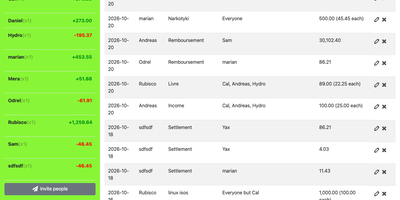
When vacations, shared apartments, and group events turn into a tangle of receipts and awkward IOUs, I Hate Money restores harmony with a dead-simple shared budget manager that requires zero user accounts for invited participants. Organizers create a project protected by a private code and share a single link with friends, roommates, or travel companions, allowing everyone to log expenses immediately from any desktop or mobile browser. Each bill entry records who paid, when the purchase happened, what it covered, and which members benefited, supporting both equal splits and custom weighted shares for participants who stayed longer or consumed more. Built-in multi-currency conversion lets international travelers record bills in foreign currencies and convert them automatically into the project default currency. Newly added expense filtering and direct reimbursement bill creation on the Settle screen calculate the minimum number of transfers required to square every balance, while Monthly spending statistics, JSON or CSV exports, and a REST API keep group finances transparent. Running on a dedicated VPS on RepoCloud with guaranteed CPU, RAM, and SSD, full root SSH access, and a browser serial console. BSD-3-Clause licensed.
salt.md
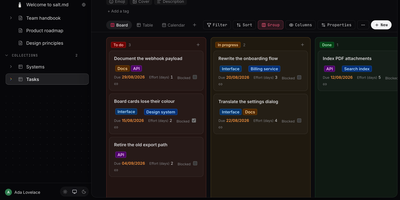
salt.md is an open-source, self-hosted workspace where your team and its AI agents work on the same documents and databases, under the same permissions and with the same history. A slash-menu block editor handles checklists, tables, callouts, columns, code, diagrams, and embeds. Page links, backlinks, and a graph view show how pages connect. Any page can become a collection with typed properties like select, date, person, relation, rollup, and formula, shown as a table, board, list, gallery, calendar, timeline, or form. Ctrl+K searches titles, body text, row values, and the text inside uploaded PDFs. Two people can type in the same paragraph at once with live cursors. Comments, page history, and an activity log record who changed what. Publish a page as a read-only link with an optional password and expiry, or hand people without accounts a form that adds rows to a collection. Agents connect over MCP with 33 tools for searching, writing, building databases, and commenting, using tokens scoped to one workspace or read-only. Signed webhooks, iCalendar feeds, and Google or Microsoft sign-in link it to the rest of your stack. Import Markdown, ZIP archives, or a Notion export, and export pages as Markdown, HTML, or PDF. Use it for handbooks, meeting notes, project boards, and a knowledge base your assistants can read. Running on a dedicated VPS on RepoCloud with guaranteed CPU, RAM, and SSD, full root SSH access, and a browser serial console. AGPL-3.0 licensed.
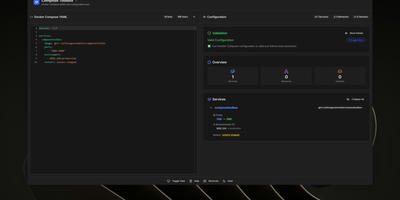
ComposeToolbox
To eliminate YAML indentation errors and cryptic container misconfigurations before running docker compose up, ComposeToolbox pairs a full-featured code editor with a live configuration analyzer in a single self-hostable web workspace. Paste or write any docker-compose.yml file in the left pane to see immediate syntax validation alongside actionable best-practice warnings, such as unpinned latest image tags, missing healthchecks, or deprecated version declarations. On the right side, an interactive Configuration Overview breaks down every defined service, exposed port mapping, persistent volume mount, environment variable, and custom network into structured tabs. Built-in Quick Insert buttons let operators drop new service blocks, volume definitions, or network stanzas into the editor with one click. By mounting the persistent /app/data directory, administrators can define custom quick-insert YAML snippets with selectable hardware and networking icons in custom-templates.yml. Teams can also customize startup-template.yml so the editor opens with their organization's standard homelab or production boilerplate every time the page loads. Keyboard shortcuts, light and dark themes, and one-click YAML formatting or file export streamline daily container authoring. Running on a dedicated VPS on RepoCloud with guaranteed CPU, RAM, and SSD, full root SSH access, and a browser serial console. MIT licensed.