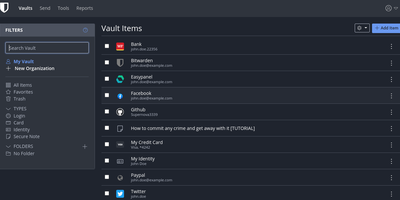
Vaultwarden
The Bitwarden server, reimplemented in Rust: Vaultwarden (formerly bitwarden_rs) is the unofficial lightweight edition. It speaks the same wire protocol as the official server, so every official Bitwarden client - browser extensions, iOS, Android, desktop, and the bw CLI - connects without modification, while the server itself runs as a single container against SQLite (or MySQL/MariaDB/PostgreSQL) instead of the official multi-container stack that wants gigabytes of RAM. Features Bitwarden gates behind paid tiers ship free: organizations with collections, groups, member roles, and policies; TOTP code storage; file attachments; Bitwarden Send; Emergency Access; event logs; and admin password reset. Two-factor options cover authenticator apps, email, FIDO2 WebAuthn, YubiKey, and Duo, and OIDC-based SSO landed natively in v1.35.0. Zero-knowledge encryption is unchanged - vault data is encrypted client-side and the master password never reaches the server. Attachments and Sends store on local disk or S3-compatible backends, an admin panel manages users and server settings, and backup is copying one data directory. Suited to individuals and teams up to roughly 50 users.
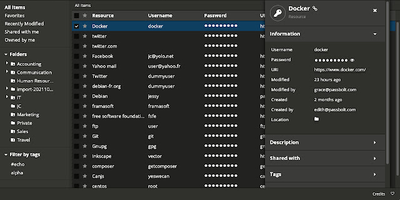
Passbolt
Security-conscious IT departments pick Passbolt for its cryptography: every user holds an OpenPGP key pair, and shared credentials are encrypted individually to each recipient's public key - real end-to-end encryption, not a vault password handed around. All crypto runs client-side in the mandatory browser extension (distributed and signed through the Chrome and Firefox stores, deliberately separating the crypto code from the server that stores ciphertext); private keys and passphrases never touch your instance, and the server admin cannot read a single secret. Authentication uses the challenge-based GpgAuth protocol, secrets are digitally signed to verify sender integrity, and metadata encryption extends protection to resource names and URLs. Day to day it behaves like a polished commercial manager: auto-fill and auto-save in forms, strong password generation, anti-phishing protection, TOTP storage, folder hierarchies shared per-user or per-group with fine-grained permissions and instant cryptographic revocation. Native iOS, Android, and desktop apps ship alongside a JSON API, CLI, and SDKs for CI/CD secret retrieval and rotation. The PHP server runs on MariaDB and is AGPL-licensed open source - including the paid tiers' codebase - with published security audits.
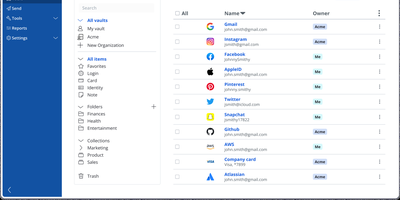
Bitwarden
Backed by nearly 20,000 GitHub stars and ranked number one in G2's Enterprise User Satisfaction for eleven consecutive quarters, Bitwarden is the open-source password manager trusted by millions worldwide. The zero-knowledge encryption architecture ensures all vault data — passwords, passkeys, credit cards, identities, secure notes, and file attachments — is encrypted exclusively on client devices using AES-256 with PBKDF2-SHA256 or Argon2id key derivation and RSA-2048 for organization key exchange. Cross-platform clients span a web vault, browser extensions for Chrome, Firefox, Safari, Edge, Opera, Vivaldi, and Brave, native desktop apps for Windows, macOS, and Linux, mobile apps for iOS and Android, and a CLI for scripting. Bitwarden Send enables time-limited, password-protected sharing of text and files, while the built-in TOTP authenticator generates two-factor codes alongside stored credentials. Enterprise deployments integrate with identity providers through SAML 2.0 and OpenID Connect SSO, automate provisioning via SCIM or Directory Connector supporting LDAP, Active Directory, Azure AD, Okta, and OneLogin, and enforce security policies with custom roles and granular permissions. Emergency access allows designated contacts to request vault view or takeover through configurable waiting periods with cryptographic key exchange. The Secrets Manager stores API keys, tokens, and infrastructure credentials with native GitHub Actions, GitLab CI/CD, Ansible, and Terraform integrations. Running on a dedicated VPS on RepoCloud with guaranteed CPU, RAM, and SSD, full root SSH access, and a browser serial console. AGPL-3.0 licensed.
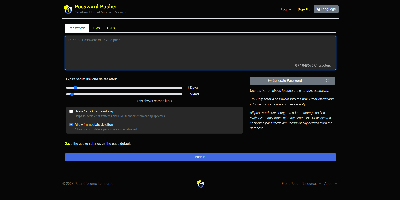
Password Pusher
Credentials sitting forever in email threads and chat scrollback - Password Pusher solves that everyday security failure. Instead of pasting a password into Slack, you push it - a password, note, file, URL, or QR code - and share a unique one-time link that expires after a set number of views, a time limit, or both. Content is encrypted at rest with AES-GCM under a configurable master key, optionally guarded by a passphrase, and permanently deleted from the database the moment it expires; a retrieval-step option keeps URL-scanning bots from consuming views. Full audit logs record when each link was created and viewed (and by whom, with logins), and TOTP two-factor authentication can be required instance-wide. The delivery page is deliberately unbranded - no logos or confusing links for recipients - and the interface ships in 31 languages with light and dark themes. Automation runs through a JSON API (v2), an official CLI for pushing and expiring secrets from the terminal, a Chrome extension, and a catalog of third-party integrations. Apache-2.0 licensed Ruby on Rails, deployable via Docker, Kubernetes, or Helm, with SQLite or PostgreSQL storage - the sysadmin staple for sending credentials that clean up after themselves.