
WechRSS
WechRSS brings WeChat Official Accounts back into your RSS reader, turning accounts that normally live inside a closed app into ordinary feeds you control. Paste any article link from an account and the tool identifies the publisher automatically, without hunting for obscure account parameters. Connect WeChat Reading by scanning a QR code in the web interface, and the session renews itself when possible so subscriptions keep flowing. Each account gets its own independent feed with its own sync schedule, item count, and on or off switch, so noisy publishers can be slowed down and favourites checked more often. A background scheduler keeps article titles, publication times, covers, and summaries up to date, with sync attempts, successes, and the latest new article all visible at a glance. Everything is stored locally, so your subscription list and credentials never sit on someone else's server. A first-time subscription wizard walks you from QR login to seeing the first article in your reader, saving progress if you get interrupted. Reader-specific links can be generated per account, letting a cloud reader fetch a feed without handing out management access. Health diagnostics flag expired logins, verification requests, and long sync gaps with concrete recovery steps. Running on a dedicated VPS on RepoCloud with guaranteed CPU, RAM, and SSD, full root SSH access, and a browser serial console. MIT licensed.
Miniflux
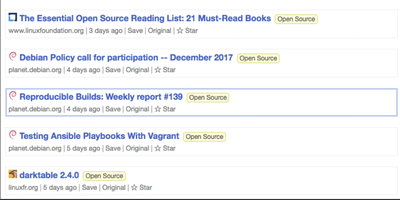
One statically-compiled Go binary over PostgreSQL, no ORM, no framework, static assets embedded in the executable: Miniflux is the minimalist, opinionated feed reader. The opinions are the feature: page layout, fonts, and colors are tuned for reading, and everything else is treated as noise. It consumes Atom, RSS, and JSON Feed formats with OPML import/export, organizes articles with categories and bookmarks, fetches original full-text content for summary-only feeds, and provides Postgres-powered full-text search. Privacy work happens automatically: pixel trackers are stripped, tracking parameters removed from URLs, a media proxy blocks third-party tracking, referrers are never forwarded, and there is zero telemetry. Navigation is keyboard-first - j/k through items, o to open, f to star - with touch gestures on mobile. Podcast, video, and music enclosures are supported, and YouTube videos play inline. Over 25 integrations save articles onward to Wallabag, Readwise Reader, Pinboard, Linkding, Instapaper, Notion, Telegram, Matrix, Ntfy, and more, plus webhooks and a REST API with Go and Python clients; the Google Reader API endpoint supports existing mobile reader apps. Authentication spans local passwords, passkeys (WebAuthn), Google OAuth2, OpenID Connect, and reverse-proxy headers. It is Apache 2.0 licensed, translated into 20 languages, and updates feeds on an internal scheduler.
Fusion
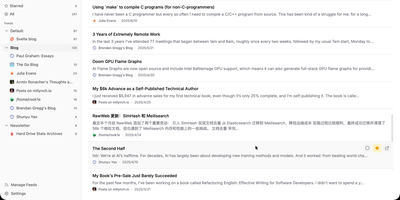
Follow every blog, newsletter, and news site you like from one distraction-free inbox with the self-hosted Fusion RSS reader, which has no AI features by design. A left sidebar lists feed groups with unread counts and jumps between Unread, Starred, and All, while the center list shows articles under filter tabs with read and star buttons on every card. Click a card and a right-hand drawer opens with the full sanitized article, a link to the original, and Previous and Next buttons. Press Cmd or Ctrl+K, or the slash key, to search feeds and articles from anywhere. Stay on the keyboard with Google Reader-style keys such as j and k to move, m to mark read, s to star, and g then u to jump to Unread; the question mark lists them all. Add a feed by entering a site address and letting auto-discovery find it, then pick its group, refresh frequency, and HTTP proxy, or suspend it to pause updates. OPML import and export bring subscriptions in or out. Starred articles are saved as snapshots that outlive their source feed. Fever API compatibility lets Reeder, Unread, and FeedMe read the same library. Sign in with a password or OIDC single sign-on, and install the interface as a PWA with Light, Dark, and System themes in eight languages. Running on a dedicated VPS on RepoCloud with guaranteed CPU, RAM, and SSD, full root SSH access, and a browser serial console. MIT licensed.

RSSMonster
Staying on top of hundreds of RSS feeds is impossible when every reader just dumps articles in chronological order. RSSMonster takes a different approach: it evaluates, scores, and prioritizes every article so the signal rises above the noise. The three-pane reading interface automatically marks articles as read when you scroll past them, while the built-in quality scoring engine rates content by freshness, originality, trust, and attention metrics. Compose advanced search expressions using field operators like star:true, quality:>0.6, hot:true, and date filters like @today or @lastweek, then save those expressions as persistent Smart Folders for one-click access to curated views. Semantic event clustering groups related articles across sources so you see one coherent story instead of fifteen duplicates. Connect your favorite mobile client through the Fever API (supporting Reeder for iOS) or the Google Reader API (compatible with News+, FeedMe, Vienna RSS, and ReadKit). The AI chat assistant powered by the Model Context Protocol lets you ask questions about your feed content and get summarized answers. Import your existing subscriptions via OPML, switch between light and dark themes, and install the app as a Progressive Web App for offline reading. On RepoCloud, deploy RSSMonster on a dedicated VPS with root SSH access, full data ownership, and persistent storage under the MIT license.

AIHOT
AIHOT is a self-hosted engine for running your own AI news site: it watches the sources you choose, scores every story twice, and publishes only the coverage worth reading. Point it at RSS feeds, web list pages, JSON APIs, X accounts, WeChat public accounts, or content pushed in by scripts, polled on schedules you control. After deduplication and pre-screening, every story faces two independent scoring passes under the same rubric, so one generous run cannot wave a weak story through. Coverage of the same story clusters into one event across the last two weeks, so forty outlets on one launch read as a single developing story. Hotness is measured per event: each source counts once per 48 hours and its weight halves daily, so repeat posting cannot inflate the ranking. Digests compile on schedule: a daily edition at 08:00, a weekly review on Mondays, and a monthly rollup on the first, assembled by rules without model calls. Readers browse topic pages by company, research direction, and content form, search titles, summaries, and full text, and keep local favorites with export and import. From the admin backend you can test sources, correct scores by hand, calibrate selection against labeled samples, and swap the model behind each pipeline step. Output flows through RSS, a public API, MCP, agent Markdown, and llms.txt, so humans and AI agents can subscribe. Running on a dedicated VPS on RepoCloud with guaranteed CPU, RAM, and SSD, full root SSH access, and a browser serial console. MIT licensed.

Yarr
Yarr is a self-hosted feed reader that collects blogs, news sites, and journals into one three-pane page instead of another rented subscription account. The left pane holds your feed list and folders with unread counts, the middle pane streams headlines from the selected feed, and the right pane renders the full article the moment you click it. Click read here and Yarr fetches the complete text of an article from its source page, so truncated feeds still deliver the whole story inside the reader. Star the pieces worth keeping, mark whole folders read in one action, and search every headline and article you have collected from the field at the top of the list. Subscriptions move in and out as OPML files, and the built-in Fever API endpoint pipes your folders into Reeder, Unread, Fluent Reader, ReadKit, and Newsflash. Themes switch between light, beige, and night reading, a system option follows your device, and the interface installs on a phone home screen as a web app. One binary starts the whole service: point it at a SQLite file for a personal archive or a PostgreSQL database for heavier duty, add a username and password, and serve it over HTTPS with your own certificates on port 7070. Running on a dedicated VPS on RepoCloud with guaranteed CPU, RAM, and SSD, full root SSH access, and a browser serial console. MIT licensed.

Glean
Information overload is the default state of the modern internet, and Glean exists to tame it by pulling every blog, newsletter, and news source you follow into a single, organized reading experience with an interface that prioritizes clarity over clutter. Subscribe to RSS and Atom feeds, import your existing subscriptions via OPML, and organize everything into multi-level folders with a flexible tagging system that lets you slice your reading list by topic, priority, or mood. A three-pane layout presents your feed list, article summaries, and full content side by side, with one-click actions for marking articles as read, saving them for later, bookmarking favorites, or archiving what you have already processed. Background workers fetch new articles every 15 minutes so your feeds stay current without manual refreshes. The preference learning engine (backed by Milvus vector embeddings) scores incoming articles against your reading history and surfaces a personalized Smart Feed of content you are most likely to care about, reducing the time spent scrolling past irrelevant posts. A built-in MCP server lets AI assistants like Claude Desktop search and interact with your feed library directly. The admin dashboard on a separate port provides user management, system monitoring, and configuration controls for multi-user deployments. Bookmark external URLs from any browser with the Chrome extension, or access your feeds on mobile through the Progressive Web App. Running on a dedicated VPS on RepoCloud with guaranteed CPU, RAM, and SSD, full root SSH access, and a browser serial console. AGPL-3.0 licensed.
Tiny Tiny RSS
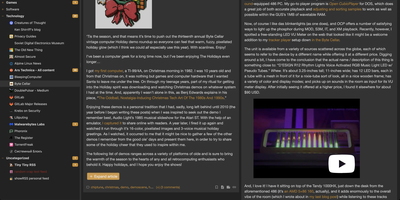
Tiny Tiny RSS is a self-hosted web feed reader that follows hundreds of RSS and Atom subscriptions for you, presenting every new article in a fast three-pane interface you open from any browser. Folders and subfolders organize subscriptions by topic, and the headline list refreshes in place as the background daemon fetches new articles on your schedule. Content filters score, tag, star, or hide articles by author, title, or keywords, so noisy feeds get trimmed before you ever see them. Starred articles, labels, and notes build a personal archive, and anything can be shared again as an exported RSS feed, a public link, or a post sent through social plugins. OPML import brings subscriptions from other readers in a single file, and OPML export carries them back out again just as easily. The JSON API connects mobile and desktop clients, keyboard shortcuts drive the whole interface, and plugins add full-text extraction, image deduplication, podcast handling, and new themes. Several accounts can share one installation, each with private feeds, filters, and preferences, making it practical for a household or a small team. Running on a dedicated VPS on RepoCloud with guaranteed CPU, RAM, and SSD, full root SSH access, and a browser serial console. GPLv3 licensed.
NewsBlur
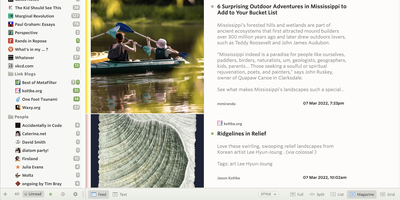
NewsBlur is a personal news reader that learns your taste, so the feeds you follow stop shouting over each other and the stories you actually want rise to the top. The intelligence trainer scores every story by the authors, tags, and titles you thumbs-up or down, then highlights the matches and hides the noise across a site, a folder, or everything at once. Read in four modes without leaving the reader: the raw feed, a cleaned text view, the original page in place, or a story view for long reads. Folders collect related sites, and the River of News pours a whole folder into one scrolling stream for a morning catch-up. Sharing is built in rather than bolted on: your blurblog republishes the stories you pick, friends follow and comment on them, and privacy controls decide who sees what. Saved stories take tags and become searchable, saved searches turn into feeds of their own, and full-text search digs through every subscription. Email newsletters arrive as feeds, YouTube channels can be followed without RSS, and IFTTT or Zapier connections push stories into the rest of your tools. Running on a dedicated VPS on RepoCloud with guaranteed CPU, RAM, and SSD, full root SSH access, and a browser serial console. MIT licensed.
RSSBox
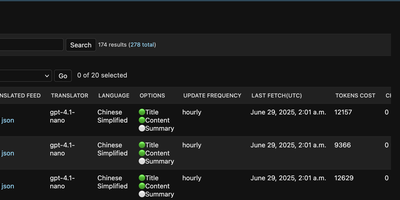
Foreign-language feeds are where good information usually goes to be ignored, and RSSBox fixes that by translating, filtering, and merging RSS sources, then republishing them as clean feeds your existing reader can subscribe to. Add a feed, pick a translation engine, and RSSBox republishes it with titles, full articles, or summaries translated, optionally showing both languages side by side. Each feed can use a different engine, from DeepL to any OpenAI-compatible model endpoint, and the admin shows translation status plus the tokens or characters each source has consumed. Update schedules are set per feed, so a fast-moving news source refreshes hourly while a quiet personal blog checks in once a day. Keyword filters quietly drop the recurring topics you never open, and AI filtering goes further by judging items against what you actually read. Tag several related sources and RSSBox merges them into a single unified feed, translations and filters applied, ready to follow as one stream. Full-text fetching pulls complete article bodies from feeds that only publish excerpts, so the translation covers the whole story rather than the teaser paragraph. Your reader app never changes: it simply subscribes to the translated feed URL like any other source. Running on a dedicated VPS on RepoCloud with guaranteed CPU, RAM, and SSD, full root SSH access, and a browser serial console. GPL-3.0 licensed.
WyrmRSS
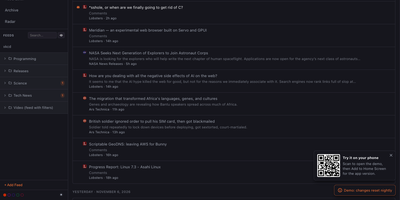
Your reading, back under your own roof: WyrmRSS is a self-hosted RSS reader that follows all your feeds from one web and mobile interface you control. Paste a blog homepage or a YouTube channel URL and feed discovery finds the actual feed for you, then background polling keeps every subscription fresh on an interval you set. Posts can be browsed per feed or as one combined river, and each feed gets a display mode: River for the main flow, Feed only for direct visits, or Radar for quiet sources you check occasionally. Folders in a collapsible sidebar carry unread counts and survive OPML import and export, so moving an existing subscription list in or out takes minutes. Per-feed filters include or exclude entries by URL, title, or content patterns, which tames noisy channels by dropping shorts, trailers, or job posts before they reach you. YouTube and HLS or Reddit video play inline in the reader, full-text search covers titles and descriptions, and Read Later plus archiving keep the important pieces. Keyboard shortcuts move, open, mark, save, and archive without the mouse and can be rebound in Settings, webhooks notify Discord, Slack, or custom endpoints on new posts, and feeds behind authentication are handled with per-host credentials. Running on a dedicated VPS on RepoCloud with guaranteed CPU, RAM, and SSD, full root SSH access, and a browser serial console. GPL-3.0 licensed.
Freshrss
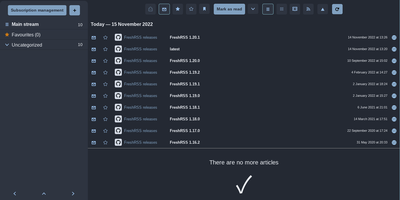
Where Miniflux strips reading down, FreshRSS gives you knobs - the feature-rich pole of self-hosted RSS, comfortable with thousands of feeds. It's a multi-user PHP aggregator (host family and friends on one instance, with an anonymous reading mode) with the reading workflow refined over a decade: favorites, custom tags, powerful filter and search queries, three reading views, and statistics that reveal each site's publishing frequency - useful for pruning subscriptions. Two properties make it the standard choice. First, the Google Reader-compatible API (plus a Fever API) syncs with virtually every serious RSS client - Reeder, NetNewsWire, ReadYou, FeedMe, Fluent Reader - so your phone reads from your server. Second, native WebSub support means compatible sources (WordPress, Blogger, Medium, Friendica) push new articles instantly instead of waiting for polling. A 50+ extension ecosystem adds what truncated feeds omit - full-text content fetching, reading-time estimates, trending views, auto-unsubscribe for dead feeds - alongside community themes and custom CSS. OPML import/export keeps subscriptions portable, a CLI handles administration, and article sharing posts to many services. AGPL-licensed, running on SQLite, MySQL, or PostgreSQL. Feedly Pro's feature set, minus Feedly's subscription and its algorithms.
Oksskolten
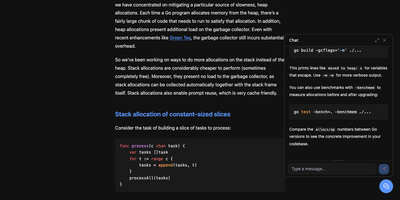
Subscribe to a feed and Oksskolten fetches the complete text of every new article, cleans it, and files it as Markdown in a library you can read without leaving the app. About 500 cleanup patterns strip ads, navigation, and tracking, with no per-feed toggles or selectors to maintain. No feed on the site? Auto-discovery goes first, then RSS Bridge, then LLM-inferred CSS selectors, while FlareSolverr gets past bot protection. Every feed is checked on its own schedule, somewhere between every 15 minutes and every 4 hours. Inbox, Read Later, Liked, and Read views keep the queue tidy. Clip any URL as a standalone article. Likes and bookmarks feed an engagement score that shapes search ranking and recommendations. One click summarizes or translates an article through Anthropic, Gemini, OpenAI, Ollama, or vLLM, with Google Translate and DeepL as translation engines. Ask the chat questions about your archive, or point Claude Code or Codex at the built-in MCP server to use the same tools. Search forgives typos and covers every stored article. Login works with a password, a passkey, or GitHub. Pick from four layouts and fourteen color themes, import custom themes as JSON, rebind keyboard shortcuts, and keep reading offline as a progressive web app. Running on a dedicated VPS on RepoCloud with guaranteed CPU, RAM, and SSD, full root SSH access, and a browser serial console. AGPL-3.0 licensed.
selfoss
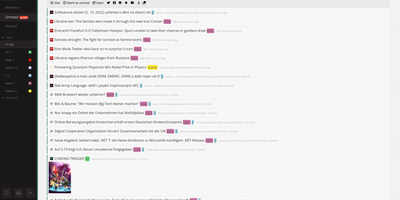
Every site you follow, folded into one calm river of headlines that you host yourself. selfoss is an open-source RSS reader and feed aggregator that gathers updates from websites, blogs, news outlets, and social platforms into a single reading stream on your own server. The newest, unread, and starred views keep triage fast: skim the river, star what deserves a slower read, and mark the rest done; tags with their own colours sort sources into topics, and full-text search finds the article you half-remember. Feeds refresh on a schedule you set through a cron job or timer, thumbnails and favicons are cached locally, and sharing buttons send finds to other services. Because it is plain PHP with SQLite by default, it runs almost anywhere, on the smallest hosting, with no database server to babysit; MySQL and PostgreSQL are there when the archive grows. Optional login protects the reader, public mode can share a stream, and the responsive layout reads as well on a phone as on a wide monitor. Your reading habits stay on hardware you control, and the archive keeps growing for exactly as long as you keep the server. Running on a dedicated VPS on RepoCloud with guaranteed CPU, RAM, and SSD, full root SSH access, and a browser serial console. GPL-3.0 licensed.

CommaFeed
CommaFeed delivers the Google Reader experience on your own infrastructure with modern performance characteristics. The Quarkus-based Java backend compiles to native code via GraalVM, achieving sub-second cold starts and 50MB memory footprint — a fraction of traditional JVM RSS readers. Four distinct layouts (title-only, expanded, magazine, and card) with light and dark themes adapt to any reading style, while comprehensive keyboard shortcuts cover navigation, marking, starring, and feed management without touching a mouse. The Fever-compatible API and newly added Google Reader API connect native iOS and Android apps (Reeder, Unread, FeedMe, ReadKit) directly to your instance. Per-feed push notifications through ntfy, Gotify, or Pushover alert you to new articles instantly. The visual query builder for automatic read-marking rules replaces raw expression syntax with an intuitive condition editor supporting title, content, author, and URL matching. OPML import and export enable seamless migration from any RSS service. Custom CSS and JavaScript injection let power users completely restyle the interface, while the browser extension adds one-click subscription from any website. Docker images for linux/amd64 and linux/arm64 with H2 embedded database require zero configuration to start. Running on a dedicated VPS on RepoCloud with guaranteed CPU, RAM, and SSD, full root SSH access, and a browser serial console. Apache-2.0 licensed.
FeedCraft
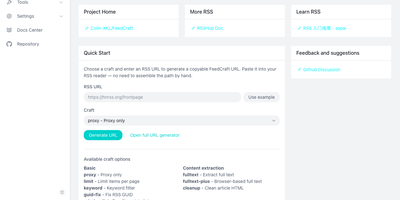
Excerpt-only feeds, truncated teasers, and articles in languages you do not read make RSS feel broken; FeedCraft sits between the source and your reader and fixes the feed itself. Pick from more than twenty single-step crafts: extract the full article text, even from JavaScript-rendered pages through a headless browser, translate titles or whole articles, add AI introductions and summaries, strip ads and clutter, or filter items by keyword, embedding similarity, or a natural-language prompt to your own LLM. Chain crafts into FlowCraft pipelines, so one pass can limit a feed to ten items, fetch every full text, drop the advertorials, and summarize what survives. Save the result as a recipe and FeedCraft hands you a permanent crafted feed URL that drops straight into the reader you already use, while portable mode transforms any feed on the fly from a single crafted URL prefix. When a site has no feed at all, the visual generators build one from a webpage with CSS selectors, from a JSON API with curl import, or straight from search results. Running on a dedicated VPS on RepoCloud with guaranteed CPU, RAM, and SSD, full root SSH access, and a browser serial console. GPL-3.0 licensed.

QMReader
QMReader is a self-hosted reading workbench that treats RSS as raw material for knowledge you keep, not a pile of unread badges waiting to be cleared. Subscribe to RSSHub routes, direct feeds, sitemaps, Hacker News, Product Hunt, GitHub Trending, and Hugging Face Papers, and new items land in the article list immediately while translation and rewriting finish in the background. English headlines gain Chinese translations automatically, and full articles can be read as the original, a Chinese translation, or a plain-language rewrite, all kept side by side on the same page. Highlight passages, attach your own commentary, and open an AI conversation scoped to the article in front of you instead of starting from a blank chat box. Work you produce becomes a public reading asset with a stable link: translations, rewrites, comments, and dialogues collect on contributor pages and flow out through asset catalogs and RSS feeds for the next reader. Split background workers keep fast feed fetching separate from slower AI processing, and search, unread, popular, favorites, and history views keep a heavy reading habit navigable. Running on a dedicated VPS on RepoCloud with guaranteed CPU, RAM, and SSD, full root SSH access, and a browser serial console. MIT licensed.
FeedMe
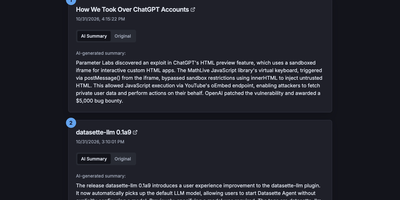
Most RSS readers hand you a pile of headlines and make you do the reading; FeedMe reads first and hands you the pile already digested. It aggregates every feed you configure into one clean, ranked stream, and for each article an LLM writes a short summary you can scan in seconds, with the full original text one tab away when a story earns a deeper look. Sources organize into categories like Tech News, Finance News, Personal Blogs, Company Blogs, Open Source, Research, and Podcasts, and a global search finds stories across all of them. The reader never sleeps on stale content: a built-in cron refreshes feeds and regenerates summaries on your schedule (every three hours by default in Docker), so the page you open in the morning already covers the night. Summaries answer to you, not a vendor: point FeedMe at any OpenAI-compatible endpoint and tune the prompt, input truncation, temperature, and token budget, with output in the languages you choose. There are no accounts, no forced logins, and no app to install; the responsive page works on phone and desktop in light or dark themes. Because the whole application is a static site, it stays fast and cheap to run, and the same build can live on GitHub Pages or Vercel if you ever want a public edition next to your private one. Running on a dedicated VPS on RepoCloud with guaranteed CPU, RAM, and SSD, full root SSH access, and a browser serial console. MIT licensed.