Harbor
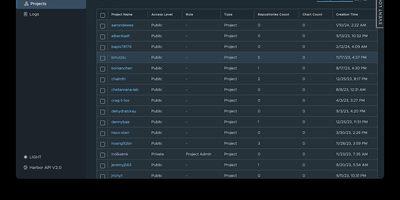
The first container registry to reach CNCF graduated status with over 29,000 GitHub stars since VMware open-sourced it in 2016, Harbor transforms the basic Docker Distribution into a hardened enterprise registry with vulnerability scanning, supply chain signing, multi-datacenter replication, and project-level access control out of the box. Trivy scans every pushed image against the NVD, GitHub Advisory Database, and distribution-specific vulnerability feeds, with scan-on-push policies that block deployment of images exceeding configurable severity thresholds. Artifact signing through Cosign keyless signatures and Notation enforces content trust policies ensuring only cryptographically verified images reach production clusters. Policy-based replication synchronizes images and Helm charts between Harbor instances across multiple datacenters using repository, tag, and label filters with automatic retry and bandwidth throttling — enabling hybrid-cloud and disaster-recovery topologies. The RBAC model isolates projects with per-project quotas, robot accounts for CI/CD automation, webhook notifications, and audit logging that tracks every pull, push, delete, and configuration change. LDAP, Active Directory, and OIDC authentication integrate with existing identity providers, while the proxy cache transparently caches images from Docker Hub, Quay, and other upstream registries to reduce pull latency and rate-limit exposure. The RESTful API with embedded Swagger UI, tag retention policies, garbage collection scheduling, and immutable artifact rules complete the lifecycle management. Deploy via Docker Compose or Helm Chart on Kubernetes. Running on a dedicated VPS on RepoCloud with guaranteed CPU, RAM, and SSD, full root SSH access, and a browser serial console. Apache 2.0 licensed.
Zot
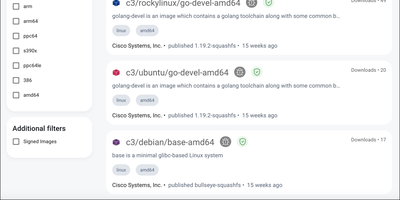
Think of Zot as the registry equivalent of a well-run warehouse: OCI images and artifacts come in, get cataloged, checked, and shipped back out to any compliant client. The bundled web interface lets you browse repositories and tags, inspect image details, and copy ready-made pull commands for Docker, Podman, and Skopeo instead of memorizing registry URLs. Sync extensions mirror upstream registries such as Docker Hub on a schedule or on demand, which keeps air-gapped and rate-limited environments supplied without manual image ferrying. Scrubbing walks the storage in the background comparing blocks against their SHA-256 checksums, so silent bit-rot gets caught by the registry instead of by a failed production deploy. Signature verification with Cosign and Notation checks that images came from who they claim, search answers queries across the catalog, and CVE scanning flags vulnerable images before they spread. Prometheus metrics, a management API, and webhook events cover the operations side, while the minimal image strips everything but the distribution spec for embedded or high-security deployments. Running on a dedicated VPS on RepoCloud with guaranteed CPU, RAM, and SSD, full root SSH access, and a browser serial console. Apache-2.0 licensed.
Docker Registry UI
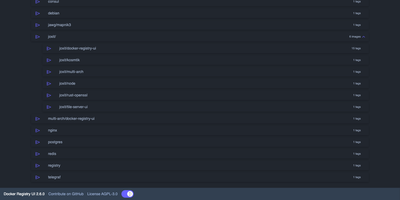
Instead of querying a private registry with curl and its HTTP API, open Docker Registry UI and click through repositories, tags, digests, and layers in a browser. The catalog groups images by namespace, shows tag counts, and filters as you type in the search bar, which Ctrl+F or F3 focuses. Each repository's tag list shows creation date, size, content digest, and CPU architecture, sorts numerically, and copies a ready-made pull reference with one click. A history page expands any tag into its operating system, entrypoint, environment variables, exposed ports, and layer-by-layer build steps, and a Dockerfile view reconstructs the file from those steps. The same view also covers multi-architecture images and OCI Helm exports. When the registry allows deletion, tags go one at a time or in bulk with checkboxes, Alt+Click for a whole page, and Shift+Click for a range. One interface can switch between several registries from its menu, or be locked to a single registry with your own title. Basic authentication passes through the browser, and a built-in proxy option forwards requests to your registry container so CORS needs no configuration. Light, dark, and automatic themes come with color variables for custom branding, and a weekly notice announces newer releases. Running on a dedicated VPS on RepoCloud with guaranteed CPU, RAM, and SSD, full root SSH access, and a browser serial console. AGPL-3.0 licensed.
ComposeToolbox
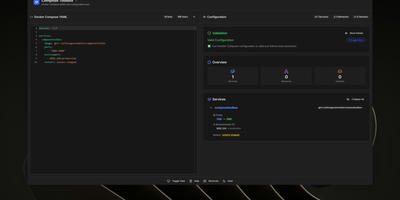
To eliminate YAML indentation errors and cryptic container misconfigurations before running docker compose up, ComposeToolbox pairs a full-featured code editor with a live configuration analyzer in a single self-hostable web workspace. Paste or write any docker-compose.yml file in the left pane to see immediate syntax validation alongside actionable best-practice warnings, such as unpinned latest image tags, missing healthchecks, or deprecated version declarations. On the right side, an interactive Configuration Overview breaks down every defined service, exposed port mapping, persistent volume mount, environment variable, and custom network into structured tabs. Built-in Quick Insert buttons let operators drop new service blocks, volume definitions, or network stanzas into the editor with one click. By mounting the persistent /app/data directory, administrators can define custom quick-insert YAML snippets with selectable hardware and networking icons in custom-templates.yml. Teams can also customize startup-template.yml so the editor opens with their organization's standard homelab or production boilerplate every time the page loads. Keyboard shortcuts, light and dark themes, and one-click YAML formatting or file export streamline daily container authoring. Running on a dedicated VPS on RepoCloud with guaranteed CPU, RAM, and SSD, full root SSH access, and a browser serial console. MIT licensed.