Marimo
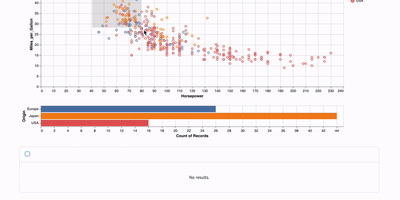
Marimo is a reactive Python notebook that treats cells like spreadsheet formulas: change one cell or interact with a UI widget and every dependent cell automatically re-executes, eliminating the hidden state bugs that make traditional notebooks unreliable. Backed by over 22,000 GitHub stars, notebooks are stored as pure Python files with PEP 723 inline metadata, making them Git-diffable, importable as modules, executable as CLI scripts with parameterized arguments, and testable with PyTest. Built-in SQL cells query Polars, Pandas, PyArrow, DuckDB, SQLite, PostgreSQL, and MySQL databases, with results automatically flowing into the reactive dependency graph. The AI-native editor provides GitHub Copilot autocomplete, context-aware assistants that access live runtime variables, inline code edits powered by configurable models from OpenAI, Anthropic, or local Ollama instances, and a pair mode that lets external AI agents connect over WebSocket. Notebooks become read-only interactive web applications with marimo run, collaborative authoring environments with marimo edit, or embedded flows inside existing FastAPI applications through ASGI middleware. Gallery mode serves multiple notebooks from a single instance with an auto-generated index page. The Docker image ships with SQL support, token-based authentication, health check endpoints at /health and /api/status, and configurable WebSocket or SSE kernel transport for proxy compatibility. Running on a dedicated VPS on RepoCloud with guaranteed CPU, RAM, and SSD, full root SSH access, and a browser serial console. Apache 2.0 licensed.
RStudio Server
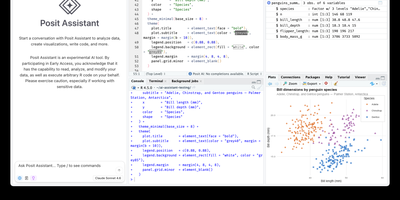
Open a browser tab, sign in, and the whole RStudio workbench is waiting there, running against R on a Linux server instead of your laptop. The familiar four-pane layout holds a source editor, an R console, Environment and History tabs, and Files, Plots, Packages, Help, and Viewer tabs. The editor opens R scripts, R Markdown, Quarto, and Python files, with code completion, diagnostics, section outlines, and a visual mode for Quarto documents. A Terminal tab and a Python console sit beside the R console, and the Data Viewer sorts, filters, and searches data frames and nested lists. Editor breakpoints and tracebacks help debug functions, while Background Jobs run long scripts in separate R sessions so the IDE stays usable. Shiny apps and Plumber APIs run as background jobs with live reload, and a Git pane handles diffs, commits, pushes, and branches. The Connections tab browses databases, and finished reports go to Posit Connect, shinyapps.io, Quarto Pub, or RPubs. Optional Posit Assistant adds an AI chat pane that works with the model provider you choose, and administrators can switch it off. Because everything runs server-side, a class, a lab, or a team can share one large-memory machine and keep computation next to the data without installing anything locally. Running on a dedicated VPS on RepoCloud with guaranteed CPU, RAM, and SSD, full root SSH access, and a browser serial console. AGPL-3.0 licensed.
JupyterLab
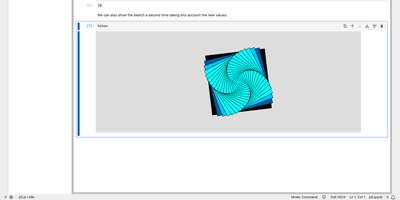
Exploratory data work, teaching material, and research code all live in the same browser tab with JupyterLab, the web workspace of Project Jupyter. Notebooks combine runnable code cells, Markdown, and rich output such as images, JSON, and Vega charts, and they use the same notebook format as the classic Jupyter Notebook. Any Jupyter kernel can execute the code, so Python, R, and other languages share one interface, and code inside plain text files such as Markdown or LaTeX can be run interactively as well. Tabs and splitters arrange documents side by side, and a notebook's cell outputs can be mirrored into their own tab to build a simple dashboard with interactive controls. Code consoles serve as scratchpads linked to a notebook kernel, while full terminals run system shells such as bash on the server. A visual debugger offers breakpoints, a call stack, and a variable explorer for kernels that support the Jupyter debug protocol. Markdown, CSV, and Vega documents show a live preview as they are edited, and built-in viewers handle images, JSON, and PDF files. The Extension Manager installs themes, editors, and renderers from PyPI, and real-time collaboration becomes available by adding the jupyter-collaboration extension. Access is protected by a generated token unless a password is set. Running on a dedicated VPS on RepoCloud with guaranteed CPU, RAM, and SSD, full root SSH access, and a browser serial console. BSD-3-Clause licensed.