Categories
Self-Hosted Developer Tools Data Science Data Analysis R Programming Web IDE Statistical Computing Reproducible ResearchStars
Forks
Watchers
Developer links
RStudio Server
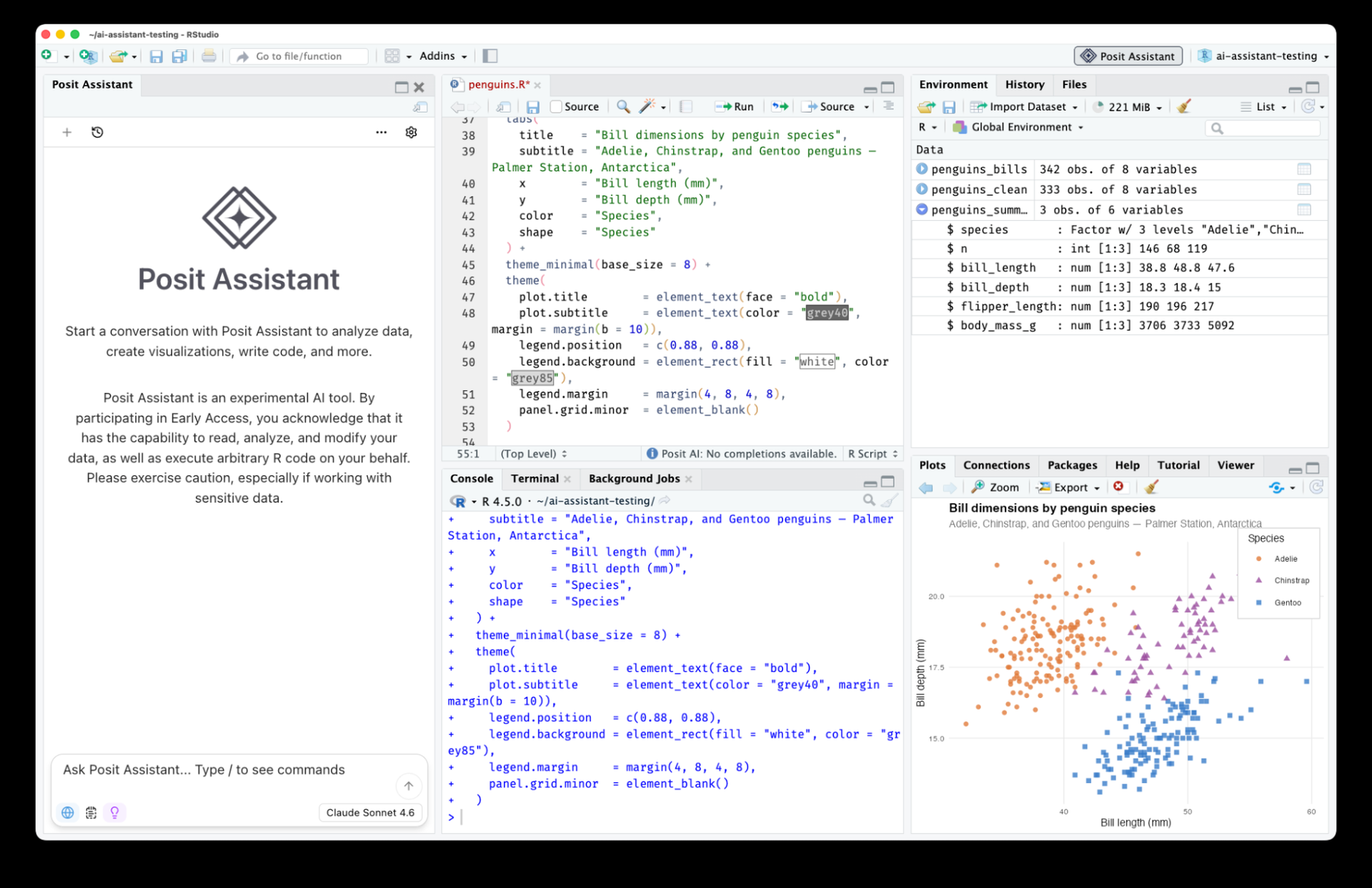
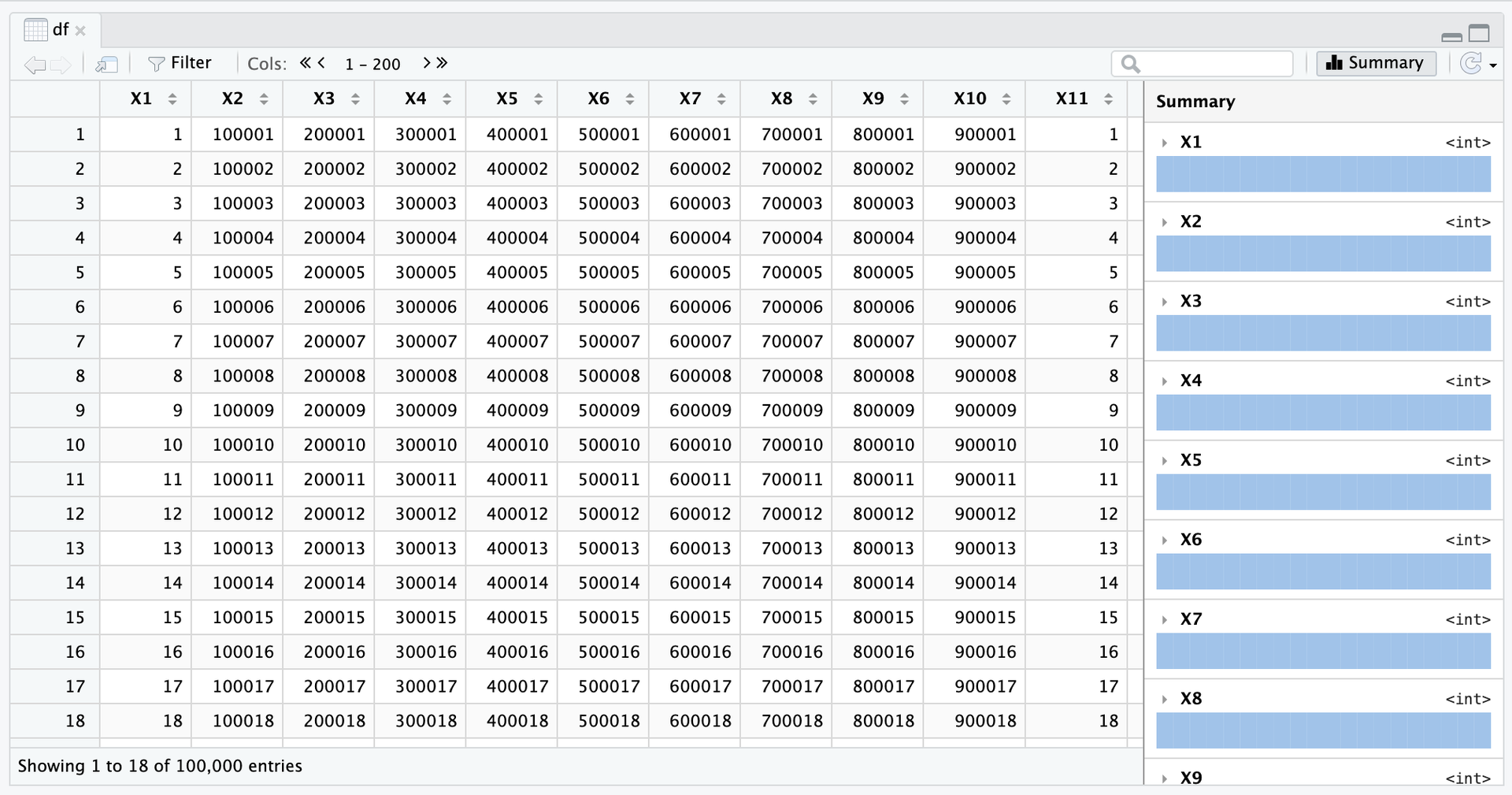
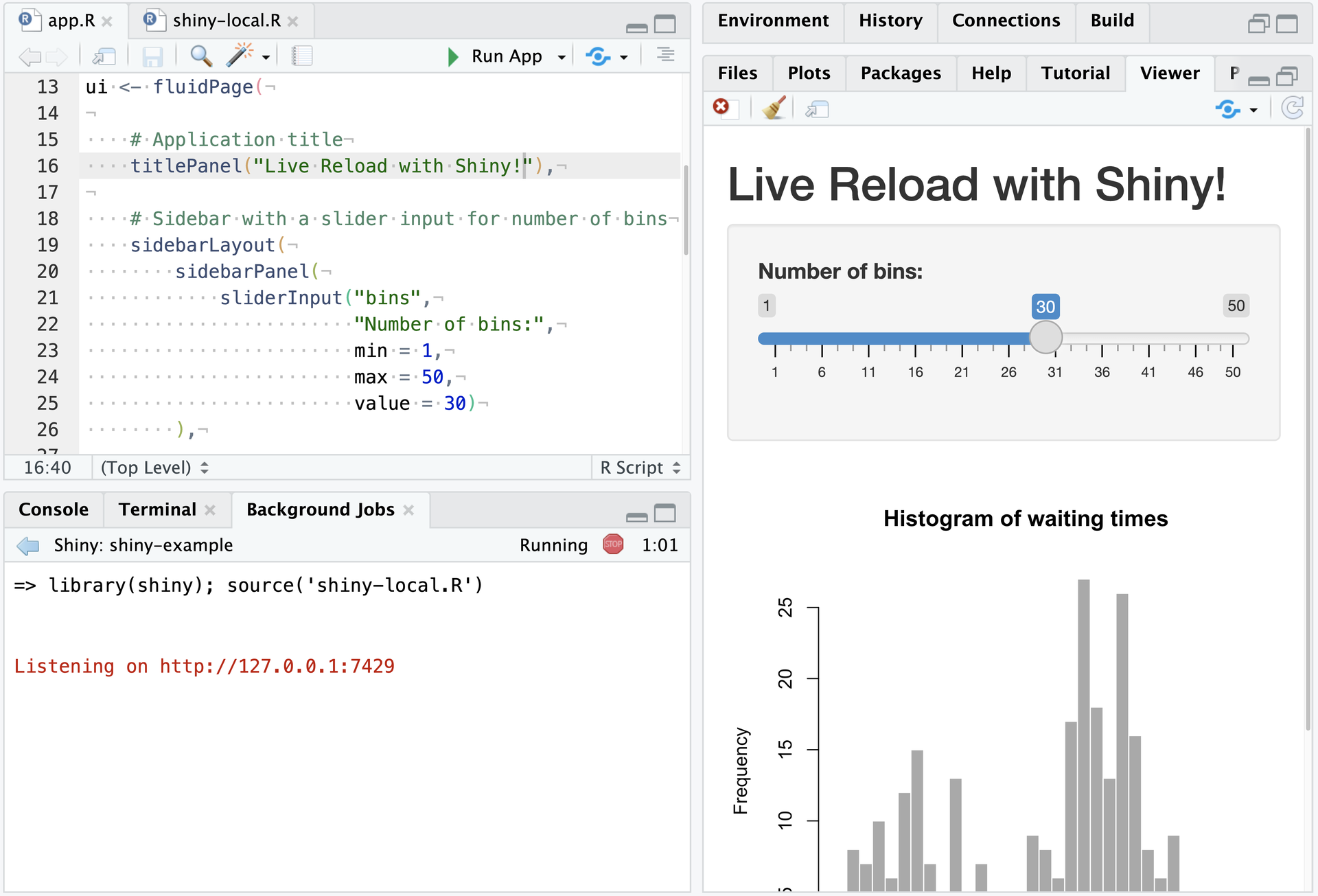
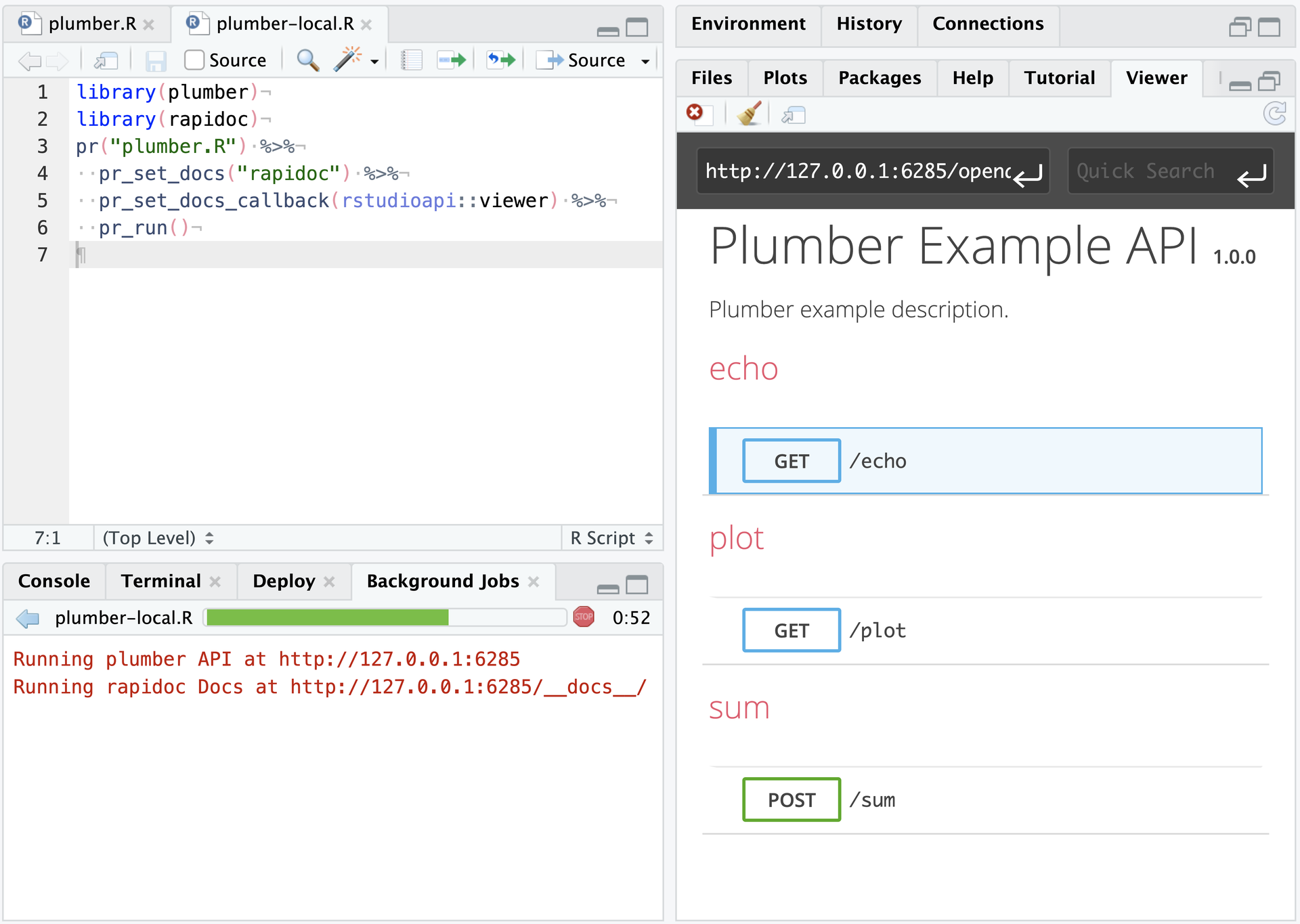
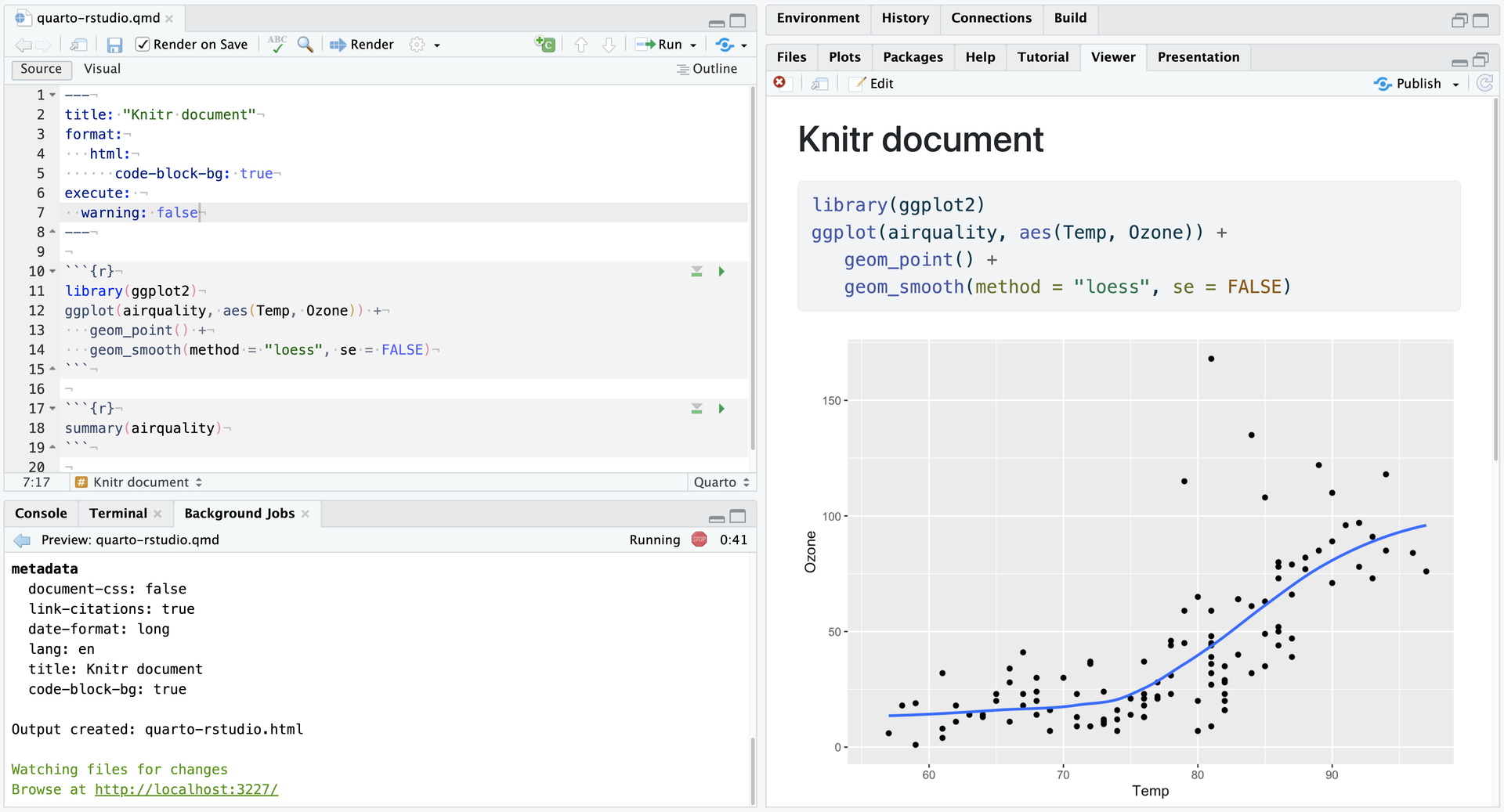
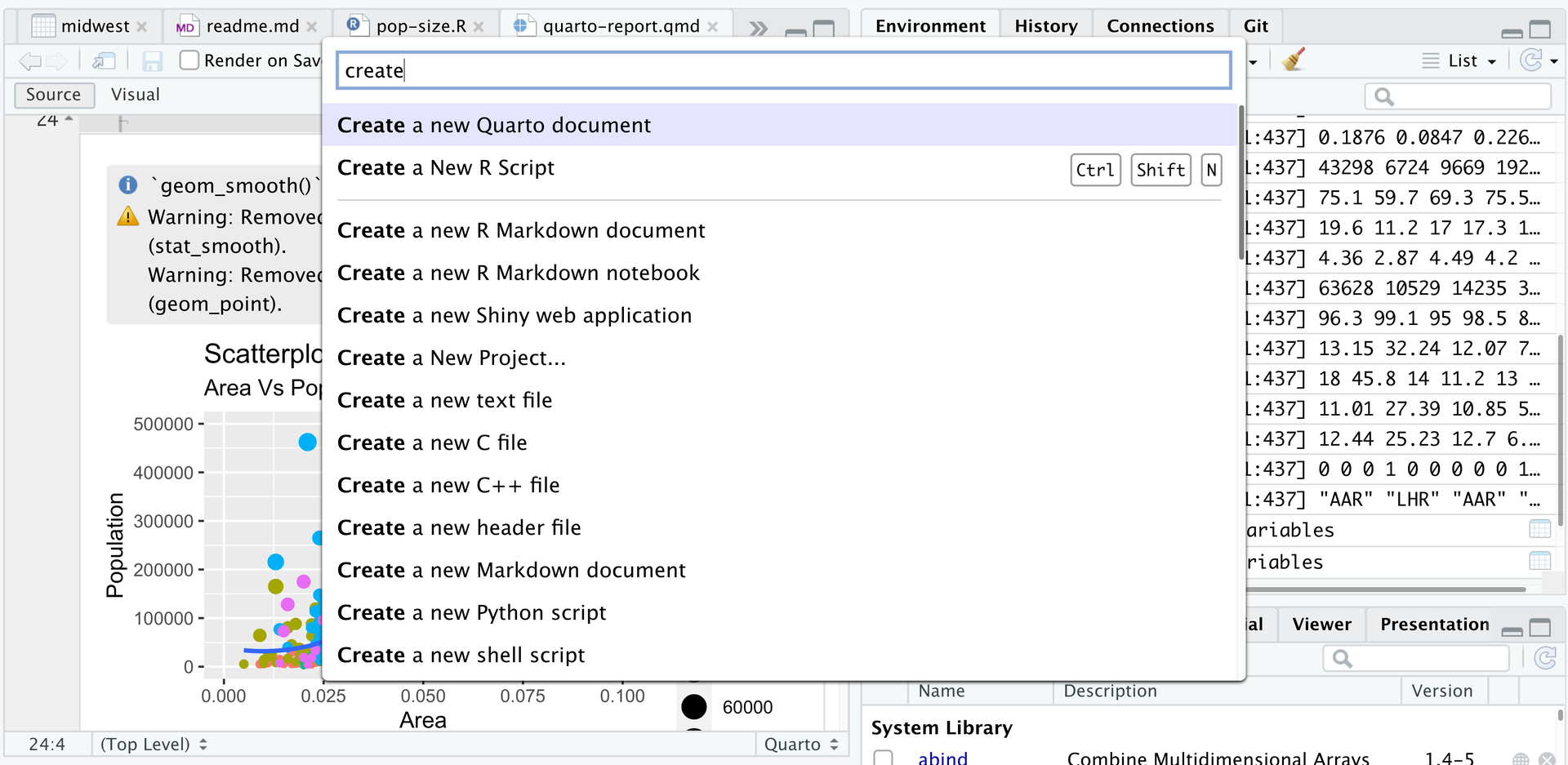
Open a browser tab, sign in, and the whole RStudio workbench is waiting there, running against R on a Linux server instead of your laptop. The familiar four-pane layout holds a source editor, an R console, Environment and History tabs, and Files, Plots, Packages, Help, and Viewer tabs. The editor opens R scripts, R Markdown, Quarto, and Python files, with code completion, diagnostics, section outlines, and a visual mode for Quarto documents. A Terminal tab and a Python console sit beside the R console, and the Data Viewer sorts, filters, and searches data frames and nested lists. Editor breakpoints and tracebacks help debug functions, while Background Jobs run long scripts in separate R sessions so the IDE stays usable. Shiny apps and Plumber APIs run as background jobs with live reload, and a Git pane handles diffs, commits, pushes, and branches. The Connections tab browses databases, and finished reports go to Posit Connect, shinyapps.io, Quarto Pub, or RPubs. Optional Posit Assistant adds an AI chat pane that works with the model provider you choose, and administrators can switch it off. Because everything runs server-side, a class, a lab, or a team can share one large-memory machine and keep computation next to the data without installing anything locally. Running on a dedicated VPS on RepoCloud with guaranteed CPU, RAM, and SSD, full root SSH access, and a browser serial console. AGPL-3.0 licensed.
Benefits
- Compute Where The Data Lives
- Run R sessions on a server with more CPU and RAM than a laptop, close to the data, while analysts work from any browser without installing anything locally.
- One Shared Setup For Teams
- Each person signs in with a server account through PAM and works against the server's installed R, so a team starts from one common setup instead of many laptops.
- Long Jobs Without Blocking Work
- Send long-running R scripts to background jobs in separate sessions, watch progress in the Jobs pane, and keep editing and exploring data while they finish.
- Publish Reports Straight From Browser
- Write R Markdown or Quarto documents, preview them in the Viewer, and publish to Posit Connect, shinyapps.io, Quarto Pub, or RPubs without leaving the browser.
Features
- Four-Pane Browser IDE
- Source editor, console, Environment and History, and Files, Plots, Packages, Help, and Viewer tabs share one layout that users can rearrange, with extra source columns and an optional sidebar.
- R, Python, And Quarto
- Edit and run R, R Markdown, Quarto, and Python files, switch Quarto documents into visual editing mode, and use reticulate to run Python from the console.
- Data Viewer And Debugger
- Sort, filter, and search data frames and nested lists in the Data Viewer, then step through code with editor breakpoints, tracebacks, and the browser debugger.
- Background Jobs And Terminal
- Run scripts as Background Jobs in separate R sessions with a progress bar, and open integrated Terminal tabs for shell commands next to the R console.
- Git And Projects
- A Git or SVN pane shows diffs, commits selected files, pushes and pulls, and manages branches, while RStudio Projects keep each analysis in its own working directory.
- Optional AI Assistant
- Posit Assistant adds an AI chat pane that connects to Posit AI Pass, Anthropic, OpenAI, Google Gemini, or Amazon Bedrock, and administrators can disable it in rsession.conf.