RustFS
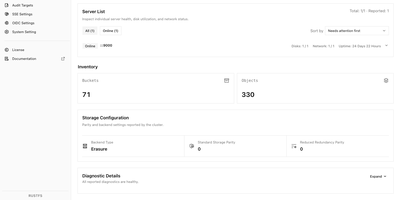
Tools and applications that already speak S3 can use RustFS as their storage backend, so backup jobs, data pipelines, and services keep working while the data stays on infrastructure you control. A built-in web console on port 9001 manages buckets, object uploads and downloads, access keys, users, groups, and IAM policies, with a status page for cluster health, capacity, and scanner activity. Versioning, Object Lock retention, bucket quotas, and server-side encryption with Vault or AWS KMS backends protect objects once they land. Lifecycle rules expire or transition data, and tiering moves cold objects to remote targets such as Amazon S3 or Wasabi. Bucket replication and site replication keep clusters in sync, and event notifications call webhooks when objects change. Single-node mode suits a lab or small server, while distributed mode adds erasure coding, bitrot protection, background healing, and pool expansion or decommissioning as capacity grows. Sign-in works with local users, OIDC single sign-on, or OpenStack Keystone, and FTPS and WebDAV are available by default, with SFTP and the Swift API as opt-in builds. A preview of S3 Tables exposes an Iceberg REST catalog for tools such as DuckDB and PyIceberg, and a documented migration path moves existing MinIO deployments across. Typical uses include backups, container registries, logs and traces, data lakes, and AI training sets. Running on a dedicated VPS on RepoCloud with guaranteed CPU, RAM, and SSD, full root SSH access, and a browser serial console. Apache-2.0 licensed.
Kopia
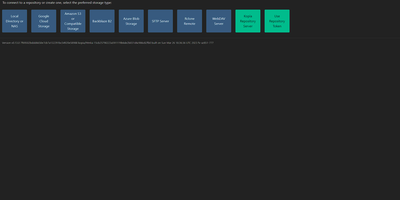
Engineers who have outgrown Duplicati or rsync scripts tend to appreciate Kopia's design: encrypted, compressed, content-deduplicated snapshots in Go, stored in a repository on any storage you control - S3, Google Cloud Storage, Azure Blob, Backblaze B2, SFTP, WebDAV, or a plain filesystem. Encryption is mandatory and end-to-end: every block is encrypted client-side with AES-256-GCM or ChaCha20-Poly1305 using keys derived from your repository password, and even file names never leave the machine in plaintext. Blocks are packed into 20-40 MB blobs with random names, so the storage provider learns nothing about content or structure. Deduplication is automatic and content-based - identical data across files, snapshots, and even multiple machines backing up to the same repository is stored once. Policies govern everything per-directory: compression choice, retention (hourly through annual), scheduling, and ignore rules. Incremental snapshots are point-in-time records you can mount and browse like a filesystem. This deployment runs the Kopia repository server with its web UI, centralizing backups from multiple client machines over an authenticated API - each client connects with the server URL and certificate fingerprint, and users only see their own snapshots. Error correction, high-latency-tolerant caching, and both CLI and GUI round it out.
Backrest
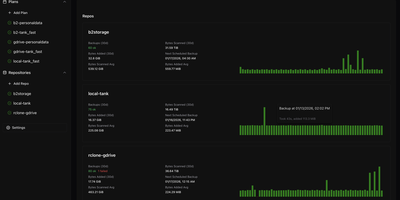
Backrest turns the command-line restic backup engine into a visual, browser-managed disaster recovery platform that schedules encrypted snapshots, orchestrates repository maintenance, and restores individual files from a unified web dashboard. Import existing restic repositories or initialize new encrypted backup stores across Amazon S3, Backblaze B2, Google Cloud Storage, Azure Blob Storage, SFTP servers, local directories, and any storage provider supported by rclone. Define granular backup plans with directory inclusion lists, glob exclusion rules, and flexible schedules driven by cron expressions, hourly intervals, or last-run-time clocks that prevent missed backups after server downtime. Automated retention policies handle snapshot forgetting, repository pruning, and cryptographic integrity checks in the background without manual intervention. When a file is accidentally deleted or corrupted, open the interactive snapshot tree browser to inspect historical directory structures and download or restore specific files directly to disk. Pre-backup and post-backup shell command hooks let administrators dump databases or pause containers before snapshots start, while configurable alerts dispatch status reports to Discord, Slack, Gotify, Healthchecks, and Shoutrrr endpoints whenever an operation succeeds or fails. Running on a dedicated VPS on RepoCloud with guaranteed CPU, RAM, and SSD, full root SSH access, and a browser serial console. GPL-3.0 licensed.
Zerobyte
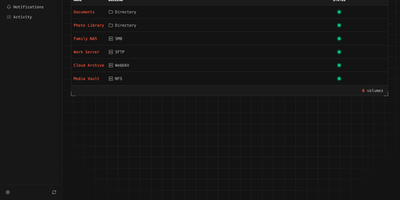
Replace fragile cron scripts and complex terminal commands with Zerobyte, a self-hosted web control center that schedules, monitors, and restores encrypted backups across any cloud or local storage infrastructure. System administrators can connect local drives, NFS shares, SMB exports, WebDAV mounts, and SFTP endpoints as backup sources with custom inclusion and exclusion rules. The visual interface lets you dispatch incremental, client-side encrypted snapshots to local directories, Amazon S3, Google Cloud Storage, Azure Blob, and forty cloud storage providers supported via rclone. You can schedule automated jobs using cron expressions, configure custom retention windows to automatically prune obsolete archives, and run repository health checks directly from the browser. Interactive file trees allow operators to inspect historical snapshot contents, download specific documents, or restore entire directory structures to their original locations in a single click. Configurable pre-backup and post-backup HTTP webhooks help pause databases before snapshots, execute dump commands, and alert teams through Discord, Slack, Telegram, or ntfy notifications. Multi-repository mirroring duplicates critical backups to secondary cloud providers for disaster recovery. Running on a dedicated VPS on RepoCloud with guaranteed CPU, RAM, and SSD, full root SSH access, and a browser serial console. AGPL-3.0 licensed.
Duplicati
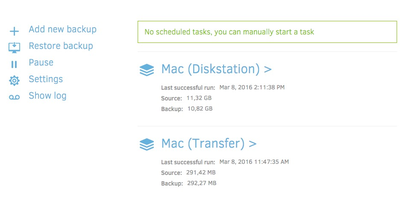
Encrypted, incremental, compressed backups on storage you already have - Amazon S3, Backblaze B2, Google Drive, Azure, OneDrive, Dropbox, MEGA, Storj, WebDAV, SFTP, FTP, SMB, or a plain local disk - is what the MIT-licensed Duplicati has quietly done for years. Its security model is Trust No One: every block is encrypted with AES-256 (or a local GPG instance) before leaving the machine, and the passphrase never travels, so the storage provider holds only ciphertext. The block-based storage engine gives the best of both backup worlds: after one initial full backup, only changed data blocks upload - modify a tiny part of a huge file and only that part transfers - yet every backup version restores like a full backup in a single operation, with no incremental chains to replay. Deduplication and compression keep remote storage growth slow even across years of versions. A web interface manages everything: the built-in scheduler keeps backups current automatically, flexible filters select folders, file types, or custom patterns, retention policies prune old versions, and an integrated updater flags new releases. On compatible object-lock backends, immutable (WORM) storage protects backup data from ransomware that reaches the credentials. Runs on Windows, macOS, and Linux, free even for commercial use.