Gitea Mirror
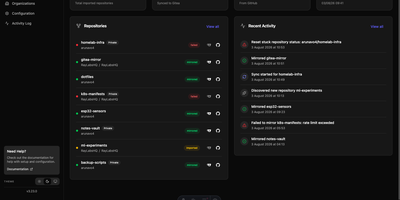
Gitea Mirror is an automated Git repository synchronization platform that mirrors your personal, starred, and organizational GitHub repositories directly to a self-hosted Gitea or Forgejo server. Through the web dashboard, you can connect standard GitHub accounts or GitHub Enterprise environments, discover newly created repositories automatically, and schedule recurring background sync intervals so your self-hosted forge always holds an up-to-date backup. Beyond raw Git commits and branches, the application transfers full repository metadata including issues, pull requests, labels, milestones, releases with attached assets, and project wikis. Teams managing large binary assets such as machine learning weights, media files, or game textures can enable Git LFS mirroring to replicate large objects alongside source code. Organization administrators can map entire GitHub organizations to custom destination namespaces, apply configurable fork handling strategies, preserve source visibility settings, and mark specific repositories to ignore. Built-in force-push protection detects destructive upstream history rewrites and offers backup-on-demand or block-and-approve workflows, while automatic cleanup rules prune deleted upstream repositories and expired activity logs. Access to the management console is secured with local accounts, reverse-proxy header authentication, or external SAML 2.0 and OpenID Connect identity providers. Running on a dedicated VPS on RepoCloud with guaranteed CPU, RAM, and SSD, full root SSH access, and a browser serial console. AGPL-3.0 licensed.
ComposeToolbox
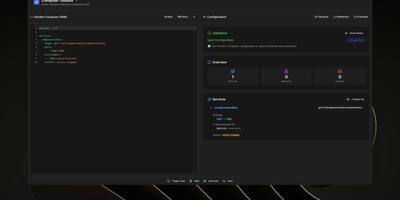
To eliminate YAML indentation errors and cryptic container misconfigurations before running docker compose up, ComposeToolbox pairs a full-featured code editor with a live configuration analyzer in a single self-hostable web workspace. Paste or write any docker-compose.yml file in the left pane to see immediate syntax validation alongside actionable best-practice warnings, such as unpinned latest image tags, missing healthchecks, or deprecated version declarations. On the right side, an interactive Configuration Overview breaks down every defined service, exposed port mapping, persistent volume mount, environment variable, and custom network into structured tabs. Built-in Quick Insert buttons let operators drop new service blocks, volume definitions, or network stanzas into the editor with one click. By mounting the persistent /app/data directory, administrators can define custom quick-insert YAML snippets with selectable hardware and networking icons in custom-templates.yml. Teams can also customize startup-template.yml so the editor opens with their organization's standard homelab or production boilerplate every time the page loads. Keyboard shortcuts, light and dark themes, and one-click YAML formatting or file export streamline daily container authoring. Running on a dedicated VPS on RepoCloud with guaranteed CPU, RAM, and SSD, full root SSH access, and a browser serial console. MIT licensed.