Excalidraw
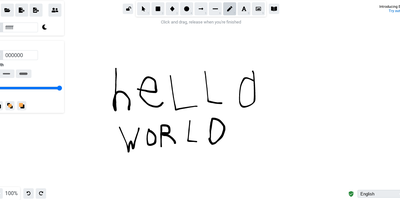
Half the architecture sketches on the internet trace back to Excalidraw - the MIT-licensed virtual whiteboard whose hand-drawn aesthetic made technical diagramming feel approachable, at roughly 85,000 GitHub stars. The infinite canvas offers rectangles, ellipses, diamonds, arrows with smart binding and labels, free-draw, text, images, and an eraser, with full undo/redo, zoom, dark mode, and keyboard-first ergonomics. Community shape libraries add thousands of pre-built elements - AWS architecture icons, flowchart stencils, UI wireframe kits - and everything exports to PNG, SVG, the clipboard, or the open .excalidraw JSON format that keeps drawings diffable and portable. Live collaboration works on a share-a-link model with live cursors and a laser pointer for presenting, and it is end-to-end encrypted by design: the room key travels in the URL hash, which never reaches the server, so the WebSocket relay only ever sees ciphertext. The architecture is remarkably light - the app is a static bundle served by Nginx, drawings persist locally in the browser, and the stateless excalidraw-room relay handles multiplayer - so a self-hosted deployment gives unlimited boards and collaborators with near-zero resource cost, replacing per-editor whiteboard subscriptions.
Affine Pro
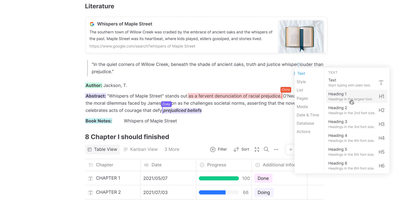
Gaining over 71,000 GitHub stars as one of the fastest-rising knowledge management platforms, AFFiNE merges the document editing capabilities of Notion, the infinite canvas of Miro, and the structured data of Airtable into a single cohesive workspace. The block-based editor built on the custom BlockSuite framework supports rich text, code blocks, embeds, tables, kanban boards, and database views with drag-and-drop composition. The whiteboard mode provides an infinite canvas where users can freely mix documents, sticky notes, shapes, connectors, and hand-drawn elements, enabling visual thinking alongside structured note-taking. Real-time collaboration allows multiple users to edit documents and whiteboards simultaneously with cursor presence, comment threads, and version history. The local-first architecture stores all data on your device by default using CRDT-based synchronization, ensuring offline access and data sovereignty, with optional cloud sync for cross-device availability. Workspaces organize content into hierarchical page trees with full-text search, favorites, tags, and trash management. The platform supports Markdown import and export, PDF export, and HTML export for interoperability. AI features powered by configurable LLM providers enable writing assistance, summarization, translation, and content generation directly within documents. The theming system supports light and dark modes with customizable accent colors. Running on a dedicated VPS on RepoCloud with guaranteed CPU, RAM, and SSD, full root SSH access, and a browser serial console. Licensed under MIT with an open-source self-hosted edition.
Whiteboard
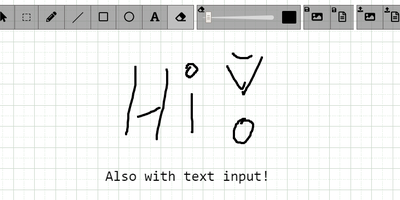
The drawing surface inside WebRTC conference tools like Meetzi and the LAMS online-learning platform is Whiteboard (by cracker0dks) - a lightweight Node.js collaborative sketchboard built to be embedded and customized, which also slots into Nextcloud via the External Sites app. Everyone opening the same whiteboardid URL parameter draws on the same board, with remote user cursors visible live, per-user undo/redo, and an indicator showing the smallest participating screen so nobody draws outside a colleague's view. Content handling goes beyond pen strokes: drag-and-drop or paste images and PDFs from any PC or browser, then resize, rotate, and draw over them on canvas or background; add text and sticky notes; hold Shift for angle-snapped lines and perfect squares. Every function has a keybinding - deliberately friendly to pen displays like Wacom and XP-Pen whose hardware buttons map to shortcuts. Boards save to image or JSON (with reload), export directly to Nextcloud via WebDAV, and persist across restarts with the file-database option. A REST API with bundled interactive docs allows full programmatic control, an optional access token locks down uploads, and YAML configuration tunes behavior and performance. MIT-licensed and reverse-proxy friendly.
Poznote
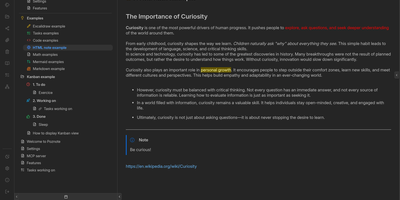
Poznote serves as an all-in-one personal knowledge base and digital workspace designed to bridge unstructured thinking and structured documentation. The platform pairs a responsive Markdown editor with live side-by-side rendering, KaTeX mathematical notation, and interactive Mermaid diagram compilation. Creative thinkers can switch instantly to an embedded Excalidraw infinite canvas to sketch system architectures, design mind maps, and create interface wireframes alongside their written notes. Every directory within the workspace can be toggled into an agile Kanban board where nested folders become customizable workflow columns and notes transform into draggable task cards. Task management views aggregate checklists across documents into unified priority queues with due date reminders and completion filters. An integrated bi-directional Git synchronization engine connects user workspaces directly to personal GitHub or Forgejo repositories, versioning edits automatically on save. The software also provides an integrated Model Context Protocol server that enables AI coding assistants to search notes, create documents, and query knowledge repositories securely. Running on a dedicated VPS on RepoCloud with guaranteed CPU, RAM, and SSD, full root SSH access, and a browser serial console. MIT licensed.
ExcaliDash
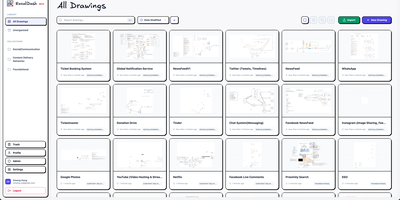
ExcaliDash adds persistent storage, access control, version history, and real-time collaboration to Excalidraw, transforming ephemeral whiteboarding sessions into a managed drawing library your team can rely on. The Node.js/Express backend with React/TypeScript frontend deploys via Docker Compose on port 6767, using Prisma ORM on SQLite for all drawings, users, and metadata. WebSocket-powered collaboration lets multiple users edit the same canvas simultaneously with live cursor presence. Drawing snapshots preserve every revision with visual preview and one-click restore to any previous state. Three authentication modes handle different deployment needs: local email/password for personal use, hybrid mode mixing native credentials with OIDC for gradual enterprise adoption, and enforced OIDC-only for organizations requiring SSO through providers like Authentik or Keycloak. Scoped sharing controls determine whether drawings stay private, shared internally with team members, or accessible via external links without authentication. Collections organize drawings through drag-and-drop grouping, full-text search locates any diagram instantly, and exports use the non-proprietary .excalidraw format ensuring complete data portability. 1,350+ stars since November 2025. Running on a dedicated VPS on RepoCloud with guaranteed CPU, RAM, and SSD, full root SSH access, and a browser serial console. AGPL-3.0 licensed.
Doca
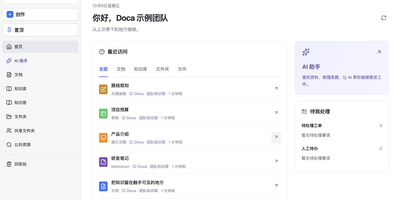
Doca puts rich text, Markdown, spreadsheets, slides, and an infinite canvas under one login and one permission model, giving individuals and small teams a self-hosted workspace for writing together. Every format supports real-time co-editing with presence, comments, saved history, and manual snapshots, and rich text and Markdown documents can be restored to an earlier version. Documents live in knowledge libraries with tree navigation, invitations, inherited permissions, share links, and trash, while personal files and shared folders sit on local disk or S3-compatible storage. Knowledge books go further: they subscribe to sources, run an editable workflow, keep source evidence, and route results through human review. A personal AI assistant, powered by whichever model you configure, searches authorized documents, reads PDF and Office attachments, edits images, and prepares browser drafts. MCP services let external AI clients such as Codex use those tools under your permissions. Sign in with a password, OIDC, Google, GitHub, WeChat, or QQ, review registrations before they go live, and send webhooks to other systems. A plugin SDK and marketplace add business modules, and a browser extension clips pages into documents. The interface ships in Chinese and English. Running on a dedicated VPS on RepoCloud with guaranteed CPU, RAM, and SSD, full root SSH access, and a browser serial console. MIT licensed.
draw.io
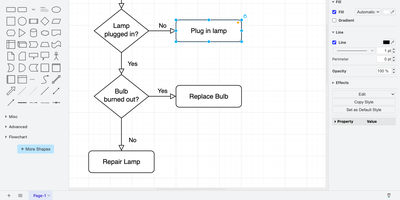
draw.io is a free, browser-based diagramming editor for flowcharts, network maps, UML models, and org charts, with nothing to install. An infinite canvas takes shapes from extensive libraries, connectors reroute automatically as shapes move, and ready-made templates replace the blank page. Tables, swimlanes, layers, and tags keep large diagrams tidy, and shape metadata and placeholders attach tooltips, links, and translations. Auto-layout straightens flowcharts and trees. Math typesetting, a simple whiteboard layout, and adaptive dark mode are built in, and custom shape libraries carry your own in-house icon sets. Export to PNG, JPEG, WebP, SVG, HTML, or PDF, embed the diagram data inside PNG and SVG files so they stay editable, or save the full diagram as a .drawio file. Your server stores no diagrams: files go to the user's device, the browser, or Google Drive, OneDrive, and GitLab once you register your own OAuth app. Optional AI diagram generation uses your own provider key, and environment variables set the interface language, fonts, and security policy. Running on a dedicated VPS on RepoCloud with guaranteed CPU, RAM, and SSD, full root SSH access, and a browser serial console. Apache-2.0 licensed.
Draw a UI
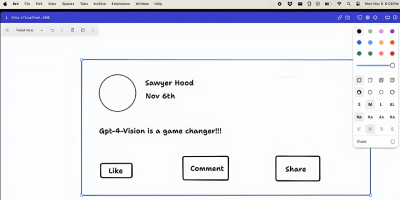
Sketch a wireframe, get working code: Draw a UI turns hand-drawn layouts into web interfaces. It pairs the open-source tldraw canvas with an OpenAI vision model: you sketch a layout - boxes, labels, buttons, arrows, whatever communicates the idea - select the drawing, and click Make Real. The app snapshots your selection as a PNG, sends it to the vision API with instructions to return a single HTML file styled with Tailwind CSS, and renders the result in an iframe directly on the canvas next to your sketch. The loop is iterative: annotate the generated prototype or redraw parts of it, select both the sketch and the previous result, and generate again - the model receives the earlier HTML as context and produces an updated version. Built by Figma engineer Sawyer Hood as one of the first viral GPT-4 Vision demos and the basis for tldraw's "Make Real", it is a Next.js app that runs against your own OpenAI API key. Self-hosting matters here: the upstream demo ships without authentication, so a private deployment keeps your API key from being drained by strangers. MIT-licensed.
WBO
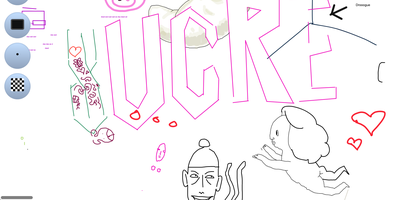
A Node.js server, a large shared canvas, and a URL - WBO (Whiteboard Ophir) is collaborative whiteboarding reduced to its essence. There are no accounts and no setup - to collaborate, you send someone the board's link, and every stroke appears for all connected users in real time over WebSockets, with cursor positions shared so you can see where collaborators are working. Board state persists automatically and continuously, so a diagram drawn in today's lesson is still there next week at the same URL. Boards come in three flavors: a public free-for-all, private boards with random unguessable names, and named boards with custom URLs shared by anyone who knows the name. The tools cover teaching and brainstorming needs - pencil, straight lines, rectangles, ellipses, text annotations, eraser, a full color palette with brush sizes - and boards export as SVG or PNG. Despite the simplicity, the server is production-minded: JWT authentication gates board access with granular capabilities (open, edit, and clear as separate permissions), rate limiting caps per-client message volume, reverse-proxy and subpath deployment are supported, and OpenTelemetry provides metrics, logs, and traces. It works on tablets and touch devices, speaks multiple languages, and consumes minimal resources. AGPL-licensed.