Hammond
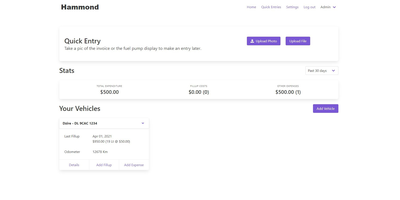
When Clarkson, the once-popular fuel logger, stopped receiving updates, Hammond stepped in as its logical successor - a self-hosted vehicle expense tracker. Written in Go with a Vue.js interface and SQLite storage - a single lightweight container, no external database - it tracks every cost your vehicles generate: fuel fill-ups with cost, volume, and odometer readings; maintenance and repairs; and arbitrary other expenses, each attachable with photos and documents stored against the vehicle. The multi-user, multi-vehicle design is what sets it apart from phone apps: a household or small business adds all its vehicles and all its drivers, shares vehicles across users, and every fill-up lands in one ledger no matter who was driving. The Quick Entries feature respects how expenses actually happen - snap a photo of the receipt or pump screen at the gas station, then complete the structured entry later when you have a minute. Reporting works at both the vehicle level (cost per distance, fuel economy trends) and across the whole fleet. Migration matters here: importers for Clarkson, Fuelly, and Drivvo bring years of fill-up history along, so switching does not mean starting your data over.
Moocup
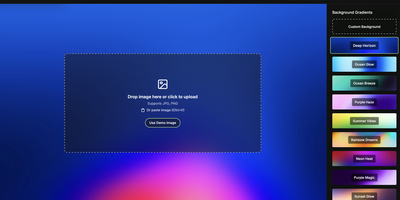
Drop your screenshot, a base style is applied, style it however you wish, and export - "that's basically it," says Moocup's own author, and the description holds. The workflow is genuinely seconds long. Drag an image in and it lands on an attractive backdrop immediately; from there you adjust backgrounds, gradients, padding, borders, shadows, and framing with live preview until it matches your taste, then export a high-quality image ready for a portfolio page, README, blog post, tweet, or slide deck. There are no accounts, no watermarks, and no upload to anyone's cloud - as a self-hosted static app, your screenshots never leave your infrastructure, which matters when the screenshot shows a proprietary dashboard or unreleased product. It runs entirely in the browser from a tiny nginx container, works on any device, and requires zero design skill: the smart defaults do the heavy lifting, and everything else is optional tinkering.
Hasty Paste
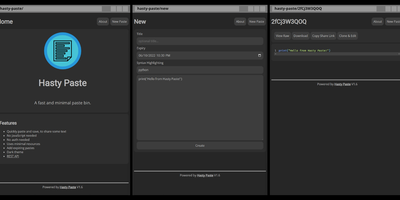
Paste some text, hit save, share the link - Hasty Paste is a fast, minimal pastebin written in Python on the async Quart framework, named, by its author's own admission, "because you use it so fast without a care in the world." No accounts, no authentication, no friction - built for the everyday case of handing a debug log, config snippet, or stack trace to someone in tech support or a chat channel. Pastes get randomly generated IDs, with an optional "long" ID mode that makes brute-force URL guessing impractical, and expiry times ensure throwaway content actually gets thrown away. Optional Pygments syntax highlighting makes code readable, a dark theme spares your eyes, and the whole interface works without JavaScript - it renders in terminal browsers and under the strictest script blockers. Storage is a custom flat-file system (no database), caching runs internally or through Redis for busier instances, and a REST API plus the companion "Hastily Paste It" CLI script enable piping command output straight into a paste from the terminal. The Alpine-based Docker image is tiny, resource usage is minimal, and the license is AGPL.
Jirafeau
Upload a file, get a unique download link and a separate delete link - Jirafeau has done exactly this one thing since 2008. It is plain PHP with no database, no mail server, no JavaScript framework, and no external dependencies - files and metadata live on the filesystem, which is why it runs on nearly anything and why it has outlasted most of its imitators. Uploads use the HTML5 file API, so PHP's post_max_size ceiling does not constrain file size, with live progress showing speed, percentage, and time remaining. Every upload takes options: expiration from one minute to a year to unlimited, self-destruct after first download, and password protection with configurable policy - passwords can be optional, required, or server-generated with complexity rules. Server-side encryption (modern builds use XChaCha20-Poly1305) stores files encrypted at rest with the decrypt key embedded only in the download URL, never on the server, so a compromised host cannot read the contents. Unencrypted deployments get file-level deduplication - identical files stored once with multiple links. Upload access can be gated by password lists or IP allowlists, a small admin panel manages stored files, and a CLI cleanup script handles expired files via cron. Recipients can preview supported files in-browser.
Lenpaste
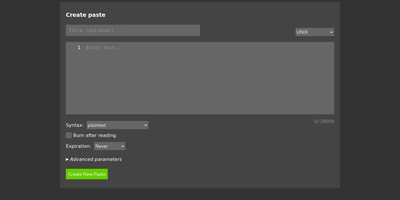
Share code snippets, logs, configs, and notes without registration, tracking, or ads: Lenpaste is a minimal, self-hosted, anonymous alternative to pastebin.com. It is deliberately spartan in the right ways: no accounts, no JavaScript required (the entire site works in text browsers and hardened setups), and cookies used solely to store display preferences. Pastes support syntax highlighting across a long list of languages (from ApacheConf and Arduino to mainstream stacks), configurable expiration from minutes to unlimited, one-use "burn after reading" pastes that self-delete on first view, optional author attribution, and iframe embedding for dropping pastes into other pages. The form-encoded HTTP API covers everything the UI does - create pastes with title, syntax, expiration, and line-ending normalization, fetch them by ID, and query server capabilities - making it trivial to pipe command output to your paste server from shell scripts. Server operators control maximum title and body lengths, maximum paste lifetime, rate limits for viewing and creation, search-engine indexing policy, and can lock private instances behind HTTP Basic authentication. It deploys as a single lightweight Docker container, giving your team a snippet-sharing endpoint where the content never touches a third-party service.