Cusdis
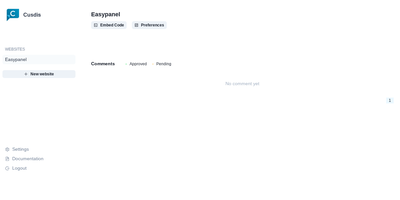
Comments for small sites without Disqus's baggage: Cusdis is a lightweight, privacy-first, open-source comment system for embedding under blog posts and articles. The embedded JavaScript SDK is about 5 KB gzipped (Disqus is roughly 24 KB), sets no cookies, runs no tracking, and does not require readers to create an account or sign in before commenting. Integration is two lines: a container div with your app ID and an async script tag, with ready-made adapters for common frameworks and static site generators. Moderation is approval-based - new comments stay hidden until you approve them from the dashboard, and email notifications include a Quick Approve link that approves or replies to a comment from your phone without logging in. A webhook fires on every new comment for integrations like Telegram notifications. The widget ships with built-in i18n and dark mode. The stack is TypeScript and Next.js with a Prisma data layer, deployable via Docker with PostgreSQL. Deliberately minimalist: no ads, no reader profiling, and your comment data lives in your own database.
Mix Studio
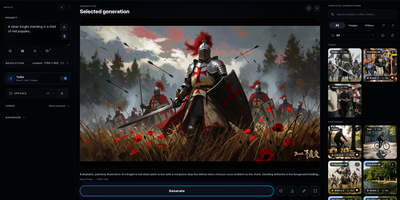
Mix Studio gives ComfyUI a calm, touch-friendly workspace where image and video generation happens through focused controls instead of a fresh node graph for every job. The Create view runs curated families including Krea 2, Flux 2 Klein, and Qwen Image with exact resolution, seed, batching, LoRA, and prompt enhancement controls. Region mode places aspect-correct boxes on the canvas, each carrying an independent prompt, LoRA stack, and reference image, then resolves them into one coherent generation. Edit mode combines whole-image editing, identity editing, and multi-reference Remix flows with masks, inpainting, outpainting, and source preservation. Video workspaces cover text-to-video, first and last frame control, reference-to-video, character animation, face lipsync, and motion transfer driven by a trimmed performance clip. An experimental photo-to-3D path turns a picture into an orbit video and a Gaussian splat you can view interactively and export. Upscaling pairs synchronized pan and zoom with a movable before-and-after divider for detail inspection. The Library keeps generations and uploads searchable with folders, groups, metadata, reusable settings, recoverable trash, and ZIP export, and separate profiles can carry PIN access. Live queue progress, cancellation, guided setup with dependency checks, and automatic backups keep daily operation orderly. Running on a dedicated VPS on RepoCloud with guaranteed CPU, RAM, and SSD, full root SSH access, and a browser serial console. GPL-3.0 licensed.
AIUsage
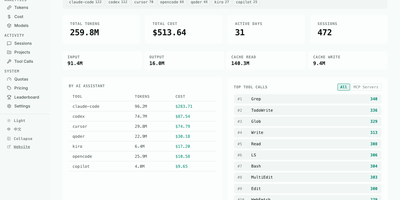
AIUsage shows where your AI coding spend actually went: it reads the session logs that Claude Code, Codex, Cursor, OpenCode, Copilot, Gemini CLI, and many other assistants leave behind, then turns them into one dashboard with tokens, estimated dollars, and activity. The Overview page totals tokens, cost, active days, and sessions for today, this week, this month, or all time, and filters by tool or device. Cost and Tokens pages chart daily spending and input, output, cache, and thinking usage, and Models ranks every model by share. The Sessions table lists duration, tool count, and cost per session, and a detail view walks through each API call and the tools it triggered. Tool Calls shows which built-in, MCP, and skill actions agents use most, Projects ranks directories by spend, and Quotas tracks subscription limits. Optional sync through GitHub, S3, R2, or MinIO merges several machines, and a public leaderboard accepts aggregate totals only. Running on a dedicated VPS on RepoCloud with guaranteed CPU, RAM, and SSD, full root SSH access, and a browser serial console. MIT licensed.
Argus
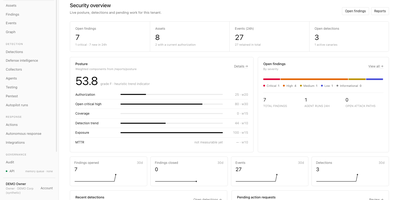
Hand your security alerts to a team of AI specialists and keep the final say on every action. Argus pulls events from cloud, identity, code, endpoint, and Kubernetes sources, runs fifteen detection rules, and turns matches into deduplicated findings enriched with CISA KEV and EPSS scores. Nine specialist agents hunt for evidence, build timelines, estimate blast radius, and propose fixes, but their only write path is a pending request that waits for human approval. Response playbooks can block an attacker or isolate a laptop through a catalog of 27 typed actions, starting in shadow mode with dry runs, caps, automatic rollback, and a tenant kill switch. Plant canary tokens aimed at rogue AI agents, replay eight simulated agent-driven attacks, and route OpenAI and Anthropic traffic through a gateway with model allowlists and budgets. Every step is written to a signed audit chain. A self-hosted command center with roles, TOTP sign-in, and Slack approvals fits small teams that have no SOC of their own. Running on a dedicated VPS on RepoCloud with guaranteed CPU, RAM, and SSD, full root SSH access, and a browser serial console. MIT licensed.
Mydia
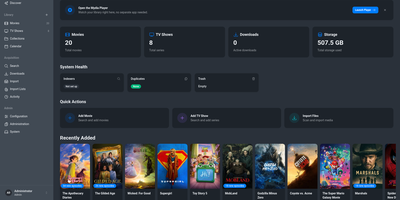
Mydia turns a folder full of movies and TV shows into a polished library that finds, ranks, and upgrades releases on its own. Poster grids, series pages with season and episode lists, and a release calendar keep every title organized with metadata from TMDB and TVDB. Monitored searches send requests to Prowlarr, Jackett, or the built-in indexer engine, then pass the best release to qBittorrent, Transmission, SABnzbd, NZBGet, or a debrid provider. A transparent ranking system explains why one release beat another, and quality profiles with custom formats decide when a better file should replace the old one. Guests can request titles through an approval workflow, and sign-in works with local accounts or OpenID Connect. Import lists pull from TMDB watchlists, popular, and trending charts, and a dashboard shows library size, downloads, duplicates, and storage at a glance. The built-in player streams the library from a browser at the /player path, with apps for desktop and phones that connect through an encrypted peer-to-peer link. Light, dark, and several color themes fit any screen. Running on a dedicated VPS on RepoCloud with guaranteed CPU, RAM, and SSD, full root SSH access, and a browser serial console. AGPL-3.0 licensed.
Pithagoras
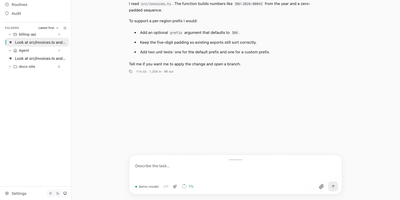
Hand a coding task to an AI agent, close the browser, and come back to find it finished. Pithagoras keeps every run on the server and records each event in a log, so a tab that reconnects days later replays everything it missed and then follows the live output. Chats work in the agent's Home folder or in projects with their own AGENTS.md instructions, and the sidebar groups sessions by folder with a status dot for running, idle, error, or interrupted. Beside the conversation you get panels for browsing and editing files, reviewing Git changes and branches, running a terminal, and watching background jobs. Add model providers from a setup assistant, including local llama.cpp or Ollama servers, OpenRouter, and Anthropic, then adjust tools, skills, MCP servers, and extensions per chat. Reach the same agent from Telegram, Slack, Discord, Signal, or a webhook, with roles, approvals, and an audit log. Scheduled routines report their results to a channel, and voice mode adds local speech in both directions. The portal installs as an app, supports light and dark themes, and speaks English and German. Running on a dedicated VPS on RepoCloud with guaranteed CPU, RAM, and SSD, full root SSH access, and a browser serial console. Apache-2.0 licensed.
Supernote
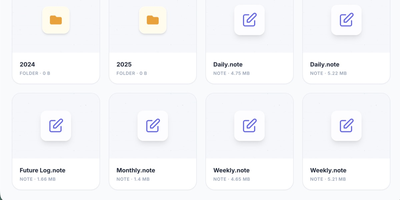
Your Supernote tablet fills with handwritten journals, meeting notes, and sketches, and this server gives that handwriting a private home: Supernote is a self-hosted sync cloud for Ratta Supernote tablets that stores notebooks on your own hardware and can transcribe, summarize, and search them with AI. Point the tablet at your server under its Private Cloud sync setting and notebooks upload automatically, ready to browse in the web interface alongside your task lists and AI insights. Turn on the intelligence layer and each synced page is transcribed by a vision model, either Google Gemini or a local model served by Ollama or another OpenAI-compatible endpoint, so notes never leave your network. Analyzers then read your journals to surface tasks, themes, and Daily, Weekly, and Monthly summaries. Every word is indexed for semantic search, which understands concepts: searching for budget also finds pages about expenses or money, even when that exact word never appears. Tasks discovered in your handwriting export as calendar feeds that drop into Home Assistant, Apple Calendar, Google Calendar, and Outlook. An MCP server lets assistants such as Claude, Gemini, and ChatGPT answer questions against your notebooks, and notebooks convert to PDF, PNG, SVG, or plain text for use anywhere else. The hub idles at about 160 MB of memory, or roughly 135 MB in bare sync mode. Running on a dedicated VPS on RepoCloud with guaranteed CPU, RAM, and SSD, full root SSH access, and a browser serial console. Apache 2.0 licensed.
Marketing Dashboard
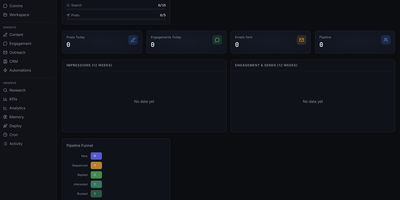
This is a marketing operations control center that replaces fragmented CRM, outreach, content, and analytics tools with a unified self-hosted interface designed for AI agent-assisted go-to-market teams. The CRM module manages leads through a configurable pipeline funnel with stages from New through Sequenced, Replied, Interested, and Booked, tracking source attribution, industry segments, company size, lead quality scores, and LinkedIn URLs per contact. Outreach sequencing supports email campaigns with pause controls, audit endpoints, suppression workflows, and engagement tracking. The content operations surface provides calendar views, content item management, performance metrics, and approval queues for editorial control. Analytics and KPI dashboards show impressions, engagement, and send volumes over configurable time periods, with optional connectors to Plausible, Google Analytics 4, X, and LinkedIn for cross-platform reporting. The OpenClaw-native agent runtime enables dynamic agent and squad discovery, workspace management, session monitoring, and communications surfaces. Automation scheduling uses cron job templates with OpenClaw-compatible schedule variants including cron expressions, every intervals, and at timestamps. The tech stack combines Next.js 16 App Router with React 19, Tailwind CSS 4, Recharts, and Zustand for state management. Authentication supports session cookies, API keys, and optional Google OAuth with role-based access controls. All state persists locally in SQLite via better-sqlite3 with no required external infrastructure. On RepoCloud, deploy Marketing Dashboard on a dedicated VPS with persistent SQLite storage, root SSH access, and complete control over your marketing operations data, all under the MIT license.
Atlantis Diagrams
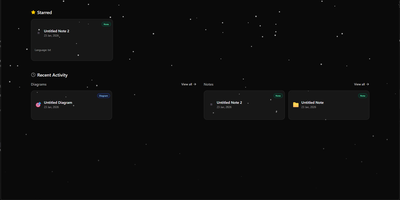
Technical teams frequently struggle to keep software architecture diagrams synchronized with evolving codebases and documentation repositories. Atlantis Diagrams delivers a unified self-hosted workspace that couples code-driven Mermaid.js diagramming with structured Markdown knowledge bases in a responsive web interface. Engineers can compose flowcharts, sequence diagrams, state machines, entity-relationship models, and Gantt schedules using split-view CodeMirror editors with real-time SVG rendering. An integrated version history tracker automatically captures revision checkpoints across the last 15 document states, letting authors compare modifications and restore previous iterations without data loss. The linked notes environment supports rich Markdown editing, LaTeX mathematical formulas, interactive task checklists, tag indexing, and full-text keyword searches across personal documentation libraries. Canvas controls allow users to pan, zoom, inspect individual nodes, and export finalized graphics directly into vector SVG, high-resolution PNG, or printable PDF documents. Storage engines adapt to deployment scale, running on zero-configuration SQLite databases out of the box with optional PostgreSQL, MySQL, and Redis caching layers for high-concurrency environments. Running on a dedicated VPS on RepoCloud with guaranteed CPU, RAM, and SSD, full root SSH access, and a browser serial console. MIT licensed.
Composr
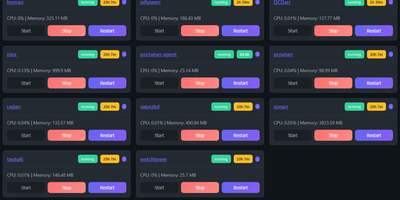
Managing multi-server container fleets often deteriorates into fragmented SSH sessions, mismatched compose files, and conflicting port allocations. Composr consolidates multiple Docker host daemons into a unified web dashboard that controls running containers, stack definitions, and system metrics from a single interface. Operators can connect remote Docker daemons through encrypted TCP sockets, inspect container health, and stream live execution logs with sub-second responsiveness. A built-in project creation wizard guides administrators through drafting new Compose topologies across local directories or remote server nodes. In-browser CodeMirror editors deliver live syntax highlighting for YAML files, configuration dotfiles, and reverse proxy definitions without detaching containers from disk. The platform tracks service properties directly, letting you toggle Compose profiles, relocate services between YAML manifests with pre-flight risk checks, and detect target port collisions before redeployment. Integrated backup managers bundle container metadata, compose files, and environment definitions into downloadable archive packages for automated disaster recovery. System operators can open interactive browser terminals into any active container, execute batch maintenance tasks, and configure scheduled image update checks. Running on a dedicated VPS on RepoCloud with guaranteed CPU, RAM, and SSD, full root SSH access, and a browser serial console. MIT licensed.
Knock-Knock
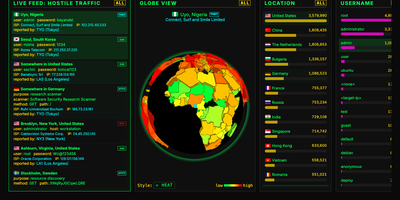
Bots that knock on your server's login ports are always turned away by Knock-Knock, a multi-protocol honeypot that shows every attempt on a live dashboard. Honeypots answer on the standard ports for SSH, Telnet, FTP, RDP, SMB, SIP, HTTP, and SMTP, with MQTT, Node-RED, Modbus, S7, and SNMP as optional extras. Authentication is always rejected, so no bot ever gets a shell. Who is knocking? The live feed shows each attempt's country, username, password, ISP, IP, and protocol. From where? A 3D globe marks the origin in one of six styles, including an extruded country heat map. Trying what? Leaderboards rank countries, usernames, passwords, ISPs, and IP addresses, and a trivia panel explains why bots favor certain credentials. A protocol filter re-slices the feed, globe, and leaderboards together; SIP shows dialed numbers and toll-call destinations, and RDP shows hostnames and accounts. Too fast? Press the space bar to pause, right-click any knock for details, or switch on a virtual Geiger counter that clicks as attacks arrive. Want to fight back? Download hourly 30-day and 365-day blocklists with recipes for CSF, CrowdSec, ipset, nftables, and pfSense, or query the optional API for any IP, CIDR range, or ASN. Several honeypot servers can stream into one aggregated dashboard. Running on a dedicated VPS on RepoCloud with guaranteed CPU, RAM, and SSD, full root SSH access, and a browser serial console. MIT licensed.
KaaS
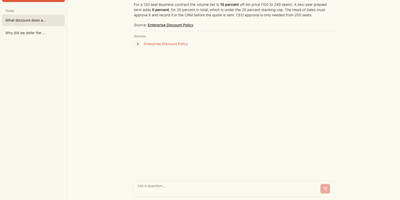
Turn scattered meeting notes, policies, postmortems, and documents into a readable wiki that your team can question in plain language. Paste text, upload a file, or point KaaS at a web page, and an AI pipeline pulls out the concepts, decisions, and people, then writes them up as Markdown articles sorted into decision, reference, guide, and concept folders. Ask a question in chat and the answer cites the exact articles it came from, so anyone can open the source and check it. Each article shows tags, a source count, and a table of contents, and every page is stored as a plain Markdown file you can read, edit by hand, or commit to version control. Adding one new document only recompiles that document, which keeps model costs predictable as the library grows. A Builds page lists every submission with its status and attempts, and a failed worker's job is picked up again instead of lost. Derive a topic knowledge base to carve a focused collection out of the wiki for one subject, and let coding agents query the same wiki through an MCP ask tool. Team handbooks, customer onboarding, incident history, and pricing rules are the knowledge that ends up scattered across a dozen files, and this is where it comes back together. Running on a dedicated VPS on RepoCloud with guaranteed CPU, RAM, and SSD, full root SSH access, and a browser serial console. MIT licensed.
Single Server
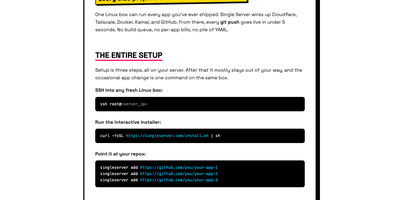
Point it at your GitHub repos and every push goes live in under five seconds: one Linux box becomes the deployment platform for every app you have ever shipped, with no build queue, no per-app bills, and no pile of YAML. An interactive installer wires the box up once, creating a GitHub App for limited, revocable repo access, Cloudflare DNS records and a tunnel so visitors get TLS and CDN at the edge while your server IP stays hidden, and Tailscale access so you SSH in without exposing SSH to the public internet. From then on you just push: the daemon receives the webhook through a Tailscale Funnel, verifies its signature, fetches the commit, builds the image on the server from your Dockerfile or a generated one, and swaps traffic only after the new container passes its health check, so a failed deploy leaves the previous version serving. Each app runs in its own container with its own environment variables and persistent storage, and one CLI on the box handles the rest: add or remove apps, attach a domain in one command, roll back to an earlier commit, stream logs, check status, take backups, or run doctor to diagnose every layer from daemon to DNS. Running on a dedicated VPS on RepoCloud with guaranteed CPU, RAM, and SSD, full root SSH access, and a browser serial console. MIT licensed.
HitKeep
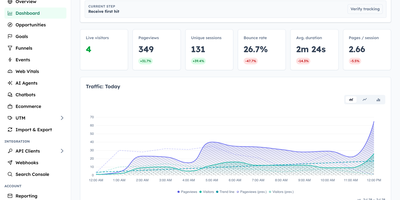
HitKeep is a sovereign web analytics platform that consolidates cookieless visitor telemetry, conversion funnels, e-commerce revenue reports, and AI engine visibility into a privacy-respecting dashboard that replaces Google Analytics and complex tracking clouds. Marketing teams can monitor inbound visitor journeys without installing intrusive consent banners or violating regional GDPR regulations. Custom conversion funnels and goal milestones track user registrations, checkout transactions, newsletter subscriptions, and software downloads with exact revenue attribution. Integrated Google Search Console synchronization brings organic search queries, keyword impression rankings, and click-through metrics directly alongside real-time pageview logs. A dedicated artificial intelligence visibility dashboard monitors crawling bots, retrieval citations, and direct referral visits originating from ChatGPT, Claude, Perplexity, and other generative search agents. Growth analysts can pose natural language questions to an embedded AI reporting assistant, generating instant cohort breakdowns and engagement trends without assembling complex manual filters. Site operators can configure custom tracking domains, whitelist reverse proxy networks, filter out referrer spam, and schedule automated database backups across persistent storage volumes. Complete data sovereignty controls allow teams to export raw event telemetry into open Parquet and CSV archives or stream metrics into external business intelligence warehouses via webhooks. Running on a dedicated VPS on RepoCloud with guaranteed CPU, RAM, and SSD, full root SSH access, and a browser serial console. MIT licensed.
Connapse
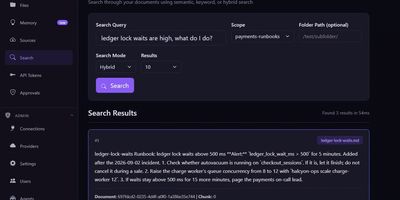
Give your AI agents a library to search and a memory that survives the session: Connapse serves both over MCP and a REST API. Upload files or whole folders, or index them where they live: SFTP servers (including folders on your own computer), Amazon S3, Azure Blob Storage, GitHub, Confluence, Jira, or a custom source server. Queries run vector and keyword search together and fuse the rankings, an optional cross-encoder reranker re-scores the top results, and each passage comes back labeled with its source file. Agents save dated facts with their sources into personal or team memory spaces, recall them later, correct them without losing history, and forget them on request, while a Memory page shows each space's timeline. Results from GitHub, Confluence, Jira and custom sources are checked against each reader's own access, and a passage is left out whenever that check cannot be made. Optional link search follows a GitHub issue to its closing pull request or a Jira issue to its epic, and code tools find definitions, callers, and what a change could affect. More than twenty named tools suit Claude Code, Cursor, and VS Code; each key gets only the tools its scopes allow, and deletes can wait for approval. Embeddings run locally by default, with OpenAI or Azure OpenAI one setting away. Running on a dedicated VPS on RepoCloud with guaranteed CPU, RAM, and SSD, full root SSH access, and a browser serial console. MIT licensed.
LogForge
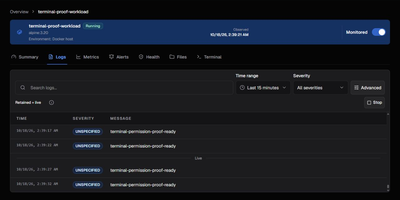
LogForge puts container logs, metrics, events, alerts, and guarded fixes behind one self-hosted web UI for Docker. The overview gathers container health, status, logs, metrics, Docker events, and file access for its host, so a sick container gets inspected without juggling docker commands across terminals. Logs stream in real time, interactive terminals open into running containers, and collected logs, metrics, and events are stored for later review and trend checks. Alert rules watch logs, metrics, and container events, and one-click templates cover stability, performance, log, and security signals. Fired rules notify through Email, Slack, Teams, Discord, Telegram, Gotify, or webhooks, and alert history records acknowledgements plus delivery attempts. A rule can also act: restart, stop, start, kill, or run a script, throttled by cooldowns, rate limits, backoff, and verification delays so automation cannot thrash a host. Other Docker hosts join through mTLS-protected agent enrollment, letting one console watch a small fleet. Running on a dedicated VPS on RepoCloud with guaranteed CPU, RAM, and SSD, full root SSH access, and a browser serial console. Apache-2.0 licensed.
Documize
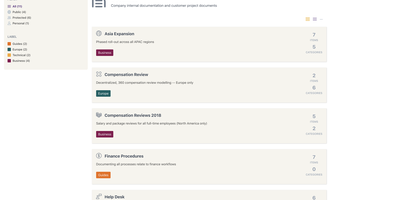
Enterprise documentation discipline without enterprise infrastructure: Documize Community is the Confluence alternative built on exactly that trade. The entire platform - Go backend, Ember.js frontend - compiles to a single executable binary for Linux, Windows, and macOS with zero runtime dependencies: no Elasticsearch, no Redis, no JVM. Point it at PostgreSQL, MySQL, MariaDB, Percona, or Microsoft SQL Server (rare in open source, decisive in Microsoft shops), and schema migrations run on launch with native full-text search on whichever engine you chose. Content organization rejects nested-folder sprawl for Spaces, categories, and labels, and the section-based composable editor mixes rich text, Markdown, code blocks, PDFs, diagrams, and embedded Jira or Trello content in one document, with reusable blocks and templates so teams start from standards rather than blank pages. It deliberately unifies internal team docs and customer-facing documentation in one system with granular space-, document-, and action-level permissions deciding who sees what. Where wikis stop, Documize continues: content approval workflows (draft, review, approve, publish), version management, lifecycle control, feedback capture, PDF export, analytics showing what gets read and ignored, activity streams, and audit logs. Keycloak, LDAP, and SSO integrate for enterprise auth. AGPL-licensed.
Coach Watts
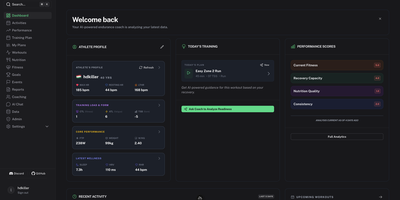
Coach Watts is a self-hosted AI endurance coach that reads your training, recovery, sleep, and nutrition data together and tells you, each day, whether to push or rest. Connect Intervals.icu, Strava, Whoop, Oura, Garmin, Withings, Wahoo, Polar, Fitbit, Hevy, Yazio, Rouvy, or Ultrahuman and every workout, HRV reading, sleep score, and meal lands in one athlete profile instead of fourteen separate apps. Each session gets a detailed breakdown with an execution score, and the performance view tracks Fitness, Fatigue, and Form alongside power curves so you can see a training block working, or quietly burying you. Daily recommendations weigh HRV and sleep before suggesting intensity, and the interactive chat answers questions against your own data when you want the reasoning behind a call. Adaptive plans generate around your schedule and goals, then adjust as life interferes. Nutrition tracking applies metabolic fueling logic that shifts between Eco, Steady, and Performance modes based on session intensity, so long rides get fed differently from recovery spins. Coaching alerts and system messages arrive in the dashboard, Telegram coaching is available for nudges on the move, and the whole platform speaks more than ten languages with timezone handling that follows traveling athletes. A Google account provides sign-in and the Gemini models behind the analysis, while your synced history stays in your own database. Running on a dedicated VPS on RepoCloud with guaranteed CPU, RAM, and SSD, full root SSH access, and a browser serial console. Apache-2.0 licensed.